Labor Management Software: The Complete Guide for Small Businesses


SMALL BUSINESS INTEL, IN YOUR INBOX
Table of contents
If you search "labor management software," most of the results point to tools built for warehouses, hotel chains, and enterprise HR departments. Workday. UKG. ADP WorkForce Suite. Systems with dedicated IT teams, multi-month implementations, and pricing that assumes a company with hundreds of employees.
They weren't built for a restaurant owner with 15 servers. Or a retailer juggling part-timers across two locations. Or a salon owner who just wants to stop rebuilding the schedule every Sunday night.
For small businesses, "labor management software" just describes the tool that keeps your team running: scheduling shifts, tracking hours, running payroll, and staying on top of labor laws. This guide breaks down what labor management software does, which features matter for small businesses, and which tools are worth your time in 2026.

Labor Management Software for Small Businesses, at a Glance
Labor management software helps businesses schedule shifts, track hours, run payroll, and stay compliant with labor laws, all from one place. For small businesses with hourly teams, the best options are purpose-built and don't require a consultant to set up.
Top picks:
- Homebase: Best for small businesses with hourly teams who want team management, time tracking, scheduling, and payroll all in one app
- Workforce.com: Best all-in-one for hourly teams
- Deputy: Best for compliance-heavy or multi-location businesses
- 7Shifts: Best for restaurants
- When I Work: Best for straightforward SMB scheduling
- Connecteam: Best for field teams and mobile-first operations
What Is Labor Management Software?
Labor management software is a digital tool that helps businesses plan, track, and manage how work gets done. It typically covers employee scheduling, time and attendance tracking, payroll processing, compliance management, and team communication, all connected in one system.
For small businesses, labor management system software replaces spreadsheets, paper timecards, and the daily mental load of managing a team manually.
Most of the time, "labor management software" and "workforce management software" are used interchangeably. The category name doesn't change what the tool does. At its most basic, it answers three questions: who's working, when, and what did it cost?
What Does Labor Management Software Include?
Most time and labor management software covers six core functions:
- Employee scheduling: The function that most small businesses feel first—the weekly process of building, publishing, and adjusting who works when. Good employee scheduling software posts a schedule in minutes, notifies your team automatically, and brings open shifts, swaps, and time-off requests into the same place.
- Time and attendance tracking: Labor management software with a good time tracking component connects your team's hours to payroll. Employees clock in from their phone, a tablet, a computer, or a POS system, with GPS and photo verification to confirm they're on-site. Hours, breaks, and overtime are calculated automatically, and timesheets feed directly into the payroll run.
- Payroll integration or processing: Connected payroll management takes the hours your team worked, applies wage rates, calculates taxes and overtime, and runs payroll for you. Direct deposit, tax filing, and W-2 handling are included. Because time tracking and payroll live in the same system, there's nothing to export or re-enter.
- Labor compliance (overtime rules, break tracking, wage laws): Good labor compliance management software automates this entirely: federal, state, and city-specific overtime rules and break requirements can be set up to apply automatically, as required by the Fair Labor Standards Act (FLSA).
- Team communication and HR tools: Built-in messaging keeps shift updates in a work channel instead of personal group texts. Employees can check their schedule, request time off, and swap shifts without calling you. New hire onboarding, document storage, and HR tools for small businesses like employee records and time-off management all live in the same system.
What Are the Benefits of Labor Management HR Software?
The biggest benefits are time savings and fewer costly mistakes. In practice, that means:
- Time back for the business. Building a schedule manually, tracking down missed punches, and reconciling timesheets before payroll runs eats hours that should go toward the business. Automation handles the repetitive parts, so managers can run the floor instead of the paperwork.
- Payroll accuracy. Missed clock-outs, rounding mistakes, and buddy punching cost real money and create compliance risk. When time clocks connect directly to payroll, the data going into a pay run is accurate before anyone touches it.
- Labor cost visibility. According to the NFIB May 2026 Jobs Report, 14% of small business owners cited labor costs as their single most important business problem. Good labor cost management software shows labor as a percentage of sales in real time, making workforce optimization achievable without a dedicated HR department.
- Compliance protection. Wage violations, overtime miscalculations, and missed break requirements carry financial penalties. Automated rules reduce that exposure without requiring a manager to memorize state labor law.
- Team retention. Fair scheduling, on-time pay, and clear communication directly affect whether your team stays. High turnover is one of the biggest hidden costs for hourly-team businesses.
Who Should Use Labor Management Software?
Labor management software delivers the most value to any business with an hourly team and a schedule that changes week to week, specifically:
- Restaurants. High turnover, tip compliance, and last-minute call-outs make scheduling especially painful here. This is what restaurant labor management software is built for: tying scheduling to your POS and surfacing labor percentage by shift in real time.
- Retail. Seasonal spikes, part-timers juggling multiple jobs, and multi-location complexity outgrow a spreadsheet fast. Retail workforce management tools flag double-bookings, match staffing to past foot traffic, and handle compliance across locations.
- Hotels and hospitality. Occupancy-based scheduling and multi-department rosters need real forecasting. Labor cost visibility by department keeps each service area on budget.
- Healthcare and clinics. Credential tracking, on-call scheduling, and strict break compliance make manual management a genuine liability.
- Any hourly team with variable scheduling. Employee management software built for hourly teams fits fitness, childcare, events, home services, and any operation with five to 150 employees and shift-based scheduling.
Which teams are not the right fit? Solo operators, fully salaried teams, and businesses that only need payroll. A standalone payroll tool may be enough.
If you're still managing your team in a spreadsheet and it's starting to break, that's usually the right moment to switch.
How to Choose the Best Labor Management Software for Your Business
Finding the right staff management software for your team comes down to fit: team size, industry, and your biggest daily pain point. Here are the six things that matter most in any labor management software comparison.
- Start with your biggest pain point. The tool that solves what's breaking will get used; a long feature list that doesn't address it won't.
- Make sure it's built for your team size. If you have fewer than 150 people, you need something that works from day one, with no implementation consultant and no months-long setup.
- Look for a real free tier or free trial. Any solid small business tool should let you test it properly before you commit.
- Check that it's mobile-first. If the app isn't intuitive on mobile, managers and team members won't use it consistently, and the whole system breaks down.
- Make sure scheduling, time tracking, and payroll connect automatically. Exporting a CSV from your workforce scheduling software and re-importing it somewhere else just moves the manual work around.
- Verify compliance coverage for your specific state and city. A tool that handles California's meal break rules may not cover New York City's Fair Workweek law or Chicago's predictive scheduling requirements.
The Best Labor Management Software for Small Businesses in 2026
Why Trust Homebase? Why We Built This Guide
We're Homebase, and we make a free scheduling, time tracking, payroll, and HR app for small businesses with hourly teams. We have a stake in this topic, so here's what you should know up front: Every app was evaluated on its own merits. We don't accept payment or backlinks for a product mention.
We built this guide because small business owners searching "labor management software" mostly land on enterprise tools that weren't designed for a team of 15. This list surfaces the options that fit a business with five to 100 hourly workers.
How We Chose Top Labor Management Tools
We chose these tools based on seven criteria:
- Hourly team fit: Does it handle shift-based scheduling, variable hours, and hourly pay rates?
- Scheduling depth: Can managers build and publish schedules in minutes, with automatic team notifications?
- Time tracking reliability: Does it support mobile clock-in, photo verification, and automatic overtime calculation?
- Payroll connection: Do timesheets feed directly into payroll, or do you export and re-import?
- Compliance coverage: Does it apply overtime rules, break requirements, and wage laws automatically?
- Pricing transparency: Is pricing predictable for a team of 10 to 50 people? Hidden per-employee fees are flagged.
- Mobile experience: Is the app usable by a manager on the floor and by a team member on their own phone?
Research method: First-person app review, pricing verified against each vendor's live website, G2 and Capterra ratings sourced from current published listings, and review patterns synthesized across verified user reviews. See our full evaluation methodology here.
The Best Labor Management Software: Our Top Picks
The five tools below were evaluated on hourly team fit, scheduling depth, payroll connection, compliance coverage, pricing transparency, and mobile experience.
1. Homebase
We're Homebase, and our app is included here for direct comparison. Homebase is an everything app for hourly teams: scheduling, time tracking, payroll, HR, and team communication in one place, used by 100,000+ small businesses across food and beverage, retail, beauty and wellness, healthcare, and home services.
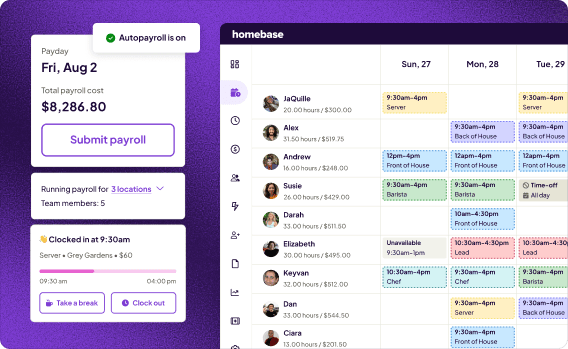
Of the tools in this guide, Homebase is the only one with a free plan that covers both scheduling and time tracking, native payroll built into the same system, and flat per-location pricing with no per-employee fees.
Managers who built schedules manually tend to feel the difference in the first week. Bryan Tublin, Co-Founder & CEO at Kitava, noticed it immediately: "Something that would take me at least an hour to do — I was able to cut that down by about a quarter of the time."
Rating: G2 4.6/5 (558 reviews) · Capterra 4.6/5 (1,147 reviews)
Key features:
- Scheduling with templates, auto-scheduling, open shifts, shift trades, and real-time text and in-app notifications
- Time clock on any device (phone, tablet, computer, or Clover POS) with photo verification, geofencing, and automatic overtime alerts
- Full-service payroll that syncs directly from timesheets: wages, taxes, and tips calculated and filed automatically, with W-2 and 1099 support, direct deposit, and automatic tax filing
- Hiring, paperless onboarding, a handbook builder, certified HR advisors, and team messaging built into the same app
Pricing:
- Basic: Free for one location, up to 10 team members; basic scheduling and time tracking
- Paid plans start from Essentials: $30/month per location, unlimited team members; advanced scheduling, time tracking, and team communication. Annual billing saves 20% across all paid plans
- Payroll add-on: $49/month + $6/employee
- Free 14-day trial of the All-in-One plan, no credit card required
2. Workforce.com
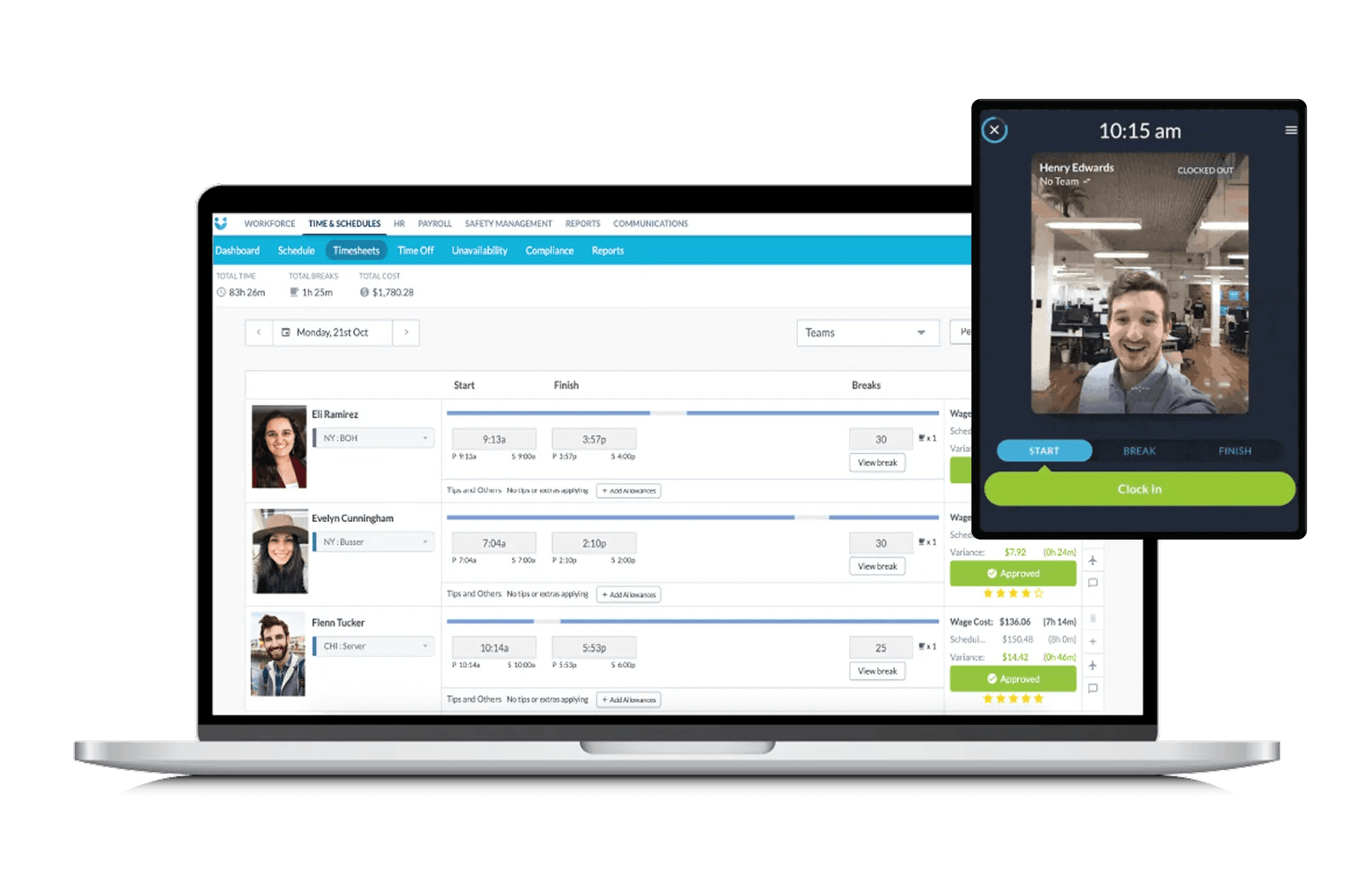
Workforce.com is a labor management tool for hourly teams in hospitality, retail, healthcare, and services. It combines scheduling, AI-driven labor forecasting, time and attendance tracking, and payroll in a single system, all natively connected, with no manual exports between modules.
Best for: Hourly and shift-based businesses that want scheduling, HR, and payroll in one place.
Rating: G2 4.5/5 (121 reviews) · Capterra 4.7/5 (41 reviews)
Key features:
- Employee scheduling with AI-driven labor forecasting tied to sales and demand signals
- Time and attendance tracking with mobile clock-in, shift swapping, and overtime management
- Full-service payroll with automated wage and pay rate calculations, including overtime and differentials
- HRIS with paperless onboarding, applicant tracking, and performance management
Pricing: No public pricing; all plans are quoted individually per user. Available modules: Scheduling, HR, Payroll, and All-in-One bundle.
What users like: Reviewers across G2 and Capterra most often praise the intuitive interface and the quality of the customer support team, with many specifically calling out their implementation specialists as a standout part of the experience.
What users criticize: The most consistent complaint across both platforms is that navigation can be unintuitive during initial setup, with a learning curve for finding specific features, with the mobile app occasionally experiencing slowdowns or bugs.
Our take: A strong all-in-one for teams that want labor forecasting and native payroll in the same system. No free tier and custom-quote pricing mean you'll need a sales conversation before you can evaluate it.
3. Deputy
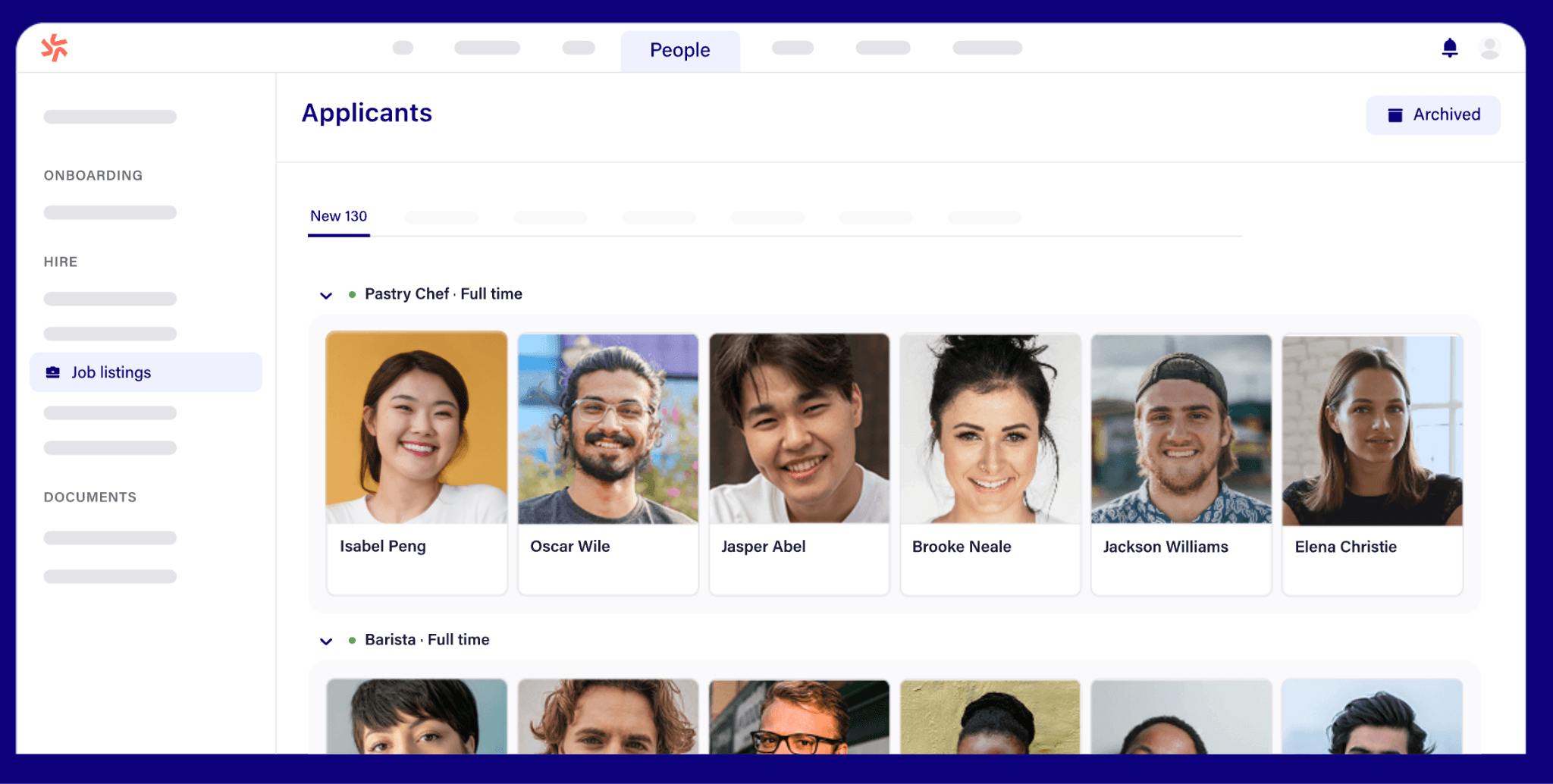
Deputy covers scheduling, time and attendance, labor law compliance, and team communication, with HR tools (hiring, onboarding, document management) available as a paid add-on. Payroll is also an add-on, powered by Paycor, available on annual Core and Pro plans in the US only.
Best for: Businesses focused on labor compliance and multi-location scheduling.
Rating: G2 4.6/5 (666 reviews) · Capterra 4.6/5 (773 reviews)
Key features:
- Employee scheduling with AI-powered demand forecasting and auto-scheduling
- Time and attendance tracking with GPS geofencing and facial recognition for clock-ins
- Labor law compliance tools covering Fair Workweek, overtime, and break rules by jurisdiction
- Deputy HR add-on: hiring, paperless onboarding, and document management (+$2/user/month)
Pricing:
- Starting from Lite: $5/user/month
- HR add-on: +$2/user/month
- Payroll add-on (powered by Paycor): +$8/user/month plus a $49/month base fee; US only, on annual Core and Pro plans
- No permanent free plan; 31-day free trial, no credit card required
- $30/month minimum spend applies
What users like: Reviewers across G2 and Capterra overwhelmingly cite the intuitive, easy-to-use interface as the standout feature; both managers and employees find scheduling, clock-ins, and shift swaps easy to pick up with minimal training.
What users criticize: The most consistent complaint across both platforms is occasional app glitches, slow loading times, and bugs (particularly with clock-in functions and shift management on mobile) that disrupt day-to-day use.
Our take: Well-suited for compliance-heavy or multi-location teams where demand forecasting and Fair Workweek automation matter. Payroll is a Paycor-powered add-on, not native, and only available on annual US plans.
4. 7Shifts
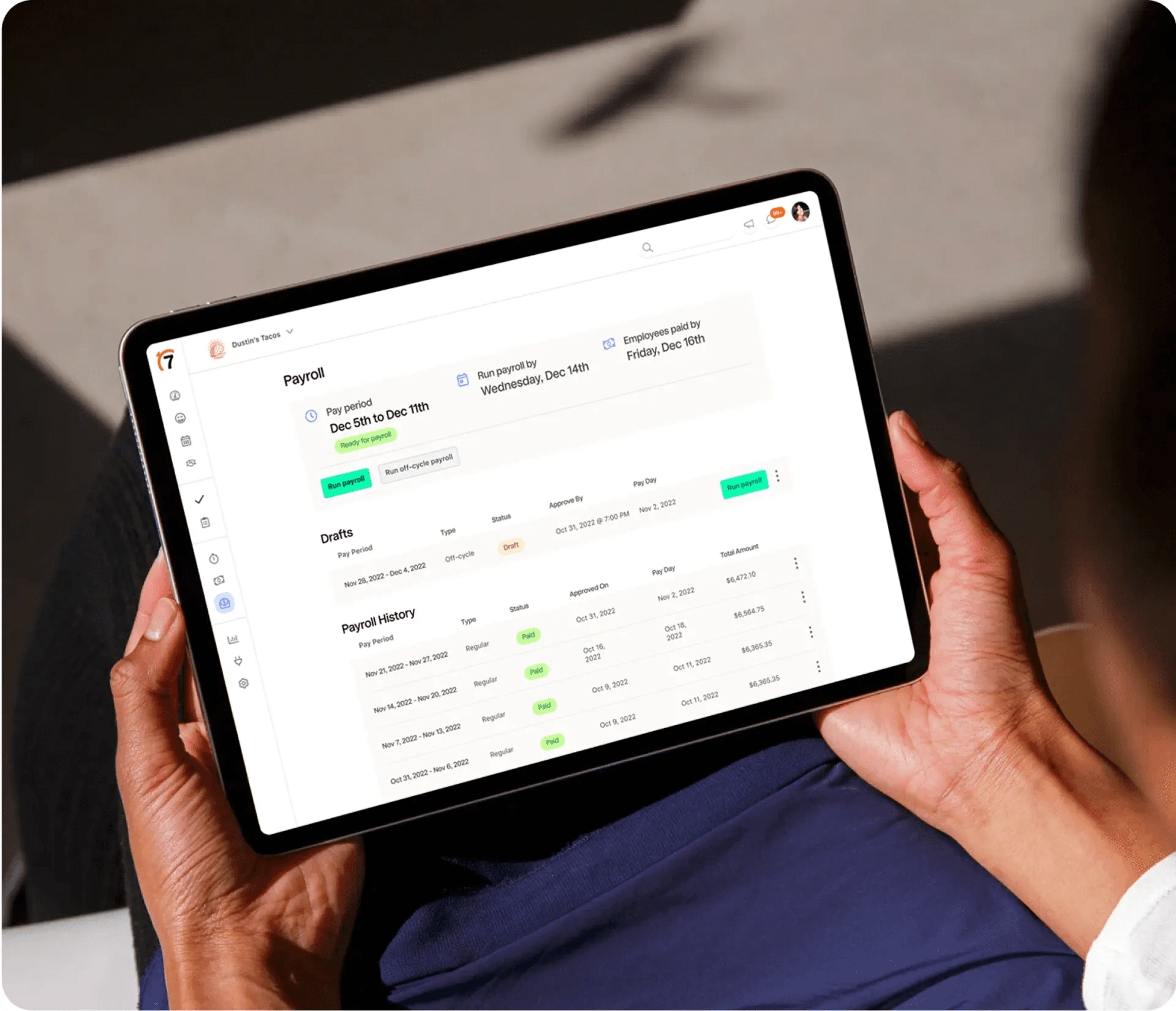
7Shifts is a restaurant team management tool that offers scheduling, time clocking, payroll, tip management, labor compliance, and team communication, all built specifically for food service operations.
Best for: Restaurants and food service businesses of any size.
Rating: G2 4.5/5 (125 reviews) · Capterra 4.7/5 (1,212 reviews)
Key features:
- Restaurant scheduling with drag-and-drop builder, labor forecasting, and direct POS integration
- Time clocking with mobile clock-in, overtime tracking, and labor compliance tools
- Payroll and tip management, including tip pooling and automatic tip calculations tied to POS data
- Team communication, manager log book, and hiring/onboarding tools built into the same system
Pricing:
- Comp: Free (available)
- Paid plans start from Essentials: $39.99/month per location
- Flat-fee per location, not per user; free trial available
What users like: Reviewers across both G2 and Capterra consistently praise the intuitive, easy-to-use interface; both managers and employees find scheduling, shift swaps, and team communication straightforward from day one with minimal training required.
What users criticize: The most common complaints across both platforms are occasional app glitches, crashes, and unreliable push notifications; some G2 reviewers also flag that features have been moved behind higher-paid tiers over time, making the lower plans feel less complete than they once were.
Our take: 7Shifts is the best restaurant labor management software pick for teams that want scheduling, tips, and payroll in one purpose-built system. Outside food service, the features don't translate.
5. When I Work
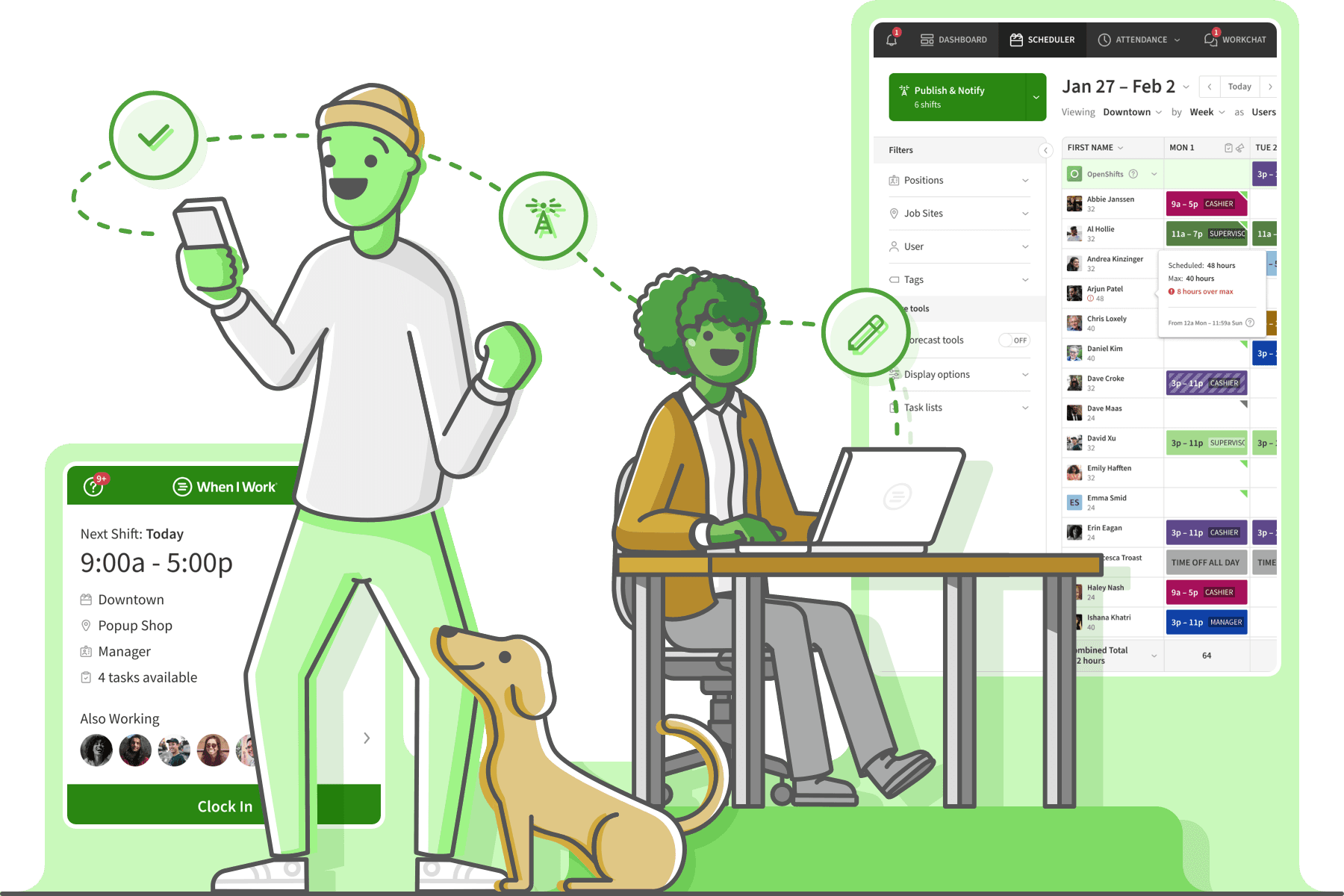
When I Work focuses on ease of use: mobile-first schedule building, shift swapping, and team communication, without requiring extensive setup or training. Most Capterra reviewers are from small businesses.
Best for: Small businesses that want simple, mobile-first scheduling without complexity.
Rating: G2 4.4/5 (381 reviews) · Capterra 4.5/5 (1,292 reviews)
Key features:
- Employee scheduling with auto-scheduling, templates, multi-week and multi-location support
- Time clock with GPS geofencing for location-based clock-ins (included in all plans per FAQ)
- Team messaging with individual and group chat, keeping shift communication off personal numbers
- Payroll integrations with Gusto, ADP, Paychex, QuickBooks, and Rippling (payroll is not native)
Pricing:
- Paid plans start from Essentials: $2.50/user/month (single location)
- No permanent free plan; 14-day free trial, no credit card required
What users like: Reviewers across G2 and Capterra most consistently praise the intuitive, easy-to-navigate interface; both managers and hourly employees find shift management, time-off requests, and shift swapping quick to learn and use from day one.
What users criticize: The most common complaints across both platforms are app glitches, crashes, and unreliable push notifications. Some users report the app becomes slow or inconsistent after updates, and notification delays create confusion around schedule changes.
Our take: Fast, affordable scheduling for teams that don't need payroll built in. If you want scheduling and payroll in the same system, you'll need to add a separate tool.
6. Connecteam
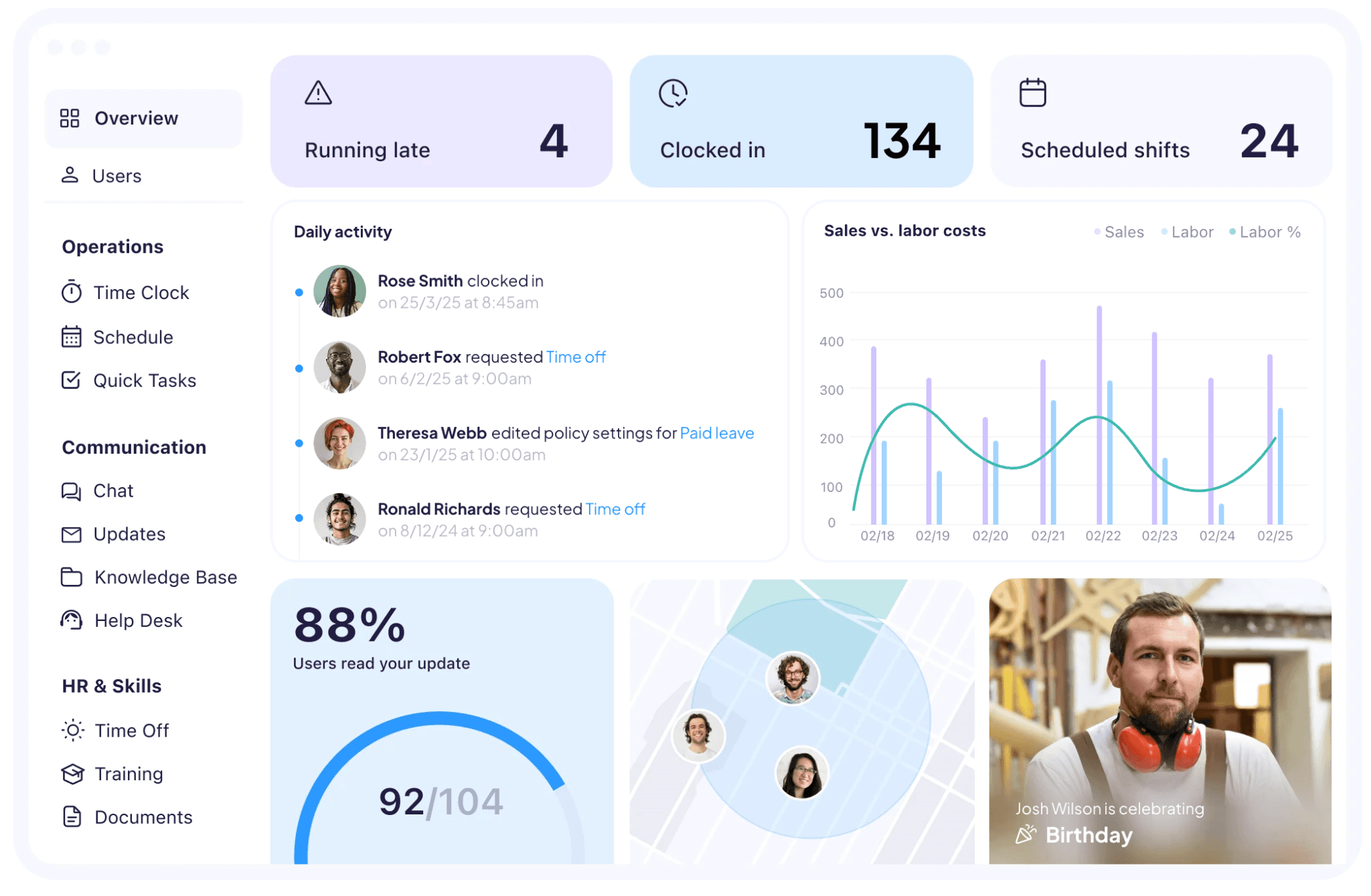
Connecteam is a mobile-first team management app for non-desk workers. It combines GPS time tracking, scheduling, team communication, task management, digital forms, checklists, and HR tools including training and onboarding, all in one place.
Best for: Field teams, home services, and mobile workers who don't work from a fixed location.
Rating: G2 4.6/5 (3,504 reviews) · Capterra 4.6/5 (5,299 reviews)
Key features:
- GPS time clock with geofencing, kiosk mode, and real-time attendance tracking across multiple job sites
- Employee scheduling with open shift claiming, shift replacements, and recurring shift templates
- Team communication with chat, announcements, knowledge base, and customizable digital forms and checklists
- HR tools covering training courses, onboarding, document management, time off tracking, and employee recognition
Pricing:
- Small Business Plan: Free for life, up to 10 users; all features included
- Limited Plan: Free for life, up to 30 users; reduced features
- Paid plans start from Basic (per hub): $29/month for the first 30 users (annual pricing)
- Hubs (Operations, Communications, and HR) are priced and subscribed to separately
- Above 30 users, pricing is per additional user per month
- 14-day free trial of the full Expert plan, no credit card required
What users like: Reviewers across both G2 and Capterra consistently highlight how easy the app is to use for frontline and non-technical employees. The ability to centralize scheduling, communication, time tracking, and task management in one place is the most praised feature, particularly for teams spread across multiple job sites.
What users criticize: The most consistent complaints across both platforms are that admin features are more limited on mobile than on desktop, and that notifications can be inconsistent, delayed, or overwhelming. Some users also note that certain advanced features are locked behind higher-priced tiers or separate hub subscriptions.
Our take: The right pick for field teams working across multiple job sites, with strong GPS clock-in, checklists, and task management. The hub-based pricing can compound for teams that need all three hubs, and native payroll integration is limited.
Frequently Asked Questions About Labor Management Software
What is labor management software?
Labor management software is a digital tool that helps businesses schedule shifts, track hours, process payroll, and stay compliant with labor laws. Most tools also include team communication and HR features like onboarding and time-off management.
What are the four pillars of WFM?
The four pillars of workforce management are scheduling (matching people to shifts based on demand), time and attendance (tracking hours worked), compliance (following labor laws and break rules), and reporting and analytics (measuring labor costs and productivity).
What's the best workforce management tool?
The best workforce management tool depends on your team size and what you need it to do. For enterprise teams, systems like Workday, UKG, and ADP handle full HR suites; for small businesses with hourly workers, tools like Homebase, Deputy, and 7Shifts cover scheduling, time tracking, and payroll at a fraction of the complexity.
What is the most popular HR software?
At the enterprise level, Workday, ADP, and SAP SuccessFactors dominate. For small businesses with hourly teams, tools like Homebase, Deputy, and Connecteam combine scheduling, time tracking, and basic HR in one app and are far easier to set up.
You're Already Doing Labor Management. You Just Need the Right Tool.
Workforce management software is the tool any small business with hourly workers already needs. It answers the questions managers are asking every week: who's coming in, how many hours did they work, what does payroll look like, and are we compliant?
The right tool for your business solves your specific problem, works on mobile, and connects scheduling to payroll without making you move data around manually.
If you're done rebuilding the schedule every Sunday and crossing your fingers on payroll, Homebase was built for exactly that. Try Homebase for free.