Top 5 Paycor Alternatives for Small Business Payroll and HR


SMALL BUSINESS INTEL, IN YOUR INBOX
Table of contents
Paychex completed its acquisition of Paycor on April 14, 2025, in an all-cash deal worth approximately $4.1 billion. For small business owners who chose Paycor to stay out of the Paychex ecosystem, that's a difficult reversal. For everyone else, it added uncertainty to a payroll and HR tool that was already getting mixed reviews.
Paycor was designed for organizations with 10 to 1,000 employees and dedicated HR teams. For the restaurant owner running payroll after a Saturday-night close, or the salon manager scheduling part-time contractors from her phone, the feature depth came with friction that wasn't worth it. Quote-only pricing made it hard to budget. The interface draws consistent criticism in reviews. And a new ownership structure raises a question every customer is now asking: what does this look like in two years?
This guide covers seven Paycor alternatives for small businesses, with honest trade-offs for each. We've weighted the evaluation toward what matters most for hourly teams: payroll accuracy, scheduling integration, transparent pricing, and a mobile experience your team can use.

Time is money. Literally.
Stop copy-pasting between documents, and start sending hours directly to your payroll system.
The Best Paycor Alternatives for Small Business Payroll and HR at a Glance
Switching payroll tools is a real commitment. Here's a quick look at all five picks before we get into the details.
- Homebase: scheduling, time tracking, payroll, hiring, and team messaging in one app. Free for one location; payroll pricing at joinhomebase.com/pricing.
- Paylocity: strong employee engagement tools alongside payroll for growing teams. Custom pricing.
- Paycom: one database for payroll, HR, and talent management. Custom pricing.
- Gusto: simple, automated payroll for teams under 100. From $49/month plus $6 per employee.
- Rippling: HR and IT management in one tool. From $8 per employee/month; each module priced separately via custom quote.
Why Look for a Paycor Alternative?
The Paychex acquisition closed in April 2025, and both products are still running separately. But a combined integration roadmap is coming, and customers on either side are right to ask what the next few years look like. That's not the only reason businesses are looking for a Paycor alternative.
- Pricing you can't see without a sales call: Paycor no longer keeps its pricing public. Every quote now requires a conversation with a sales rep, and two businesses of the same size can walk away with different rates. For a small business owner trying to build a budget, that's a real obstacle.
- An interface that slows things down: User reviews on G2 and Capterra consistently flag Paycor's UI as more complex than it needs to be. For a manager with no dedicated HR team, that complexity adds up: every task takes longer than it should.
- Support that doesn't always show up for smaller accounts: Smaller businesses report hitting generic support queues and resolution times that stretch for weeks. It's a pattern in public reviews on G2 and Capterra, not an isolated complaint.
- A feature set built for mid-market HR teams: Paycor's depth in succession planning, predictive analytics, and compensation benchmarking is built for HR departments at companies with 50 or more employees. If you run a ten-person bakery or a single-location salon, you're paying for modules you'll never open.
- A mobile experience built around a desk: Hourly workers need to clock in, check their schedule, and view their pay stubs from a phone. Most traditional HCM tools built for desktop first and added mobile later. For a team that's rarely at a computer, that order of operations shows.
What Is Paycor and Who Is It For?
Paycor, now part of Paychex, is a cloud-based HCM tool that combines payroll, HR, and talent management. It's sold as Paycor Perform, with capabilities organized into four modules: HR and Payroll, Talent Management (recruiting, onboarding, and performance reviews), time tracking and scheduling, and Employee Experience (learning management, pulse surveys, and career development).
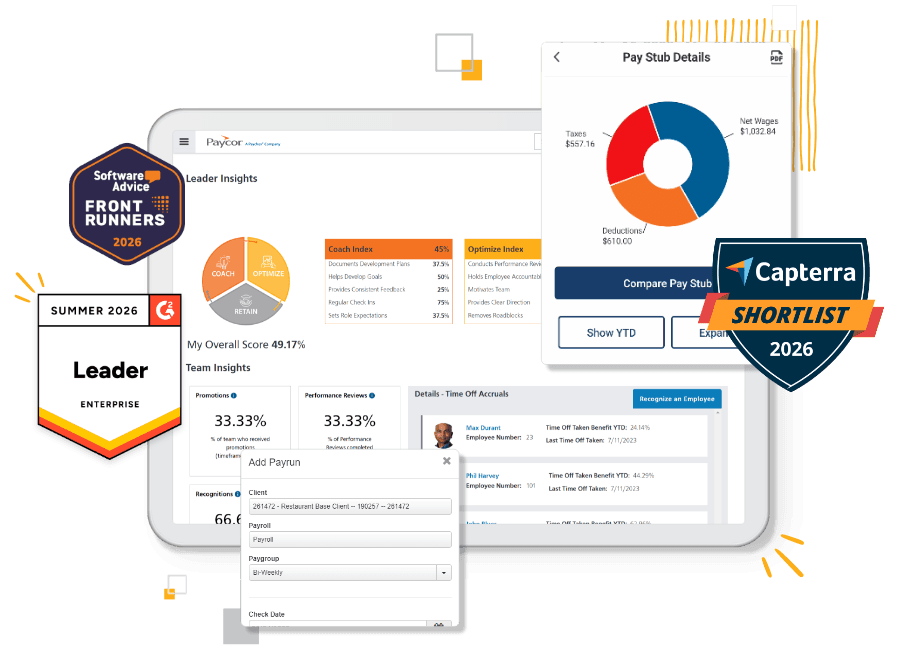
Paycor serves more than 30,000 businesses and more than 2 million employees across all 50 states. It operates two distinct customer segments:
- a small business tier for companies with fewer than 50 employees, where pricing is custom-quoted
- a mid-market tier for 50 and up, where published plan tiers exist.
The mid-market band is where its depth makes the most sense: companies with dedicated HR team members, complex compliance requirements, and analytics needs that go beyond basic payroll reporting. It's most common in healthcare, manufacturing, retail, and professional services.
For a small business without an HR department, that depth is more than you need. The recruiting tools, succession planning, and compensation benchmarking are built for someone whose full-time job is people operations. If payroll, scheduling, and time tracking are the three things you need to get right, there are lighter tools built for exactly that.
How We Evaluated These Paycor Alternatives
We reviewed five payroll and HR tools through the lens of a small business owner managing an hourly team. The criteria that matter most here are different from what an enterprise HR buyer would weigh.
We looked at:
- Whether payroll and time tracking live in the same tool, or require a manual export between systems
- Pricing transparency: published rates versus quote-only models
- How well the tool works on a phone for a team that's rarely at a desk
- Setup time and ease of switching from your current payroll provider
- Customer support quality at small-business account size
- Whether a free tier exists for businesses that need to start lean
- Scheduling features for shift-based teams
We used each tool's own website, verified third-party reviews on G2 and Capterra, Reddit and forum discussions, and Homebase's own experience working with more than 150,000 small business teams. Read our full methodology here.
Why Trust Homebase?
Homebase publishes this guide. We make an all-in-one app for small businesses with hourly teams: scheduling, time tracking, payroll, hiring, and team messaging in one place. We compete directly with every tool listed here.
Every tool was evaluated on its own merits using the same criteria: pricing transparency, payroll accuracy, mobile experience, support quality, and scheduling depth. We don't accept payments or backlinks in exchange for a mention, and the critical reviews included for Homebase are real.
Paycor Alternatives Comparison: Features and Pricing at a Glance
Not every Paycor alternative is built for the same business. Here's how the five picks on this list stack up on the things that matter most for small businesses: pricing transparency, free access, and whether payroll and time tracking live in the same app.
| Tool | Best for | Free plan | Starting price | Time tracking built in | Scheduling built in | Published pricing |
|---|---|---|---|---|---|---|
| Homebase | Hourly teams | Yes — 1 location, up to 10 employees | $30/mo per location; payroll add-on $49/month + $6/employee | Yes | Yes | Yes |
| Paylocity | Engagement + payroll, 50+ employees | No | Custom quote | Yes | Yes | No |
| Paycom | Single-database HCM, 50–500 employees | No | Custom quote | Yes (Complete plan) | Yes (Complete plan) | No |
| Gusto | Simple payroll, under 100 employees | No | $49/mo + $6/person | Add-on or Plus plan | Plus plan only | Yes |
| Rippling | HR + IT management, 20–500 employees | No | $8/person/mo; each module quoted separately | Yes | Yes | Partial |
The 5 Best Paycor Alternatives for Small Businesses
1. Homebase.
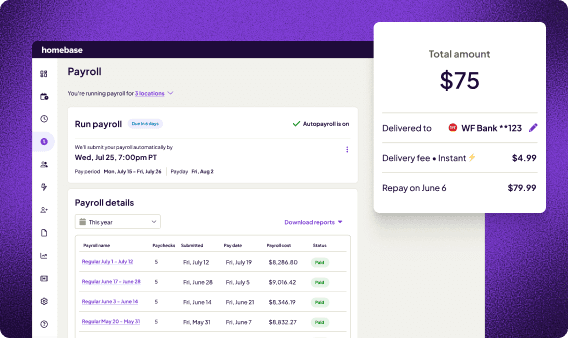
Best for: Restaurants, retailers, and service businesses switching from Paycor that want scheduling, time tracking, and payroll in one app, with pricing posted publicly before any sales call.
Rating: G2 4.6 · Capterra 4.6
What it is: Homebase is an all-in-one scheduling, time tracking, payroll, hiring, and team messaging app built for small businesses with hourly teams. Unlike most full-service payroll tools, payroll is an add-on to a free base plan rather than a standalone purchase. More than 150,000 teams use it across food and beverage, retail, beauty, healthcare, hospitality, and education.
Key features:
- Full-service payroll: wages, tips, overtime, and deductions calculated and filed automatically; W-2 and 1099 support; direct deposit with no per-run fees
- Time clock into payroll: hours sync from timesheets without a manual export, so every payroll run starts with accurate data
- Shift scheduling: drag-and-drop builder, copy-forward templates, and real-time labor cost projections before you publish the schedule
- Payroll integrations: connects with ADP, Gusto, QuickBooks, Paychex, and Square for businesses keeping their current payroll provider
- Free for one location, up to 10 employees (scheduling and time tracking included)
- Paid plans from $30/month per location ($24/month billed annually); unlimited employees
- Payroll add-on on any plan: $49/month + $6/employee; includes unlimited runs, automated tax filing, W-2s, 1099s, and free data migration
What users like: One administrator who switched directly from Paychex described the time savings: "I love how Homebase has significantly reduced my payroll processing time from about two or three hours to just twenty minutes. The setup was really easy, and the Homebase staff helped transfer our information from Paychex over, which was great." — Johnnie D., Administrator, G2 (April 2026)
What users criticize: A finance manager described a tax issue that took over six months to resolve: "One of our payments was not done in a timely manner. Follow-up with Homebase support, that seems to use an outside source for payroll tax filing and payment, took more than 6 months to resolve and the tax authority still shows us as delinquent and owing penalties." — Amy M., Finance Manager, Capterra (July 2026)
Our take: For a small business coming off Paycor, Homebase directly addresses the main friction points: published pricing, a free starting plan, a mobile-first experience for hourly teams, and payroll that pulls hours in from timesheets automatically. The caveat: when payroll tax issues arise, getting to the right support person can be slow. Ask about tax escalation paths before you sign, and it's a strong fit for most small businesses with hourly teams.
Time is money. Literally.
Stop copy-pasting between documents, and start sending hours directly to your payroll system.
2. Paylocity.
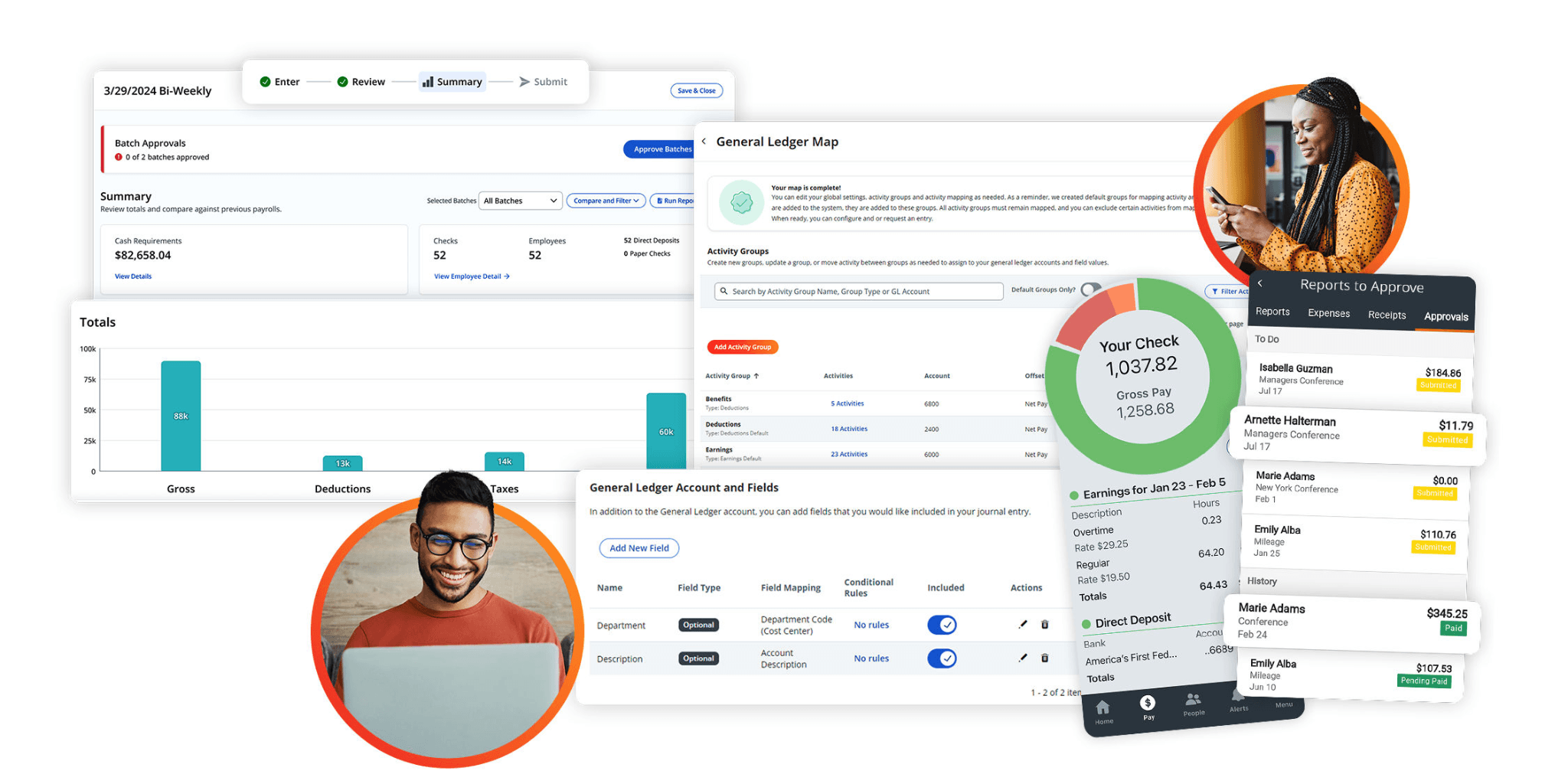
Best for: Growing businesses with 50 or more employees that want payroll, HR, and employee engagement tools — pulse surveys, peer recognition, and performance management — in one system.
Rating: G2 4.4 · Capterra 4.3
What it is: Paylocity is a cloud-based HCM platform that combines payroll, HR, time and labor, benefits, and employee experience tools. Its differentiator is the Employee Experience suite: a social-style Community feed, peer recognition, video messaging, and pulse surveys. Paylocity serves businesses from one to 500+ employees, but its feature depth makes the most sense for organizations with a dedicated HR lead who will use those tools.
Key features:
- Full-service payroll: automated workflows, multi-state tax filing, on-demand pay, and garnishment management
- Time and labor: time tracking, attendance, and shift scheduling with compliance rules for overtime and breaks
- Employee experience: Community social feed, peer recognition, pulse surveys, and Employee Voice tools for engagement and retention
- Talent management: recruiting, onboarding, performance reviews, learning management, and compensation planning in one system
Pricing: Custom quote only. No published rates. No free trial.
What users like: "Payroll is very easy, employee maintenance is a breeze and the price cannot be beat." — Bead C., Director of IT, Capterra (August 2026)
What users criticize: "There seems to be a tendency to improve things that don't need improving while not addressing annoying little bugs. (The annoyances aren't severe enough to stop work, but add another step or another second to a process.) Some recent updates have changed the functionality of some of our reports to the point where we cannot pull critical information that we need." — Sheila P., Human Resource Manager, G2 (August 2026)
Our take: Paylocity's engagement tooling is the most developed on this list, and the recent Finance and IT modules make it a credible all-in-one for businesses that have outgrown basic payroll. The trade-offs are real: no published pricing (same model as Paycor), a learning curve on implementation, and inconsistent support when payroll issues need to escalate. For a team under 30, it's more than the job requires. For a growing business with an HR lead who will use the performance and engagement features, it's worth a demo.
3. Paycom.
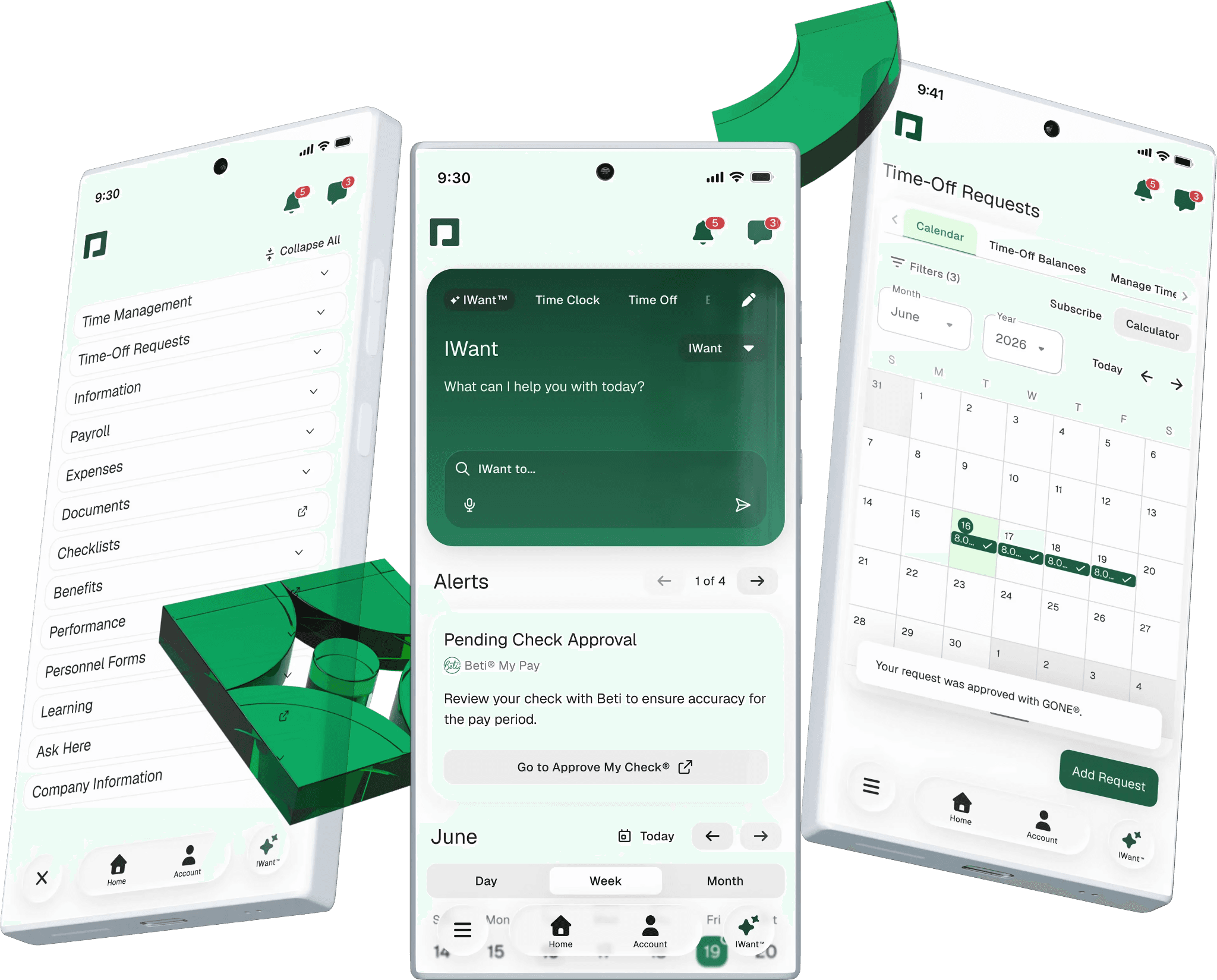
Best for: Growing mid-market businesses, typically 50 to 500 employees, that want a single-database HCM where payroll, HR, and time tracking share the same data without manual syncing.
Rating: G2 4.6 · Capterra 4.4
What it is: Paycom is a full HCM tool built on a single-database architecture: every module — payroll, time tracking, performance reviews, and benefits — runs on the same employee record with no data re-entry across systems. Its standout feature is Beti, an automated payroll tool that routes time data to employees for their own review and approval before HR runs payroll, catching errors at the source rather than after the fact.
Key features:
- Beti automated payroll: employees review and approve their own time and pay data before payroll runs, reducing errors and post-run corrections
- Single-database architecture: one employee record across payroll, time, benefits, talent, and HR — no syncing or manual exports between modules
- Time and labor: time tracking, shift scheduling, geofencing, physical time clocks, and time-off requests all feeding into payroll (Complete plan)
- Dedicated specialist model: each client is assigned a named payroll specialist rather than a general support queue
Pricing: Custom quote only. No published rates. No free trial. Paycom offers Core and Complete tiers; a one-time implementation fee is included.
What users like: "Thanks for making tasks like PTO, benefits and payroll easier and more efficient. Not only HR, but employees and managers are more engaged and knowledgeable." — Tina S., HR Manager, Capterra (September 2026)
What users criticize: "The Paycom team has major turnover. These transitions are often random, and unannounced. I have found that who you get as your team is a coin toss. You may get someone extremely competent, or you may get someone who's aloof and just wants to see features as add on's to the account. Response times regarding major issues are often lackluster." — Irvin E., HR Business Partner, Capterra (August 2026)
Our take: Paycom's single-database architecture and Beti automated payroll are real differentiators from the siloed module experience that frustrated many Paycor users. The trade-offs: no published pricing, a steep implementation curve, and a support model that depends on which specialist you get. For a 15-person restaurant, it's overkill. For a 100-person business that has genuinely outgrown basic payroll and wants everything in one system, the demo is worth your time.
4. Gusto.
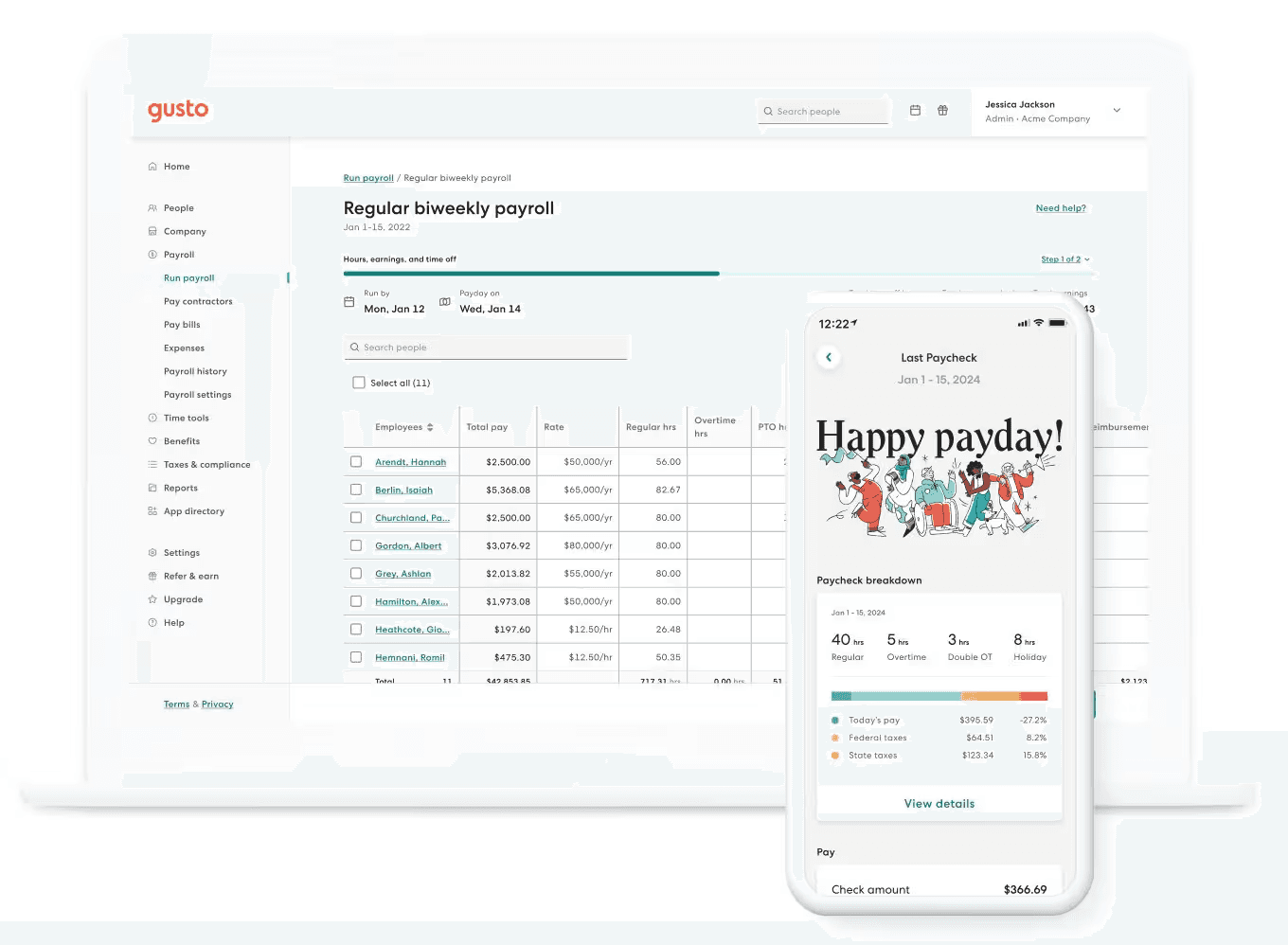
Best for: Small businesses with 1–100 employees switching from Paycor that want pricing posted upfront, a quick self-serve setup, and payroll they can start without a sales call.
Rating: G2 4.6 · Capterra 4.6
What it is: Gusto is a payroll, HR, and benefits app built for small to mid-size businesses. Unlike most tools on this list, pricing is published, there's no long-term contract, and every plan includes unlimited payroll runs and no per-run fees. More than 500,000 businesses use it. Its Simple plan handles single-state payroll; Plus adds multi-state, time tracking, and scheduling.
Key features:
- Automated payroll: taxes calculated, filed, and paid in all 50 states; W-2s and 1099s included on every plan with no per-run fees
- Time tracking and scheduling: syncs to payroll automatically (included in Plus; available as an add-on for Simple at $6/person/month)
- Benefits administration: health insurance, 401(k), FSA/HSA, workers' comp, and life/disability; no Gusto admin fee when Gusto is your broker
- 650+ integrations: QuickBooks, Xero, Homebase, and most major accounting and time tracking tools
Pricing:
- No free plan; free trial available; no long-term contract required
- Simple: $49/month + $6/person (single-state payroll)
- Plus: $80/month + $12/person (multi-state, time tracking, scheduling, ATS)
- Premium: $180/month + $22/person (dedicated advisor, certified HR experts, priority support)
What users like: "Honestly, the best part of Gusto is that it makes payroll feel like a non-issue. I set it up once and it just runs on autopilot each cycle, calculations, tax stuff, direct deposits, all handled without me having to babysit every line." — Jacob M., Associate Technical Consultant, G2 (August 2026)
What users criticize: "There are some limitations when making changes to hours after a pay period has been processed. If I realize I made an error with my time after payroll has already been processed, I have to go through my director or administrator to have it corrected rather than being able to make the change myself." — Rhiannon M., Support Specialist, G2 (September 2026)
Our take: Gusto's biggest advantage over Paycor is visibility: you know exactly what you'll pay before signing anything. The trade-offs are real — time tracking requires Plus ($80/month), reporting is basic compared to enterprise tools, and live support requires navigating automated responses first. For restaurants, retailers, and service businesses under 50 employees that primarily need payroll handled cleanly, it's a natural fit.
5. Rippling.
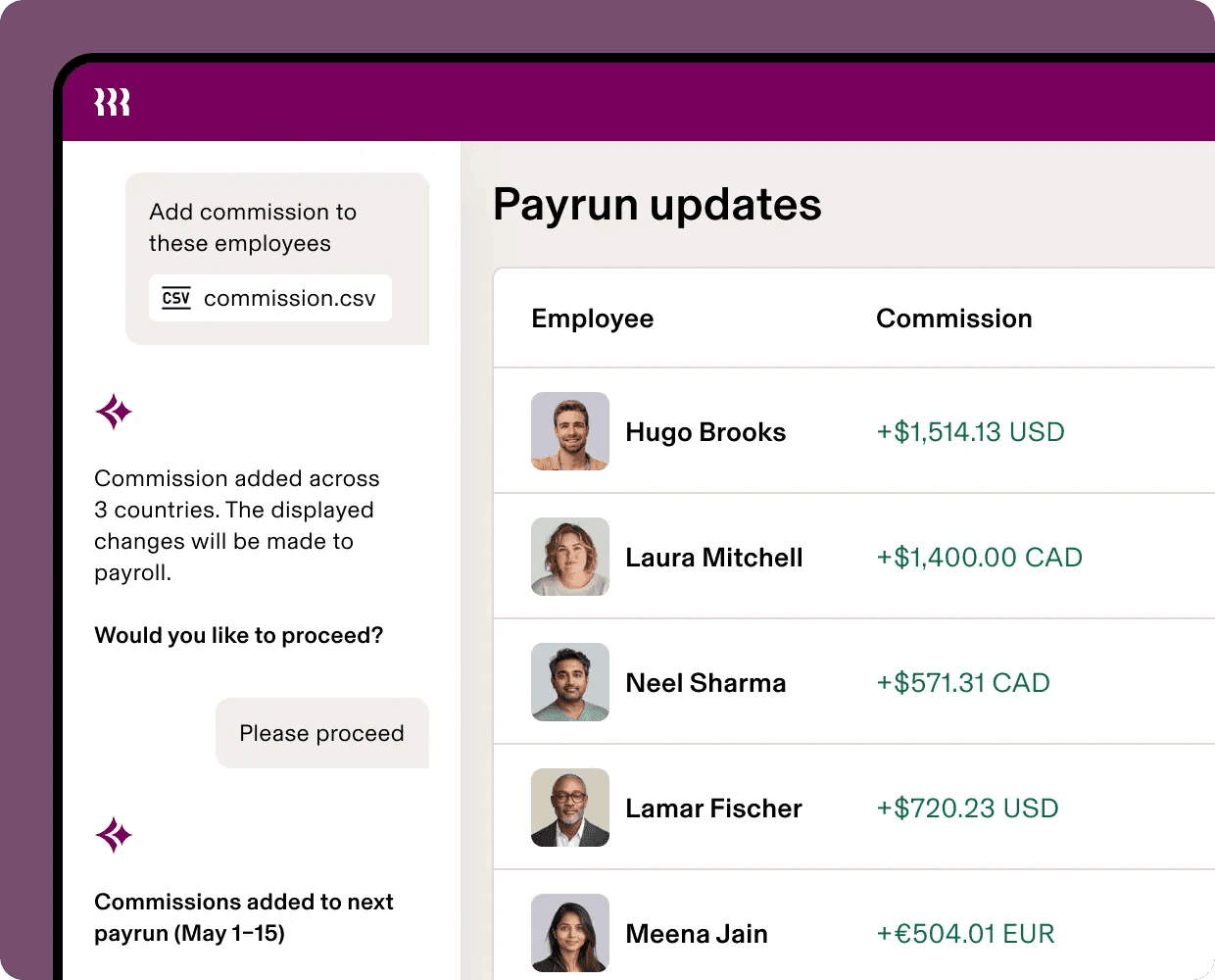
Best for: Growing businesses, typically 20–500 employees, that want payroll, benefits, and IT provisioning running off a single employee record — especially relevant for companies with remote teams or rapid onboarding.
Rating: G2 4.8 · Capterra 4.9
What it is: Rippling is an HR, IT, and Finance platform built on a unified employee record. Every module — payroll, time tracking, benefits, device management, and app access — shares the same data. That means a new hire triggered in HR automatically sets up their email, laptop, benefits, and payroll without manual steps across separate systems. Rippling is the only tool on this list to combine those three departments natively, which matters most for businesses where HR and IT are intertwined.
Key features:
- Full-service payroll: all 50 states plus global; direct deposit; tax filing; garnishments and workers' comp; syncs automatically with time tracking and benefits
- Onboarding automation: a single trigger provisions a new hire's payroll, benefits, email, and device access in minutes — no separate IT tickets required
- IT provisioning: app management and device management tied directly to employment status; when someone's employment ends, access is revoked automatically
- 500+ integrations: Slack, Google Workspace, Microsoft 365, Okta, and most major SaaS tools; also includes Rippling Finance for corporate cards, expenses, and bill pay
Pricing: Starts at $8/person/month for the core platform. Each module (payroll, time tracking, benefits, IT, etc.) is priced separately per employee and requires a custom quote. No published bundle pricing. Free trial available.
What users like: "It’s super easy to use and makes clocking in simple. It’s also very flexible. I really like that we can easily handle all HR-related requests in one place, such as time-off requests, downloading contract documents, and accessing many other employee-related documents." — Carl C., Billing Specialist, G2 (August 2026)
What users criticize: "The module add-ons get incredibly expensive, customer support wait times can stall urgent payroll questions, and contract renewals feel rigid." — Sadaf Yusuf M., Capterra (September 2026)
Our take: Rippling is the right call if your frustration with Paycor extended to IT management or if you're scaling fast and need to onboard employees across multiple locations without rebuilding workflows each time. The trade-off: the total cost is genuinely hard to predict upfront, and the platform's depth can overwhelm smaller teams. Go in with a clear list of which modules you actually need, and get the full quote before signing.
Frequently Asked Questions About Paycor Alternatives
What happened to Paycor?
Paychex completed its acquisition of Paycor on April 14, 2025, in an all-cash deal worth approximately $4.1 billion. Both brands are still operating independently, but long-term product integration is expected. Paychex has not published a detailed timeline, but you can see current updates here.
Is there a free alternative to Paycor?
Homebase offers a free plan for one-location businesses that covers scheduling and time tracking, with payroll as a published add-on. For full-service payroll with a base fee, Gusto starts at $49/month plus $6 per employee — and unlike Paycor, lists that price publicly without a sales call.
What are the top five HRIS systems?
The most widely cited HRIS tools are Rippling, Workday, BambooHR, ADP, and Paycom. For small businesses managing hourly teams, a full HRIS is usually more than necessary. Tools like Homebase or Gusto cover payroll, time tracking, and onboarding at a fraction of the cost and setup time.
What is the easiest payroll system to use?
Gusto is consistently rated for beginner-friendly setup, starting at $49/month plus $6 per employee. For hourly teams, Homebase is comparable in ease and adds scheduling and time tracking in the same app, so hours flow directly into payroll without a separate import step.
Which is better, Paycor or ADP?
Both target mid-market businesses. ADP has stronger multi-state compliance infrastructure and a longer track record; Paycor offered more modern talent management tools before the Paychex acquisition. For small businesses managing hourly teams, both are built for a buyer a size or two larger.
Is Paycor or Paylocity better?
Paylocity has stronger employee engagement tools and a more modern interface; Paycor historically led on compliance analytics. Neither was built for small businesses managing hourly workers. Both use quote-only pricing, and Paylocity users consistently flag implementation complexity in reviews.
What should I look for when switching from Paycor?
Confirm that payroll and time tracking live in the same tool, pricing is published, and support is reachable when something goes wrong. When you switch, run a parallel payroll cycle and compare the output against your last Paycor run before fully cutting over.
The Right Paycor Alternative Depends on What You Need to Replace
Paycor was built for a specific buyer: mid-market businesses with HR teams, complex compliance requirements, and the budget for a full HCM suite. If that was never your profile, the Paychex acquisition is a good time to find a tool that fits the business you're running.
If you need payroll, scheduling, and time tracking to work together in one app built for hourly teams, Homebase offers a free plan for one location with up to 10 employees, with payroll as an add-on. If you want payroll simplicity with published pricing and no sales call, Gusto is the right first stop. If your business is growing and you need full HCM depth, Paylocity and Paycom are built for that transition.
Switching is a one-time lift with a clear payoff. Run one parallel pay cycle, confirm the numbers match, and then cut over. Most of the tools on this list offer free setup support and data migration to make it easier.
Ready to run payroll without doing the math yourself? Get started with Homebase.
Time is money. Literally.
Stop copy-pasting between documents, and start sending hours directly to your payroll system.