Best Restaurant Scheduling Software in 2026


SMALL BUSINESS INTEL, IN YOUR INBOX
Table of contents
Running a restaurant means you're already managing food costs, customer complaints, and vendors before 10 AM. The last thing you need is to spend your Sunday rebuilding the schedule because someone's availability changed, two people want the same day off, and you're not sure who's cleared to work the fryer.
That's the reality for most small restaurant owners. And it's exactly what restaurant scheduling software is built to fix. The right tool handles shift building, time-off requests, and last-minute swaps without turning your phone into a group chat nightmare.
For a deeper look at how restaurant employee scheduling works in practice, see our full guide on restaurant employee scheduling.
This guide covers seven restaurant scheduling software options to consider: what each one does, what it costs, and who it makes the most sense for. Pricing was researched during the week of July 14, 2026 and should be reconfirmed before purchase.
Quick Picks: Best Restaurant Scheduling Software in 2026
Short on time? Here's where each tool lands:
- Sling: Free option worth considering for lean teams focused on communication
- Deputy: Worth evaluating for multi-location restaurants or complex shift patterns
- When I Work: Solid mobile-first experience for hourly teams
- ZoomShift: Lower-cost pick for simple, no-frills scheduling
- HotSchedules: Built for larger or multi-unit restaurant groups
- 7shifts: Strong pick for labor cost control and POS-driven forecasting
- Connecteam: Good fit for deskless teams that need more than just scheduling
Most of these offer either a free plan or a time-limited trial. Test before you commit.
Why Trust Homebase? Why We Built This Guide
We're Homebase. We make scheduling, time tracking, hiring, and payroll software for small businesses with hourly teams, and restaurants make up a big chunk of the people we work with every day.
We have an obvious stake in this topic, so we want to be upfront about how this guide works: Every app was evaluated on its own merits: features, pricing, user feedback, and fit for restaurant operations. We don't accept payment or backlinks for a product mention, and no vendor was given advance notice of their inclusion.
What we do have is genuine context on what restaurant owners need from a scheduling tool. We've seen what works, what causes headaches, and where most tools fall short for hourly teams. That's what informed how we assessed each option here.
How We Chose the Best Restaurant Scheduling Software
We evaluated each tool against five criteria that reflect what restaurant operators care about when choosing scheduling software:
Scheduling core. Can you build a weekly schedule quickly? Does the tool handle availability, shift swaps, and time-off requests without a lot of manual work?
Restaurant fit. Does it account for front-of-house and back-of-house coordination? Does it integrate with common POS systems? Does it surface labor costs as you schedule?
Ease of use for hourly teams. Your team members aren't sitting at desks. If they can't check the schedule or trade a shift quickly from a mobile device, the tool isn't working for restaurant operations.
Pricing transparency. We captured pricing from each vendor's live pricing page during the week of July 14, 2026. Per-user pricing, free-tier limits, and feature gates all factor into real-world cost. Prices don't include taxes, implementation fees, or add-ons unless noted.
User-reported experience. We pulled patterns from G2 and Capterra reviews and from restaurant operator threads on Reddit (specifically r/restaurantowners and r/Restaurant_Managers) to surface what users run into after onboarding, not what demos show. Review ratings and counts reflect what was visible on July 17, 2026, and should be confirmed before publication.
The 8 Best Restaurant Scheduling Software Tools in 2026
User feedback makes clear that every tool involves trade-offs. What matters is which trade-offs you can live with. Here's an honest look at each option.
1. Homebase
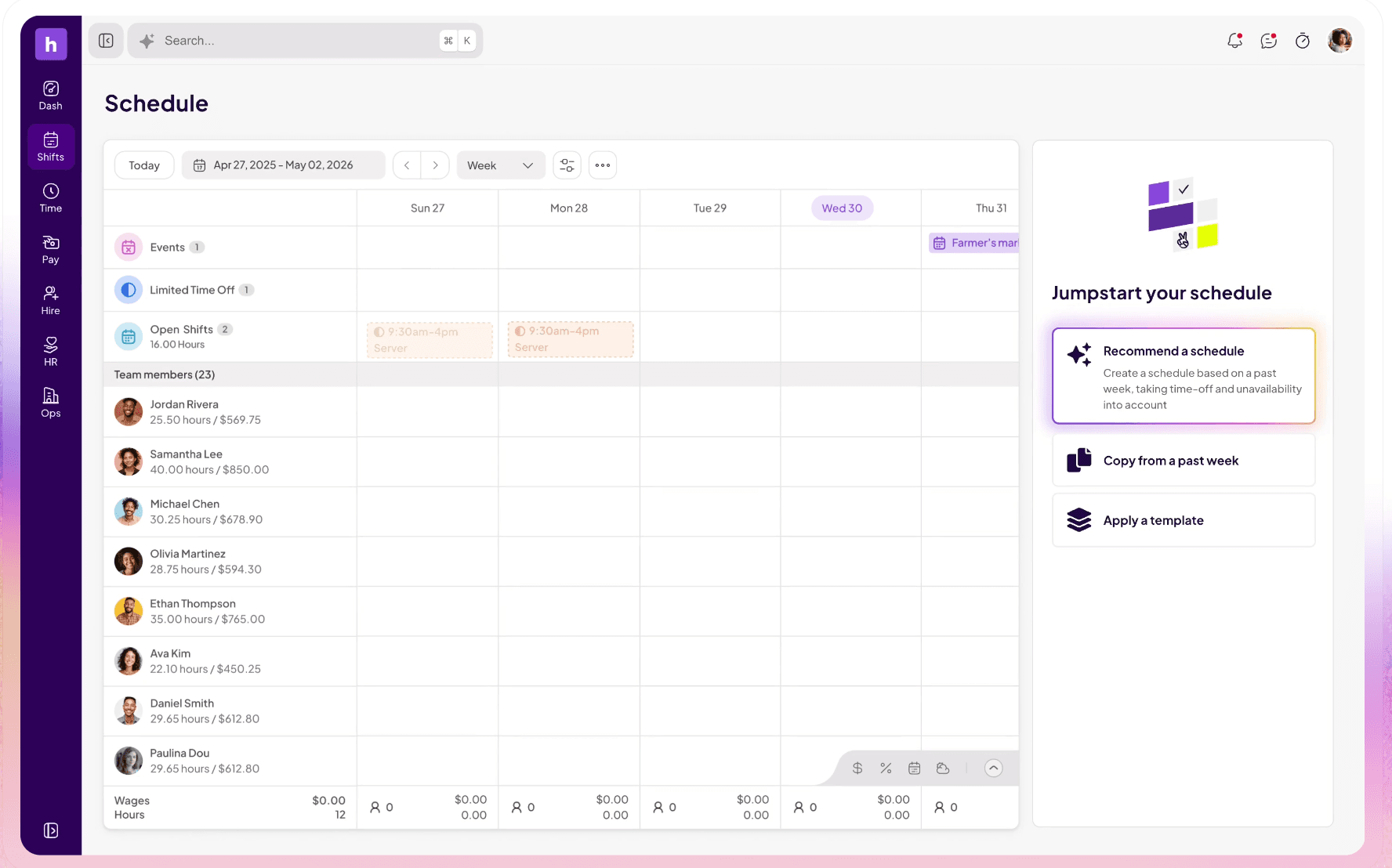
Homebase
Christofer Peralta, a Customer Success Manager at Homebase, explains: "One of the biggest pain points with other scheduling platforms is that owners don't understand why something isn't working — why a shift won't place, why it seems to disappear. They don't have time to figure that out. Homebase is consistently described as an easy transition tool. It holds your hand. What you expect to happen, happens."
- Best for: Small to mid-size restaurants wanting scheduling, time tracking, hiring, and payroll in one place
- Free plan: Up to 10 team members at 1 location
- Paid starts at: $24/location/month billed annually ($30/month billed monthly)
- POS integration: Yes (Toast, Square, Clover, Lightspeed, and others; included on free plan)
- Time clock: Yes, on all plans including free
- Payroll: Yes (add-on: $49/mo + $6/employee)
Homebase combines scheduling with time tracking, hiring, onboarding, HR tools, team messaging, and optional payroll in one place. The free plan covers up to 10 team members at one location and includes scheduling, time tracking, messaging, and supported POS integrations. Feature availability varies by plan; see joinhomebase.com/pricing for the full breakdown.
If deep labor forecasting tied to POS sales data is your top priority, 7shifts goes further on that specific capability. Homebase's scheduling experience is built around ease of use for the whole team, with labor cost visibility as part of the picture rather than its primary focus.
"Schedule communication with the employees works flawlessly with Homebase and that's a big plus. We publish the schedule and the employee gets the information on their phone. We very rarely have an employee tell us that they didn't know that they were supposed to work that day." — Keith Zimmerman, Owner, Plum Creek Farm
2. Sling
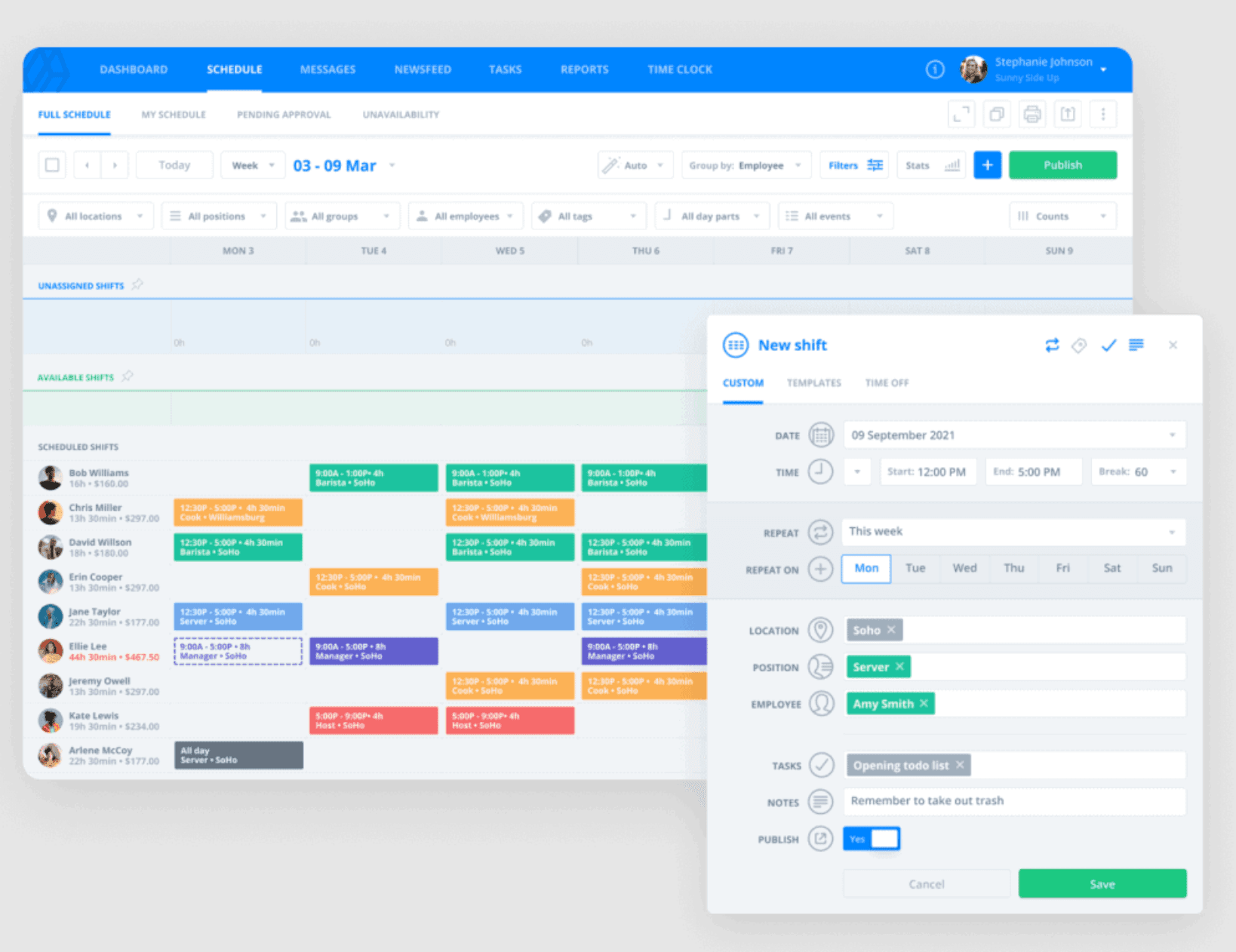
Best for: Small restaurants, food trucks, and cafés that need basic scheduling and built-in messaging without paying per user
Ratings as of July 17, 2026: G2 4.4/5 (88 reviews) · Capterra 4.6/5 (211 reviews)
Sling's free tier includes basic scheduling and team messaging. Confirm the current user cap and exact feature set at getsling.com/pricing. For a small independent restaurant where the owner is also the scheduler, that's a workable starting point. The built-in communication features help keep last-minute changes from turning into a chain of unanswered texts.
Key features:
- Free tier with scheduling and messaging (confirm current user limits at getsling.com/pricing)
- Built-in group chat, direct messages, and announcements
- Shift swapping and availability tracking
- Labor cost tracking on paid plans
- Time clock available; confirm exact free vs. paid feature split at getsling.com/pricing
Pricing: Free tier available · Premium ($2/user/month, or ~$1.70 billed annually) · Business ($4/user/month, or ~$3.40 billed annually).
What users like: Operators who prioritize communication over analytics tend to appreciate Sling. In r/smallbusiness, one restaurant owner described their search for a tool that "automatically syncs employees' time-off requests" and sends notifications immediately once the schedule is finalized. Sling's announcement and messaging features address exactly that pain point for smaller teams. Source: r/smallbusiness
What users criticize: Reddit threads reflect a mixed picture once teams grow. In r/Restaurant_Managers, one commenter said directly: "I'll tell you it's NOT Sling or Excel... On Sling they make it so difficult to see pending shift pickups and the user interface is just plain bad." Source: r/Restaurant_Managers In r/restaurantowners, a commenter noted their team tried Sling at a new location and "lasted about 3 months before changing that one to Homebase." Source: r/restaurantowners No native restaurant POS integration was identified in Sling's current public materials, which is a gap for restaurants that want labor cost visibility tied to sales.
Our take: Sling is worth testing as a free starting point, particularly for very small teams where the main pain point is communication. Restaurants requiring POS-linked labor reporting or more advanced time-clock controls may need a paid plan or a different product.
3. Deputy
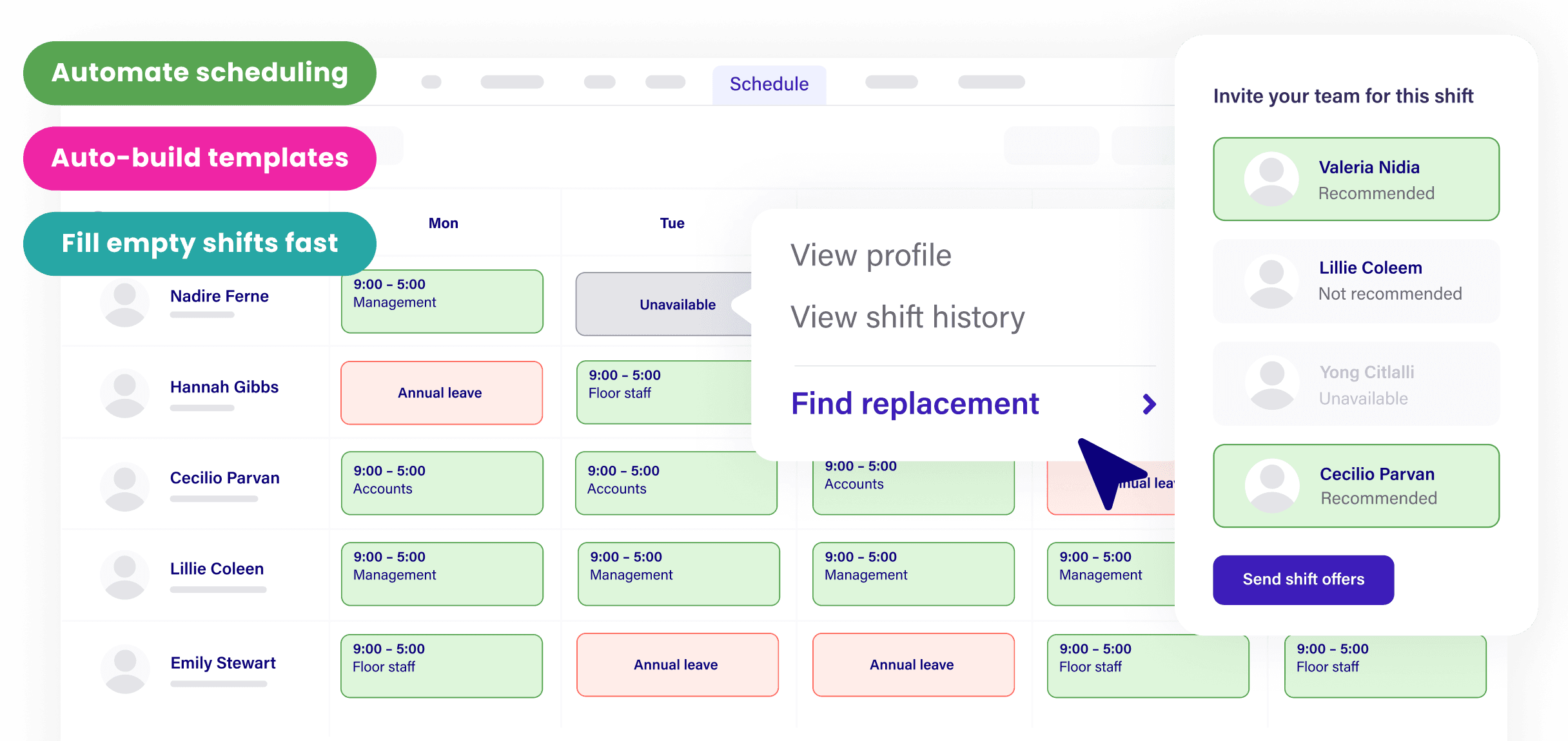
Best for: Restaurant groups managing multiple locations or operators with complicated shift structures and compliance requirements
Ratings as of July 17, 2026: G2 4.6/5 (664 reviews) · Capterra 4.6/5 (773 reviews)
Deputy handles the more complicated end of restaurant scheduling: multi-location management, demand forecasting, and compliance tracking. It's built for operations where a single manager oversees scheduling across several sites, or where shift patterns are complex enough that manual scheduling creates real risk. The compliance tools are notably strong: Deputy flags meal period violations, overtime thresholds, and scheduling conflicts before publication (jurisdiction and plan availability vary; confirm supported regions and plans at deputy.com).
Key features:
- Demand forecasting that aligns staffing to expected foot traffic
- Compliance alerts for breaks, overtime, and labor law requirements (jurisdiction-dependent; confirm specifics at deputy.com)
- Multi-location scheduling and reporting from a single dashboard
- Scheduling that factors in availability and labor law constraints
- Time tracking with geofencing and photo verification (confirm plan availability)
- Payroll available in supported markets as a separate paid product
Pricing: Lite ($5/user/month) · Core ($6.50/user/month) · Pro ($9/user/month). Note: Deputy has a $30/month minimum spend in the US. Payroll pricing varies by market; confirm current rates at deputy.com/pricing. No permanent free plan for new customers; a free trial is available.
What users like: Deputy prominently markets its scheduling compliance tools, and its G2 review profile highlights scheduling, time tracking, and multi-location management positively. The multi-location capabilities are frequently mentioned in the context of larger operations.
What users criticize: The interface can feel heavy for smaller teams that don't need all the complexity. The per-user pricing, combined with the US monthly minimum, adds up quickly for restaurants with larger or fluctuating team sizes.
Our take: Deputy makes sense for multi-unit operators or restaurants in high-compliance states where scheduling errors carry real financial risk. For a single-location restaurant with a stable team and straightforward shifts, the cost structure is likely harder to justify.
4. When I Work
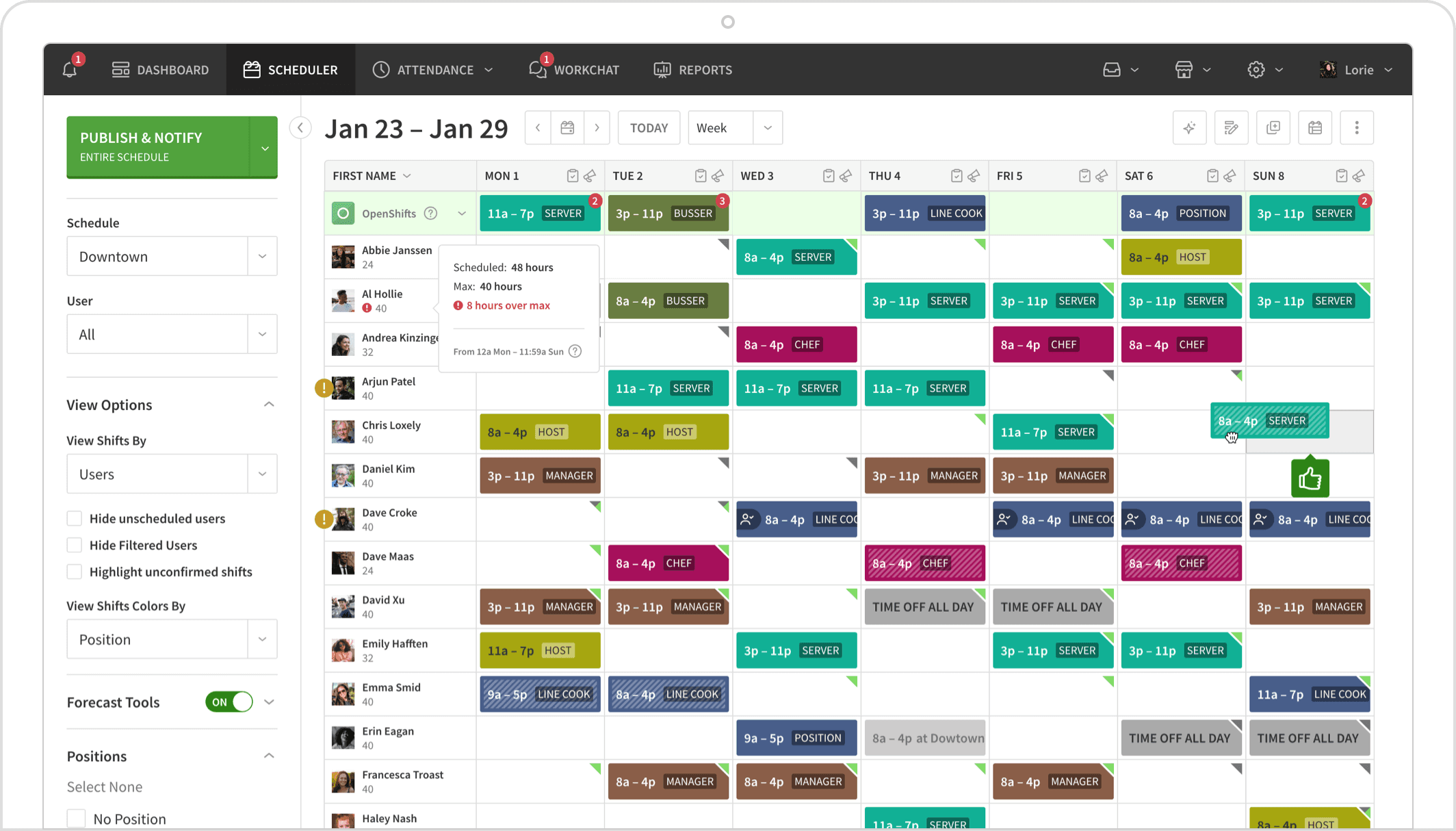
Best for: Restaurants with a mobile-first team that relies on real-time updates and needs flexibility for rotating or part-time schedules
Ratings as of July 17, 2026: G2 4.4/5 (381 reviews) · Capterra 4.5/5 (1,298 reviews)
When I Work offers iOS and Android apps designed for both managers and team members. The open shift claiming feature lets team members pick up uncovered shifts without the manager making individual calls, which cuts down on the coordination work that happens when coverage gaps open up. It handles rotating schedules and part-time availability well, making it a practical fit for restaurants where the team changes week to week.
Key features:
- iOS and Android apps for managers and team members
- Open shift claiming: team members can pick up uncovered shifts directly in the app
- Built-in team chat
- Availability management and time-off requests
- Time and Attendance available as an additional module (adds to the effective per-user cost; Essentials rises from $2.50 to approximately $4.00 when added)
Pricing: Essentials ($2.50/user/month) · Pro ($5/user/month) · Premium ($8/user/month). A trial is available.
What users like: Capterra's current product summary reflects that many reviewers describe scheduling, shift swapping, and time-off coordination positively. Many frontline employees find onboarding straightforward.
What users criticize: Some administrators and less technical users report needing additional guidance during setup, per Capterra's current review summary. Adding Time and Attendance pushes the effective price above what the headline scheduling rate suggests. When I Work emphasizes scheduling and time management more than restaurant-specific POS forecasting.
Our take: When I Work is a solid fit for quick-service restaurants, fast-casual spots, or operations where part-time scheduling flexibility matters more than labor analytics. If your team lives on their phones and needs a tool everyone will use consistently, it's worth a trial.
5. ZoomShift
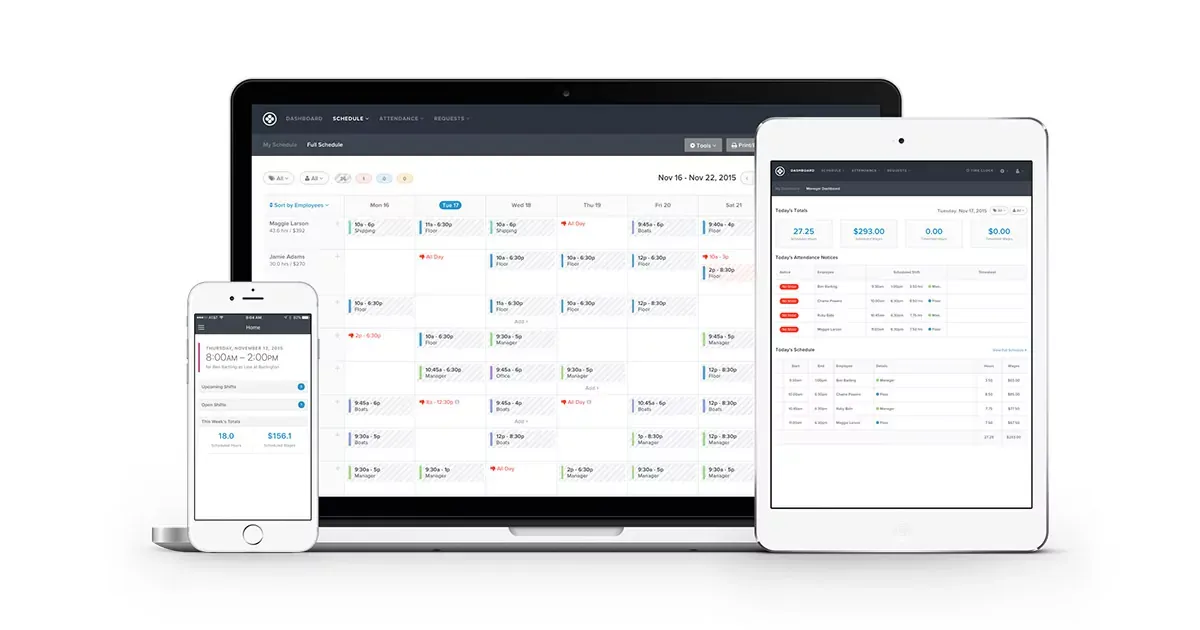
Best for: Budget-conscious restaurants that need the basics: shift building, time clocks, and swap management, without paying for features they won't use
Ratings as of July 17, 2026: G2 4.8/5 (44 reviews) · Capterra 4.5/5 (118 reviews). Note that the G2 score is based on a small review sample.
ZoomShift focuses on core scheduling features at a lower price point. The drag-and-drop schedule builder is easy to learn, the time clock includes geolocation tracking, and shift swaps go through a manager approval flow. According to ZoomShift's current G2 profile, the product also includes group chat, direct messaging, and schedule notifications, as well as payroll exports and timesheet syncing. Confirm exactly which communication and payroll-sync features are included in each plan at zoomshift.com/pricing.
Key features:
- Drag-and-drop schedule builder with copy-week functionality
- Time clock with geolocation tracking
- Shift swap requests with manager approval
- Basic availability and time-off management
- Team communication features including group chat and notifications (confirm plan availability)
- Payroll sync/export to payroll providers (confirm which providers and plans at zoomshift.com/pricing)
Pricing: Capterra currently lists ZoomShift at $2.50/user/month for Starter and $5/user/month for Premium, with both a free version and a 14-day trial available (as of July 12, 2026). Confirm current rates at zoomshift.com/pricing.
What users like: G2 reviewers describe ZoomShift's interface as straightforward and easy to set up. The low review count on G2 means this reflects a smaller sample than most tools in this list.
What users criticize: No native restaurant POS integration was identified in current public materials, which limits labor cost visibility. The product is focused on scheduling fundamentals rather than restaurant-specific labor analytics.
Our take: ZoomShift makes sense if you're running a small café or single-location restaurant, your current scheduling process is spreadsheets or a whiteboard, and you want a lower-cost upgrade that doesn't require learning a complex tool. Once your team grows or labor cost visibility becomes a priority, you'll likely outgrow it.
6. HotSchedules (Now Part of Fourth)
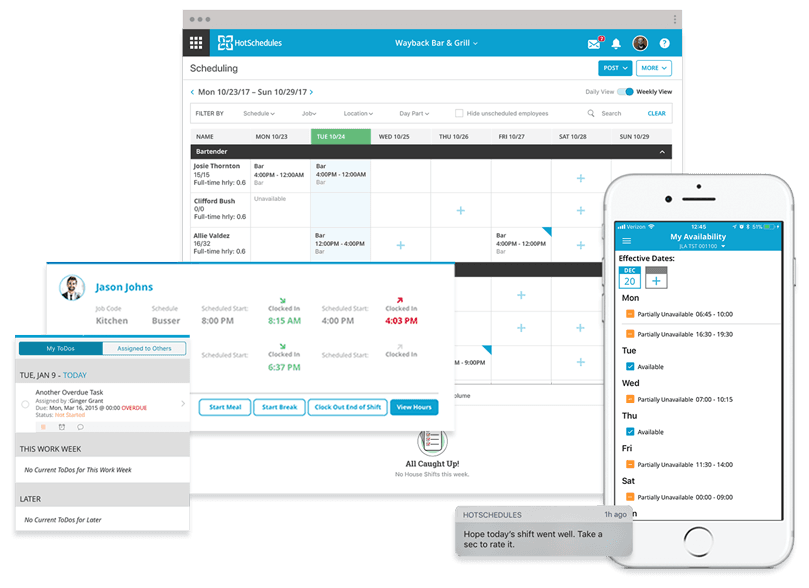
Best for: Mid-size to larger restaurant groups or multi-unit operators who need enterprise-level scheduling with strong labor management tools
Ratings as of July 17, 2026: G2 4.3/5 (105 reviews) · Capterra 4.4/5 (461 reviews)
HotSchedules has been in the restaurant scheduling space for a long time, and its depth shows. The tool is built specifically for food service operations, going beyond shift building with manager logbooks, labor forecasting tied to historical sales data, and a messaging system that keeps communication off personal phones. Fourth, the parent company, also markets broader capabilities including recruiting, payroll, inventory, and compliance tools for hospitality operations. G2's current profile for HotSchedules describes hiring, scheduling, payroll, communication logs, task management, and labor forecasting.
Key features:
- Manager logbook that records call-outs, tardiness, and notes per employee (confirm retention specifics at fourth.com)
- Labor forecasting based on historical sales data
- Shift trade and cover request management
- Built-in messaging and team communication
- Integration with restaurant POS systems (confirm specific supported systems at fourth.com/partner/integrations)
Pricing: Custom pricing. Contact Fourth for a quote. No standard public rate card was identified. Designed for mid-size to larger operations. The absence of public pricing makes initial cost comparison less convenient for smaller operators.
What users like: HotSchedules comes up as a time-saver for multi-unit managers in Reddit discussions. In r/restaurantowners, one commenter said: "HotSchedules is easily my biggest time saver." Source: r/restaurantowners In r/Restaurant_Managers, another described the logbook feature directly: "HotSchedules has a store logbook where you can put things like call outs/late for each employee and it stores it for like…ever? So if you are writing someone up, as long as you added it to the log under their name, it'll pull everything." Source: r/Restaurant_Managers
What users criticize: No public pricing means you can't compare costs without going through a sales process. In r/Restaurant_Managers, some commenters preferred other tools for single-unit operations, with one noting they "never liked HotSchedules" personally while using 7shifts now. Source: r/Restaurant_Managers
Our take: HotSchedules earns consideration for restaurant groups that need operational depth, particularly the logbook and labor forecasting capabilities. For a single-location independent restaurant, the quoting process alone adds friction that most smaller operators won't find worth it.
7. 7shifts
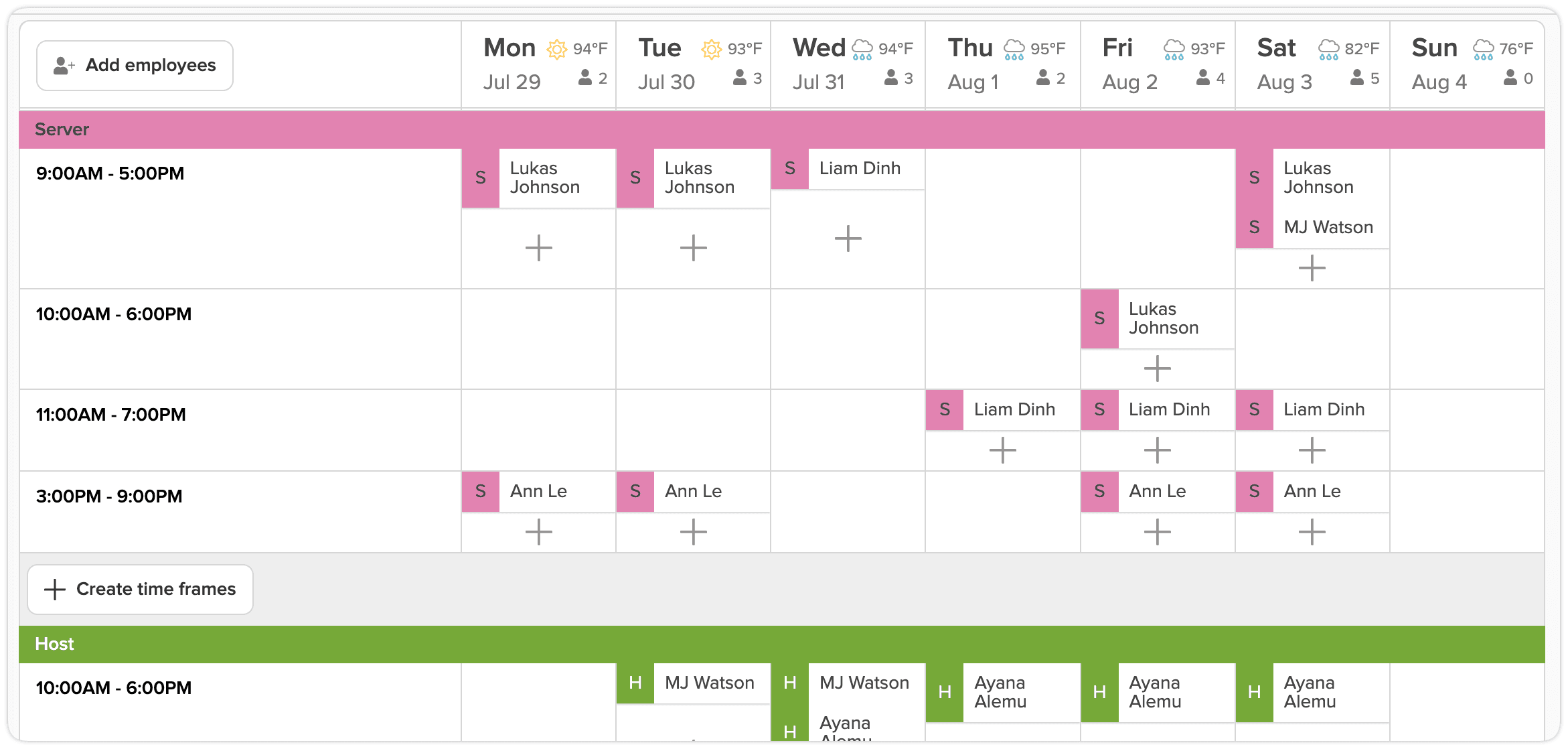
Best for: Restaurants where labor cost optimization is the top priority
Ratings as of July 17, 2026: G2 4.5/5 (125 reviews) · Capterra 4.7/5 (1,212 reviews)
7shifts is built exclusively for the restaurant industry, and it shows. Every feature, from the scheduling interface to the reporting dashboard, is designed around the realities of food service operations. Its core strength is connecting your schedule to your POS sales data so you can see projected labor costs against expected revenue as you build each week.
Key features:
- Schedule building with labor cost visibility as you add shifts
- POS integration with Toast, Square, Lightspeed, and others (availability and data type vary by plan and POS)
- Compliance alerts for overtime and required breaks before you publish (plan-dependent)
- Tip management and shift feedback tools
- Team messaging with read receipts
- Payroll available as a separate paid product
Pricing: Comp (free, up to 20 employees at 1 location) · Entrée ($39.99/location/month) · The Works ($69.99/location/month) · Gourmet (~$135/location/month).
What users like: 7shifts comes up consistently in restaurant operator communities for its messaging and POS integration. In r/Restaurant_Managers, one commenter said: "7shifts has been good. The biggest thing is the messaging ability. No longer giving staff my phone number has been amazing." Another in the same thread noted: "7shifts. We've never had an issue, you can assign side work tasks through the app, and it integrates with toast if you use that for POS. Super easy for employees to offer or trade shifts and request time off." Source: r/Restaurant_Managers G2's current review summary also highlights scheduling, communication, and POS-linked functionality positively.
What users criticize: One r/Restaurant_Managers reviewer noted it "took a few weeks to get it down" before it clicked, a pattern that also appears in individual G2 reviews, which cite synchronization issues, limited features on lower tiers, and cost concerns on higher plans. Advanced POS-linked forecasting is locked behind higher-tier plans, which makes the free and entry-level tiers feel limited for operators who want the full labor analytics experience.
Our take: 7shifts is worth considering if controlling your labor cost percentage is the thing keeping you up at night. POS-linked labor forecasting can help managers compare planned labor against forecast sales before publishing the schedule. If you're a single-location café that just needs shifts covered, it's more tool than you need.
8. Connecteam: Best for Deskless Teams That Need More Than Just Scheduling
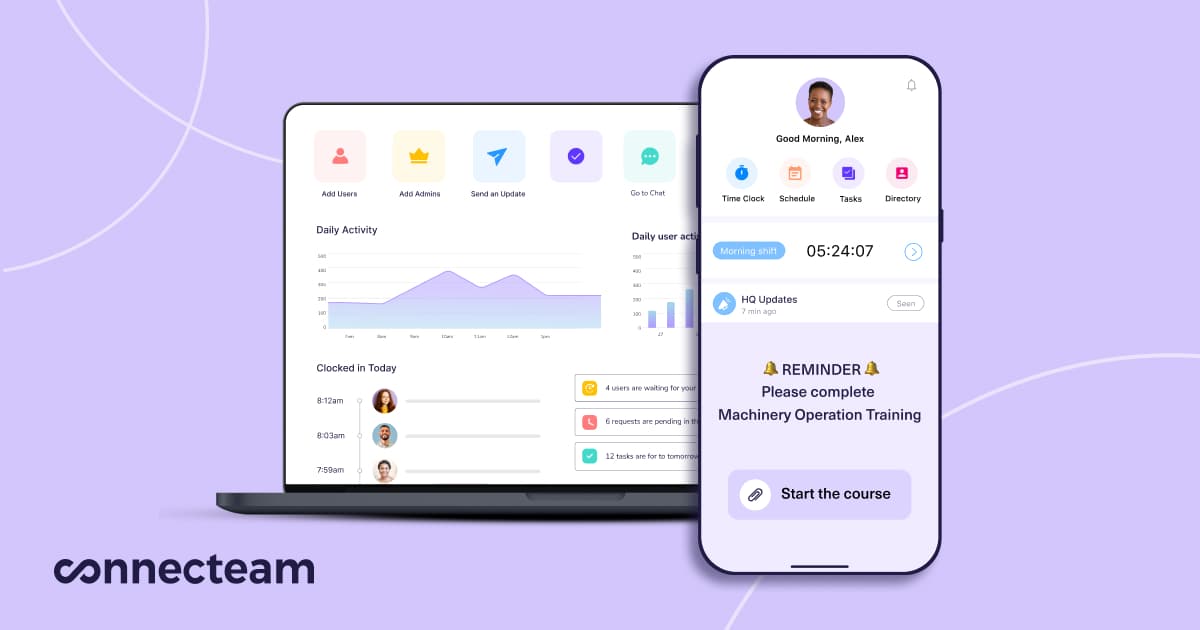
Best for: Small restaurant teams that want scheduling combined with task management, checklists, and team communication in one mobile app
Ratings as of July 17, 2026: G2 4.6/5 (3,501 reviews) · Capterra 4.6/5 (approximately 5,300 reviews)
Connecteam is built around deskless workers, and restaurants are one of the deskless-team use cases it addresses. Beyond shift scheduling, it includes task management with checklists, an in-app knowledge base for training materials, time tracking with geofencing, and team messaging, all from a mobile-first interface. The free plan gives teams of up to 10 users access to all hubs and features at no cost.
Key features:
- Shift scheduling with availability and time-off management
- Task management and checklists (useful for opening/closing duties)
- In-app knowledge base for training materials and onboarding SOPs
- Time clock with geofencing and GPS tracking
- Team messaging, announcements, and read receipts
Pricing: Free for up to 10 users (all hubs included; confirm whether any usage ceilings or feature limits apply at connecteam.com/pricing) · Paid hub plans start at approximately $29/month for the first 30 users billed annually. This is per hub, and purchasing multiple hubs changes the total cost materially.
What users like: Capterra's current product summary emphasizes Connecteam's unified scheduling, messaging, GPS time tracking, forms, and training functions. Users who previously juggled separate apps for scheduling, task management, and messaging often cite the consolidation as the main benefit.
What users criticize: Connecteam does not appear to emphasize restaurant-specific POS sales forecasting to the same extent as 7shifts. No native restaurant POS integration was identified in current public materials. For operators who need labor analytics tied to sales data, Connecteam is a coordination tool first.
Our take: Connecteam fits restaurants where the biggest pain points are coordination and communication: getting everyone on the same page about shifts, tasks, and procedures. If your team is juggling three separate apps for scheduling, tasks, and messaging, Connecteam is worth evaluating as a consolidation option.
Why Manual Scheduling Keeps Breaking Down
The industry data shows why labor visibility matters. Labor is one of the largest controllable costs in most restaurants. According to the National Restaurant Association's 2025 Restaurant Operations Data Abstract, full-service restaurants spent a median of 36.5% of sales on labor costs in 2024, well above historical averages. Profitable full-service operators held that number at 34.2%, a difference that compounds fast at the margins most independent restaurants are working with. The NRA's reporting also notes that 42% of U.S. restaurant operators reported their restaurant was not profitable in 2025. High restaurant employee turnover adds recruiting and training costs on top of that, another reason why stable, predictable scheduling matters.
As Christofer Peralta, a Customer Success Manager at Homebase and former fine dining restaurant manager, puts it, "Scheduling was like Tetris, but without a fixed board. You have to make sure every shift is covered while honoring everyone's unavailability — then someone asks for time off, or the person who always picks up shifts is on vacation, and you're spending hours trying to accommodate everyone without upsetting anyone."
Reddit makes the day-to-day version of this clear. In r/restaurantowners, one commenter summed up why they left spreadsheets behind: "You're wasting your money if you're still using manually created spreadsheets in 2026. The amount of time it takes to do the data entry alone isn't worth it." Source: r/restaurantowners In r/smallbusiness, a restaurant owner described spending three hours every week after closing on manual scheduling, including a near-miss where a part-timer's hours weren't recorded, the kind of mistake that causes payment disputes. Source: r/smallbusiness
Scheduling software doesn't fix labor costs on its own, but it does give you visibility before the damage is done. Seeing that someone is approaching 40 hours while you're still building the schedule lets you make adjustments before those hours are worked. Overtime liability comes from hours worked, not just hours scheduled. Federal rules commonly use a 40-hour workweek, while some state, local, contract, or industry rules differ.
What to Look for in Restaurant Scheduling Software
Not every feature on a vendor's pricing page moves the needle equally for restaurant operations. Here are the ones worth evaluating first.
POS integration. Depending on the integration, a POS connection may transfer sales, employee, time-clock, tip, or location data. If you run Toast, Square, or Lightspeed, check whether your shortlisted tools integrate and what data the connection actually pulls (capabilities vary by vendor and plan).
Mobile access for team members. Your servers and line cooks aren't checking a desktop app. A cumbersome mobile experience can reduce adoption and push your team back to group texts.
Shift trading with manager approval. Simplifies coverage coordination. When team members can request a swap in the app and you can approve with one tap, coverage gaps can be filled before they become your problem.
Overtime and compliance alerts. Schedules can reveal likely overtime before the hours are worked. A tool that flags this before you publish can be valuable for restaurants with variable schedules or recurring overtime risk, but note that state and local daily overtime rules, predictive scheduling laws, and other requirements vary.
Time clock that syncs with the schedule. Hours should flow to payroll without anyone copying numbers between systems. Manual re-entry creates additional opportunities for transcription errors.
What may be lower priority early on. Deep labor forecasting, demand-based scheduling, and multi-location dashboards can be valuable, but may not be necessary if you're running a single location with a small, stable team. Start with what your current operation needs and upgrade when the pain shows up.
Free Restaurant Scheduling Software Worth Trying
Several tools in this list offer real free employee scheduling plans, not just trials.
Homebase covers up to 10 team members at one location with scheduling, time tracking, messaging, and supported POS integrations all included, no credit card required.
Sling offers scheduling and messaging on a free tier. Confirm the current user cap and exact feature set at getsling.com/pricing.
ZoomShift lists both a free version and a 14-day trial on Capterra (as of July 2026). Confirm current free-plan limits and features at zoomshift.com/pricing.
7shifts covers up to 20 employees at one location with its Comp plan. You won't get labor forecasting or POS-driven scheduling without upgrading, but it's a functional starting point.
Connecteam gives teams of up to 10 users access to all hubs and features at no cost, subject to any usage limits or feature restrictions at connecteam.com/pricing.
Advanced reporting and payroll usually require payment. POS integration availability and pricing vary by product; Homebase lists supported POS integrations on its free plan.
Restaurant Scheduling Software FAQs
What's the Best Scheduling App for Restaurants?
It depends on what you're trying to fix. 7shifts is worth evaluating if labor cost control tied to POS data is the priority. Homebase combines scheduling, time tracking, hiring, and payroll in one app, free for up to 10 team members. For a lower-cost option focused on shift building, ZoomShift or Sling are starting points worth testing.
Is There Free Restaurant Scheduling Software?
Yes. Homebase is free for up to 10 team members at one location and includes scheduling, time tracking, messaging, and POS integration. Sling and 7shifts also have free tiers; confirm current user limits and feature sets at their respective pricing pages. Connecteam is free for up to 10 users with full feature access. ZoomShift lists a free version on Capterra; confirm current limits at zoomshift.com/pricing. Free plans generally cover schedule building and mobile access; advanced reporting and payroll require an upgrade.
What Features Should Restaurant Scheduling Software Have?
Features worth evaluating for restaurant operations: mobile access for team members, shift trading with manager approval, availability tracking, overtime alerts, and a time clock that syncs with payroll. Restaurant-specific additions worth prioritizing: POS integration for labor cost visibility, compliance alerts for breaks and overtime, and team messaging to keep shift updates off personal phones.
Can Restaurant Scheduling Software Integrate With My POS System?
Many dedicated tools do, but capabilities vary by vendor, POS system, and plan. Homebase and 7shifts publish integrations with multiple restaurant POS systems including Toast, Square, Clover, and Lightspeed. Deputy also offers POS integrations; confirm the exact supported systems and data types before purchasing. No native restaurant POS integration was identified for Sling or ZoomShift in current public materials.
According to Christofer Peralta, a Customer Success Manager at Homebase, "A lot of platforms give you a discount but don't give you the insights. Even without a discount, the insights pay for themselves, because you can see last week's sales while you're building this week's schedule and staff accordingly. Homebase integrates with Clover, Square, and Toast, and we have a flexible API for other systems, so you can still get your labor data in and plan around it."
How Does Scheduling Software Help Control Restaurant Labor Costs?
Scheduling software can show you the projected cost of your schedule before it's published, not after payday. When supported by POS sales data, it may show scheduled labor as a percentage of forecast sales. You can see who's approaching overtime as you add shifts and set alerts when you're trending over a labor cost target. The software surfaces the information; acting on it is still on the manager.
How Do I Reduce No-shows at My Restaurant?
Scheduling software can support no-show reduction in a few practical ways: automatic shift reminders go out before each shift, team members can flag conflicts through the app ahead of time, and shift swap features let someone find their own cover with manager approval. Whether these features meaningfully reduce no-shows in your specific operation will depend on how consistently your team uses them.
What's the Difference Between Homebase and 7shifts?
Homebase combines scheduling, time tracking, hiring, onboarding, team messaging, and optional payroll in one app, built for hourly teams across industries with restaurants as a core use case. 7shifts is built exclusively for restaurants, with a stronger restaurant-specific emphasis on POS-linked labor forecasting and tools like shift feedback and tip management. Homebase has a lower starting price billed annually and unlimited team members on paid plans. 7shifts prices per location; compare both pricing pages directly before deciding.
Which Restaurant Scheduling Software Is Right for You?
The right scheduling tool comes down to what's breaking in your operation right now.
If labor cost visibility tied to your POS is the priority, 7shifts is worth evaluating. If you need one app that handles scheduling, time tracking, hiring, and payroll without stitching separate tools together, Homebase covers that ground. If you're just getting off spreadsheets and want to start somewhere low-cost, ZoomShift or Sling give you a working starting point.
Most of these tools offer free plans or trials. The fastest way to know which one fits is to run your actual schedule through it for a week.
"Before Homebase, we were printing out timesheets and manually calculating hours. To keep up with the times, we have switched to Homebase, and it has made our lives so much more efficient!" — Ashley Ortiz, Owner, Antique Taco
Building and keeping a good team is already hard. Your schedule shouldn't be the thing making it harder. Try Homebase free.

Take back your time.
Put payroll, scheduling, time tracking, and HR all in one place with Homebase.