Caregiver Scheduling Software: 5 Best Tools for Home Care Agencies


SMALL BUSINESS INTEL, IN YOUR INBOX
Table of contents
It's 6:45 AM. A caregiver just called out. Three morning visits need to be covered before 8 o'clock, and someone has to find backup, check who's available without triggering overtime, and notify the clients.
If your agency is still managing this with group texts and a spreadsheet, you already know what the next two hours look like. For agencies with the right caregiver scheduling software, it's closer to 15 minutes.
The right caregiver scheduling platform makes schedule management less difficult. This guide covers the five best options for home care agencies, what to look for before you commit, and where Homebase fits for smaller private-pay teams.
Our top picks at a glance:
- AxisCare — Best for growing private duty agencies that need AI-powered caregiver matching and built-in EVV
- CareSmartz360 — Best for high-volume agencies that want strong scheduling automation and responsive support
- WellSky Personal Care — Best for larger, multi-location agencies that need a platform that scales

Less messaging, more managing
Scrambling to fill open shifts or manage swaps for your team? Let them sign themselves up.
What caregiver scheduling software does (and who it's for)
Caregiver scheduling software gives your agency one system to assign caregivers to visits, track availability, manage shift changes, fill last-minute gaps, and log visit data.
Healthcare staff scheduling platforms specific for home care go further than general scheduling tools. The features that matter most for this industry—Electronic Visit Verification (EVV), Medicaid billing integrations, and client-caregiver matching by skills, certifications, and client preferences—aren't available in general-purpose tools.
Why Homebase built this guide
Homebase builds scheduling and team management software for small businesses with hourly teams. We work with thousands of growing businesses, including home care agencies. We don't have EVV, Medicaid billing, or caregiver-client matching by care needs, but we created this guide because scheduling is what we do—and we want to give home care agency owners a straight answer on what's out there, including where Homebase fits and where it doesn't.
This guide covers the tools that are actually built for this industry. Every entry was evaluated on what matters most to a home care agency owner: EVV compliance, scheduling features, caregiver mobile experience, pricing transparency, and what real users say on Capterra and G2. Homebase appears in its own labeled section below, with an honest assessment of where it fits.
How we chose the best caregiver scheduling software
We evaluated each caregiver scheduling platform across five criteria:
- Capterra ratings and reviews
- EVV capabilities (built-in vs. third-party)
- Core scheduling features
- Pricing transparency
- Typical home care agency size fit
All assessments are based on publicly available information, vendor documentation, and verified user reviews.
The 5 best caregiver scheduling software tools
The tools below cover the range from lightweight options for smaller private-pay agencies to full-featured platforms built for Medicaid billing at scale. The right pick depends on your payer mix and how many caregivers you manage.
1. AxisCare
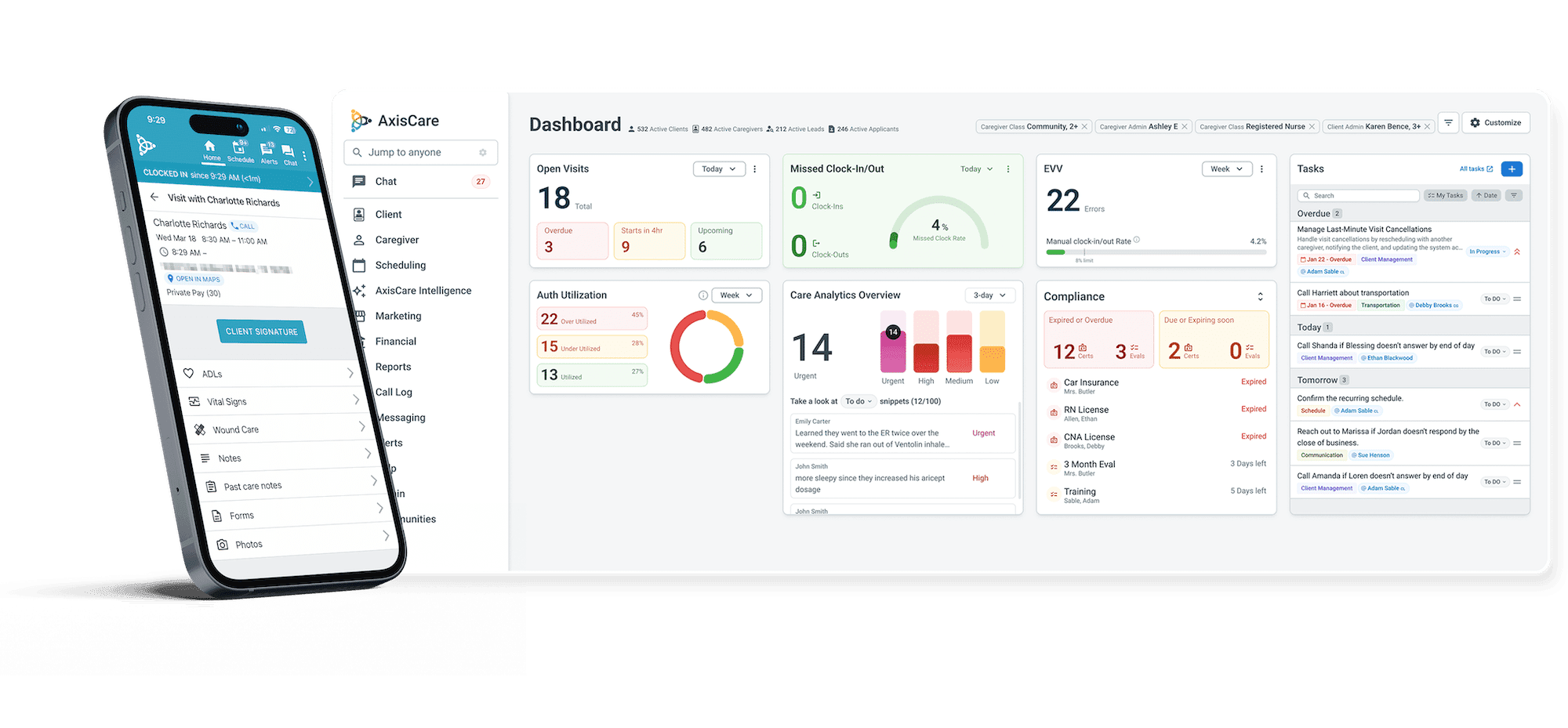
AxisCare is purpose-built for private duty home care agencies and goes deep on the features that matter most at scale: AI-powered caregiver matching, drag-and-drop scheduling, built-in EVV, and a full-featured mobile app. It's the right fit for agencies that have outgrown simpler tools and need a platform that can grow with them.
Best for: Private duty agencies scaling from 20 to 100+ caregivers
Capterra rating: 4.7/5 (700+ reviews)
Key features:
- AI caregiver-client matching based on skills, location, schedule history, preferences, and driving distance
- Built-in GPS and telephony EVV
- Drag-and-drop scheduling calendar with real-time views and 12+ reports
- Overtime alerts and real-time late-caregiver notifications
- Caregiver mobile app (iOS and Android) with schedule access, GPS clock-in/out, ADLs, care plans, custom forms, client signatures, and HIPAA-compliant two-way messaging
Pricing: Contact sales for quote
What users say:
- Pros: “Their mobile app is very good in our area. We have quite an area to cover and it seems to work at most locations. Their support team is top notch.” — Laura B. (Capterra)
- Cons: “Ease of integration to third parties like Sandata. It is hard to manage the integration between the two.” — Bradley B. (Capterra)
2. ShiftCare
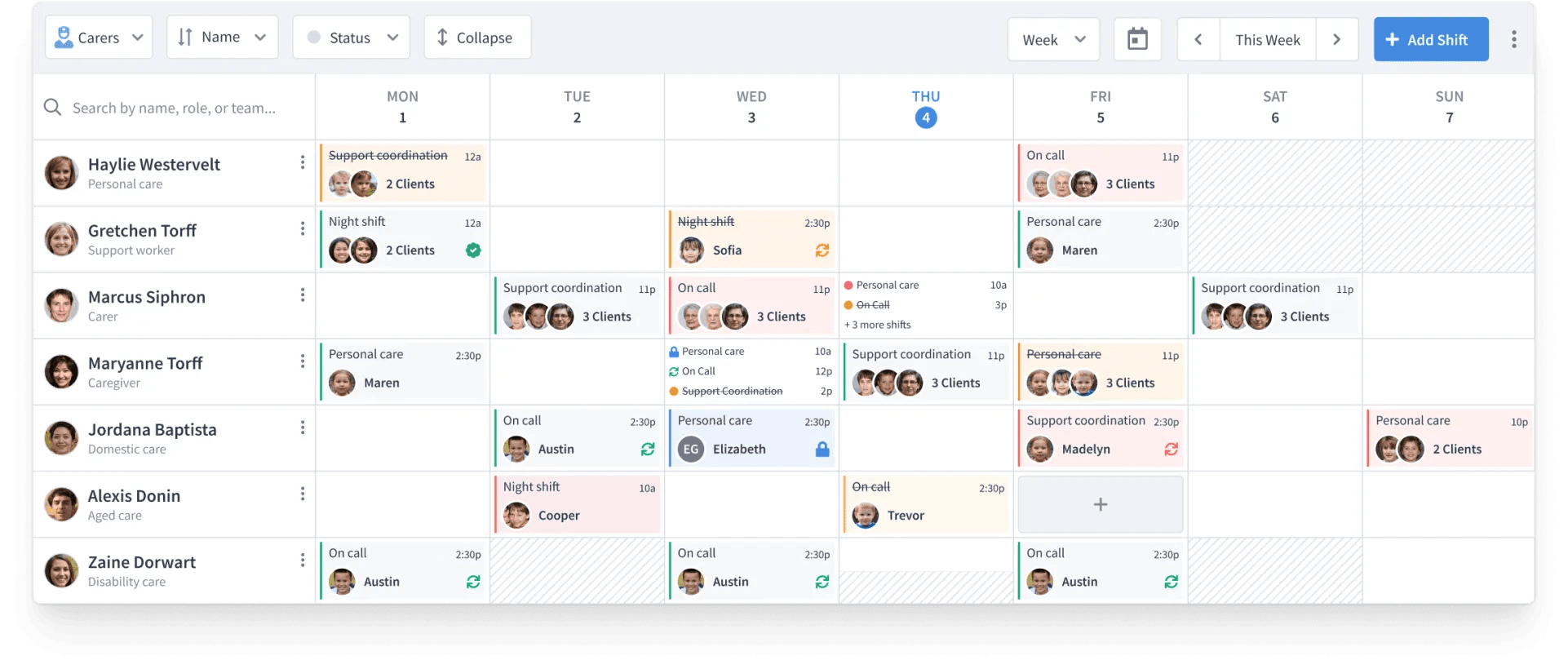
ShiftCare's strength is its low barrier to entry. The interface is clean, the pricing is the most transparent in this category, and agencies can get up and running quickly. It's a practical first step for smaller or newer agencies that need reliable scheduling without a lengthy setup process.
Best for: Small to mid-sized agencies, private pay or mixed payer mix
Capterra rating: 4.6/5 (100+ reviews)
Key features:
- Drag-and-drop scheduler with daily, weekly, and monthly views
- GPS clock-in/out with visit verification and client signature capture
- Caregiver app (iOS and Android, rated 4.8 on both App Store and Google Play) with schedule access, care plans, progress notes, and messaging
- Caregiver job board where staff view live openings and apply for shifts from the app (Professional plan and above)
- Payroll integrations including QuickBooks and Paychex (Professional plan and above)
Pricing: From $8/user/month ($40/month; 5 users minimum). Free trial available.
What users say:
- Pros: “Shiftcare is top of the line if appointment management is your main concern! It is excellent value for money and I have yet to see a reporting of bugs and issues. It makes your schedule, has great security and the best customer support.” — Brooks L. (Capterra)
- Cons: “The onboarding was confusing and poorly supported. They misrepresented having a working public API, and once I raised concerns, their communication dropped off.” — Jason S. (Capterra)
3. WellSky Personal Care
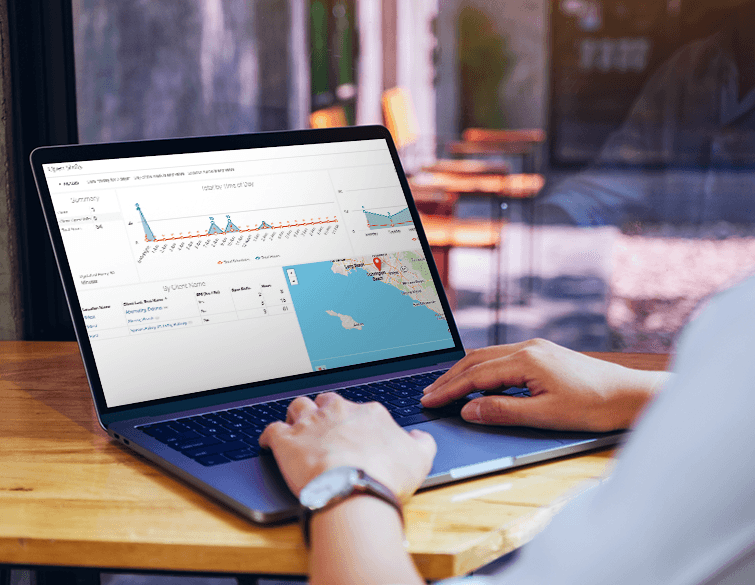
WellSky Personal Care (formerly ClearCare) covers the full operational picture: scheduling, EVV, billing, payroll, analytics, caregiver engagement, and a client and family portal. It powers more than 4,300 agencies including 8 of the 10 largest personal care franchise networks in the US. Agencies that need that depth will find it here; smaller teams may find the ramp-up time harder to absorb.
Best for: Mid to enterprise private duty agencies with multiple locations or complex operational needs
Capterra rating: 4.4/5 (200+ reviews)
Key features:
- Scheduling with color-coded open shift visibility and AI-powered workflows
- EVV (GPS and telephony) with HITRUST CSF-certified security
- Family Room portal gives families access to the care calendar, shift notes, and bill payment
- Built-in billing, payroll, applicant tracking, and performance analytics
- Mobile app (iOS and Android) with WellSky TeamEngage for caregiver performance rewards, pulse surveys, and referral bonuses
Pricing: Contact sales for quote
What users say:
- Pros: “I loved the fact that you could enter a patient’s entire account in the system, record notes, clock in and out and see your schedule. I like that you could upload pictures and speak with your administrator when needed.” — Justice E. (Capterra)
- Cons: “Sometimes there are some glitches with WellSky and it makes it very difficult when you are scheduling because you will put in a shift and then it will revert back or it will disappear.” — Angie A. (Capterra)
4. CareSmartz360
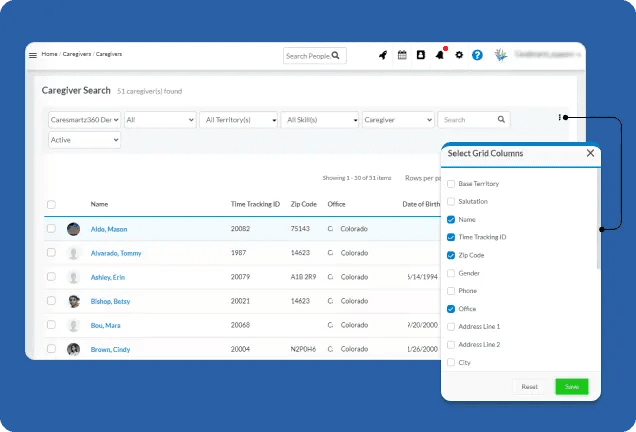
CareSmartz360’s AI-powered matching, color-coded calendar, and multilingual caregiver app make it a solid choice for high-volume agencies managing complex schedules, and its broad EVV coverage and multi-payer billing make it well-suited for Medicaid-billing agencies of any size.
Best for: Growing to enterprise agencies with high recurring visit volume; Medicaid-billing agencies needing broad state EVV coverage
Capterra rating: 4.8/5 (100+ reviews)
Key features:
- Color-coded scheduling calendar with AI caregiver-to-visit recommendations based on availability, skills, proximity, and workload
- EVV integrated in 40+ state Medicaid systems, with GPS and telephony clock-in
- Multilingual caregiver mobile app (7+ languages) with offline mode, open shift self-scheduling, and AI-assisted visit notes
- Integrated billing across Medicaid, VA, LTCI, and private pay with QuickBooks export
- AI Hub for caregiver retention insights, churn prediction, and performance reporting
Pricing: Contact sales for quote. Tiered pricing; lowest tier caters for growing agencies (0–100 clients)
What users say:
- Pros: “I love that staff can report about their clients on the platform. This keeps clients’ families and the office staff well informed.” — Julie B. (Capterra)
- Cons: “The reporting feature needs improved, especially now with AI, it shouldn't be very difficult to find relevant data that can help with decision making and overall operation of the agency.” — Isoken O. (Capterra)
5. eRSP
eRSP is a long-standing home care platform that covers the core operational needs of agencies at any size: scheduling, EVV, billing, payroll, and caregiver management in one system. It's been around long enough that many users have stuck with it for years.
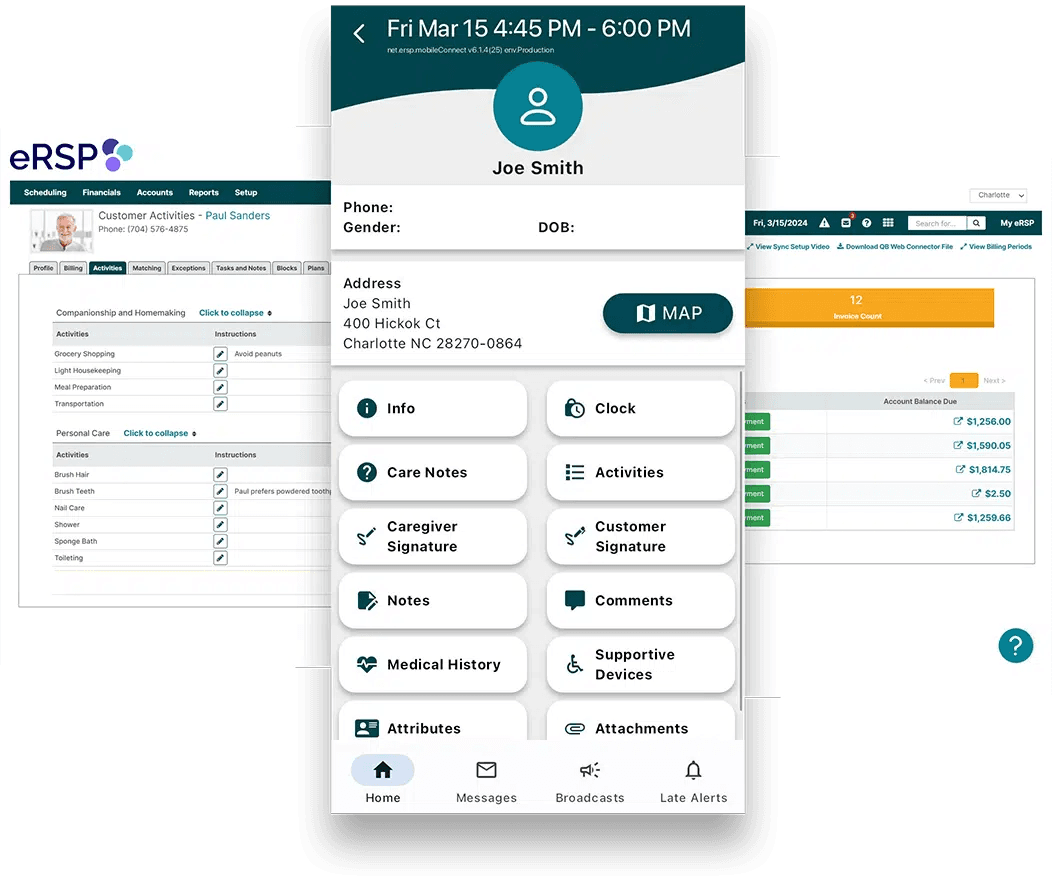
Best for: Home care agencies of any size looking for an established all-in-one platform with strong scheduling and billing tools
Capterra rating: 4.2/5 (99 reviews)
Key features:
- Scheduling with consolidated client and caregiver views, availability tracking, and conflict detection
- Built-in EVV with GPS clock-in/out and audit-ready documentation
- Billing and collections across Medicaid, Veterans Affairs (VA), and private pay, with ACH and credit card payment processing
- Caregiver mobile app with real-time schedule access, shift acceptance, GPS time tracking, and care notes
- Prebuilt dashboards and reports covering operations, caregiver activity, utilization, and financial performance
Pricing: Contact sales for quote
What users say:
- Pros: “I like the real-time updates and how easy it was to track caregiver shifts and client details in one place.” — Dana N. (Capterra)
- Cons: “The app seems to always be the problem with the caregivers. It loads quite often for long periods of time. I do prefer to teach new hires and use the Web version vs the app. "Network failure" often.” — Victoria B. (Capterra)
How Homebase fits
Homebase isn't a home care platform. We don't have EVV, Medicaid billing, or caregiver-client matching by care needs or certifications. What we do have works well for very small private-pay agencies that are still managing schedules manually and need a fast, affordable way to get organized.
What most small teams need first is a reliable way to communicate schedule changes and fill gaps without a chain of phone calls. Lee Hartley, owner of Active Education, has been using Homebase for three years for exactly that.
With Homebase, the schedule is always open on her screen, she makes the change, and reaches out directly through the app. As she puts it: “The communication tool is so good to be able to reach out to staff and go, ‘Hey, so and so just dropped out, can you work tomorrow?’ Okay, no worries.”
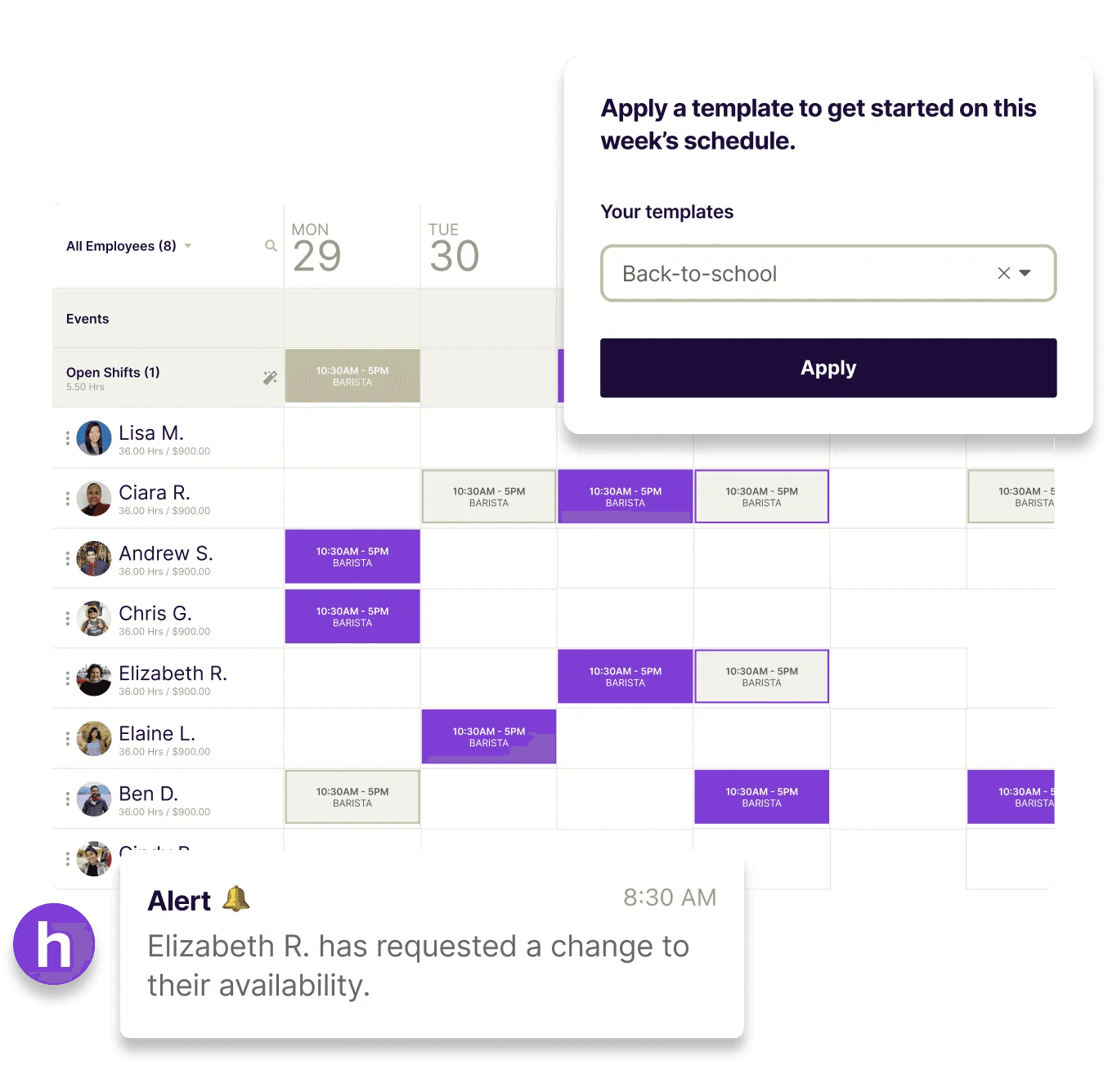
Best for: Private-pay agencies with roughly 20 or fewer caregivers, no Medicaid billing, that want to get off spreadsheets without a six-week implementation
Key features:
- Mobile scheduling with drag-and-drop shift management and a real-time team view
- Open shift posting, publish available shifts and let staff claim them from the app
- GPS geofencing clock-in/out so caregivers can verify their location at the start and end of visits
- Automated shift reminders sent directly to caregivers' phones before each shift
- Conflict detection that flags double-bookings and scheduling overlaps before they cause problems
- Team messaging for real-time communication with individual staff or the whole team
Pricing: Free plan available. Paid plans from $24/location/month.
Less messaging, more managing
Scrambling to fill open shifts or manage swaps for your team? Let them sign themselves up.
What to look for in caregiver scheduling software
Before you book a demo, get clear on five things: EVV compliance, caregiver-client matching, mobile adoption, payroll integration, and real-time alerts. If your agency bills Medicaid, EVV is the first filter and everything else follows.
- EVV compliance: Federally mandated for all Medicaid-funded personal care and home health services under the 21st Century Cures Act. Six data elements must be captured electronically at every visit: type of service, individual receiving care, date, location, caregiver identity, and start and end time. Look for platforms with built-in EVV rather than a third-party bolt-on, and ask how the system handles a missed EVV log when a claim has already been submitted.
- Caregiver-client matching: Once your agency gets beyond 15 or so caregivers, manual matching becomes a full-time job. The best caregiver scheduling platforms filter on skills, certifications, client preferences, location, and driving distance.
- Caregiver-facing mobile app: Caregivers need schedule access, clock-in/out, and shift reminders from their phones. Offline functionality matters in low-connectivity areas. Test the caregiver app with actual caregivers before you commit.
- Payroll integration: Hours logged in the field should flow directly into payroll without manual re-entry. Look for integrations with QuickBooks, ADP, or the platform's own payroll module.
- Real-time alerts: Late caregiver notifications, overtime warnings, and missed clock-in alerts keep the office informed without requiring someone to watch a dashboard all day.
One more thing worth asking every vendor: what does implementation look like for an agency your size, and what support is available after the first 30 days? Setup timelines vary significantly, and knowing what you're committing to before you sign matters.
Frequently asked questions about caregiver scheduling software
What is caregiver scheduling software?
A platform that helps home care agencies assign caregivers to client visits, track availability, and manage shift changes from one place. Most tools built for home care also include EVV compliance tracking, which is federally mandated for Medicaid-funded services.
Does caregiver scheduling software include EVV?
Most purpose-built home care platforms do. Look for native EVV, not a third-party integration. Under the 21st Century Cures Act, EVV is required for all Medicaid-funded personal care and home health services. Platforms like AxisCare, CareSmartz360, and eRSP include it as a core feature.
How much does caregiver scheduling software cost?
ShiftCare is the only tool on this list with transparent public pricing, starting at $8/user/month (billed annually) or $9/user/month month-to-month. AxisCare, WellSky, CareSmartz360, and eRSP are all quote-based. Contact each vendor for pricing based on your agency size and modules. Homebase offers a free plan for very small private-pay teams.
What's the difference between home care software and general scheduling software?
Home care platforms are built around EVV compliance, Medicaid billing, and client-caregiver matching by skills and care needs. General scheduling software works for simple private-pay setups, but won't handle Medicaid claim workflows or state-specific EVV requirements out of the box.
Can caregiver scheduling software help with caregiver retention?
Indirectly, yes. Predictable schedules, mobile access to upcoming shifts, and self-service open shift claiming all reduce the scheduling friction that drives early turnover. According to the 2025 Activated Insights Benchmarking Report, caregiver turnover sits at 75% annually, and nearly four out of five caregivers leave within their first 100 days. Reducing daily scheduling chaos is one of the most practical retention levers an agency has.
What should I ask vendors before signing up?
Ask what happens when a caregiver forgets to EVV log and a claim has already been submitted. Ask how overnight or split visits are handled in the system. Ask what support looks like after onboarding, not just during it. And ask for references from agencies your size. The answers will tell you more than any demo.
Choosing home care scheduling software: let your payer mix decide
Your payer mix is the first filter. If your agency bills Medicaid, you need a purpose-built home care platform with native EVV. AxisCare, CareSmartz360, WellSky, and eRSP are all strong options depending on your agency size and payer mix.
Scheduling quality matters more than most agencies realize until something goes wrong. The right tool doesn't eliminate callouts or coverage gaps. It gives your team a system to handle them without everything flowing through one person's phone.
If your team is small, private pay, and ready to get off spreadsheets today, Homebase's free scheduling plan is a practical place to start. You can have your team's first schedule built and published before lunch.
Less messaging, more managing
Scrambling to fill open shifts or manage swaps for your team? Let them sign themselves up.