8 Best Homebase Alternatives for Small Businesses in 2026


SMALL BUSINESS INTEL, IN YOUR INBOX
Table of contents
Homebase is one of the most-searched tools for managing hourly teams, and for good reason. More than 100,000 small businesses rely on it to handle scheduling, time tracking, payroll, hiring, and team communication in one place. But it's not the right fit for everyone.
Maybe you're already using Homebase and something isn't working. Or maybe you've never tried it and you're weighing your Homebase alternatives before committing. Either way, you're in the right place.
We've compared the best Homebase alternatives and apps like Homebase on features, pricing, and real user reviews so you can make a confident decision, whatever direction that takes you.
The Best Homebase Alternatives for Small Businesses at a Glance
Here's a quick look at every Homebase alternative in this guide and what each one is best for:
- Homebase (our benchmark): All-in-one scheduling, time tracking, payroll, hiring, HR, and team communication. Free plan for up to 10 employees; paid plans from $24/location/mo.
- Deputy: Best for scheduling depth and labor compliance. From $5/user/mo.
- 7shifts: Best for restaurant teams that need POS-based scheduling. Free Comp plan; paid from $39.99/location/mo.
- When I Work: Best for simple scheduling at a low per-user cost. From $2.50/user/mo.
- Gusto: Best for payroll-first businesses. From $49/mo + $6/employee.
- Connecteam: Best for mobile-first deskless teams. Free for up to 10 users; paid hubs from $29/mo.
- HotSchedules: Best for enterprise hospitality operations. Custom pricing.
- QuickBooks Time: Best for teams already on QuickBooks payroll. From $20/mo + $10/user.
- Sling: Best free scheduling option for budget-conscious teams. Free for up to 30 users; paid from $1.70/user/mo.
Every tool on this list does one or two things well. Homebase connects them all, scheduling, time tracking, and payroll talk to each other, so your team's hours flow straight from the time clock into your pay run. See how Homebase payroll works.
Why Look for a Homebase Alternative?
Homebase is an all-in-one app for hourly teams, scheduling, time tracking, payroll, hiring, HR, and team communication under one roof. For a lot of small businesses, that breadth is exactly what they need. But there are a handful of reasons people start shopping for a Homebase alternative, and knowing which one applies to you makes the search a lot shorter.
- Pricing, the jump from the free plan feels sudden
- Payroll reliability, support responsiveness when something goes wrong
- Scheduling depth, complex compliance rules or multi-department permissions
- Team messaging, coordination keeps drifting back to personal texts mid-shift
Here's how each one breaks down.
If your concern is pricing.
Homebase's free plan covers one location and up to 10 employees. When you need more, here's what the paid plans cost:
- Essentials: $24/location/mo (annual), unlimited employees
- Plus: $56/mo (annual)
- All-in-One: $96/mo (annual)
- Payroll add-on: $39/mo + $6/active employee
One thing worth knowing: because Homebase charges per location instead of per person, your bill stays flat as you hire. A 15-person team on Essentials pays about $1.60/user/mo, cheaper than most per-user alternatives once you get past five or six people. Before you assume a Homebase alternative saves money, run the math for your actual headcount.
If your concern is payroll reliability.
To be fair about it: the payroll criticism Homebase most often gets isn't about calculation errors, it's about support responsiveness when something goes wrong. If you need a Homebase alternative with more specialized payroll infrastructure and deeper support depth, Gusto ($49/mo + $6/employee) and QuickBooks Time are worth a closer look. Both treat payroll as the primary job, not one feature among many.
If your concern is scheduling depth.
Homebase handles the scheduling essentials well, templates, auto-scheduling, self-scheduling, and shift swaps. Where it runs into limits:
- Complex labor law compliance automation, especially for multi-state teams or California-specific break rules
- Granular role and department permissions on lower-tier plans
If those gaps are what's driving your search for a Homebase alternative, Deputy is purpose-built for compliance-heavy scheduling. For restaurant teams specifically, 7shifts is built around how food service operations actually run.
If your concern is team messaging.
Homebase has built-in messaging, but for multi-location operators, it's a recurring sticking point. A r/DefaultAlive thread from a business owner managing 40 hourly workers across two locations said it plainly:
- Scheduling and time tracking worked fine
- Messaging kept pushing people back to personal texts mid-shift
- Swap requests, call-outs, and last-minute notes all ended up outside the app
Several replies pointed out that running scheduling and communication in two dedicated tools, each doing one job well, is a perfectly reasonable setup.
If messaging is the main gap, Connecteam's communication hub has dedicated spaces for announcements, shift notes, and open shift claiming. Keep in mind that splitting tools adds coordination overhead, so it's worth comparing any Homebase alternative against upgrading within Homebase, where higher tiers include more developed messaging features.
Quick Comparison: Best Homebase Alternatives for 2026
| Tool | Best For | Free Plan | Starting Price | G2 Rating | Capterra Rating |
|---|---|---|---|---|---|
| Homebase (benchmark) | All-in-one scheduling, time tracking, payroll + HR | Yes (up to 10 employees) | $24/location/mo (annual) | 4.6/5 (595 reviews) | 4.6/5 |
| Deputy | Scheduling depth + labor compliance | No (free trial) | $5/user/mo | 4.6/5 (662 reviews) | 4.6/5 |
| 7shifts | Restaurant teams | Yes (Comp plan, verify employee cap) | $39.99/location/mo | 4.5/5 | 4.7/5 (1,200+ reviews) |
| When I Work | Simple scheduling for small teams | No (free trial) | $2.50/user/mo | 4.4/5 (374 reviews) | 4.5/5 (1,270 reviews) |
| Gusto | Payroll + HR | No | $49/mo + $6/employee | 4.6/5 (8,400+ reviews) | 4.6/5 |
| Connecteam | Mobile-first deskless teams | Yes (up to 10 users) | $29/mo per hub | 4.6/5 (3,500+ reviews) | 4.6/5 (5,200+ reviews) |
| HotSchedules | Enterprise hospitality | No | ~$40/location/mo (est.) | 4.3/5 (104 reviews) | 4.4/5 |
| QuickBooks Time | QuickBooks payroll users | No | $20/mo + $10/user | 4.5/5 (1,440+ reviews) | 4.7/5 (6,950+ reviews) |
| Sling | Budget scheduling | Yes (up to 30 users) | $1.70/user/mo | 4.4/5 | 4.6/5 |
*The information in this piece is based on our research on Homebase alternatives. All user feedback referenced in the text has been sourced from independent software review platforms, such as G2 and Capterra, in September 2026.
Why Trust Our Homebase Alternatives Reviews?
We built Homebase, and we work with more than 100,000 small businesses every day, restaurants, retail shops, cleaning companies, and medical offices. That gives us a front-row view of what actually works for hourly teams, not just what looks good on a Homebase competitors comparison page.
Every rating and price in this guide comes directly from G2, Capterra, and each tool's official pricing page. Homebase doesn't appear in the ranked list, every tool was evaluated on its own merits, and we don't accept payment or backlinks for mentions.
"I used Homebase for 2 years and tried another scheduling software platform this season. I'm back to Homebase as it meets my needs and like the features they offer. Staff members that used both platforms like more of their features as well."
— Jeff Shoemaker, General Manager, Grady's Family Fun Park
How Homebase Compares to These Alternatives
Every Homebase alternative in this guide does something better than Homebase in a specific area, that's why it's in here. What Homebase does better than most is breadth: it covers more ground in a single app than any specialist tool on this list.
What Homebase does that most alternatives don't.
- Covers the full employee lifecycle in one app: scheduling, time tracking, payroll, hiring, onboarding, HR, and team communication
- Per-location pricing that stays flat as you hire, unlike per-user tools that grow with your headcount
- A free plan with real functionality: scheduling, time tracking, and team messaging for up to 10 employees
- Built specifically for hourly teams, not adapted from a general HR or accounting tool
Where specialized tools beat Homebase.
- Scheduling compliance: Deputy's labor automation goes deeper for multi-location operators in high-compliance jurisdictions
- Restaurant operations: 7shifts' POS integration and tip management are purpose-built for food service in ways Homebase isn't
- Payroll infrastructure: Gusto's multi-state payroll and benefits administration go further than what Homebase covers
- Field team accountability: Connecteam's GPS tracking is built specifically for deskless teams on the move
- Per-user pricing for small teams: When I Work and Sling can be a cheaper Homebase alternative if your team is under 10 and scheduling is the only job
The honest Homebase vs. alternatives summary.
Homebase is the right tool for most small businesses that need more than a scheduling app, and don't need enterprise-level depth in any single area. When you switch to a Homebase alternative, you give up the integration: scheduling, timesheets, and payroll no longer talk to each other. That coordination cost adds up faster than you might expect.
Luanne Ronquillo, owner of Ruru Baked, discovered exactly that when she started digging into Homebase's labor cost reporting across her Toronto bakery's multiple locations:
"The great thing about Homebase is you have all the different roles. So I was seeing: how much is back of house making? And then how much are we staffing front of house? I love using it for all our locations and seeing the numbers so I can actually see how much labor we're using a day."
Read the full Ruru Baked story.
Switching to any Homebase alternative takes real time and energy. With Homebase's free plan, you can put scheduling, time tracking, and messaging to work for up to 10 employees before you spend a dollar, no credit card, no commitment. Try Homebase free.
1. HotSchedules — Best for Enterprise Hospitality Operations
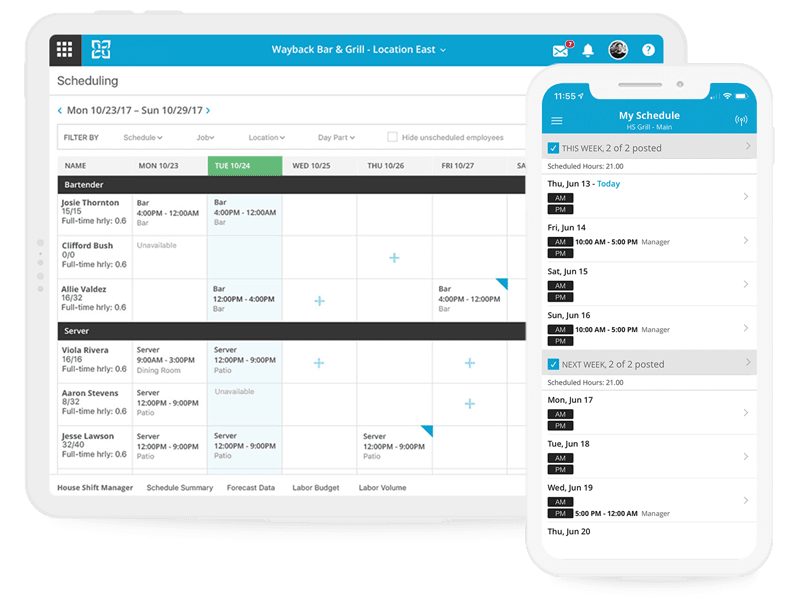
Best for: Multi-unit restaurant groups and large hospitality enterprises looking for a Homebase alternative with dedicated operations staff and IT support for implementation.
G2: 4.3/5 (104 reviews) | Capterra: 4.4/5 Homepage: fourth.com/hotschedules | G2 reviews: Read HotSchedules reviews on G2
Pricing: Custom quote only. Third-party aggregator SelectHub estimates approximately $40/location/month, but this is unconfirmed by Fourth. Contact their sales team for real pricing.
Key features:
- Drag-and-drop scheduling with labor forecasting
- Employee self-scheduling via mobile app
- Compliance tools and labor cost management
- Task and inventory management (enterprise tier)
- POS and payroll integrations
What users say:
HotSchedules earns strong loyalty from mid-market and enterprise hospitality operators who've been on it for years. G2 data shows the reviewer base skews heavily toward mid-market and enterprise businesses, with small businesses making up a minority of reviews.
For smaller operators, the story is different. Capterra reviewers describe significant IT involvement, a steep learning curve, and post-contract vendor engagement that dropped once the deal was signed.
Our take: HotSchedules is designed for operations teams with real IT support behind them. If you're an independent restaurant owner or running a small retail chain, it's probably not what you need, and not what it was designed for. For a Homebase alternative at a small business scale and price, 7shifts or Deputy will serve you better.
2. 7shifts — Best for Restaurant Teams
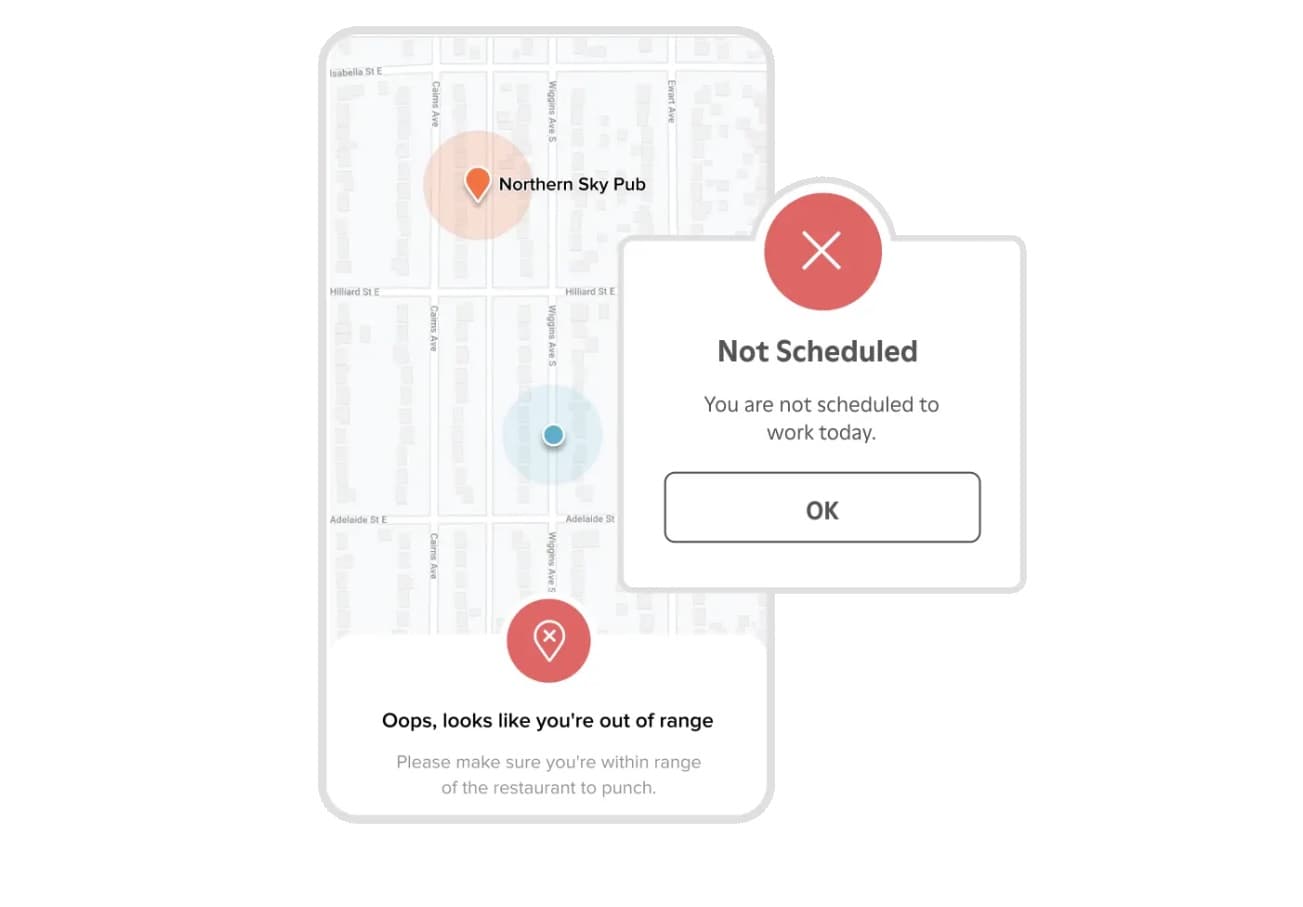
Best for: Single-location and small-chain restaurants looking for a Homebase alternative built around actual POS sales data, tip management, and food service compliance rules.
G2: 4.5/5 | Capterra: 4.7/5 (1,200+ reviews) Homepage: 7shifts.com | G2 reviews: Read 7shifts reviews on G2
Pricing:
- Comp: Free, 1 location (employee cap: verify current limit at 7shifts.com/pricing, references range from 15 to 30 employees across sources)
- Essentials: $39.99/location/mo, up to 30 employees, advanced scheduling, team messaging
- Pro: $79.99/location/mo, time clocking, labor compliance, PTO, payroll integrations
- Premium: $134.99/location/mo, unlimited employees, Tip Management, Task Management
- Annual billing saves 10–12%; time clocking requires Essentials or higher
Key features:
- Restaurant-specific POS integrations (Toast, Square, Lightspeed, and 70+ others)
- Tip pooling and tip management
- Labor compliance tools for overtime, minor laws, and predictive scheduling
- Sentiment tracking and hiring/onboarding built in
What users say:
G2 reviewers are consistent: the POS integration is what makes 7shifts worth it for restaurant teams. Building schedules around actual sales forecasts, instead of gut estimates, saves hours every week and keeps labor costs in check.
A couple of friction points to know: the app has had stability issues (logouts and occasional server errors come up in verified reviews), and key features are tiered, advanced compliance tools require Pro, and team messaging requires Essentials.
Our take: If you want scheduling, payroll, and hiring in one place at a flat per-location price, Homebase is the better fit. If your POS integration is the most important thing and you're willing to handle payroll separately, 7shifts is the Homebase alternative built for restaurant teams. Its compliance tooling is built specifically for food service regulation, and that specialization shows.
3. When I Work — Best Simple Scheduling App for Small Teams
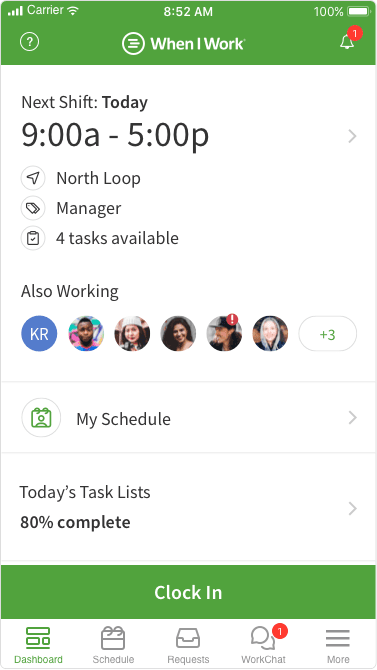
Best for: Small retail, food service, and service businesses that want scheduling up and running quickly and prefer paying per user rather than per location.
G2: 4.4/5 (374 reviews) | Capterra: 4.5/5 (1,270 reviews) Homepage: wheniwork.com | G2 reviews: Read When I Work reviews on G2
Pricing:
- Essentials: $2.50/user/mo (single location, scheduling, time tracking, messaging, payroll integrations)
- Pro: $5/user/mo (multi-location, advanced scheduling rules, labor sharing, custom reporting)
- Premium: $8/user/mo (API access, webhooks, SAML/SSO)
- 14-day free trial; no permanent free plan; no setup fees
Key features:
- Drag-and-drop scheduling with auto-scheduling
- Photo verification at clock-in
- Shift swap and open shift claiming
- Team messaging built in
- Payroll integrations (no native payroll)
What users say:
Managers on G2 say they're up and running in a day, with employees adopting the mobile app quickly. The recurring gap for anyone considering When I Work as a Homebase alternative: no native payroll means you'll need a separate tool for that, which adds cost and an integration to maintain. Teams in California also flag limited labor law automation as a real gap.
Our take: At 10 employees, When I Work and Homebase cost about the same, making this Homebase alternative price-competitive for very small teams. Grow past that and Homebase's per-location pricing pulls ahead, and Homebase bundles payroll integrations, HR, and hiring while When I Work requires separate tools for each.
If scheduling is the only job on your plate right now, When I Work is a solid, simple choice. If you're comparing Homebase vs. When I Work on total cost of ownership, factor in payroll and HR tools before you commit.
4. Gusto — Best for Payroll-First Small Businesses
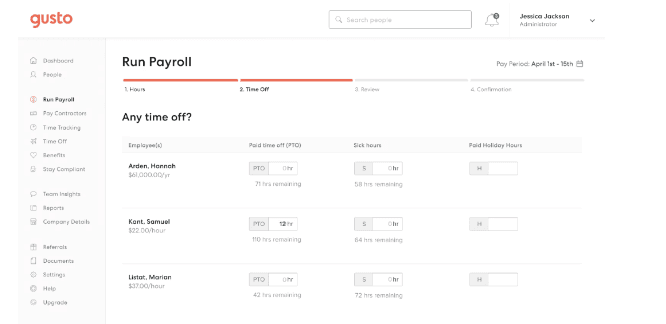
Best for: Professional services firms and small teams looking for a Homebase alternative where payroll, benefits, and HR compliance are the main jobs, and scheduling is simple or handled by another tool.
G2: 4.6/5 (8,400+ reviews) | Capterra: 4.6/5 (4,100+ reviews) Homepage: gusto.com | G2 reviews: Read Gusto reviews on G2
Pricing:
- Simple: $49/mo + $6/employee | Plus: pricing not confirmed on official page, verify at gusto.com/product/pricing | Premium: Custom
Key features:
- Full-service payroll with automated federal, state, and local tax filing
- Benefits administration (health, dental, vision, 401k)
- Contractor payments in 120+ countries
- Digital onboarding, e-signatures, AutoPilot payroll runs
- AI compliance assistant "Gus" (2026); 150+ integrations
- In 2026, Gusto acquired Mosey, which extends automation into state and local business registration
What users say:
Gusto holds 4.6/5 across 12,600+ combined reviews, and the praise is consistent: first-time payroll runs in under 10 minutes, automated tax filing that removes the guesswork, and onboarding that employees actually find easy.
Here's the thing to check before you sign up: Gusto's Trustpilot score has been significantly lower than its G2/Capterra ratings, driven mostly by tax filing errors and difficulty getting help when problems arise, verify the current score at trustpilot.com/review/gusto.com before publishing. Moving from Simple to Plus when you hire in a second state is also a real cost jump.
Our take: Homebase payroll starts with your timesheets and closes the loop between when someone works and when they get paid. Gusto starts with payroll and builds outward. For an hourly team at a restaurant or retail shop, Homebase tends to win on simplicity and cost. For a contractor-heavy business where scheduling isn't a concern, Gusto is the Homebase alternative worth considering.
5. Deputy — Best Homebase Alternative for Scheduling Depth
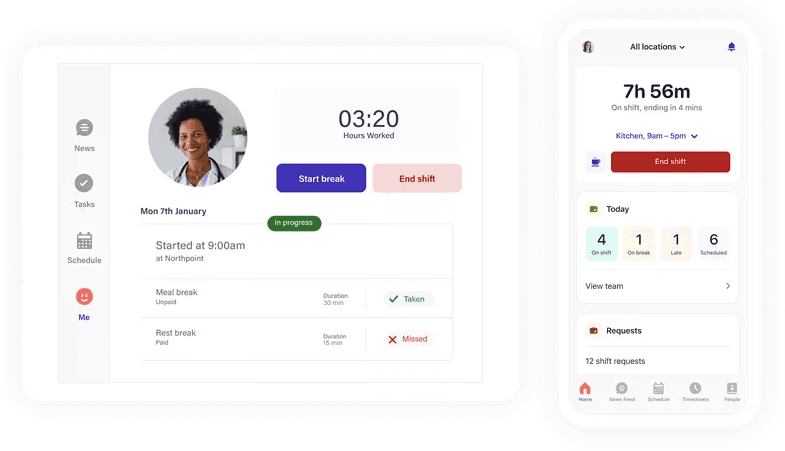
Best for: Hospitality, healthcare, retail, and field service teams looking for a Homebase alternative with built-in labor law compliance, not just reminders, but active enforcement.
G2: 4.6/5 (662 reviews) | Capterra: 4.6/5 Homepage: deputy.com | G2 reviews: Read Deputy reviews on G2
Pricing:
- Lite: $5/user/mo | Core: $6.50/user/mo | Pro: $9/user/mo (includes Analytics+ and Messaging+)
- Add-ons: HR ($2/user/mo), Payroll via Paycor ($8/user/mo + $49/mo base fee)
- Deputy AI included free on all plans (introductory); free trial available; minimum monthly spend applies
Key features:
- Auto-scheduling based on demand forecasting and availability
- Break law compliance alerts built into schedule creation
- Conversational AI scheduling assistant (beta 2026)
- Multi-location consolidated view
- 100+ payroll and POS integrations
What users say:
Managers in hospitality and healthcare consistently describe Deputy as the Homebase alternative that catches compliance violations before they happen, at the scheduling stage, not after payroll runs. That's the thing reviewers keep coming back to.
On the downside, Deputy's pricing gets complicated fast. HR, Messaging+, Analytics+, and Payroll are all separate line items, and most hospitality operators end up on Pro to get everything they need. Trustpilot AU rates Deputy at 3.9/5, with reviewers citing technical glitches and occasional award interpretation errors.
Our take: The real difference between Homebase and Deputy isn't what they do, it's when. Homebase flags overtime risk; Deputy stops the violation from getting scheduled in the first place. If you're in a high-compliance state, or your team is growing across multiple locations, Deputy is the Homebase alternative worth the higher per-user cost for scheduling enforcement.
6. Connecteam — Best for Mobile-First Deskless Teams

Best for: Field service companies, cleaning operations, and delivery businesses looking for a Homebase alternative where employees move between job sites and need GPS-confirmed clock-ins.
G2: 4.6/5 (3,500+ reviews) | Capterra: 4.6/5 (5,200+ reviews) Homepage: connecteam.com | G2 reviews: Read Connecteam reviews on G2
Pricing:
- Small Business Plan: Free for life, up to 10 users, all hubs and features included
- Paid plans per hub (Operations / Communications / HR & Skills): Basic $29/mo, Advanced $49/mo, Expert $99/mo for the first 30 users
- Annual billing saves 18%; teams that need Operations + Communications pay $58–$98/mo depending on tier; payroll integration not included in the free plan
Key features:
- GPS time tracking with geofencing and location-stamped clock-ins
- Drag-and-drop scheduling with shift templates
- Task management with checklists
- Team messaging with dedicated announcement channels
- Kiosk mode for shared tablet clock-in
What users say:
The GPS clock-in and mobile experience are what people keep praising, especially field and cleaning teams where managers aren't on-site to verify who showed up. Reviewers in those industries say it removes a real source of friction.
A few things to know before you sign up: always-on GPS tracking is a privacy concern for some employees, the app has had intermittent crashes, and setting up recurring schedules requires manual copying each week rather than a standing rotation.
Our take: Connecteam's per-hub pricing looks affordable until you add it up. A 30-person team using Operations and Communications hubs pays $58–$98/mo, before factoring in a payroll tool. Homebase Essentials at $24/location/mo covers scheduling, time tracking, messaging, and payroll integrations in one plan. If GPS accountability is your top priority and you're willing to pay for it separately, Connecteam is the Homebase alternative that earns that.
7. QuickBooks Time — Best for QuickBooks Payroll Users
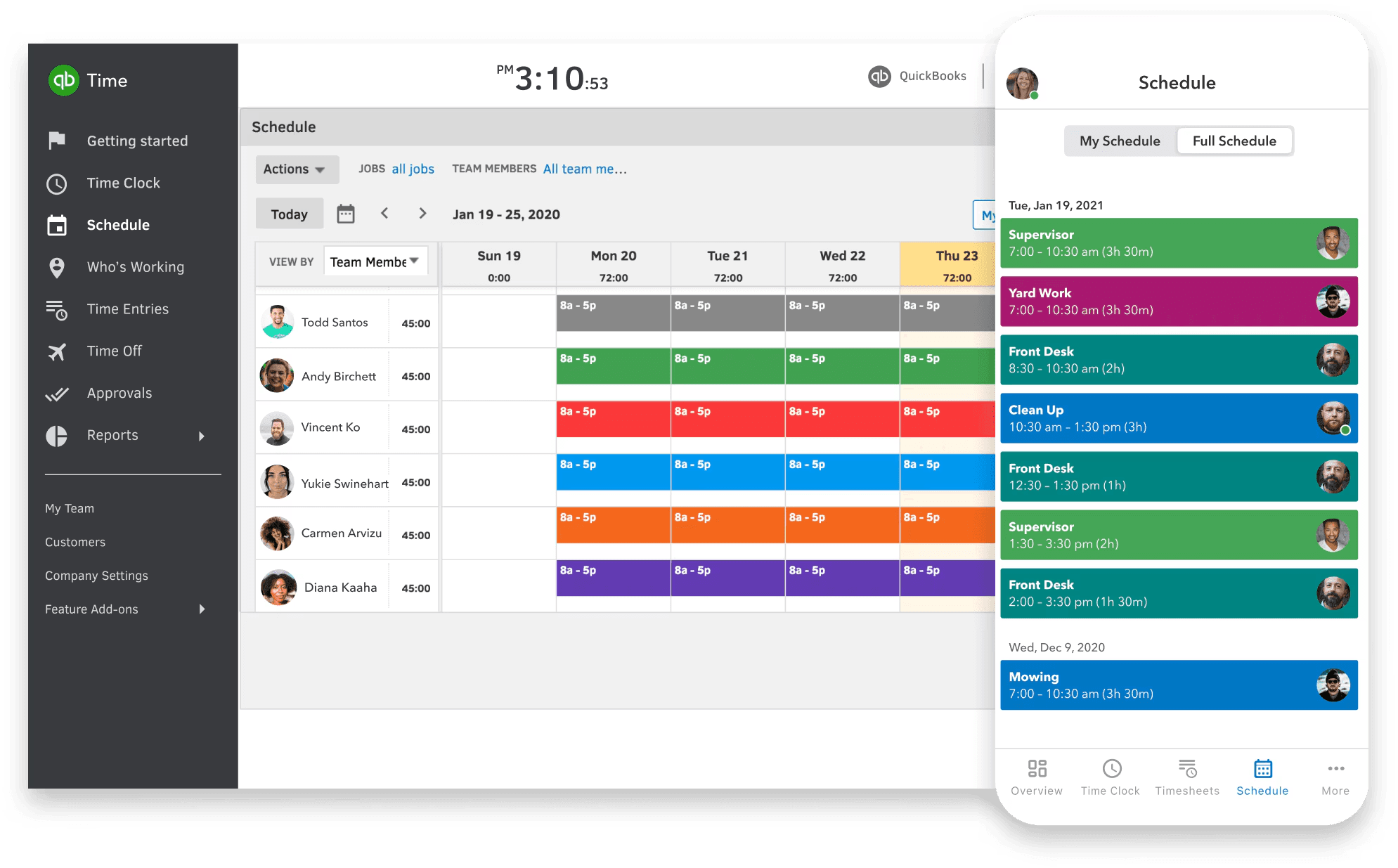
Best for: Small businesses already in QuickBooks Online looking for a Homebase alternative that connects time tracking to payroll natively, no CSV exports, no manual entry.
G2: 4.5/5 (1,440+ reviews) | Capterra: 4.7/5 (6,950+ reviews) Homepage: QuickBooks Time | G2 reviews: Read QuickBooks Time reviews on G2
Pricing (Intuit is currently running a promotional discount; prices below are standard rates):
- Time Premium: $20/mo base + $10/user/mo
- Time Elite: $40/mo base + $12/user/mo (adds project tracking, mileage)
- Requires active QuickBooks Online subscription (from $38/mo); can't be purchased standalone
Key features:
- GPS tracking and geofencing
- Scheduling and shift management
- Real-time project tracking (hours vs. estimates)
- PTO management
- Deep QuickBooks Online integration, no CSV step for payroll
What users say:
QuickBooks Time has the highest Capterra rating in this guide at 4.7/5 from 6,950+ reviews, and the core value is consistent: time tracking and payroll stay in sync, which eliminates duplicate work and reduces errors.
Here's the full cost picture: once you add the required QuickBooks Online subscription, Time Premium runs at least $58/mo before you count per-user fees. Feature development has also slowed since 2022 per reviewer feedback, and Intuit's overall Trustpilot score is heavily negative, primarily from billing and support complaints across its product suite. Verify the current score before publishing.
Our take: QuickBooks Time makes sense as a Homebase alternative if you're already inside the QuickBooks ecosystem. The catch is what it actually costs. QuickBooks Online plus Time Premium plus per-user fees for five people runs roughly $108/mo. Homebase's payroll add-on at $39/mo + $6/active employee does the same job, timesheets to payroll, automatically, while keeping scheduling, time tracking, and HR in a single app.
8. Sling — Best Budget Scheduling App with a Free Tier
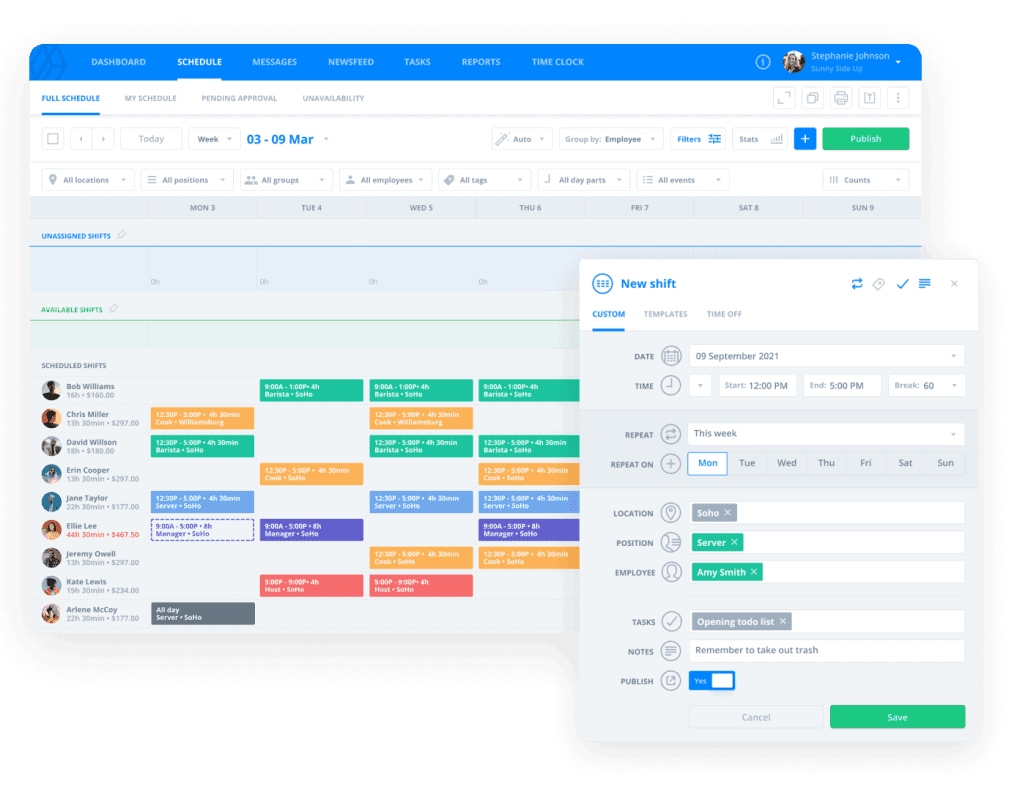
Best for: Small or budget-conscious teams looking for a free Homebase alternative for scheduling and basic communication, before investing in payroll or HR tools.
G2: 4.4/5 | Capterra: 4.6/5 Homepage: getsling.com | G2 reviews: Read Sling reviews on G2
Note: Sling was acquired by Toast in 2024 and now operates as Sling by Toast. The Toast integration issues cited in the r/ToastPOS Reddit discussion below may have changed since the acquisition, verify current Toast integration status before publishing.
Pricing:
- Free: Scheduling, shift templates, shift swaps, time-off requests, messaging, up to 30 users
- Premium: $1.70/user/mo (adds mobile time tracking, labor cost management, geofencing)
- Business: $3.40/user/mo (adds kiosk time tracking, payroll reports, PTO management)
- Annual billing saves 15%; prorated credits when an employee leaves mid-cycle
Key features:
- Free scheduling for up to 30 users
- Shift swapping and open shift claiming
- Team messaging and newsfeed
- Time clock and labor cost tracking (paid tiers)
What users say:
Reviewers appreciate Sling's free tier as a Homebase alternative entry point: a genuine step up from paper schedules and group texts. The recurring frustration is that the tools people actually need for accountability, time clock, geofencing, advanced reporting, all live behind the paid tiers. Most teams that start free end up upgrading within a few months.
Restaurant operators who've tried Sling alongside Homebase have been straightforward about it. In an r/ToastPOS discussion, multiple operators called Sling less capable than Homebase, one restaurant group came back to Homebase after six months on Sling across eight locations, and Sling's Toast integration caused time card errors bad enough that one team had to disable it.
Our take: Sling is the right Homebase alternative if you're graduating from paper schedules or a group text. If you're leaving Homebase, though, it's worth knowing that Homebase's free plan already includes time tracking, team messaging, and POS integrations that Sling puts behind a paywall.
Find the Right Homebase Alternative for Your Team
Pick the Homebase alternative that fits the job that matters most to you:
- Deputy if scheduling compliance and labor enforcement are the problem
- 7shifts if you're running a restaurant and need POS-based scheduling
- When I Work if you need simple scheduling at a low per-user cost and payroll can wait
- Gusto if payroll is the primary job and your team's scheduling needs are simple
- Connecteam if your team is always on the move and GPS accountability matters most
- HotSchedules if you're managing a large, multi-unit hospitality operation with dedicated ops support
- QuickBooks Time if you're already in QuickBooks and want time tracking to connect natively
- Sling if you need free scheduling and you're starting from paper or group texts
One more thing worth knowing: a lot of people searching for a Homebase alternative discover that payroll, hiring, HR, and team communication are already included in Homebase. If the feature you're looking for is already there, you might not need to switch at all.
If you're looking for one app that covers scheduling, time tracking, payroll, and HR, no long-term commitment required, Homebase has a free plan to get you started. Get started free.

Frequently Asked Questions About Homebase Alternatives
What is the best free alternative to Homebase?
The best free Homebase alternative for your team depends on size and needs. Connecteam offers a free plan for up to 10 users covering scheduling, time tracking, and messaging.
Sling offers free scheduling for up to 30 users, though time tracking and reporting require a paid plan. Homebase's own free plan covers the same core features for up to 10 employees, worth comparing before you switch.
What apps are most similar to Homebase?
Apps most similar to Homebase as a Homebase alternative, covering scheduling, time tracking, communication, and HR in one tool, include Connecteam and Deputy. Connecteam matches Homebase's breadth but lacks native payroll; Deputy goes deeper on scheduling compliance but doesn't cover HR or hiring natively.
When I Work and Sling are simpler, scheduling-focused alternatives that pair well with a separate payroll tool.
Why do people switch from Homebase?
The most common reasons people look for a Homebase alternative include the pricing jump from the free plan (from $0 to $24/location/month annual when headcount exceeds 10), difficulty canceling subscriptions, payroll support concerns, and the need for more specialized tools, restaurant-specific POS integration, field team GPS tracking, or deeper multi-state payroll, that Homebase's generalist approach doesn't fully cover.
Is there a free Homebase alternative for restaurants?
7shifts offers a free Comp plan for one restaurant location, covering basic scheduling and availability. (Employee cap: verify current limit at 7shifts.com/pricing before publishing.) POS integration, team messaging, and compliance tools require the Essentials plan at $39.99/location/mo.
Payroll requires the Premium plan or a separate add-on. Restaurants that need both scheduling and HR tools will need to pair 7shifts with a dedicated payroll tool.
How much does Homebase cost compared to its competitors?
Homebase Essentials starts at $24/location/month (annual), making it a per-location model that's worth comparing against any Homebase alternative that charges per user. Per-user tools like When I Work ($2.50/user/mo on the Essentials plan) and Deputy ($5–9/user/mo) can be cheaper for smaller teams but compound as headcount grows. Connecteam charges $29/month per hub for up to 30 users, but most teams need at least two hubs before adding a payroll tool.