Top 5 OnTheClock Alternatives for Small Businesses


SMALL BUSINESS INTEL, IN YOUR INBOX
Table of contents
The bill for a 15-person team on OnTheClock runs $65 a month. Add the native payroll product and you're looking at $150 or more, plus a one-time $250 onboarding fee. For many small businesses, that's the moment they start shopping for OnTheClock alternatives.
Pricing isn't the only reason. GPS failures that clock people out mid-shift, scheduling that works but feels like an add-on, and no free plan once the 30-day trial ends are all common complaints. OnTheClock earns 4.7/5 on Capterra from more than 790 verified reviews, so it works well for a lot of teams. But "works for most" doesn't always mean "works for yours."
This guide covers five alternatives worth a serious look. Each one fits a different reason for switching: stronger verification, scheduling built in from the start, a free plan that holds up under real use, or tools designed for teams that work across multiple sites.

Tired of being a break cop?
Use automated reminders to log your hours and breaks, and spend more time focusing on your customers.
The Best OnTheClock Alternatives for Small Businesses at A Glance
- Homebase: Scheduling, time clock, payroll, and HR in one app. Free for up to 10 team members at one location. Paid plans from $30/month per location, with no per-employee charge.
- Buddy Punch: Built for accountability, with GPS, photo verification, and geofencing. Starts at $4.99/user/month (annual) plus a $19/month base fee; verification features require the Pro plan at $6.99/user/month.
- When I Work: Scheduling and time tracking in one interface, with team messaging included on every plan. From $2.50/user/month for single-location teams.
- Clockify: A free plan for up to five users with unlimited time tracking. Paid plans from $3.99/user/month (annual).
- Connecteam: GPS location stamps and digital forms from $29/month (Basic). GPS breadcrumb tracking requires the Expert tier at $99/month. Free for teams up to 10 users.
Why Look for An OnTheClock Alternative?
OnTheClock consistently scores well for ease of setup. The interface is clean, clock-in options are solid, and for teams that need time tracking with payroll export, it does the job. A few patterns show up repeatedly in user reviews, though.
- Per-employee pricing grows with your team. The base plan charges $4/employee/month plus a $5 flat monthly fee. A team of 15 costs $65/month. A team of 30 costs $125. Add native payroll ($6/employee/month plus a $40 base and a one-time $250 onboarding fee) and the math shifts fast.
- GPS failures have caused clock-in problems for some users. Reviewers on GetApp note cases where the app drops punches or clocks team members out mid-shift without warning, requiring manual corrections before every pay run.
- Scheduling is a secondary feature, not a core one. OnTheClock includes basic shift scheduling, but reviewers note the product is built around the time clock. For businesses where weekly shift planning drives everything, the scheduling experience feels thin.
- Native payroll is new and carries exclusions. OnTheClock’s native payroll product launched in December 2024, excludes certain industries and payroll situations, and includes a $250 onboarding fee on top of its monthly costs.
- There is no permanent free plan. Users get a 30-day trial and no free tier after it ends. Several tools on this list offer real free plans with genuine feature sets.
- Integration depth is limited. OnTheClock connects to 12 named payroll providers and offers CSV and PDF export. Teams running POS systems outside that set may need a workaround.
What Is OnTheClock and Who Is It For?
OnTheClock is a cloud-based time clock app founded in 2004, used by more than 16,000 companies. Team members clock in and out via mobile app (iOS and Android), browser, shared kiosk, fingerprint scanner, or group punch mode. GPS tracking and geofencing are built in. The app also covers PTO tracking, basic shift scheduling, and payroll export to QuickBooks, Gusto, ADP, and other major providers. A native payroll product launched in December 2024 as a paid add-on.
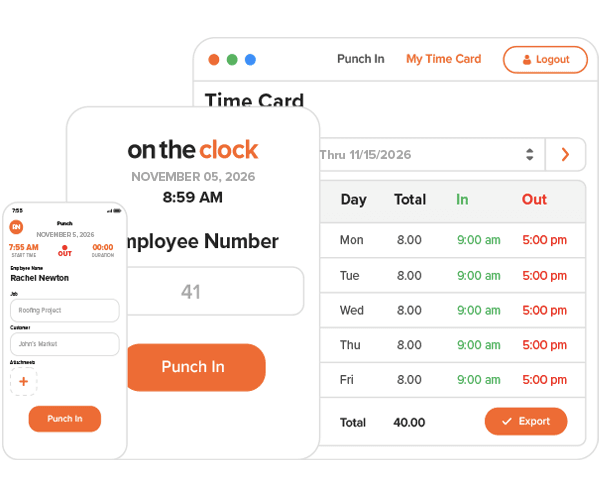
It earns 4.7/5 on Capterra (798 reviews) and 4.5/5 on G2 (176 reviews).
OnTheClock is a strong fit for businesses that want a dedicated, focused time clock with transparent per-employee pricing and solid payroll export options. It's a weaker fit for teams where weekly shift planning is a daily task, where payroll needs to flow automatically from clock-ins, or where team members work across multiple sites.
How We Evaluated These OnTheClock Alternatives
We looked at five time clock apps that consistently come up when small business owners search for OnTheClock alternatives. For each one, we pulled pricing from the vendor's live pricing page, checked verified Capterra and G2 ratings, and read user feedback on Capterra and G2.
The criteria we focused on:
- Clock-in flexibility: mobile, browser, kiosk, and POS compatibility
- Scheduling integration: is it built in, or added on?
- Payroll connection: do hours flow directly, or require an export step?
- Pricing transparency: is it published without a sales call?
- Free tier quality: is there a real free plan, and what does it cover?
- GPS and accountability features: what does the app verify, and how?
- Third-party ratings: Capterra and G2, pulled from live product pages
All pricing was verified in September 2026. Prices change, so verify directly with each vendor before you decide. See our full evaluation methodology.
Because Homebase makes one of the five apps on this list, we list it first as our own product and top recommendation. Every alternative was evaluated independently, with no paid placements accepted.
A Note on Homebase
We publish this guide, and we make one of the five tools listed here. Homebase is an all-in-one app for hourly teams: scheduling, time clocks, payroll, hiring, and HR in one place. We've put it first because that's what we'd honestly recommend for most hourly teams. Every alternative was evaluated on its own merits.
If an all-in-one isn't what you need, one of the four tools below will likely be a better fit. Options include stronger GPS verification, a free plan, scheduling-first design, and tools built specifically for field teams.
OnTheClock Alternatives: Top 5 Options for Small Businesses
| OnTheClock | Homebase | Buddy Punch | When I Work | Clockify | Connecteam | |
|---|---|---|---|---|---|---|
| Best for | Focused time tracking with payroll export | All-in-one for hourly shift-based teams | Clock-in accountability and verification | Scheduling-first teams | Free plan; project-based time tracking | Field and deskless teams |
| Starting price | $4/user/month + $5/month base fee | Free; paid from $30/location/month | $4.99/user/month (annual) + $19/month base fee | $2.50/user/month (single location) | Free; paid from $3.99/seat/month (annual) | Free; paid from $29/month for first 30 users (annual) |
| Free tier | No (30-day trial) | Yes: up to 10 team members, 1 location | No (14-day trial) | No (14-day trial) | Yes: up to 5 users | Yes: up to 10 users, all features |
| Clock-in options | Mobile, browser, kiosk, fingerprint, group punch | Mobile, browser, kiosk, POS | Mobile, browser; kiosk, QR code, and PIN on Pro plan | Mobile, browser, kiosk | Mobile, browser, desktop | Mobile, browser, kiosk |
| GPS | Yes, included | Yes, from Essentials plan | Location stamp on all plans; geofencing on Pro ($6.99/user/month) | Yes, included | Pro plan only ($7.99/seat/month annual) | Location stamp on Basic; geofencing on Advanced (49/month);breadcrumbsonExpert(99/month) |
| Scheduling | Basic (secondary feature) | Yes: core feature, all plans | Pro plan ($6.99/user/month) | Yes: core feature, all plans | No shift scheduling | Yes: included |
| Payroll | Add-on ($6/employee/month + $40 base + $250 setup) | Add-on ($49/month base + $6/employee paid) | No native payroll; integrates with 20+ providers | No native payroll; integrates with major providers | No native payroll | No native payroll |
1. Homebase
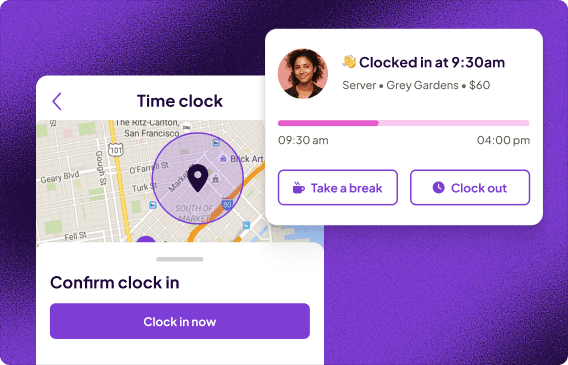
Best for: Hourly shift-based teams at restaurants, retail stores, and service businesses that want scheduling, time tracking, and payroll in one app.
Rating: G2 4.6/5 (597 reviews) · Capterra 4.6/5 (1,155 reviews)
Key features:
- Time clock on any device: team members clock in from a phone, shared tablet, kiosk, or POS; no extra hardware required
- Timesheets built from clock-ins: hours flow directly into payroll without manual entry or re-keying
- Scheduling and time tracking in the same view: see scheduled vs. actual hours side by side; overtime alerts fire before costs lock in
- GPS and geofencing: verify location at clock-in and flag punches from outside approved boundaries
- Payroll built in: run payroll directly from approved timesheets, or export to QuickBooks, Gusto, ADP, and Paychex
Pricing: Free for up to 10 team members at one location (includes time clock, scheduling, and team messaging). Paid plans from $30/month per location with unlimited team members, or $24/month billed annually. Payroll add-on: $49/month base fee plus $6 per employee paid.
What users like:
"Before Homebase I was manually tallying up my team's work hours and entering them into payroll, crossing my fingers I hadn't made any mistakes. Now our entire team logs in and out quickly and easily with the Homebase app, and all I have to do is send their hours to my payroll program with the click of a button."
From Kathleen Smith, founder of Smiling Tree Toys
What users criticize: Davinder T. wrote on Capterra in January 2026: "There are features that would be helpful but don't warrant the change in pricing... the price jump to turn them on is too extreme."
Our take: If OnTheClock's per-employee pricing and the gap between its scheduling and time tracking drove the search, Homebase closes both. Scheduling, time tracking, and payroll share the same data with no exports or tab-switching, and the per-location pricing means adding team members doesn't add to the bill. The free plan also makes it easy to evaluate before committing to anything.
Tired of being a break cop?
Use automated reminders to log your hours and breaks, and spend more time focusing on your customers.
2. Buddy Punch
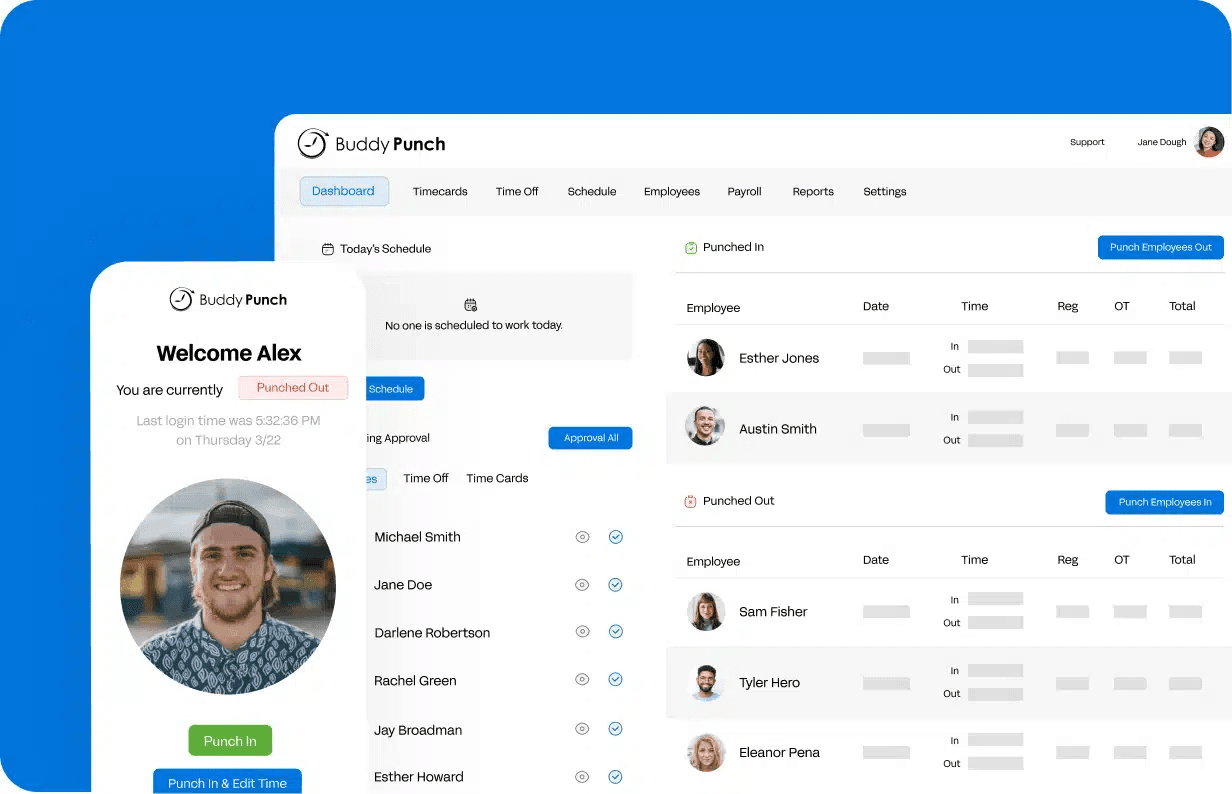
Best for: Teams where clock-in accountability is the main unsolved problem, including businesses dealing with buddy punching, off-site punches, or GPS failures they could not verify.
Rating: G2 4.8/5 (388 reviews) · Capterra 4.8/5 (1,131 reviews)
What it is: Buddy Punch is a time tracking and scheduling app built around accountability. Every plan includes GPS at the moment of punch. The Pro plan adds photo verification, geofencing, QR code scanning, PIN/kiosk mode, and scheduling: the features that prevent off-site or false punches.
Key features:
- GPS location stamp on every punch (all plans): records where the clock-in happened; managers can view it on a map
- Photo verification and geofencing (Pro plan, $6.99/user/month): captures a photo at clock-in and blocks punches from outside approved boundaries
- Employee scheduling (Pro plan): build and publish shifts, manage shift trades, and send notifications in the same app
- More than 14 overtime calculation types: configurable for state-specific or custom overtime rules
- Payroll integrations with more than 20 partners: including QuickBooks, ADP, Paychex, and SurePayroll
Pricing: Starter plan from $4.99/user/month (annual) or $5.99/user/month (monthly), plus a $19/month base fee. Starter includes GPS stamps and time tracking only. Pro plan ($6.99/user/month annual) adds photo verification, geofencing, scheduling, and QR/PIN kiosk. No free plan; 14-day trial.
What users like: Mark B., a Warehouse Manager, wrote on Capterra in July 2026: "The ease of integration and learning for Buddy Punch took less than 20 hours for myself... it also eases both scheduling and payroll where both used to take a minimum of 5-plus hours weekly to now less than 2 hours. I have had zero issues or outages."
What users criticize: Jenni K., a retail manager, wrote on Capterra in February 2026: "Because the cost of Buddy Punch increased through the years, we eliminated the scheduling feature and reduced our number of employees to keep the cost more affordable."
Our take: If GPS failures and buddy punching drove the switch from OnTheClock, Buddy Punch's Pro plan addresses both directly. Photo verification, geofencing, and scheduling cost $6.99/user/month, roughly what OnTheClock charges for time tracking alone, and the verification layer is more reliable than most tools at this price.
3. When I Work
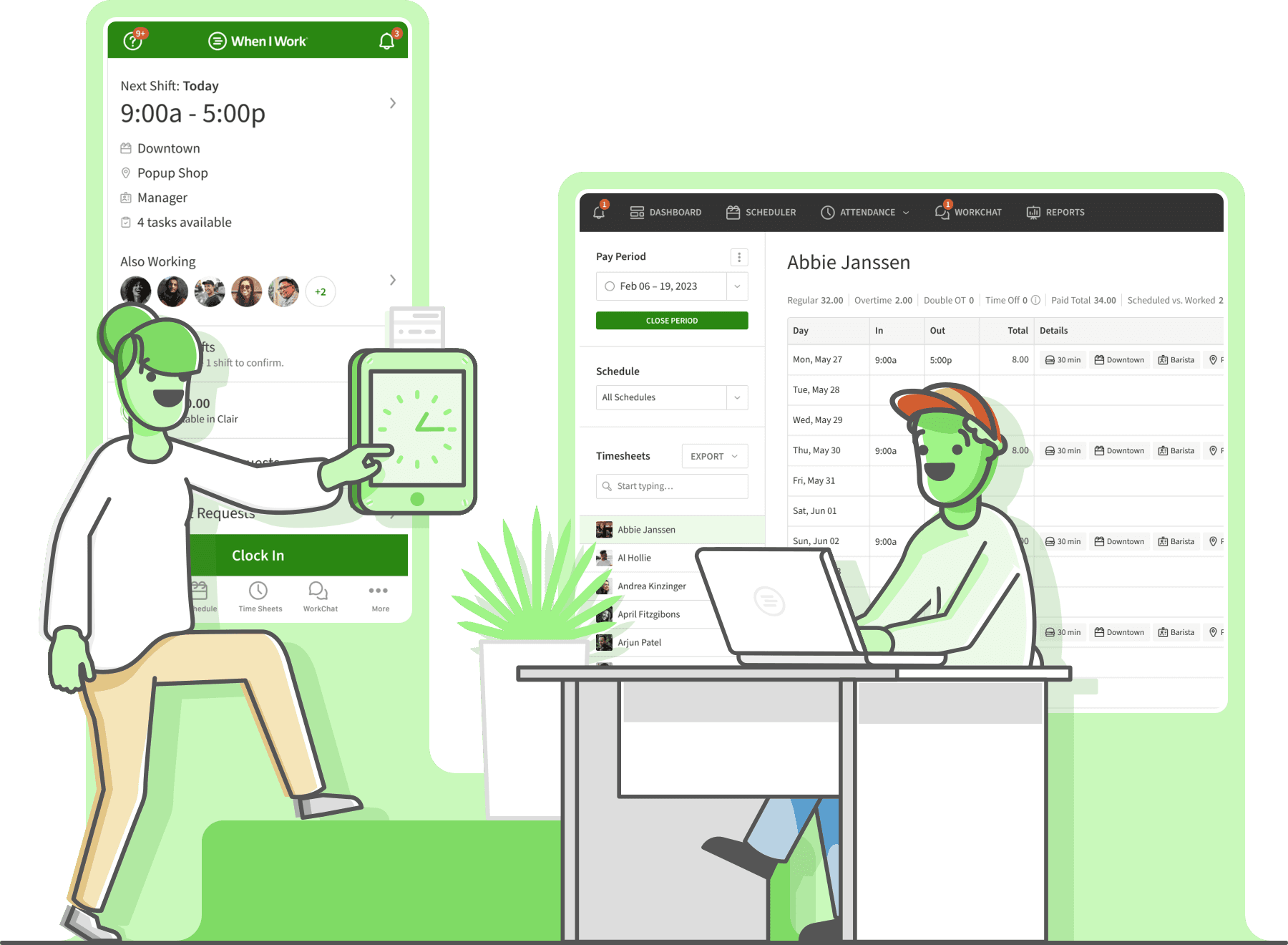
Best for: Restaurants, cafes, retail stores, and clinics where the weekly shift schedule drives everything and managers need scheduling and time tracking in the same place.
Rating: G2 4.4/5 (409 reviews) · Capterra 4.5/5 (1,300 reviews)
What it is: When I Work is a scheduling-first time tracking app for hourly shift-based teams. Managers build schedules, fill open shifts, and track clock-ins all in the same interface.
Key features:
- Scheduling and time tracking in one view: no tab-switching to compare scheduled vs. actual hours
- Open shift posting and swap requests: team members can pick up or trade shifts, with manager approval required
- Team messaging on every plan: included at no extra cost across all tiers
- Attendance monitoring: late arrivals, missed shifts, and early clock-outs surface automatically
Pricing: Single location: $2.50/user/month. Multiple locations: $5/user/month. Both tiers include scheduling, time tracking, and team messaging. No free plan; 14-day trial. No long-term contract required.
What users like: A verified reviewer wrote on Capterra in February 2026: "I have no issues with this app. My crew see the schedule as soon as I post it, and the work chat gives us time to message for open shifts."
What users criticize: A verified reviewer noted on Capterra in December 2025: "Occasionally notifications can be a little delayed or easy to miss, and some features feel limited unless you're on a higher plan."
Our take: If scheduling being secondary in OnTheClock is the frustration, When I Work is the direct fix: scheduling and time tracking are the same product here, not two separate tabs. The $2.50/user/month starting price makes the switch easy to justify.
4. Clockify
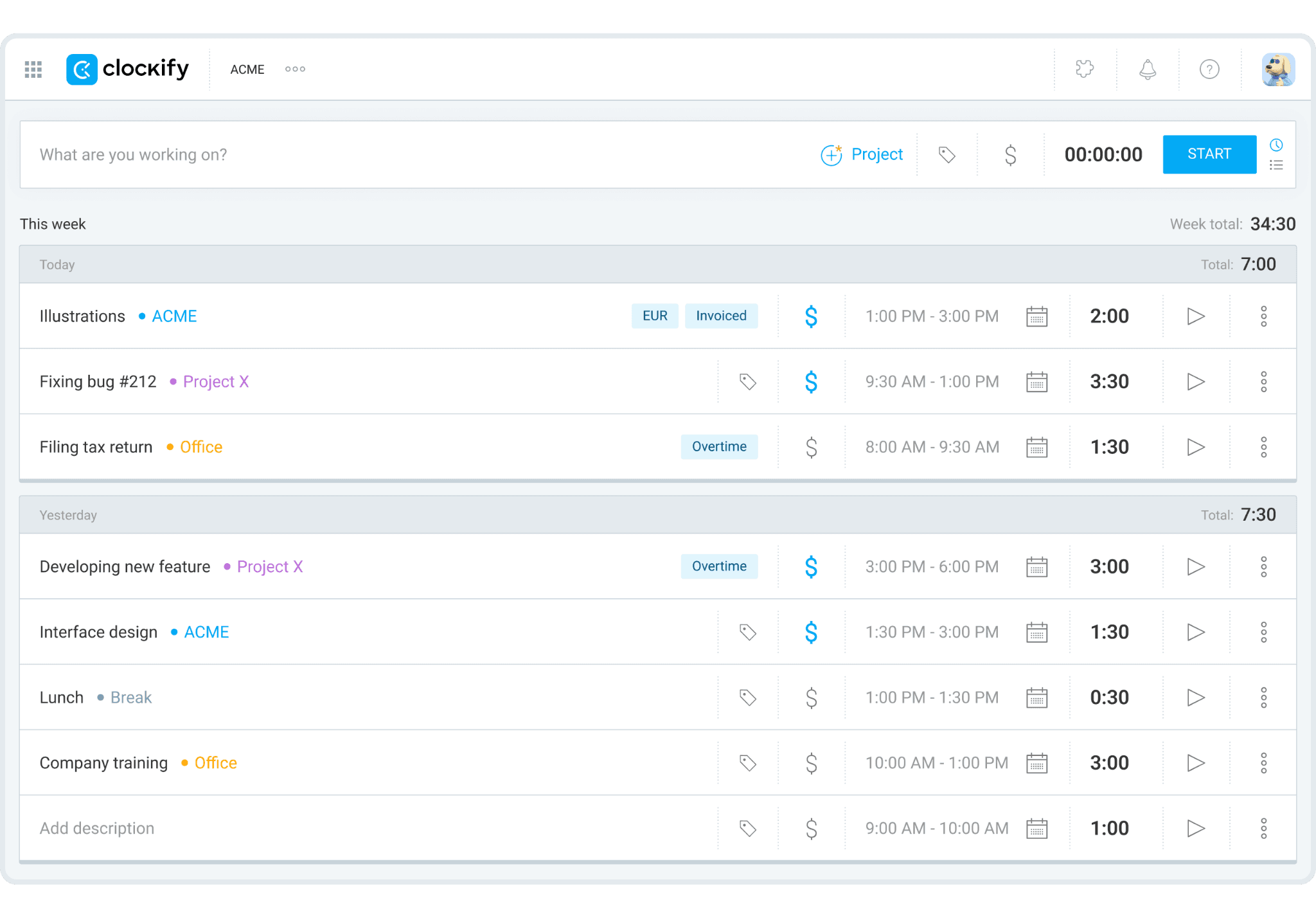
Best for: Teams of five or fewer that want to start tracking time for free, and project-based or service businesses where hours get logged by client or task rather than by shift.
Rating: G2 4.5/5 (203 reviews) · Capterra 4.8/5 (9,266 reviews)
What it is: Clockify is a time tracking app where team members start and stop a timer, or fill in a manual timesheet, logging hours by project, client, or task. It is not a shift-clock model.
Key features:
- Free time tracking for up to five users: unlimited projects, clients, and tasks on the free plan
- Timer and manual entry modes: run a live timer or log hours after the fact
- Reporting by project, user, and client: clear visibility into where hours are going
- More than 100 app integrations on the free plan: including Asana, Jira, and Trello
Pricing: Free for up to five active users. Paid plans start at $3.99/seat/month (Basic, billed annually) or $4.99/seat/month (monthly). GPS tracking and kiosk photo capture both require the Pro plan at $7.99/seat/month (annual).
What users like: A verified reviewer wrote on Capterra in March 2026: "You get a lot with the free plan of Clockify, including tracking time against specific tasks and projects."
What users criticize: A verified reviewer noted on Capterra in November 2025: "We have encountered the odd bug with syncing time entries and reports, and customer support can be slow regarding billing or payment issues."
Our take: If OnTheClock's per-employee pricing is the problem and the team fits within five users, Clockify's free plan removes the cost entirely. The catch: it tracks time by task and project, not by shift. It's the right fit for consultants and service businesses, but the wrong fit for hourly shift-based teams.
5. Connecteam
Best for: Deskless and field-based hourly teams, including home services, HVAC, cleaning crews, construction, and delivery, where team members work across multiple sites and don't clock in from a fixed location.
Rating: G2 4.6/5 (3,506 reviews) · Capterra 4.6/5 (5,316 reviews)
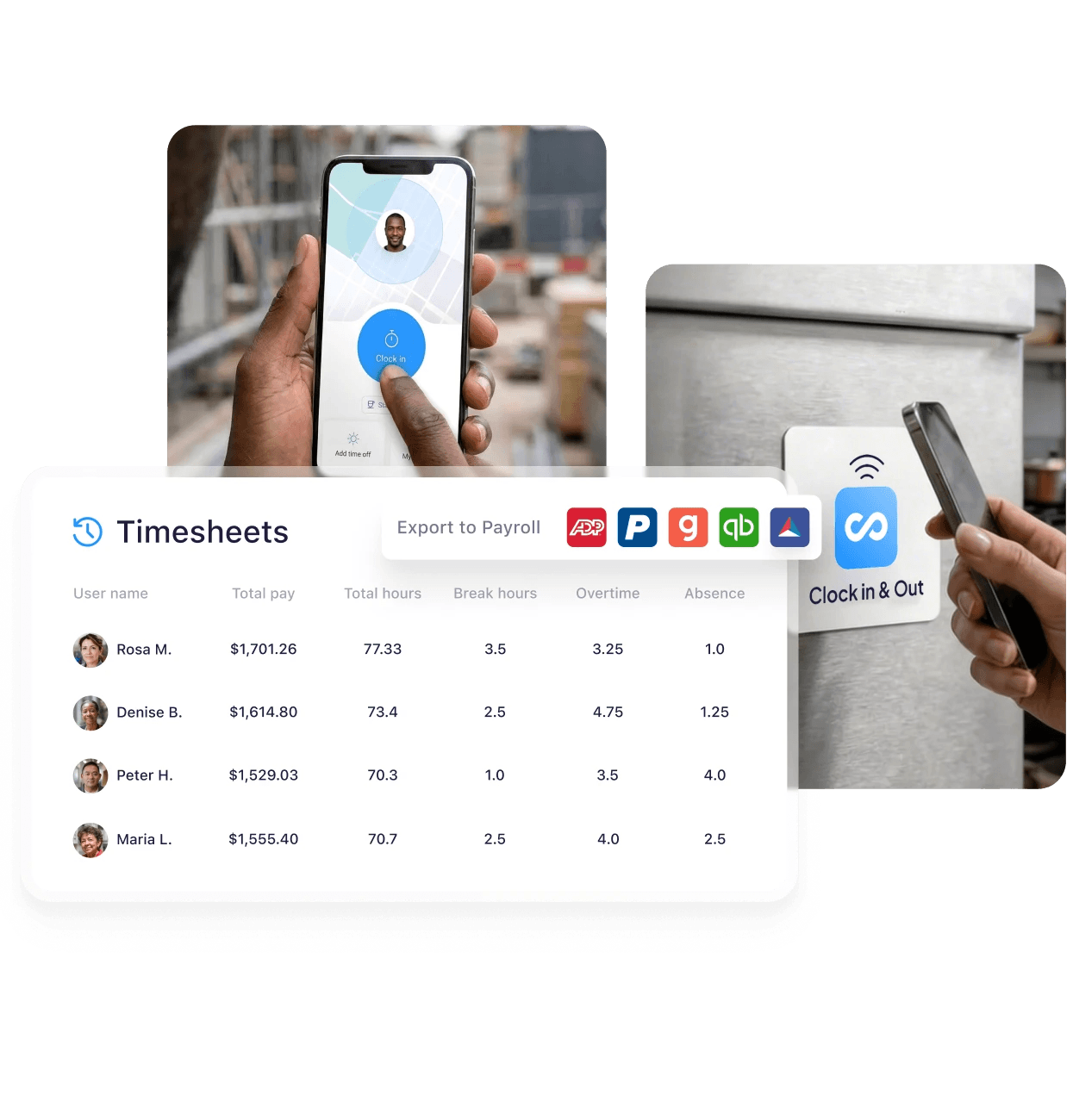
What it is: Connecteam is an app organized into three modular product hubs: Operations (time tracking, scheduling, tasks), Communications (chat, announcements), and HR (training, onboarding, documents). The standout feature for field teams is GPS breadcrumb tracking, which records location continuously throughout a shift. That feature requires the Expert tier. The Basic plan logs GPS location stamps at clock-in and clock-out and displays them on a map.
Key features by plan (Operations Hub):
- GPS location stamps at clock-in (Basic, $29/month): records where each punch happened; visible on a map
- Geofencing (Advanced, $49/month): up to 10 sites; restricts clock-ins to approved locations
- GPS breadcrumb tracking (Expert, $99/month): records location continuously throughout a shift for teams moving between multiple sites
- Kiosk mode (all paid plans): shared-device clock-ins
- Digital forms and checklists (all paid plans): job site documentation in the same app
Pricing: Free Small Business Plan for up to 10 users includes all features across all three hubs, including GPS breadcrumbs. For teams of 11 or more, Operations Hub plans cover the first 30 users: Basic $29/month (annual), Advanced $49/month (annual), Expert $99/month (annual). Per-user charges apply above 30. Adding Communications or HR hubs increases the total.
What users like: John H., a Controller in electrical manufacturing, wrote on Capterra in September 2026: "The GPS tracker works well to know where our employees are and to be able to reroute them if necessary."
What users criticize: Nikki C., an office manager in construction, wrote on Capterra in August 2026: "Connecteam can get expensive as you add more features or users. Some settings and features can take time to learn, and occasional bugs or syncing issues can be frustrating."
Our take: If your team works across multiple job sites and OnTheClock's fixed-location model was never the right fit, Connecteam is purpose-built for that. Teams up to 10 get everything free, including GPS breadcrumbs. Larger teams needing continuous location tracking pay $99/month for the Expert tier. Know that before comparing it to the $29/month headline price.
FAQ about OnTheClock Alternatives
What is the best free timesheet app?
Homebase offers the most complete free plan for hourly teams: time clock, scheduling, and team messaging for up to 10 team members at one location. Clockify is the strongest free option for project-based tracking, covering up to five users with unlimited time entries. Connecteam's free plan covers up to 10 users across all three product hubs.
How much does OnTheClock cost?
Per OnTheClock's pricing page, the base plan costs $4 per employee per month, plus a $5 monthly base fee. A 15-person team pays $65/month. The native payroll add-on costs an additional $6/employee/month plus a $40 monthly base fee and a one-time $250 onboarding fee. There is a 30-day free trial and no permanent free plan.
What is the best employee time clock software?
For most hourly small businesses, Homebase offers the strongest all-in-one time clock: scheduling, timesheets, and payroll in one app. Buddy Punch leads for accountability and GPS verification. Clockify is best for small project-based teams. Connecteam is the strongest fit for deskless field teams who move between sites throughout the day.
What is the best employee tracking app?
For time and attendance, Homebase, Buddy Punch, and OnTheClock all serve hourly teams well. For GPS location tracking, Buddy Punch's geofencing and Connecteam's continuous breadcrumb tracking are the most detailed on this list. For teams working across multiple job sites daily, Connecteam is the strongest fit.
Which App Fits Depends On Why You're Switching
OnTheClock works well as a focused time clock. For teams that need more than that, the right replacement depends on the specific gap.
If accountability is the problem, Buddy Punch's verification tools are worth the look. If scheduling is disconnected from time tracking, When I Work brings both into the same interface.
If cost is the constraint and your team is small, Clockify's free plan is real. If your team works across multiple sites and you need location tracked throughout the shift, Connecteam is built for exactly that.
Most of these apps offer a free plan or trial. Use it with your actual team before committing.
If you want scheduling, time clocks, and payroll in one app without managing separate tools, Homebase is free to start.
Tired of being a break cop?
Use automated reminders to log your hours and breaks, and spend more time focusing on your customers.