Best Scheduling and Payroll Software for Small Business

SMALL BUSINESS INTEL, IN YOUR INBOX
Table of contents
Many small businesses start with a schedule built in a spreadsheet, shift trades in a group chat, and payroll run by adding up hours by hand. That’s how Cherie Chua, co-founder of the catering company Luxe Bites, managed her hourly team before moving everything into one app:
“Our group chat was insane. We would just have too much in there: the pictures of what’s going on in the kitchen, questions of ‘what time are you coming in,’ and ‘can you fix my time sheet.’” — Cherie Chua, Co-Founder and Creative Director, Luxe Bites
When scheduling and hours live in different places all week, payday is where the mistakes show up: missed clock-outs, surprise overtime, and paychecks that don’t match the hours worked.
Scheduling and payroll software fixes that by keeping your schedule, time clock, and payroll in one app. Approved timesheets turn into paychecks automatically, with overtime, breaks, tips, and payroll taxes already calculated, so nobody has to export files or retype hours on payday.
In this guide, we compare 12 scheduling and payroll tools by how they connect the two jobs, what they cost for a 10-person team, and which ones fit restaurants, multi-location retail, and service businesses.
TL;DR: The Best Scheduling and Payroll Software at a Glance
Here’s a quick look at the software we review in depth below (regular prices as of October 2026; promotions may apply).
- Homebase: Hourly teams that want scheduling and payroll in one app. Free scheduling; payroll from $49/mo + $6/employee.
- Square: Businesses on Square POS. Payroll from $35/mo + $6/person.
- QuickBooks Workforce: Teams whose books live in QuickBooks. Premium from $88/mo + $13/employee.
- Toast: Restaurants on Toast POS. POS + Payroll bundle from $69/mo + $9/employee.
- Gusto: Teams that also need benefits. Plus from $80/mo + $12/person.
- 7shifts: Restaurants that want deep scheduling tools. Free scheduling; payroll on paid plans.
- Rippling: Fast-growing teams that want HR and IT together. From $8/employee/mo + base fee; custom quote.
- Paychex Flex: Teams that want hands-on payroll support. Custom quote.
- Paycor: Mid-size teams with complex schedules. From $99/mo + $5/employee; scheduling extra.
- ADP RUN: Compliance-focused teams planning to scale. Custom quote.
- Deputy: Complex shift patterns. From $5/user; payroll add-on extra.
- When I Work: Simple scheduling with a separate payroll provider. From $2.50/user.
Why We Wrote This Guide
We built this guide because getting hours from the schedule to the paycheck is exactly what we help small business owners with every day. Comparing scheduling and payroll tools takes time, and that’s time you could spend running your business.
We make scheduling, time tracking, and payroll tools for hourly teams, and what we know comes from conversations with the 150,000+ small businesses that use our app. That also makes us a participant in this market. We think you should get to compare Homebase side by side with the other options and decide for yourself whether it’s the right fit. When a competitor is the better fit, we say so. Read more about how we review software.
What Is Scheduling and Payroll Software?
Scheduling and payroll software is a tool, or a connected set of tools, that builds shift schedules, tracks hours with a time clock, and turns approved timesheets into paychecks. The best options keep all three in one app, so hours, overtime, breaks, and tips flow into payroll without exporting or retyping anything.
Not every employee scheduling and payroll software setup works that way. Some tools build scheduling and payroll in the same app. Others connect two separate apps with a sync, and some leave the handoff to you. We break down all three setups below, and our guide to payroll processing software covers the payroll side in more depth.
Why It Costs You When Scheduling and Payroll Live in Two Places
Every time hours move from one tool to another, something can slip: a missed clock-out, a rounding error, or overtime nobody saw coming. Those mistakes usually show up on payday, when they’re hardest to fix.
- Overtime sneaks up on you. Under the Fair Labor Standards Act (FLSA), nonexempt employees earn at least 1.5 times their regular rate for hours over 40 in a workweek. When the schedule and time clock don’t talk to payroll, you often find out after the fact. (DOL Fact Sheet #23)
- Your records have to hold up. The FLSA requires employers to keep payroll records for at least three years, and time cards and work schedules for two. Group chats and scattered spreadsheets make that harder. (DOL Fact Sheet #21)
- Wage mistakes get expensive. The Department of Labor recovered more than $259 million in back wages for nearly 177,000 workers in fiscal year 2025. (DOL)
- Late tax deposits add penalties. The IRS charges 2% to 15% of the unpaid amount when payroll tax deposits are late, depending on how late they are. (IRS)
But when scheduling, hours, and payroll live in one app, those numbers are hard to miss. Cherie Chua at Luxe Bites spotted a two-week overtime spike the night she ran payroll:
“I ran payroll last night for the whole company and I clicked on everyone’s names because it was like crazy overtime for everybody in the last two weeks. [Seeing schedules and payroll in one place,] it’s just so clear-cut to see the breakdown, and if you ever have to edit it, you just unlock the time sheet.” — Cherie Chua, Co-Founder and Creative Director, Luxe Bites
Scheduling and Payroll Software Compared: Features, Pricing, and Free Plans
Here’s how all 12 tools stack up on the details that decide whether hours reach payroll cleanly and what you’ll pay for it.
| Tool | Setup type | Native scheduling | Native payroll | Integration needed? | Pricing model | Free plan | Year-end forms |
|---|---|---|---|---|---|---|---|
| Homebase | All-in-one | Yes, all plans | Yes, $49/mo + $6/employee | No | Per location (scheduling); base + per employee (payroll) | Yes: 1 location, up to 10 employees | W-2s, 1099s, and amendments included |
| Square | All-in-one | Yes (10 days out with Payroll; full Shifts on Square Plus or Premium) | Yes | No | Base + per person; Plus per location | Free POS; Shifts not free | Digital included; $3 per mailed form |
| QuickBooks Workforce | All-in-one (Premium and Elite) | Time tracking on Premium and Elite | Yes | No | Base + per employee | No (30-day trial) | Electronic included; about $6 per paper form |
| Toast | All-in-one | Yes (Toast scheduling and Sling by Toast) | Yes | No | POS + Payroll bundle from $69/mo + $9/employee (new restaurants); otherwise custom quote | Payroll no; Sling scheduling free up to 30 users | Included; $5 per printed W-2; $250 per amendment request |
| Gusto | All-in-one | Plus and Premium; add-on on Simple | Yes | No | Base + per person | No | Electronic included; $5 per person to mail [VERIFY] |
| 7shifts | All-in-one | Yes | Yes, on paid plans | No | Per location + per employee (payroll) | Scheduling only: up to 15 employees | Digital included; $3 per paper form |
| Rippling | Payroll suite + scheduling module | Add-on module | Yes | No | Custom quote, from $8/employee + base | No | Digital included; fee for paper |
| Paychex Flex | Payroll suite + scheduling module | Time & Attendance add-on | Yes | No | Custom quote | No | Fees not published (est. $2–5 per W-2) |
| Paycor | Payroll suite + scheduling module | Add-on | Yes | No | Base + per employee, from $99/mo + $5 | No | $4 per printed W-2; $105 per correction |
| ADP RUN | Payroll suite + scheduling module | Marketplace add-on | Yes | Sometimes | Custom quote | No | Fees not published |
| Deputy | Scheduling app + payroll partner | Yes | Add-on run by Paycor | Yes | Per user ($30/mo minimum) | No | Through Paycor; not published |
| When I Work | Scheduling app + payroll partner | Yes | No (partners with Rippling and others) | Yes | Per user; time tracking extra | No | Depends on payroll provider |
List prices checked October 2026. “Est.” marks third-party estimates for vendors that only quote custom pricing. Confirm current pricing with each vendor.
Three Ways to Get Payroll With Scheduling
If you’re searching for payroll with scheduling software, you’ll find three setups. They look similar on a features page but work differently on payday. If you’re weighing payroll-first tools, our guide to integrated payroll software compares more of them.
- All-in-one payroll and scheduling apps. One company builds the schedule, time clock, and payroll in one app, so hours flow into payroll with nothing to export. This fits hourly, shift-based teams that want one login and one bill. Tools: Homebase, Square, QuickBooks Workforce Premium, Toast, Gusto, and 7shifts.
- Payroll suites with a scheduling add-on. Payroll-first providers sell scheduling or time and attendance as a separate module. Think of it as payroll scheduling software built from the payroll side out. This fits growing teams that need more HR depth and can work with custom-quote pricing. Tools: Rippling, Paychex Flex, Paycor, and ADP RUN.
- Scheduling apps paired with a payroll partner. Two companies, two logins, and a sync in between. Before you choose payroll software with scheduling this way, check what syncs (regular hours only, or overtime, tips, PTO, and breaks too) and who fixes it when the numbers don’t match. Tools: Deputy and When I Work.
The 12 Best Scheduling and Payroll Software Tools for 2026
These are our top employee scheduling and payroll software picks for hourly teams. If you’re looking for the best payroll software that includes scheduling, start with the all-in-one apps. We judged each one on how hours reach payroll, how clear the pricing is, and how well it fits a small business, then grouped them by setup type. Every entry ends with what to watch out for, including ours. Ratings come from Capterra, and prices are monthly list prices as of October 2026.
Best all-in-one payroll and scheduling apps
1. Homebase: Best for Hourly Teams That Want Free Scheduling and Payroll in One App
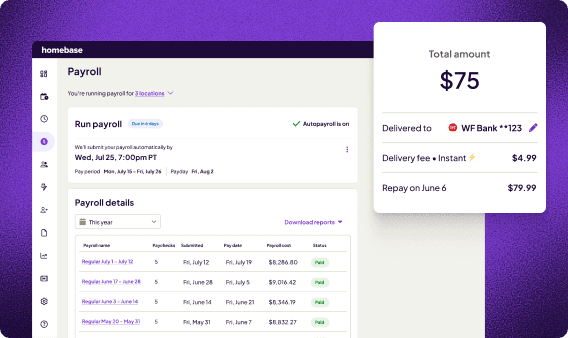
Homebase is an all-in-one app built scheduling-first for hourly teams. You build the schedule, your team clocks in from their phones, and approved timesheets run straight into payroll with nothing to export. If you want the best app for employee scheduling and payroll without paying for scheduling, it’s the one to start with.
- Best for: Restaurants, retail shops, and local service businesses with hourly teams.
- How scheduling and payroll connect: Timesheets feed payroll directly, with multiple wage rates, blended overtime, tip pooling, break compliance, and PTO calculated for you. You can pay multiple locations in one payroll run, sync payroll to QuickBooks Online, and run payroll from your phone.
- Free trial: Yes. 14 days free. Sign up before December 15, 2026 for a 6-month free trial of payroll.
- Free plan: Yes. Scheduling and time tracking for one location with up to 10 employees.
- Scheduling pricing: Scheduling is priced per location with unlimited employees: Basic is free, Essentials is $30/mo, Plus is $70/mo, and All-in-One is $120/mo (monthly billing; annual saves 20%).
- Payroll pricing: Payroll is $49/mo + $6 per active employee on any plan, with unlimited payroll runs.
- Year-end forms: W-2s, 1099s, and amendments included.
- Switching: A dedicated payroll expert moves your data for free, and most teams are up and running within a week. Live support is available 7am to 7pm CT.
- Ratings: 4.6 on Capterra (1,200+ reviews) and 4.8 on the App Store (93,000+ reviews).
- Watch out for: HR tools are lighter than enterprise suites like Rippling or Paycor, payroll is US-only, and advanced scheduling tools like the AI Scheduling Assistant start on the Plus plan.
“Payroll appears to be like a really daunting thing, but it’s actually like three clicks with Homebase.” Cherie Chua, Co-Founder and Creative Director, Luxe Bites

2. Square: Best for Businesses Already Running Square POS
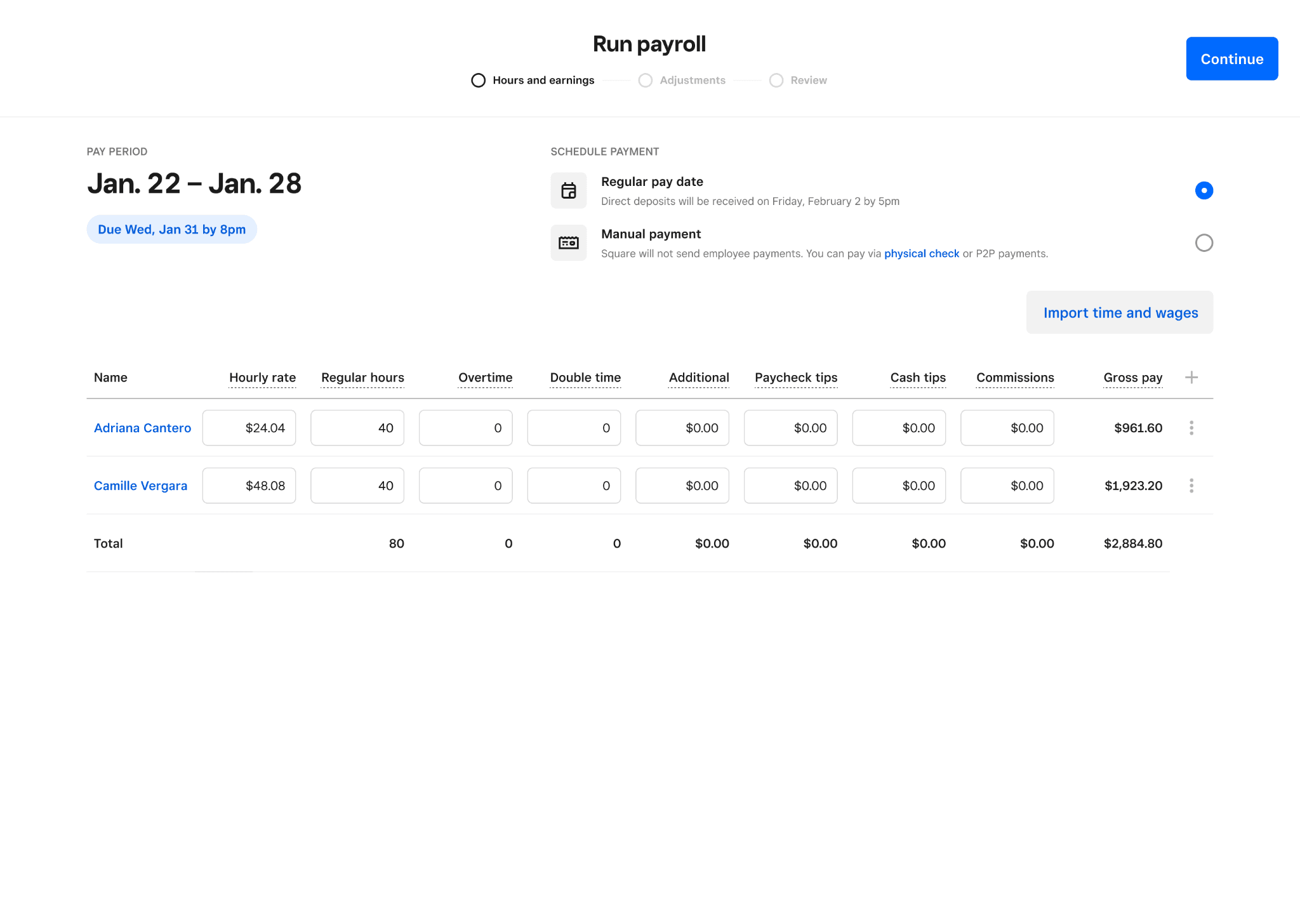
Square Payroll lives inside the Square ecosystem, so if you already take payments with Square, your team’s clock-ins and tips can flow from the register straight into payroll.
- Best for: Retail, restaurant, and service businesses already using Square POS.
- How scheduling and payroll connect: Square Payroll includes basic scheduling up to 10 days out. Full scheduling with Square Shifts comes with Square Plus or Square Premium. Timecards and tips import from your POS into payroll.
- Pricing: Payroll is $35/mo + $6 per person. Square Plus, which adds full Shifts scheduling, is $49/mo per location.
- Free plan: The POS is free, but scheduling beyond 10 days requires Square Plus.
- Choose it if: Square already runs your register and you want payroll with the fewest new logins.
- Watch out for: the 10-day scheduling window on the base payroll plan, and tools built around Square’s own hardware.
3. QuickBooks Workforce: Best if Your Books Live in QuickBooks
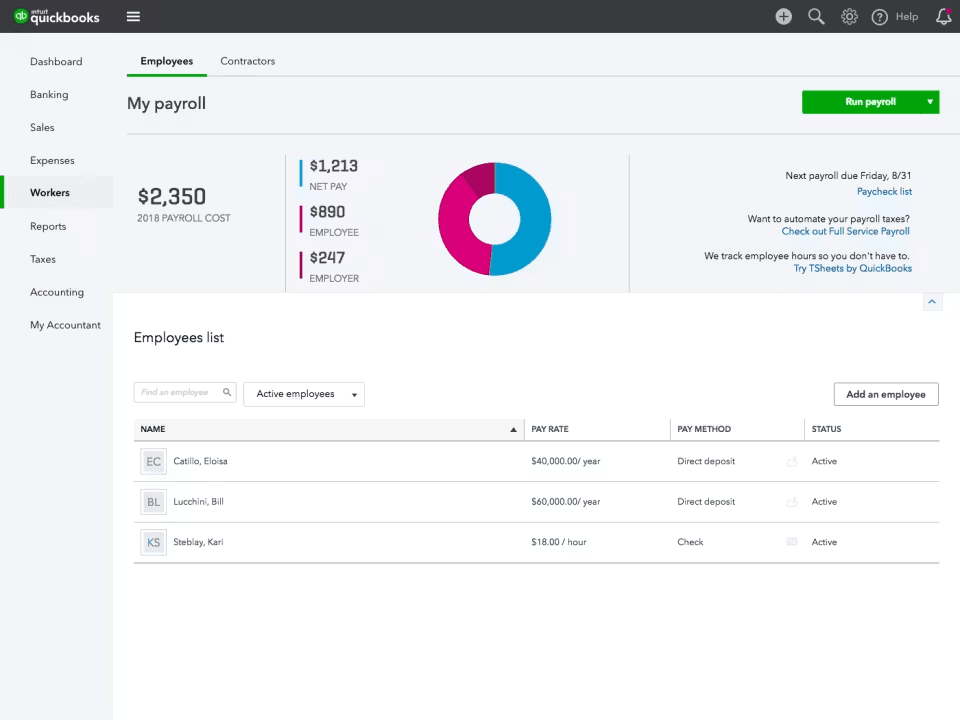
QuickBooks Workforce is Intuit’s payroll lineup. On the Premium and Elite plans, time tracking from QuickBooks Time (formerly TSheets) feeds payroll, and every payroll run posts to your QuickBooks books automatically.
- Best for: Teams that already do their accounting in QuickBooks Online.
- How scheduling and payroll connect: On Premium and Elite, tracked hours flow into payroll, and payroll journal entries post to your general ledger with no separate sync. The base Payroll plan doesn’t include time tracking.
- Pricing: Payroll is $50/mo + $7 per employee. Premium is $88/mo + $13 per employee. Elite is $134/mo + $17 per employee.
- Free plan: No. New customers get a 30-day free trial of the monthly base price.
- Choose it if: your bookkeeper or accountant works in QuickBooks and you want payroll in the same ledger.
- Watch out for: time tracking requires the Premium tier, which nearly doubles the per-employee price compared with the base plan.
4. Toast: Best for Restaurants on Toast POS
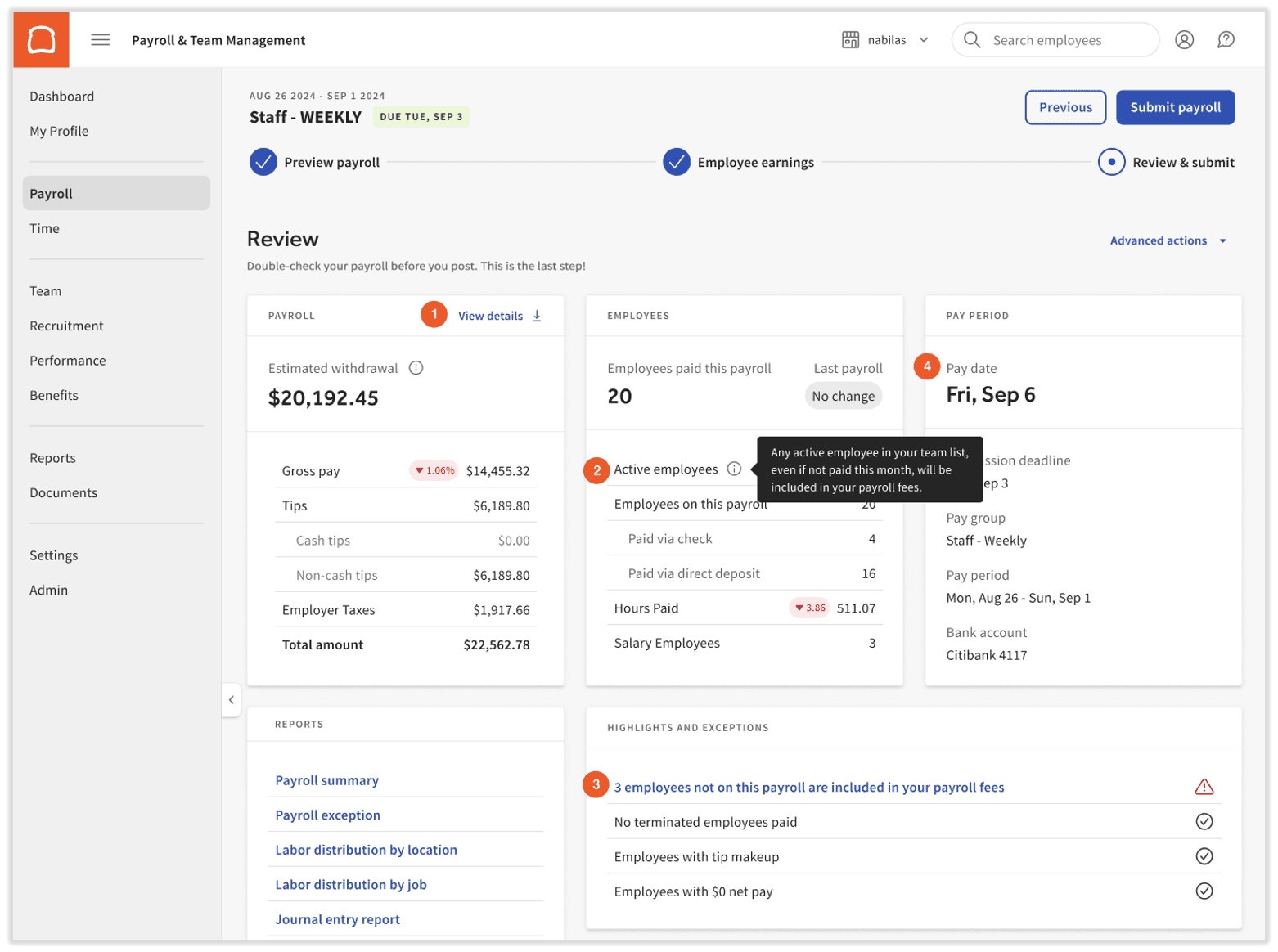
Toast pairs its restaurant POS with Toast Payroll and its own team scheduling tools, including Sling by Toast, which Toast acquired in July 2022.
- Best for: Restaurants and bars already running Toast POS.
- How scheduling and payroll connect: Toast Payroll pulls hours and tips straight from the POS, and Toast’s scheduling tools build the schedule.
- Pricing: Toast’s POS + Payroll bundle for new restaurants starts at $69/mo + $9 per employee and includes POS, payroll essentials, and basic scheduling. Other setups are quote-based.
- Free plan: No free payroll plan. Sling by Toast offers free scheduling for up to 30 users.
- Choose it if: you’re on Toast and want tips, hours, and payroll tied to your POS.
- Watch out for: published bundle pricing is for new restaurants only, the setup depends on Toast hardware, and W-2 amendments cost extra.
5. Gusto: Best for Teams That Also Need Benefits and HR
gus
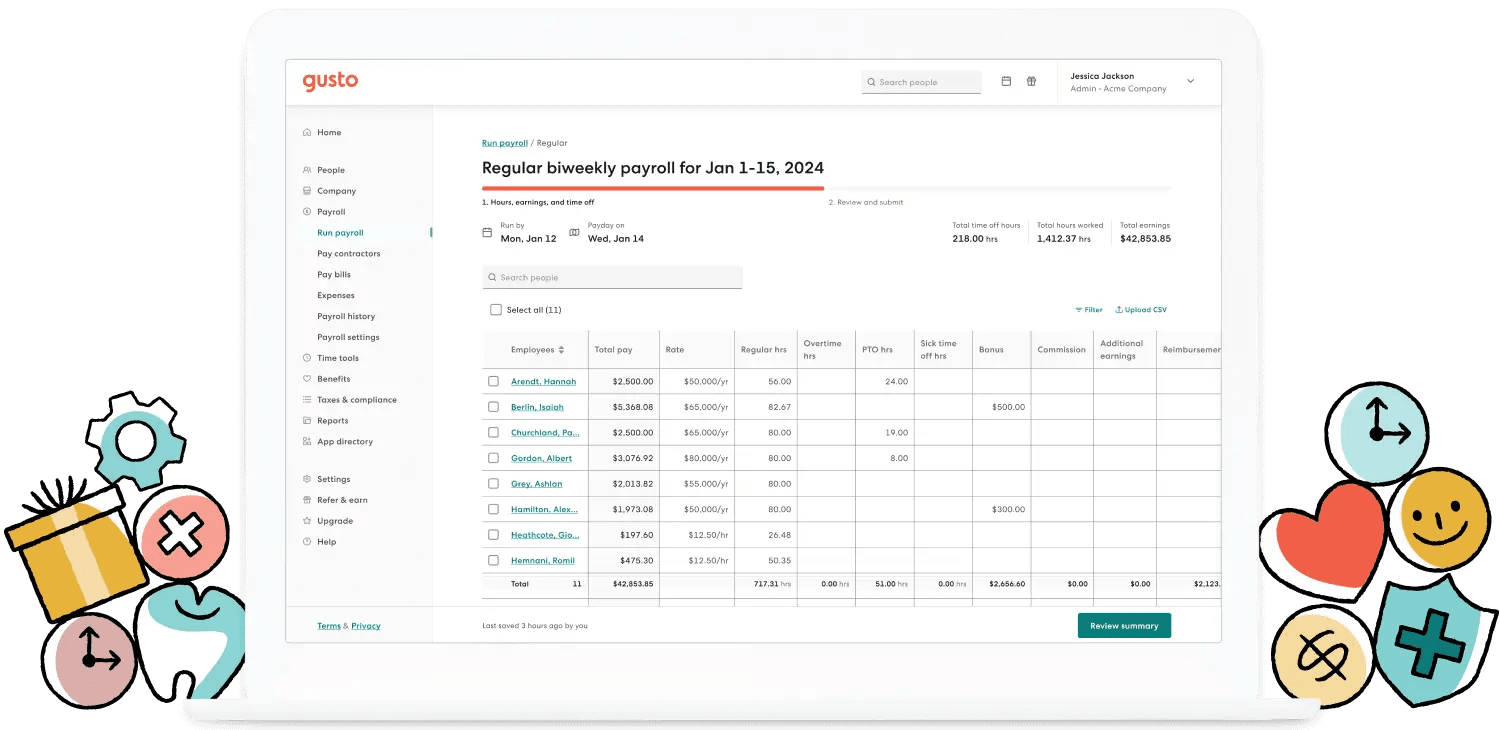
Gusto started with payroll and benefits, and now includes shift scheduling in its higher plans. It’s a strong pick when benefits and HR matter as much as the schedule.
- Best for: Small teams that mix hourly and salaried employees and want benefits and HR in the same place.
- How scheduling and payroll connect: Scheduling and time tracking are included on Plus and Premium and feed payroll in the same app. On Simple, you can add both with Time & Attendance Plus for $6 per person.
- Pricing: Simple is $49/mo + $6 per person. Plus is $80/mo + $12 per person. Premium is $180/mo + $22 per person.
- Free plan: No. Account setup is free, and you pay once you run your first payroll.
- Choose it if: benefits, 401(k), and HR tools are a priority, or your team is a mix of salaried and hourly employees.
- Watch out for: scheduling is lighter than scheduling-first tools. Gusto’s own guide says its “scheduling features aren’t as deep as dedicated scheduling-only platforms.” Per-person fees also double on Plus.
6. 7shifts: Best for Restaurant Scheduling Depth
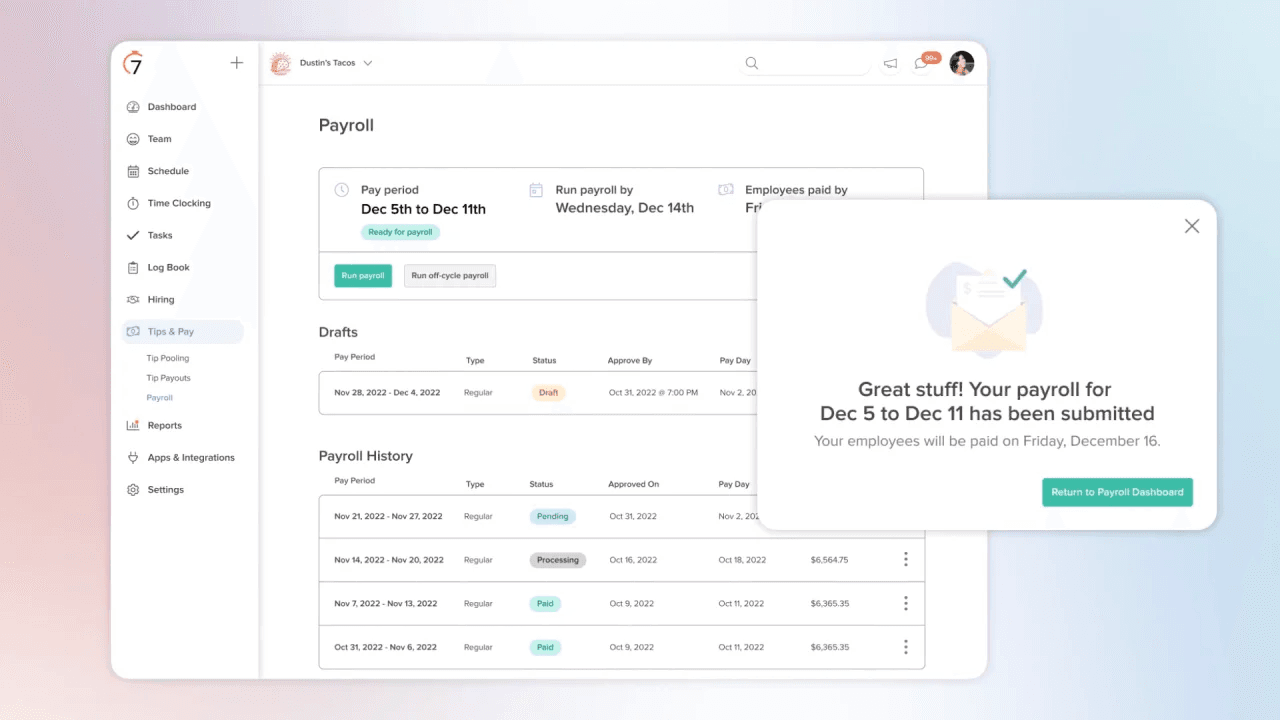
7shifts is built for restaurants, with detailed scheduling, labor tracking, and tip tools. Its own payroll, 7shifts Payroll, runs on paid plans.
- Best for: Restaurants that want deep, restaurant-specific scheduling and labor tools.
- How scheduling and payroll connect: On paid plans, time punches and tips from 7shifts or your integrated POS flow into 7shifts Payroll.
- Pricing: Pro is $79.99/mo per location billed annually ($89.99 billed monthly). 7shifts Payroll adds $39.99/mo per location + $6 per employee paid.
- Free plan: Yes, for scheduling only: up to 15 employees, with no time clock or payroll.
- Choose it if: you run restaurants only and want scheduling built around kitchens and front-of-house.
- Watch out for: you need a paid plan before you can add payroll, and it’s less of a fit outside restaurants.
Best payroll suites with a scheduling add-on
7. Rippling: Best for Fast-Growing Teams That Want HR and IT Together
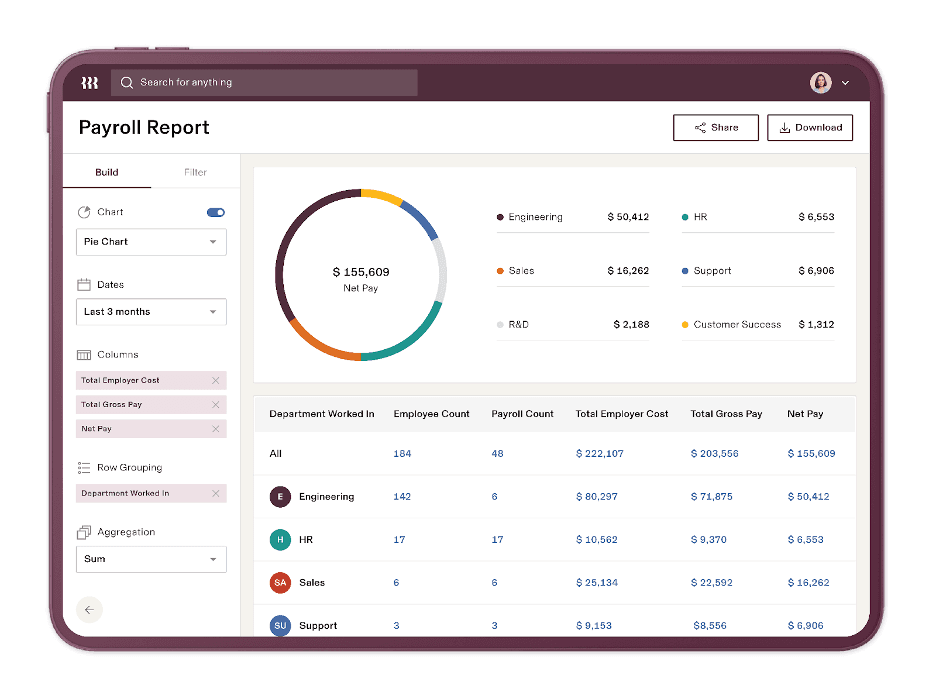
Rippling keeps payroll, HR, IT, and scheduling on one employee record. You buy each piece as a separate module, so it scales well as you grow, but the price climbs as you add tools.
- Best for: Growing businesses that want payroll, HR, and IT connected, and expect to add headcount or locations.
- How scheduling and payroll connect: Scheduling and Time & Attendance are separate Rippling products that feed payroll through the same employee record. The scheduler flags overtime and labor-law issues by work location.
- Pricing: Custom quote. Plans start at $8 per employee per month plus a monthly base fee. Scheduling and time tracking cost extra, and all-in costs are estimated at about $20–35 per employee per month with modules (est.).
- Free plan: No.
- Choose it if: you’re scaling quickly and want HR, IT, and payroll automation on a single employee record.
- Watch out for: per-module, quote-only pricing and a longer setup than simpler tools. It can be a lot for a 10-person shift team.
8. Paychex Flex: Best for Teams That Want Hands-On Payroll Support
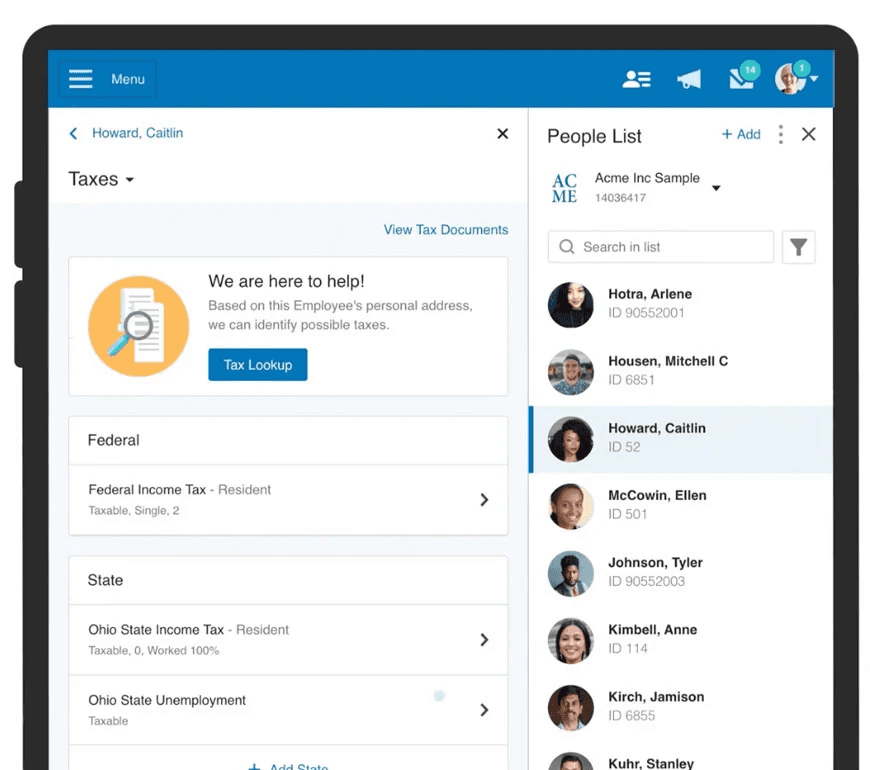
Paychex is one of the largest payroll providers in the US, with full-service tax filing and human support. Scheduling comes through Paychex Flex Time & Attendance, an add-on.
- Best for: Teams that want hands-on payroll help and expect to grow into HR services.
- How scheduling and payroll connect: The Time & Attendance add-on (available on every plan) includes scheduling with templates, availability, and shift-swap rules, and sends hours to Paychex payroll.
- Pricing: Custom quote on all four plans: Basic, Foundations, Advanced, and Complete. The entry plan is estimated at about $39/mo + $5 per employee (est.), and Time & Attendance costs extra.
- Free plan: No.
- Choose it if: you want tiered support, up to a dedicated payroll specialist on higher plans, and don’t mind a quote-based contract.
- Watch out for: scheduling costs extra, pricing isn’t published, and annual contracts can carry early-termination fees.
9. Paycor: Best for Mid-Size Teams With Complex Scheduling
Paycor, owned by Paychex since April 2025, pairs payroll with a scheduling tool built for shift work, including labor forecasting and budget caps.
- Best for: Multi-shift teams that need labor forecasting and budget controls.
- How scheduling and payroll connect: Paycor Scheduling runs on Paycor Time & Attendance and feeds payroll. Scheduling Pro adds shift swaps, pick-ups, and scheduling rules, and forecasting can use sales or foot traffic to set staffing.
- Pricing: Basic is $99/mo + $5 per employee. Essential is $149/mo + $7 per employee. Core is $199/mo + $8 per employee. Complete is quote-only. Scheduling is a separate add-on with no published price.
- Free plan: No.
- Choose it if: forecasting and labor budget caps matter more to you than a low monthly bill.
- Watch out for: a $99+ base fee before you add scheduling, plus a longer implementation than all-in-one apps.
10. ADP RUN: Best for Compliance-Focused Teams Planning to Scale
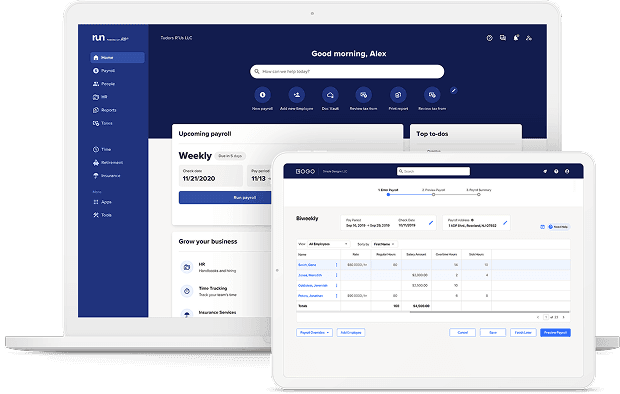
RUN Powered by ADP is ADP’s small business payroll, with 24/7 support and room to grow into ADP’s larger HR products. Scheduling comes from a separate app in the ADP Marketplace.
- Best for: Teams that want a long-established payroll provider and round-the-clock support.
- How scheduling and payroll connect: ADP Timekeeping Plus Scheduling for RUN, a Marketplace add-on, handles shifts, swaps, coverage requests, geofenced clock-ins, and overtime forecasts, then sends hours to RUN.
- Pricing: Custom quote across four plans: Essential, Enhanced, Complete, and HR Pro. Essential is estimated at about $79/mo + $4 per employee (est.), and the scheduling app is priced separately.
- Free plan: No.
- Choose it if: 24/7 phone support and ADP’s compliance resources matter most to you.
- Watch out for: scheduling and timekeeping cost extra, pricing is quote-only, and per-run pricing can make weekly payroll more expensive.
Best scheduling apps paired with a payroll partner
11. Deputy: Best for Complex Shift Patterns
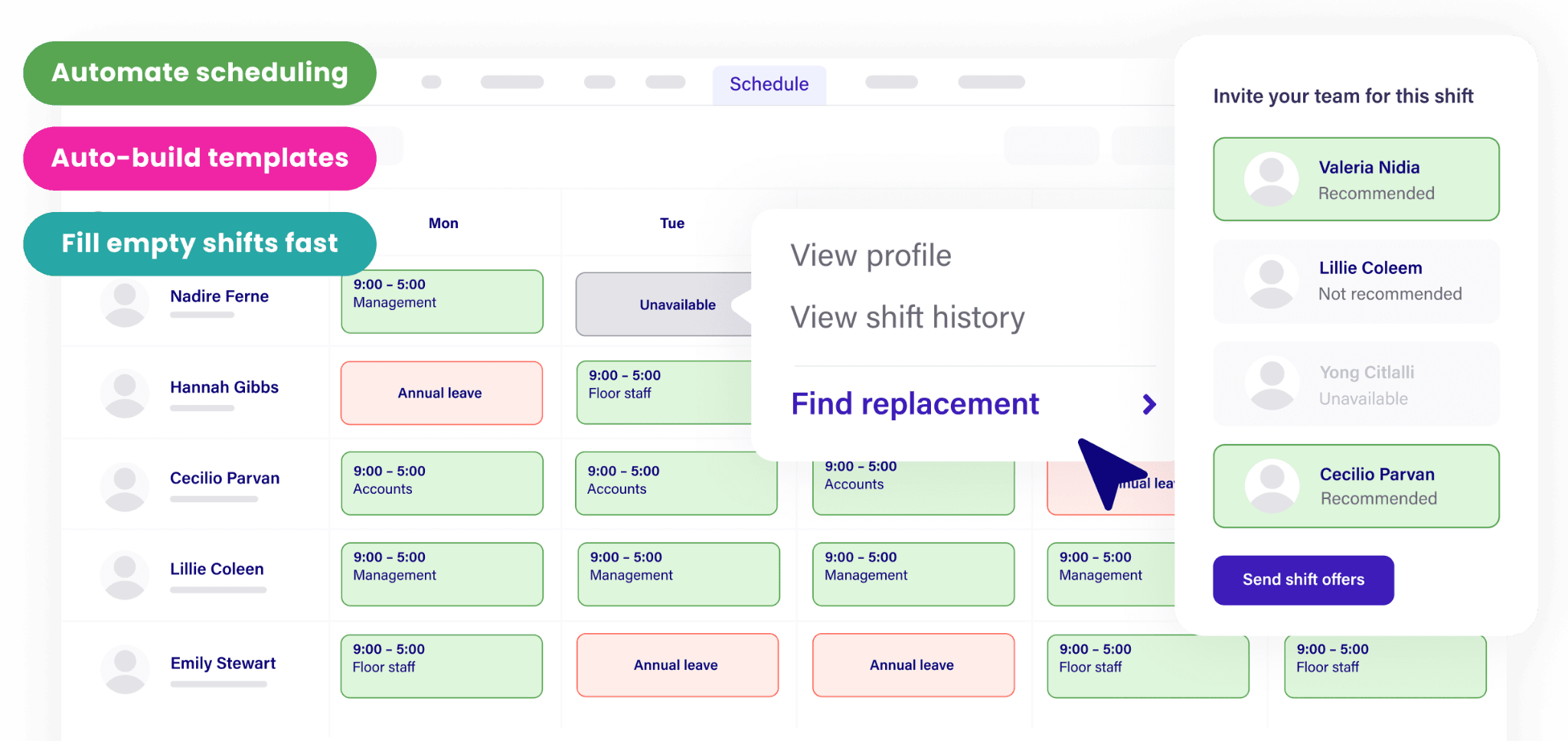
Deputy is a scheduling-first app with strong compliance tools for shift work. For US payroll, it offers Deputy Payroll, run by Paycor, or syncs hours to the payroll provider you already use.
- Best for: Shift-heavy businesses with complex rules, like fair workweek or break laws, across one or more locations.
- How scheduling and payroll connect: On annual Core and Pro plans, Deputy Payroll (enabled by Paycor) runs from Deputy timesheets. Otherwise, Deputy syncs hours to providers like Gusto, ADP, Paychex, QuickBooks, and Rippling.
- Pricing: Lite is $5, Core is $6.50, and Pro is $9 per user per month billed annually, and monthly plans have a $30/mo minimum. Deputy Payroll adds $49/mo + $8 per user.
- Free plan: No. A free trial is available.
- Choose it if: complex shift rules and compliance alerts matter more to you than having one bill.
- Watch out for: every user is billed, including managers. Payroll requires an annual Core or Pro plan, setup can take up to about eight weeks, and payroll comes from a partner.
12. When I Work: Best for Simple, Scheduling-First Teams
When I Work is a straightforward scheduling app with low per-user pricing. For payroll, it connects to a separate provider, and it promotes Rippling as its preferred payroll partner.
- Best for: Small teams that want simple scheduling and already have a payroll provider they like.
- How scheduling and payroll connect: The time tracking add-on syncs hours to payroll partners including Rippling, Gusto, Square Payroll, Paychex, QuickBooks Online, and OnPay.
- Pricing: Essentials is $2.50 per user per month for single-location teams, Pro is $5, and Premium is $8. Time tracking is a paid add-on (est. $1.50–2 more per user), and managers count as users.
- Free plan: No. There’s a 14-day free trial.
- Choose it if: you only need easy scheduling and you’re happy keeping payroll with a separate provider.
- Watch out for: the headline price doesn’t include time tracking, and payroll means a second product and login, so check what syncs before you commit.
How Much Does Scheduling and Payroll Software Cost?
Most scheduling and payroll software charges a monthly base fee plus a per-employee fee, and some add per-user or per-location scheduling charges. For a 10-person team at one location, list prices run from about $109 a month for Homebase’s free scheduling plan plus payroll to more than $200 a month for some bundled competitors.
Here’s what a 10-person team at one location would pay each month at list price, from lowest to highest.
| Setup (10 employees, 1 location) | Monthly | Annual |
|---|---|---|
| Square Payroll only (scheduling up to 10 days out) | $95 | $1,140 |
| Homebase Basic (free) + Payroll | $109 | $1,308 |
| Homebase Essentials + Payroll | $139 | $1,668 |
| Square Payroll + Square Plus (full scheduling) | $144 | $1,728 |
| Gusto Simple + When I Work Essentials with time tracking | ~$149 | ~$1,788 |
| Toast POS + Payroll bundle (new restaurants only) | $159 | $1,908 |
| Gusto Simple + Time & Attendance Plus | $169 | $2,028 |
| ADP RUN Essential + Deputy Lite | ~$169 | ~$2,028 |
| 7shifts Pro + 7shifts Payroll (billed annually) | $180 | $2,160 |
| Deputy Core + Deputy Payroll (billed annually) | $194 | $2,328 |
| Gusto Plus | $200 | $2,400 |
| QuickBooks Workforce Premium | $218 | $2,616 |
Monthly list prices as of October 2026, before promotions. “~” marks totals that include a third-party estimate. 7shifts and Deputy use annual-billing rates. Rippling, Paychex Flex, and Paycor need a quote for scheduling, so they aren’t included.
Highlights: Square Payroll on its own costs the least, but it only schedules 10 days out. Of the setups with full scheduling, time tracking, and payroll, Homebase Basic plus Payroll is the lowest-cost option for a team this size.
Costs also add up in ways a feature page won’t show. “I was trying to plug every leak in the business, and ADP was incredibly expensive for what I was doing,” says Kris Herbert, owner of The Gym Venice. At Student Agencies, Director of HR Riley McGuire says moving payroll from ADP to Homebase saves the organization about $10,000 a year.
Per-User vs. Per-Location Pricing
Per-user tools charge for every name on your roster, including managers, seasonal hires, and anyone you add to test the app. One owner on Reddit described adding a few test employees to a free plan and getting bumped up to a $50-a-month plan without realizing it.
Homebase prices scheduling per location with unlimited employees, so a busy season doesn’t raise your scheduling bill. Payroll is charged only for employees you pay that month.
“A lot of the other platforms were asking for a specific base cost that was fixed and then on top of that you’ve got to pay for each individual person. We had seasonal work… I was onboarding people or terminating them for the summer so it didn’t cost us money.” — Lee Hartley, Director of Operations, Active Education
Year-End Form Fees to Watch
At year-end, you file W-2s for everyone who worked for you during the year, not just who’s on payroll now. For a restaurant with a 10- to 15-person roster, that can mean 50 to 100 W-2s.
- Paper forms: Square, 7shifts, QuickBooks, and Gusto include electronic forms but charge about $3 to $6 per mailed form.
- Corrections: Toast charges $250 per W-2 amendment request, 7shifts charges $175 per amended return, and Paycor charges $105 per W-2 correction.
- Unpublished fees: ADP RUN and Paychex Flex don’t publish year-end fees, so ask before you sign.
- Homebase: W-2s, 1099s, and amendments are included in payroll pricing.
Start free and add payroll when you’re ready. Homebase scheduling and time tracking are free for one location with up to 10 employees, and payroll is $49/mo + $6 per active employee, with no per-user scheduling fees as your team grows.
Best Scheduling and Payroll Software by Business Type
The right setup depends on how your team works. Here’s what we’d recommend for the most common types of hourly businesses, plus the competitors worth a look in each case.
Best for Single-Location Restaurants: Homebase Plus + Payroll + Tip Manager
Restaurants juggle the hardest payroll details: tips, breaks, overtime, and high turnover. Tip rules alone are tricky. Under federal law, you can pay tipped employees a cash wage as low as $2.13 an hour if tips make up the rest, but back-of-house team members can only join a tip pool when you don’t take that tip credit, and managers can never keep tips. Labor is also one of your biggest costs, running about 32% to 37% of sales at the median restaurant, according to the National Restaurant Association.
- Why Plus: It adds the AI Scheduling Assistant, PTO and time-off controls, break waivers, and departments for front- and back-of-house.
- Why Tip Manager: For $25/mo per location, it pulls tips from your POS, calculates the tip pool, and adds tips to timesheets so they flow into payroll.
- Lower-cost option: Essentials + Payroll covers scheduling, time tracking, and payroll if you don’t need tip pooling or Plus features.
- Cost for 10 employees: About $204/mo for Plus ($70) + Payroll ($109) + Tip Manager ($25).
- Also consider: Toast if you already run Toast POS, or 7shifts if you want restaurant-only scheduling depth.
“We were looking for something that first and foremost would provide validation that we are scheduling folks appropriately, that if they are working overtime we’re tracking it and we’re paying them for it, that they are taking their breaks and they’re clocking in and out for their breaks legally and appropriately.” — Bryan Tublin, Co-Founder and CEO, Kitava
Best for Multi-Location Retail: Homebase Plus or All-in-One + Payroll
If you’re wondering how to sync scheduling and payroll in retail, start with the team members who work at more than one store. Their hours need to add up across locations for overtime, and different city or state minimum wages can mean two pay rates for the same role. Holiday hiring adds even more names to the roster.
“I have an Excel spreadsheet I keep going where I take the two-week period hours for both locations, add them up for each employee… two-thirds of our employees split their time between both locations. Then I’ll just manually put them into QuickBooks for payroll.” — Fred Sztabinski, Owner, Fix Coffee + Bikes
- Why Plus: Departments and permissions let each store manager handle their own schedule, and overtime is tracked across locations.
- Why All-in-One: It adds labor cost management, onboarding, and HR and compliance tools for growing retailers.
- One payroll run: Homebase Payroll can pay multiple locations in a single run, as long as they share an EIN and pay schedule.
- Holiday hiring: Scheduling is priced per location with unlimited employees, so seasonal hires don’t raise your scheduling bill.
- Also consider: Square if your stores already run Square POS, or Paycor if you need labor forecasting at a larger scale.
Best for Service Businesses: Homebase Essentials + Payroll
Service teams, from home repair to fitness and caregiving, often clock in from job sites or client locations, earn commissions on top of hourly pay, and mix W-2 employees with 1099 contractors.
- Why Essentials: It includes GPS and geofenced mobile clock-in, so you know your team clocked in where they were supposed to.
- Pay that matches the work: Payroll handles multiple wage rates, commissions and other earnings, and contractor payments in the same run.
- Cost for 10 employees: About $139/mo for Essentials ($30) + Payroll ($109).
- Also consider: Deputy for complex shift rules, or Rippling if you’re scaling quickly and need HR and IT tools too.
Kris Herbert switched his trainers at The Gym Venice from contractors to W-2 employees, which meant tracking every punch:
“In California, you have to give an hourly rate, which is minimum wage, on top of a commission. Homebase has a slot for the commissions, for additional earnings, for the deductions, and it makes it so simple to see.” — Kris Herbert, Owner, The Gym Venice
And payday got shorter: “Payroll used to take me about two hours. Now, if everyone’s punches are right, I can get the whole thing done in minutes.”
What to Check Before You Switch Scheduling and Payroll Software
Changing scheduling and payroll at the same time can feel like two big projects. In an all-in-one app, it’s one setup: your team, schedules, and pay data move once, into one place. Before you pick a tool, ask these questions.
- Do overtime, breaks, and tips flow into payroll, or only regular hours? Some integrations only sync regular hours, which leaves you fixing the rest by hand.
- Does it follow your state and city rules? Check break, overtime, and predictive scheduling rules where you operate. Our state labor law guides are a good place to start.
- How does it handle tips? If you pool tips, look for tip pooling built into payroll, not a spreadsheet on the side.
- Does it sync with your accounting? Ask whether payroll posts to QuickBooks Online or your accounting tool automatically.
- Can one person have more than one pay rate? Team members who work two roles or earn commission need multiple wage rates and blended overtime.
- Are year-end forms included? Ask what W-2s, 1099s, mailed copies, and amendments cost.
- Who moves your data, and how long does it take? Look for free data migration and a clear timeline.
- What does support look like? Ask about support hours and whether you can reach a real person.
- Can your team use it on their phones? Clocking in, checking schedules, and viewing pay stubs from a phone means nobody is tied to a desktop.
- What will it cost at your busiest headcount? Price it for your peak season, not your slowest month.
For Cherie Chua at Luxe Bites, the phone was the deciding factor:
“At that time we were with Gusto and… You couldn’t clock in on your phone.” — Cherie Chua, Co-Founder and Creative Director, Luxe Bites
With Homebase, switching takes about 20 minutes on your end. You gather a few documents, and our payroll experts handle the transfer, filings, and setup in five to seven days.
Frequently Asked Questions About Scheduling and Payroll Software
Can you do scheduling and payroll in one app?
Yes. Several apps run scheduling, time tracking, and payroll together, including Homebase, Square, QuickBooks Workforce Premium, Toast, Gusto, and 7shifts. Hours from the time clock flow into payroll without exporting files. Homebase also offers a free scheduling plan for one location with up to 10 employees, and you can add payroll anytime.
What payroll software integrates with a time clock?
All-in-one tools like Homebase, Square, QuickBooks Workforce Premium, Toast, Gusto, and 7shifts include their own time clock, so hours move into payroll automatically. If you use a separate scheduling app like Deputy or When I Work, you’ll connect it to a payroll provider and should check whether overtime, tips, and breaks sync too.
What’s the best time tracking with payroll for small businesses?
Look for a tool where your team clocks in on their phones, breaks and overtime calculate automatically, and approved timesheets become payroll without retyping. Homebase does this in one app. GPS clock-in starts on the Essentials plan, and payroll costs $49 a month plus $6 per active employee.
Is there free scheduling and payroll software?
Free scheduling plans exist, but full-service payroll isn’t free anywhere. Homebase’s Basic plan is free for one location with up to 10 employees, and you can add payroll for $49 a month plus $6 per employee. 7shifts and Sling by Toast also offer free scheduling, but payroll costs extra.
How much does scheduling and payroll software cost?
Most tools charge a monthly base fee plus a per-employee fee, and some add per-user or per-location scheduling fees. For a 10-person team at one location, list prices run from about $109 a month for Homebase Basic plus payroll to $218 a month for QuickBooks Workforce Premium.
Does Gusto have scheduling?
Yes. Gusto includes shift scheduling and time tracking on its Plus and Premium plans, and Simple customers can add both with Time & Attendance Plus for $6 per person. Plus costs $80 a month plus $12 per person. Gusto says its scheduling isn’t as deep as dedicated scheduling apps, so test it with a real week of shifts.
Can ADP do scheduling?
Yes, with an add-on. Small businesses on ADP RUN can add ADP Timekeeping Plus Scheduling, a separate app in the ADP Marketplace, and pricing is quote-based. Some teams pair ADP RUN with a scheduling app like Deputy instead. Ask ADP what the scheduling add-on costs before you compare totals.
Does scheduling and payroll software sync with QuickBooks?
Many do. Homebase Payroll sends each payroll run to QuickBooks Online as a journal entry, so your books stay current without manual entry. QuickBooks Workforce runs payroll inside QuickBooks itself. If you use QuickBooks Desktop or another accounting tool, check each provider’s integration list before you switch.
Should I wait until January to switch payroll providers?
Not necessarily. Waiting until January usually means setting up a new system in December, during the holiday rush. Switching earlier lets your new provider handle year-end W-2s and filings. With Homebase, you gather a few documents, and a payroll expert handles the transfer and setup in five to seven days.
Choosing Scheduling and Payroll Software That Fits Your Team
The best scheduling and payroll software is the one that gets hours from the schedule to the paycheck without anyone retyping them. As you compare options, keep three things in mind:
- Pick the setup before the brand. For most hourly teams, an all-in-one app is simpler than syncing two separate tools.
- Price it at your real headcount. Include add-ons, per-user fees, and year-end form charges, not just the starting price.
- Make sure everything reaches payroll. Overtime, breaks, and tips should flow in automatically, not just regular hours.
For Luxe Bites, moving scheduling, time tracking, and payroll into one app changed how the whole team spends its week:
“Across the board, everyone is saving at least a couple hours a day. It’s me, and it’s the ops manager, and it’s all the kitchen managers. If you collectively add it up, I would say it’s at least 10 hours a week or more that we’re saving.” — Cherie Chua, Co-Founder and Creative Director, Luxe Bites
If you want your schedule, time clock, and payroll in one place, start with Homebase. Employee scheduling and time tracking are free for one location with up to 10 employees, and you can add payroll whenever you’re ready.