Top 8 Buddy Punch Alternatives for Small Business Time Tracking


SMALL BUSINESS INTEL, IN YOUR INBOX
Table of contents
Buddy Punch is a solid time clock. If all you need is a way to track when your team punches in and out, it does that job well.
But small business owners running hourly teams tend to hit a wall with it pretty quickly. Scheduling isn't included by default — it's a paid add-on. There's no team messaging. Hiring and onboarding tools don't exist. And the 14-day trial runs out before you've had a real chance to see how the tool fits your team at scale.
This article compares 8 Buddy Punch alternatives on time tracking depth, scheduling, pricing structure, free tier availability, and fit for small businesses with hourly teams. Every price was checked against current vendor pages. User feedback comes from verified reviews on G2 and Capterra, plus small-business discussions across Reddit and industry forums.
The Best Buddy Punch Alternatives for Small Business Teams at a Glance
- Homebase: Best all-in-one for hourly teams, free for one location, covers scheduling, time tracking, team messaging, hiring, and HR
- When I Work: Best for scheduling-first teams that want time tracking and messaging bundled together; no permanent free plan
- Deputy: Best for compliance-heavy businesses that need break attestation and labor law alerts built in
- OnTheClock: Best budget-friendly option with straightforward time tracking and native payroll
- Connecteam: Best for deskless teams spread across locations that need communication, scheduling, and operations in one place
- QuickBooks Time: Best for businesses already running payroll in QuickBooks
- Clockify: Best free option for basic time and project tracking
- Rippling: Best for fast-growing teams that want HR, IT, and payroll consolidated
- Hubstaff: Best for remote and field teams that need GPS tracking and productivity monitoring
Why Look for a Buddy Punch Alternative?
Buddy Punch starts at a $19/month base fee plus $4.99/user/month on annual billing, or $5.99/user/month month-to-month. Scheduling is a $1/user/month add-on on top of that. There's no permanent free plan, just a 14-day trial.
That pricing structure is only one reason owners go looking for alternatives. Here's what else comes up consistently across G2 and Capterra reviews:
- Scheduling costs extra on every plan. It's a $1/user/month add-on, not included by default. For a tool built around hourly teams, that's a notable gap.
- No team messaging. Announcements, shift coverage requests, and last-minute changes all require a separate tool.
- No hiring or onboarding tools. When you need to post a job, track applicants, or digitally onboard a new hire, Buddy Punch isn't part of that workflow.
- Per-user pricing adds up. As your team grows, so does your bill, predictably and fast.
- Mobile reliability complaints. Users report occasional lag when clocking out and a steeper-than-expected learning curve for editing time entries.
If you need more than a time clock, here's what to consider instead. Try Homebase free
What Is Buddy Punch and Who Is It For?
Buddy Punch is a cloud-based time clock and attendance tool built for US businesses with hourly workers. Team members clock in and out via web, mobile app, PIN, QR code, or facial recognition. Hours sync to payroll tools including QuickBooks, ADP, Paychex, and SurePayroll. Buddy Punch doesn't process payroll itself — payroll is a separate add-on at $49/month base plus $8/user/month, or handled through integrations.
Its strongest differentiator is anti-fraud tooling: webcam photos on every punch, geofencing to restrict clock-ins by location, and IP address locks to prevent punching in from unauthorized devices. Scheduling is available as a $1/user/month add-on.
That makes Buddy Punch a natural fit for businesses that primarily need time tracking with strong accountability features and already have scheduling and payroll handled elsewhere. Construction, field service, healthcare, and retail teams are common users. It's less of a fit for teams that want an all-in-one, need a permanent free tier, or expect scheduling and team communication included by default.
How We Chose the Best Buddy Punch Alternatives
We evaluated more than 15 time tracking and team management tools and narrowed the list to 8 based on fit for small businesses with hourly, shift-based teams. Research included app demos, live competitor pricing pages, aggregated verified reviews from G2 and Capterra, and small-business discussions across Reddit and industry forums.
What we evaluated each tool on:
- Free tier availability: does one exist, and what are the actual limits?
- Time tracking features: GPS, geofencing, kiosk mode, mobile clock-in
- Scheduling: included in base price or sold as an add-on?
- Payroll: built-in, integrated, or not available?
- Team communication tools
- Hiring and onboarding capabilities
- Pricing structure: per-user vs. per-location vs. flat rate
- User ratings verified against current G2 and Capterra pages
Reviewed by Carissa Tham, SEO + GEO Managing Editor at Homebase. See our full methodology here.
Why Trust Homebase? A Note on Who Made This Guide
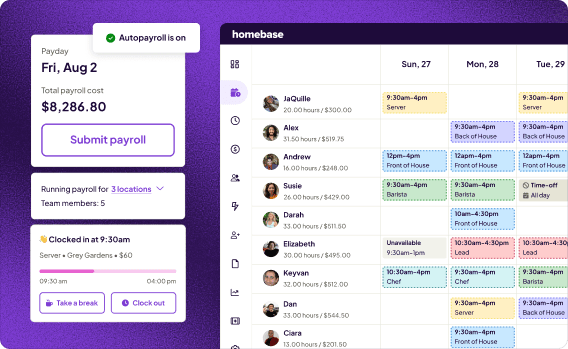
We're Homebase. We make scheduling, time tracking, payroll, hiring, HR, and team communication tools for small businesses with hourly teams.
We built this guide because choosing time tracking software is time-consuming, and we talk to thousands of small business owners doing this research while also running a team. Homebase doesn't appear in the ranked list below. Every app was evaluated on its own merits. We never accept payment or backlinks to include a product.
Homebase
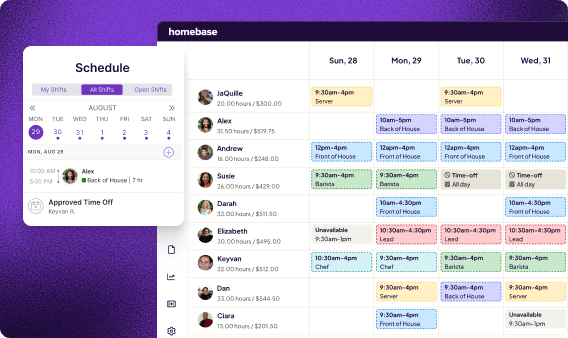
Homebase is best for: Hourly small business teams that want scheduling, time tracking, payroll, hiring, and team messaging in one app, without paying for separate tools
Rating: G2 4.3/5 · Capterra 4.6/5 (1,153+ reviews)
Key features:
- GPS time clock with geofencing and photo verification to prevent buddy punching
- Employee scheduling with auto-fill and shift swap tools
- Team messaging included on all plans, including the free Basic plan
- Hiring and onboarding tools: job posting, applicant tracking, digital new hire paperwork
- HR and compliance tools: employee handbook builder, document storage, live certified HR advisors
- Earned wage access: team members can access earned wages before payday
- Timesheets with automated overtime calculations and labor cost reporting
Pricing:
- Free (Basic): $0/month — 1 location, up to 10 team members, scheduling, time tracking, team messaging, and POS integration
- Essentials: $30/month per location ($24 annual)
- Plus: $70/month per location ($56 annual)
- All-in-One: $120/month per location ($96 annual)
- All paid plans include unlimited team members
- Payroll add-on (Standard): $39/month + $6/paid team member per month
What users like: "Before Homebase I was manually tallying up my team's work hours and entering them into payroll, crossing my fingers I hadn't made any mistakes. Now our entire team logs in and out quickly and easily with the Homebase app, and all I have to do is send their hours to my payroll program with the click of a button."
What users criticize: Some users note that advanced features like HR tools are locked behind higher-tier plans, and that the free plan's single-location limit can be restrictive for businesses with multiple sites.
The 8 Best Buddy Punch Alternatives for Small Business Teams
Each pick below was chosen because it solves a specific gap that brings owners to this page. When I Work wins on scheduling. Deputy wins on compliance. OnTheClock wins on simple time-to-payroll at a lower cost. Connecteam wins for distributed deskless teams. QuickBooks Time wins if you're already in the QuickBooks ecosystem. Clockify wins on free. Rippling wins for teams that are growing fast. Hubstaff wins for field teams that need GPS depth.
1. When I Work
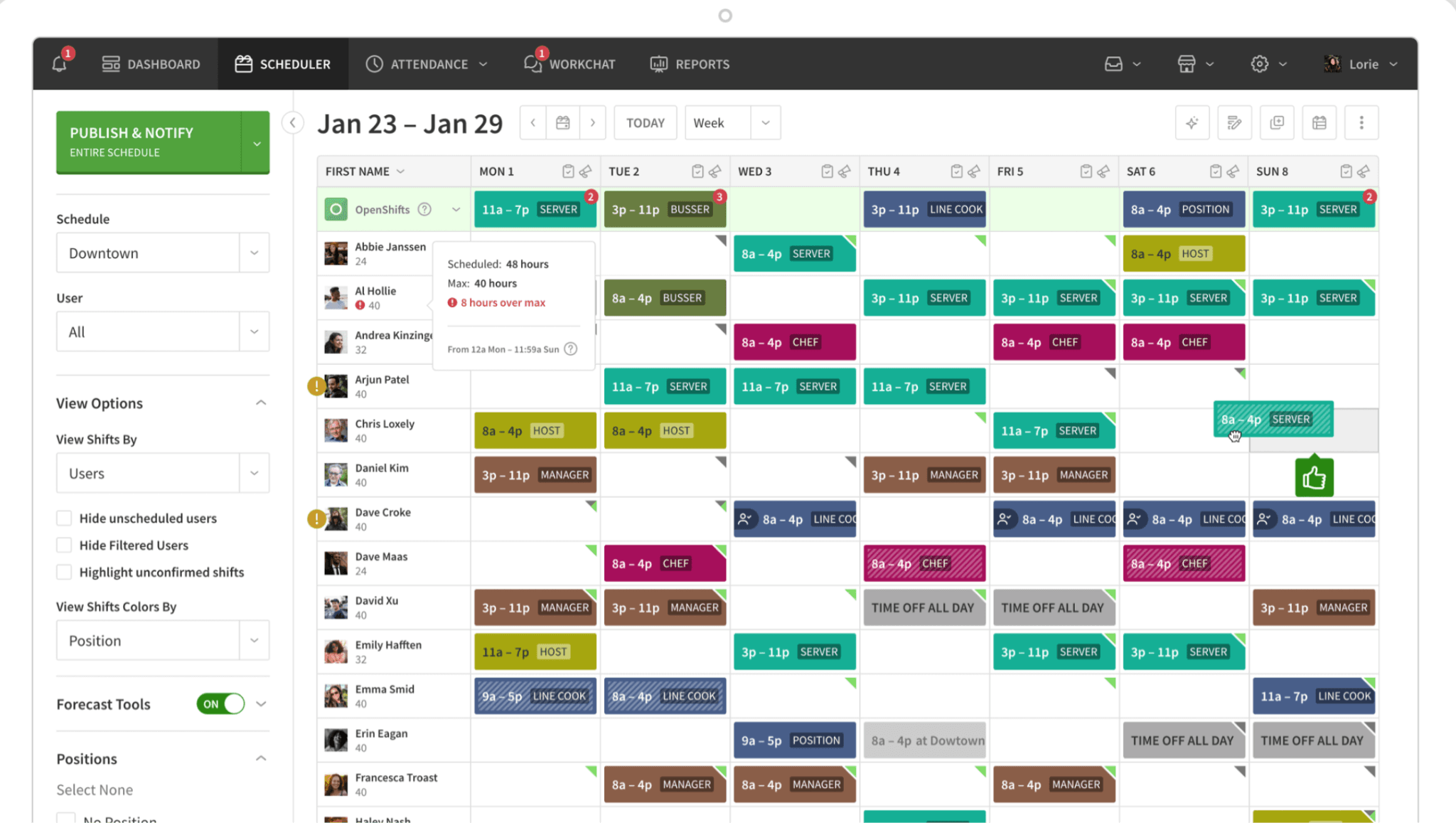
Best for: Teams that want scheduling and time tracking bundled together without paying extra for either
Rating: G2 4.4/5 · Capterra 4.5/5
When I Work is a scheduling-first app with time tracking built alongside it. It was built for hourly, shift-based teams and includes team messaging alongside its scheduling and clock-in tools. If the main friction with Buddy Punch is paying a scheduling add-on on top of an already per-user base, When I Work builds scheduling in from the start.
Key features:
- Drag-and-drop schedule builder with open shift posting and shift swap requests
- Auto-scheduling with templates
- Mobile clock-in via app or shared kiosk
- GPS and photo clock-ins
- Team messaging included across plans
- Attendance tracking with overtime alerts
- POS and payroll integrations (QuickBooks, Gusto, ADP, Paychex, Square, Rippling)
Pricing: Standard plan starts at approximately $2.50/user/month for scheduling; complete time tracking bundles start around $4/user/month. No permanent free plan — 14-day free trial.
What users like: The drag-and-drop shift scheduling interface and shift-swapping features on mobile stand out in reviews. Team members can swap and pick up shifts without manager intervention, which reduces back-and-forth on scheduling changes.
What users criticize: Mobile app notification lag is a recurring complaint. Adding advanced time clock capabilities pushes costs into higher per-user tiers, which some owners find harder to predict than flat-rate pricing.
Our take: When I Work is the cleanest swap if your main frustration with Buddy Punch is the scheduling add-on fee. Scheduling is the core product here; time tracking extends it, not the other way around. The tradeoff: the time clock side is lighter than Buddy Punch's. Anti-fraud tools don't match Buddy Punch's depth. If preventing time theft is the priority, that matters.
2. Deputy
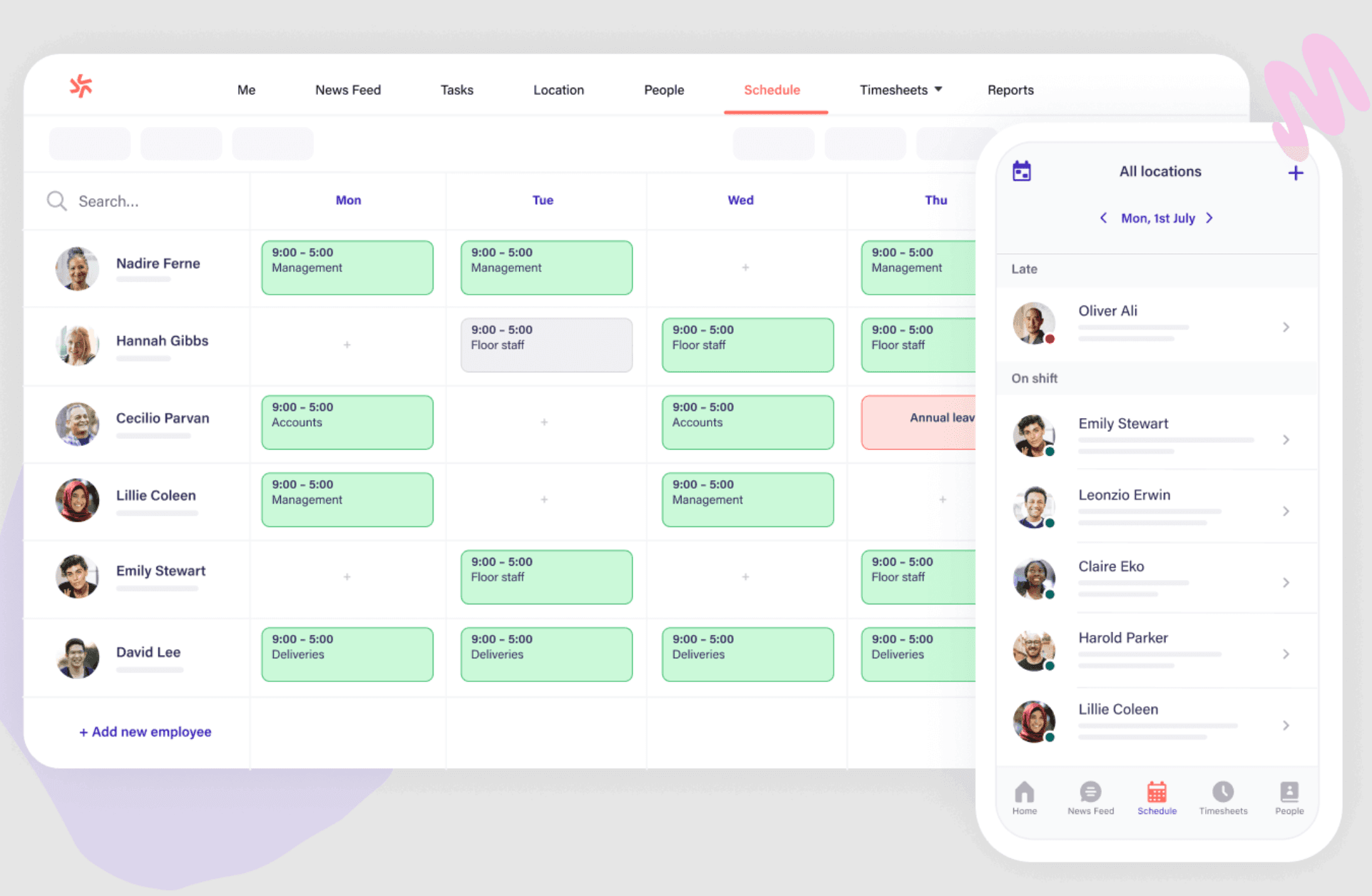
Best for: Compliance-heavy businesses (healthcare, hospitality, multi-state operations) that need break attestation and labor law alerts built in
Rating: G2 4.6/5 · Capterra 4.6/5
Deputy is a scheduling and time tracking app with a standout compliance layer. Its Active Attestation feature automatically prompts team members to confirm whether they took required breaks, creating an additional record for compliance purposes.
Key features:
- Drag-and-drop scheduling with AI-assisted shift suggestions
- GPS-enabled mobile time clock
- Break and overtime alerts with Active Attestation
- Timesheet sync to payroll tools
- News Feed for team announcements
- Automated union-rule overtime calculations and labor law compliance
Pricing: Scheduling plan $3.50/user/month, Time & Attendance plan $3.50/user/month, Premium plan $4.90/user/month. No permanent free plan.
What users like: Compliance tracking, automated break attestation prompts, and automated overtime calculations for union rules get strong marks in reviews — especially from managers in healthcare and hospitality who operate across multiple states.
What users criticize: The initial setup process is complex relative to simpler time clock tools. The absence of a permanent free plan is a friction point for very small or micro-businesses evaluating their options.
Our take: Deputy's break compliance tools are a standout. If you operate in California or another state with strict meal-break rules, Active Attestation can add another layer of documentation around break compliance. Outside of that use case, it's a solid but not exceptional scheduling tool. There's no free tier, and per-user pricing adds up for larger teams.
3. OnTheClock
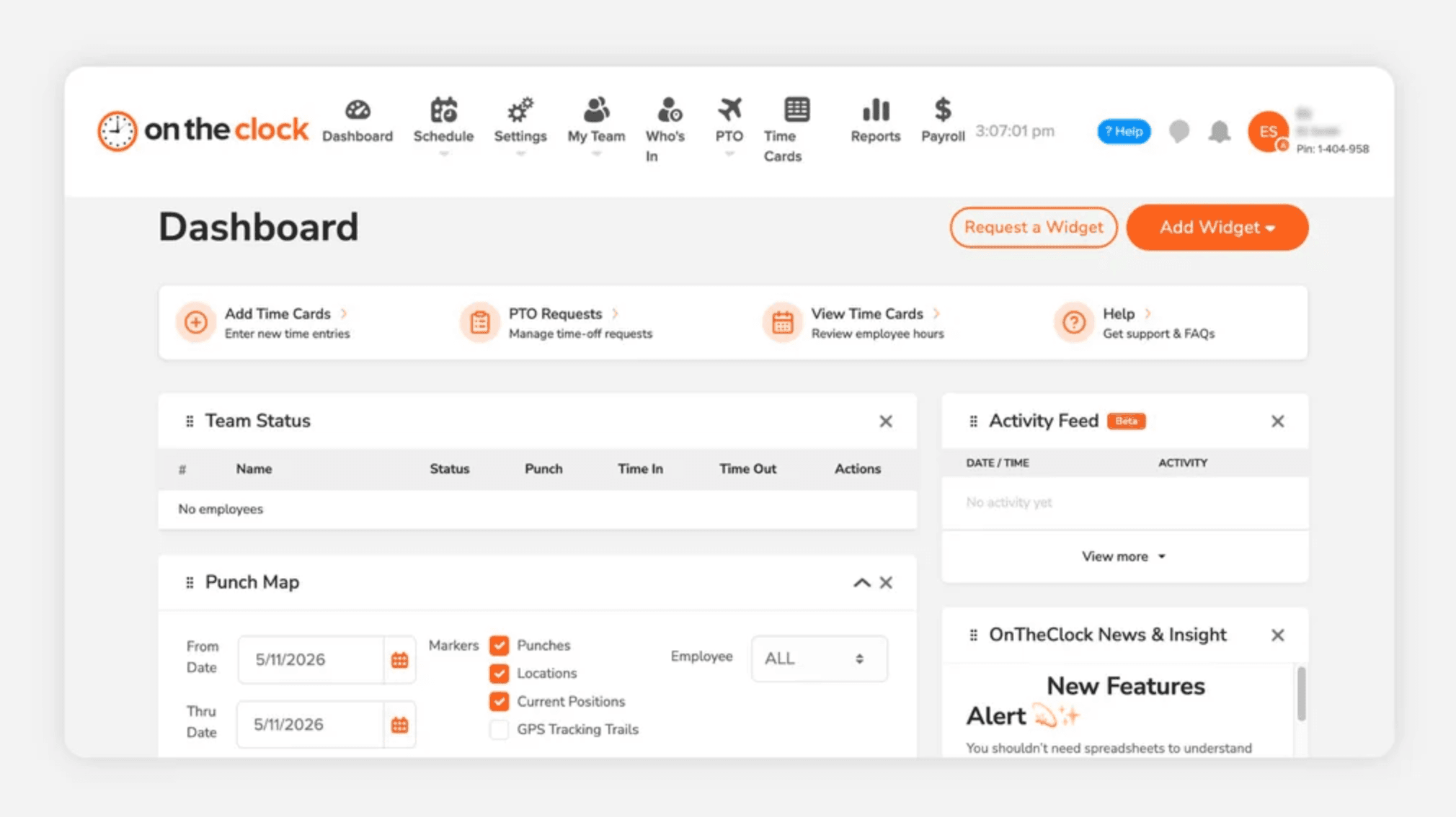
Best for: Small businesses that want straightforward time tracking, scheduling, PTO, and payroll at a predictable low cost
Rating: G2 4.7/5 · Capterra 4.7/5
OnTheClock is a time clock built for small businesses: restaurants, retailers, and field teams in particular. It tracks time, manages PTO, handles scheduling, and offers payroll as an integrated add-on rather than requiring a third-party export.
Key features:
- GPS time tracking, geofencing, and GPS breadcrumb trails
- IP and Wi-Fi restrictions
- PTO and leave management
- Employee scheduling
- Tip tracking
- Payroll add-on with W-2/1099 and tax filing
- Overtime calculations and labor cost reporting
Pricing: Free for up to 2 team members. Paid plans start at approximately $3.50/user/month with tiered discounts at higher employee counts. Payroll add-on: $40/month base + $6/employee/month.
What users like: Reviews highlight straightforward setup, clean geofencing options, and budget-friendly pricing — particularly for teams that don't need a feature-heavy tool and just want accurate time-to-payroll without the complexity.
What users criticize: The interface visual design feels dated compared to newer tools, and there's no built-in team messaging or onboarding functionality for businesses that need more than time tracking.
Our take: One of the cleaner apples-to-apples Buddy Punch swaps on this list. OnTheClock covers time clock, scheduling, and payroll in one tool at a lower per-user entry point, with payroll available within the platform as an optional add-on. The gap: no hiring tools, no onboarding, no team communication. If your team is stable and you just need accurate time-to-payroll, it's worth a serious look.
4. Connecteam
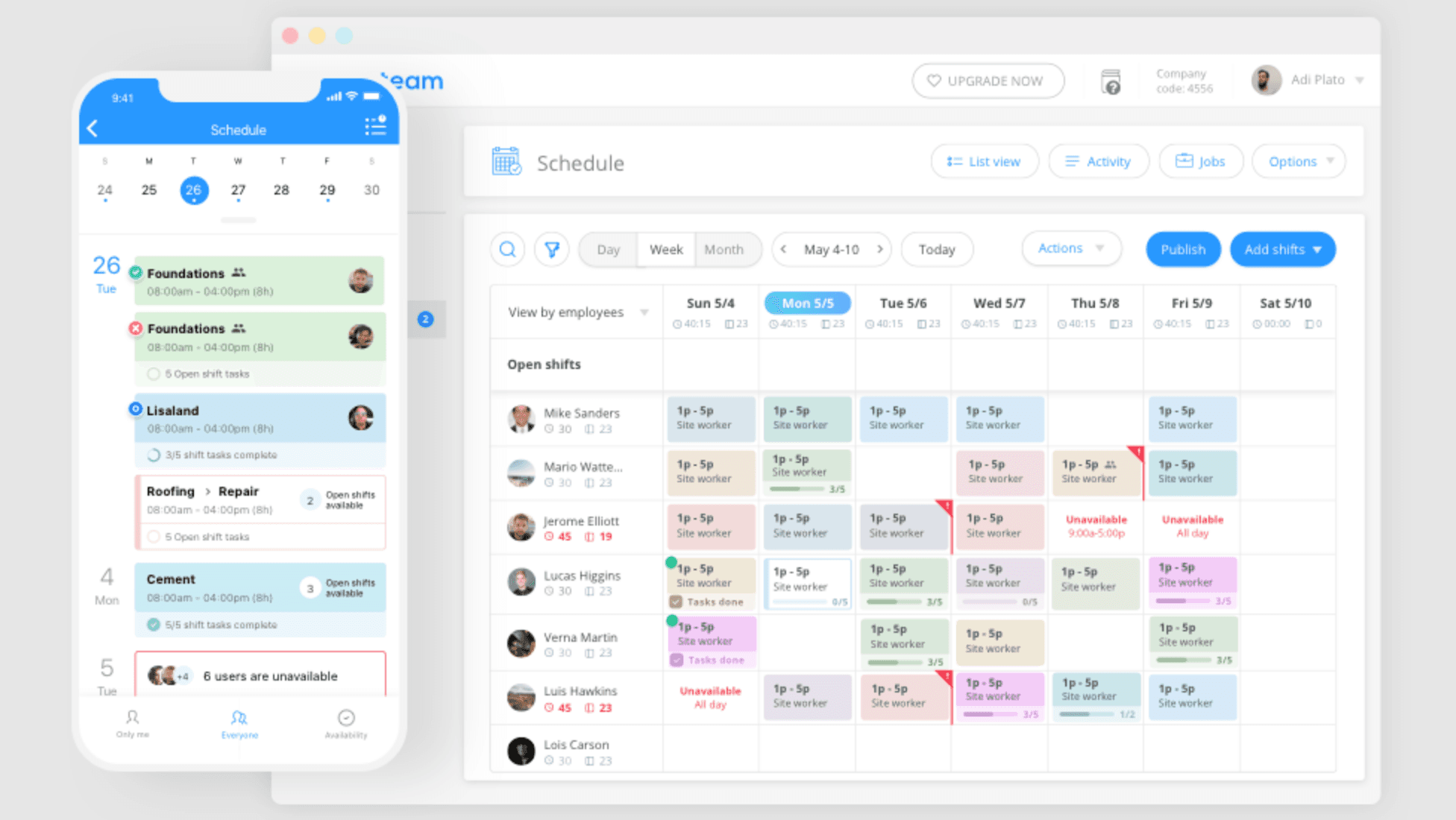
Best for: Deskless teams spread across multiple locations that need communication, task management, scheduling, and time tracking in one place
Rating: G2 4.8/5 · Capterra 4.8/5
Connecteam is an all-in-one tool built for non-desk teams. Its Operations, Communications, and HR & Skills hubs combine to cover team messaging, task checklists, digital forms, training modules, scheduling, and time clock features — though each hub is priced separately.
Key features:
- GPS time clock with geofencing
- Team messaging and company news feed
- Task checklists and digital forms
- Employee scheduling with open shifts
- Training courses and onboarding modules
- Employee directory and document storage
- Payroll integration
Pricing: Free plan available for up to 10 users. Paid plans start at $29/month flat rate for up to 30 users (Basic Operations Plan, billed annually). Communications and HR & Skills hubs are priced separately.
What users like: Users value having a centralized hub combining team chat, digital forms, and employee training modules alongside time clocking. For distributed teams that were previously managing three or four separate tools, the consolidation is significant.
What users criticize: The module-based add-on pricing structure becomes confusing when you need features that span different hubs, and the breadth of options creates a steeper initial setup curve than simpler tools.
Our take: Connecteam is a better communication and operations tool than Buddy Punch, but it's not a cleaner time tracking replacement. Small-business forum discussions reflect this split: field and frontline teams with GPS and payroll-workflow needs rate it highly, while single-location businesses that just need a basic punch clock often find it more system than the situation calls for. Its depth in training and forms makes it particularly strong for businesses that do a lot of onboarding.
5. QuickBooks Time
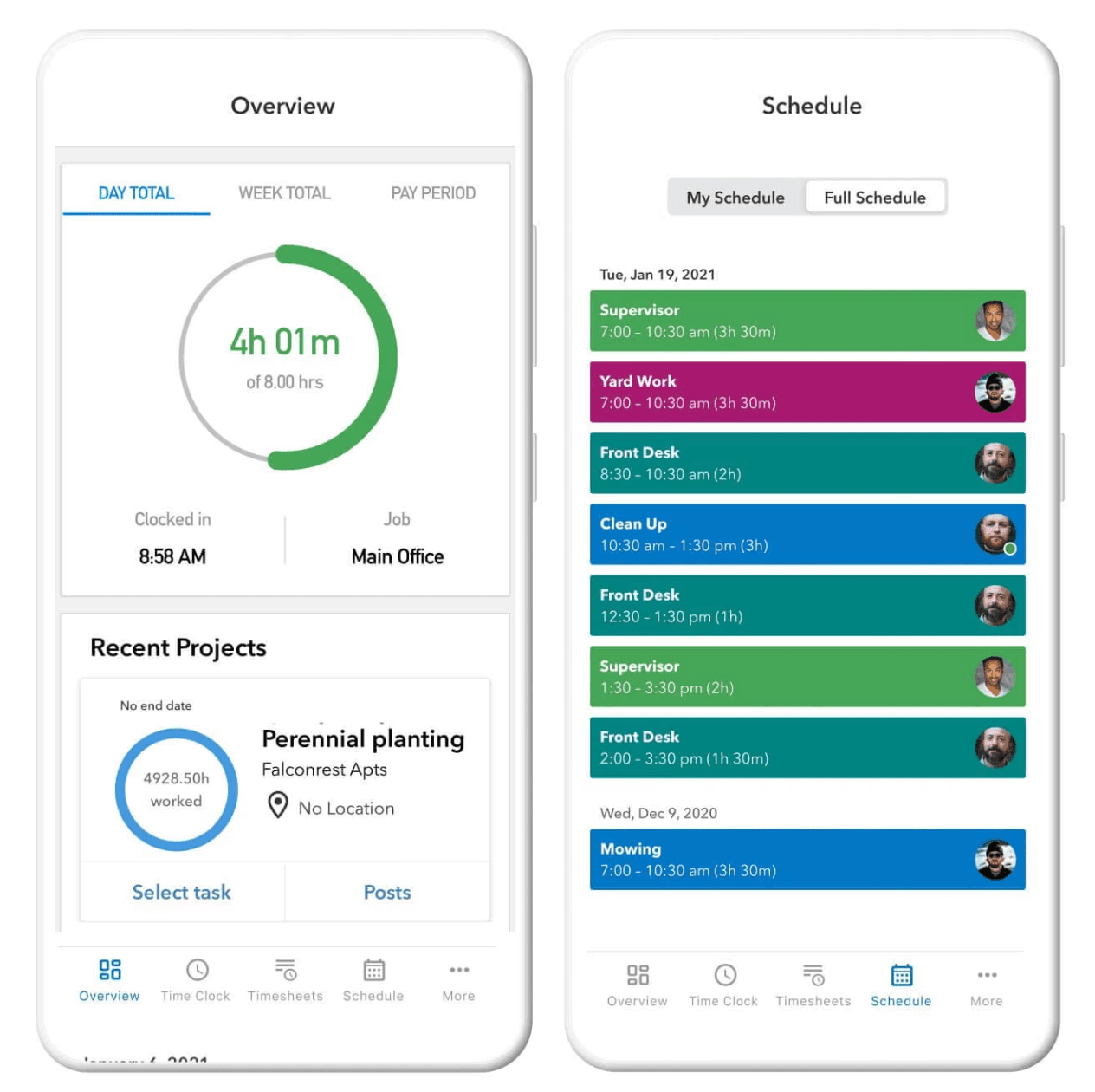
Best for: Small businesses already using QuickBooks for accounting or payroll who want time tracking that syncs without a CSV export
Rating: G2 4.5/5 · Capterra 4.7/5
QuickBooks Time (formerly TSheets) is a time tracking and scheduling tool built around the QuickBooks ecosystem. Hours tracked in the app flow directly to QuickBooks — no manual export, no reconciliation step.
Key features:
- GPS-enabled time tracking on web, mobile, and tablet kiosk
- Who's Working live map: see who's clocked in and where, in real time
- Project and job tracking with task assignment
- PTO management and time-off alerts
- Schedule builder with shift and job assignment
- Native sync with QuickBooks accounting and payroll
Pricing: Premium plan: $20/month base + $10/user/month. Elite plan: $40/month base + $10/user/month. Requires a QuickBooks Online account. No permanent free plan.
What users like: Native, real-time synchronization with QuickBooks Online payroll and accounting gets consistent praise. Hours flow through automatically without manual reconciliation, which eliminates a common source of payroll errors for teams already in the QuickBooks ecosystem.
What users criticize: High per-user base fees and customer support delays following the TSheets-to-QuickBooks Time transition are recurring themes in reviews. Some users report response times significantly longer than what they experienced under TSheets.
Our take: The QuickBooks integration is the main reason to choose this tool — and it's a strong one if you're already in that ecosystem. For field teams that spend the day moving between job sites, small-business forum discussions flag the mobile workflow as a friction point worth testing before committing. Outside the QuickBooks ecosystem, better-value options exist on this list.
6. Clockify
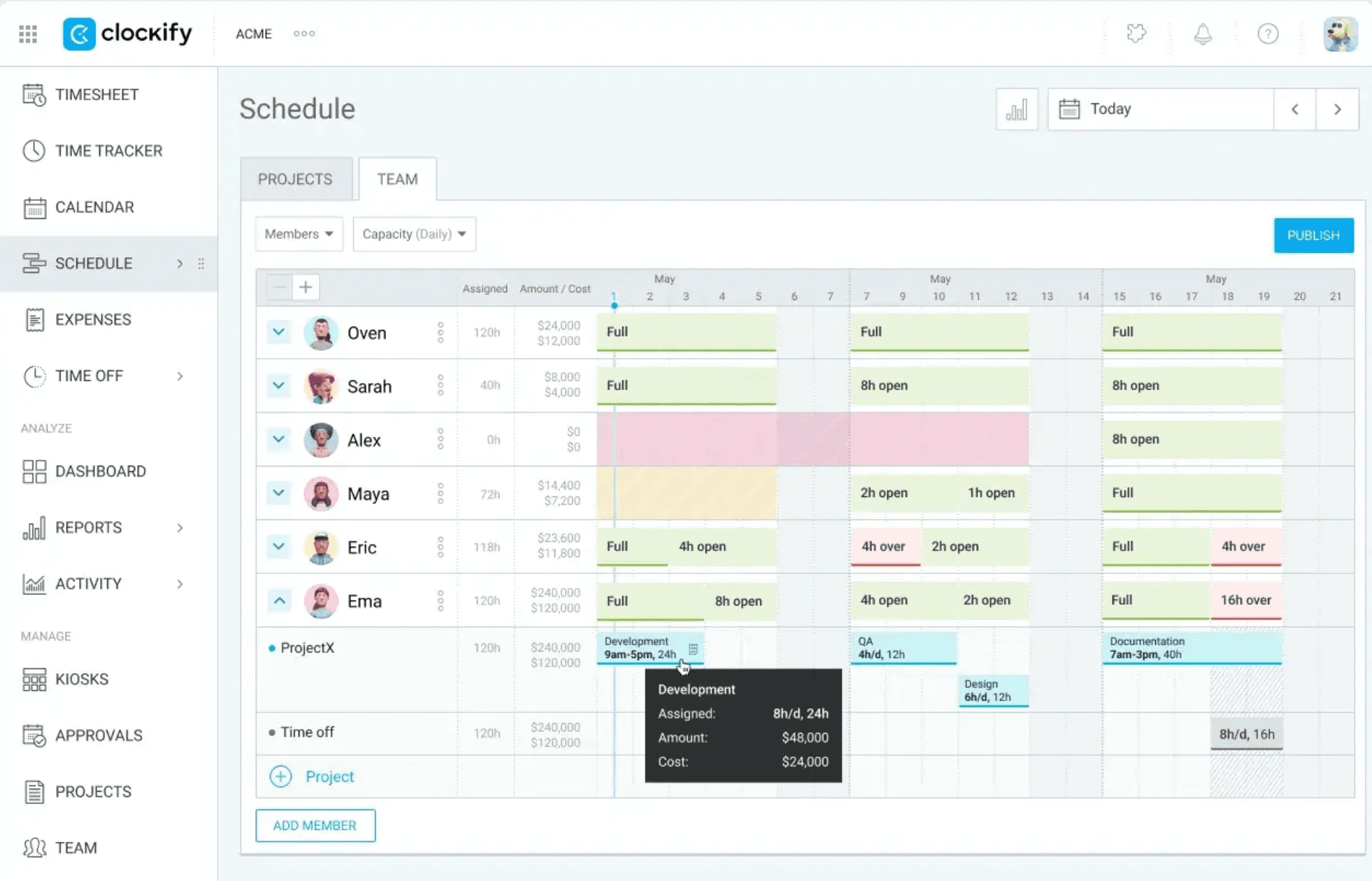
Best for: Teams that need time tracking free with no expiration date
Rating: G2 4.5/5 · Capterra 4.7/5
Clockify is a free time tracking tool built primarily for project and billable-hours tracking. It's the most generous free tier on this list: no artificial expiration, no hard pitch to upgrade.
Key features:
- Timer-based and manual time entry
- Project and task tracking with billable rate support
- Timesheet and attendance reporting dashboards
- Kiosk mode for shared clock-in
- Integrations with project management and accounting tools
Pricing: Free-forever plan with unlimited users for basic tracking. Paid tiers range from $3.99/user/month to $11.99/user/month on annual billing.
What users like: Reviews call out Clockify as the ideal zero-cost option for billable time tracking and project-based time logging — especially for service businesses where everyone needs a time log but not a shift schedule.
What users criticize: Clockify lacks shift scheduling, team communication features, and native payroll, making it a poor fit for hourly, location-based operations that need more than a time logger.
Our take: Clockify is the best zero-cost entry point on this list, but it was built for a different job than Buddy Punch. There's no shift scheduling, no team messaging, and no payroll. It works well as a pure time logger for a small team that has those other pieces handled elsewhere. One practical caveat from small-business forum discussions: Clockify relies on manual timers, and if employees forget to start or stop them, recorded hours become incomplete. For an hourly shift-based business, the clock-in discipline required may be more than you want to manage.
7. Rippling
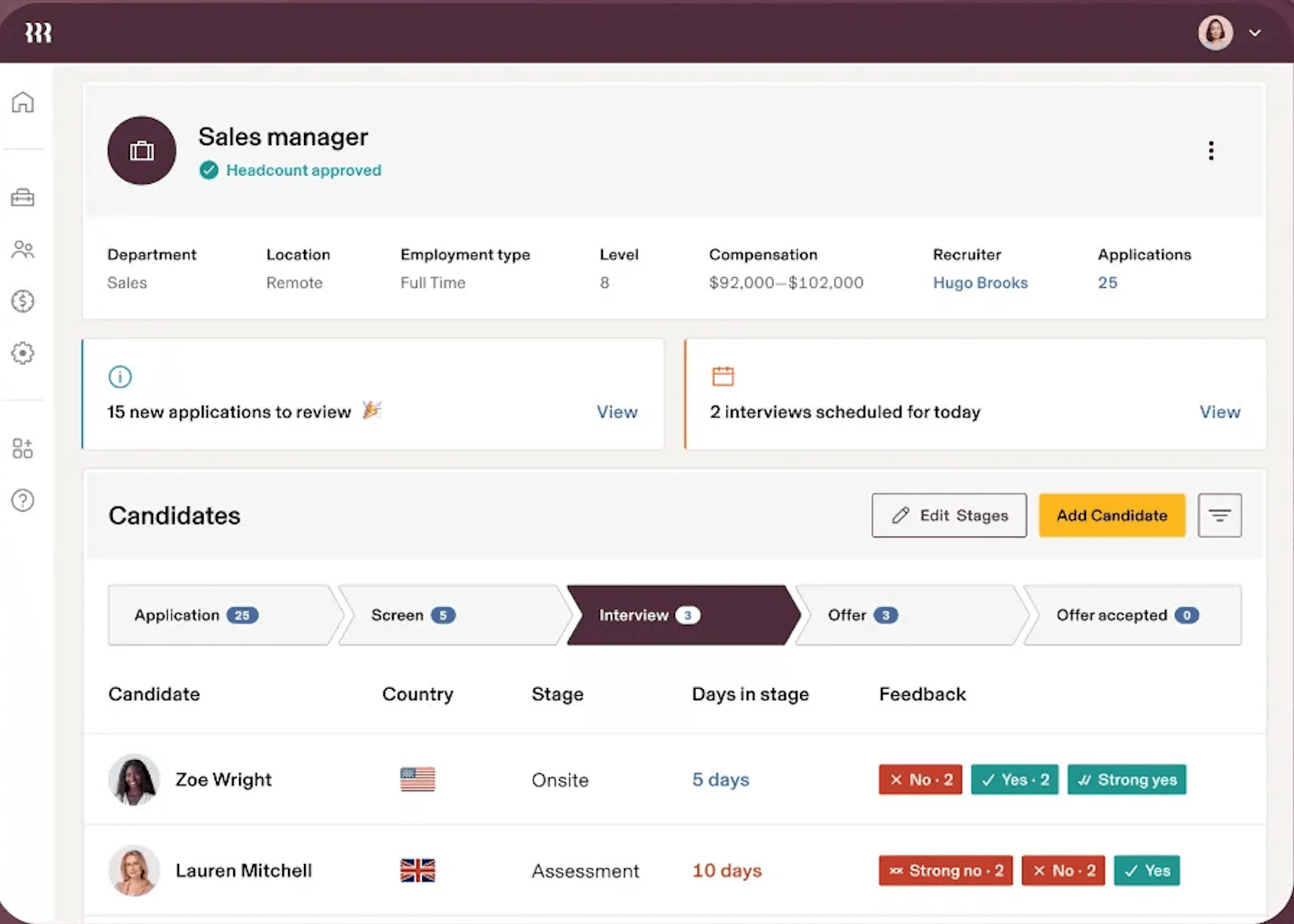
Best for: Growing businesses with a mix of salaried and hourly team members that want HR, IT, and payroll consolidated into one system
Rating: G2 4.8/5 · Capterra 4.9/5
Rippling combines HR, payroll, IT, and time tracking in one system. It's built for companies that want to manage team member devices, benefits, compliance, and time in a single place, and it's structured to scale as the business grows.
Key features:
- Time clock on web, mobile, and tablet
- Configurable overtime and PTO rules with automatic triggers
- Hours sync directly to payroll
- US and global payroll compliance
- Benefits and insurance administration
- IT management: device provisioning, app access, and offboarding workflows
- Employee lifecycle automation
Pricing: Rippling uses modular pricing — the Core platform is required, and each additional product is priced separately. Third-party listings show starting prices around $8/user/month, but the total depends on which modules are selected.
What users like: Users highlight the unified workspace connecting HR, IT device provisioning, automated compliance, and global payroll — particularly the reduction in cross-tool admin work as the business scales.
What users criticize: The complexity and cost exceed what single-location businesses with under 10 team members typically need. The modular pricing model can also make it difficult to forecast total monthly spend upfront.
Our take: Rippling is powerful, but it's priced and structured for companies growing past the small business stage. For a single-location team of 5–15 team members, it's more infrastructure than the situation needs. Worth a serious look if you're scaling beyond basic time tracking and starting to need benefits, HR automation, payroll, or device management — that's when the consolidation value becomes real.
8. Hubstaff
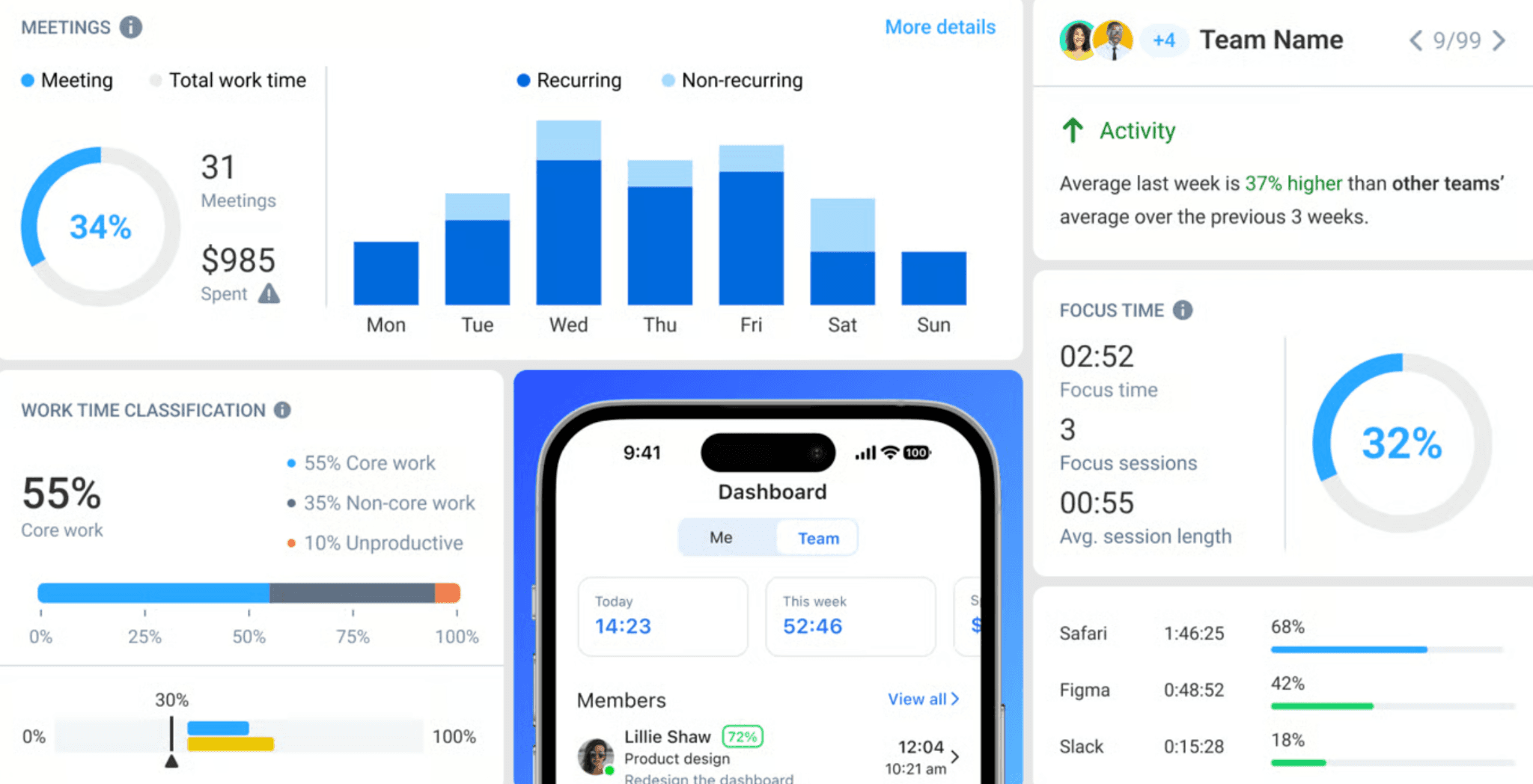
Best for: Remote and field teams that need GPS tracking and productivity monitoring
Rating: G2 4.6/5 · Capterra 4.8/5
Hubstaff is a time tracking tool built around GPS and remote team accountability. It tracks time, location, and on desktop, optional productivity metrics like activity levels. It's a common pick for field service businesses, construction crews, and remote teams that need real-time location visibility.
Key features:
- GPS tracking with real-time location map
- Mobile and desktop time clock
- Geofencing with automatic clock-in/out at job sites
- Scheduling and shift management
- Attendance tracking with overtime alerts
- Payroll integrations available on higher-tier plans (Gusto, QuickBooks, ADP, and others)
- Optional productivity tracking: activity rates and screenshots (desktop only)
Pricing: Free for 1 user only (individual freelancers — teams need a paid plan). Starter plans begin at approximately $4.99/user/month with a minimum of 2 users.
What users like: GPS map monitoring, automatic geofenced clock-in points, and field service tracking get strong marks in reviews — particularly the ability to see where team members are in real time without requiring them to manually clock in at each job site.
What users criticize: Desktop activity monitoring tools — screenshots and activity tracking — feel excessive or intrusive for standard hourly shift teams. Some users also note that the app can feel slow, certain features take time to understand, and pricing can feel high for small teams.
Our take: Hubstaff's GPS depth is its clearest differentiator. For a business where team members work across job sites — landscaping, HVAC, home services, construction — the real-time location map and automatic geofence clock-ins add meaningful accountability without requiring team members to remember to punch in. The productivity monitoring features are optional but worth disabling for hourly wage teams where they can create trust issues. For a single-location business where everyone works on-site, some of Hubstaff's GPS and productivity-monitoring capabilities may be more than you need.
What Small Business Owners Are Saying
When small-business owners discuss time tracking in forums and community threads, the conversation rarely starts with features. It starts with friction:
- Mobile clock-ins that employees actually use
- Hours that flow cleanly into payroll without manual cleanup
- Location tracking that works in the field without extra steps
- Easy enough for a new hire to figure out on their first shift
The frustration with Buddy Punch that shows up most often isn't with the time clock itself — it's with the add-on structure. Paying a scheduling fee on top of a per-user base, then realizing there's still no messaging and no payroll processing in the same place, creates the kind of fragmented admin burden that owners say consumes more time than the tool saves.
What owners tend to switch to
- When I Work comes up most often among teams that are scheduling-first
- -Homebase comes up most often among restaurant and retail owners who want one app to handle everything
- -OnTheClock comes up most often among owners who want the smallest possible monthly bill without sacrificing payroll accuracy
A few tool-specific patterns worth knowing before you decide:
- QuickBooks Time gets consistent praise for its accounting integration, but field teams that spend the day moving between job sites report friction with the mobile workflow
- Clockify's free tier attracts users looking for a zero-cost entry point, but recent forum discussions reflect dissatisfaction among users who built workflows around features that were later moved to paid plans — verify exactly what's included before committing
- Connecteam consistently earns strong reviews from field and frontline teams that need GPS, payroll-ready workflows, and operations management in one place, while single-location businesses that only need a basic punch clock often find it more system than the job calls for
Frequently Asked Questions About Buddy Punch Alternatives
What Is the Best Free Alternative to Buddy Punch?
Homebase is the strongest free option for small hourly teams. Its Basic plan is free for one location and up to 10 team members and includes scheduling, time tracking, team messaging, and POS integration — with no expiration. OnTheClock also offers a free tier for up to 2 team members.
Is There a Buddy Punch Alternative With No Per-User Fees?
Yes. Homebase's core plans charge by location rather than per employee, so adding team members doesn't increase your base subscription. Payroll is an additional $39/month + $6 per paid employee. Connecteam charges a flat rate for the first 30 users on its paid Operations hub plans.
What Does Buddy Punch Cost per Month?
Buddy Punch's base plan starts at $19/month plus $4.99/user/month on annual billing (or $5.99/user/month monthly). Scheduling can be added to Starter for $1/user/month, or you can choose Pro at $19/month plus $6.99/user/month, where scheduling is included. Payroll processing is a separate add-on at $49/month base plus $8/user/month. There is no permanent free plan — only a 14-day free trial.
Does Buddy Punch Have a Free Plan?
No. Buddy Punch offers a 14-day free trial but no ongoing free tier. For small teams that need a permanent free option, Homebase covers scheduling, time tracking, and team messaging for up to 10 team members at one location at no cost. OnTheClock covers up to 2 team members for free.
Which Buddy Punch Alternative Is Best for Restaurants?
Homebase is built for hourly teams in food service: scheduling, time tracking, team messaging, and tip management are all in one app, with POS integrations for common restaurant systems. Deputy is also a strong option for restaurants in states with strict break compliance requirements.
Can I Switch From Buddy Punch Without Losing My Time Data?
Before switching, confirm what data you can export from Buddy Punch and whether your new provider supports importing historical records. Historical payroll data may require a separate migration process. Check Buddy Punch's export documentation and confirm data import capabilities with your new provider before committing.
Finding the Right Time Tracking Fit for Your Team
Buddy Punch is a solid time clock. If all you need is precise punch tracking and strong anti-fraud features, it delivers. But small business owners who need scheduling included by default, team communication, payroll, or hiring in the same place will keep running into its limits.
Juggling time tracking, scheduling, and payroll across three separate tools takes time a small business owner doesn't have. One app that handles all of it and scales with your team is the better bet. Start free with Homebase