

SMALL BUSINESS INTEL, IN YOUR INBOX
Table of contents
The schedule is set. Coverage looks solid. You head out, and by the time you're back, half the opening tasks never got done.
That's the gap retail task management software is built to close. Scheduling tells you who's working. An employee task management tool tells you what each person is supposed to do on their shift, and whether they actually did it. Paper checklists and group texts can't answer that question. A task assigned to a thread is a task waiting to disappear.
This guide covers seven retail task management software options for 2026, each with verified pricing, G2 and Capterra ratings, and an honest take on what each one does well and where it falls short. Whether you're searching for the best task management software for retail stores or just a simple way to keep your team on track, this list covers the range.

Our Top Retail Task Management Software Picks at a Glance
Looking for the best retail software for small business, or the best software for retailers more broadly? Here's the short version:
- Best for small hourly retail teams: Homebase. Free scheduling and time tracking; Task Manager add-on at $13/month per location.
- Best for large multi-site retailers: YOOBIC. Mobile-first tool built for managing tasks and displays across a lot of stores.
- Best for flexible project management: Asana. Works for retail teams willing to set it up themselves, with a real free plan.
- Best for deskless teams on a budget: Connecteam. Free for up to 10 users, with task checklists, scheduling, and mobile messaging in one app.
- Best for enterprise retail operations: Zipline. Built for chains that need to push tasks from ownership down to every store and see what got done.
- Best for scheduling-first retail teams: When I Work. Simple, mobile-friendly scheduling with basic task management built in.
- Best for global enterprise retail: Zebra Workcloud Task Management. Purpose-built for retailers managing thousands of locations worldwide.
Why Trust Homebase's Retail Task Management Software Guide
We work with thousands of small retail owners. A lot of them still run their opening checklist off a whiteboard that gets erased every morning, or fire off tasks in a group chat that everyone's already muted. We know where those systems break: at shift changes, when no one's sure who owns what, and when something gets skipped because nobody was watching.
We also know the difference between a task tool built for an office and one built for a team that's on their feet, clocking in at 9am and handing off to someone new at 5pm.
How We Chose These Retail Task Management Tools
We looked at retail task management software and retail shop management tools people actually use, pulled ratings straight from live G2 and Capterra pages, and verified every pricing number before publishing. Here's what we scored each tool on:
Shift-based task assignment. Can you tie tasks to who's working, not just who has a login? If a tool sends tasks to "the team" without connecting to the schedule, it's guessing.
Recurring checklist templates. Your opening tasks are the same today as they were yesterday. The right tool handles recurring lists without a manager rebuilding them from scratch every morning.
Mobile-first usability for floor teams. Your team isn't at a desk. If completing a task means finding a back-office computer, it won't happen reliably.
Photo verification. A completed checklist with no proof doesn't help you. We noted which tools require a photo to confirm completion and which just accept a tap.
Pricing transparency. If a tool makes you call sales to get a number, we said so. Everything listed was pulled from each tool's live pricing page.
Scheduling integration. Task management doesn't live in isolation from your schedule. A 2025 Logile survey found that 77% of retail workers say their store regularly loses sales due to poor scheduling or staffing decisions. A task tool that doesn't connect to your schedule is solving the wrong problem. We gave extra weight to tools that tie task assignment to who's actually working that shift.
How the Top Three Retail Task Management Tools Compare
| Homebase | YOOBIC | Asana | |
|---|---|---|---|
| Best for | Small hourly retail teams (1–5 locations) | Large multi-site retailers | Flexible retail project management |
| Starting price | Free; Task Manager add-on $13/mo per location | Contact sales | Free; paid from $10.99/user/month |
| Free tier | Yes (scheduling + time tracking, up to 10 employees) | No | Yes (up to 2 users for new accounts) |
| Mobile app | Yes (full iOS + Android) | Yes, mobile-first | Yes |
| Scheduling integration | Yes, native | Limited | No |
| Recurring checklists | Yes, via Task Manager add-on | Yes | Yes (Starter plan and above) |
How Homebase Fits Into the Retail Task Management Software Picture
We built this for retail owners running one to five locations with hourly, shift-based teams who are already using some form of retail scheduling software. We're not the right fit for a 500-store chain shopping for enterprise tools.
The thing that sets us apart from every other tool on this list: tasks live inside the same app your team already uses to check their schedule, clock in, and message each other. That's not just a convenience. When hourly employees have to open a second app to see their task list, that task list stops getting checked. One app means one less reason for things to fall through.
That said, we're not the right call for retailers managing 200-plus locations who need to push tasks and communications across dozens of locations at once. Our task manager handles recurring checklists and shift-level accountability well. We're not an enterprise operations tool.
Pricing is simple: Task Manager is $13/month per location, on top of whatever plan you're on. YOOBIC and Zipline don't list pricing publicly. For a small retailer trying to make a budget call, that difference matters.
Best Retail Task Management Software for 2026
1. Homebase: best retail task management app for small teams.
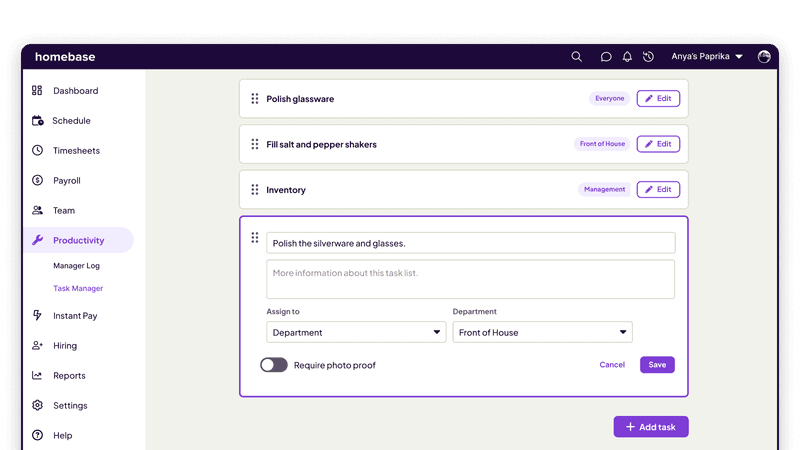
Best for: Small retail teams (1–200 employees) that want task management tied to the scheduling and time tracking they're already using.
The Homebase Task Manager add-on lets managers build recurring checklists for any shift, require a photo to confirm tasks are done, and see completion status across the whole team, all inside the app your team already uses to clock in and check their schedule. No extra app. No new login.
Key features:
- Task Manager: Build recurring checklists for opens, closes, or any shift-based task. Require photo proof of completion and track who did what, when
- Shift notes: Leave instructions on specific shifts so your team sees them the moment they clock in
- Team messaging with read receipts: Send updates to the whole team and know who's actually seen them
- Manager log: Keep shift-to-shift notes in one place so nothing falls through at handoff
- Scheduling and retail time tracking integration: Tasks connect to who's scheduled, not just who has an account
Pricing (verified October 14, 2026):
- Basic: Free per location (up to 10 employees)
- Essentials: $30/month per location
- Plus: $70/month per location (currently includes six months free when adding payroll, limited-time offer; verify at joinhomebase.com/pricing)
- All-in-One: $120/month per location
- Task Manager add-on: $13/month per location (available on any plan)
What users like:
- A restaurant CEO on Capterra calls out the checklist features specifically, writing that the app "provides checklist, and task reducing making communication easy." (Stenie O., Capterra, March 2026)
- A multi-location operator on G2 notes that creating schedules, copying shifts, and communicating changes "all save us a significant amount of administrative time." (Erin T., G2, September 2026)
What users criticize:
- Each location operates independently, so accounts don't communicate across locations or LLCs. "It creates a lot of duplicate work." (Erin T., G2, September 2026)
- Feature gating is a recurring frustration: "more useful features are only available on the paid plans," especially once teams outgrow the free tier. (Janna P., Capterra, November 2025)
"I wanted to give my employees a centralized professional platform to communicate. Just having a place they can access so that we're all on the same page when it comes to scheduling and requesting time off, and even messaging each other." Primo Stropoli, Owner, Tetta's Market
Our take: Our task manager isn't the most feature-rich standalone tool on this list. But ours lives inside the app your team already opens every day for scheduling and time tracking. For a small retail store, that context is hard to replicate by adding a separate tool. If your team tracks opening and closing tasks over group text, our task manager turns those into shift-level checklists. No separate onboarding, no new app to explain. Learn more about our task manager.
2. YOOBIC: retail operations and task management for multi-site chains.
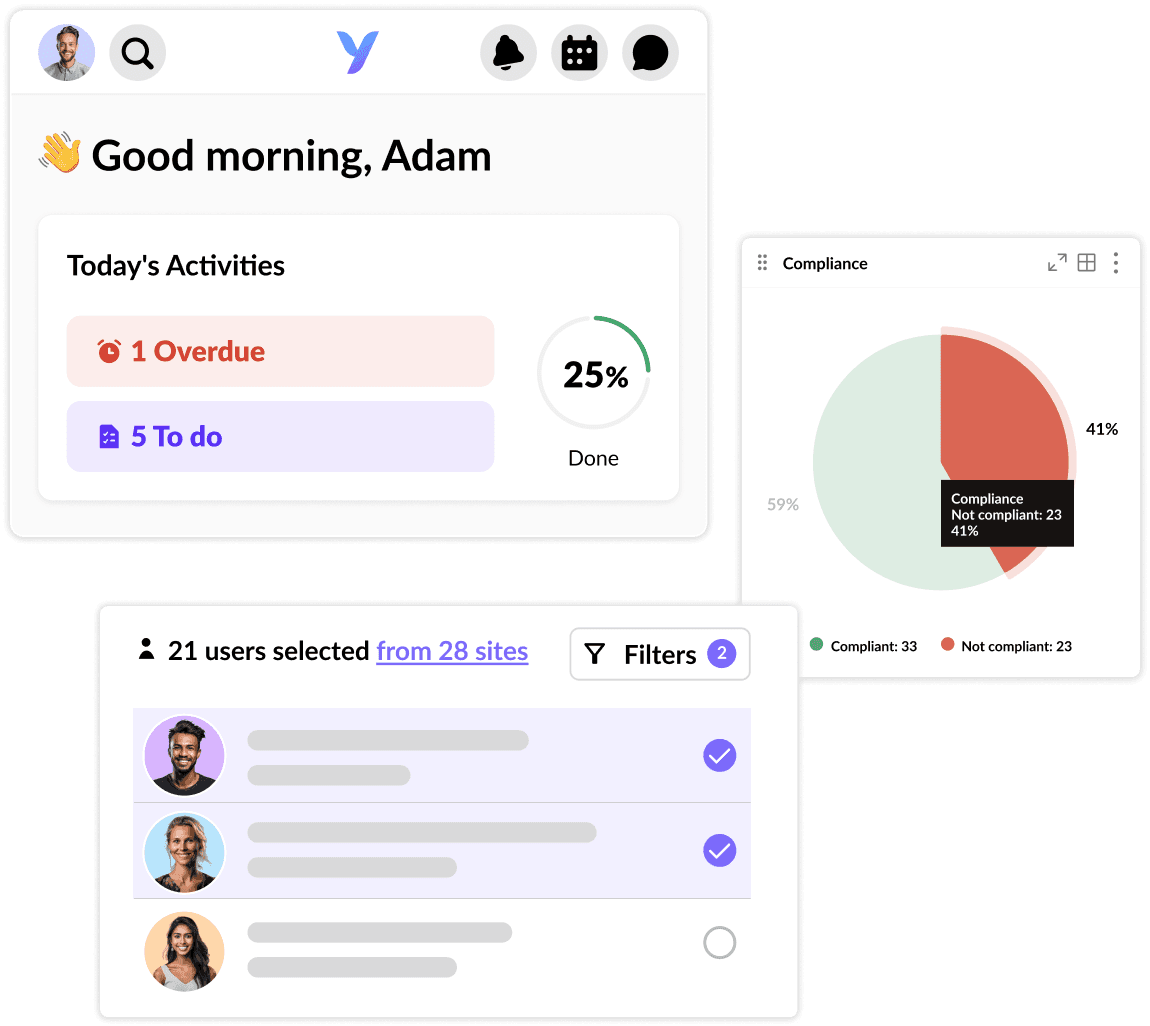
Best for: Mid-to-large retail chains (50+ locations) that need task management, team training, and store operations all in one place.
Rating: G2 4.6/5 (410 reviews) · Capterra 4.3/5 (68 reviews)
YOOBIC is a retail operations tool trusted by 350-plus retail brands. It brings task management, frontline communications, and employee training together in one mobile-first app. It started as a store execution tool and has grown to include team training and location-level reporting.
Key features:
- Task management with photo examples, video instructions, and step-by-step visual guides
- Visual merchandising tracking across locations, so you can see if displays were set up the right way
- Mobile-first messaging so store teams stay in sync
- Employee training content built into the same app
- Analytics and reporting across all locations
- Preview how messages and tasks will look to your stores before sending
Pricing: Contact sales
What users like:
- A Retail Excellence and Operations Manager says it centralizes "most retail topics in one tool: VM, maintenance, orders, training, and communication," and that "follow-up becomes much simpler" when everything is in one place. (Victoire V., G2, July 2026)
- A Store Manager Flagship credits it with giving stores and central services a single communication channel, naming visual merchandising, marketing campaign review, and space planning as concrete wins. (Ramon R., G2, July 2026)
What users criticize:
- New users can feel overwhelmed. Some stores end up sharing a single account because the multi-account structure isn't intuitive, so fewer people end up using it actively. (Victoire V., G2, July 2026)
- The analytics section is "quite complex" and takes more training than most frontline teams can absorb quickly. (Faustine M., G2, July 2026)
Our take: YOOBIC is built for retailers running 50-plus locations who need one tool for tasks, training, and communications across every store. If you're running a few locations, it's more than you need and the price tag will feel like it. If you're running 50 or more, it's worth a conversation.
3. Asana: flexible retail task management for project-based teams.
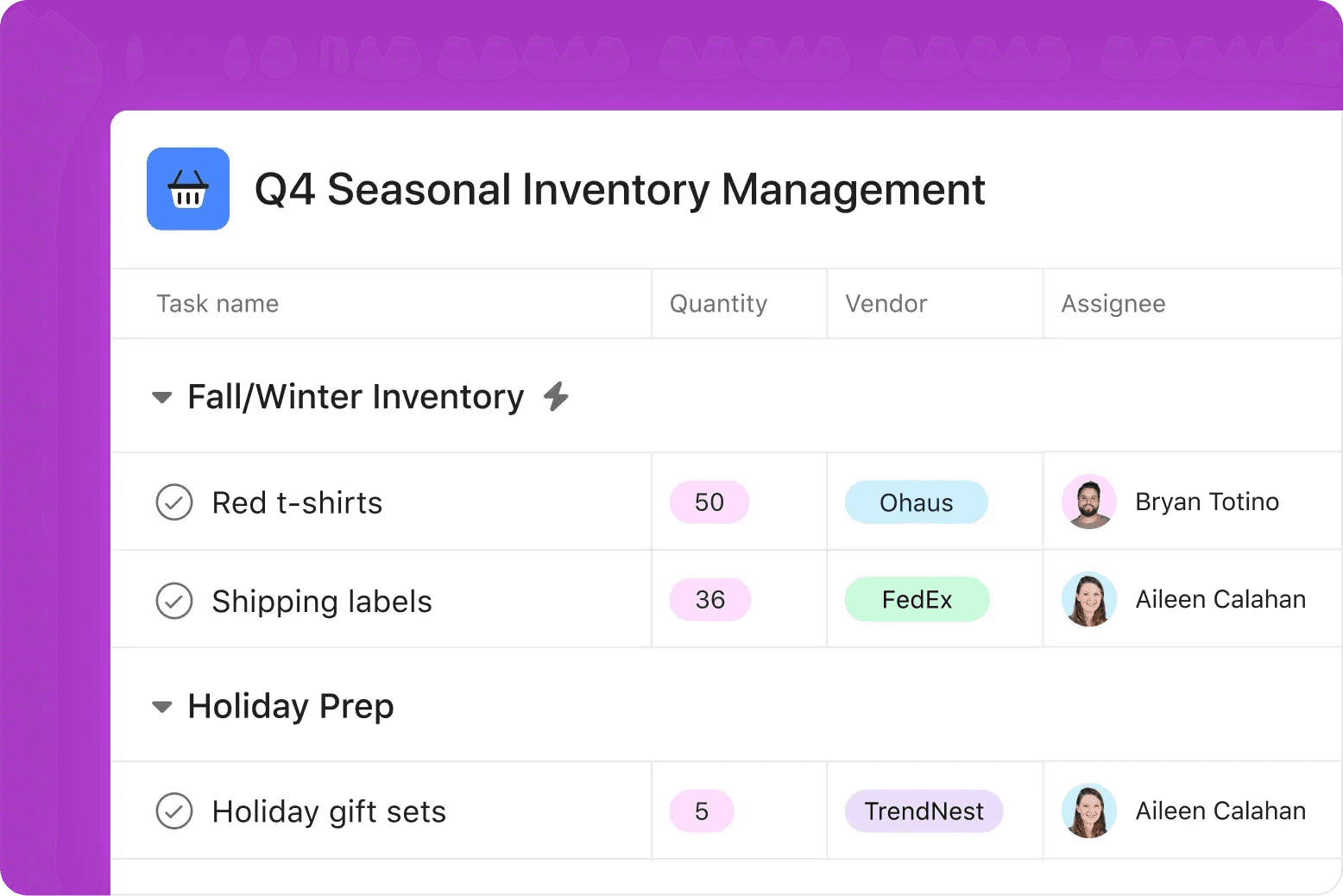
Best for: Small retail teams (under 50 employees) that want flexible, project-based task management and don't need shift-specific assignment or photo verification.
Asana is a general project management tool, not built for retail, but easy to adapt to it. Small retail teams use it for promotional rollout planning, store project tracking, and one-off coordination. It's at its best when tasks are tied to projects, not shifts.
Key features:
- Task assignment with deadlines, priorities, and custom fields
- Recurring task support (Starter plan and above)
- Multiple views: list, board, timeline, and calendar
- Automation for repetitive steps, no coding required
- 100-plus integrations including Slack and Google Workspace
Pricing:
- Personal (free): Up to 2 users for accounts created after November 12, 2025; accounts created before that date retain up to 10 users. Unlimited tasks.
- Starter: $10.99/user/month billed annually
- Advanced: $24.99/user/month billed annually
What users like:
- An Operations Coordinator highlights recurring tasks: "I like the fact that you can make tasks recurring in Asana, and you can also set milestones and goals... Asana serves as our tool for tracking everything that's happening within all departments and stakeholders." (Amanda T., G2, March 2026)
- An HR manager on Capterra describes "an intuitive dashboard with great reporting capabilities so we are able to track workloads and spot bottlenecks in real-time." (Reyes G., Capterra)
What users criticize:
- Notifications are the most common complaint: "Too many email notifications unless you turn them off," and most new users won't configure that at setup. (Doug L., Capterra)
- Automation behavior is inconsistent across task and project levels, which gets frustrating when you're trying to build standardized recurring workflows. (Sam B., G2, October 2026)
Our take: Asana handles seasonal rollouts, promotional campaigns, and one-off store projects well. Where it struggles is recurring daily checklists tied to whoever's working a specific shift. That requires manual management the tool wasn't designed for. And the per-user pricing stacks up fast once you grow past 10 people.
4. Connecteam: retail task management and scheduling on a budget.
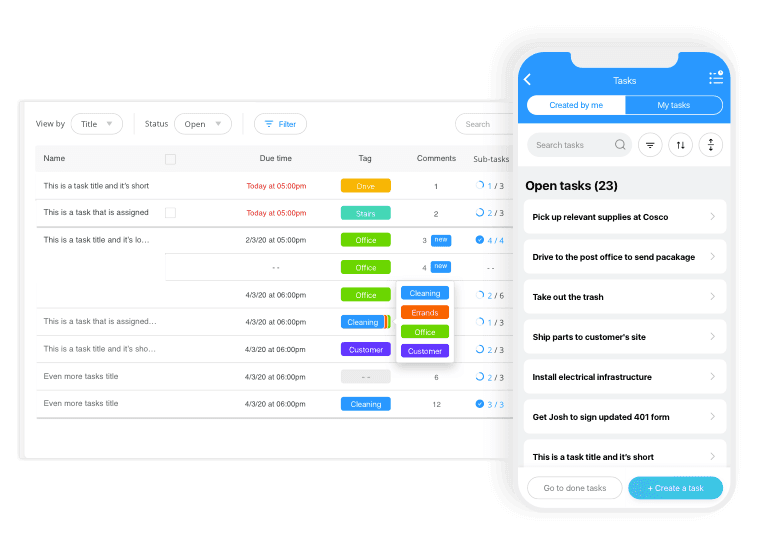
Best for: Small-to-mid retail businesses with deskless teams that need task checklists, scheduling, and team communication without a per-user price jump past 30 people.
Connecteam is built for teams that don't sit at desks: retail stores, field crews, cleaning teams. It rolls scheduling, time tracking, task management, messaging, training, and HR into one mobile app. Task checklists and forms live in a dedicated hub, with recurring tasks, automated reminders, and a clear record of what got done.
Key features:
- Unlimited task checklists and forms (Operations Basic and above)
- Recurring tasks with automated reminders
- Scheduling and shift management
- Team messaging and announcements
- GPS time clock that confirms your team is actually on-site when they clock in
- Photo sharing so managers can see completed tasks in the moment
Pricing:
- Free: Up to 10 users (no credit card, no expiration)
- Operations Basic: $29/month annually for first 30 users; $0.80/additional user/month
- Operations Advanced: $49/month annually for first 30 users
- Operations Expert: $99/month annually for first 30 users
These prices apply to the Operations Hub only. Communications and HR & Skills hubs are each priced separately at the same tier rates, so businesses that need all three pay accordingly.
What users like:
- A practice owner on Capterra writes that "built-in checklists, forms, and task management helped streamline daily operations and compliance," calling the pricing "a good fit for small-to-mid sized businesses." (Adam B., Capterra, March 2026)
- An HR manager on G2 says scheduling, time tracking, and communication are "all in one place, so nothing slips through the cracks. It feels like it's designed for real people doing the work, not just for managers." (Vakula C., G2, January 2026)
What users criticize:
- Once a team grows past 10 people, the pricing jumps. One owner says the cost became "not feasible" with no good middle-ground option. (Verified User in Construction, G2, May 2026)
- There's no way to set permanent recurring schedules, so managers have to copy the same schedule week to week. A real friction point for retail. (Denise H., Capterra, April 2026)
Our take: Connecteam is a solid pick for small retail teams watching their budget. The free plan is real: no credit card, no cutoff date. Operations Basic handles most core task management needs. Just know that the pricing structure rewards smaller teams, and it gets complicated once you grow beyond 10 users or need features from more than one hub.
5. Zipline: retail operations and task management for large chains.
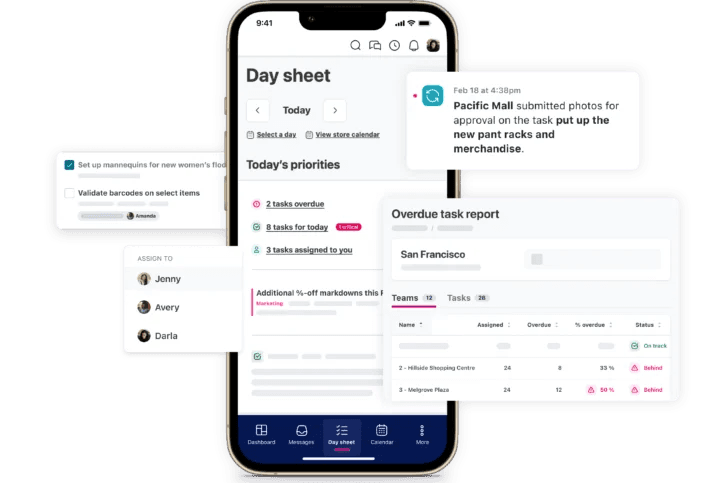
Best for: Multi-location retail businesses (100+ stores) that need to push tasks from ownership down to every store and confirm what got done.
Rating: G2 4.8/5 (149 reviews) · Capterra: Not listed
Zipline connects ownership, area managers, and store teams in one place for task management and communications. It's built for national chains with hundreds of locations. The 2026 G2 Best Software Awards named it a top Commerce Software product.
Key features:
- Assign tasks from ownership down to every store, see who read what, and require photos of completed work
- Internal communications with read receipts
- Training materials built into the same tool
- Built-in search and an AI assistant called Zippy that helps store teams find answers fast
- Reporting on how each store is performing against its tasks
Pricing: Contact sales. Reviewers note that some reporting features cost extra beyond the base subscription.
What users like:
- One reviewer sums up the value: Zipline gives you "a way to communicate clear direction, task assignment and task follow-up" in one place. (Verified User in Retail, G2, July 2026)
- A retail operations manager calls photo task validation "a game changer" for confirming tasks are done correctly, and says message readership tracking makes it easier to spot where store teams need support. (Verified User in Retail, G2, July 2026)
What users criticize:
- Reporting is the most consistent frustration: pulling reports and building automations "can still be a manual process, which adds administrative work." (Kandice C., G2, July 2026)
- More detailed reporting features come with added cost beyond the base subscription. (Verified User in Retail, G2, July 2026)
Our take: Zipline holds the highest G2 rating on this list (4.8/5), and its reviews are consistent. It's built for multi-location retailers with 50 stores or more. If that's you, it's worth a demo. If you're running one, two, or five locations, the scope and price will feel like too much.
6. When I Work: retail scheduling with basic task management built in.
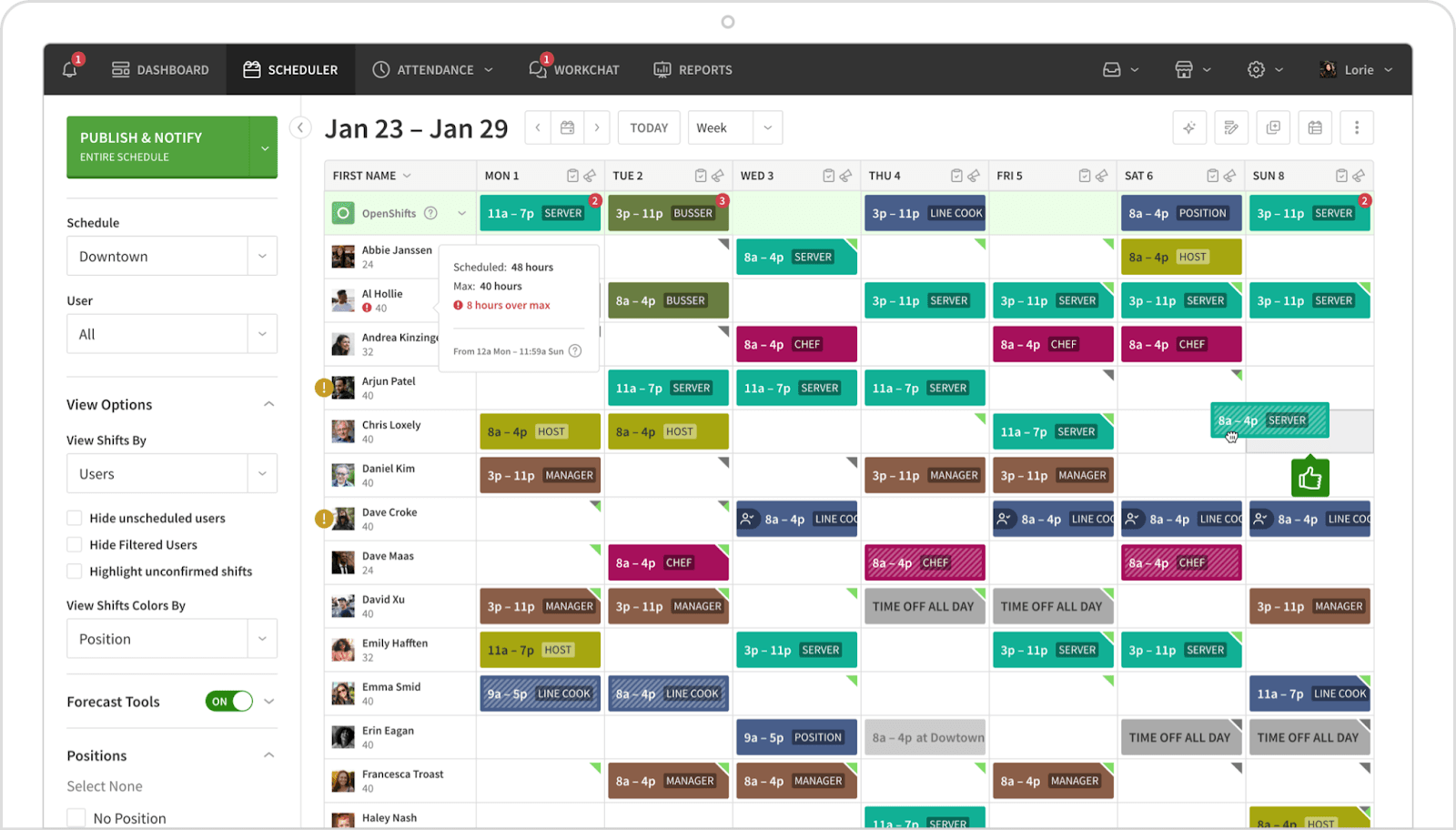
Best for: Small retail teams that want simple scheduling with basic task management tied to shift coverage.
When I Work is primarily an employee scheduling and time tracking tool. Task management is there, but it's a supporting feature, not the headliner. It's popular with retail stores, restaurants, and service businesses that need clean, mobile-friendly scheduling and basic team messaging.
Key features:
- Employee scheduling with templates and drag-and-drop
- Time tracking and attendance
- Shift swapping and open shift claiming
- Team messaging and announcements
- Basic task assignment tied to shifts
Pricing (per user/month, month-to-month):
- Essentials: $2.50/user (scheduling only); $4.00/user with time tracking
- Pro: $5.00/user (scheduling only); $7.00/user with time tracking
- Premium: $8.00/user (scheduling only); $10.00/user with time tracking
What users like:
- One salon director calls the scheduling templates "quick and easy" and the shift swap feature "very helpful in a retail/tanning/wellness salon environment." (Danielle T., G2, September 2026)
- An accounts coordinator says it "has been a time saver that allows our management staff to be on the floor instead of tied to the office." (Amy R., Capterra, April 2026)
What users criticize:
- One IT administrator is direct about the ceiling: "If you have a simple scheduling workflow, it's great. Once you need something more, it's not going to be a complete solution." (Jonathan R., Capterra, February 2026)
- Reporting and integrations are "not as developed as in more complex systems," and notifications pile up fast without manual configuration. (MrElonElon U., Capterra, April 2026)
Our take: When I Work is the right call when your biggest problem is scheduling and task management is a nice-to-have. If you need recurring checklists, photo verification, or real visibility into what got done on a shift, you'll outgrow it quickly.
7. Zebra Workcloud Task Management.
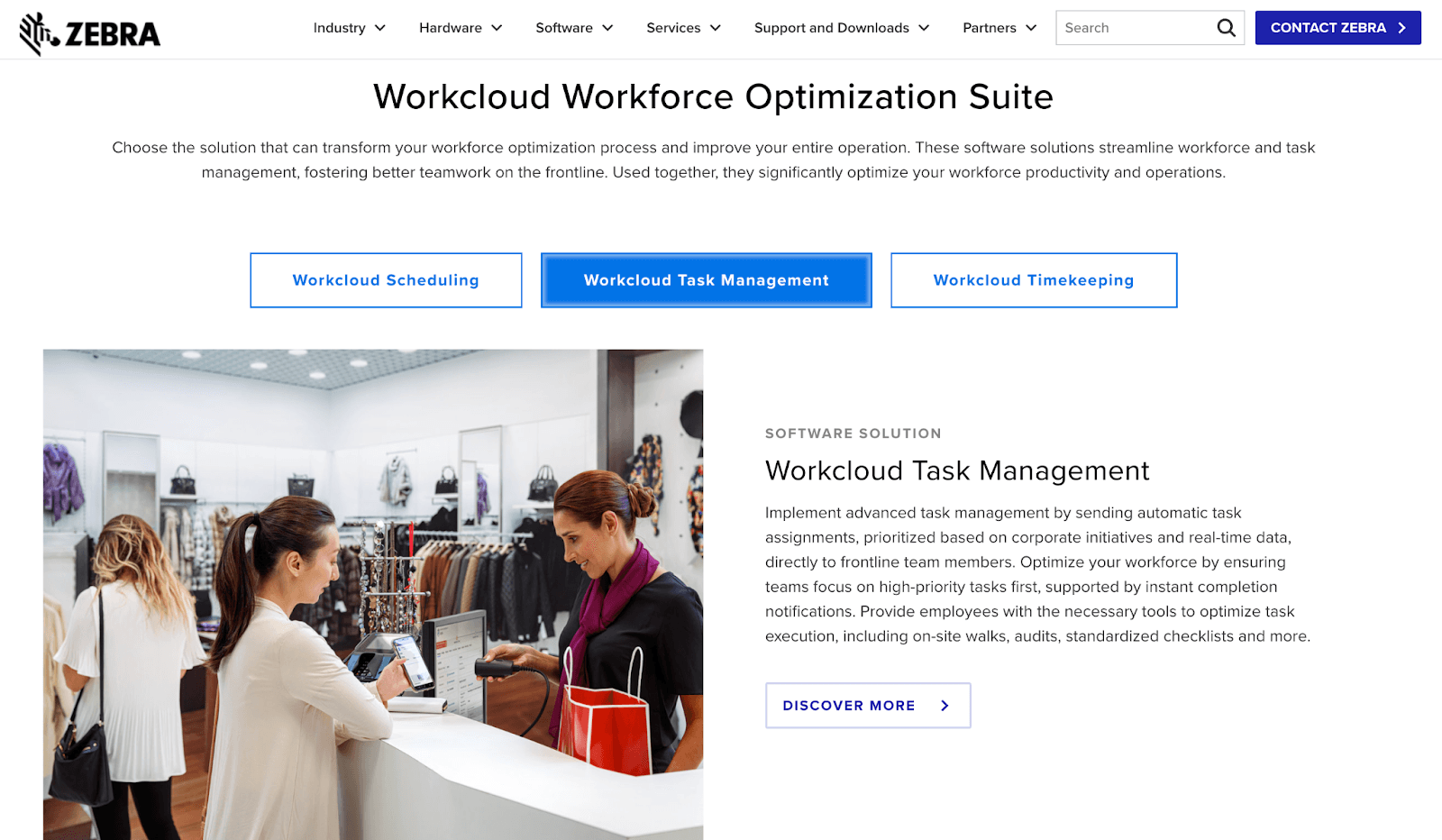
Best for: Very large retail operations (500+ locations) with full teams dedicated to making sure every store runs the same way.
Rating: G2 4.1/5 (14 reviews) · Capterra: Not listed
Zebra Workcloud Task Management (formerly Reflexis) is the enterprise market leader in retail task management and retail information systems. Zebra's own 2025 Shopper Study found that 88% of store associates globally report challenges getting timely information or assistance on the job, which is the exact problem this tool is designed to fix. Used in 60-plus countries, it's part of Zebra Technologies' broader operations suite covering scheduling, labor forecasting, and store operations analytics.
Key features:
- Tasks automatically assigned to the right person based on their role and shift
- Labor forecasting tied to what actually got done on the floor
- Real-time analytics and reporting across all locations
- Built-in compliance tracking so stores stay on the right side of labor requirements
- Designed to run on Zebra handheld devices and tablets (the kind you see at large retailers)
- Available in 50-plus languages
Pricing: Contact Zebra Technologies sales
What users like:
- A store operations analyst puts it plainly: being able to "prioritize and define daily tasks for our front line workers that aligns with the company's focus and messaging" so the team "knows what work is expected of them." (Shannon G., G2, September 2025)
- A second enterprise reviewer names photo verification of task completion as the most useful day-to-day capability. (Verified User in Retail, G2, September 2025)
What users criticize:
- Modules are expensive, and central configuration is harder than it should be. (Radhika I., G2, September 2025)
- It takes meaningful time before new users understand what they're doing inside the app. (Verified User in Food and Beverages, G2, 2021)
Our take: Zebra Workcloud is built for very large retailers with full operations teams running the implementation. If you're running a handful of stores, this isn't the tool for you, and that's fine. It's on this list because some readers comparing options at scale deserve to know what's out there.
Finding the Right Retail Task Management Tool for Your Store
Most people reading this are running one store, maybe a few. You're not evaluating retail task management software for a 500-location chain. You need something your team will actually open, that works on the floor, and that doesn't take a month to set up.
For most small retail owners, the decision comes down to one question: do your tasks need to connect to who's actually working that shift? If yes, you need a tool built around your schedule, not one that lives next to it. That's where Homebase fits best.
"It's hard to put a number on it, but I'm saving hundreds of hours. Once you include all the little things I could get sucked into that Homebase is just taking care of, it's saving me a whole lot of time." Primo Stropoli, Owner, Tetta's Market
The Homebase free plan covers scheduling and time tracking for up to 10 employees. The Task Manager add-on is $13/month per location. Ready to see what actually got done on last night's shift without making a single phone call? Start free today.
FAQs About Retail Task Management Software
What is retail task management software used for?
Retail task management software gives managers a way to assign tasks to specific shifts, confirm whether they got done, and keep a record of it without being on-site for every handoff. Common uses include opening and closing checklists, promotional resets, safety checks, and making sure displays are set up the way they're supposed to be.
What software do retail stores use to manage daily tasks?
Task management for retail stores usually starts with whatever scheduling app the owner already uses. Small stores often go with Homebase or When I Work, where task tracking is built into the scheduling tool. For chains running more locations, tools like YOOBIC or Zipline are built specifically for that kind of work.
Is retail task management software worth it for small stores?
Retail task management software pays off quickly for most small stores, especially when the current system (paper, group text, verbal handoff) is causing missed tasks or inconsistency. Every tool on this list offers a free plan or a low starting price, so there's not much to lose by giving one a try.
What's the best free retail task management app?
The best free retail task management options are Homebase and Connecteam. Both offer real free plans with no expiration and no credit card required.
Homebase's free plan covers scheduling and time tracking for up to 10 employees, with task management available for $13/month per location. Connecteam covers basic checklists for teams up to 10 at no cost.
Does Microsoft Office have a task management tool for retail?
Microsoft Planner and Microsoft To Do are Microsoft's task management options, and they work fine for basic lists and team coordination. Neither is built for shift-based retail work: no scheduling connection, no photo verification, and no recurring retail checklist tied to who's actually working.