6 Gusto Alternatives for Small Businesses With Hourly Teams


SMALL BUSINESS INTEL, IN YOUR INBOX
Table of contents
If you're searching for Gusto alternatives, something has probably broken down. Maybe it's the bill: $49 a month plus $6 per person adds up fast when your team size fluctuates.
Maybe it's the workflow: your hours still live in a separate time clock that doesn't talk to Gusto automatically. Or maybe it's the support, and you've found yourself describing the same unresolved payroll error to three different agents.
This guide covers six Gusto alternatives and Gusto competitors built for small businesses with hourly teams, with verified pricing, real G2 and Capterra ratings, and honest trade-offs on every option.
The Best Gusto Alternatives for Small Business Payroll at a Glance
The best Gusto alternatives for small businesses with hourly teams fall into three categories: all-in-one tools that include scheduling and time tracking alongside payroll, standalone payroll tools with flat-rate pricing, and enterprise platforms for businesses scaling past 25 employees. Here's how they compare at a glance.
- Homebase — best all-in-one: scheduling, time tracking, and payroll in one app; free plan available; $49/month + $6/employee for payroll add-on
- OnPay — best standalone payroll with responsive support; flat $49/month + $6/employee; G2: 4.8/5 (#1 in Summer 2026 G2 payroll results)
- Patriot Payroll — best budget payroll; $37/month + $5/employee full service; G2: 4.8/5
- Square Payroll — best for teams already on Square POS; $35/month + $6/employee; tips and POS data pull into payroll automatically
- ADP Run — best for compliance and scalability; quote-based pricing; G2: 4.6/5; #1 G2 small-business payroll leader, Winter and Summer 2026
- Rippling — best for teams that also need IT and HR automation; starts at $8/user/month + $40/month base fee (annual billing); contact for full quote; G2: 4.8/5 (16,000+ reviews)
What Is Gusto Payroll and Who Is It For?
Gusto is a full-service payroll, benefits, and HR tool built primarily for salaried, office-based teams. It automates federal, state, and local tax filings, handles W-2 and 1099 distribution, and offers onboarding tools in one interface. Health insurance administration and 401(k) are available through partner integrations.
Related products include Gusto Embedded Payroll (for software platforms) and a Contractor-Only plan for businesses without W-2 employees.
Gusto's sweet spot is a 5–50-person business with a mix of salaried and hourly employees, someone on the team managing HR, and a genuine need for benefits administration alongside payroll. If that's you, Gusto probably earns its cost. See current Gusto pricing to verify.
Why Look for a Gusto Alternative?
Gusto earns its reputation: 4.6/5 on both G2 and Capterra with over 12,000 reviews combined as of July 2026. But the reviews that explain why people switch tell a different story. Here are the patterns.
1. Scheduling and time tracking cost extra, or don't exist on the base plan. Gusto's Simple plan is payroll-only: $49/month plus $6 per employee. Time tracking with scheduling requires the Plus plan at $80/month + $12/employee, or a separate subscription.
For an hourly team where clock-in accuracy directly affects payroll accuracy, this separation creates a real cost: you're paying for two systems to do one job.
2. Per-employee pricing scales with headcount, not with your revenue. At $6/employee/month, a 20-person hourly team on the Simple plan pays $169/month. Add seasonal hires and that number jumps automatically, regardless of whether the business is profitable enough to absorb it.
Under FICA (IRS Publication 15), employer payroll tax obligations apply per employee, per pay period, so per-employee pricing in payroll software mirrors the same cost structure your tax burden follows. Tools that charge per location instead let you absorb headcount changes without your software bill jumping alongside them.
3. Support quality breaks down when things go wrong. On Reddit, business owners frequently cite support failures as the final straw: missed tax filings, enrollment errors, and tickets closed without resolution are common themes in the r/smallbusiness Gusto alternatives thread. When something breaks on payday, slow resolution is a business risk.
Paying for a payroll tool that creates more problems than it solves is a cost that doesn't show up on your invoice. When clock-in, timesheets, and payroll all live in the same place, the gaps where errors happen disappear. See how Homebase Payroll works →

Why Trust This Gusto Alternatives Guide
We're Homebase, and payroll is one of the areas where we talk to small business owners the most, often after something has gone wrong.
That's not a knock on Gusto. It genuinely works well for a certain type of business. But it does mean we know what separates a good Gusto alternative from one that trades one problem for another.
We ranked Homebase first because it's the strongest fit for most hourly-team businesses comparing this category, specifically because it connects scheduling, time tracking, and payroll in one workflow rather than across separate tools. Every other tool was evaluated on its own merits: verified ratings, live pricing, and real user feedback. We don't accept payment or backlinks for mentions.
"Homebase has made my life very simple." — Roberto Bustillos, Co-Owner, Lombard Doggy Daycare Read the full story →
How We Chose the Best Gusto Alternatives
Switching to a Gusto alternative is a bigger decision than switching a scheduling app. Errors have real consequences, and migration takes time. We evaluated each tool against the criteria that matter most when you're running an hourly team and considering a move.
- Verified pricing: Pulled directly from each vendor's live pricing page as of August 2026. Per-employee vs. per-location pricing models are flagged explicitly because the structure changes your real cost as headcount shifts.
- G2 and Capterra ratings: Sourced directly from each product's review page, with review count alongside the star rating. We don't use comparison page summaries.
- Payroll completeness: Does it handle federal, state, and local tax filing? Direct deposit? W-2 and 1099 distribution? Or does it require a separate integration to close the loop?
- Time tracking integration: Does the tool connect to a time clock natively, or do hours still require a manual export before every pay run? For hourly teams, this step is where most payroll errors originate.
- Small business fit: Every tool was assessed for teams under 100 employees, with emphasis on single-location and multi-location hourly operations — not mid-market HR suites that happen to include payroll.
- Support quality: We weighted user sentiment around support during payroll emergencies specifically, not just general satisfaction scores.
For more on how we review tools, see our methodology. For a broader look at the payroll software category, see our payroll software for small business guide.
Gusto Alternatives Compared
| Gusto | Homebase | OnPay | Patriot Payroll | Square Payroll | ADP Run | |
|---|---|---|---|---|---|---|
| Starting price | $49/mo + $6/employee | $49/month + $6/employee (payroll add-on) | $49/mo + $6/employee | $37/mo + $5/employee | $35/mo + $6/employee | ~$79/mo + $4/employee est.* |
| Free plan | No | Yes | No | No | No | No |
| Free trial | Yes | Yes (14 days All-in-One) | Yes | Yes (30 days) | No | Yes |
| Scheduling | Add-on (Plus plan, or $6/mo/person add-on on Simple) | ✅ Included | ❌ | ❌ | ❌ | ❌ |
| Time tracking | Add-on (Plus plan or separate) | ✅ Included | ❌ | ✅ Add-on | Limited | ✅ Add-on |
| Tax filing | ✅ All 50 states | ✅ All 50 states | ✅ All 50 states | ✅ Full service plan | ✅ All 50 states | ✅ All 50 states |
| Best for | Mixed salaried/hourly teams | Hourly teams, one app for everything | Standalone payroll with great support | Budget-conscious small teams | Square POS users | Scaling businesses |
The 6 Best Gusto Alternatives for Small Businesses
Every tool below was evaluated for fit with small businesses managing hourly teams, not just features on paper. Pricing is current as of August 2026; verify against each vendor's live page before making a decision.
1. Homebase: Best all-in-one app for scheduling, time tracking, and payroll.
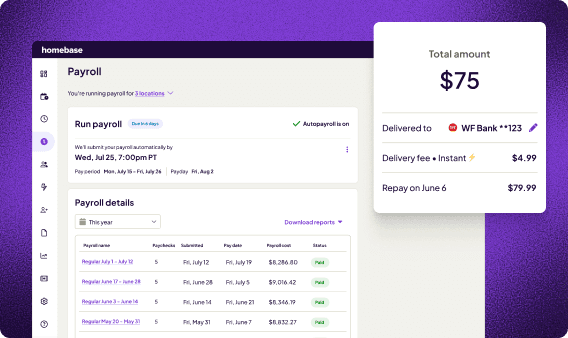
Best for: Hourly-team businesses that want scheduling, time tracking, and payroll in a single app, without managing three separate subscriptions or exporting hours before every pay run.
Rating: Homebase · G2: 4.5/5 (330+ reviews) · Capterra: 4.6/5 (1,153 reviews) G2 reviews · Capterra reviews
Scheduling, time tracking, team messaging, and payroll HR all live in one app.
Unlike Gusto, which charges per employee and keeps scheduling on a higher tier, Homebase charges per location with unlimited employees. The payroll add-on is $49/month + $6/employee, and hours flow from the time clock directly to payroll without re-entry.
Key features:
- Drag-and-drop scheduling with templates, conflict detection, and shift swapping
- GPS and photo-capture time clock — works on any device; no dedicated hardware required
- Team messaging and shift notifications built in
- Payroll add-on: hours sync directly from timesheets, no manual export
- Automated tax filing (federal, state, local), direct deposit, W-2/1099 distribution
- Overtime and break alerts; labor cost reporting
- Hiring, onboarding, and HR compliance tools (higher tiers)
- Free plan: 1 location, up to 10 employees
Pricing:
- Basic: $0/location/month (up to 10 employees) — scheduling, time tracking, messaging
- Essentials: $24/location/month (annual) — advanced scheduling, time tracking, team communication
- Plus: $56/location/month (annual) — adds AI scheduling, PTO controls, departments and permissions
- All-in-One: $96/location/month (annual) — adds onboarding, HR compliance, labor cost management
- Payroll add-on: $49/month + $6/employee paid (available on any plan)
What users like: G2 and Capterra reviewers consistently cite the scheduling-to-payroll connection as the headline benefit: hours tracked during the week are payroll-ready without manual prep.
The free plan draws strong praise for being genuinely functional, and multiple reviewers note that new employees pick the app up without training. (G2 Homebase reviews)
What users criticize: Support responsiveness is the most documented concern across G2 and Capterra, particularly at lower-tier plans. Some users find the tier structure frustrating. Features like overtime calculation across multiple locations are locked behind higher plans. (Capterra Homebase reviews)
Vs. Gusto: Gusto charges per employee and keeps scheduling on a higher tier ($80/month + $12/employee for Plus). For a 15-person hourly team, Gusto Simple is $139/month for payroll only. Homebase payroll runs $139/month and includes scheduling, time tracking, and messaging.
"Every time I open up payroll, I'm happy, because of how simple it is." — Bradley Cooke, Executive Director, Forebay Aquatic Center Read the full story →
If you're exporting hours from one tool and re-entering them into payroll every pay period, that's where errors happen. When everything lives in one app, hours go straight from clock-out to paycheck: no exports, no re-entry, no last-minute corrections. Try Homebase Payroll free →
2. OnPay: Best standalone payroll with genuinely responsive support.
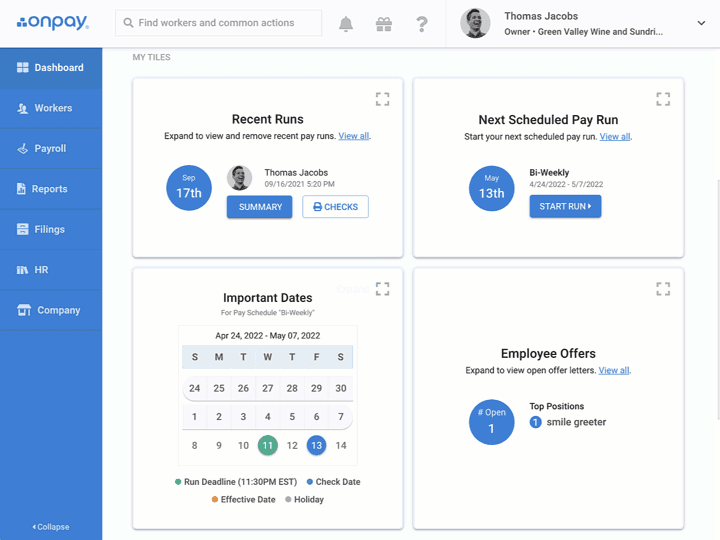
Best for: Small businesses that want payroll and nothing else, clean, flat-fee, no surprises, with customer support that owners actually reach when something goes wrong.
Rating: OnPay · G2: 4.8/5 (408 reviews) · Capterra: 4.8/5 (465 reviews) G2 reviews · Capterra reviews
Key features:
- Full-service payroll in all 50 states (no per-state upcharge)
- Automated federal, state, and local tax filing (with error-free guarantee)
- Direct deposit, paper checks, and pay cards
- W-2 and 1099 filing included
- HR tools: onboarding, document templates, and employee self service portal
- 401(k) tracking and benefits administration available
- QuickBooks and Xero integration for accounting sync
Pricing:
- Simple plan: $49/month + $6/employee — flat rate pricing, one plan, all features, no tiers
- Free setup and data migration included
- No per-run fees, no off-cycle run charges
- Free trial available
What users like: G2 reviewers consistently cite OnPay reaching ROI in under six months, against the category average of 11 months.
Reaching a real support person by phone, chat, or email is described as the norm, not the exception. It's the differentiator most often cited when comparing OnPay to Gusto. (G2 OnPay reviews)
What users criticize: No native time tracking means hourly teams still need a separate time clock. The mobile app for employers is less polished than Gusto's, and a few Capterra reviewers note that the admin setup takes some getting used to. (Capterra OnPay reviews)
Our take: If the core reason you're leaving Gusto is support failures, especially the pattern of errors that escalate to phone tag and closed tickets, OnPay is the most direct replacement.
The trade-off is that time tracking is still a separate step, so getting hours into payroll still takes some manual work.
3. Patriot Payroll: Best budget option for no-frills small business payroll.
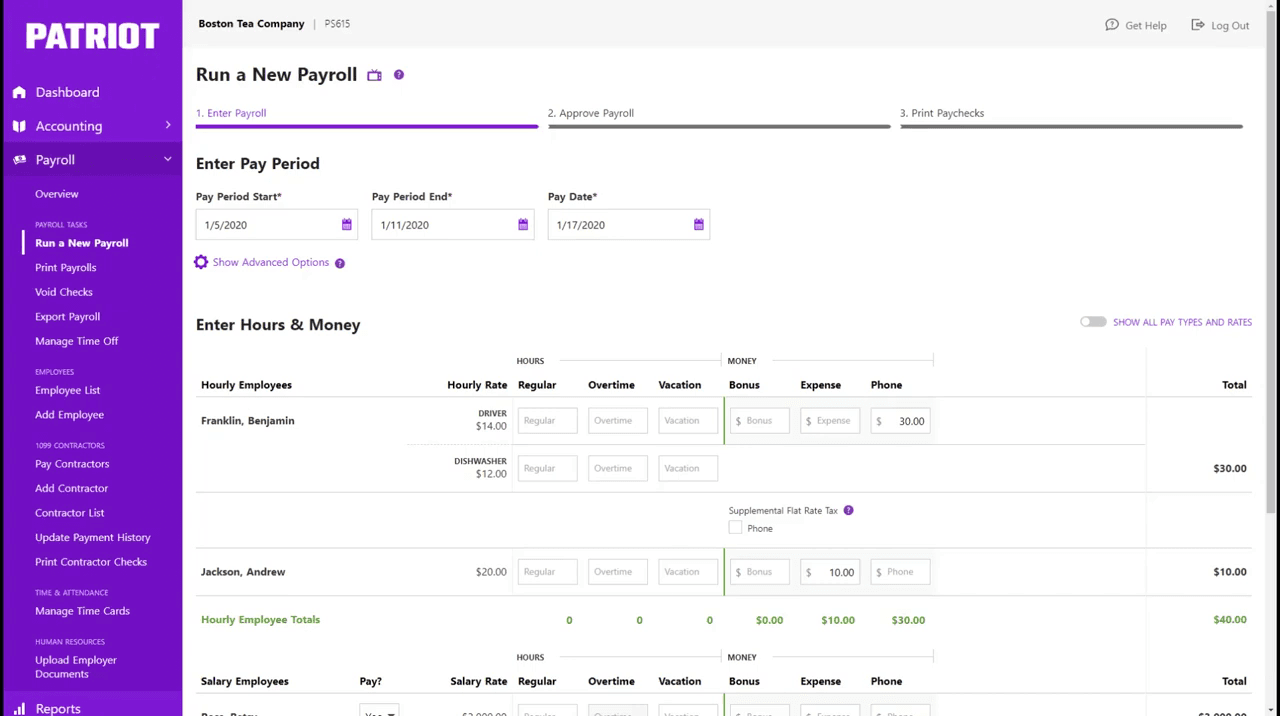
Best for: Very small teams (under 20 employees) that want the lowest monthly cost for reliable full-service payroll, and are comfortable with a more utilitarian interface.
Rating: Patriot Payroll · G2: 4.8/5 (556 reviews) · Capterra: 4.8/5 (3,200+ reviews) G2 reviews · Capterra reviews
At $37/month + $5/employee, Patriot Full Service is the most affordable full-service payroll on this list, tax filing included.
The interface is functional, not beautiful. US-based phone support is free on all plans, and the payroll workflow runs in three steps. No scheduling, no time clock, no benefits layer.
Key features:
- Full-service payroll with automated federal, state, and local tax filing
- Direct deposit (2-day and 4-day options)
- Unlimited payroll runs per month, no per-run fees
- W-2 and 1099 filing included
- Employee self-onboarding and pay stubs
- Time tracking add-on available (separate module)
- QuickBooks integration available
Pricing:
- Basic Payroll: $17/month + $4/employee — payroll processing; self-file your own taxes
- Full Service Payroll: $37/month + $5/employee — tax filing included (recommended)
- Time & Attendance add-on: $6/month + $2/employee
- HR Software add-on: $6/month + $2/employee
- Free 30-day trial; no setup fees; cancel anytime
- Note: 50% off for the first three months as of September 2026 — standard rates apply after the promotion ends
What users like: Capterra reviewers frequently describe Patriot's pricing model as one of the clearest on the market, with no hidden fees for extra payroll runs or contractor payments.
G2 reviewers describe support as the standout feature, with multiple reviewers noting they reached a real person immediately and issues were resolved in a single call. (Capterra Patriot reviews)
What users criticize: The interface is noticeably more dated than Gusto or OnPay, reviewers describe it as functional but not modern. Basic Payroll requires you to file your own taxes, which can be a stumbling block if you've never done it before. Direct deposit windows are longer than some competitors. (G2 Patriot reviews)
Our take: For a five-person team on a tight budget, $37 + (5 × $5) = $62/month for full-service payroll is the lowest cost on this list.
If you're paying $139/month for Gusto Simple and not using benefits administration, Patriot recovers that gap quickly. The trade-off is a steeper on-ramp and a more basic interface, but the math is hard to argue with.
4. Square Payroll: Best for teams already running Square POS.
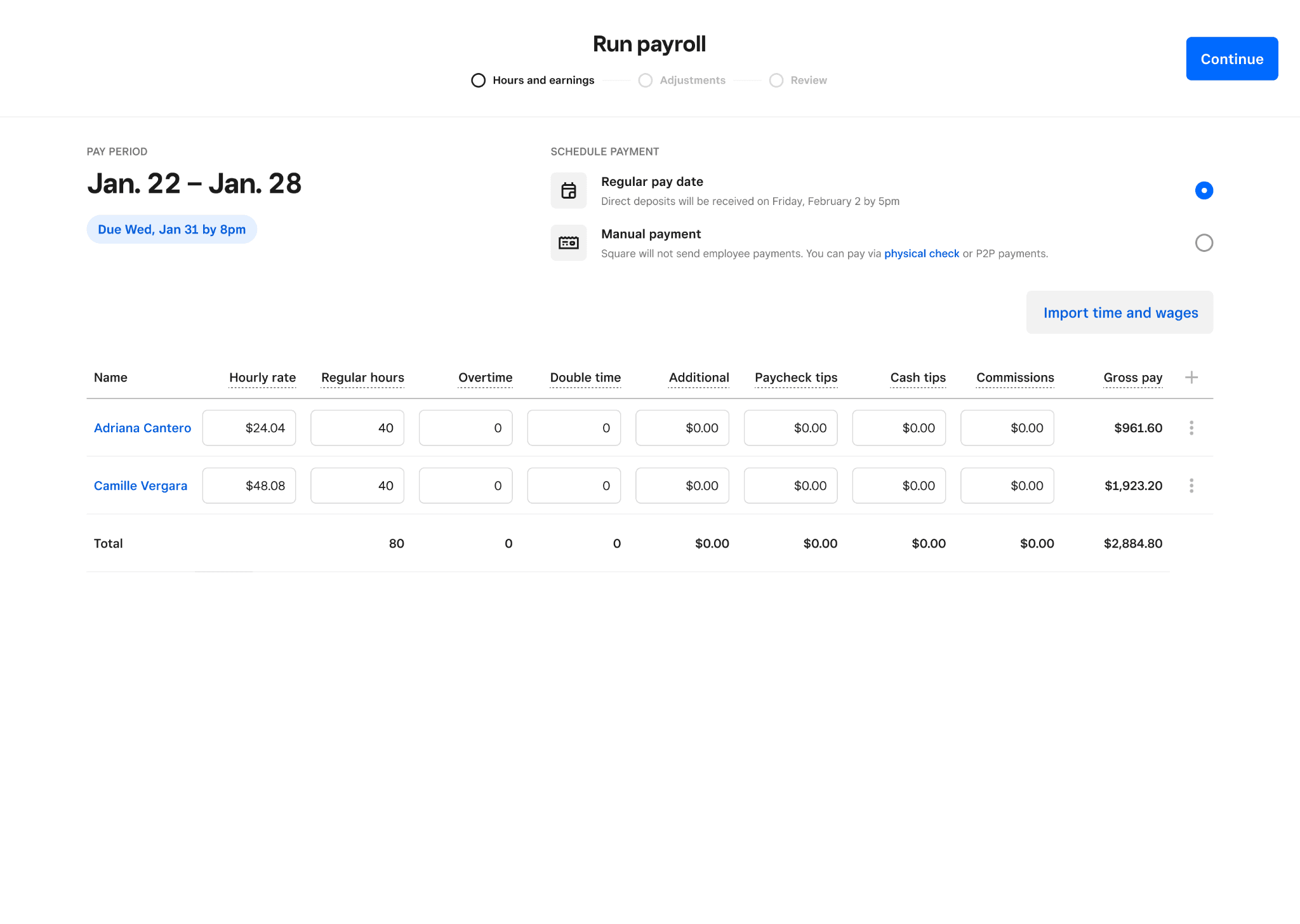
Best for: Restaurants, retail shops, and cafes already using Square as their point-of-sale system, where tips, hours, and sales data already live in the Square ecosystem.
Rating: Square Payroll · G2: 4.2/5 (31 reviews) · Capterra: verify current listing at capterra.com/p/170266/Square-Payroll G2 reviews · Capterra reviews
Square Payroll pulls hours, tips, and employee data directly from the Square POS: no export, no import, no reconciliation. For a Square-based operation, that integration removes most of the manual payroll prep work.
Outside the Square ecosystem, the tool loses most of its appeal. No standalone scheduling, no benefits layer, and a more limited integration library than Gusto.
Key features:
- Full-service payroll with automated tax filing (all 50 states)
- Direct deposit and paper checks
- Tips and POS data pull directly from Square POS (no manual import)
- W-2 and 1099 distribution included
- Tip pooling and tip management for food service businesses
- Workers' comp and health insurance through partner integrations
- 401(k) integration available through Guideline
Pricing:
- Full-Service Payroll: $35/month + $6/employee paid (only billed in months you run payroll for them)
- Contractor-only plan: $6/contractor paid (no monthly base fee)
What users like: G2 reviewers who operate Square POS describe payroll setup as close to automatic: employee records, hours, and tips are already in the system before payroll even opens.
Users frequently cite the affordability for small teams and the time savings during weekly pay runs. (G2 Square Payroll reviews)
What users criticize: Reviewers who don't run Square POS describe a more limited integration library and a permissions setup that gets confusing when only some employees use Square. Customer support is reported as slower than OnPay or Patriot, and customization options are more restricted than Gusto. (G2 Square Payroll reviews)
Our take: Square Payroll is a genuine value-add if Square is already your POS. The friction it removes in a typical pay run is real.
If you're not on Square, the math doesn't work as clearly. At $35 + $6/employee, the pricing is competitive, but without the POS integration you're managing a tool with fewer integrations and a smaller support infrastructure than OnPay or Patriot.
5. ADP Run: Best for businesses scaling past 20–25 employees.
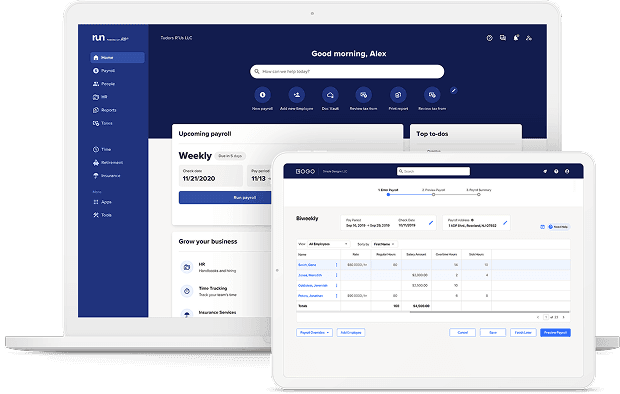
Best for: Small businesses that are growing, need multi-state compliance confidence, and want a payroll provider with 24/7 phone support and a proven track record.
Rating: ADP Run · G2: 4.6/5 (6,095 reviews) · Capterra: 4.6/5 (1,398 reviews) · #1 G2 small-business payroll leader, Winter and Summer 2026 G2 reviews · Capterra reviews
ADP Run has been running payroll longer than most of its competitors have existed. More than 900,000 small businesses use it, it covers all 50 states, and it ranked #1 in G2's Small-Business Payroll Grid for both Winter and Summer 2026.
What you won't get: a price without a sales call, or a built-in time clock that feeds directly into payroll.
Pricing:
- Quote-based — ADP does not publish pricing; contact ADP directly
- Third-party estimate: ~$79/month + $4/employee for RUN Essential (Business.com, Tech.co, 2025–2026; not confirmed by ADP)
- Most small businesses report paying $100–$300/month total once their quote is finalized
- Free trial available on some promotional offers
Key features:
- Full-service payroll with automated tax filing and W-2/1099 distribution
- AI-powered error detection before payroll runs
- 24/7 phone support on all plans
- Time tracking available as an add-on
- HR modules available (benefits, workers' comp, compliance alerts)
- Integrations with QuickBooks, Xero, and 300+ third-party tools
- Multi-state payroll and compliance alerts
What users like: G2 reviewers who operate across multiple states consistently point to ADP's compliance tools and AI error detection as the reasons they stay.
The 24/7 phone support is frequently cited as a reason to choose ADP over newer entrants. (G2 ADP Run reviews)
What users criticize: Not knowing what you'll pay before you talk to a sales rep is the most common frustration. The interface feels dated compared to Gusto or OnPay.
Post-sales support quality is mixed: G2 rates the product at 4.6, while Trustpilot reflects billing and service complaints at much lower scores. (Capterra ADP Run reviews)
Our take: If payroll errors have cost you real money and you need to trust the system completely, ADP's track record is hard to argue with. It's the right pick when reliability matters more than knowing your bill upfront or having a modern interface. For a five-person bakery, that trade-off probably isn't worth it. For a 40-person multi-location operation, it might be.
6. Rippling: Best for teams that need HR, IT, and payroll in one platform.
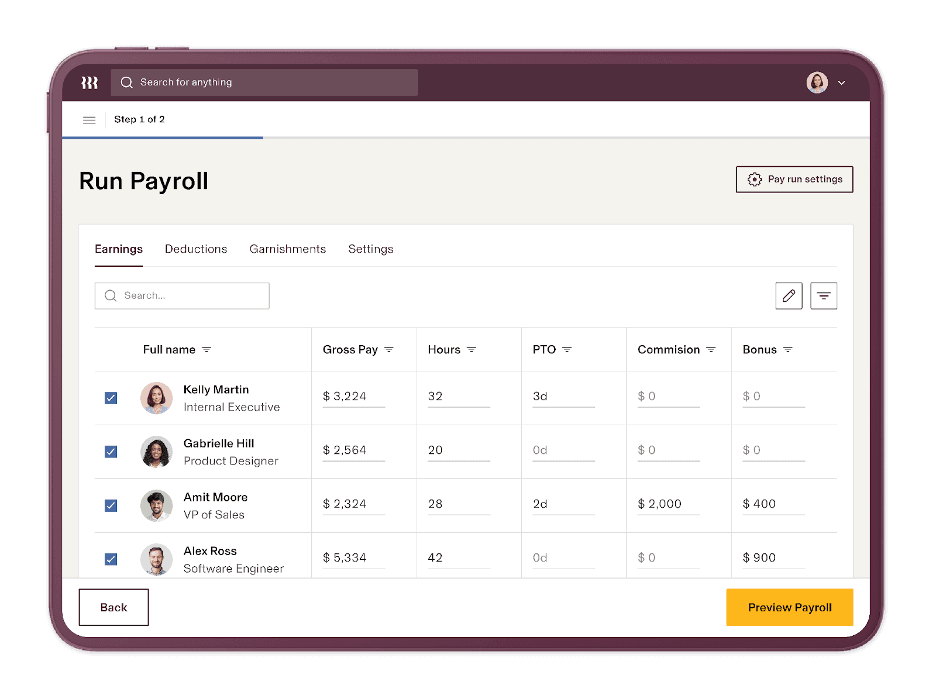
Best for: Fast-growing small or mid-size businesses that want payroll, device management, benefits administration, and HR onboarding on a single platform, with the budget and IT complexity to justify the cost.
Rating: Rippling · G2: 4.8/5 (16,000+ reviews) · Capterra: 4.9/5 (4,869 reviews) G2 reviews · Capterra reviews
Rippling unifies payroll, HR, and IT management in a single system: employee onboarding, device provisioning, benefits enrollment, and payroll all run from one place without re-entering data. The Capterra rating (4.9/5 across 4,869 reviews) is the highest on this list.
The trade-off: every module adds to the bill, and the cost makes the most sense for teams of 20 or more with genuine IT complexity.
Pricing:
- Starts at $8/user/month + $40/month base fee (annual billing; monthly billing is $10/user/month)
- Payroll is a separate module, priced additionally; contact Rippling for a full quote
- No free plan; demo required for pricing
Key features:
- Payroll with automated federal, state, and local tax filing
- Device management and IT provisioning integrated with employee onboarding
- Benefits administration: health, dental, vision, 401(k)
- Global contractor payments in 100+ countries
- Workflow automation for HR tasks, approvals, and expense reimbursement
- 500+ third-party integrations
What users like: G2 reviewers most often point to having payroll, HR, and IT data in one place, with no duplicate entry and access rights that update automatically when someone joins or leaves.
The onboarding experience is praised as significantly faster than tools that require separate systems. (G2 Rippling reviews)
What users criticize: The modular pricing structure surprises users who don't map out the full cost before signing. One G2 reviewer described needing to be "very intentional about your package to ensure you have everything you need without overspending."
Setup takes real time, and G2's own data shows that Rippling skews toward mid-market companies (51–1,000 employees), not the five-person shop. (G2 Rippling pricing)
Our take: Rippling belongs on this list because it's what a lot of owners run into when they're evaluating alternatives to Gusto. But most people searching for Gusto alternatives and most people who'd actually be happy with Rippling are different business owners.
If you're a 10-person restaurant looking to spend less, Rippling's depth is more than you need. If you're a 50-person tech-adjacent business managing company laptops alongside a team, it's worth the conversation.
How to Choose the Right Gusto Alternative
The right Gusto alternative is the one that fits how your business actually runs, not the one with the longest feature list.
- If you want scheduling, time tracking, and payroll in one app → Homebase is the only option on this list with all three connected natively
- If you want the best-rated standalone Gusto alternative for payroll support → OnPay (4.8/5 G2, flat pricing, free migration)
- If budget is the hard constraint → Patriot Full Service ($37 + $5/employee, 4.8/5 G2)
- If you're already running Square POS → Square Payroll (tips and hours pull directly, no manual import)
- If payroll errors start at the time clock → Homebase (clock-in to paycheck in one workflow)
Finding the Right Gusto Alternative for Your Hourly Team
If the gap between your time clock and your payroll is where the stress happens every week, the right Gusto alternative connects them in one app rather than adding another subscription to manage.
Running payroll shouldn't require exporting hours from one tool and importing them into another. For teams that track hourly shifts, connecting the time clock to payroll in a single app cuts the manual work out of every pay run. Get started with Homebase →
Frequently Asked Questions About Gusto Alternatives
What is the best Gusto alternative for small businesses?
The best Gusto alternative depends on what's driving the switch. For hourly teams that want scheduling and payroll in one app, Homebase is the strongest fit. For payroll-only with top-rated support, OnPay ranks #1 in G2's Summer 2026 Payroll Results Index. For the lowest monthly cost, Patriot Full Service starts at $37/month + $5/employee.
Is ADP better than Gusto for small business?
ADP Run and Gusto both serve small businesses, but target different operations. Gusto is easier to set up and better suited to teams that need benefits administration.
ADP Run has a longer track record, 24/7 phone support, and stronger compliance tools, but quote-based pricing makes it harder to evaluate upfront. For most single-location businesses, flat-fee tools like OnPay or Patriot are a simpler fit.
What is the most affordable payroll service for small businesses?
The most affordable full-service payroll (tax filing included) is Patriot Payroll at $37/month + $5/employee. OnPay is $49/month + $6/employee with no per-state upcharges.
Homebase payroll is $49/month + $6/employee, but also includes scheduling and time tracking, so the total cost is lower if you'd otherwise pay for those tools separately. Verify current pricing directly with each provider before committing.
Is there a Gusto alternative that includes scheduling?
Of the Gusto alternatives in this guide, Homebase is the only one that also includes employee scheduling and time tracking.
Gusto's base plan ($49/month) doesn't include scheduling. That requires an upgrade to the Plus plan ($80/month + $12/employee) or a separate app. For hourly teams, having both in one app eliminates the manual step between them.
How hard is it to switch from Gusto to another payroll provider?
Most Gusto alternatives, including Homebase, OnPay, and Patriot, offer free setup and data migration. Switching payroll providers is easier than most owners expect. Time your switch just after a pay cycle, and make sure W-2s for the transition year are handled correctly. Switching mid-year is possible; switching at year-end is simpler.