Best Retail Scheduling Software for 2026: 8 Top Tools


SMALL BUSINESS INTEL, IN YOUR INBOX
Table of contents
You built Tuesday's schedule on Sunday night. By Monday at 9am, two people had swapped shifts without telling you, one called out, and the part-timer you were counting on forgot she'd requested that day off three weeks ago. That's retail scheduling. More spreadsheet tabs won't fix it.
Good retail scheduling software puts the schedule on your team's phones the moment you publish it, lets them swap shifts and request time off without texting you, and keeps labor costs visible as you drag shifts around. We compared eight of the top options, including where each one falls short.
Which Retail Scheduling Software Fits Your Store?
The best retail scheduling software gets the schedule onto your team's phones, handles swaps and time off, and keeps labor costs in view. For most hourly retail teams, Homebase is the best fit: free for one store and up to 10 employees, with scheduling, time tracking, and payroll in one app.
- Best for compliance: Deputy.
- Best for fast setup: When I Work.
- Best for training and chat: Connecteam.
- Best for labor budgets: 7shifts.

Retail Scheduling Software Comparison
Here is how the eight tools compare on the questions retail managers ask most: who each one fits, what it does best, whether payroll is built in, and how it charges.
| Software | Best For | Standout Features | Key Strength | Payroll Integration | Pricing Model |
|---|---|---|---|---|---|
| Homebase | Hourly retail teams, one store to a few | Free plan, shift swaps, open shifts, POS integrations | Scheduling, time tracking, and payroll in one app | Built-in payroll add-on ($49 a month plus $6 per paid employee) | Per location. Free for one location and up to 10 employees, then $30 per location per month |
| Deputy | Multi-location retail with compliance exposure | Auto-scheduling, compliance alerts, facial verification clock | Predictive scheduling compliance tools | Payroll provider integrations, plus a payroll add-on on some plans | Per user. $5 to $9 per month |
| When I Work | Small teams that need fast setup | Drag-and-drop builder, shift acknowledgment, GPS clock-in | Shortest learning curve | Integrates with Gusto, QuickBooks, and others | Per user. $2.50 single location, $5 multi-location |
| Connecteam | Retailers who want communication and training in one app | Shift checklists, training modules, team chat | Operations and chat together | Integrates with Gusto, QuickBooks, Paychex, and others | Free up to 10 users, then from $29 a month for 30 users |
| 7shifts | Retailers with tight labor budgets | Labor cost as a percent of sales, break alerts | Labor cost visibility while you schedule | US payroll add-on, plus ADP, Gusto, Paychex, and QuickBooks integrations | Free plan, then paid plans priced per location |
| ZoomShift | Very small teams with basic needs | Templates, shift swaps, time-off requests | Simple setup | No built-in payroll | Per user. $2 to $4 per month |
| Sling | Teams that want a free plan with messaging | In-app messaging, tasks tied to shifts | Free plan plus team communication | No built-in payroll | Free up to 30 users, then $2 to $4 per user |
| Workforce.com | Retailers scheduling around POS sales data | Demand forecasting, compliance monitoring | Forecasts built from sales data | Integrates with ADP, Gusto, Paychex, UKG, and others | Custom quote |
How We Evaluated the Best Retail Scheduling Software
We're Homebase. We make scheduling, time tracking, hiring, and payroll software for small businesses with hourly teams, and we list ourselves first below. We applied the same criteria to every tool, ours included, and we say where each one falls short. We never accept payment or backlinks for a product mention.
Every tool was judged on the same points:
- Retail features: shift building, open shifts, swaps, mobile clock-in, time off, and availability.
- Pricing: published plans, free-tier limits, and cost at different store sizes.
- Reviews: themes from verified Capterra reviewers.
- Integrations: payroll and POS connections.
- Compliance tools: overtime alerts, break reminders, and support for predictive scheduling laws.
- Mobile experience: whether the app works for a team that never opens a laptop.
- Fit: teams of one to 100 employees at one to three locations.
Pricing reflects each vendor's published plans as of October 2026. Plans change, so confirm on the vendor's site before you buy. Read our full methodology.
The 8 Best Retail Scheduling Software Tools for 2026
1. Homebase: Best for Hourly Retail Teams
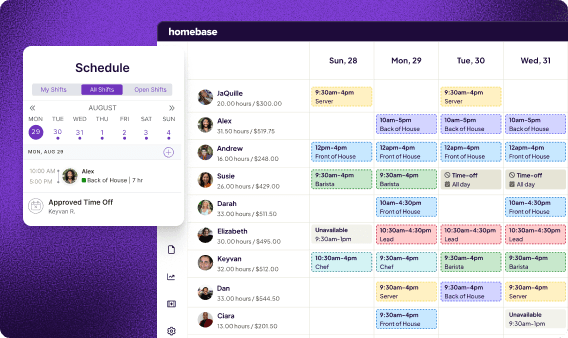
Homebase is a scheduling, time tracking, and payroll app built for hourly teams, and it works with POS systems including Square, Clover, and Lightspeed. That makes it a strong retail store scheduling software pick for owners who want one app instead of three. Sara Preston, owner of Scrappin' in the City, says her team took to it fast: "They love being able to claim an open shift, request time off and even trade shifts with each other."
Homebase Key Features
- Basic (free): basic scheduling, basic time tracking, and POS integration.
- Essentials: advanced scheduling, advanced time tracking, and team messaging.
- Plus: an AI-powered scheduling assistant, PTO and time-off controls, and departments and permissions.
- All-in-One: labor cost management, onboarding, and HR and compliance tools.
- Across plans: open shifts, shift trades, availability tracking, a time clock with GPS and photo options, and overtime and conflict alerts.
- Payroll add-on: hours flow from timesheets into payroll without re-entry, and electronic W-2s are free.
Switching payroll takes about 20 minutes of your time to gather a few documents, and Homebase's payroll team handles the transfer, filings, and setup in five to seven days. Tetta's Market owner Primo Stropoli says it now takes "about five minutes to run payroll every week."
Homebase Pros and Cons
Pros:
- A free plan with scheduling and time tracking.
- Unlimited employees on every paid plan.
- Scheduling, time tracking, and payroll in one app.
Cons:
- Per-location pricing multiplies with store count.
- The free plan covers one location and up to 10 employees.
- Team messaging starts at Essentials, and hiring tools are not on the free plan.
Homebase Pricing
- Basic: $0 per location per month, for one location and up to 10 employees.
- Essentials: $30 per location per month, or $24 billed annually, with unlimited employees.
- Plus: $70 per location per month, or $56 billed annually.
- All-in-One: $120 per location per month, or $96 billed annually.
- Payroll add-on: $49 a month plus $6 per paid employee per month, on any plan.
Alec Deske, general manager at The Escape Game's Times Square location, plans around the numbers: "As I make a new schedule, at the bottom of my week where it says wages and hours, that is what I look at the most." Try Homebase free and build your first schedule in minutes. No credit card required.
2. Deputy: Best for Multi-Location Retail With Compliance Exposure
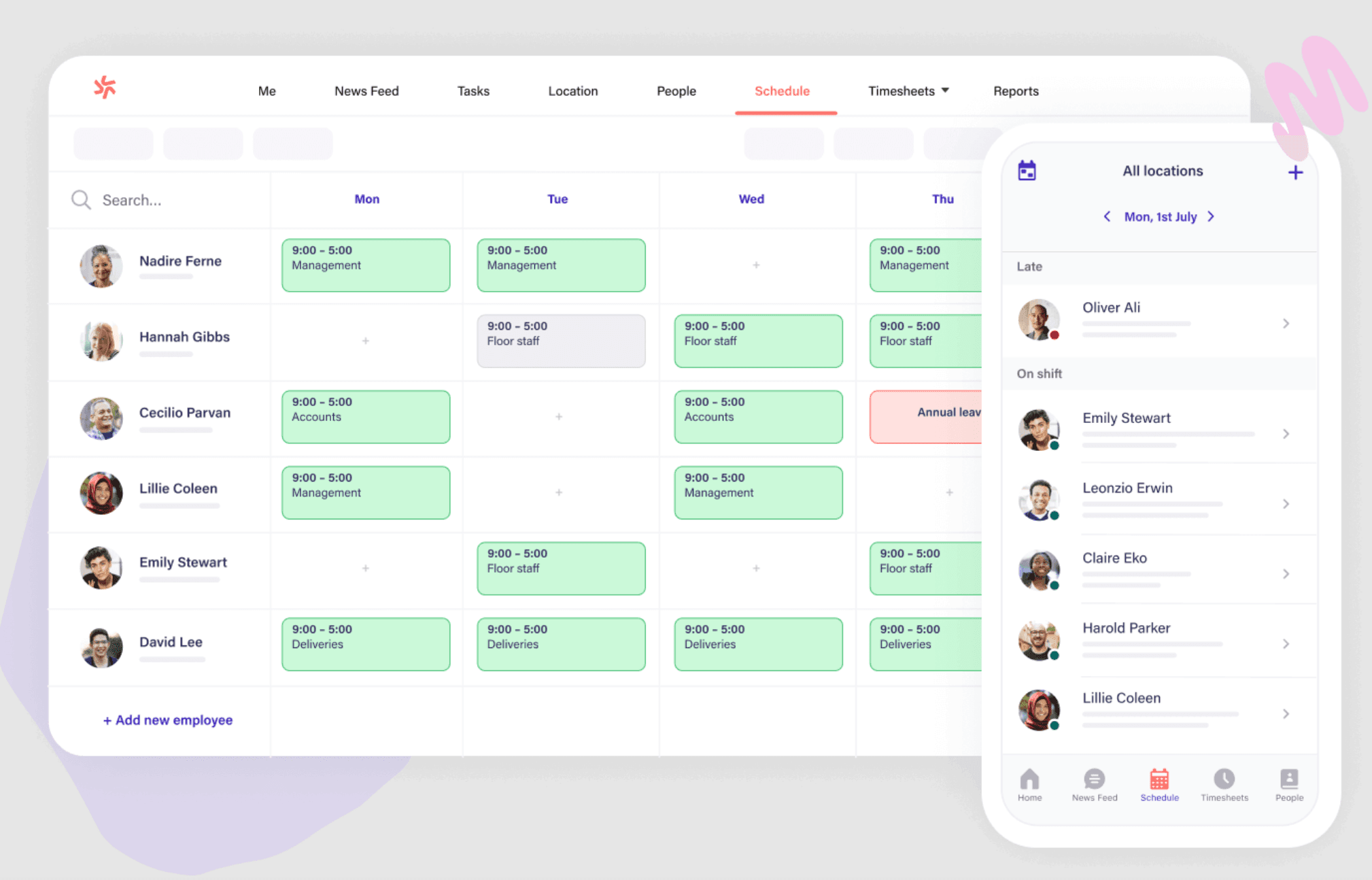
Deputy is built for stores in cities with predictive scheduling laws and for retailers running several locations under different rules. It is a capable multi location scheduling software choice, and more tool than a single-store shop needs.
Deputy Key Features
- Auto-scheduling based on availability, demand, and labor rules.
- Break and overtime alerts before you publish.
- A touch-free facial verification time clock.
- A multi-location dashboard with store-specific rules.
Deputy Pros and Cons
Pros:
- Reviewers praise its ease of use and mobile app.
- Compliance alerts catch issues before a schedule goes out.
Cons:
- Per-user pricing adds up as your team grows.
- Compliance and reporting setup takes time.
Deputy Pricing
Lite is $5, Core is $6.50, and Pro is $9 per user per month. Deputy offers a free trial and no permanent free plan.
3. When I Work: Best for Fast Adoption With a Mobile-First Team
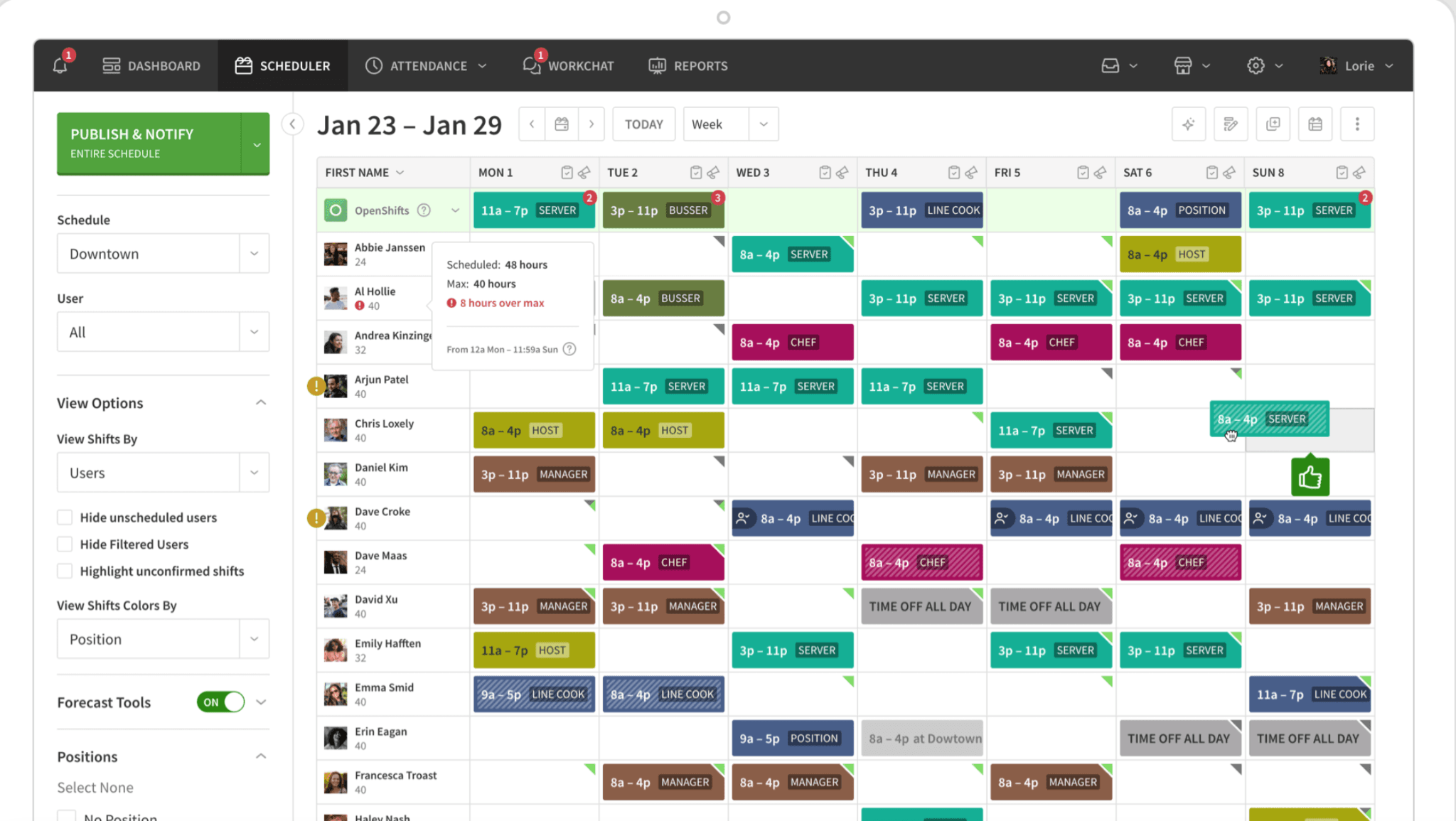
When I Work has the shortest learning curve on this list. Managers drag, drop, and publish without a training session, and employees check schedules, swap shifts, and pick up open ones from their phones.
When I Work Key Features
- A drag-and-drop builder with reusable templates.
- Shift acknowledgment, so employees confirm they've seen the schedule.
- GPS clock-in with location verification.
- Group messaging and tips tracking.
When I Work Pros and Cons
Pros:
- Fast onboarding, often in minutes.
- Reviewers say the interface needs no training.
Cons:
- HR features are limited.
- Advanced reporting sits behind higher tiers.
When I Work Pricing
$2.50 per user per month for single-location teams and $5 for multi-location businesses, with a 14-day trial and no permanent free plan.
4. Connecteam: Best for Communication and Training in One App
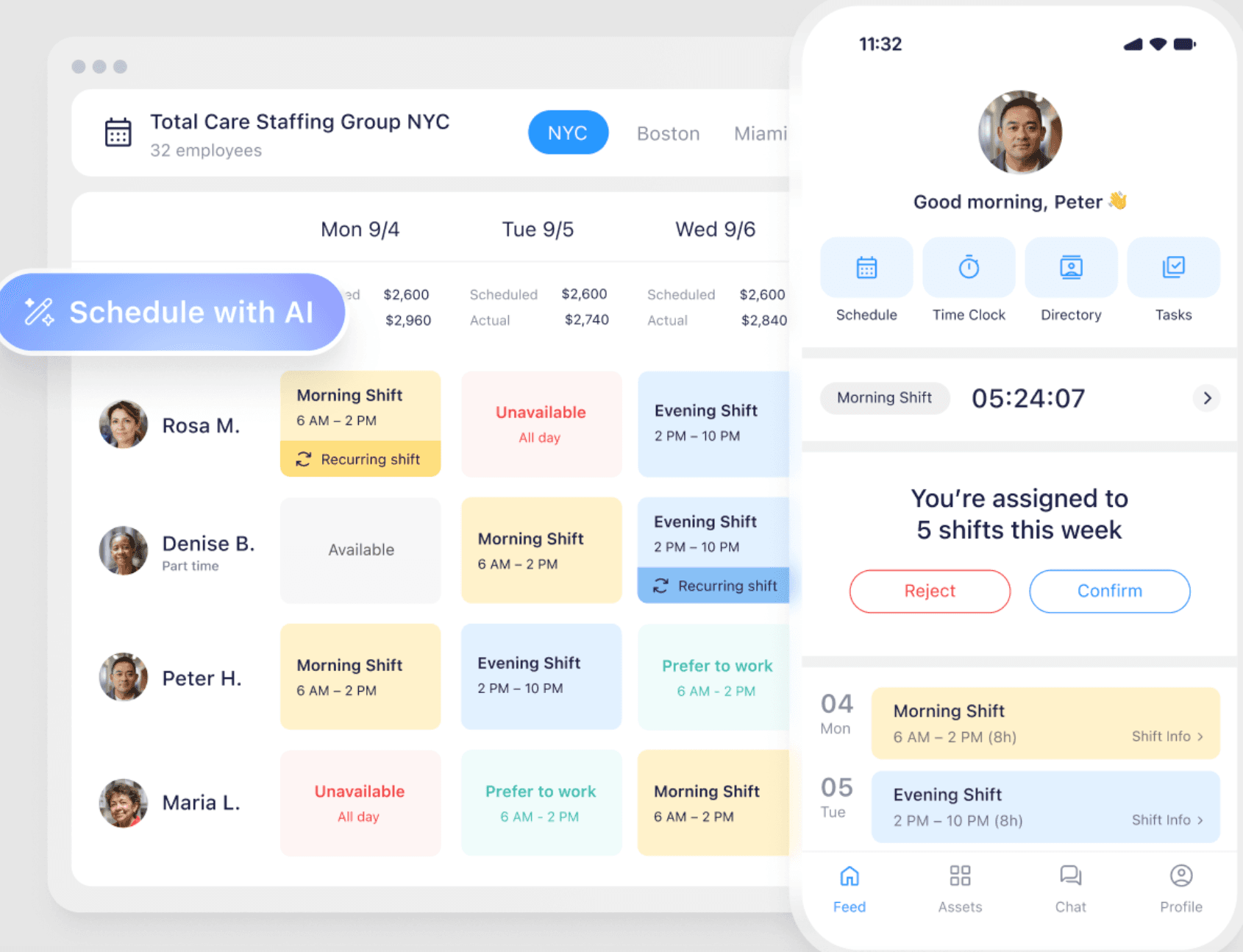
Connecteam goes deeper into daily store operations than most scheduling tools. Managers attach digital checklists to specific shifts, and employees complete training modules in the same app where they check their schedule. Its free plan makes it a useful retail scheduling software free option for very small teams.
Connecteam Key Features
- AI tools that help cut scheduling time.
- A GPS time clock with geofencing.
- Group and direct chat.
- Shift checklists and training modules.
Connecteam Pros and Cons
Pros:
- One app for scheduling, communication, and daily operations.
- A free plan for up to 10 users.
Cons:
- Pricing follows user counts, so costs are harder to predict as you grow.
- Payroll integrations are thinner than those of more established tools.
Connecteam Pricing
Free for up to 10 users. Paid plans start at $29 a month billed annually, or $35 billed monthly, for the first 30 users.
5. 7shifts: Best for Tight Labor Budgets
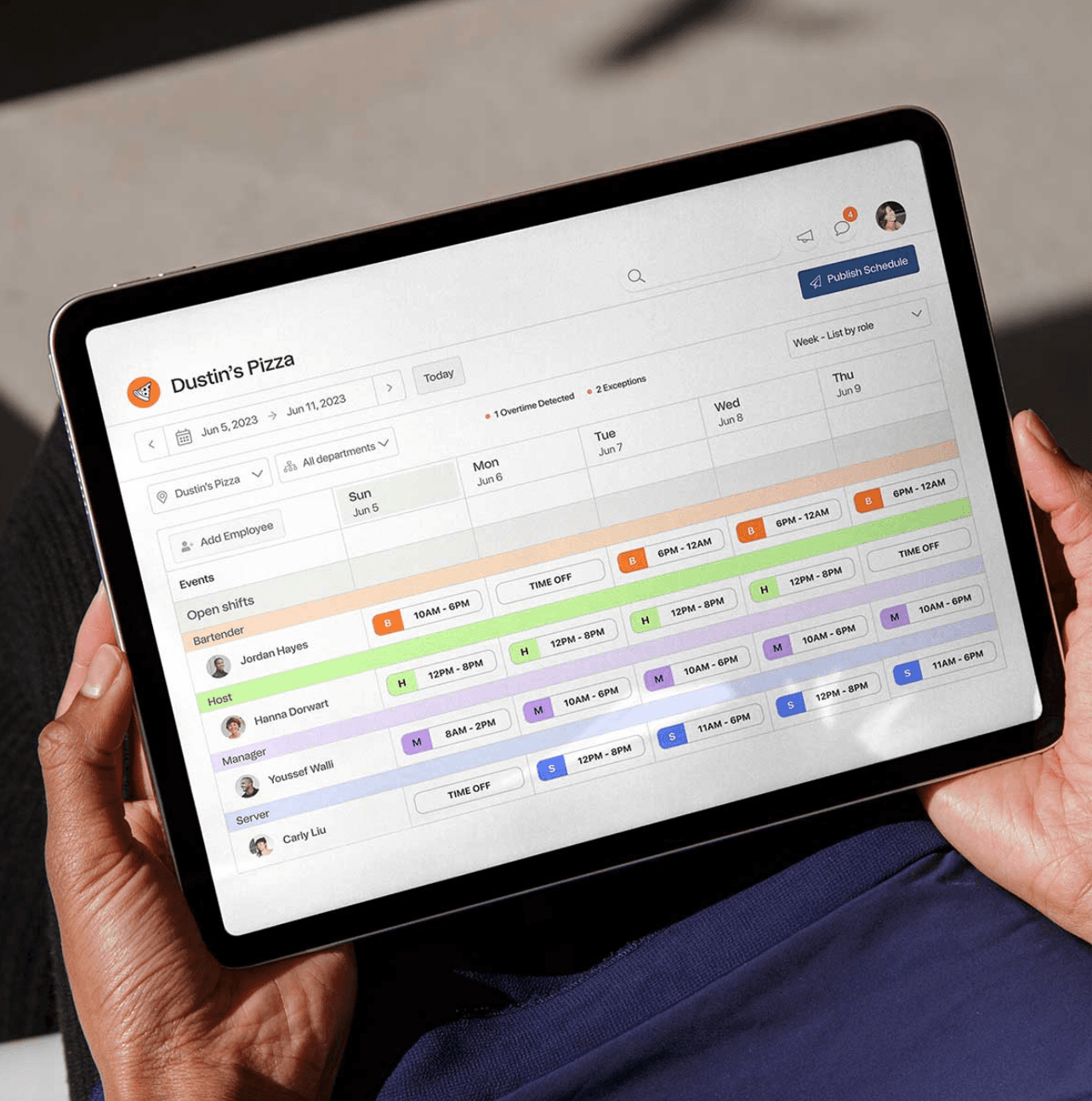
7shifts began in food service, where labor cost discipline is non-negotiable, and it carried that focus into retail. Labor cost updates as you drag shifts around, so you can see cost as a percentage of projected sales and fix an overrun before payday.
7shifts Key Features
- Labor cost as a percent of projected sales while you build.
- Automatic break alerts.
- A manager log book for shift handoff notes.
- POS integrations with Square, Clover, Toast, and others.
7shifts Pros and Cons
Pros:
- Strong labor cost visibility.
- A free plan to start on.
Cons:
- Some retail features feel bolted on because it was designed for restaurants.
- HR capabilities are limited.
7shifts Pricing
7shifts has a free plan. Paid plans are priced per location, and payroll and some other features cost extra.
6. ZoomShift: Best for Very Small Teams
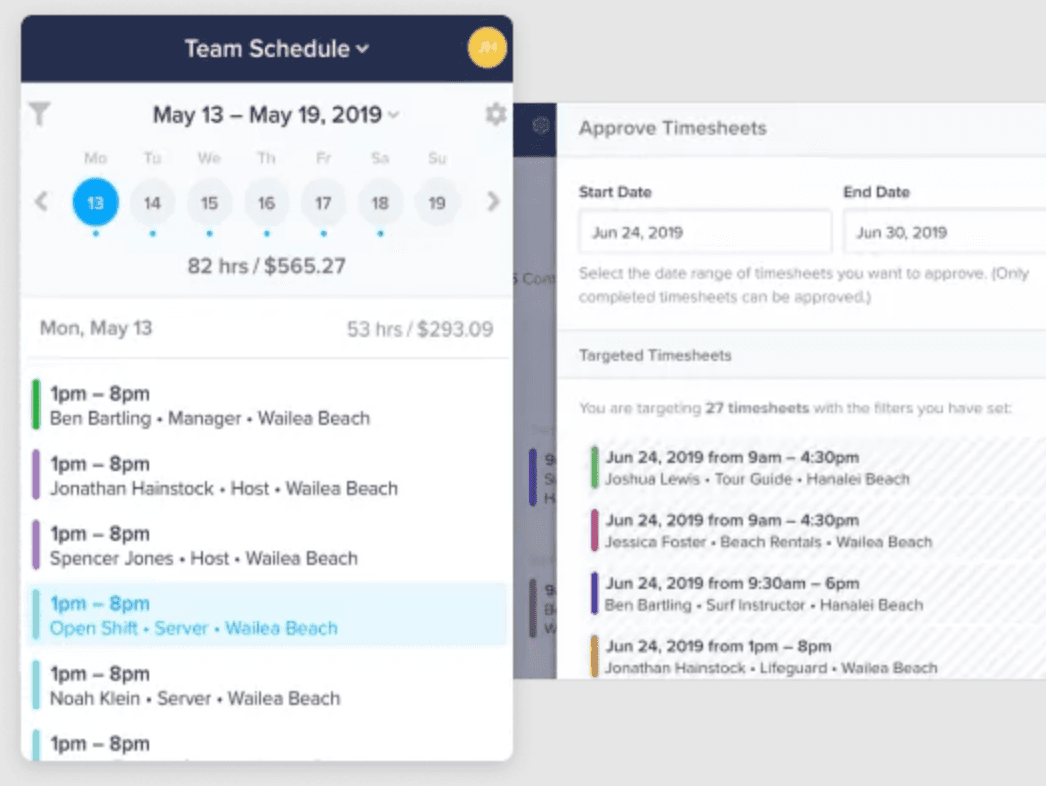 ZoomShift keeps it simple: a clean weekly view, reusable templates, time-off requests, and shift swaps. If your pain is rebuilding the same schedule from scratch every week, it fixes that without a learning curve.
ZoomShift Key Features
- A weekly view with reusable shift templates.
- Shift swap and time-off request management.
- Budget tracking against scheduled hours.
- Mobile apps for managers and employees.
ZoomShift Pros and Cons
Pros:
- The learning curve is the most praised part of reviews.
- Low per-person pricing for small teams.
Cons:
- Fewer integrations and minimal reporting.
- Per-employee pricing adds up past 15 to 20 people.
ZoomShift Pricing
Starter is $2 and Premium is $4 per active team member per month, with a 14-day free trial and no permanent free plan.
7. Sling: Best Free Option With Built-In Messaging
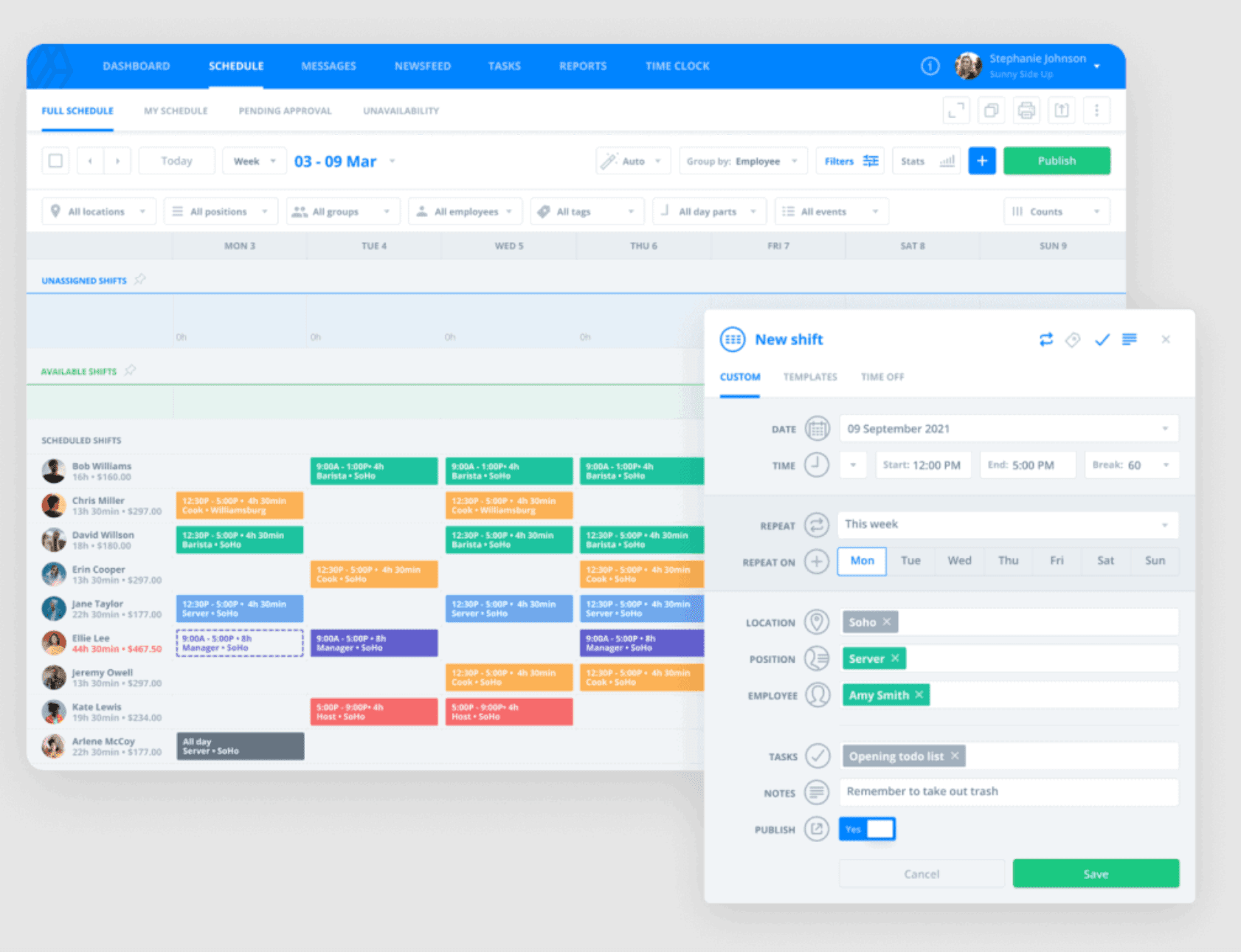
Most scheduling tools treat communication as an add-on. Sling treats it as a core feature: managers post announcements, send direct messages, and coordinate last-minute coverage without leaving the app. Its free plan, capped at 30 users, is a practical retail scheduling software free option for small teams.
Sling Key Features
- Drag-and-drop scheduling with templates.
- In-app group and direct messaging.
- Tasks tied to shifts.
- Shift swaps with approval workflows.
Sling Pros and Cons
Pros:
- Messaging reduces missed updates.
- A free plan for up to 30 users.
Cons:
- No GPS tracking or geofencing on the time clock.
- The 30-user cap surprised some teams that had built around it.
Sling Pricing
Free for up to 30 users. Premium is $2 per user per month, or $1.70 billed annually. Business is $4 per user per month, or $3.40 billed annually. Paid plans include a 15-day trial.
8. Workforce.com: Best for Scheduling Around POS Sales Data
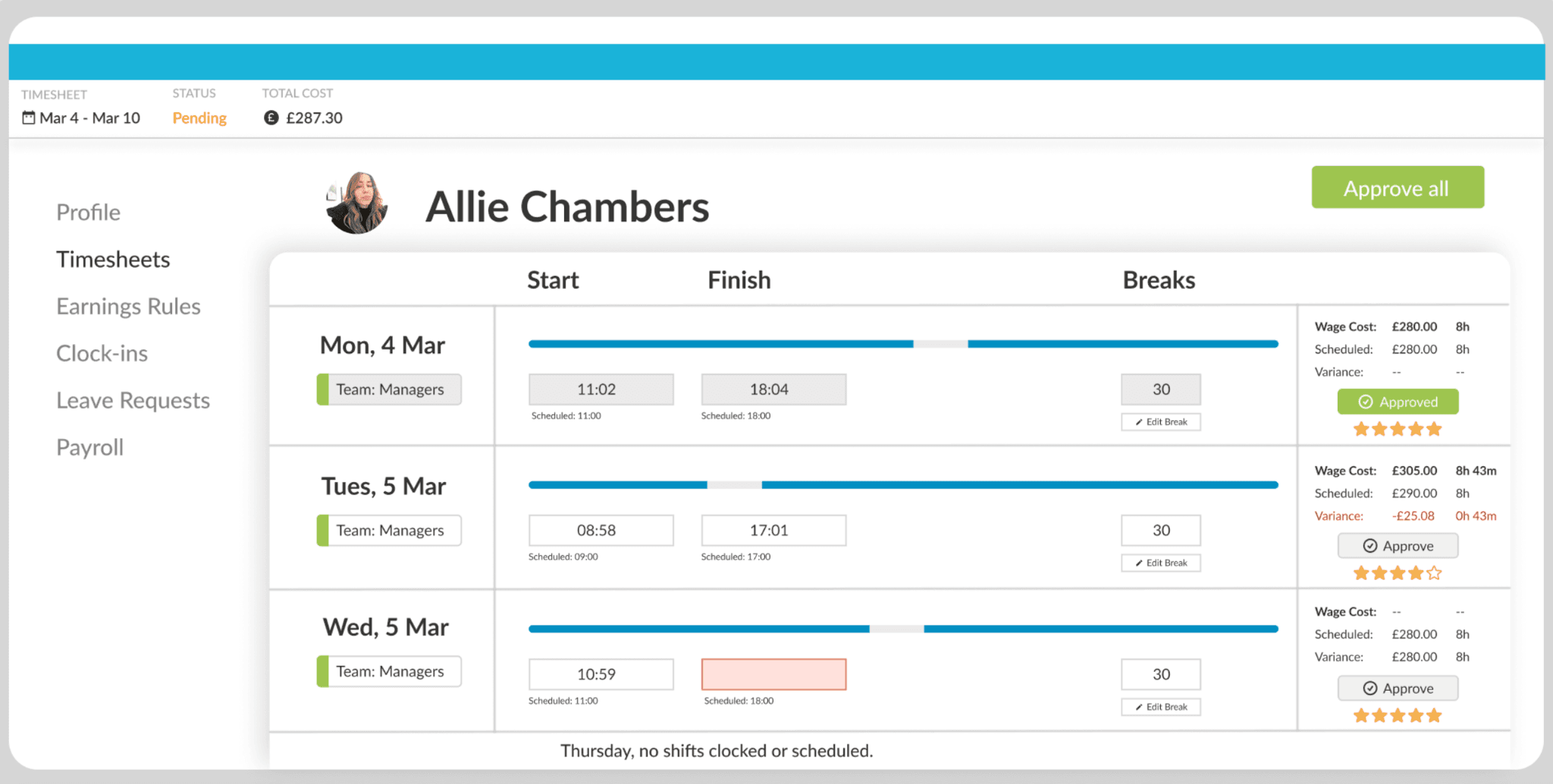 Workforce.com connects to your POS and uses actual sales patterns to recommend staffing levels through the day. It works as retail labor scheduling software for stores that want schedules built from demand.
Workforce.com Key Features
- Demand forecasting tied to POS data.
- Conflict prevention for overtime, fair workweek rules, and shift clashes.
- A time clock app with GPS and photo verification.
- A multi-location dashboard.
Workforce.com Pros and Cons
Pros:
- POS-driven forecasting is its clearest advantage on this list.
- Integrates with major payroll providers.
Cons:
- Pricing requires a sales call.
- Single-store shops often find it built for a bigger problem.
Workforce.com Pricing
Custom quotes only. Contact Workforce.com for pricing.
Do Predictive Scheduling Laws Apply to Your Retail Store?
Probably not, unless you're in New York City or run a large chain. Predictive scheduling laws require advance notice of schedules, and most cover only big employers. A store with fewer than 20 employees falls outside all five laws below.
- New York City: 72 hours' notice. Covers retail businesses that primarily sell consumer goods and employ 20 or more workers in the city, per the Department of Consumer and Worker Protection.
- Seattle: 14 days' notice. Covers retail employers with 500 or more employees worldwide under the Secure Scheduling Ordinance.
- Oregon: 14 days' notice. Covers retail, hospitality, and food service employers with 500 or more employees worldwide, per Oregon's Bureau of Labor and Industries.
- Chicago: 14 days' notice. Covers employers with 100 or more employees globally, at least 50 of them covered. A wage ceiling applies and updates each July, so check the city's Fair Workweek page. Not every Chicago retail worker is covered.
- San Francisco: 14 days' notice. Covers "formula retail" businesses with 20 or more employees in the city and 40 or more stores worldwide, under the Formula Retail Employee Rights Ordinance. Employee-requested shift trades are exempt.
Fair workweek software from Deputy and Workforce.com flags late schedule changes before you publish. Smaller retailers outside these laws benefit from the same habit: publish early and catch overtime before payday. Overtime rules vary by state, and the federal rule requires overtime pay for covered nonexempt employees who work more than 40 hours in a workweek, per the Department of Labor.
Retail Scheduling Software Cost: Per Location vs. Per User
Per-user tools charge for every employee. Per-location tools charge a flat fee for each store, so the cheaper option depends on how many people work in each one. Here is how it plays out at three sizes, with monthly billing and no payroll:
- One store, eight employees: Homebase Basic is $0. When I Work costs $20. Sling and Connecteam are free at this size.
- One store, 25 employees: Homebase Essentials is $30. When I Work costs $62.50, Sling Premium costs $50, and Deputy Lite costs $125.
- Three stores, 30 employees: Homebase Essentials at three locations is $90. When I Work's multi-location rate comes to $150, Deputy Lite to $150, and Sling Premium to $60.
Sling and Connecteam can undercut Homebase when headcount is spread across several stores. Per-location pricing pulls ahead as headcount at each store grows, and annual billing lowers Essentials to $24 per location. For the best employee scheduling software for small business budgets, run your own headcount through each model.
Daniel Daher, senior director of marketing at The Escape Game, put the multi-location problem this way: "Our biggest challenge has been finding things that scale with us. And there's just not a lot of software that is built to fit multi-location retail." Homebase's multi-location scheduling and pricing pages show the per-location math.
What Reddit Says About Retail Scheduling Software
The r/smallbusiness thread on free scheduling apps was posted by a small retail shop owner with 8 to 10 people, a tight budget, and a specific concern: finding something that "won't suddenly lock features behind a massive paywall after a month."
Homebase was recommended by name. One commenter described it as covering "scheduling, time tracking/clocks and everything else" with a solid mobile app for shift swaps and reminders. As another put it, "as long as employees can see shifts on their phones and you can edit fast, that's honestly all you need at 8-10 people." The thread doesn't settle which tool holds up best at that size, which is useful if none of the tools above fit.
Frequently Asked Questions About Retail Scheduling Software
What Is the Best Scheduling App for Retail Stores?
The best retail scheduling app depends on store size and your biggest scheduling problem. Homebase suits hourly teams that want scheduling, time tracking, and payroll in one app, and it starts free for one location. Deputy fits compliance-heavy chains, and Connecteam fits teams that also need training and chat.
Is There Free Retail Scheduling Software?
Yes. Homebase's Basic plan is free for one location and up to 10 employees. Connecteam is free for up to 10 users, and Sling's free plan covers up to 30 users. Deputy and When I Work offer free trials instead. Free plans cap users, locations, or features, so check the limits first.
How Much Does Retail Scheduling Software Cost?
Per-user tools like When I Work, Deputy, and Sling run about $2 to $9 per user per month. Homebase charges per location: free on Basic, then $30 per location per month on Essentials with unlimited employees. Per-location pricing tends to cost less for larger teams at one store, while per-user pricing can win for small teams spread across several stores.
Does Homebase Work for Multi-Location Retail?
Yes. Homebase manages multiple locations from one account. Pricing is per location, so three stores on Essentials cost $90 a month before the payroll add-on. The free Basic plan covers only one location, so multi-store retailers start on a paid plan.
What Predictive Scheduling Laws Affect Retail?
Most predictive scheduling laws cover only larger employers. New York City covers retail employers with 20 or more employees and requires 72 hours' notice. Seattle, Oregon, Chicago, and San Francisco require 14 days' notice, with thresholds of 500 or more employees worldwide in Seattle and Oregon, 100 or more in Chicago, and 40 or more stores in San Francisco.
What Features Should Retail Scheduling Software Have?
At minimum: drag-and-drop scheduling, schedule notifications, shift swaps and open shifts, time-off requests, mobile clock-in, and overtime alerts. Add a POS integration if you want to schedule around sales, and payroll integration so hours are not re-entered. If you operate in a predictive scheduling city, look for tools that flag late schedule changes before you publish.
Does Retail Scheduling Software Integrate With Payroll?
Many do, through providers like QuickBooks, Gusto, or ADP, though supported integrations vary. Homebase offers its own payroll as an add-on at $49 a month plus $6 per employee, and timesheets flow into payroll without re-entry. Check each tool's payroll options before you commit.
What Is Retail Scheduling Software?
Retail scheduling software replaces spreadsheets and group texts for building and sharing employee schedules. It tracks availability and time-off requests, handles shift swaps and open shifts, and notifies your team when a schedule publishes or changes. Most tools also track time, so hours carry into payroll without manual entry.
Final Thoughts
Retail scheduling sits where a labor cost problem, a retention problem, and a communication problem meet. The schedule you publish tells your team how much you respect their time, and that shows up in turnover. The Bureau of Labor Statistics put the retail quits rate at 3.0 percent in August 2026, up from 2.4 percent a year earlier.
The right tool fits your store count, headcount, and biggest scheduling pain point. Start with a free plan where one exists, run a real week on it, and upgrade when you hit the ceiling. If payroll is next, Homebase's payroll add-on takes hours straight from timesheets, and the team handles the switch for you.
Amanda Jensen of Golden Hour Designs says it best: "I love the ease of making my team's schedule every week! I can do it from my phone wherever I'm at and that's a game changer for someone who's always on the move like myself!"
Try Homebase free and build your first schedule in minutes. No credit card required.