Top 6 Rippling Alternatives for Small Business in 2026


SMALL BUSINESS INTEL, IN YOUR INBOX
Table of contents
You asked for a price and got a formula. Rippling starts with a base fee, adds a charge for every person on your team, and then prices each module separately, so the number you budgeted rarely matches the number on the quote.
That’s often when small business owners start searching for Rippling alternatives. Rippling is a well-reviewed system that covers HR, IT, and finance in one place. An owner with a dozen hourly employees may only need payroll that runs on time and a bill that stays predictable.
Plenty of tools like Rippling cover payroll and HR with published pricing. This guide compares six of the best alternatives to Rippling, including what each costs, who it fits, and where it falls short.

Time is money. Literally.
Stop copy-pasting between documents, and start sending hours directly to your payroll system.
The Best Rippling Alternatives for Small Business Payroll at a Glance
The best Rippling alternatives for small businesses are Homebase, OnPay, Justworks, Gusto, BambooHR, and Paychex. Which of these Rippling competitors fits depends on why you’re leaving: cost, complexity, or a tool built for hourly teams.
- Homebase: scheduling, time tracking, payroll, hiring, and team messaging in one app. Free to start, with paid plans from $30 per location a month and payroll at $49 plus $6 per employee.
- OnPay: flat-rate payroll at $49 a month plus $6 per worker, with an optional HR add-on
- Justworks: payroll from $50 a month plus $8 per employee, or professional employer organization (PEO) plans with benefits
- Gusto: payroll and benefits starting at $49 a month plus $6 per person
- BambooHR: HR-first, with payroll available as an add-on
- Paychex: full-service payroll by custom quote
Why Look for a Rippling Alternative?
Rippling does a lot well, but what suits a 500-person company often frustrates an owner with a 15-person team. That tension tends to show up in four places:
- Rippling Pricing Adds Up Per Employee. Rippling plans start at $8 per user per month plus a $40 monthly base fee, with most products priced per employee per month, with payroll quoted. Vendr’s transaction data puts small teams of 10 to 50 employees at $15 to $35 per employee per month once several modules are added. Published starting rates for a 15-person team look closer than you might expect, though these are not quotes:
- Rippling’s starting rate comes to $160/month ($8 × 15 plus the $40 base fee), and the final cost depends on which other products you add
- Homebase comes to $169/month (30 for Essentials, $49 for payroll, and $6 × 15), including scheduling and time tracking
- Gusto Simple or OnPay comes to $139/month ($49 plus $6 × 15), for payroll only
- Modules You May Not Use. Rippling also sells IT, device, spend, and global payroll products, and Capterra reviewers report that pricing can become unclear or rise as modules are added, particularly for smaller teams. A salon or café may never use those.
- Setup and Support Questions. Capterra’s review summary notes slower replies and chatbot guidance that can delay reaching a person, and G2’s reviewer data puts the average implementation at about one month.
None of this makes Rippling a bad choice, but it may be more than your team needs. If you’d rather see a price before you talk to anyone, you can see how Homebase prices scheduling and payroll.
What Is Rippling and Who Is It For?
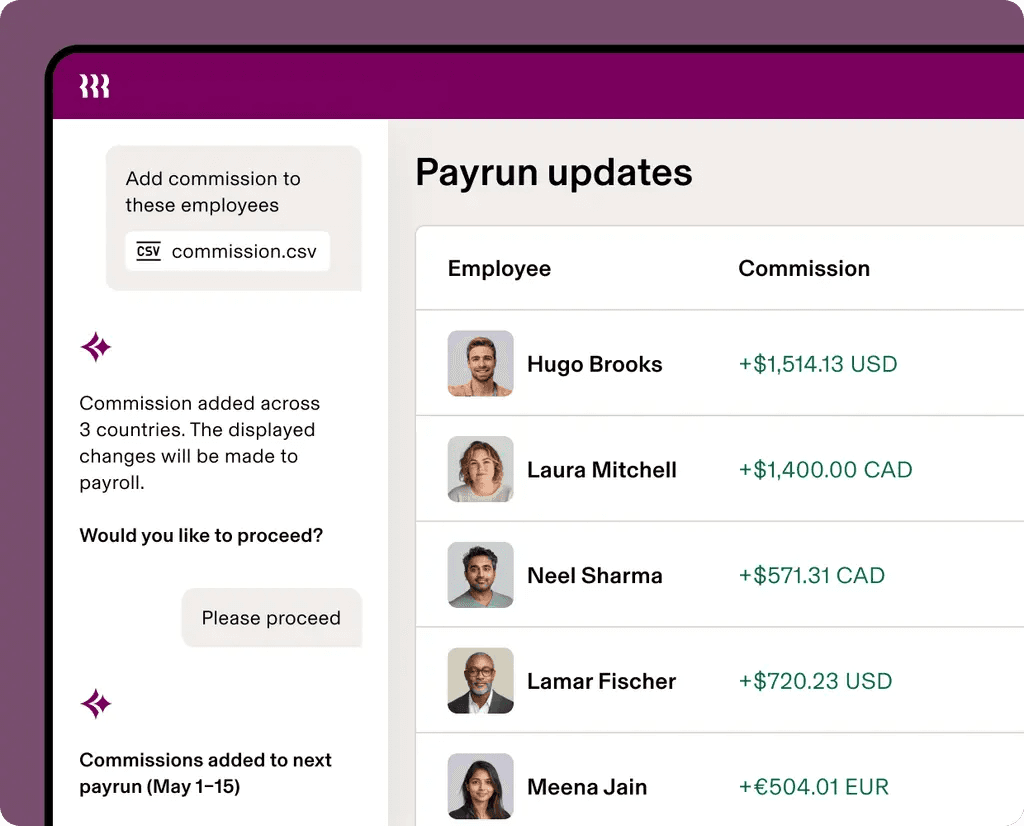
Rippling is an all-in-one system for HR, payroll, benefits, time and attendance, scheduling, PEO services, IT and device management, and spend. You start with core HR and add products as you need them.
Rippling fits teams that want HR, payroll, IT, and spend managed in one system. Capterra’s breakdown shows 74 percent small businesses and 22 percent midsize companies, while G2’s filters show about 63 percent at mid-market firms of 51 to 1,000 employees.
A single-location hourly team that mainly needs payroll, scheduling, and a time clock will likely use a fraction of it, and Rippling sells scheduling and time and attendance as separate products.
How We Evaluated These Rippling Alternatives
We looked at each tool the way a small business owner would, so we compared each option on what matters when you’re running payroll yourself:
- Pricing transparency and billing model
- Payroll and tax features
- HR and benefits depth
- Time tracking and scheduling
- Fit for hourly teams
- Setup effort
We checked pricing against vendor pages where we could and read recent reviews on G2 and Capterra. We also make one of these tools, which we explain below. See our full methodology.
Why Trust Homebase?
We’re Homebase, and we publish this guide. Homebase is an all-in-one app for scheduling, time tracking, payroll, hiring, and team messaging, used by more than 150,000 small businesses. We ranked Homebase alongside the others, judged every pick on its own merits, and never accept payment or backlinks for a mention.
Rippling Alternatives and Competitors Compared
Prices are published starting rates, last checked in November 2026.
| Provider | Best For | Starting Price | Free Plan | Scheduling | Time Clock | Payroll | HR | Setup |
|---|---|---|---|---|---|---|---|---|
| Rippling | Mid-size teams, HR and IT together | $8 per user plus $40 base fee; modules quoted | None listed | Module (quote) | Module (quote) | Module (quote) | Core HR included | About one month on average |
| Homebase | Hourly teams, all-in-one | Free; paid from $30 per location; payroll $49 plus $6 | Yes: one location, 10 team members | Included | Included, free plan too | Add-on ($49 plus $6 per employee) | HR and compliance on All-in-One | Free setup and data migration |
| OnPay | Simple flat-rate payroll | $49 plus $6 per worker | No (first month free) | Via integrations (When I Work, Deputy) | Add-on, $15 plus $4 per worker | Built in | HR add-on, $15 plus $2 per worker | Free first month, free migration |
| Justworks | PEO and benefits | Payroll $8 per employee plus $50 base fee; PEO Basic $79; PEO Plus $124 | No | Not listed | Basic timecards; time tracking add-on, $8 per employee | Built in | PEO HR and compliance | No implementation fee |
| Gusto | Payroll and benefits | Simple $49 plus $6 | No | Shift scheduling listed | Time tracking listed | Built in | Grows by plan tier | Import team for teams over 10 |
| BambooHR | HR-first teams | Core $10.25 per employee over 25 employees; flat $250 a month for 25 or fewer | No | Add-on (Time & Attendance) | Add-on (Time & Attendance) | Add-on (US only), quoted | Core HR | Dedicated project manager for payroll |
| Paychex | Full-service provider | Request pricing | No | Add-on (basic scheduling) | Add-on (Time & Attendance) | Built in | HR tools by package; HR Pro and PEO | 48 hours to 2 months |
The Best Rippling Alternatives for Small Businesses
Each pick covers pricing, what reviewers say, and our take.
Homebase: Best for Hourly Teams That Want Scheduling, Time Tracking, and Payroll in One App
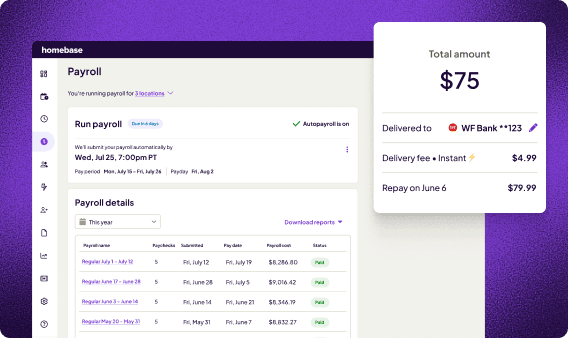
Best for: Hourly teams in restaurants, retail, salons, and services that want scheduling, time tracking, payroll, and HR in one app.
What it is: Homebase runs payroll itself, with taxes calculated, filed, and paid through the app. Hours from the time clock and schedule flow straight into each pay run.
Key features:
- Payroll that calculates wages, overtime, and taxes automatically, with tax filing, direct deposit, and a Payroll Assistant that flags timecard errors
- A time clock on phones, tablets, and computers, with timesheets that feed payroll
- Scheduling with open shifts and shift trades on Essentials and above
- HR and compliance tools on All-in-One, including certified HR advisors, a custom handbook, and labor law alerts
Pricing: Basic is free for one location and up to 10 team members. Paid plans include unlimited team members, priced per location each month: Essentials at $30 ($24 billed annually), Plus at $70 ($56), and All-in-One at $120 ($96), which adds onboarding, labor cost management, and HR and compliance tools. Payroll is a separate add-on on every plan at $49 a month plus $6 per employee paid.
New customers get the Plus plan and payroll free for six months if they finish payroll setup by December 15, 2026, and run their first payroll by January 20, 2027. Teams of five or fewer then pay $29 a month plus $6 per employee.
What users like: One Capterra reviewer said Homebase saves managers time on scheduling, time tracking, and team communication. Roberto Bustillos of Lombard Doggy Daycare says that with scheduling and payroll handled, he can think about “how do we get the next location, how do we deal with permits, how do we find investors” instead of “dealing with the day-to-day operations.”
What users criticize: Capterra’s review summary notes recurring app glitches and slow performance, and some users cite delayed support responses. One retail owner wished Homebase would “auto update times for breaks.”
Our take: Homebase fits best when scheduling and payroll are part of your daily routine. If you’re switching payroll providers, we handle data migration and setup for free with a dedicated payroll expert, and payroll customers get live human support from 7am to 7pm CT. You can see how switching works.
Time is money. Literally.
Stop copy-pasting between documents, and start sending hours directly to your payroll system.
OnPay: Best for Flat-Rate Payroll With Optional HR
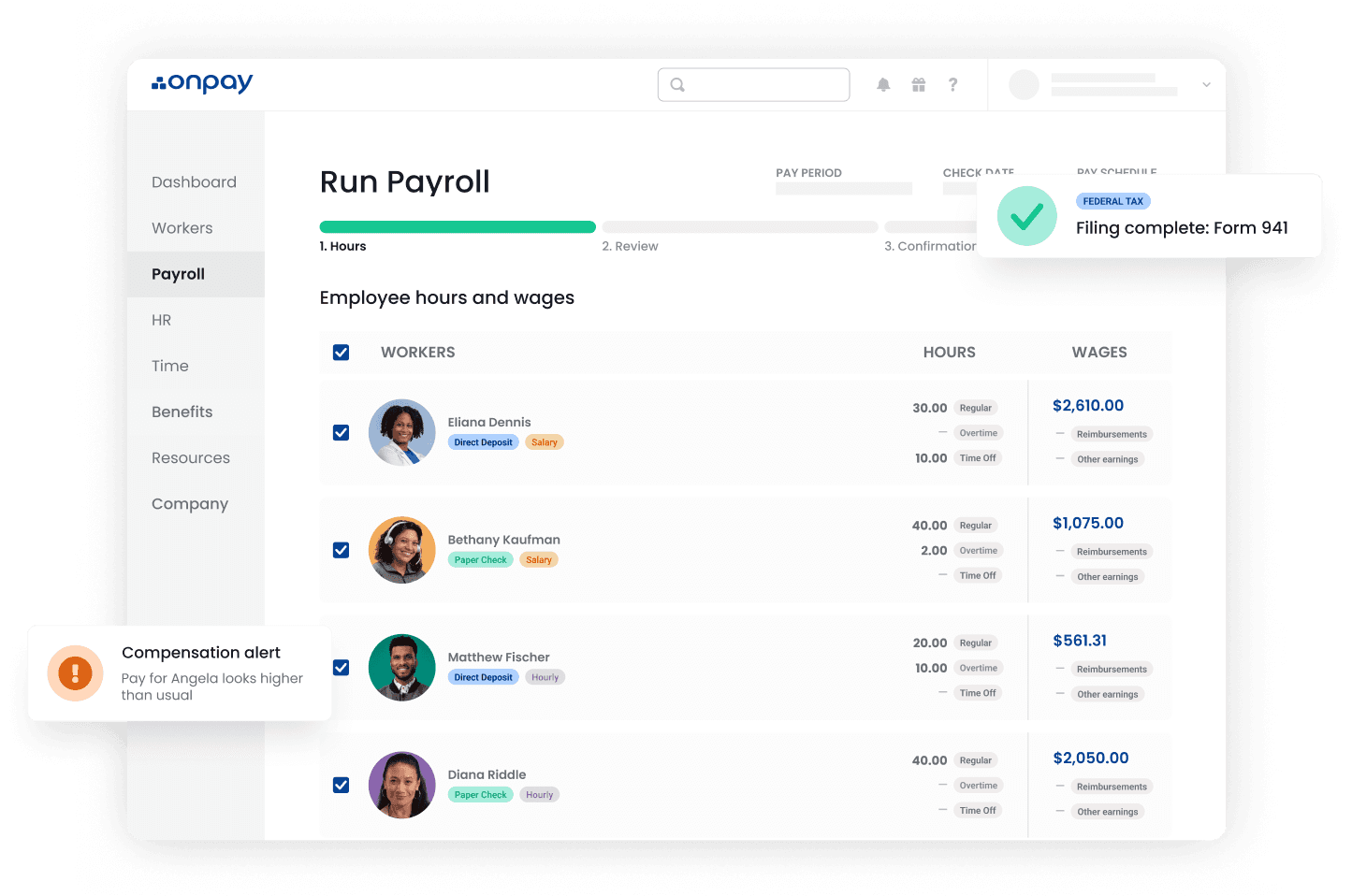
Best for: Small teams that want straightforward payroll with one published price.
What it is: OnPay is a payroll tool with tax filing in all 50 states and unlimited pay runs. OnPay’s pricing page shows a free first month, free setup, and free data migration.
Key features:
- Full-service payroll for W-2 and 1099 workers, with direct deposit, checks, or prepaid cards
- Tax filings and payments in all 50 states, backed by an error-free guarantee
- Hiring and onboarding tools with e-signed I-9 and W-4 forms
- Benefits administration, with workers’ comp and a 401(k) available
Pricing: Payroll Essentials runs $49 a month plus $6 per worker. The HR add-on is $15 plus $2 per worker, and the time tracking add-on is $15 plus $4 per worker. A payroll, time tracking, and HR bundle runs $70 plus $10 per worker.
What users like: A Capterra reviewer called the setup “a breeze” and credited a dedicated onboarding specialist.
What users criticize: Capterra’s review summary notes occasional technical and support delays, and several reviewers wish payroll could run automatically on a schedule.
Our take: Gusto and Homebase charge the same $49 plus $6 for payroll, so the choice comes down to what else you need. OnPay doesn’t list shift scheduling, though it syncs with time tracking tools like Deputy and When I Work.
Justworks: Best for Teams That Want a PEO and Benefits
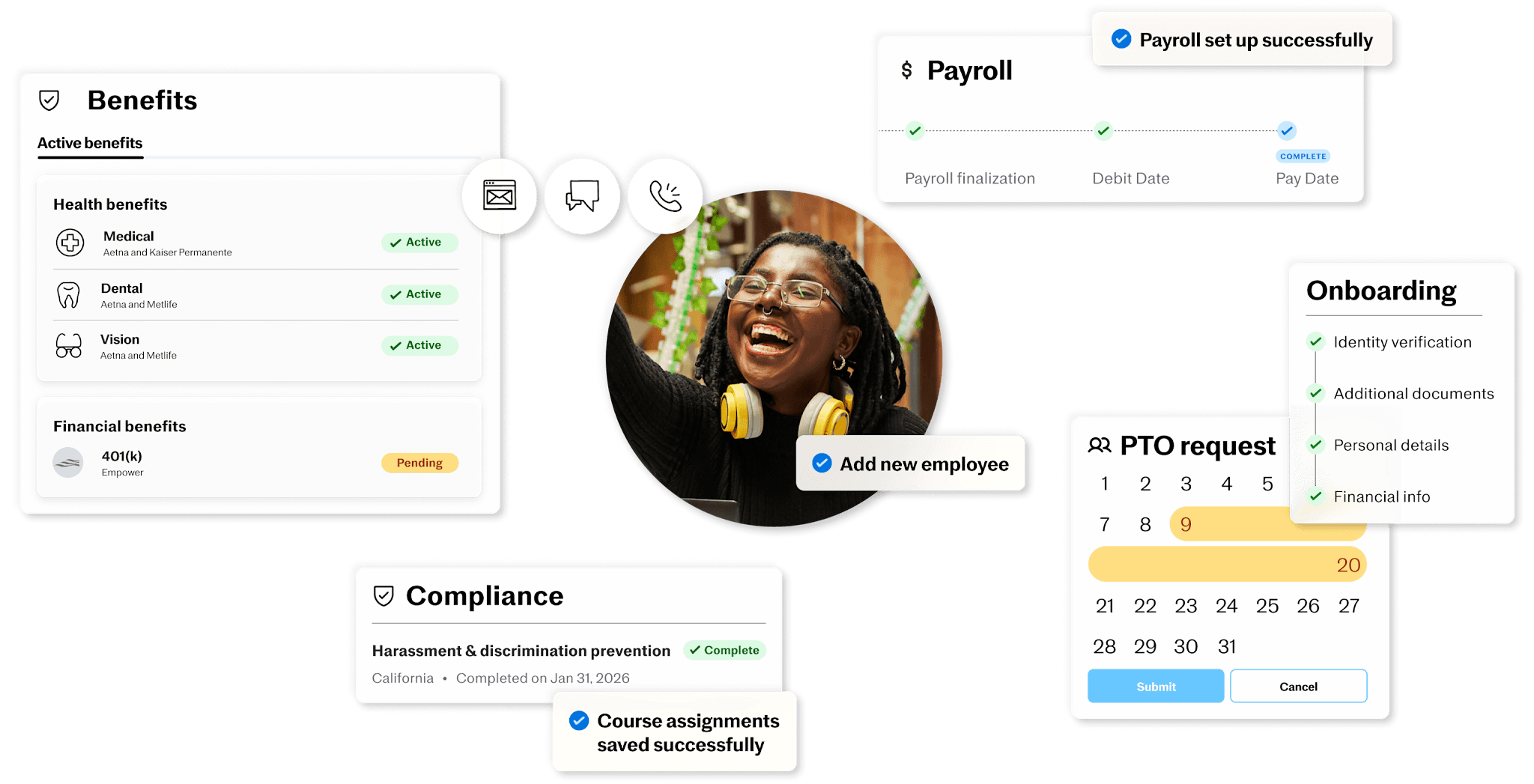
Best for: Small teams that want a PEO to share HR duties and offer benefits.
What it is: Justworks sells payroll on its own, plus PEO plans where it becomes your co-employer. In a Rippling vs Justworks comparison, the split is a system you run yourself versus a PEO that shares the work.
Key features:
- Multi-state payroll with employer tax filings and W-2 and 1099 filings
- PEO plans with HR consulting, 24/7 support, and access to workers’ comp, 401(k), and life and disability insurance
- PEO Plus adds medical, dental, and vision administration, mental health resources, and fertility benefits
- Online onboarding, PTO management, and basic timecards on every plan, with advanced time tracking as an add-on
Pricing: Payroll runs $8 per employee a month plus a $50 monthly base fee, PEO Basic is $79 per employee, and PEO Plus is $124, with no base fee on the PEO plans. Advanced time tracking is an $8-per-employee add-on.
What users like: G2 reviewers most often cite customer support and ease of use.
What users criticize: G2 reviewers’ most common complaints include limited features, customer support, and high fees, and one Capterra reviewer called the pricing “kind of high for small businesses.”
Our take: A PEO can help a team with no HR person, but it adds a per-employee fee for everyone, so run the math at your headcount.
Gusto: Best for Payroll and Benefits With Published Pricing
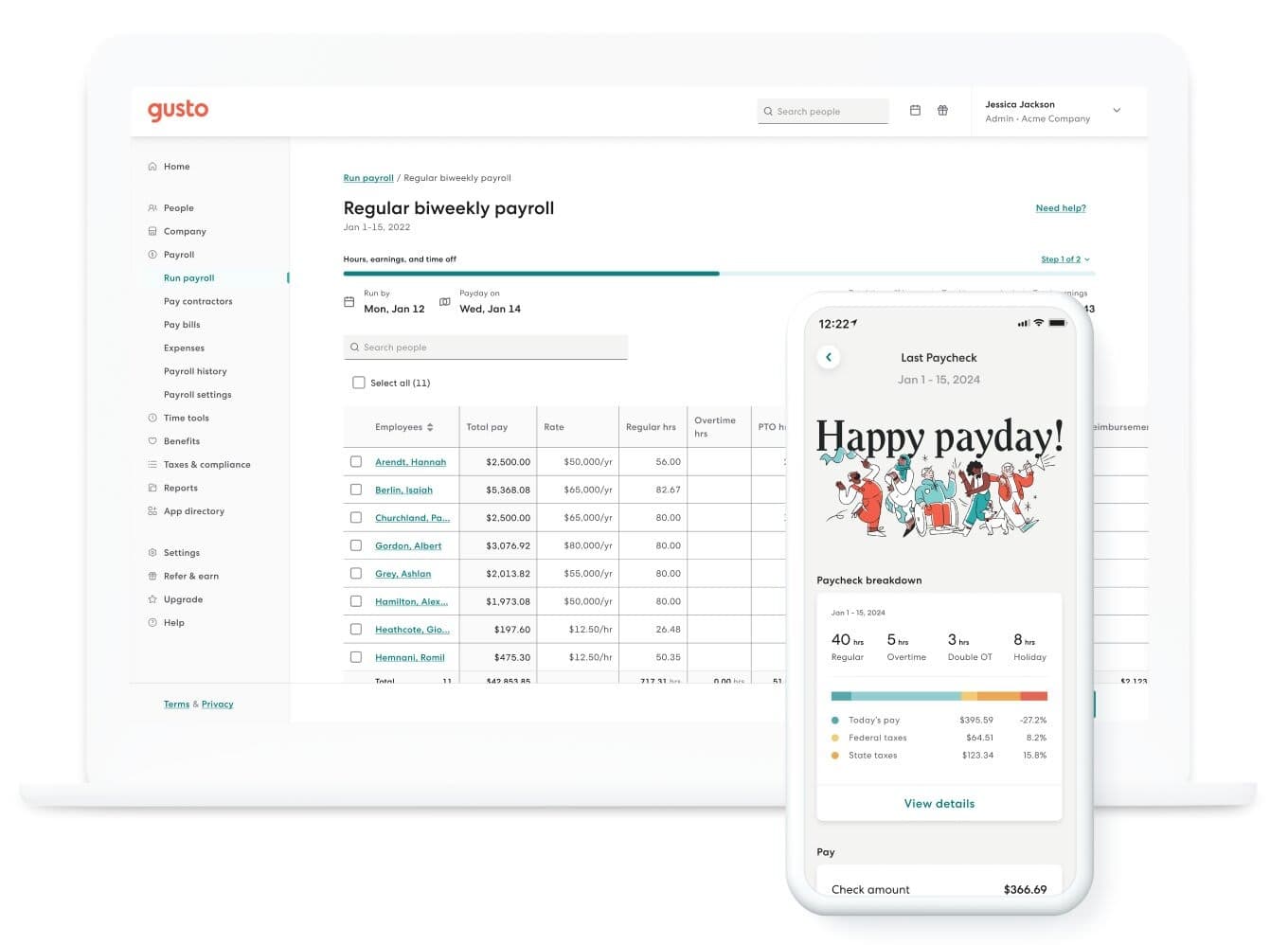
Best for: Small teams that want payroll and benefits with prices posted upfront.
Rating: G2 4.6 (13,860+ reviews)
What it is: Gusto is a payroll tool with benefits, hiring and onboarding, and HR support that grows with each plan. In a Rippling vs Gusto matchup, Gusto is the lighter, payroll-first option. See how it compares with us in our Homebase vs. Gusto comparison or our payroll comparison.
Key features:
- Payroll with automatic tax filing and unlimited pay runs
- Health insurance, 401(k), and pay-as-you-go workers’ comp built in
- Hiring and onboarding tools, including an applicant tracking system and background checks through Checkr
- Integrations with QuickBooks, Xero, and Clover
Pricing: Gusto’s pricing, as listed on G2, is Simple at $49 a month plus $6 per person, Plus at $80 plus $12, and Premium at $180 plus $22.
What users like: Ease of use, easy setup, and simple payroll top the pros on G2.
What users criticize: Complaints on G2 include missing features, customer support, and limited customization.
Our take: Gusto is a solid payroll-first tool. Its human support runs weekdays from 6am to 6pm MT, and a dedicated team imports your data if you have more than 10 employees. Ask which plan covers payroll in every state where your team works. For more options, see our Gusto alternatives guide.
BambooHR: Best for HR-First Teams
Best for: Teams that put HR records, hiring, and time off ahead of everything else.
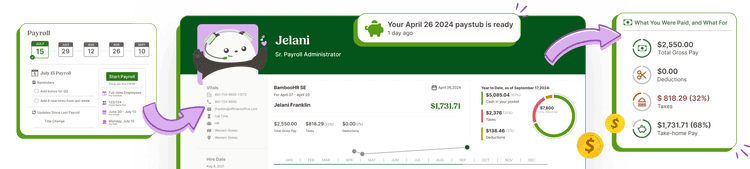
What it is: BambooHR is an HR system built around employee records, hiring, onboarding, and time off. Payroll, benefits administration, and time and attendance are offered as add-ons. In a BambooHR vs Rippling comparison, BambooHR is the narrower choice.
Key features:
- A central employee database with custom fields
- Applicant tracking
- Onboarding workflows
- Time off tracking with approvals
Pricing: Core at $10.25, Pro at $17.50, and Elite at $25 per employee per month for companies with more than 25 employees. Teams of 25 or fewer pay a flat $250, $425, or $650 a month, which is $50 per person for a team of five on Core. Payroll is an add-on without a published price.
What users like: On G2, reviewers praise ease of use, simplicity, and the user interface.
What users criticize: Pricing draws frequent complaints on Capterra, where one HR director called BambooHR a “very expensive product.” On G2, complaints include missing features and limited customization.
Our take: BambooHR says it’s built for companies of roughly 50 to 500 employees. HR records and hiring come first, payroll costs extra and covers US employees only, and shift scheduling and time clocks come in a separate add-on.
Paychex: Best for Teams That Want a Full-Service Provider
Best for: Teams that want a larger, full-service payroll provider and are comfortable getting a quote.
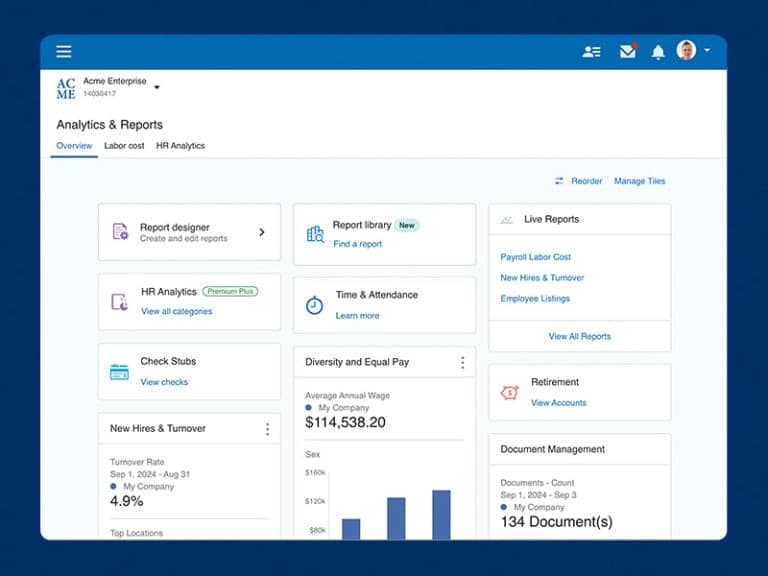
What it is: Paychex sells payroll in packages called Basic, Foundations, Advanced, and Complete, with time and attendance, benefits, and retirement plans as add-ons. Paychex also offers HR Pro and PEO options.
Key features:
- Unlimited payroll processing with direct deposit, checks, pay cards, and tip disbursement
- Automatic payroll tax filing and payment through Taxpay
- HR tools such as a compliance library, custom employee handbooks, and labor law posters
- Time and attendance as an add-on, with basic scheduling included
What users like: Capterra’s review summary shows 86 percent of the reviews that mention the user experience are positive.
What users criticize: Capterra reviewers describe frequent technical disruptions, cumbersome logins, and inconsistent customer communication, and one called the app “slightly glitchy.”
Our take: Paychex suits teams that want a big provider and don’t mind a sales conversation. It says setup can take as few as 48 hours, while G2 reviewers report about two months on average.
Frequently Asked Questions About Rippling Alternatives
Who Is Rippling’s Biggest Competitor?
It depends on your size and on which pieces of payroll and HR you use. Roundups like People Managing People’s list name Deel for global hiring, plus Gusto, Justworks, and Paylocity for payroll and HR. Capterra’s popular comparisons for Rippling also include Gusto, BambooHR, and Workday.
Why Is Rippling So Expensive?
How much Rippling costs depends on the modules you add, since it charges per employee, per month and each product carries its own fee. Pricing starts at $8 per user plus a $40 monthly base fee. Vendr’s transaction data shows small teams paying $15 to $35 per employee once modules are added.
What Are the Top 5 HRIS Systems?
A human resources information system (HRIS) stores employee records, onboarding, and time off, and roundups of Rippling competitors, like People Managing People’s, include BambooHR, Gusto, Paylocity, and Workday. If you run an hourly team, confirm whether scheduling and time tracking are included or cost extra.
Is Rippling or Workday Better?
In a Rippling vs Workday comparison, neither is centered on small hourly teams. Workday is generally associated with larger organizations, while Rippling serves small and midsize companies, with about 63 percent of G2 reviewers at firms of 51 to 1,000 employees. If you mainly need payroll, scheduling, and a time clock, a simpler tool usually covers it.
What Are the Best Alternatives to Rippling?
For small hourly teams, the strongest fits are Homebase (scheduling, time tracking, and payroll in one app), OnPay (flat-rate payroll), Justworks (PEO plans and benefits), Gusto (payroll and benefits), BambooHR (HR-first), and Paychex (full-service payroll). The right one depends on whether you need scheduling, benefits support, or payroll alone.
Is Rippling a PEO?
Rippling is mainly a system for HR, payroll, and IT, and it also sells PEO services as a separate option. In a PEO, the provider becomes your co-employer and shares duties like benefits and compliance. Justworks is one provider that sells PEO plans, starting at $79 per employee per month.
What Is the Best Rippling Alternative for Hourly Employees?
Look for a tool that covers scheduling and time tracking along with payroll. Homebase combines scheduling, a time clock, payroll, hiring, and HR in one app, with paid plans from $30 per location a month and payroll at $49 plus $6 per employee. Ask any alternative which pieces cost extra.
Which Rippling Alternative Fits Your Team?
The right Rippling alternative depends on why you’re leaving. If it’s cost, compare published prices. If it’s complexity, pick the tool that covers what you use today.
Roberto Bustillos of Lombard Doggy Daycare started with Homebase on his first day in business. He said the trial at the start was “very affordable, almost free, very little risk.” To see how scheduling, time tracking, and payroll fit together, try Homebase free.
Time is money. Literally.
Stop copy-pasting between documents, and start sending hours directly to your payroll system.