Best Hiring Software for Small Business Hourly Teams (2026)


SMALL BUSINESS INTEL, IN YOUR INBOX
Table of contents
You're the owner, the manager, and the person covering Tuesday's lunch shift. A good candidate applied while you were slammed. Two days later, you finally see the email. They've already accepted another offer.
Most hiring tools weren't built for businesses like yours. They were built for companies with dedicated HR teams, training budgets, and weeks to spare. That gap shows up fastest in hourly hiring, where turnover keeps openings coming. According to the Homebase Main Street Health Report for September 2026, turnover across hourly teams on Homebase climbed 6.5% year over year, even as hiring turned positive for the first time in nearly two years.
This guide breaks down the eight best options in hiring software for small business teams in 2026. Each tool includes how it fits restaurant, retail, and services hourly hiring.
Hiring Software for Small Business: Key Takeaways
The best hiring software for small business teams posts jobs fast and screens applicants for you. For hourly hiring, the best ones also connect to your schedule and payroll. Our top three picks:
- Homebase: hiring, scheduling, and payroll in one app for hourly teams, with free job posts and applicant tracking.
- Breezy HR: a free starting point for one open role, with distribution to 50+ job boards.
- JazzHR: the strongest dedicated applicant tracking system (ATS) for businesses that hire regularly.
The full guide covers all eight options with pricing, real user reviews, and the criteria we used to pick them.

The 8 Best Small Business Hiring Tools, Summarized
Here's a quick look at the best small business hiring software on this list. Each tool covers the fundamentals: job posting, candidate tracking, and interview scheduling. They're built for different kinds of businesses and hiring volumes, so the right pick depends on your situation.
- Homebase: posts your job listing to multiple job boards in a few clicks and makes onboarding simple
- JazzHR: dedicated ATS with strong job board integrations and workflow automation
- Breezy HR: free forever plan, branded careers page, and distribution to 50+ job boards
- BambooHR: hiring and onboarding built into a full HR system with time-off, performance, and payroll
- Workable: structured hiring with interview kits, scorecards, and video screening
- Zoho Recruit: strongest free option for businesses that hire infrequently
- Manatal: AI-powered candidate scoring for high-application-volume hiring
- Rippling: hiring connected to HR, payroll, and IT provisioning in one app
Why Homebase Created This Guide
We make hiring and onboarding software for hourly teams, so we have a real stake in this category. Some of the tools in this list compete directly with Homebase, and we want to be upfront about that.
The tools ranked below were evaluated independently. Our team applied the same rubric to every option, including the ones that go head-to-head with us.
How We Chose These Tools
We looked at each tool the way a small business owner would: does this fit my team, my budget, and the way I actually hire?
Here's what we evaluated:
- Ease of setup: how fast can a non-HR owner get up and running?
- Job board reach: does it post to the boards your candidates actually use?
- Screening quality: how much does the tool do before you open your inbox?
- Pricing transparency: what does it actually cost, including add-ons and per-person fees?
- Free tier availability: can you try it without committing to a paid plan?
- Integration with other tools: does it connect to your scheduling and payroll?
We used hands-on testing where access was available, vendor pricing pages, official documentation, and verified reviews from G2 and Capterra. Read our full methodology here.
Hiring Software for Small Business Compared: Pricing, Free Tiers, and AI
Here’s how all eight options compare on the details small business owners ask about first. Plans and prices come from each vendor’s published information at the time of our review.
| Tool | Starting price | Free tier | AI capabilities | Job board distribution | Free trial |
|---|---|---|---|---|---|
| Homebase | Free Basic plan; paid plans from $30/month per location | Yes: job posts and applicant tracking | AI-written job posts; Hiring Assistant screens applicants 24/7 (paid add-on) | Top job boards, including Indeed and ZipRecruiter | 14 days of All-in-One |
| JazzHR | $1,000/yr (about $83/month) | No | AI candidate matching via TalentFit (Plus and Pro plans) | Free and premium job boards, with LinkedIn Recruiter integration | Free trial available |
| Breezy HR | Free; paid plans from $157/month billed annually | Yes: 1 active position | AI-powered candidate evaluation | 50+ job boards | 14 days on paid plans |
| BambooHR | Core plan at $10/user/month; teams of 25 or fewer start at about $250/month flat | No | AI-enhanced hiring with automation capabilities | Indeed, Glassdoor, and ZipRecruiter | Free trial available |
| Workable | $299/month (Standard) | No | AI candidate matching and resume screening on all plans; Workable Agent is a paid add-on | 200+ job boards | 15 days |
| Zoho Recruit | Free; Standard from $30/user/month | Yes: 1 active job and 1 recruiter | AI candidate scoring via Zia (Enterprise plan) | 75+ job boards on paid plans | 15 days |
| Manatal | $15/user/month billed annually | No | AI candidate scoring and ranked shortlists on all paid plans | Thousands of job boards | 14 days, no credit card |
| Rippling | Core HRIS from $8/user/month; recruiting by custom quote | No | AI resume screening and ranked shortlists | Not listed in our review | Not listed in our review |
Plans, prices, and limits change, so confirm current details on each vendor’s site before you commit.
The 8 Best Small Business Hiring Software Options
The right small business recruiting software depends on how often you hire, what kind of team you're building, and how much you want your hiring to connect to the rest of your business. Here's a closer look at each option.
1. Homebase: best hiring software for small business hourly teams.
Homebase is built for hourly small businesses, including restaurants, retail shops, and salons, that need to hire quickly without an HR team. Unlike the tools in the ranked list above, Homebase connects hiring directly to scheduling and payroll, so a new hire goes from application to first shift in one place.
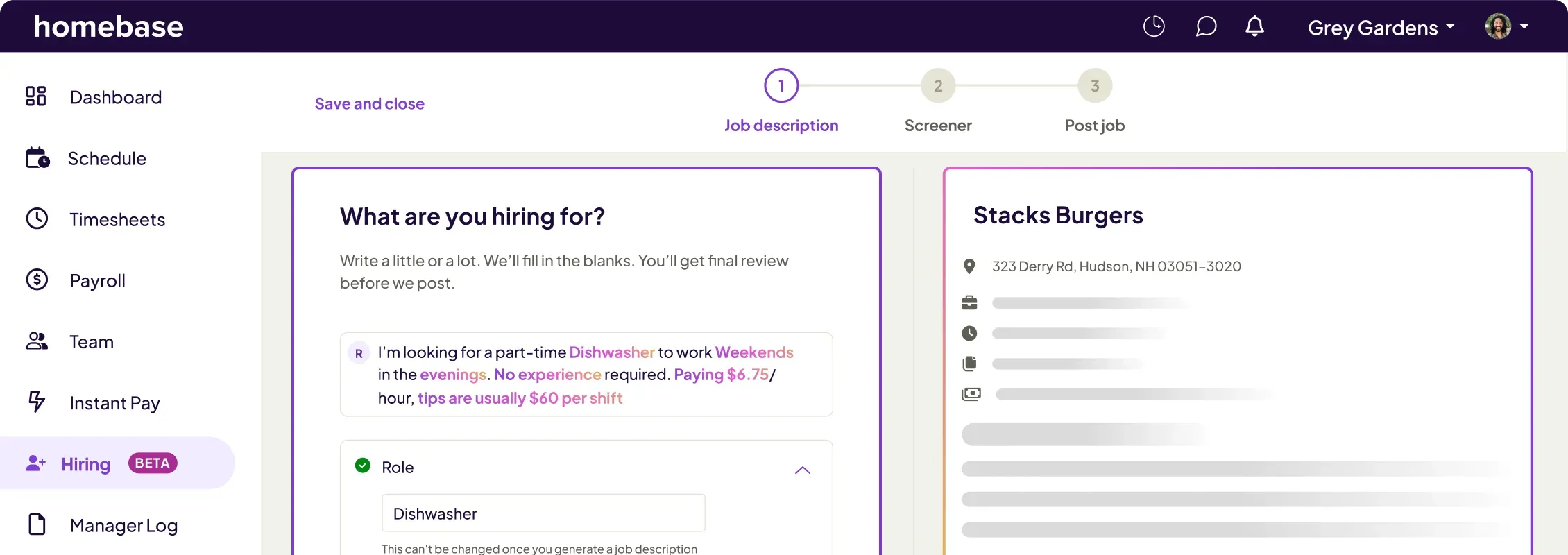
- Best for: Hourly teams that want hiring, onboarding, scheduling, and payroll in one app
- G2 rating: 4.5/5 (448 reviews) | Capterra rating: 4.6/5 (1,147 reviews)
- Pricing: Basic (free, 1 location, up to 10 employees) / Essentials ($30/month per location) / Plus ($70/month per location) / All-in-One ($120/month per location). Annual billing saves 20%. Hiring Assistant is available as an add-on (starting at $99/month).
- Free tier: Yes. Basic job posting and applicant tracking are available on the free Basic plan. The AI-powered Hiring Assistant (24/7 screener) is a paid add-on. Full digital onboarding with e-sign paperwork (W-4, W-9, I-9) and HR & compliance tools require the All-in-One plan.
- What we offer: AI-written job posts, one-click multi-board posting (Indeed, Google, Facebook Jobs, ZipRecruiter, Craigslist), a 24/7 AI screener with spoken and written follow-ups, ranked candidate profiles, digital onboarding with e-sign before day one, and auto-sync to scheduling and payroll
How the Homebase Hiring Assistant screens hourly applicants
Hourly applicants often apply after close, mid-rush, or from their phones, so the first reply matters. The Hiring Assistant closes that gap by screening every applicant in real time, around the clock.
- Writes and posts for you: Share the basics of the role, and it drafts the job post and publishes it to top job boards in one click.
- Screens by voice and text: Applicants speak their answers, and it listens, asks written follow-ups, and captures the highlights for you.
- Filters and ranks: It filters out unqualified applicants and gives you ranked candidate profiles to review first.
- Connects to the rest of your app: It works with scheduling, onboarding, and payroll, and optional background checks are available.
The Hiring Assistant is a paid add-on, and job posts and applicant tracking stay free on the Basic plan. If candidates are waiting days for a reply, see how the Hiring Assistant screens applicants around the clock.
Restaurant hiring with Homebase
Restaurants lose applicants in the gaps between rushes. One-click posting reaches top job boards, walk-ins can apply from their phones, and the Hiring Assistant screens applicants overnight. New hires then finish onboarding paperwork before their first shift, which requires the All-in-One plan, and land on your schedule in the same app.
Retail hiring with Homebase
Retail hiring swings with the season, so you want a tool that scales up and down. Job posts and applicant tracking are free on the Basic plan, and the Hiring Assistant adds ranked candidate profiles and interview scheduling when a holiday rush hits.
Services hiring with Homebase
Service businesses often hire technicians and crew members who start in the field, not at a desk. Applicants can apply from their phones, the Hiring Assistant filters out unqualified applicants, and optional background checks are available when a role calls for one. Because hiring connects to scheduling and payroll, a new hire can move from offer to first job in one app.
For most small business owners, hiring admin piles on top of everything else. Applications sit in an inbox while you're pulling a shift, following up on inventory, or handling a customer issue. Every day of delay is another chance for a good candidate to move on.
Andy Nemeth, owner of Little Ireland Coffee, described what changed after switching to Homebase hiring: "It handles all the hard work — practically automating the whole process. I don't have to do the heavy lifting anymore." The screening, the scheduling, the candidate communication — Homebase handles it so you can focus on making the final call. Post your first job free. No credit card needed.
2. JazzHR: applicant tracking system for small business hiring.
JazzHR is a purpose-built applicant tracking system designed for small businesses that hire on a regular basis. It covers the full hiring process from job posting to offer letter, without adding HR tools you won't use. The entry price is accessible, and the job board integrations are strong enough to reach candidates across Indeed, LinkedIn, and Glassdoor in one step.
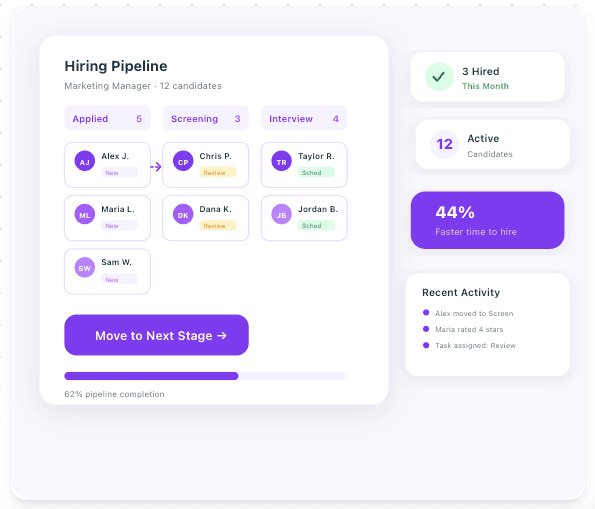
- Best for: Small businesses that hire consistently and want a dedicated ATS without extra HR features
- G2 rating: 4.4/5 (857 reviews) | Capterra rating: 4.3/5 (492 reviews)
- Pricing: Hero ($1,000/yr, ~$83/month) / Plus ($3,480/yr, ~$290/month) / Pro ($5,508/yr, ~$459/month). Free trial available.
- Free tier: No
- Key features:
- Multi-board posting to free and premium job boards in one step, with LinkedIn Recruiter integration
- Customizable hiring pipeline stages, email templates, and workflow automation
- AI-powered candidate matching via TalentFit (Plus and Pro plans)
- Offers and eSignatures (Pro plan)
- What users like: On G2 and Capterra, reviewers consistently highlight the clean, easy-to-learn interface and multi-board job posting as JazzHR's biggest strengths. Teams that hire regularly praise how quickly new users get up to speed and how much time the tool saves on job board management.
- What users dislike: The most common complaints on both platforms center on reporting tools, which reviewers describe as limited and hard to customize. Several Capterra reviewers also flag the cancellation process as a pain point, citing a 30-day notice requirement and a multi-step offboarding flow before an account can be closed.
Restaurant hiring with JazzHR
Restaurants that hire every month can reuse JazzHR’s pipeline stages and email templates instead of rebuilding the process for each opening. Posting reaches Indeed, LinkedIn, and Glassdoor in one step. The tradeoff is cost and fit: there’s no free tier, and JazzHR is a dedicated ATS, so scheduling and payroll stay in separate tools.
Retail hiring with JazzHR
Retail owners with steady, multi-role hiring, such as sales associates and a seasonal stock team, get the most from JazzHR’s workflow automation and multi-board posting. At $1,000 a year with no free tier, it pays off when you hire often. For one or two seasonal hires, a free tool may cover what you need.
Services hiring with JazzHR
Service businesses hiring technicians or crew leads can use JazzHR’s customizable pipeline stages to track each role from screening to offer. Reviewers call the reporting tools limited and hard to customize, which matters if you want to see where your best hires come from.
3. Breezy HR: free hiring software for small business.
Breezy HR gives small businesses a free starting point and one of the most polished careers pages in this category. The Bootstrap plan is free forever and includes distribution to 50+ job boards for a single active position. When you're ready to scale, paid plans unlock unlimited positions, automated candidate workflows, and interview self-scheduling.
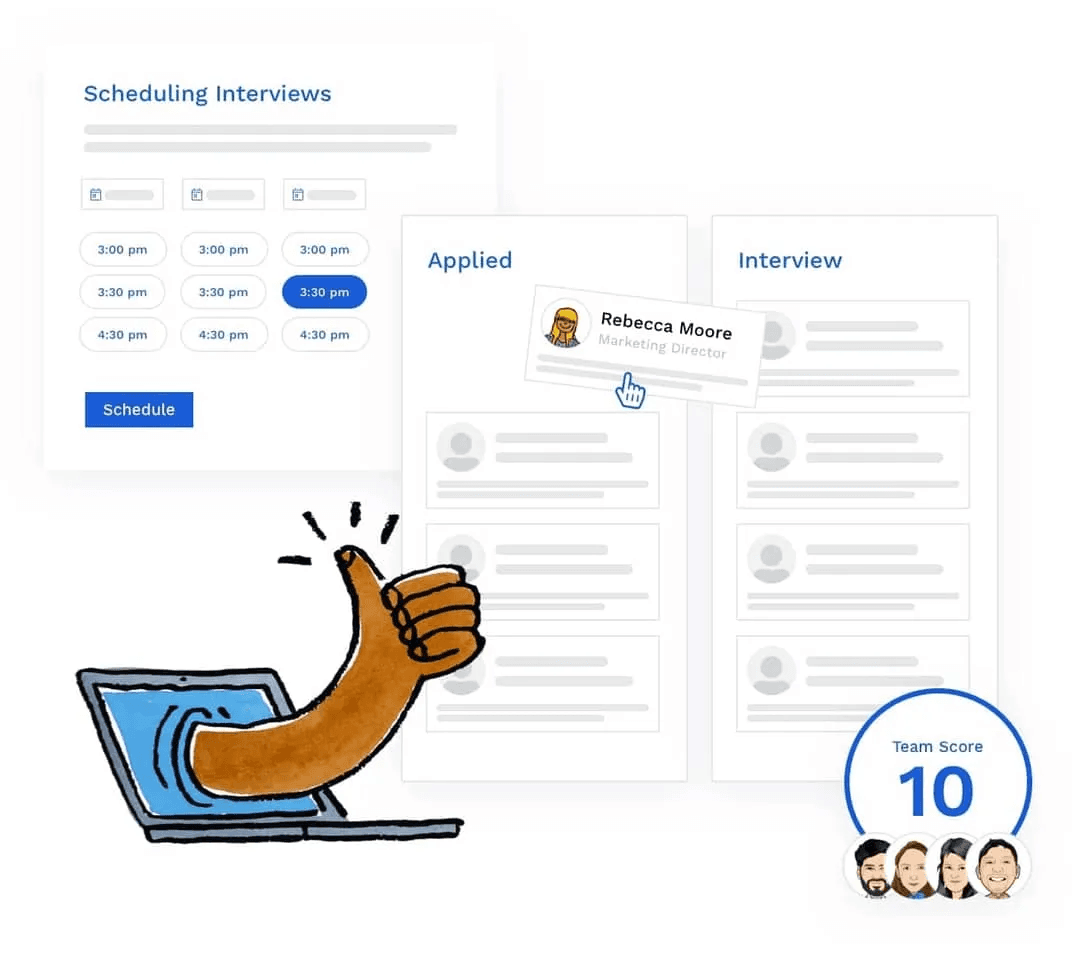
- Best for: Small businesses that want a branded careers page and a free way to get started
- G2 rating: 4.4/5 (686 reviews) | Capterra rating: 4.5/5 (1,420 reviews)
- Pricing: Bootstrap (free, 1 active position) / Startup ($157/mo billed annually, or $189/mo monthly) / Growth ($273/mo or $329/mo monthly) / Business ($439/mo or $529/mo monthly). Annual billing includes 2 months free. 14-day free trial on paid plans.
- Free tier: Yes. 1 active position, unlimited users, distribution to 50+ job boards.
- Key features:
- Branded career site, fully customizable and hostable on your own domain
- Distribution to 50+ job boards from one step, including free and premium listings
- Drag-and-drop candidate pipeline with stage-based automation on paid plans
- Interview self-scheduling with Google Calendar and Outlook integration (Startup and up)
- What users like: On G2 and Capterra, Breezy earns consistently strong marks for its clean, easy-to-learn interface and how quickly teams get up and running. Reviewers on both platforms highlight the drag-and-drop pipeline and automated workflows as genuine time-savers.
- What users dislike: The most common complaints are around reporting flexibility, which reviewers describe as limited, and occasional performance slowdowns when the system loads under heavier use. A handful of reviewers also note that automated emails sometimes end up in candidates' spam folders.
Restaurant hiring with Breezy HR
A single-location restaurant hiring one role at a time can start free with Breezy HR’s Bootstrap plan, which includes one active position and distribution to 50+ job boards. Once you need a server and a dishwasher at the same time, paid plans start at $157 a month billed annually.
Retail hiring with Breezy HR
Retail shops get a branded career site that’s fully customizable and hostable on your own domain, which gives every opening a home. Interview self-scheduling with Google Calendar and Outlook starts on the Startup plan, so candidates can book their own interview times.
Services hiring with Breezy HR
Service teams that hire one role at a time can post for free to 50+ job boards. Reviewers describe the drag-and-drop pipeline as easy to learn, which helps owners who handle hiring between jobs. They also report occasional slowdowns under heavier use.
4. BambooHR: hiring software for small business with a full HR system.
BambooHR is a full HR system that includes a solid applicant tracking system as one of its core modules. It's a good fit for businesses that want hiring, onboarding, time-off tracking, and performance management all in one place — rather than a standalone ATS. The collaborative hiring tools let multiple team members review and score candidates, and onboarding connects directly to HR records the moment someone is hired. Payroll is available as a paid add-on.

- Best for: Growing teams that want hiring built into a full HR system, especially those managing salaried or office-based employees
- G2 rating: 4.4/5 (5,730 reviews) | Capterra rating: 4.6/5 (3,285 reviews)
- Pricing: Core ($10/user/mo) / Pro ($17/user/mo) / Elite ($25/user/mo). Teams of 25 or fewer employees start at a flat rate of approximately $250/month. Payroll, Benefits Administration, and Time Tracking are paid add-ons. Contact BambooHR for an exact quote — pricing is not fully published online.
- Free tier: No (free trial available)
- Key features:
- ATS with job posting to Indeed, Glassdoor, and ZipRecruiter, plus offer letter templates
- Collaborative candidate review with team scorecards and hiring workflows
- Digital onboarding that connects new hires to HR records, e-signatures, and new hire packets
- 150+ integrations spanning payroll, benefits, identity management, and more
- What users like: On G2 and Capterra, BambooHR earns some of the highest marks on this list for ease of use. Reviewers praise its clean interface, strong onboarding workflows, and employee self-service features.
- What users dislike: The most common criticism is reporting — reviewers across both platforms describe the analytics as limited and difficult to customize. Several reviewers also note that costs climb quickly as you add modules, and that payroll features are US-only.
Restaurant hiring with BambooHR
BambooHR is built around salaried and office teams, so it’s a stretch for a restaurant that hires and rehires cooks and servers. Its hiring tools sit inside a full HR system with per-user pricing, so above 25 employees every new hire adds to your bill. Teams of 25 or fewer start at about $250 a month flat.
Retail hiring with BambooHR
A retail business that wants hiring, onboarding, and time-off tracking in one HR system can find a fit in BambooHR, especially for store managers and full-time team members. Onboarding connects to HR records the moment someone is hired, and payroll is a paid add-on. For part-time and seasonal hiring, costs climb as you add modules.
Services hiring with BambooHR
Service businesses with a mix of office and field roles can keep hiring, onboarding, and performance management in one place. Offer letter templates and e-signatures help you move quickly on technician offers. Payroll is available in the US only, which matters if you hire across borders.
5. Workable: small business recruiting software for structured hiring.
Workable is a structured hiring platform that has expanded into a full HR suite. Interview kits, scorecards, and candidate self-scheduling help you run a consistent, multi-stage process without extra coordination overhead. All plans include an HR module covering onboarding, time off, and payroll reporting. The 15-day trial is long enough to run a real hiring process before committing.
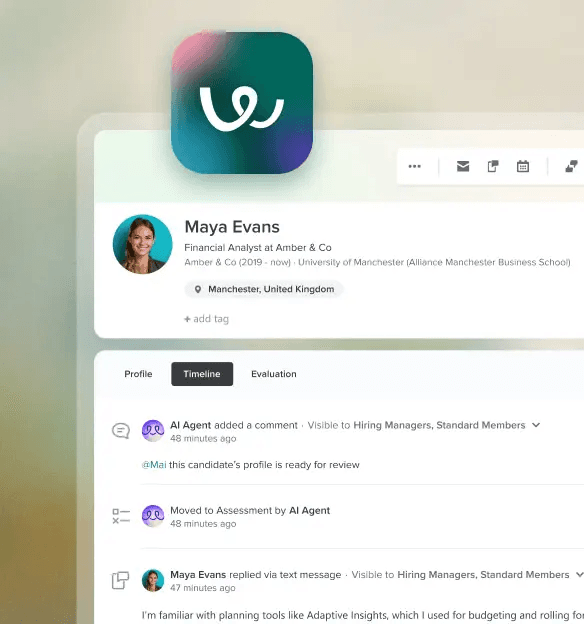
- Best for: Small businesses that run multi-stage hiring with structured evaluation at each step
- G2 rating: 4.4/5 (705 reviews) | Capterra rating: 4.4/5 (661 reviews)
- Pricing: Standard ($299/mo) / Premier ($599/mo) / Enterprise ($719/mo). All plans include unlimited active jobs (subject to fair usage limits) and a 15-day free trial. Annual billing saves up to 20%.
- Free tier: No
- Key features:
- Multi-board posting to 200+ job boards with one-click distribution, including LinkedIn and Indeed
- Interview kits and customizable scorecards for structured, consistent candidate evaluation across teams
- One-way video interviews and science-backed assessments (add-ons on Standard; included on Premier and Enterprise)
- AI-powered candidate matching and resume screening across all plans; Workable Agent (autonomous sourcing, outreach, and screening) available as a paid add-on
- What users like: On G2 and Capterra, reviewers praise Workable's clean, intuitive interface and note that teams across experience levels get up to speed quickly. Collaboration features — shared notes, scorecards, and team-based workflows — earn consistent praise for keeping hiring teams aligned.
- What users dislike: The most common complaint on both platforms is reporting: reviewers describe the analytics as limited and hard to customize. Several small business reviewers also flag pricing as steep, noting the entry point roughly doubled after Workable removed its lower-tier Starter plan.
Restaurant hiring with Workable
A restaurant group hiring managers and chefs can use Workable’s interview kits and scorecards to compare candidates the same way every time. For hourly line roles, the $299 monthly starting price is steep, though Workable does post to 200+ job boards in one step.
Retail hiring with Workable
Retail operators filling store manager roles can lean on Workable’s structured evaluation. One-way video interviews are add-ons on Standard and included on Premier and Enterprise, and AI resume screening comes on every plan. Several small business reviewers still flag the price as steep.
Services hiring with Workable
Service companies hiring supervisors or estimators can use scorecards to keep interviews consistent across locations. The 15-day free trial is long enough to run a real hiring process, and plans start at $299 a month, so it fits best when you fill several roles at once.
6. Zoho Recruit: free small business hiring software for low-volume hiring.
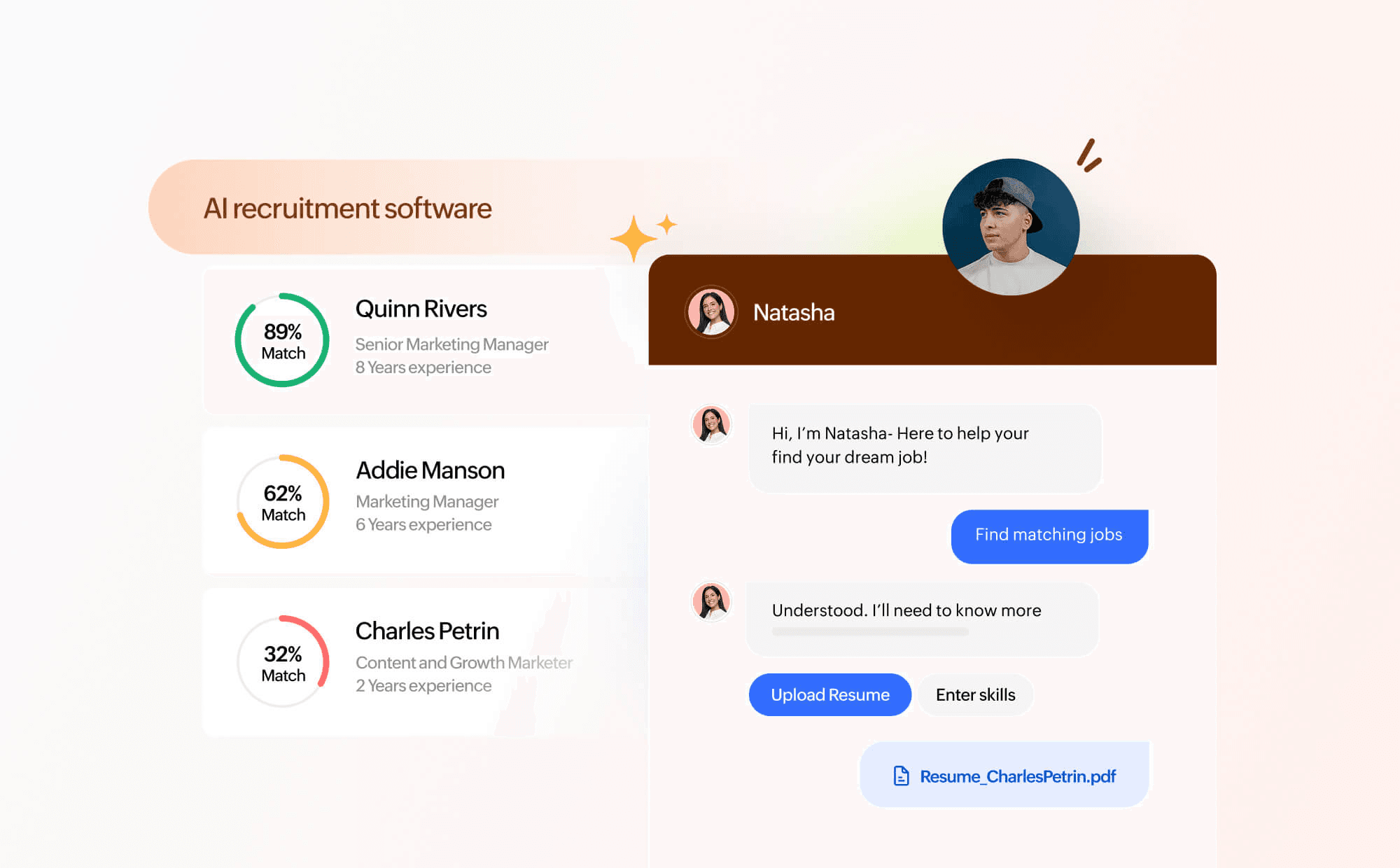
Zoho Recruit's free plan is the most capable free tier on this list: one active job, one recruiter, and a functional candidate pipeline at no cost. It's a good fit for businesses that hire once or twice a year and want a structured process without paying for one. The interface takes some time to learn, but the core hiring workflow is solid.
- Best for: Low-volume hiring or businesses that want to test ATS software before committing
- G2 rating: 4.4/5 (1,843 reviews) | Capterra rating: 4.5/5 (1,241 reviews)
- Pricing: Free (1 active job, 1 recruiter) / Standard ($30/user/mo, 10 active jobs/recruiter) / Enterprise ($60/user/mo, 20 active jobs/recruiter). Staffing agency pricing is separate (up to $90/user/mo). 15-day free trial available.
- Free tier: Yes. 1 active job, 1 recruiter license.
- Key features:
- Multi-board posting to 75+ job boards on paid plans, including Indeed and LinkedIn
- Customizable hiring pipeline with workflow automation and knockout application questions
- Resume parsing and AI-powered candidate scoring via Zia (Enterprise plan)
- 50+ integrations on Standard, including Google Workspace, Outlook, and other Zoho apps
- What users like: On G2 and Capterra, reviewers consistently highlight Zoho Recruit's value for money and strong customizability — small teams and staffing firms alike praise the ability to tailor pipelines and workflows to fit how they hire. Automation features and resume parsing earn frequent credit for cutting manual admin work.
- What users dislike: The most common complaint on both platforms is the learning curve, particularly during initial setup and when configuring advanced workflows and automations. Customer support quality gets mixed reviews, with some users — especially on free plans — reporting slow response times and limited guidance.
Restaurant hiring with Zoho Recruit
A restaurant that hires once or twice a year can run a real pipeline on Zoho Recruit’s free plan, which covers one active job and one recruiter. Knockout application questions help screen out poor fits, and multi-board posting to 75+ job boards comes with paid plans. Expect a learning curve during setup.
Retail hiring with Zoho Recruit
For a retail shop with one seasonal opening, Zoho Recruit’s free plan keeps the cost at zero. Paid plans start at $30 per user per month. Because the free plan caps you at one active job, a holiday rush with several openings means upgrading.
Services hiring with Zoho Recruit
Service businesses that already use Google Workspace or Outlook can connect them on the Standard plan, which includes 50+ integrations. The interface takes time to learn, and reviewers report mixed support, especially on free plans, so it suits owners who can spend a few hours on setup.
7. Manatal: AI hiring software for high-volume small business hiring.
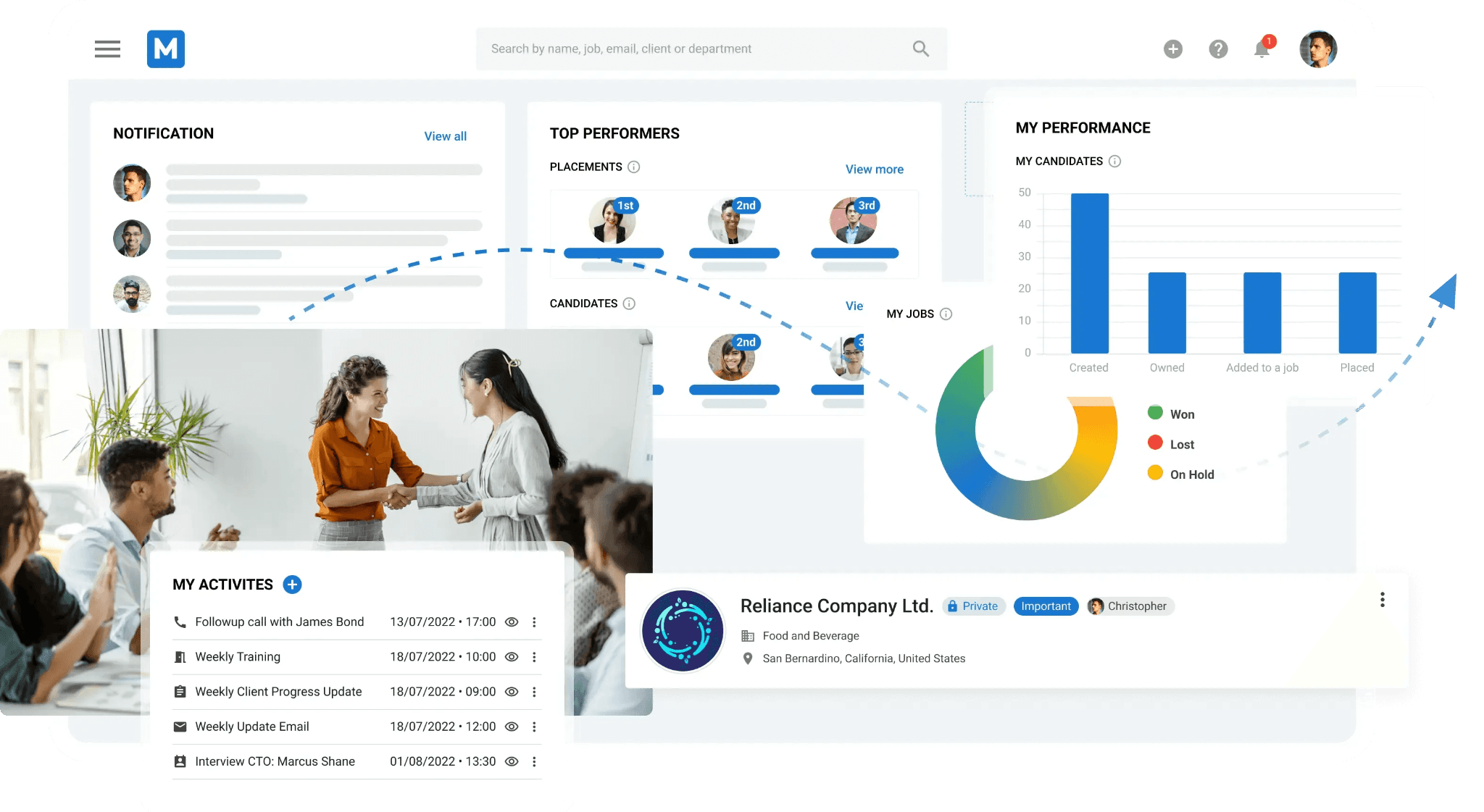
Manatal uses AI to score and rank candidates against your job description the moment they apply. For businesses that get high application volume, that automatic prioritization saves real review time. The pricing is lower than most enterprise AI tools, making it accessible for small businesses. It works best for roles where you're sorting through a large number of applicants quickly.
- Best for: High-volume hiring where AI-powered candidate ranking cuts review time
- G2 rating: 4.8/5 (147 reviews) | Capterra rating: 4.6/5 (141 reviews)
- Pricing: Professional ($15/user/mo annual, $19/mo monthly; up to 15 active jobs) / Enterprise ($35/user/mo annual, $39/mo monthly; unlimited jobs and workflow automation) / Enterprise Plus ($55/user/mo annual, $59/mo monthly; + advanced reports, open API, SSO, priority support). 14-day free trial, no credit card required.
- Free tier: No
- Key features:
- AI candidate scoring based on job description fit, with ranked candidate shortlists across all paid plans
- Enriched candidate profiles pulling from LinkedIn and other public sources automatically
- Multi-board posting to thousands of job boards with a branded career page on all plans
- Workflow automation (Enterprise and above); recruitment CRM included across all plans
- What users like: On G2 and Capterra, reviewers consistently highlight Manatal's competitive pricing and ease of initial setup. AI-powered candidate scoring, LinkedIn profile enrichment, and one-click job board distribution earn frequent praise for speeding up the screening process.
- What users dislike: The most common complaints center on navigation — reviewers describe the interface as harder to use at higher volumes, with limited filtering options making it difficult to search large candidate pools. Customer support runs on email and chat, with several reviewers noting delayed responses at lower tiers.
Restaurant hiring with Manatal
Manatal ranks candidates against your job description the moment they apply, which helps a restaurant buried in applications for one server opening. Plans start at $15 per user per month billed annually. Reviewers say the interface gets harder to use at higher volumes.
Retail hiring with Manatal
Retail hiring often brings high application volume for a few roles. Manatal’s AI scoring and ranked shortlists come with every paid plan, and every plan includes a branded career page. The 14-day free trial needs no credit card, so you can test it on a real opening.
Services hiring with Manatal
Service businesses recruiting technicians can use Manatal’s enriched candidate profiles, which pull from LinkedIn and other public sources. That helps when you’re recruiting skilled trades instead of waiting for applicants. Support runs on email and chat, and reviewers note delays at lower tiers.
8. Rippling: hiring software for small business with HR and payroll.
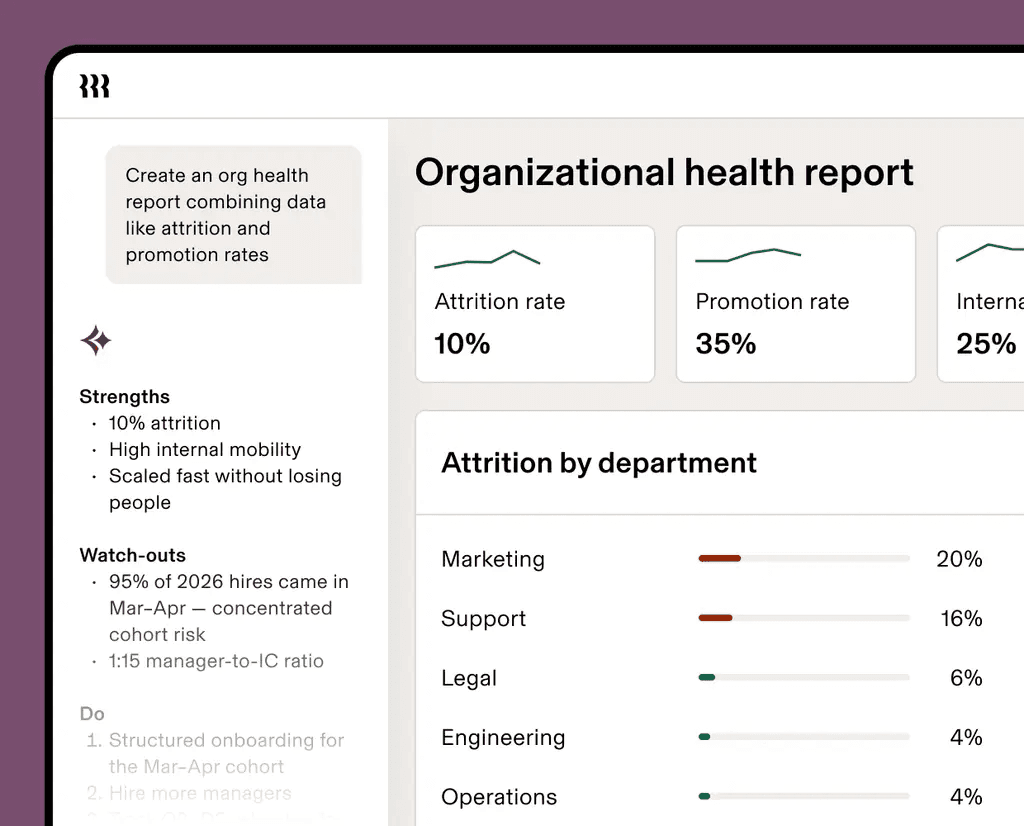
Rippling connects recruiting to the rest of your business operations. HR, payroll, benefits, and IT provisioning all live in the same system. When you bring someone on, Rippling can set up their payroll, enroll them in benefits, and provision their apps in the same workflow. Rippling is an all-in-one workforce app, and for a growing small business that wants one system for everything, that integration is a real advantage.
- Best for: Small businesses scaling up that want hiring connected to HR, payroll, and IT in one place
- G2 rating: 4.8/5 (13,079 reviews) | Capterra rating: 4.9/5 (4,706 reviews)
- Pricing: Core HRIS starts at $8/user/month; full pricing is modular and requires a custom quote. Most small businesses pay $15–25/user/month once HR, payroll, and recruiting modules are combined. No public pricing page — contact Rippling directly for a quote.
- Free tier: No
- Key features:
- Recruiting module that connects directly to Rippling payroll, benefits, and IT provisioning
- Automated onboarding that triggers payroll setup, app access, and benefits enrollment in a single workflow
- AI-powered resume screening and ranked candidate shortlists
- Referral bonus automation through Rippling payroll
- What users like: On G2 and Capterra, reviewers consistently praise Rippling's all-in-one approach — HR, payroll, IT provisioning, and device management unified in a single platform, with automated onboarding that eliminates manual coordination across departments.
- What users dislike: The platform's breadth comes with a steep initial learning curve — reviewers on both platforms describe the feature density as overwhelming at first. Recurring bugs, slow load times, and frequent session timeouts are cited consistently, and some reviewers flag that pricing grows significantly as modules are added.
Restaurant hiring with Rippling
Rippling is an all-in-one HR and payroll app, and its automated onboarding can trigger payroll setup and benefits enrollment for each new hire. Most small businesses pay $15 to $25 per user per month once modules are combined, so costs grow with every team member you add. Reviewers also describe a steep learning curve.
Retail hiring with Rippling
Retail owners who want hiring tied to payroll, benefits, and app access can get that in one workflow with Rippling. AI resume screening and ranked shortlists help sort applicants. Pricing is modular and requires a custom quote, so plan a conversation with sales before you compare it with free options.
Services hiring with Rippling
Service companies growing past a handful of crews may value one system for hiring, payroll, benefits, and app access. Reviewers cite recurring bugs, slow load times, and frequent session timeouts, so expect some friction in daily use.
Find the Tool That Fits the Way You Hire
Choosing the right hiring tool comes down to a few questions. How often do you hire? What kind of team are you building? And how much do you want hiring to connect to the rest of your operations?
For teams that want a full HR system alongside hiring, BambooHR connects recruiting, onboarding, and people management in one place. For businesses that hire occasionally, Breezy HR and Zoho Recruit both have strong free options. For hourly teams in restaurants, retail, or salons, Homebase connects the full cycle from job post to first shift in one app. According to SHRM's 2025 Benchmarking Report, the average cost per hire for nonexecutive roles is $5,475. Getting the decision right pays off every time.
Most tools on this list offer a free trial or a free tier, so you can try before you commit. If you're running an hourly team, start with Homebase for free today.
Frequently Asked Questions About Small Business Hiring Software
Do I need hiring software if I only hire a few people a year?
Hiring software helps even when you only hire a few people a year, because each hire carries more weight and a slow follow-up can cost you a strong candidate. A free plan from Breezy HR or Zoho Recruit gives you a consistent process without a monthly bill, so it’s worth setting up before you need it.
What's the difference between free and paid hiring software for small businesses?
Free hiring software for small businesses usually limits you to one active job posting with basic candidate tracking, while paid plans add multi-board posting, automated screening, structured interview tools, and analytics. A free or entry-level plan covers day-to-day needs for most small businesses, and upgrading makes sense when you fill several roles at once or want automated screening to cut review time.
Can small business hiring software help with compliance?
Small business hiring software can help you stay compliant with EEOC guidance. It standardizes job descriptions and keeps an audit trail of your hiring decisions.
Some tools, like Homebase, also handle I-9 collection and document storage in the onboarding flow. For small businesses without an HR team, a consistent, documented process is one of the easiest ways to reduce legal risk when hiring.
How long does it take to set up hiring software for a small business?
Setting up hiring software for a small business takes about an hour with most tools. You’ll set up your business profile, create your first job posting, and connect your preferred job boards.
Homebase is designed to get you posting your first job in minutes, with hiring and applicant tracking available on the free Basic plan.
How do I hire hourly workers fast?
To hire hourly workers fast, post to multiple job boards at once, screen applicants the day they apply, and book interviews quickly. A tool that posts in one step and screens around the clock, like Homebase’s Hiring Assistant, keeps strong candidates from taking another offer.
What is the best free hiring tool for restaurants?
The best free hiring tool for restaurants depends on how many roles you fill at once. Homebase’s free Basic plan, for one location and up to 10 employees, includes job posts and applicant tracking, while Breezy HR’s free plan covers one active position and Zoho Recruit’s covers one active job.
How does an AI hiring assistant work?
An AI hiring assistant works by writing your job post, publishing it to job boards, and screening each applicant as they apply. It can listen to spoken answers, ask written follow-ups, and rank candidates, so you review a short list instead of every application.
Homebase’s Hiring Assistant does this around the clock as a paid add-on.
What background check is required for restaurant employees?
What background check is required for restaurant employees depends on your state, city, and the role, so confirm local rules before you screen anyone. If you use a background reporting company, the FTC says you need the applicant’s written permission first.
Background check laws in your city or state may also limit when you can ask about criminal history.