Best Technician Scheduling Software for Field Service in 2026


SMALL BUSINESS INTEL, IN YOUR INBOX
Table of contents
Adding a third or fourth technician is the moment most home service businesses hit their scheduling ceiling. The group text starts dropping updates, the shared calendar gets double-booked, and jobs fall through because no one confirmed who was covering what. Getting scheduling under control starts with finding the right tool. That's also where the options get complicated.
The market splits into two categories: lightweight scheduling apps that handle job assignment and updates, and full field service management (FSM) software that adds invoicing, work orders, and customer records on top. Most buyers don't realize which one they need until they've already committed to the wrong one.
We reviewed 6 of the most widely used service technician scheduling software options in 2026, evaluating each on scheduling depth, mobile app quality, team communication, and pricing transparency, so you can find the right fit for where your business is right now.

The Best Technician Scheduling Software, at a Glance
Technician scheduling software is any tool that helps you assign jobs, manage availability, and keep your field team updated in real time. Here are the top three picks for growing home service businesses—each is built for a different stage of growth, so where you land depends on how big your team is and how much complexity you're ready for:
- Jobber — Best for home service teams under 15 technicians who need scheduling, quoting, and invoicing without enterprise complexity.
- Housecall Pro — Best for residential businesses where customer-facing online booking feeds directly into dispatch.
- FieldPulse — Best for HVAC, plumbing, and electrical shops scaling from 5 to 50-plus technicians.
Why Trust Homebase? Why We Built This Guide
We're Homebase. We make scheduling, time tracking, payroll, and team communication tools for small businesses with hourly teams.
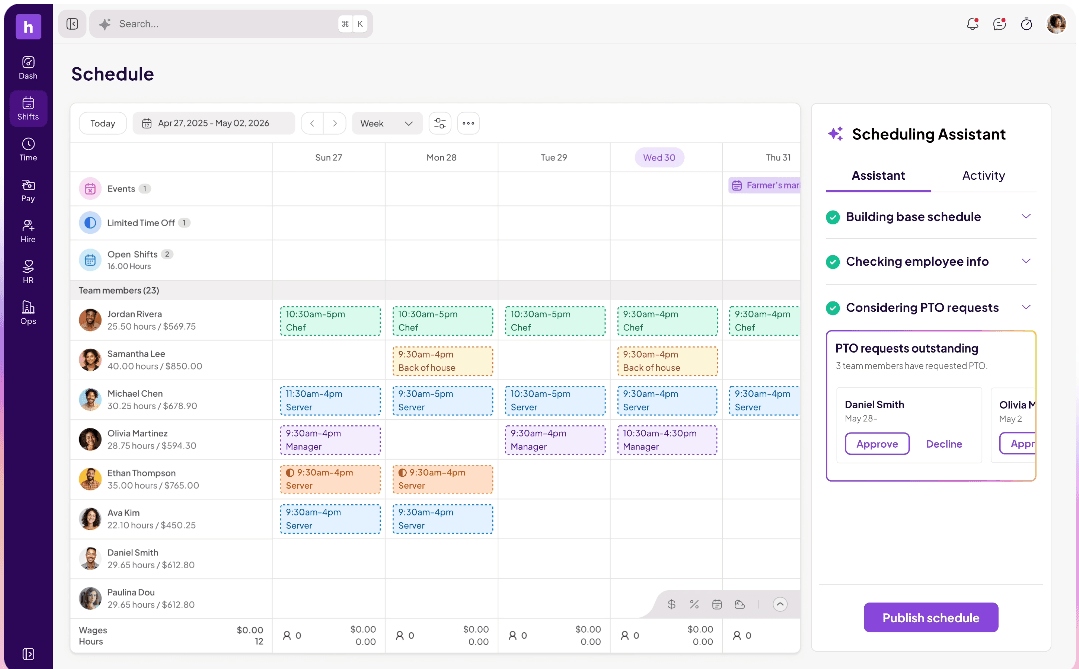
We have a stake in this topic, so we want to be upfront: Homebase is not in the ranked list below. Every app was evaluated on its own merits. We never accept payment or backlinks for product mentions.
We built this guide because field service business owners ask us constantly which scheduling tools work best as their technician teams grow. We pulled from verified third-party reviews, direct tool research, and current pricing pages so you don't have to start from scratch. You can read the full breakdown of how we evaluate tools on our methodology page.
How We Chose the Best Technician Scheduling Software
We focused on true service business scheduling software, ruling out anything designed for office teams, appointment-only businesses, or tools that require enterprise contracts just to access basic dispatch features. To identify the best scheduling software for service businesses at each stage of growth, we evaluated each app on six criteria:
- Technician-first scheduling: Does it handle the field reality, including last-minute reassignments, multi-tech jobs, and skill-based dispatch?
- Mobile app quality: Will a tech actually use it one-handed on a job site? We looked at both Android and iOS experiences.
- Team communication: Can managers push schedule updates and job notes without a phone chain?
- Time tracking: Does it connect GPS-verified clock in to the schedule, or are hours tracked separately?
- Pricing transparency: Verified against each vendor's live pricing page. Per-user fees are flagged and hidden setup costs are noted.
- Real user sentiment: Ratings and reviews pulled from G2 and Capterra, all verified.
The 6 Best Technician Scheduling Software Tools for Field Service
Each tool below suits a different stage of growth and a different set of priorities, so the "best for" line at the top of each entry is the fastest way to find yours.
1. Homebase
Homebase covers the people and shift management layer of a field service operation: who's working, when they're working, and whether their hours are tracked accurately when they're out on jobs. Work orders, job dispatch, invoicing, and route optimization are outside our scope, so if those are the gaps you're trying to close, the tools in the ranked list below are what you're looking for.
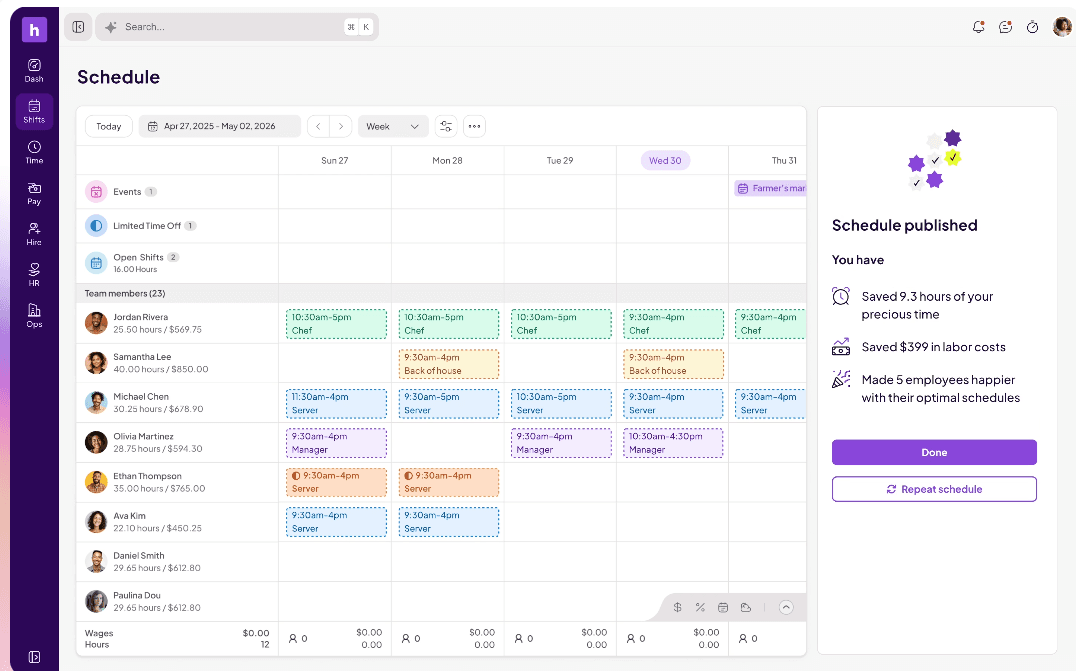
The best fit is a home service business with 2 to 8 technicians that needs to get off spreadsheets and paper timesheets before it's ready to invest in a full FSM system. Here's what we cover for field teams:
- Shift scheduling with a mobile-first calendar and instant notifications to technicians' phones
- GPS-verified time clock so hours tracked at job sites are accurate without paper timesheets
- Team messaging so technicians get shift updates, job notes, and coverage changes without a group text chain
- Time off and availability management so scheduling conflicts get caught before they become missed jobs
- Payroll integrations so verified hours flow through without manual re-entry
Pricing: free for one location with up to 10 employees. Paid plans start at $24/month per location.
Gary Kibbe, owner of SLO Dryer Vent Cleaning, grew to 5 field technicians and made the switch when spreadsheets stopped working: "With growth came the need for a better way to manage my personnel and make it easy for everyone. From clocking in and out to managing days off and shift changes from the PC or my smartphone, Homebase has come through with an extremely easy to use program."
When paper timesheets and group texts are failing your field team, Homebase scheduling gives every technician their shifts on their phone and keeps hours accurate without chasing anyone down. Try Homebase for free.
2. Jobber
Best for: Home service businesses with 1 to 15 technicians who need scheduling and job management in one place
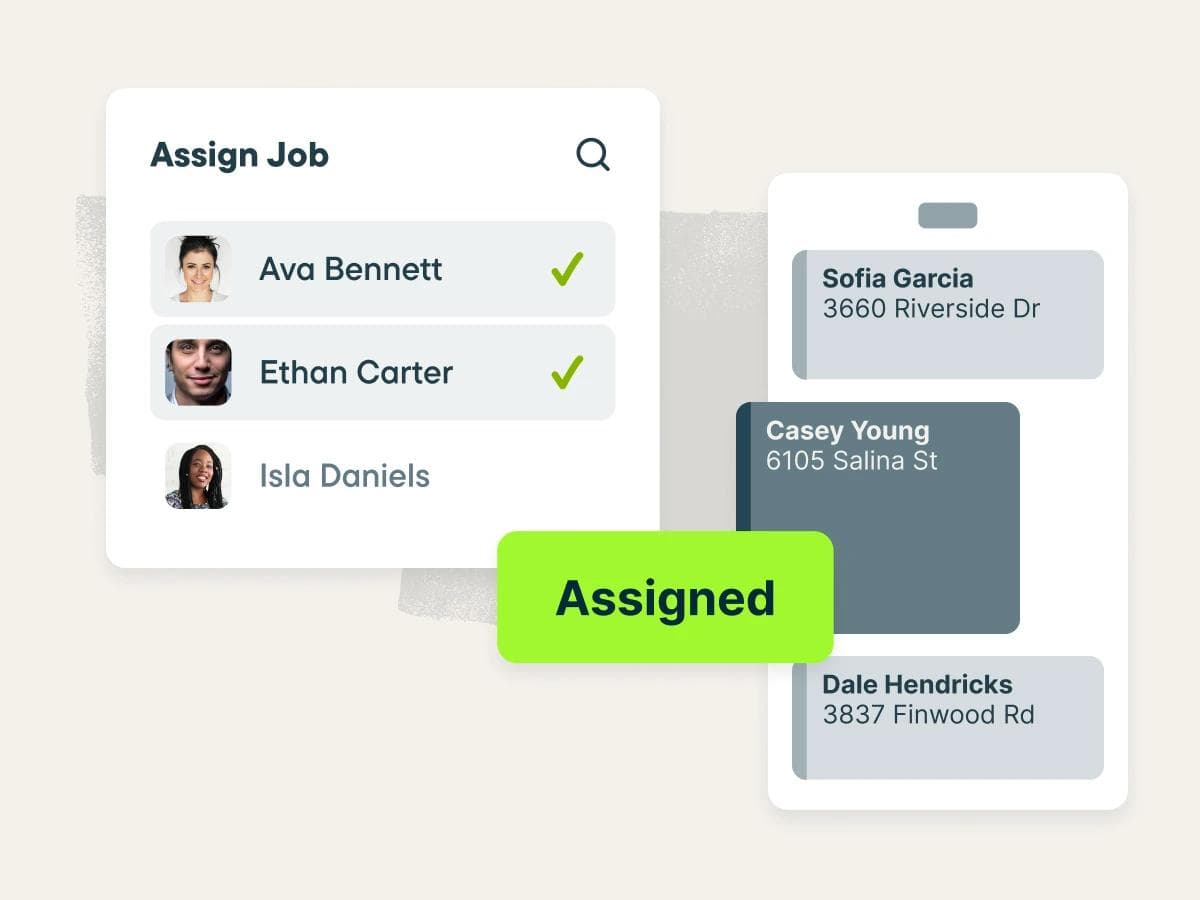
Jobber is the go-to tool for small home service teams that want to get organized without a steep learning curve. It handles scheduling, quoting, invoicing, and automated reminders from one calendar, making it easy to move off spreadsheets without overbuilding your stack.
Key features:
- Drag-and-drop calendar with day, week, and month views, color coding, and filters
- Find a Time smart scheduling that recommends open slots based on team availability and drive time
- Client notifications and appointment reminders via SMS and email
- Mobile app for technicians to access job details, navigate to the site, and update job status
Pricing: Core plan starts at $29/month billed annually, or $49/month on a rolling monthly basis, for a single user. No free tier; 14-day free trial available.
Ratings: Capterra 4.6/5 (1,400+ reviews) · G2 4.6/5 (500+ reviews)
What users like: Across both platforms, users most commonly praise how easy Jobber is to learn and use day-to-day, with the scheduling calendar and integrated invoicing workflow called out as the biggest time savers.
What users criticize: The most repeated complaints across both platforms involve intermittent bugs and slowdowns, along with a sense that the feature set starts feeling limited as teams grow.
Our take: Jobber is the right first move for most growing home service teams. It sets up fast, covers scheduling and billing without overbuilding, and the ceiling on what it can handle is higher than most small teams ever reach.
3. Housecall Pro
Best for: Residential home service businesses where customer-facing online booking feeds directly into dispatch
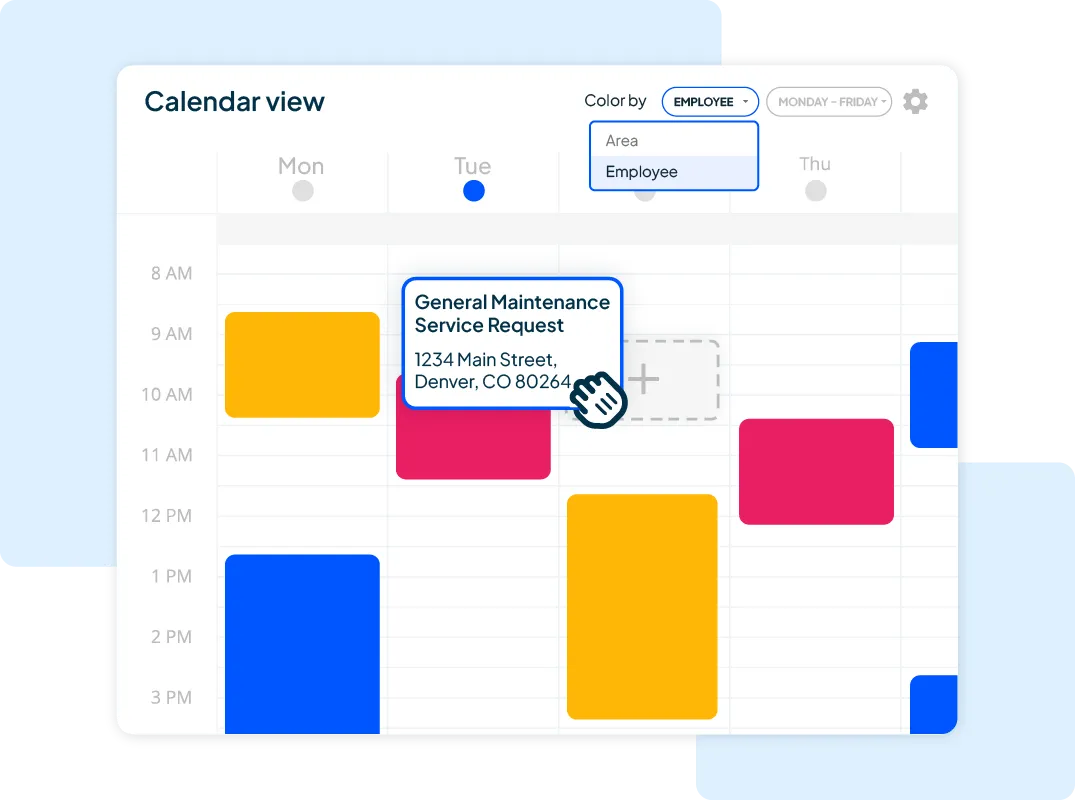
Housecall Pro earns its reputation by tying customer-facing booking directly to the dispatch board. Customers can book from Google Search or your website, and that job flows into your schedule without a phone call in between. For residential HVAC, plumbing, and cleaning businesses, that loop is the differentiator.
Key features:
- Online booking from Google or your website that flows directly into dispatch
- Drag-and-drop scheduling calendar with real-time technician visibility
- Automated "On My Way" customer notifications and arrival alerts
- Vehicle GPS tracking for real-time fleet visibility
Pricing: Basic plan starts at $59/month billed annually, or $79/month on a rolling monthly basis, for a single user. No free tier; 14-day free trial available with no credit card required.
Ratings: Capterra 4.7/5 (2,700+ reviews) · G2 4.3/5 (200+ reviews)
What users like: Users on both platforms consistently praise how easy Housecall Pro is to set up and use, with the scheduling workflow and automated customer communication, particularly the "On My Way" notification, cited most often as the features that earn daily loyalty.
What users criticize: Recurring bugs are the most common complaint across both platforms, with reviewers on G2 also noting that the mobile app doesn't keep pace with the desktop experience in capability or reliability.
Our take: Housecall Pro shines for residential businesses where new bookings come from Google, cutting out a phone call every time someone finds you in search. For teams built mostly on repeat customers they already manage directly, the online booking advantage matters less.
4. FieldPulse
Best for: HVAC, plumbing, and electrical businesses scaling from 5 to 50-plus technicians
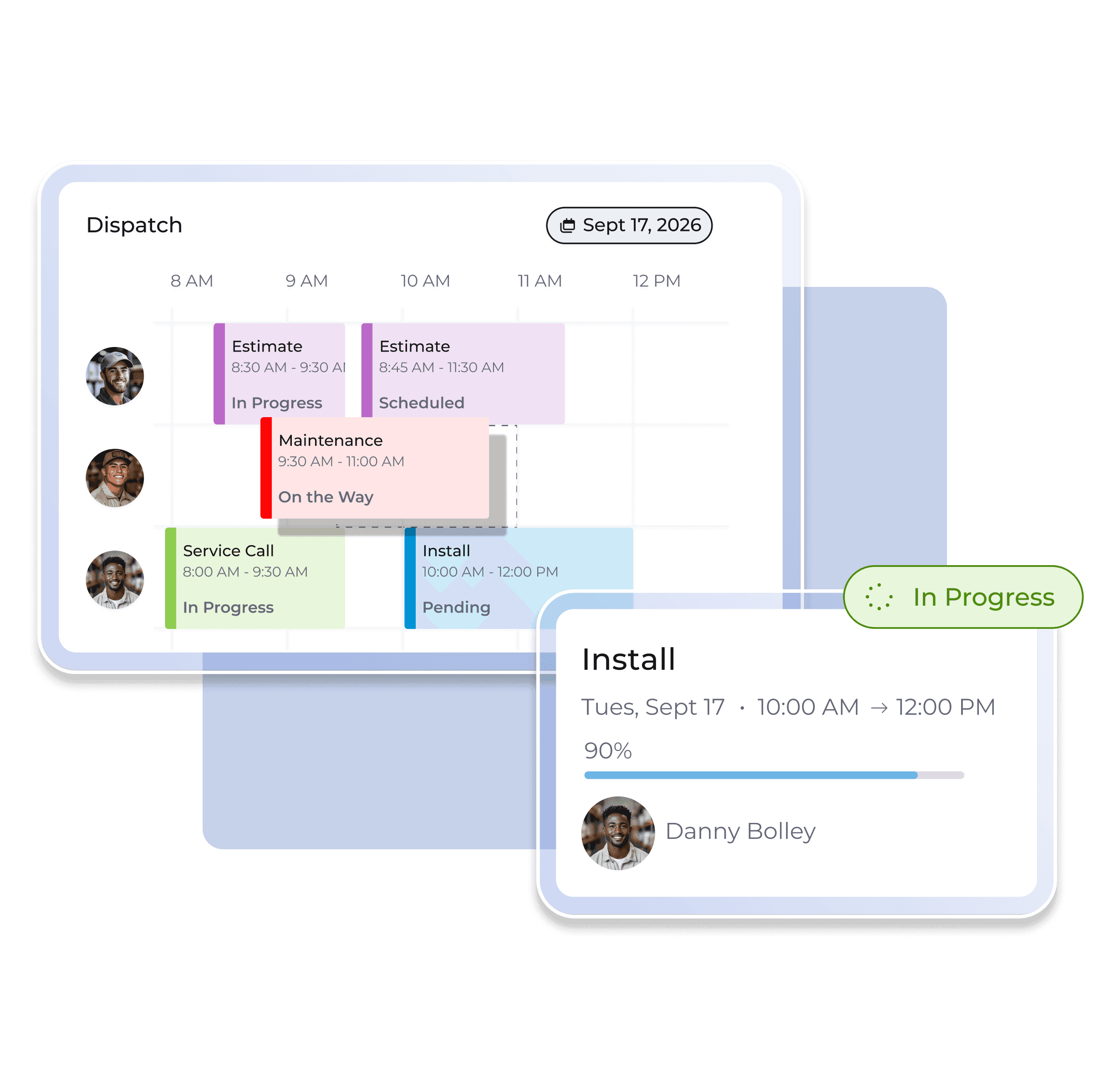
Built for trades teams that need more than a calendar, FieldPulse shows every technician and job in real time, flags conflicts immediately, and scales to multi-location operations. It's a strong fit for HVAC, electrical, or plumbing shops past the getting-organized phase and into scaling territory, which is why it frequently comes up when searching for HVAC technician scheduling software, plumbing technician scheduling software, and field technician scheduling software more broadly.
Key features:
- Drag-and-drop scheduling calendar with real-time technician visibility and immediate conflict detection
- GPS-enabled field dispatching to track technician locations and route the right person to each job
- Real-time dispatch notifications so technicians and customers stay updated as jobs progress
- Operator AI add-on for after-hours call answering and automatic job booking
Pricing: Tiered pricing; contact sales for specifics.
Ratings: Capterra 4.6/5 (400+ reviews) · G2 4.7/5 (300+ reviews)
What users like: Users on both platforms most consistently praise FieldPulse's ease of use and responsive customer support, with the scheduling interface and dedicated account representatives called out as the features that earn the most loyalty.
What users criticize: The most repeated complaints across both platforms involve recurring bugs and unreliable syncing, with QuickBooks integration issues specifically mentioned by users managing accounting outside the app.
Our take: FieldPulse is the strongest option on this list for trades businesses actively scaling past 5 to 10 technicians. The lack of public pricing means committing to a demo before you can evaluate it seriously, which filters out casual comparisons but rewards teams that are genuinely ready to move.
5. Workiz
Best for: Specialty trades businesses such as locksmith, appliance repair, and garage door, where scheduling and inbound phone calls are inseparable
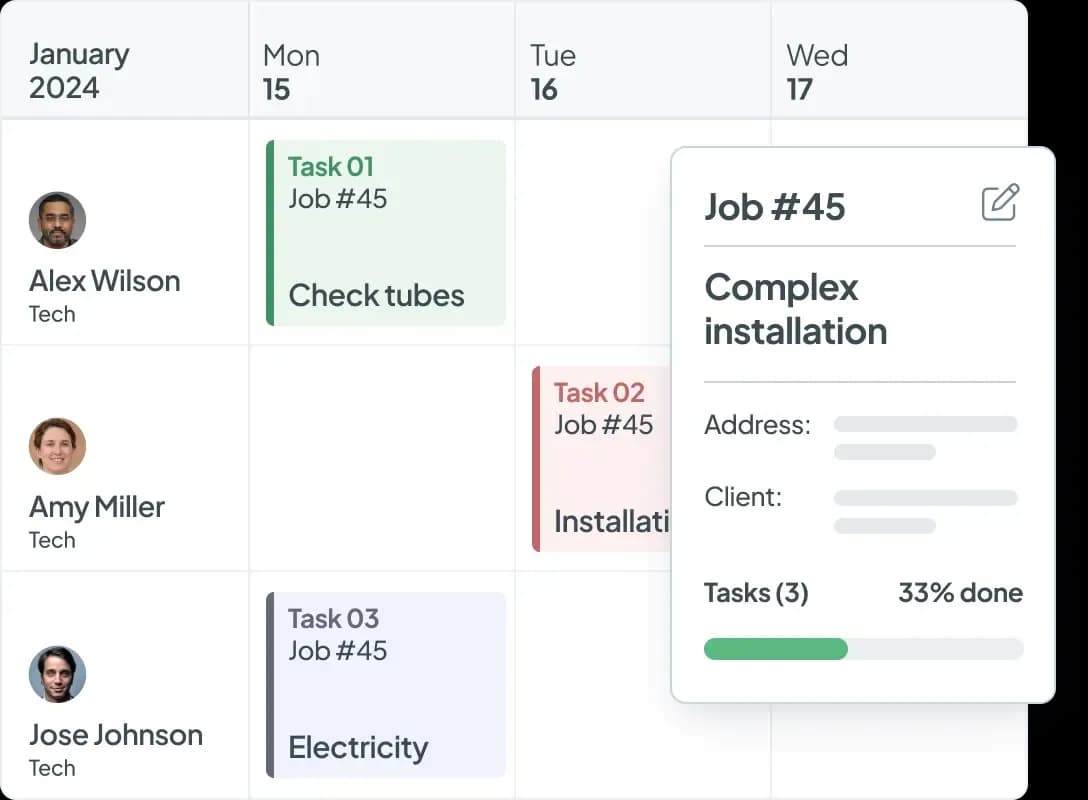
Where most tools treat the phone as separate from scheduling, Workiz builds the two together. Its built-in VoIP system logs calls directly against jobs, which means the moment a customer calls in, the booking and the schedule update happen in the same place. As field force scheduling software built specifically for call-driven trades, it delivers a meaningful operational advantage for businesses that live on inbound calls converting to same-day jobs.
Key features:
- Drag-and-drop scheduling calendar with AI-powered Genius Scheduling that suggests optimal time slots to reduce drive time
- Built-in VoIP phone system that logs calls directly against jobs, eliminating the need for a separate phone platform
- Automated customer reminders, on-my-way texts, and real-time job status notifications
- Technician mobile app for job details, payment collection, and field communication
Pricing: Tiered pricing; contact sales for specifics.
Ratings: Capterra 4.4/5 (200+ reviews) · G2 4.5/5 (200+ reviews)
What users like: Users on both platforms consistently praise how easy Workiz is to learn and use, with the built-in phone integration and scheduling automation cited most often as the features that make the biggest day-to-day difference.
What users criticize: Pricing is the most repeated complaint across both platforms, with reviewers noting that per-user costs add up quickly as teams grow, and the Android app is called out specifically as lagging behind the iOS experience.
Our take: Workiz is the only tool on this list that treats the phone as a first-class scheduling input. Its built-in VoIP logs every call directly against a job, making it purpose-built for businesses that live on inbound calls converting to same-day work. For teams booking mostly through repeat customers, the phone integration matters less and the per-user cost gets harder to justify.
6. ServiceTitan
Best for: Established home service companies with 15-plus technicians and recurring contract work ready for an enterprise-grade system
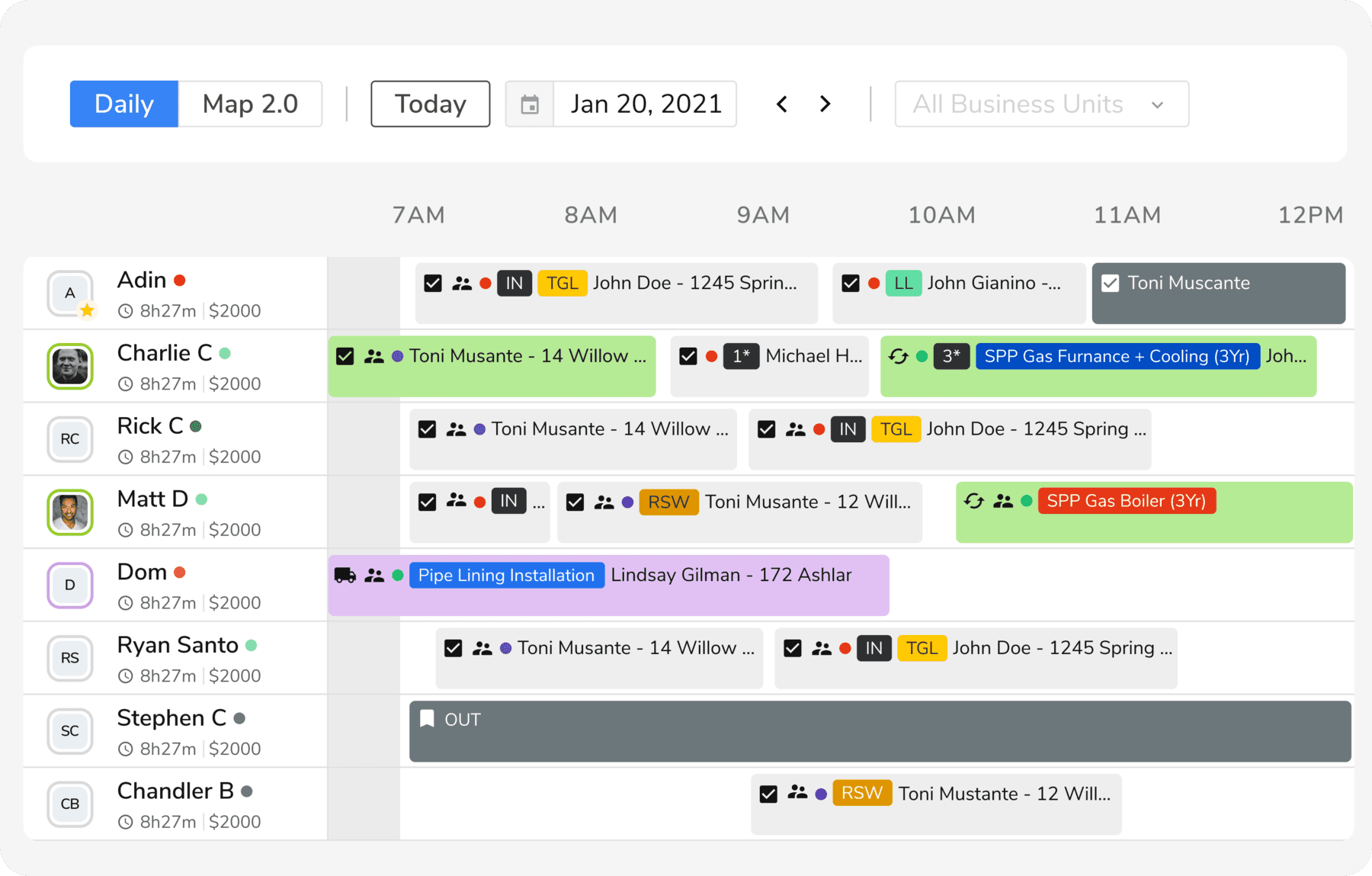
ServiceTitan is the most capable FSM on this list and the most expensive. It covers the full workflow from the moment a customer calls to the moment the job is invoiced and paid, with a field scheduling board that connects every technician's location, job status, and customer history in one view.
Key features:
- Scheduling and dispatching with a drag-and-drop dispatch board and real-time GPS tracking for en-route technicians, included across all plan tiers
- Call booking with call recording so every inbound call is captured and attached to a job automatically
- Field mobile app for technicians covering estimates, job forms, in-field payment collection, and customer signatures
- Full customer CRM with service history, inventory management, accounting, and QuickBooks integration
Pricing: Tiered pricing; contact sales for specifics.
Ratings: Capterra 4.3/5 (300+ reviews) · G2 4.5/5 (300+ reviews)
What users like: Users on both platforms most consistently praise how ServiceTitan connects field and office operations in one place, with the dispatch board, call recording, and business-wide performance tracking cited as the features that justify the investment.
What users criticize: The most repeated complaints across both platforms are the steep learning curve, a lengthy onboarding process, and a cost structure that can grow significantly once Pro add-ons are layered onto the base subscription.
Our take: For teams that need service technician software capable of running a full residential or commercial operation at scale, ServiceTitan sets the ceiling for what this category can do. Even the Starter tier gets you scheduling, dispatch, call booking, and invoicing working together. The real tradeoff is onboarding: reviewers consistently describe a multi-month setup process and a tool that takes dedicated time to configure properly. For HVAC, plumbing, or electrical contractors past 15 technicians with recurring contract work, that investment earns its keep. Earlier-stage businesses will pay for complexity they're not ready to use.
Frequently Asked Questions About Technician Scheduling Software
Is there free technician scheduling software?
Most field service management tools don't offer a permanent free plan, though several offer free trials ranging from 7 to 14 days. Homebase has a free plan for shift scheduling and time tracking for teams of up to 10 employees, though it doesn't include job dispatch or invoicing.
What is the difference between technician scheduling software and field service management software?
Technician scheduling software, sometimes called service schedule software, handles the who and when: assigning jobs, tracking availability, and pushing real-time updates to the field. Field service management software is a broader stack that adds invoicing, customer records, work order management, and inventory tracking on top of scheduling. Many tools marketed as technician scheduling software are actually FSM platforms with scheduling as their core feature.
What scheduling software do HVAC companies use?
HVAC companies commonly use Housecall Pro and FieldPulse for residential operations in the 5 to 20 technician range. ServiceTitan is the dominant choice at the enterprise level for commercial HVAC contractors. FieldEdge is another option used specifically by HVAC businesses that want tight QuickBooks integration for recurring maintenance billing.
How do I get my technicians to actually adopt a new scheduling app?
Pick a tool with a mobile-first design your least tech-savvy tech can figure out without a manual. Run a two-week pilot with two or three technicians before rolling it out to the whole team, and keep the first phase simple: schedule visibility and clock in only. Adoption almost always fails because of complexity at launch, not resistance to the tool itself.
Find the Right Fit for Your Field Team
The right service technician scheduling software matches where your business is right now. Under 15 technicians, Jobber and Housecall Pro get you organized fast without a complex implementation. Scaling a trades operation past that point, FieldPulse and ServiceTitan are worth the deeper look. Workiz stands apart as the call-first pick for specialty trades that live on same-day inbound jobs.
Regardless of which tool you choose for field service scheduling and dispatch, your technicians still need their shifts on their phones, accurate hours logged at job sites, and a reliable way to reach you when plans change. For that team management layer, tools like Homebase handle all three in one free app, so you can keep your focus on growing the work itself. Get started with Homebase for free.