
Compare
See How We Stack Up
Homebase | ClockShark | |
|---|---|---|
Trusted by 150,000+ small businesses and their teams.


Real numbers, real results. Hourly teams thrive with Homebase.
Scheduling
275 MILLION
Shifts logged on Homebase Scheduling
Time Clock
1 BILLION
Hours tracked with Homebase Time Clock
Payroll
4 MILLION
Paychecks processed with Homebase Payroll
Our customers love us
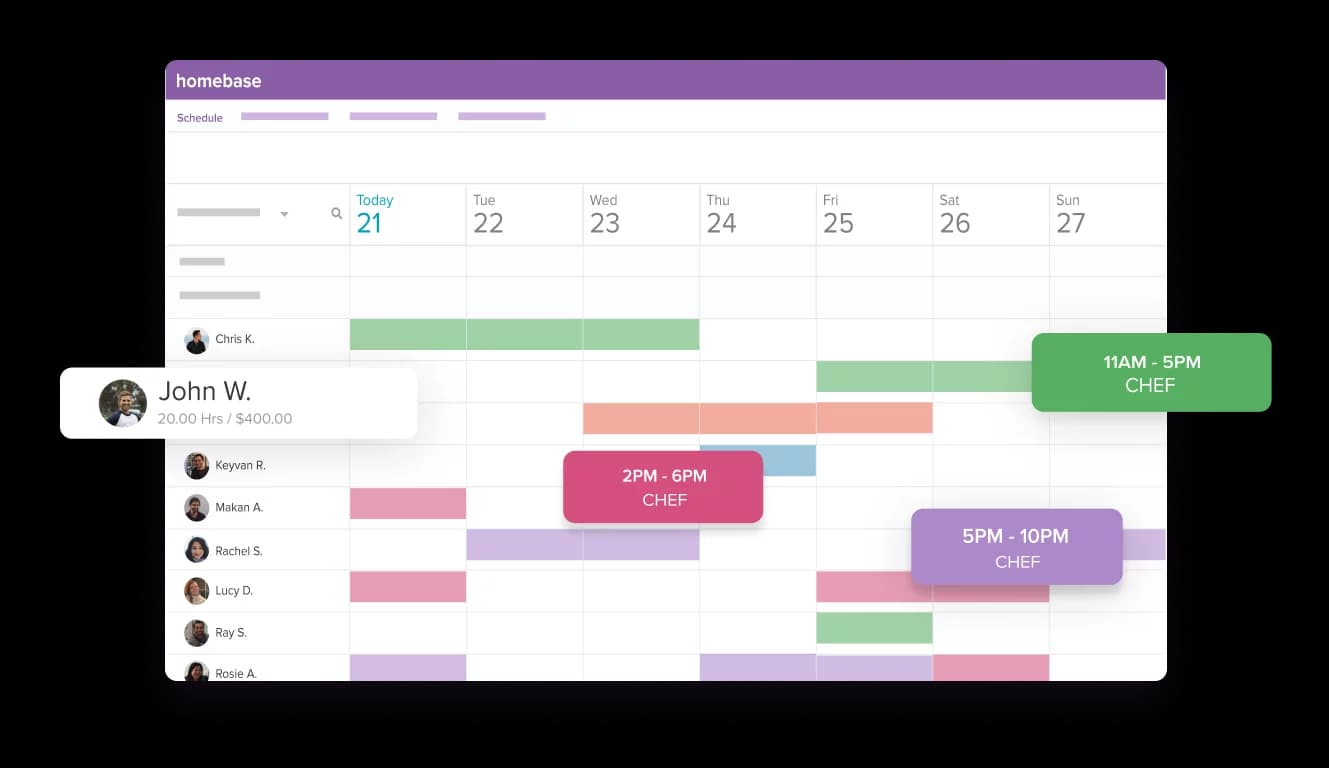
Create your schedule in minutes and share it with your team
- Build your schedule online and keep your team in the loop
- Make sure your team always has their up-to-date schedule
- Make changes on the go—wherever, whenever

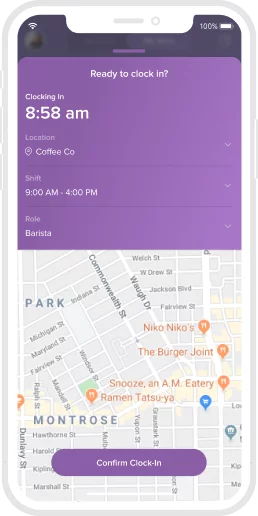
Track your team's time worked with our free time clocks
- Track hours and tips to make payroll a breeze
- Get a complete picture of your labor expenses
- Turn (almost) any device into a time clock
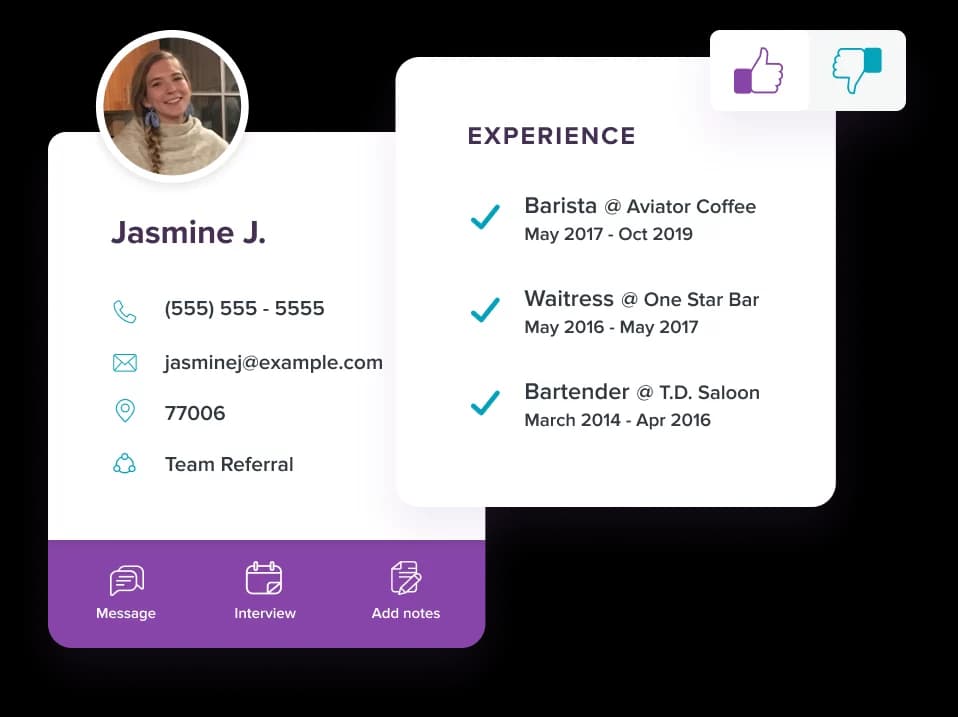
Hire new employees without the headaches
- Ditch the piles of new hire paperwork and onboard online
- Post jobs to the top online job boards for free
- Easily manage candidates in one system
Try our free plan today
Get all these features, plus integrations and more
- Time tracking & time clocks
- Scheduling & availability
- Team messaging & employee app
- Hiring
- POS & payroll integrations
- Live support: phone, email, chat
Here’s what we do not charge for that many others do:
- Time and attendance
- Job posts, applicant tracking
- More than 10 employees
- Time clocks
- Employee mobile app
- Scheduling beyond 10 days

Get it All-in-One
Hiring
Post to tob job boards and manage all your applicants in one place
Onboarding
Send a welcome packet for new hires to self-onboard and e-sign their form
Health & safety
Screen for symptoms before shifts to help keep your team and business safe
Labor cost controls
Manage costs, build forecasts, and adapt as demand and budgets change
HR & Compliance
Modern tools, certified HR advisors, and expert guides to help you stay compliant
Subscribe
Looking for ways to manage schedule for managers and employers?
Homebase is the everything app for hourly teams, with employee scheduling, time clocks, payroll, team communication, and HR. 100,000+ small (but mighty) businesses rely on Homebase to make work radically easy and superpower their teams.
FAQ
Questions? We’ve got time.
Connect with a payroll expert to see how it all works.
What's the difference between Homebase and ClockShark?
Homebase is an all-in-one app for managing hourly teams — scheduling, time tracking, payroll, hiring, and team messaging in one place — built for location-based businesses like restaurants, retail, and salons. ClockShark is a time tracking and job-costing tool built specifically for construction and field service crews who move between job sites. Homebase is organized around fixed locations and shifts; ClockShark is organized around jobs, tasks, and cost codes.
Is Homebase or ClockShark better for construction and field service teams?
ClockShark is purpose-built for construction and field service teams, with GPS location tracking and job costing that ties labor to specific jobs and clients. Homebase is the better fit for location-based hourly teams — restaurants, retail, beauty, hospitality, and healthcare — that need scheduling, payroll, and hiring alongside time tracking. If your crews move between job sites all day and you bill by job, ClockShark is built for that; if your team works shifts at one or more set locations, Homebase is the stronger all-in-one choice.
How much do Homebase and ClockShark cost?
Homebase starts at $0 and is priced per location, while ClockShark is priced per user plus a monthly base fee and has no free plan. Homebase's free Basic plan covers one location with up to 10 employees, and paid plans (Essentials, Plus, and All-in-One) start at $24 per location per month billed annually — with unlimited employees on every paid plan. Because Homebase charges by location instead of per user, costs stay predictable as your headcount grows.
Does Homebase do job costing like ClockShark?
ClockShark is the stronger tool for job costing, letting employees switch between tasks or cost codes mid-shift so labor maps directly to specific jobs and clients. Homebase focuses on labor cost management for shift-based teams — tracking hours, overtime, and labor as a percentage of sales — rather than per-job invoicing. If detailed job costing and client billing are core to your business, ClockShark fits that need; if you're managing shift labor at a location, Homebase covers it.
Does Homebase offer GPS or location tracking like ClockShark?
Yes, Homebase offers location-based clock-in on its mobile time clock, so you can confirm employees are on-site when they punch in. ClockShark goes further for field work with continuous GPS "breadcrumb" tracking that maps where crews travel throughout the day. For shift teams at fixed locations, Homebase's location-based clock-in is usually enough; for crews constantly on the move, ClockShark's GPS tracking is more detailed.
Can I switch from ClockShark to Homebase?
Yes, you can switch from ClockShark to Homebase and get set up in minutes. Create a free account, add your team and locations, and build your first schedule — no credit card required. Homebase's support team and onboarding tools can help you move your team over and get your time clock, scheduling, and payroll running.
Does Homebase offer payroll?
Yes. Homebase payroll runs at $39/month + $6/employee and includes unlimited payroll runs, automated tax filing, multi-state support, tip management, and earned wage access. Hours flow from Homebase time tracking directly to payroll with no manual entry.