10 Best Time Clock Apps for Restaurants in 2026


SMALL BUSINESS INTEL, IN YOUR INBOX
Table of contents
A line cook forgets to clock out after Friday dinner service. By Saturday morning his timecard shows a 17-hour shift, your overtime math is off, and you’re trying to remember when he left. Add a server who covered the bar for two hours at a different rate, and payroll turns into a reconstruction project.
The best time clock apps for restaurants fix the recording side of that problem. Your team clocks in on a phone, a shared tablet, or the register, and the hours land in a timesheet you can check.
This guide compares 10 time clock apps for restaurants. We looked at how each one checks who clocked in, how it handles breaks and overtime, and what it costs once you add a second location.

Tired of being a break cop?
Use automated reminders to log your hours and breaks, and spend more time focusing on your customers.
The Best Time Clock Apps for Restaurants at a Glance
The right pick depends on what your restaurant needs most. Our top picks:
- Homebase: A free time clock, schedule, and payroll for small restaurants.
- Buddy Punch: Built around proving who clocked in, with photo, geofence, and IP checks.
- Jibble: A free plan with face recognition and geofencing for unlimited users.
- Push Operations: Restaurant-built, with photo capture and facial recognition on higher plans.
- 7shifts: Restaurant scheduling and POS ties, with the clock on paid plans.
For a quick overview of all 10 time clock apps on this list, check out this comparison table. Already on a POS with a built-in clock, like Toast or Square? Check that first.
Why Trust Homebase? Why We Built This Guide
We’re Homebase, and we publish this guide. We make an all-in-one app for small businesses with hourly teams that covers scheduling, time clocks, hiring, payroll, and team messaging. That gives us a stake in this topic, so we include Homebase in our ranked list. We judged our product on the same criteria as every other app, we name where it falls short, and we never accept payment or backlinks for a product mention. Several apps below compete with ours, and each one was evaluated on its own merits.
How We Chose the Best Time Clock Apps for Restaurants
We looked at time clock apps that restaurants can use for hourly front-of-house and back-of-house teams, and we compared each one against the same criteria. We pulled pricing and plan limits from vendor pricing pages, read G2 and Capterra reviews, and quoted only reviews we could link to. You can read our full methodology here.
What We Looked For
- Time clock focus: Whether the clock is the core product or an add-on to scheduling, HR, or payroll.
- Clock-in verification: PINs, photo capture, GPS and geofencing, facial recognition, and IP restriction.
- Break and overtime handling: Reminders, alerts, and rules that match your state.
- Role-based pay and tips: One employee clocking different rates, plus tip records.
- POS and payroll fit: Whether hours reach the register data and your payroll provider without re-entry.
- Ease for new hires: Restaurants onboard people constantly, so we prioritize apps that new hires can learn in one shift.
- Pricing clarity: What you pay with the controls turned on, at your number of locations, and whether it’s per user or per location.
If you’re choosing a time clock app for small business teams outside restaurants, our guide to the best free time clock app covers free options, and our companion guide to mobile time clock apps prioritizes apps available on mobile for teams often on the run.
How Time Clock Apps Prevent Buddy Punching
Buddy punching is a form of time theft—it’s when one employee clocks in or out for another. Time clock apps fight it with PINs, a photo at each punch (which could be taken from the employee’s phone or from a kiosk time clock), GPS or geofencing that blocks punches from outside the restaurant, and facial recognition.
No single control is foolproof, so managers still need to review flagged punches. A geofence checks the phone, not the person, so a borrowed phone inside the fence still passes. A photo only deters if someone looks at it. Facial recognition checks the person, but it brings consent rules.
Break, Overtime, and Tipped-Wage Rules a Time Clock Should Handle
Federal law doesn’t require meal breaks, but California and New York do, so a clock that records breaks matters most there. The app records time, but you set the rules, and break tracking with your state’s rules built in helps.
| Rule | California | New York |
|---|---|---|
| Meal breaks | 30 minutes, started before the end of the fifth hour, with a second meal period for shifts over 10 hours. | 30 minutes between 11am and 2pm for shifts over six hours that span that window, with longer or extra meal periods for some early-start and evening shifts. |
| Rest breaks | Paid 10-minute breaks per four hours worked, with one hour of premium pay when a break is missed. | Not required. |
For other states, see our state labor law guides and our overview of labor law compliance.
Overtime matters for hourly kitchen teams, since federal overtime starts at 40 hours in a workweek, according to the Department of Labor’s overtime fact sheet, and California adds daily overtime. Look for overtime alerts that warn you before a line cook crosses the threshold, not after payroll closes.
There’s no separate break law for tipped workers. What changes for tipped roles is the timekeeping. Under the Department of Labor’s tipped-employee rules, an employer can pay a cash wage as low as $2.13 an hour and claim a tip credit of up to $5.12. If cash wages plus tips don’t reach $7.25, the employer makes up the difference each workweek. Some states require a higher cash wage or ban the tip credit. Either way, you need hours tracked by role, and a restaurant tip pooling setup should pull tips into the same timesheet.
Time Clock App Comparison for Restaurants
Here’s how the 10 apps compare on clock-in checks. “Not listed” means we didn’t find it on the pages we checked.
| App | Photo Capture | GPS or Geofencing | Facial Recognition | IP Restriction |
|---|---|---|---|---|
| Homebase | Yes, photo capture on tablets and POS devices (Essentials and above) | Yes, location-based clock-in on mobile (Essentials and above) | Not listed | Not listed |
| Buddy Punch | Yes, webcam photo on punch (Pro and above) | Yes, geofences (Pro and above), plus GPS coordinates on every plan | Face ID sign-in on the iOS app; Capterra also lists facial-photo verification | Yes, IP address locks |
| Jibble | Yes, selfie at clock-in | Yes, GPS stamps and geofencing (free plan) | Yes (free plan) | Not listed |
| Push Operations | Yes, photo capture (Signature and above) | Yes, geotagged mobile clock-ins | Yes (Supreme) | Not listed |
| 7shifts | Yes, optional photo clock-in | Yes, optional geofencing | Not listed | Not listed |
| Deputy | Not listed (Capterra reviewers mention photo capture) | Yes, GPS stamps on mobile; geofencing on every plan | Yes, iPad kiosk (Core and above) | Not listed |
| Connecteam | Yes, optional selfie at the kiosk | Yes, GPS stamps (Basic and above) and geofencing (Advanced and above; free on the Small Business plan) | Not listed | Not listed |
| When I Work | Yes, photo clock-ins | Yes, GPS location and geofencing | Not listed | Not listed |
| OnTheClock | Not listed | Yes, GPS and geofencing, plus Wi-Fi restrictions | Not listed (fingerprint option instead) | Yes, IP address and device restrictions |
| Workstream | Not listed | Yes, geofenced mobile clock | Not listed | Not listed |
For a detailed use case for each app, check our review below. Our ranking order reflects how central the time clock is to each product, verification depth, break and overtime handling, role-based pay and tips, POS and payroll fit, ease for new hires, and pricing clarity.
1. Homebase
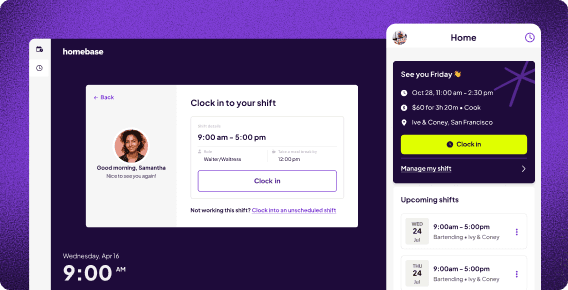
Homebase is an all-in-one app for small teams with a free time clock, scheduling, and payroll. Team members clock in on a phone, tablet, or POS device, with photo and location checks on paid plans.
Best for: Small restaurants that want the time clock, schedule, and payroll under one login.
What it is: An app for hourly teams in food and beverage and other industries that pairs a time clock with scheduling, team messaging, hiring, and payroll.
Key features:
- Clock in on a phone, tablet, computer, or POS device with a unique PIN for each team member (all plans).
- Photo capture on tablets and POS devices, and GPS location-based clock-in on mobile (Essentials and above).
- Overtime alerts, early clock-in prevention, auto clock-out, and multiple wage rates (All-in-One).
- Timesheets that sync to payroll, a Tip Manager add-on that pulls tips from your POS, and POS and payroll integrations.
Pricing: Free for one location and up to 10 employees, with paid plans starting from $30 per location per month. Payroll is an add-on at $49 per month plus $6 per employee paid. See Homebase pricing.
What users like: Luanne Ronquillo, owner of Ruru Baked, says her team can “sign in from anywhere” and “I can see where they’re signing in from.” You can read more in her customer story.
What users criticize: A retail owner on Capterra says Homebase doesn’t auto-update times for paid 30-minute lunch breaks, so he adjusts them by hand, which restaurants with paid meal breaks will recognize.
Our take: The free plan covers one location and 10 employees but leaves out GPS and photo capture, and we didn’t find facial recognition listed, so look at the apps below if you want it. If hours, schedule, and payroll under one login sounds right, get started with Homebase for free.
Tired of being a break cop?
Use automated reminders to log your hours and breaks, and spend more time focusing on your customers.
2. Buddy Punch
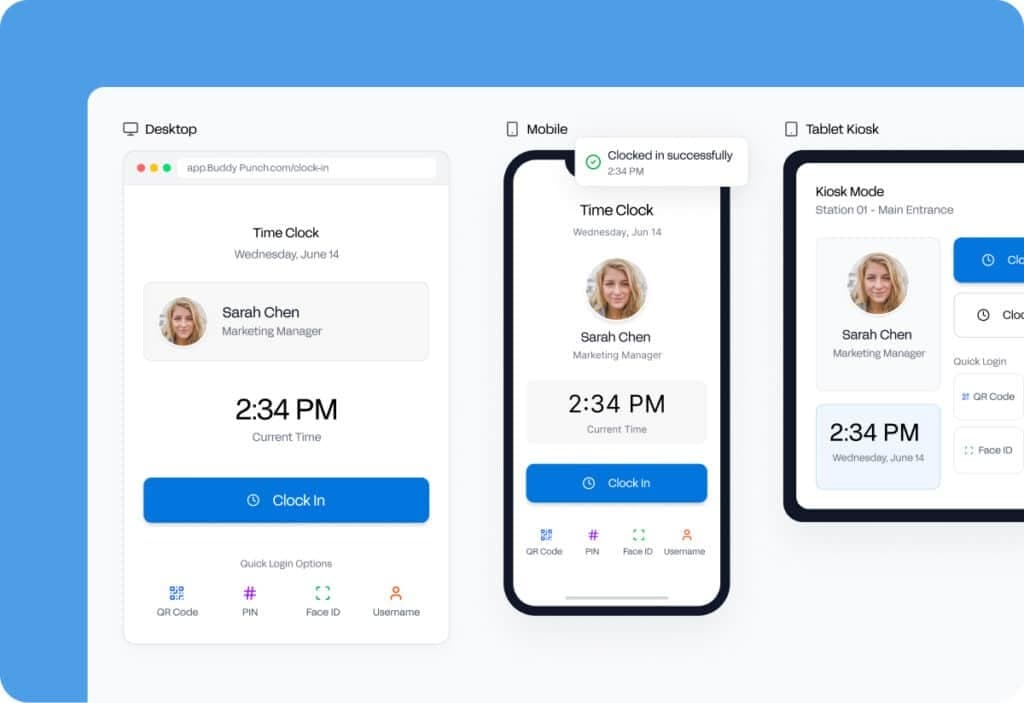
Buddy Punch is built around proving who clocked in, with photos, geofences, and IP locks that discourage borrowed or off-site punches. Photos and geofencing start on the Pro plan, and there’s no tip or POS layer.
Best for: Restaurants whose biggest problem is padded or borrowed punches.
What it is: A time clock app focused on punch enforcement, with scheduling included on Pro and an optional payroll add-on.
Key features:
- Webcam photo on every punch, plus PIN, QR code, and kiosk punching on shared tablets (Pro and above).
- Geofences and IP address locks that keep people from clocking in or out while off site (geofences on Pro and above).
- Break compliance with meal and rest break rules, waivers, and automatic premium pay (Pro and above).
- Alerts for missed shifts, late clock-ins, and approaching overtime, plus automatic punch-outs at the end of a shift.
Pricing: Paid plans start from $4.99/user/month on annual billing ($5.99 monthly), plus a $19 monthly base fee, and there’s a 14-day free trial with no credit card required. Photos, geofencing, kiosk punching, and break compliance start on the Pro plan. See Buddy Punch pricing.
What users like: A Capterra reviewer says, “I love the notifications to take breaks,” and adds that forgetting to clock out for breaks and back in is common. That matters on a restaurant floor, where meal and rest breaks drive compliance.
What users criticize: The photo check draws pushback. A field organizer on Capterra says coworkers keep asking about the live camera that pops up, and that “it should be clearer that a picture is optional.” Another reviewer says the live picture was the least-liked feature.
Our take: Buddy Punch is the most single-minded option here for padded hours. Photos, geofencing, and kiosk punching all need the Pro plan, so budget for $6.99 per user on annual billing plus the $19 base fee, not the $4.99 starting price. Some team members dislike the webcam photo, so explain why you use it. It won’t help with tip pooling or labor-to-sales reports.
3. Jibble
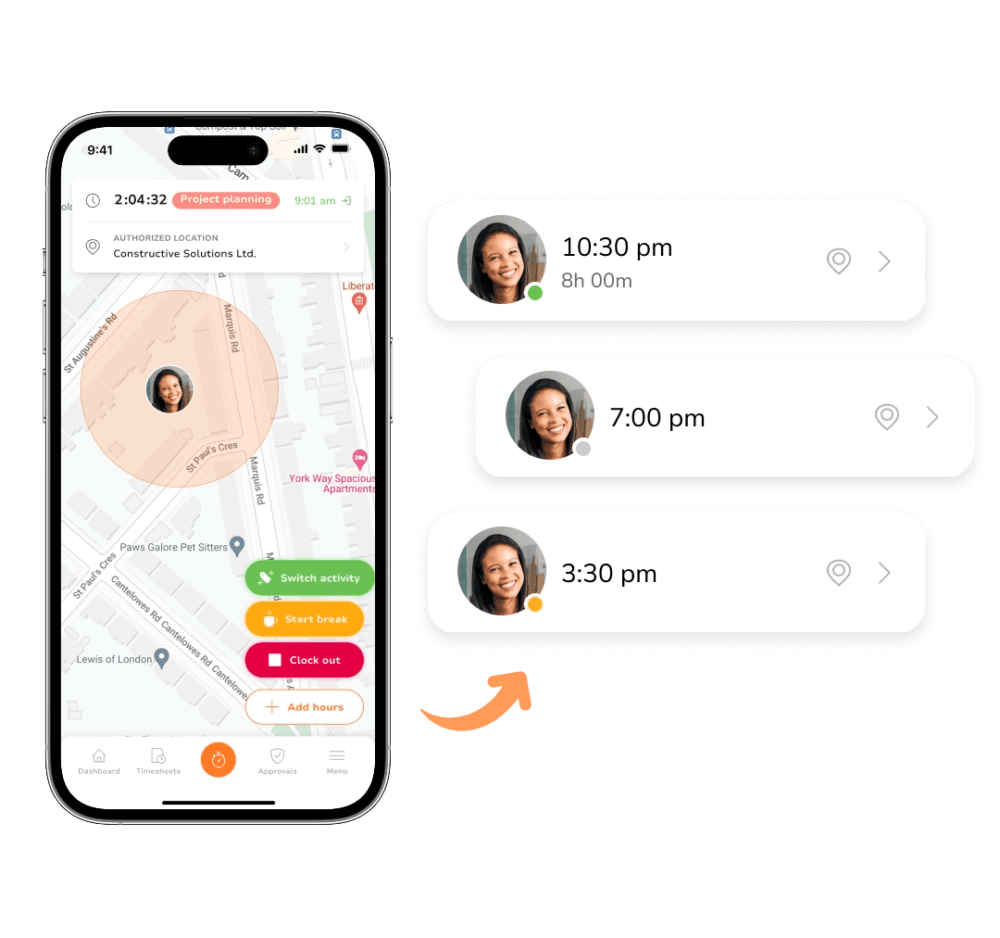
Jibble is a general attendance app with a free plan for unlimited users that includes GPS, geofencing, face recognition, and kiosk mode. Tips and POS connections aren’t built in, and paid pricing isn’t published.
Best for: Budget-first teams that want identity and location checks, including multi-location groups.
What it is: A time and attendance app with a free plan, built for deskless and shift-based teams.
Key features:
- Face recognition clock-in by selfie, with a Speed Mode for shared kiosks, plus PIN or RFID options.
- GPS location stamps and geofencing that block clock-ins outside your venue.
- Offline clock-in that syncs when the connection returns.
- Overtime thresholds with alerts, break rules, and payroll-ready exports.
Pricing: The free plan covers unlimited users, and Jibble’s GPS page and Capterra both list geofencing, GPS-tracked time entries, and face recognition as part of it. Jibble doesn’t publish paid pricing, so ask for a quote if you need more.
What users like: An owner at a company with two to 10 employees singles out “the flexibility of the ‘Kiosk’ mode” on Capterra, which suits a shared tablet by the kitchen door.
What users criticize: Face recognition is the pain point to test. An IT manager on Capterra says it’s “sometimes slow and gets affected by light source,” and 43% of the 58 reviews that mention facial recognition are negative. Check it against your kitchen and back-of-house lighting.
Our take: Jibble gives a big team on a tight budget identity and location checks for free. Because it’s a general tool, restaurant needs like tips, POS connections, and state break rules take more setup than they do in a restaurant-built app, and facial recognition brings the consent rules covered above.
4. Push Operations
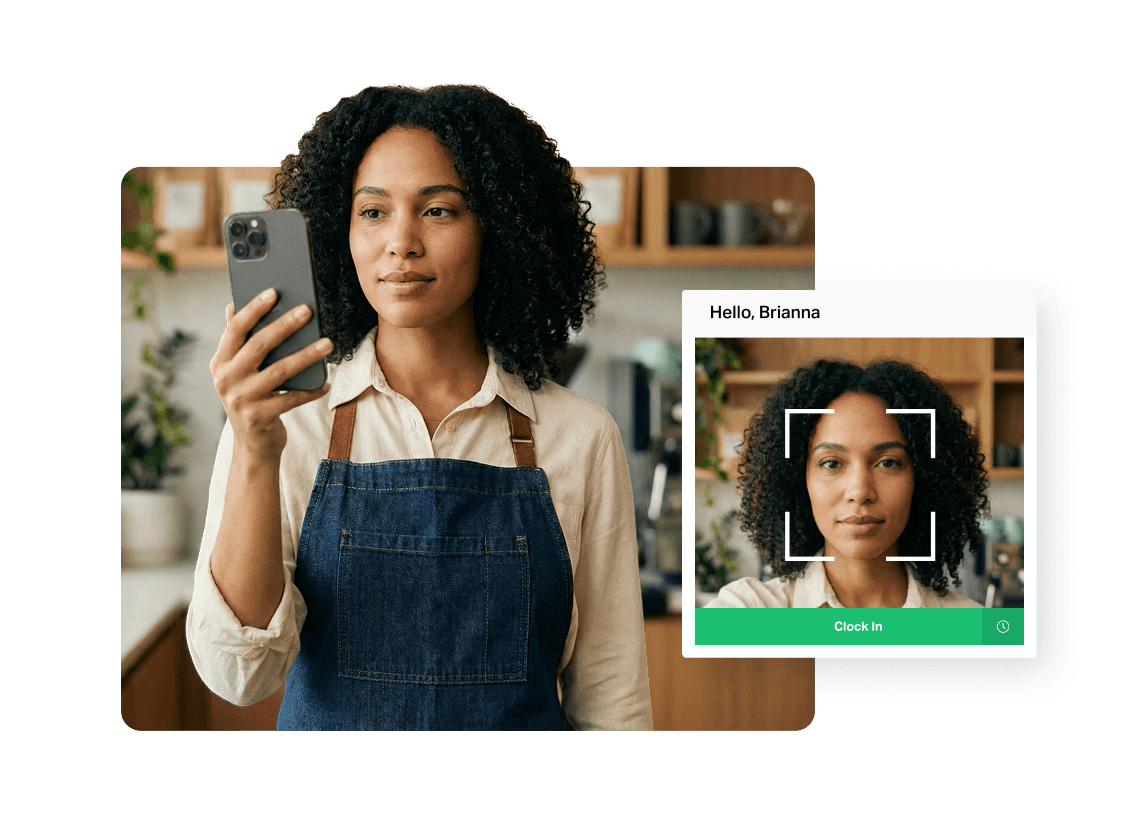
Push Operations is a restaurant-focused team management app with a time clock, scheduling, and payroll. Photo capture starts on Signature and facial recognition on Supreme, and plans start at $200 a month per location.
Best for: Multi-location restaurant groups and larger teams that want scheduling, time tracking, and payroll in one system.
What it is: A restaurant-focused team management app covering scheduling, time tracking, payroll, hiring, and HR. It serves U.S. brands, but its plan descriptions lean Canadian, with province-specific break rules.
Key features:
- Mobile clock-ins with geotagging, plus photo capture to prevent buddy punching (Signature and above).
- Facial recognition clock-in through a phone or camera (Supreme).
- Clock-ins compared against scheduled shifts, with flags for early clock-ins and overtime alerts.
- Break management and break-violation monitoring (Supreme), plus tracking of split-shift premiums and daily minimum pay.
Pricing: Paid plans start from $200 per month for one location with up to 15 employees, and teams over 50 employees request a quote. Photo capture starts on Signature, and facial recognition and break management start on Supreme. See Push pricing.
What users like: A restaurant people and development manager says restaurant teams turn over so often (“incredibly transient”) that easy-to-learn systems matter, in an incentivized 2019 Capterra review.
What users criticize: Two restaurant owners on Capterra raised specific gaps in 2020: one said live support was slow, and the other wanted Push to connect to his POS so labor reports would work with it. Push now lists POS integrations such as Toast and TouchBistro.
Our take: Push is built for groups that run several restaurants and want one system from clock to payroll, and it’s one of the few apps here that lists facial recognition. A single small restaurant will likely find the $200 starting price and the plan structure more than it needs. Because photo capture and facial recognition sit on higher plans, and the plan names reference provinces, confirm U.S. payroll and break rules before you commit.
5. 7shifts
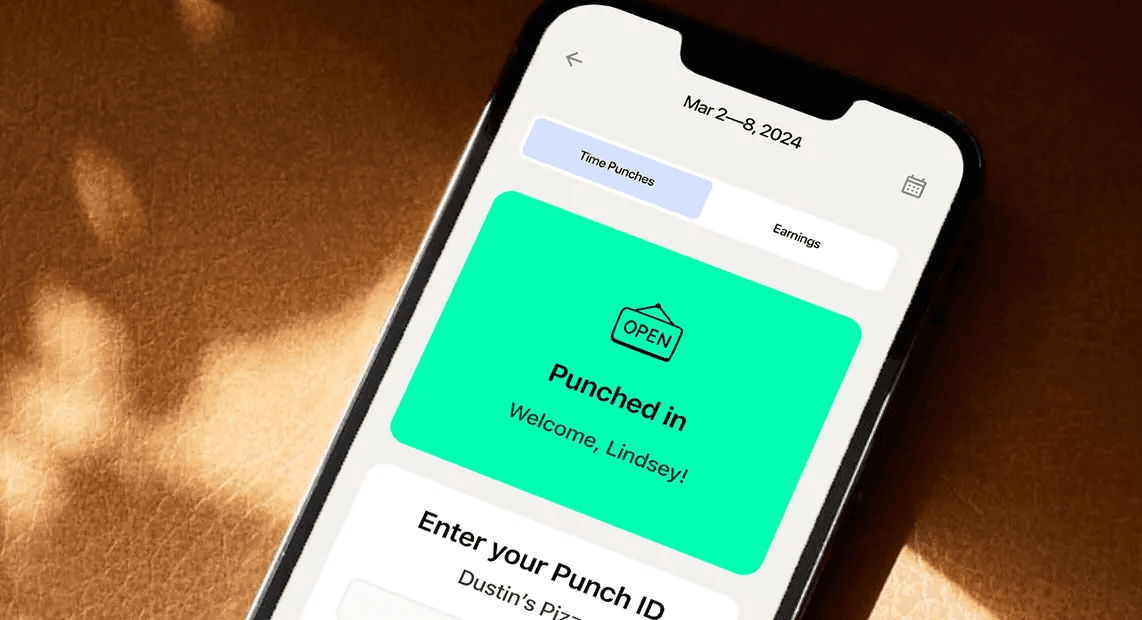
7shifts is a restaurant scheduling and labor app whose 7punches clock lets only scheduled team members punch in. Time clocking starts on the paid Essentials plan, and break tracking for compliance on Pro.
Best for: Restaurants that want restaurant-specific scheduling and POS connections alongside the clock.
What it is: A restaurant scheduling and labor app with a companion time clock app called 7punches, plus tip and payroll tools.
Key features:
- Clock in on tablets, smartphones, or POS devices with the 7punches app (Essentials and above), synced to the schedule so only scheduled team members can punch in.
- Optional photo clock-in and geofencing that limits mobile punches to a radius around your restaurant.
- Prompts for your team to declare tips, and wage tracking for different roles (Essentials and above).
- Break tracking for labor compliance, PTO accruals, labor compliance tools, and a manager log book (Pro and above).
Pricing: There’s a free Comp plan for one location, but the time clock isn’t included. Paid plans start from $39.99 per location per month. Time clocking starts on Essentials, and break tracking for compliance starts on Pro. See 7shifts pricing.
What users like: A manager on Capterra says clocking someone’s hours is “reliable” and credits it with accurate calculations for payment.
What users criticize: The restaurant-specific complaint is POS syncing. Brent S., owner and general manager of a brewery, says on G2 that he often has to re-sync time clock entries before payroll because the POS connection is intermittent. That review was incentivized.
Our take: 7shifts is the most tailored option on this list if you want one restaurant-specific app for scheduling, tips, and POS connections. The free plan doesn’t include a time clock, so budget for Essentials, or Pro if you need break tracking for compliance. Because punching lives in a separate app and a brewery owner reports POS sync problems, test a full pay period before you commit, and confirm which plan includes photo clock-in and geofencing.
6. Deputy
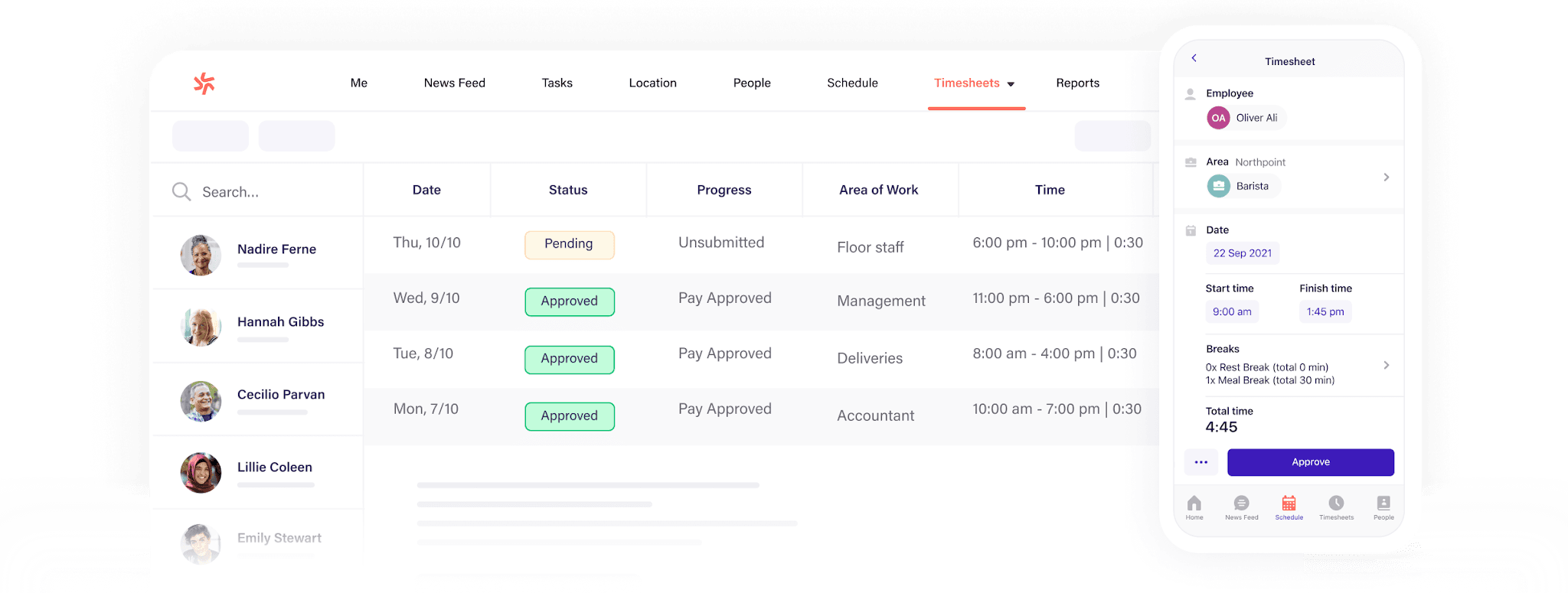
Deputy is a scheduling and time tracking app with break, overtime, and Fair Workweek tools. Its iPad kiosk verifies attendance with facial recognition, and geofencing is on every plan.
Best for: Restaurants in states with strict break and scheduling rules, and groups with several locations.
What it is: A scheduling and attendance app with compliance checks and kiosk clock-in.
Key features:
- Facial recognition on the iPad Kiosk app (Core and above), which can keep working offline for up to 24 hours.
- GPS location stamps on the mobile app, plus geofencing to block clock-ins based on location (on every plan).
- Alerts when breaks are missed, plus attestation prompts when someone clocks in late, skips a break, or leaves early.
- Auto-scheduling and demand forecasting, with POS and payroll connections and an optional Paycor-powered payroll add-on.
Pricing: Paid plans start from $5 per user per month, with a free trial of up to 31 days and no permanent free plan. Facial recognition on the kiosk starts on Core, and geofencing is included on every plan. Monthly plans carry a $30 minimum per invoice. See Deputy pricing.
What users like: Charly R., an operations manager in hospitality, says on Capterra that he has used Deputy for years and likes the latest update to timesheet approvals. That review was incentivized.
What users criticize: Two things stand out for restaurants. Max D., a night auditor in hospitality, reports occasional inaccuracies in time tracking and total hours on Capterra (an incentivized review), and 70% of the 33 reviews that mention break and leave management are negative.
Our take: Deputy’s compliance tools can earn their cost in California, New York, or another state with strict break rules. Because reviewers call break and leave settings complicated, test your state’s rules during the trial. Deputy’s pricing page doesn’t list tip management, so check how you’d handle tips, and note that the kiosk’s facial recognition brings the consent rules covered above.
7. Connecteam
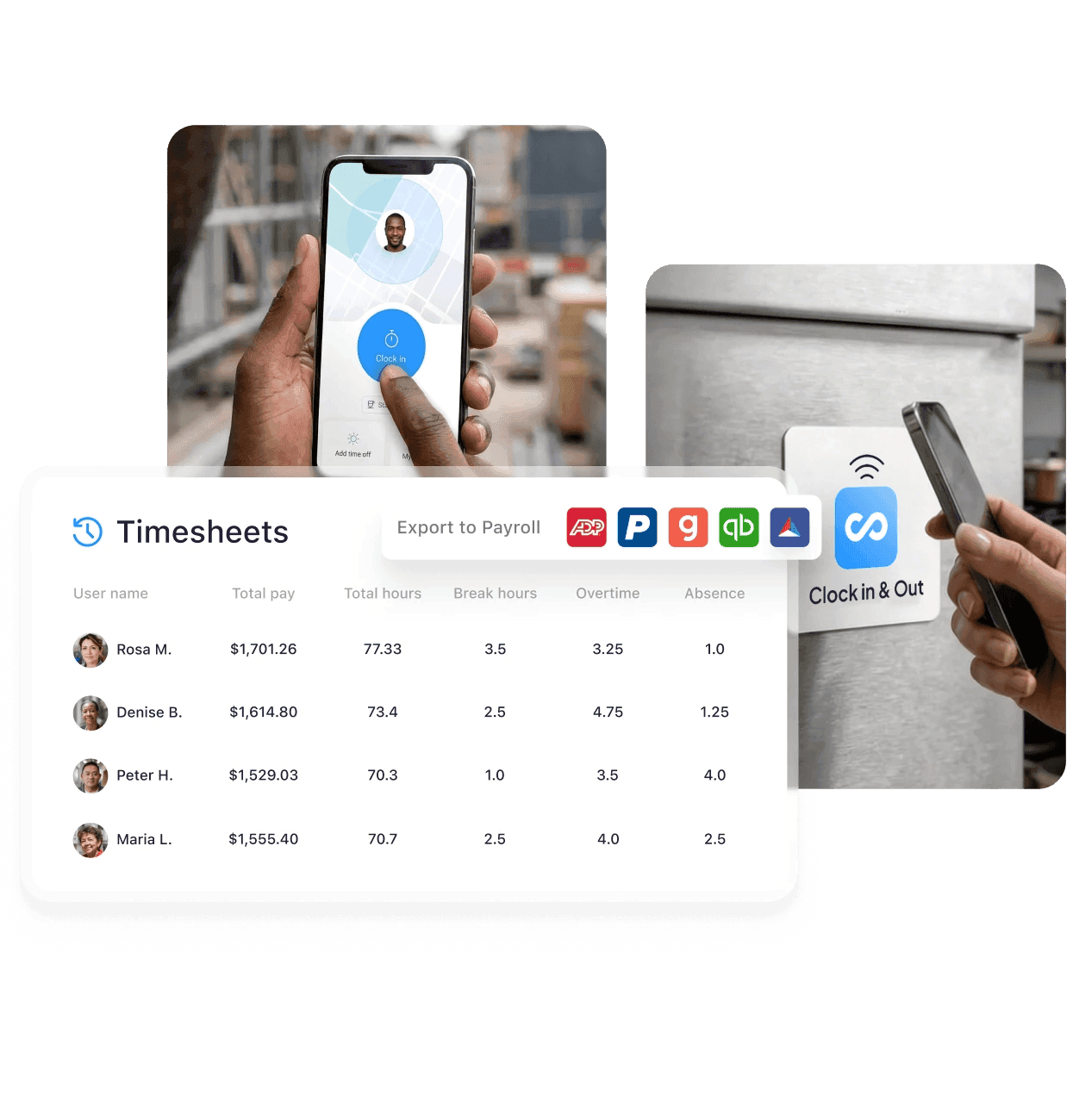
Connecteam is an all-in-one team app with a time clock, scheduling, chat, and training. Its clock supports GPS, geofencing, and PIN or selfie checks at the kiosk, and it’s free for up to 10 users.
Best for: Restaurants that want scheduling, chat, and a time clock in one app, especially teams of 10 or fewer.
What it is: A mobile-first team app that combines a time clock, scheduling, forms and checklists, chat, and training.
Key features:
- Clock in by phone, from a shared-tablet kiosk with a PIN or selfie, with an NFC tap, or through existing POS or time clock hardware.
- GPS location stamps on punches (Basic and above), with geofencing on Advanced and above and unlimited geofences on the free Small Business plan.
- Overtime rules and missed-break alerts, with auto clock-out on Advanced and above.
- Scheduling with open shifts, plus checklists for opening and closing shifts, chat, and training in the same app.
Pricing: The Small Business plan is free for up to 10 users and includes unlimited geofences. Paid plans start from $29/month on annual billing ($35 monthly), flat for the first 30 users, and every new account gets a 14-day trial with no credit card required. Geofencing and auto clock-out start on the Advanced plan for teams of 11 or more. See Connecteam pricing.
What users like: Jennifer B., a hospitality general manager, gave it 10 out of 10 on Capterra and said she’d ask any new employer to adopt Connecteam for its time clock access.
What users criticize: Renee O., a hospitality owner, says on Capterra that the admin side can be “a little tricky,” especially where the shift scheduler meets the time clock.
Our take: Teams of 10 or fewer can run the whole app for free, which is hard to beat. Because hospitality reviewers say linking the scheduler and time clock takes some learning, budget setup time. Connecteam’s restaurant page says Lightspeed K-Series is supported and other POS connections depend on your setup, so check yours.
8. When I Work
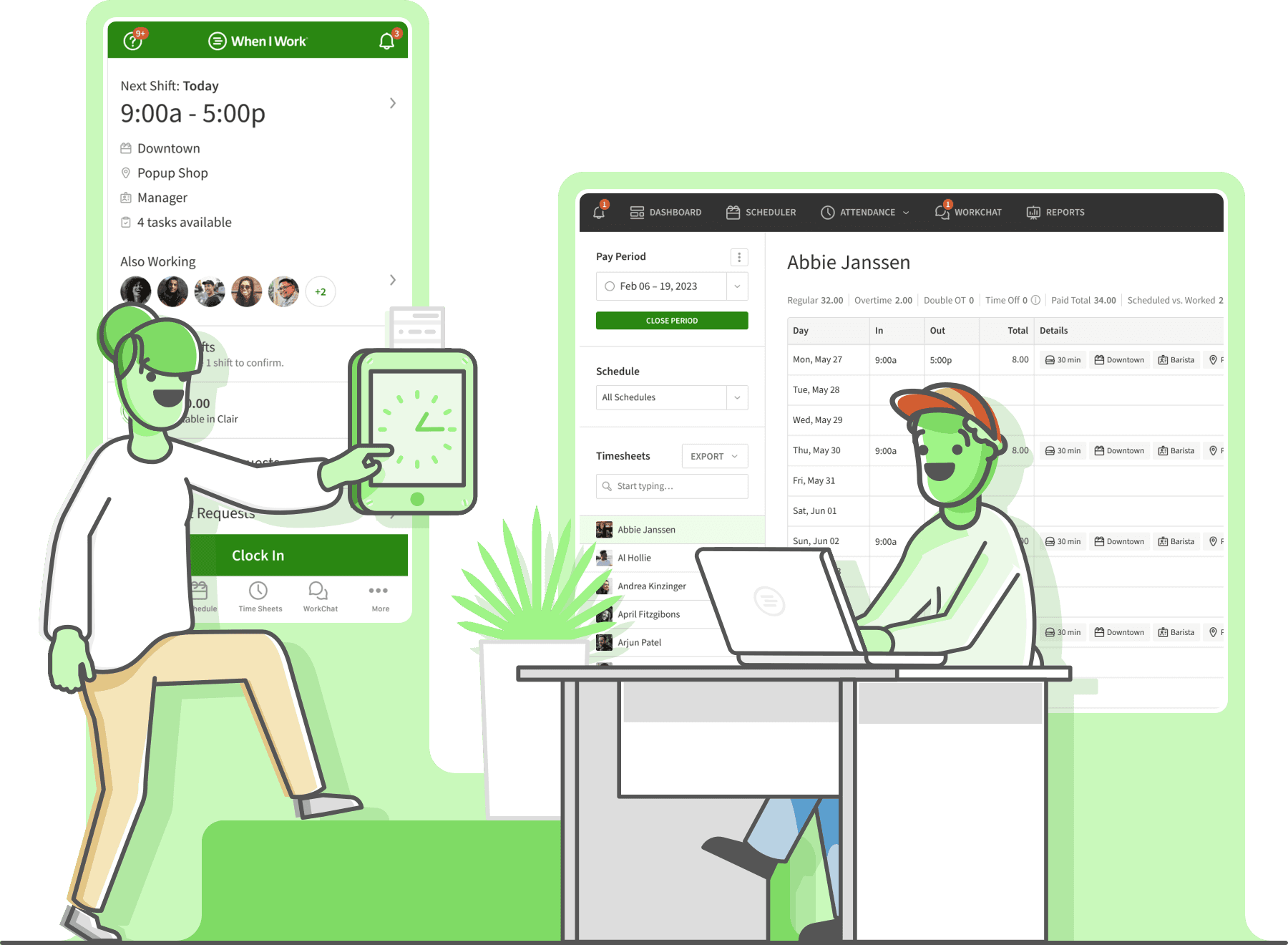
When I Work is a scheduling app for hourly teams with a time clock that supports photo clock-ins, GPS, and geofencing. There’s no permanent free plan, only a 14-day trial.
Best for: Small hourly teams that want scheduling first, with a time clock attached.
What it is: A scheduling and team messaging app with a time clock for hourly teams.
Key features:
- Clock in from a phone, tablet, POS device, or laptop, with photo clock-ins for identity checks.
- GPS location on every punch, with geofencing to keep clock-ins on site.
- Break management, overtime alerts, and automatic calculation of multiple pay rates.
- Auto-scheduling, shift swaps, and in-app team messaging, with payroll and POS integrations.
Pricing: Paid plans start from $2.50 per user per month, with a 14-day free trial and no credit card required. The pricing page is inconsistent about whether time and attendance comes with every plan, so confirm what your plan includes. See When I Work pricing.
What users like: A catering supervisor who ran a mobile food unit wrote on Capterra that When I Work keeps the team accountable, and that they stopped scheduling early arrivals once it proved itself (a 2019 review).
What users criticize: A cook in food and beverage wrote on Capterra that notifications “always seem to be off,” which is risky in a job where a no-call, no-show matters (a 2022 review), and 65% of the 51 reviews that mention notifications are negative.
Our take: The low starting price helps a small café, and photo clock-ins and geofencing give it more verification than its scheduling-first reputation suggests. The glitch and notification complaints matter more during a Friday rush, though, and per-user pricing climbs with headcount. It’s a weaker fit if tip pooling matters.
9. OnTheClock
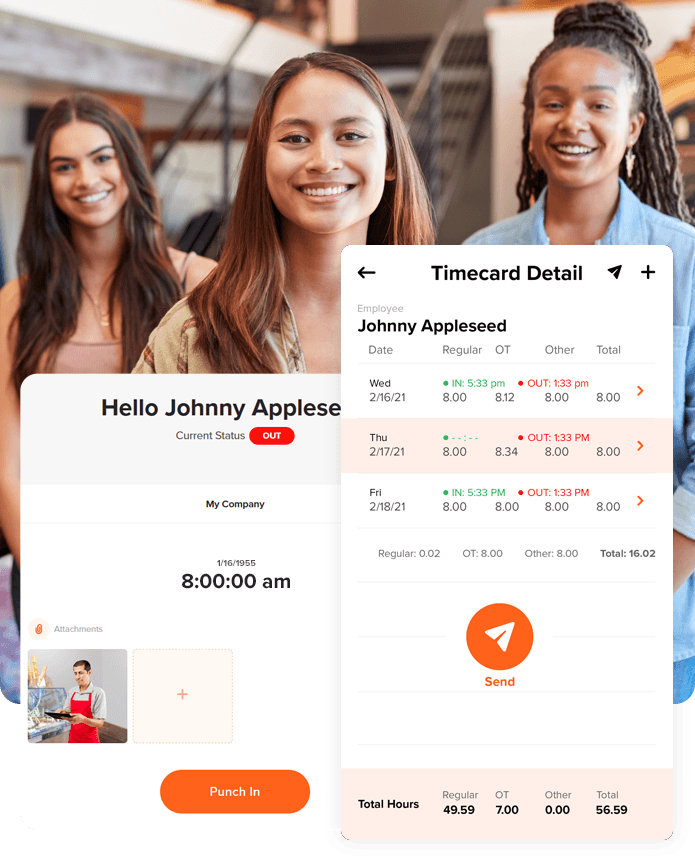
OnTheClock is a time and attendance app with mobile, web, and kiosk clock-ins plus GPS, geofencing, and IP restrictions. Flat per-employee pricing keeps costs predictable, though nothing in it is built around restaurants.
Best for: Small teams that want flat, predictable pricing with location controls built in.
What it is: A time tracking app with scheduling and PTO tracking included, plus an optional payroll add-on.
Key features:
- Clock in by phone, web browser, or a shared kiosk with a PIN or employee number.
- GPS, geofencing, Wi-Fi and IP address restrictions, and device restrictions to keep punches on site.
- Optional fingerprint clock-in for identity checks.
- Automatic break tracking, early clock-in prevention, auto clock-outs, and tracking for tips, bonuses, and commissions.
Pricing: Paid plans start from $4 per employee per month plus a $5 monthly base fee, and there’s a 30-day free trial with no credit card required. GPS and geofencing are included. See OnTheClock pricing.
What users like: An account manager at a company with 11 to 50 employees calls the time tracking “super straightforward” on Capterra.
What users criticize: Punch management is the main complaint. Of the 59 Capterra reviews that mention it, 46% are negative, citing missed punches and editing difficulties, and Natalia A., a broker at a company with 51 to 200 employees, found it “laggy and slow.” Reviewers also say settings are hard to find.
Our take: The pricing is easy to predict, and it lists IP and Wi-Fi restrictions alongside fingerprint clock-in, though not photo capture or facial recognition. It isn’t built around restaurants, and we didn’t see multiple pay rates listed on its pricing or time clock pages, so check how it handles a server who also tends bar. Test mobile clock-in during the 30-day trial, since missed and delayed punches are the top complaint.
10. Workstream
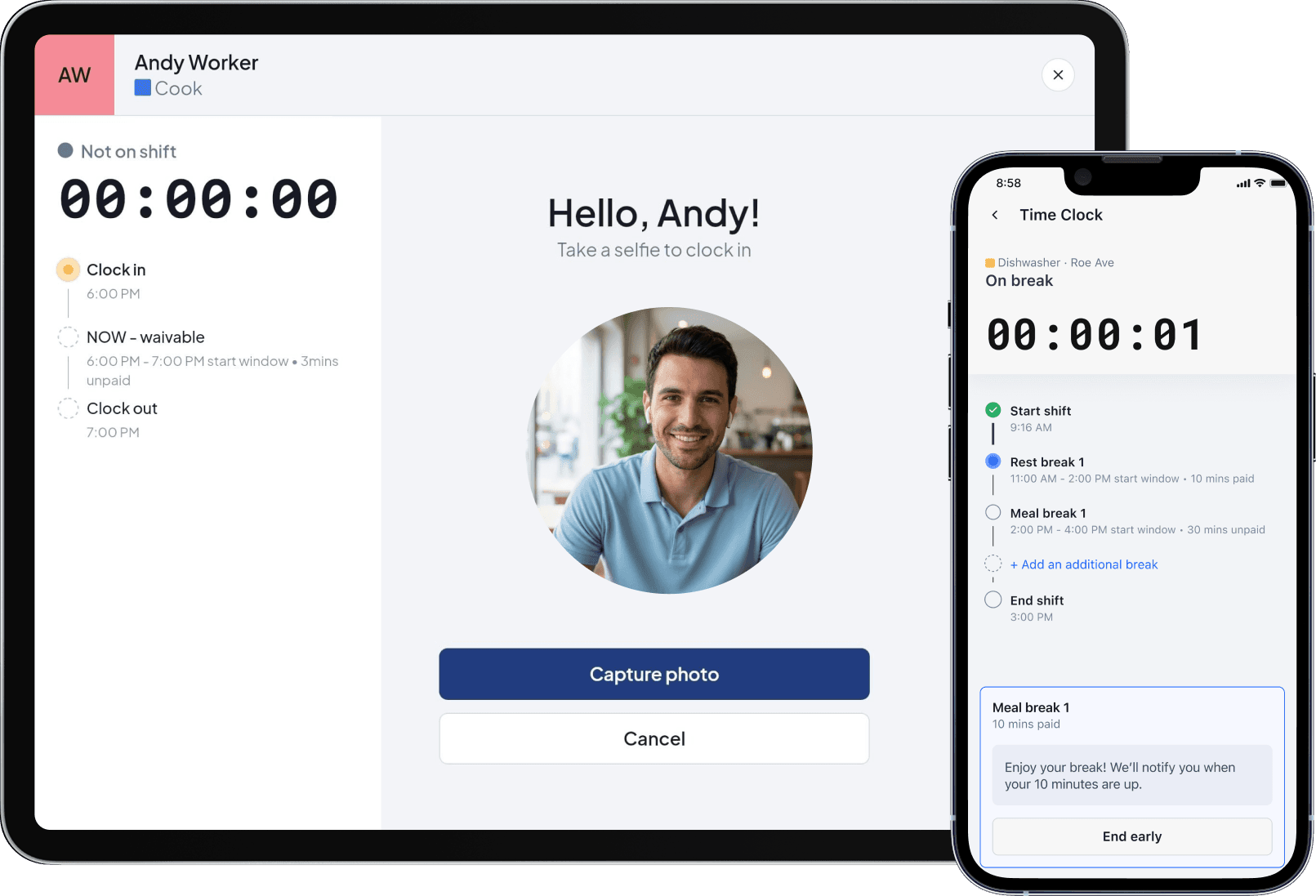
Workstream is a hiring, payroll, and HR app for restaurant groups, with a geofenced time clock sold as an add-on. Pricing is by demo, so it’s likely more than a single location needs.
Best for: Franchise operators and multi-location groups that want hiring through payroll in one system.
What it is: An all-in-one hiring, HR, and payroll app for hourly teams, with time and scheduling as add-ons. Workstream says 46 of the top 50 restaurant brands use it.
Key features:
- Clock in from a phone, or from a shared laptop, tablet, or kiosk, with a geofenced and authenticated mobile clock.
- Shift enforcement, so team members can’t clock in before their scheduled shift.
- Automatic flags for break violations, overtime, and missed clock-outs, plus break reminders and enforced breaks.
- Timesheets that go to payroll in one click, with ACA eligibility alerts.
Pricing: Workstream doesn’t publish prices, so you’ll need a demo to get a quote. The time clock is an add-on under Time & Scheduling, not part of the base plans. See Workstream pricing.
What users like: Few reviews mention the time clock, since most cover hiring and payroll. A food and beverage reviewer on Capterra calls it user friendly and says it connects smoothly with company systems.
What users criticize: A G2 reviewer says the integration between the payroll and hiring modules is “confusing,” and that payroll can’t export GL data to their ERP. We found no review that criticizes the time clock itself.
Our take: The hiring-through-payroll setup is the draw for franchises and groups across several locations. Because the time clock is a separate add-on, with no photo or face check listed, and pricing is demo-only, it’s hard to compare for a single restaurant that only needs a clock.
Restaurant Point-of-Sale Systems With Built-In Time Clocks
We left point-of-sale systems out of the ranking. Their clocks only work inside that register, they rarely have a standalone price, and their G2 and Capterra scores rate the whole POS, not the clock. If you already run one, though, check its built-in clock before you buy another app. Here’s what a few popular restaurant systems offer:
- Toast: With Toast’s POS, employees enter a POS access code, tap Timeclock, and pick the job they’re clocking in for. They can start and end breaks, and managers can turn on break waivers. Managers fix missed punches in Toast Web, and hours sync to Toast Payroll.
- Square: Square’s time tracking lets team members clock in and out at the register or in the Square Team app, with timecards that track hours, breaks, and overtime. It’s available with Square for Restaurants and the free Square Shifts plan.
- TouchBistro: TouchBistro offers a built-in clock in and out with a personal passcode and break types that can be paid or unpaid. Servers also declare cash tips when they clock out, and an integration with 7shifts can block punches outside a scheduled shift.
- Clover: Clover offers a Time Clock app that tracks clock-ins, clock-outs, breaks, and overtime on the register or a mobile device. That app is powered by Homebase, the publisher of this guide, and it’s the only one of these four where we found photo capture listed.
Frequently Asked Questions About Time Clock Apps for Restaurants
How Does a Mobile Time Clock App Prevent Buddy Punching?
A time clock app prevents buddy punching by confirming who is clocking in and where. Common controls are individual PINs, a photo taken at each punch, GPS or geofencing that blocks punches away from the restaurant, and facial recognition. No control is foolproof, so managers still need to review flagged punches.
Can Time Clock Apps Enforce Meal Breaks and Alert Managers to Violations?
Many apps track break start and end times, send reminders, and alert managers to missed or short breaks, but you still set the rules. The Department of Labor says federal law doesn’t require meal breaks, while states like California and New York do, so match your break settings to your state.
How Does Geofencing Work With Time Clock Apps?
Geofencing draws a virtual boundary around your restaurant using GPS. If an employee tries to clock in outside it, the app blocks the punch or flags it for manager review. GPS is less precise indoors and in kitchens, so the boundary often covers the parking lot too.
How Does a Time Clock Integrate With Restaurant Payroll?
Most apps turn approved punches into timesheets that you export or sync to a payroll provider like QuickBooks, ADP, or Gusto, which keeps restaurant payroll free of re-entry. Some run payroll themselves, and POS-based clocks like Toast’s sync hours to Toast Payroll. Confirm that role-based pay rates and tips carry over.
What’s the Difference Between Free and Paid Time Clock Apps for Restaurants?
Free plans usually cap employees or locations, or leave out controls like GPS, photo capture, and overtime alerts, so check which plan includes a time clock app with GPS. Paid plans add those controls plus payroll and POS connections. Limits change often, so check each vendor’s live pricing page before you choose.
Are Mobile Time Clock Apps Legal?
Yes. The Department of Labor says employers may use any timekeeping method, including electronic records. The legal risk is biometrics: Illinois requires written consent before collecting fingerprints or face scans, and other states have similar laws. Tell your team what you collect and when location is checked.
How to Pick the Right Time Clock App for Your Restaurant
Searching for the best employee time clock app? Start with the problem that costs you the most each week. If it’s borrowed punches, look at the apps with photo and face checks. If your POS already has a built-in clock, like Toast or Square, check that first. Whichever employee time clock app you test, run it through a full pay period before you commit, and check which plan carries the controls you need.
If you want the clock, schedule, and payroll in one app for your small business, Homebase has a free time clock for restaurants to start. Try Homebase free and see how the time clock works with your team.
Tired of being a break cop?
Use automated reminders to log your hours and breaks, and spend more time focusing on your customers.