

SMALL BUSINESS INTEL, IN YOUR INBOX
Table of contents
The contractor labor market is large and growing. Full-time independent workers grew from 13.6 million in 2020 to 27.6 million in 2025, per MBO Partners' 2025 State of Independence report. Trades are growing too: electricians are projected to grow 9%, HVAC technicians 8%, and plumbers 4%, all 2024-2034 per BLS Occupational Outlook data.
Managing contractors across job sites comes with a specific kind of scheduling problem. You can't just hand someone a calendar and call it done. You need to know who's showing up where, confirm they're on site, track hours against specific jobs, and catch overtime before the pay period ends.
Field service trades have a slightly different shape. Jobs come in as customer requests, get dispatched to a technician, and close when the work is done. That cycle runs dozens of times a day. Your scheduling app has to move as fast as your crew does.
This guide covers the best contractor scheduling apps: the tools that handle who works, when, and where.

Shiftwork that actually works.
Cut the confusion with a one-stop shop for building, sharing, and managing team schedules.
TL;DR: Best Apps for Contractor Scheduling by Industry
Best contractor scheduling apps for construction crews:
- Connecteam: best for larger crews who need scheduling and communication in one app.
- ClockShark: best for GPS time tracking and job-level hour tracking across sites.
- Hubstaff: best for teams that need tight labor cost visibility alongside scheduling.
Best contractor scheduling apps for field service and trades:
- Jobber: best all-in-one for residential trades who want scheduling and CRM together.
- Housecall Pro: best for home service contractors who need customer booking and dispatch.
- Deputy: best for multi-site contractors managing complex shift rules and compliance.
Why Trust Homebase?
Publisher disclosure: Homebase makes scheduling, time tracking, payroll, and HR tools for hourly teams. We publish these guides to help contractors and business owners make informed decisions, including about tools other than ours. Our editorial process is independent of our commercial interests.
How Homebase approaches contractor scheduling.
Homebase is built for hourly teams across industries, not just construction or field service. Scheduling is the core of what we do: managers build weekly schedules, post open shifts for coverage, and let team members trade or pick up shifts without phone calls.
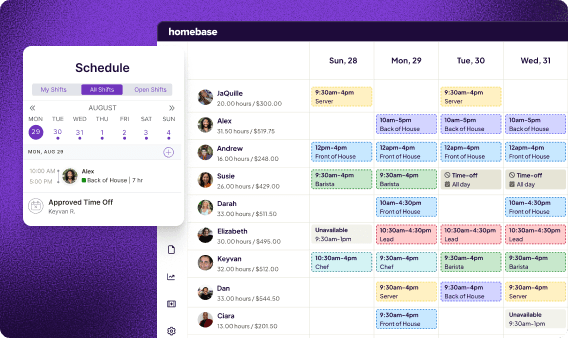
Best for: Contractors managing crews on regular shift schedules who also want scheduling connected to payroll and HR in one app.
Key features:
- Drag-and-drop schedule builder with open shift posting and shift trades.
- GPS-enabled time clock via phone, tablet, or browser, with geofencing and photo verification.
- Overtime alerts that fire before someone crosses their threshold.
- Timesheets that flow directly into payroll, with W-2 and 1099 support.
Pricing: Free plan for one location, up to 10 team members. Essentials $30/location/month, Plus $70, All-in-One $120 (all with unlimited team members). Annual billing saves 20%. Payroll is a $49/month base add-on, plus $6/month per person paid.
What users like: "Homebase has made it very easy for my employees to pick up shifts and take charge of their own schedules. It's reduced a lot of scheduling overhead for us so we can spend our time more wisely." (Todd Hayward, Owner, WRTS Franklin Park)
What users criticize: "Some of the higher-tier plan limitations and occasional mobile sync delays can be frustrating." (Kira H., Chief Operations Officer, Capterra)
Where Homebase fits for contractors: Homebase isn't on the ranked list below because it doesn't specialize in construction project tracking or field service dispatch the way those tools do. But if you manage construction crews on regular shifts, or if you pay a mix of W-2 employees and 1099 contractors, Homebase handles that without switching apps, including construction payroll. It's less specialized than ClockShark for GPS job tracking or Jobber for customer dispatch, but it covers more of the employee management side in one place.
Shiftwork that actually works.
Cut the confusion with a one-stop shop for building, sharing, and managing team schedules.
How We Chose These Apps
For this guide, we focused on apps that solve the core contractor scheduling problems: knowing who's working where, confirming they showed up, tracking hours against jobs, and catching overtime before it's too late.
We evaluated each app on field-specific features (GPS tracking, mobile clock-in, job site assignment), scheduling flexibility (open shifts, drag-and-drop, recurring schedules), reporting and labor cost tools, and realistic pricing for small contractor businesses.
We also considered how each tool fits two distinct contractor types: construction crews and field service trades. The way work gets dispatched, tracked, and billed looks quite different between them.
Best Contractor Scheduling Software for Construction Crews
Construction scheduling has its own shape. Crews move between job sites. Clock-in and contractor time tracking need verification. Hours have to tie to specific jobs. You often have a mix of full-time employees and subcontractors on the same project.
Connecteam
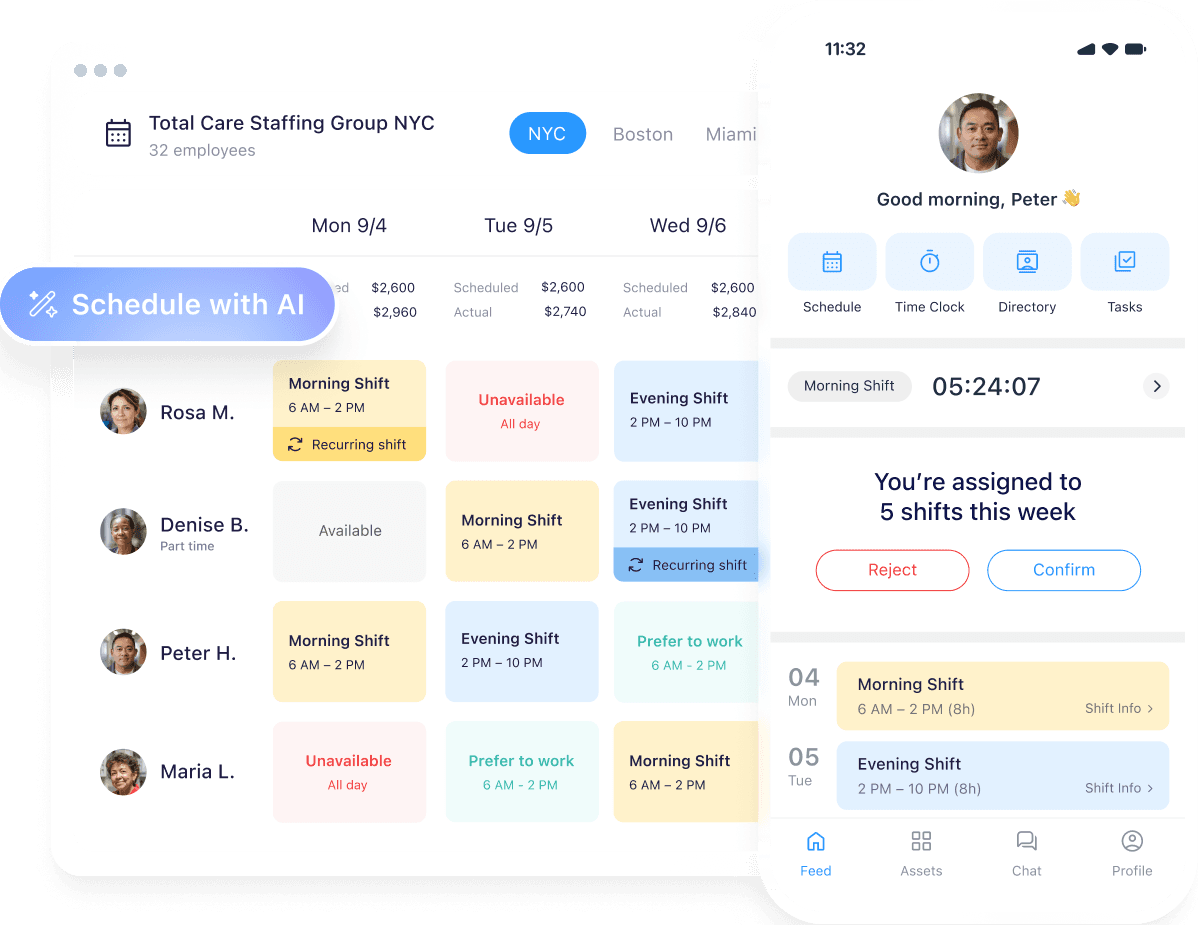
Best for: Larger construction crews who need scheduling, communication, and task tracking together.
What it is: Connecteam is a mobile-first team management app that combines scheduling, GPS time tracking, task management, and team chat. Built for teams that are always in the field, it gives contractors a single place to run daily operations across multiple job sites.
Key features:
- Drag-and-drop schedule builder with job site assignment and shift notifications.
- GPS time clock with geofencing for each site, preventing off-site or early clock-ins.
- Team chat and announcements built in, so you're not managing comms across three apps.
- Digital forms and checklists to replace paper sign-ins, safety forms, and inspection sheets.
Pricing: Small Business Plan is free for up to 10 users (all features). Paid plans start at $29/month for the first 30 users (Operations Hub, Basic; billed annually). Advanced is $49/month, Expert $99/month. Per-user fees apply above 30. Annual billing saves 18%. Each hub (Operations, Communications, HR) is priced separately.
What users like: "We're a small construction company with several different services, and Connecteam has helped us keep everything organized in one place." (Sara Y., Operations Manager, G2)
What users criticize: "I disliked how expensive it became once we needed more than 10 employees. There wasn't a way to pay for only what we needed to stay efficient." (Verified User in Construction, G2)
Our take: Connecteam's breadth is its biggest strength and its biggest risk. For a contractor running 15 to 20 people across multiple sites, the all-in-one setup saves real time. For a crew of five, it's likely more than you need. The free plan is useful for small teams, but pricing scales quickly once you add users.
ClockShark
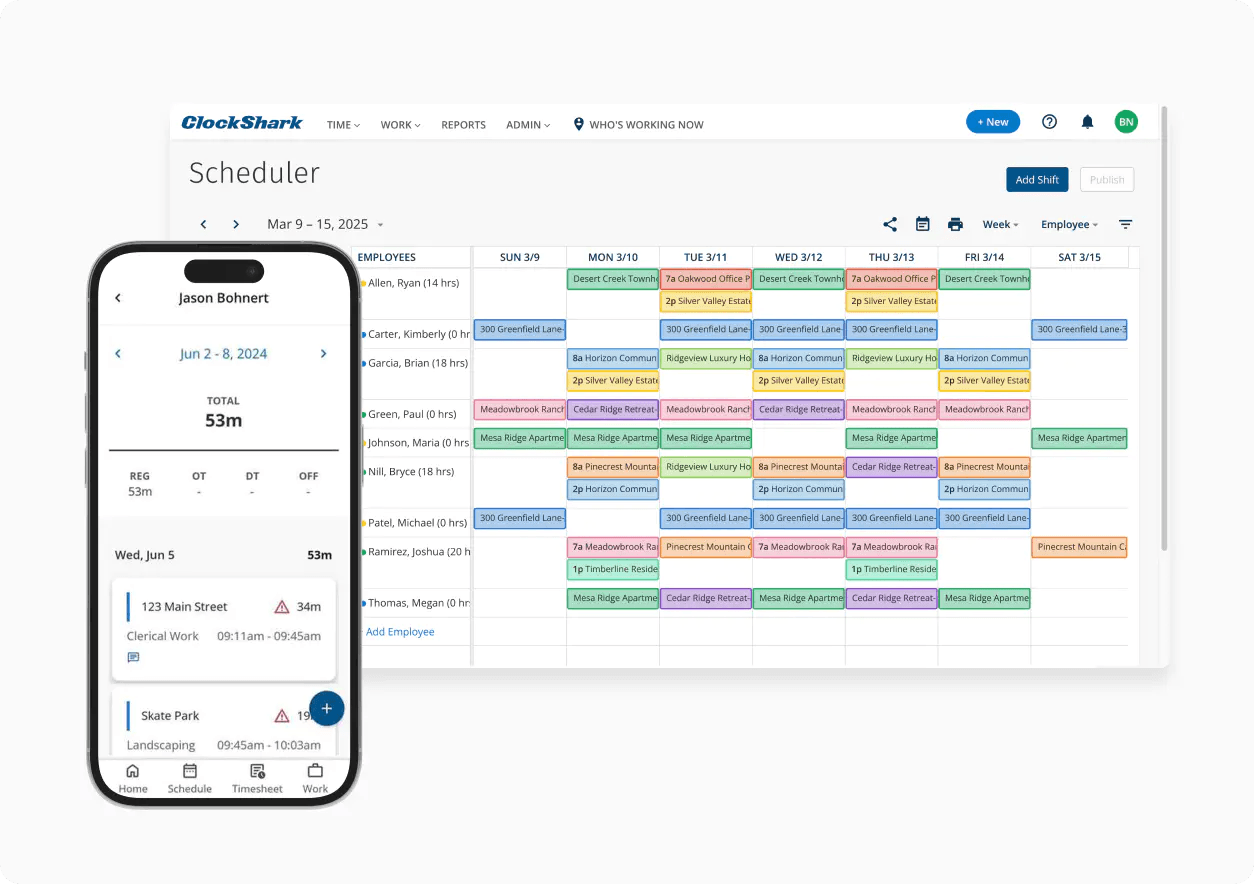
Best for: Construction crews where GPS verification and job-level time tracking are the top priority.
What it is: ClockShark was built specifically for construction contractor scheduling and field service. GPS time tracking is the centerpiece: workers clock in from their phones and the app captures their exact location in real time.
Key features:
- GPS-verified clock-in and clock-out with live crew location view.
- Job-level time tracking that assigns hours to specific projects for billing and profitability analysis.
- Drag-and-drop schedule builder with recurring shifts and automatic reminders.
- Construction timesheet tracking that ties directly to jobs and exports to payroll.
Pricing: Standard from $40/month flat, plus per-user fees. Pro from $60/month flat, plus per-user fees. No free plan; 14-day free trial. Note: a 3-year contract term applies to all plans.
What users like: "The GPS feature lets me confirm that employees are clocking in and out while they're actually on site, not after they've already left. It's much more accurate than paper timesheets because it tracks time down to the minute." (Jennifer D., General Manager, G2)
What users criticize: "ClockShark can be pricey for larger teams, and it needs internet or GPS access to work properly." (Abigail C., Capterra)
Our take: ClockShark earns its cost if GPS verification and job-level hour tracking are your top priorities. It also closes the buddy-punching gap (one worker clocking in for another) better than most. For contractors where scheduling and communication matter more than precise GPS, it's more specialized than necessary.
Hubstaff
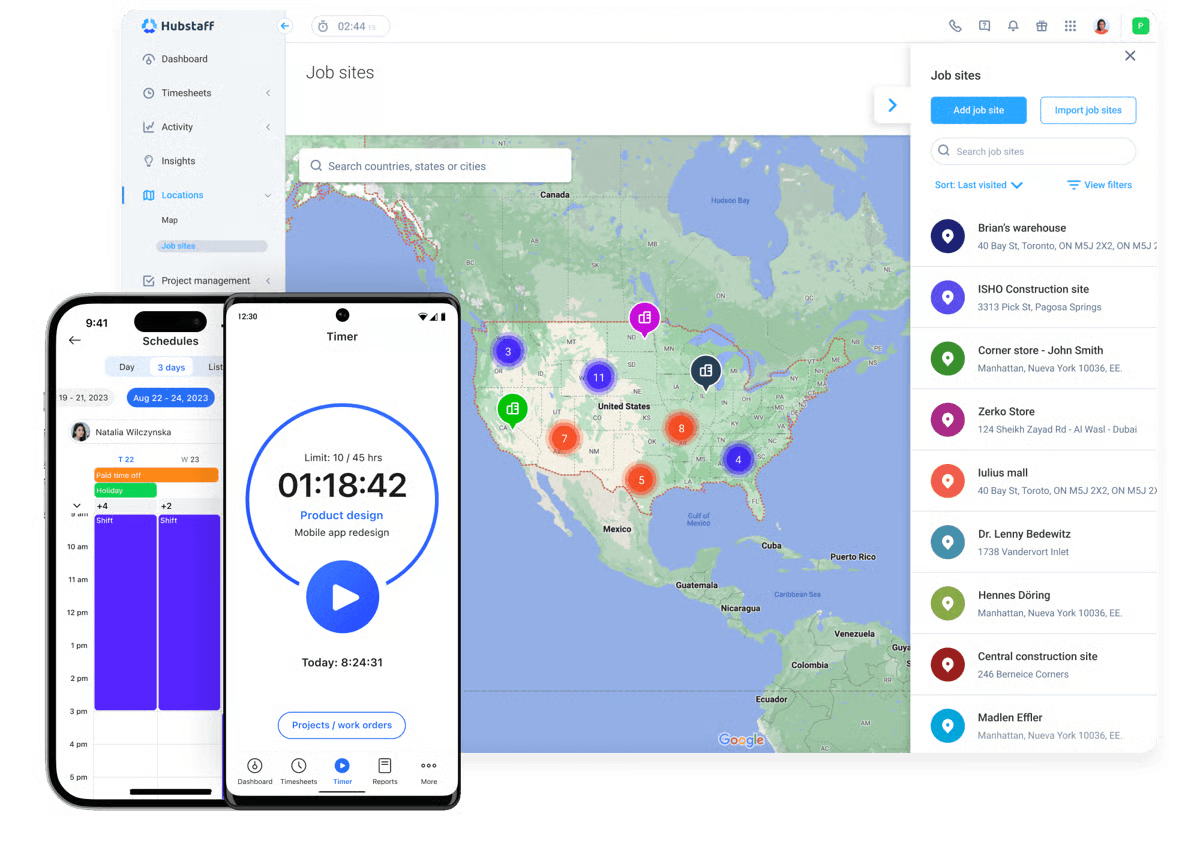
Best for: Construction contractors who need project-level labor cost tracking alongside scheduling.
What it is: Hubstaff connects GPS time tracking, scheduling, and project budgets with detailed labor cost reporting. Popular with contractors who bill by time or need to track job profitability closely.
Key features:
- GPS time tracking with geofencing for job sites.
- Project budget alerts that notify you when a job is approaching its labor limit.
- Scheduling with shift assignment and recurring jobs (Team plan and above).
- Detailed reports: time by employee, time by job, labor cost per project.
Pricing: Starter $7/user/month (2-user minimum). Grow $9/user/month. Team $12/user/month (scheduling and attendance tracking included here). Enterprise $25/user/month. Free plan available; 14-day trial; 30-day money-back guarantee.
What users like: "The GPS tracking for field based team members was a specific win; job site hours that used to be self reported and occasionally inconsistent became verifiable without any awkward conversations." (Crispin W., Director of E-Commerce, Capterra)
What users criticize: "It stops your time after 5 minutes of non activity. If you go to the restroom... you don't get paid." (Shannn H., Billing Team Lead, Capterra)
Our take: Hubstaff's reporting depth is where it earns its place. Budget alerts and per-job cost breakdowns make it useful for contractors managing multiple jobs at once where labor creep is a real problem. The scheduling interface is functional but less polished than dedicated scheduling tools. If billing and profitability data drive your decisions, it's worth the trade-off.
Best Contractor Scheduling Software for Field Service and Trades
Field service scheduling runs differently from construction crew scheduling. Jobs come in from customers. Someone dispatches them. A technician completes the work and the job closes. The tools that handle this well are built around that dispatch loop.
Jobber
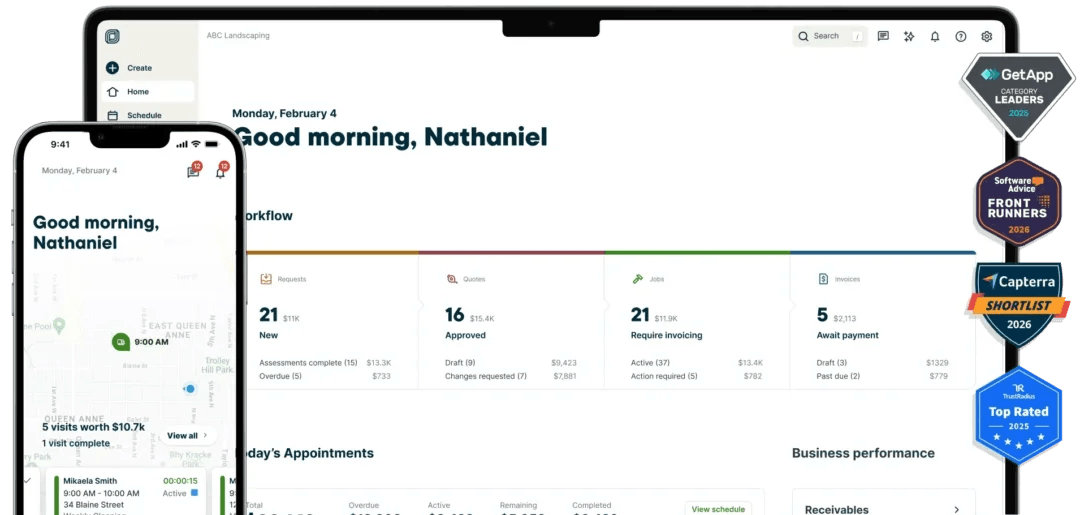
Best for: Residential trade contractors, including HVAC, electrical, and plumbing, who want scheduling and CRM connected.
What it is: Jobber is the closest thing to a complete field service management app for small trades businesses. It takes a job from customer request through scheduling, dispatch, time tracking, invoicing, and payment collection, all in one place.
Key features:
- Calendar-based job scheduling with drag-and-drop and route optimization.
- Customer CRM with full job and interaction history per client.
- Mobile app for technicians with job details, customer notes, and on-site time tracking.
- Quoting, invoicing, and payment collection built in.
Pricing: Core starts at $29/month (1 user, billed annually) and covers scheduling, quoting, invoicing, and CRM. GPS tracking, time tracking, and QuickBooks sync require Connect, which starts at $99/month (1 user, annual) or $149/month for a 5-user team. Crew scheduling is a Plus-plan feature, starting at $280/month (15 users, annual); additional users are $29/month each across all plans. No free plan; 14-day free trial.
What users like: "I love how simple and clutter-free the dashboard is. Scheduling jobs, dispatching crew members, and sending invoices is seamless, which keeps our team organized and cuts down on weekly administrative time." (Carson H., owner/operator, G2)
What users criticize: "The higher pricing tiers jump up quickly for growing teams, and the built-in credit card processing fees can seriously eat into your profit margins over time." (Sadaf Yusuf M., Capterra)
Our take: Jobber covers more ground than pure scheduling, which is both its value and its price tag justification. The CRM is underrated: knowing every job done for a customer, going back years, makes repeat service work much easier. It's not cheap for a one-person operation, but for a trades business with multiple techs, the time saved on admin pays back quickly.
Housecall Pro
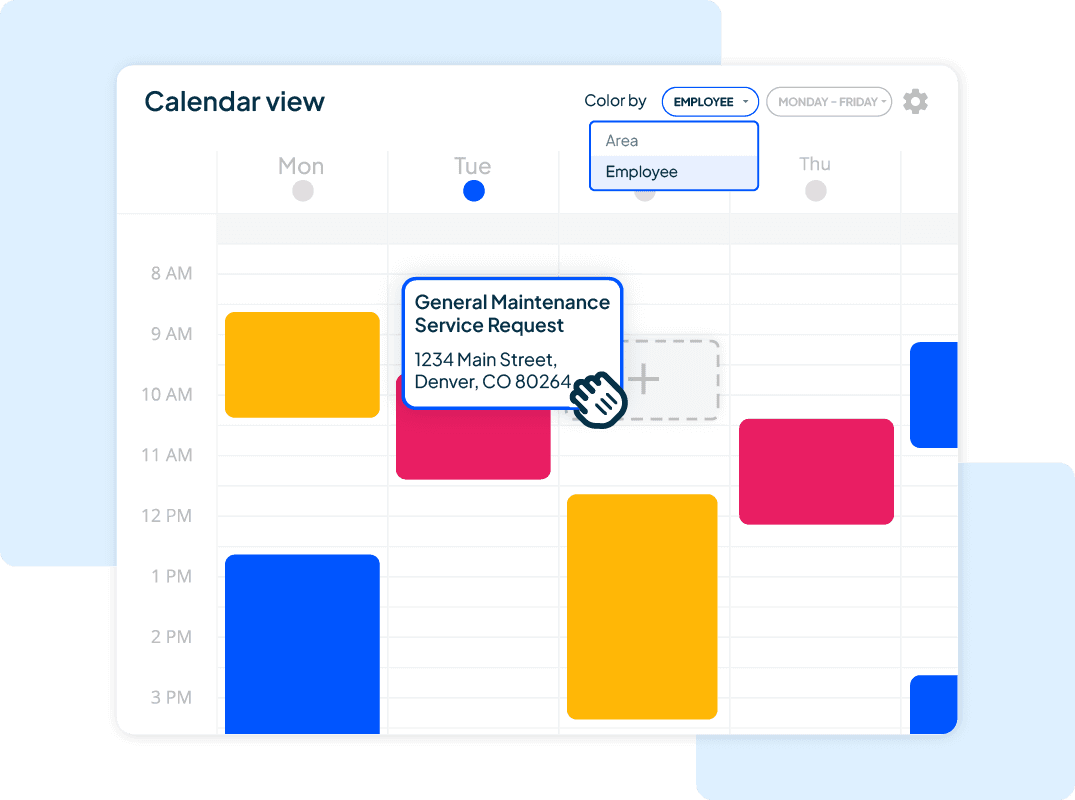
Best for: Home service contractors who need customer booking, dispatch, and automated follow-up together.
What it is: Housecall Pro is built for home service contractors who need more than a scheduling calendar. It adds an online customer booking page, automated reminders, post-job review requests, and a drag-and-drop dispatch board.
Key features:
- Branded online booking page so customers can schedule directly without calling.
- Drag-and-drop dispatch board with real-time job status tracking.
- Automatic pre-appointment reminders and post-job review request messages.
- Employee GPS tracking and route optimization (Essentials and MAX plans).
Pricing: Basic starts at $59/month (1 user, billed annually) and covers scheduling and dispatch, estimates and invoicing, payments, time tracking, and review management. Essentials is $149/month (5 users, annual) and adds employee GPS tracking, QuickBooks sync, routes, and flat-rate pricing. MAX is $299/month (8 users, annual; $35/month per additional user) and adds route optimization, recurring service plans, and open API access. No free plan; 14-day free trial; no contracts required.
What users like: "The scheduling feature is very intuitive and makes managing jobs and technicians straightforward and efficient." (MURTAZA L., General Manager, Construction, Capterra)
What users criticize: "It feels like almost everything is treated as an add-on, and as you grow, the overall price starts to get pretty steep." (James S., Office Manager, G2)
Our take: The online booking page is the differentiator that makes Housecall Pro worth the premium for residential service contractors. Reducing inbound call volume and filling schedule gaps automatically has real ROI. The price is steep for small operators, and if you don't need the customer-facing booking or review automation, you're paying for features you won't use.
Deputy
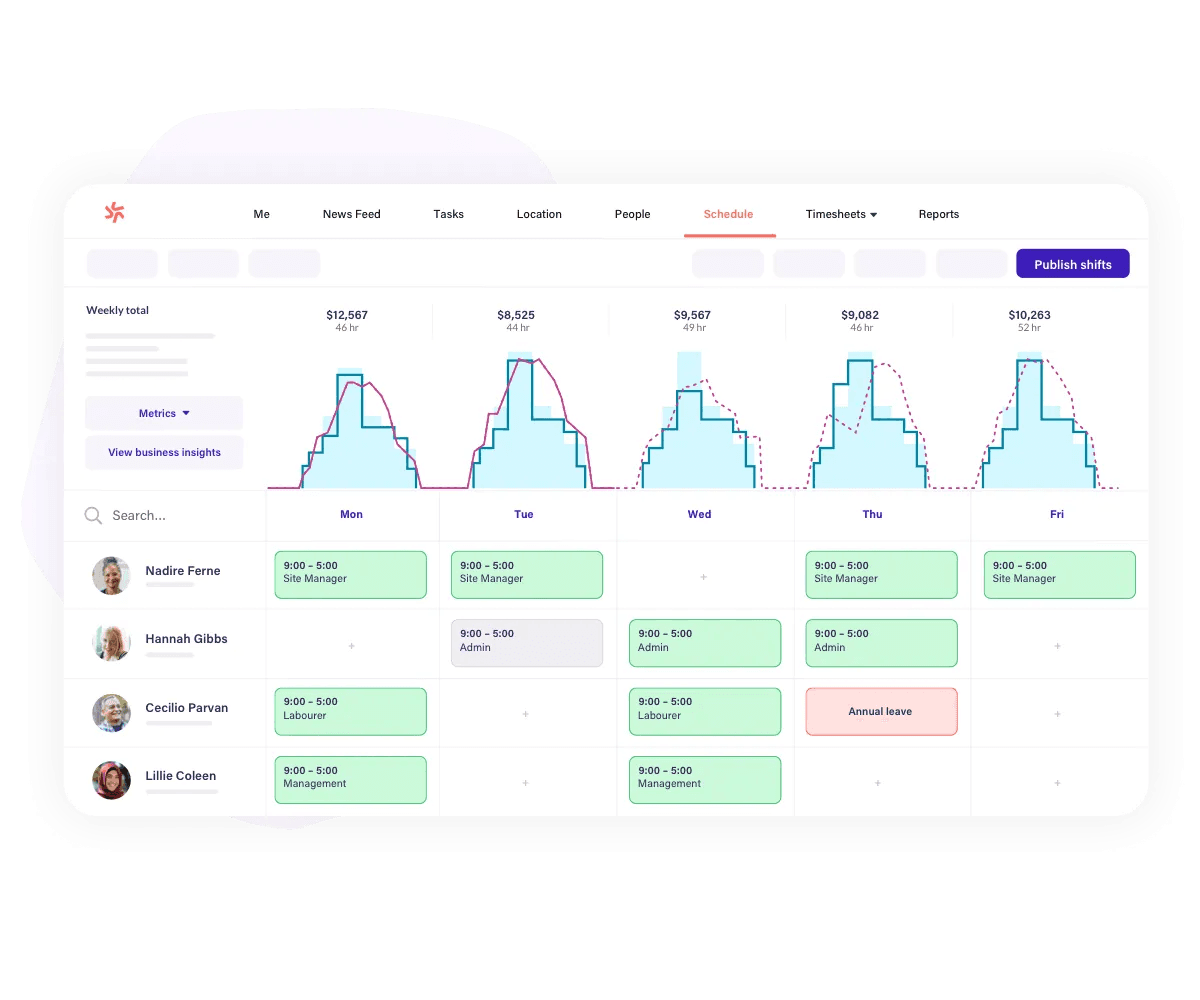
Best for: Multi-site contractors managing complex shift rules or compliance requirements.
What it is: Deputy is a team scheduling app built for operations with multi-site complexity. Strong on shift rules, compliance tracking, and payroll integrations. It has a dedicated construction and engineering industry page and integrates with Buildxact. See our dispatch scheduling guide for how dispatch tools compare.
Key features:
- Multi-site scheduling with auto-scheduling and demand forecasting (Core plan and above).
- Compliance rule configuration tied to labor laws by jurisdiction, including break and overtime rules.
- Mobile clock-in with GPS geofencing and facial recognition (biometrics) to prevent buddy punching.
- Labor budget management with wage tracking against scheduled hours.
Pricing: Lite $5/user/month (basic scheduling and time clock). Core $6.50/user/month (advanced scheduling, auto-scheduling, demand forecasting, biometrics). Pro $9/user/month (custom access levels, SSO, 24/7 live chat). Minimum monthly spend $30. No free plan; 31-day free trial. Annual billing saves 10%.
What users like: "I like how Deputy syncs approved hours directly to the payroll system, which helps in reducing the risk of pay disputes and compliance issues. It also handles complex shift patterns." (Jean R., Director, G2)
What users criticize: "It isn't completely applicable to the construction business I work for. I've had to use features outside of what they're intended for just to make them work for our business." (Deon H., Construction Manager, G2)
Our take: Deputy is the right tool when compliance and shift rule complexity are the actual problem. For contractors hiring across multiple states or working prevailing wage projects, the compliance configuration earns its keep. It's less focused on the customer-facing side of field service (no booking page, no CRM) and more on team management.
FAQs about Contractor Scheduling Software
What is the best scheduling app for contractors?
It depends on how your work flows. For construction crews where GPS verification and job-level hours matter most, ClockShark is the strongest fit. For field service trades that need customer dispatch alongside scheduling, Jobber or Housecall Pro are the better calls. For shift-based hourly crews, Homebase is worth a look.
What is the most used scheduling software?
Jobber is widely used among residential trade contractors. Connecteam and ClockShark are common in construction and field service. Deputy has a broad base across industries. There's no single dominant tool. Market share splits significantly by trade and crew size.
Which software is used for scheduling in construction?
It depends on whether you mean project scheduling or crew scheduling. For project timelines, tools like Procore and Buildertrend are common. For crew and labor tracking on job sites, ClockShark and Connecteam are the most frequently used. Hubstaff is popular when job-level cost reporting is the priority.
What is the best software for contractors?
Match the tool to the problem. GPS time tracking → ClockShark. Customer booking and dispatch → Jobber or Housecall Pro. Shift scheduling with payroll → Homebase. Labor cost reporting → Hubstaff. Compliance and multi-site shift rules → Deputy. There's no one-size answer.
Is there free contractor scheduling software?
Yes. Connecteam's free plan covers up to 10 users with scheduling and time tracking. Homebase's free plan covers one location with core scheduling. Both have real limits: GPS verification, payroll integration, and advanced reporting typically require a paid plan.
Start Scheduling Smarter
The right contractor scheduling app depends on where your biggest problem lives: site-level GPS verification, customer dispatch, labor cost control, or payroll.
If you're in construction and GPS punch tracking is the priority, start with ClockShark. If you're in trades and want scheduling tied to customer management, Jobber is worth a look. If you manage crews across multiple job types and want scheduling connected to payroll and HR, try Homebase.
Shiftwork that actually works.
Cut the confusion with a one-stop shop for building, sharing, and managing team schedules.