Best Construction Payroll Software in 2026


SMALL BUSINESS INTEL, IN YOUR INBOX
Table of contents
Construction payroll software does something general payroll tools can't: it handles certified payroll reporting, prevailing wage requirements, union fringe calculations, and multi-state taxes without eating your whole week. Pick the wrong one and you're stuck doing manual workarounds on government jobs, miscoding hours across job sites, and crossing your fingers that your certified payroll reports are right before Monday's deadline.
Whether you're looking at construction payroll services or self-serve construction payroll software, the compliance requirements don't change.
This guide cuts through the noise and compares the best construction payroll software options for 2026, evaluated on the construction payroll compliance work that actually trips contractors up, not just whether it can cut a direct deposit.
Construction Payroll Software Picks at a Glance
Not all payroll software for construction handles the same complexity, and not all construction payroll software is built for government work. The right construction payroll software for your business depends on your compliance load, crew size, and whether you're running government jobs. Here are our top picks:
- Homebase best for small businesses with hourly teams who want scheduling and time tracking that flow directly into payroll all in one app, reducing errors.
- Foundation, best for established contractors needing deep certified payroll plus full construction accounting.
- Payroll4Construction, best for done-for-you certified and union payroll.
- Miter, best for modern, mobile-first field crews.
- Lumber, best for AI-assisted compliance and faster setup.
- Sage, best for larger, multi-entity contractors.
Why Trust Homebase on Construction Payroll Software?

We're Homebase, and we make payroll, scheduling, and time tracking tools for small businesses with hourly teams, construction crews included. We know this space well enough to know where our app fits and where it doesn't. For small crews on private jobs, we're a solid option. For certified payroll, prevailing wage automation, and union fringe calculations, we're not your answer. That's an honest limitation, and it's exactly why we put this guide together.
Every app on that list was evaluated on its own merits: certified payroll support, union handling, job costing depth, and how well it holds up for contractors running government work. We never accept payment or backlinks for a mention. We're in this space, so we know what matters. We reviewed these tools the same way you would.
How We Chose the Best Construction Payroll Software
We evaluated each construction payroll software option against the criteria that matter most to contractors choosing a tool for their crew:
- Certified payroll and WH-347 support. Does it generate the correct 2025 form format?
- Prevailing wage and fringe automation. By classification and locality , not a manual entry field.
- Union and CBA handling. Multiple wage tables, fringes, and dues per agreement.
- Job costing and cost-code allocation. Hours tied to the right project automatically.
- Multi-state tax handling. Based on where the work was performed, not where the company is based.
- Field time-capture integration. Does clean, coded time flow directly into payroll?
- Pricing transparency. Verified against each vendor's live page in 2026.
We drew on vendor product pages, verified third-party reviews from G2 and Capterra, primary DOL sources, and contractor forum discussions to evaluate each construction payroll software option. Every stat was traced to a primary source. Anything we couldn't verify was cut.
Read our full evaluation methodology for more detail on how we assess construction payroll tools.
What Makes Construction Payroll So Complicated
Construction payroll is a different animal from retail or restaurant payroll. The compliance requirements are more layered, and that's why general-purpose tools so often fall short. Here's where the weight actually comes from, and why the right construction payroll software has to handle each piece.
Certified payroll and Form WH-347.
If your work includes any government-funded construction contract over $2,000, you're required to submit weekly certified payroll under the Davis-Bacon Act. That means Form WH-347 with a signed Statement of Compliance, within seven days of each pay date , including weeks when no work was performed.
Here's one thing most contractors haven't caught yet: the WH-347 was overhauled in January 2025. New fields now separate funded from unfunded fringe benefits, both gross and net pay are required on every submission, and the old form is only accepted through September 30, 2026. After that, the new version is the only one that counts.
Prevailing wage and fringe benefits.
Prevailing wage is the combination of a base hourly rate and a fringe benefit rate, set by the DOL for each worker classification and geographic area. Pay the wrong rate on the wrong job and you're looking at back wages , and potentially losing eligibility for future federal contracts. Many states add their own prevailing wage rules on top; California and New York both run strict electronic reporting systems.
Union rules and collective bargaining agreements.
Each collective bargaining agreement brings its own wage tables, fringe rates, and dues schedules, and those rates can shift mid-project. Matching the right rate to the right classification for every hour worked by hand is exactly where errors pile up.
Job costing and labor allocation.
Every hour your crew works needs to land on the right project and cost code. Labor typically runs 20–40% of total project cost, so when hours are miscoded, the damage goes beyond accounting. It throws off your job profitability data and your future bids.
Multi-state construction payroll and multiple job sites.
When your crew crosses state lines mid-week, construction payroll software has to apply different withholding rules, overtime thresholds, and workers' comp requirements. Most general payroll tools can't handle those calculations automatically based on where work was actually performed.
Why construction payroll takes so long to run.
Most of the time, the slowdown isn't the payroll calculation , it's everything you have to do before you can run it. One r/Accounting commenter managing 200+ jobs said it best: heavy admin time is almost always a data-capture problem, not a payroll-engine problem. When field hours arrive already coded to the right job and classification, payroll runs fast. When they don't, no tool in any price range makes up for it.
Features to Look For in Construction Payroll Software
Not every construction payroll software handles every piece of the compliance puzzle. Here's what to look for when you're comparing construction payroll software options:
- Certified payroll / WH-347 generation. Confirm the construction payroll software produces the updated 2025 form format, not the old version.
- Prevailing wage and fringe automation. Look for rate tables by classification and locality that update automatically, not a manual entry field.
- Union and CBA support. Multiple agreements, wage tables, fringe rates, and dues schedules should be configurable per employee and per project.
- Job costing tied to cost codes. Hours should flow directly from time capture into job cost reports, not require a manual export step.
- Multi-state tax handling. The system should automatically apply the correct withholding rules based on where the work was performed, not just where the company is headquartered.
- Field time capture that flows straight into payroll. GPS and geofencing reduce "ghost hour" clock-ins, one forum user described losing roughly 7% of their labor budget to crew members clocking in from their driveways before reaching the site.
If your crew is primarily on private jobs, a mobile GPS time clock that pins hours to a specific location at clock-in can take a big bite out of payroll prep time , before you ever think about switching software.
The Best Construction Payroll Software for 2026
Five construction payroll software tools, each evaluated on certified payroll support, union handling, job costing, and multi-state tax accuracy. Homebase isn't on this list.
Homebase
Who it's best for: Small businesses with hourly teams who want everything in one place—scheduling, time tracking, and payroll that actually works together.
Key features:
- All-in-one platform eliminates software juggling by combining employee scheduling, time tracking, and payroll processing in a single app that your team will actually use.
- Automated time clocks capture precise hours and overtime calculations, preventing payroll errors and keeping you compliant with labor laws without the guesswork.
- Integrated tip management pulls tips directly from POS systems, making tip reporting and distribution simple for restaurants and service businesses.
- Early wage access keeps employees happy by letting them access earned wages before payday—great for retention and morale.
- Built-in HR tools streamline hiring, onboarding, and compliance with document storage and automated reminders that keep you organized.
Certified payroll: Handles standard payroll compliance for most small businesses, though not specialized for certified payroll reporting.
Starting price: Free basic plan for scheduling and time tracking (one location, up to 10 employees); paid plans start at $24/month per location. Payroll add-on: $49/month + $6/person.
2. Foundation: best construction payroll software for certified payroll.
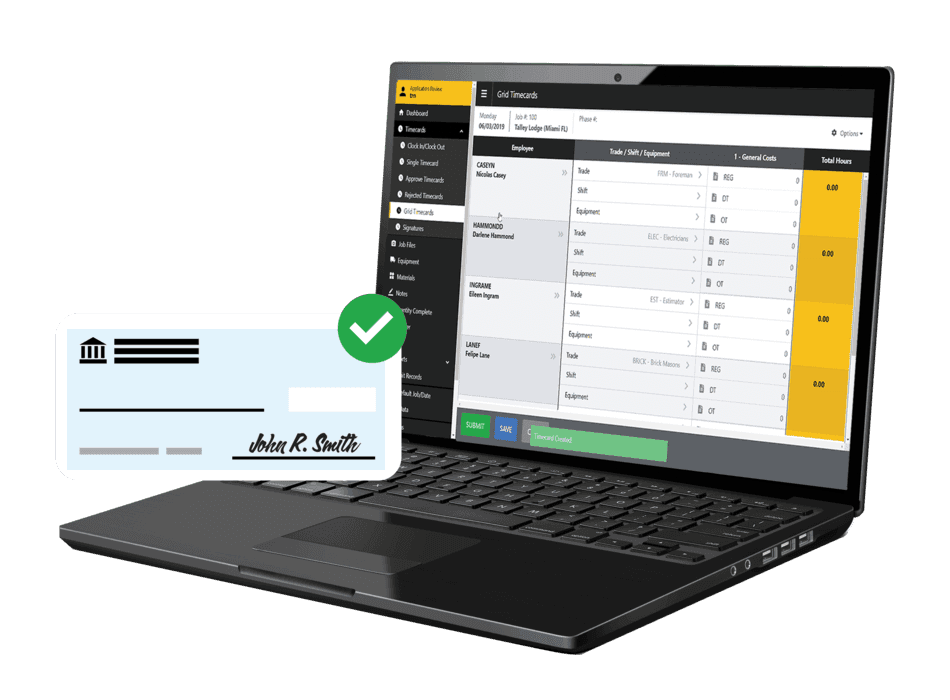
Foundation is one of the most construction-specific tools in the category , certified payroll, union wage tables, and job costing all live in the same system, not bolted on through integrations.
Best for: Established contractors managing certified payroll, prevailing wage, and union work across multiple jobs.
Rating: Capterra 4.3/5 (360+ reviews) · G2 3.6/5 (23 reviews)
Key features:
- Certified payroll for Davis-Bacon and prevailing wage compliance.
- Union and multi-state payroll with automatic fringe calculations.
- Job costing tied to cost codes, with real-time labor visibility and compliance reporting by project.
- QuickBooks Online integration for companies that run dual systems.
- Mobile time tracking with facial recognition and GPS location stamps.
Pricing: Modular, quote-based. Contact Foundation directly for current pricing.
What users like:
"FOUNDATION works well for us because it is built specifically for construction. The job costing is detailed and reliable, which is critical when you are managing labor, materials, subcontractors, and equipment across multiple jobs."—Joshua C., Controller, Capterra
What users criticize:
"I like it, the cost keeps going up and now everything is an add on."—Joy O., Accounting Manager, Capterra
3. Payroll4Construction: best for done-for-you certified and union payroll.
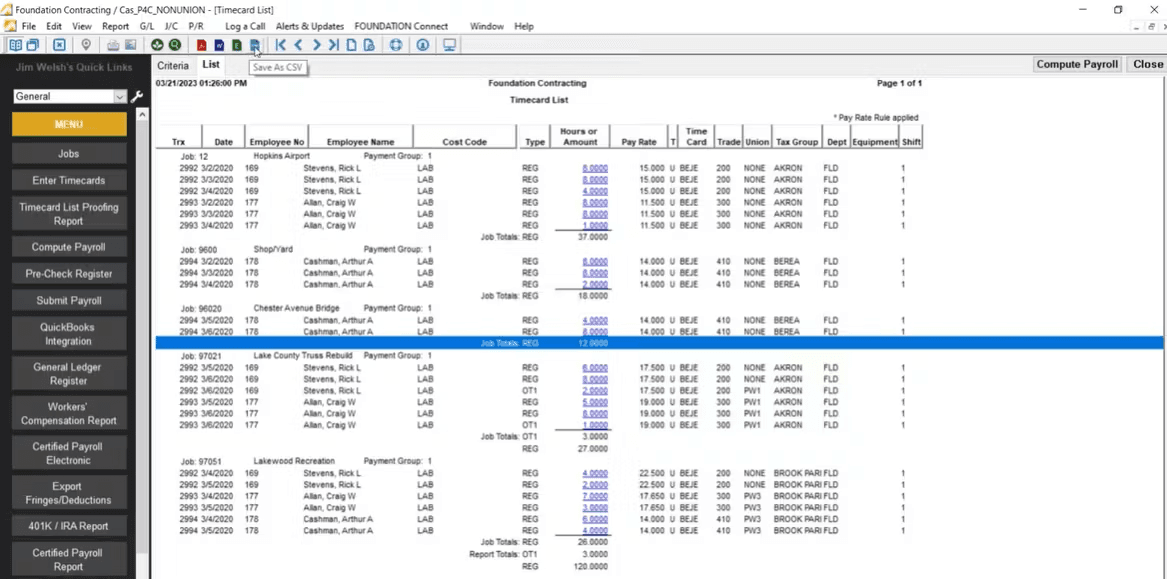
With Payroll4Construction, you submit your timecards and they handle the rest: certified payroll reports, union calculations, compliance filings, all of it.
Best for: Contractors who want to hand off certified payroll and union processing entirely.
Rating: Capterra 4.7/5 (82 reviews)
Key features:
- Full-service payroll processing , you submit timecards, they run it.
- 40+ construction-specific reports including certified payroll formats.
- CBA fringe automation across multiple unions and trades.
- Workers' comp calculations by project and classification.
- Integration with Foundation accounting software.
Pricing: Quote-based. Contact Payroll4Construction directly for current pricing.
What users like:
"Payroll4Construction is extremely easy to use for our certified payroll. The reports are easy to understand. The annualization required by New York State is tracked properly."—Vicki R., Finance Director, Capterra
What users criticize:
"It was not user friendly. Once you post, you can't go back and change something. It had to be voided and redone."—Jennifer W., Business Manager, Capterra
4. Miter: best construction payroll software for mobile-first field crews.
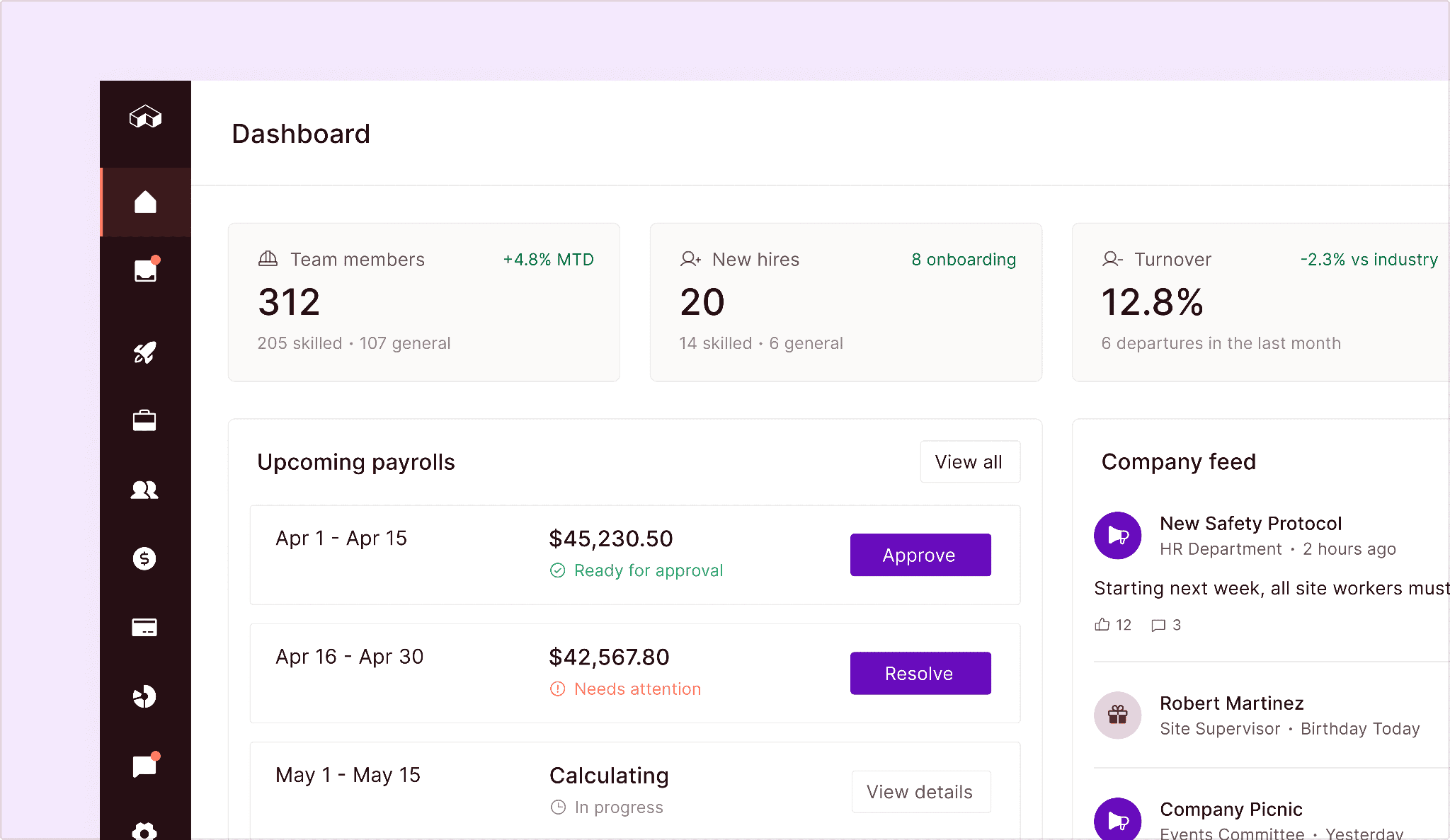
Miter is construction payroll software that brings payroll, job costing, and compliance reporting together in one system , prevailing wage, union handling, and multi-state payroll are baked in, not bolted on.
Best for: Modern, mobile-first construction companies scaling up.
Key features:
- Certified payroll, prevailing wage, and union compliance in a single workflow.
- Custom fringe and overtime calculations across multiple agreements.
- Fully burdened job costing with ERP and accounting sync (Sage, Foundation, Viewpoint, QuickBooks).
- Integrated time tracking , field crews clock in the same system that runs payroll.
- Expense management tied to specific jobs for complete labor cost visibility.
Pricing: Quote-based. Contact Miter directly for current pricing.
5. Lumber: best for AI-assisted construction payroll compliance.
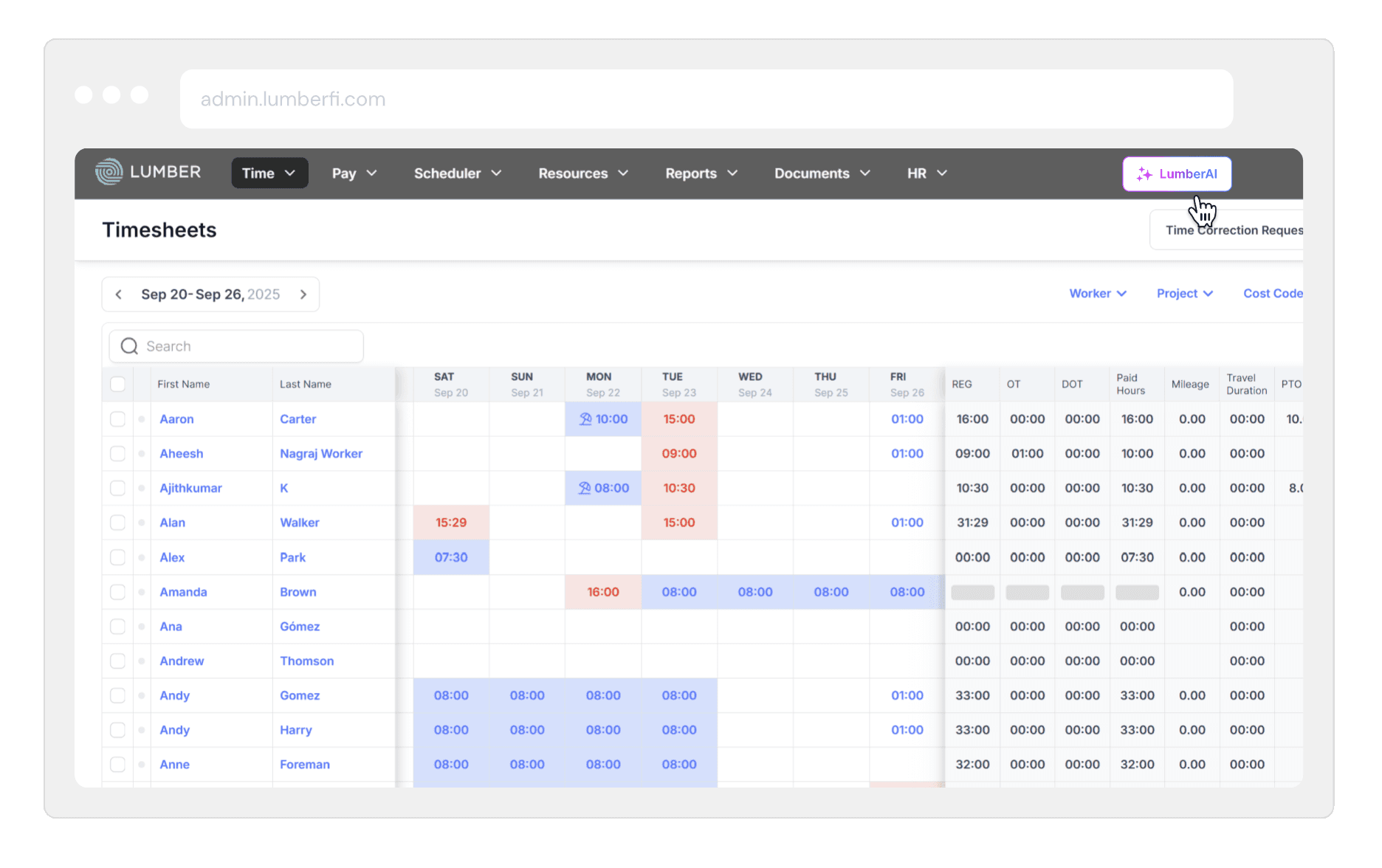
Lumber is construction payroll software built around an AI scanner that catches expired pay rates, missing prevailing wage configurations, and incomplete union setups before payday. If you've ever caught a misconfigured rate after the fact, you know why that matters.
Best for: Tech-forward construction teams that want AI-assisted compliance and faster setup.
Key features:
- WH-347 and state-specific certified payroll formats across all 50 states.
- Prevailing wage base and fringe setup by project with automatic calculations.
- Union pay scales, shift differentials, and fringe contributions by CBA.
- Job-cost linking to cost codes and project classifications.
- Mobile self-serve for workers , clock in, submit expenses, and review pay from a phone.
Pricing: Quote-based. Contact Lumber directly for current pricing.
6. Sage: best construction payroll software for multi-entity contractors.
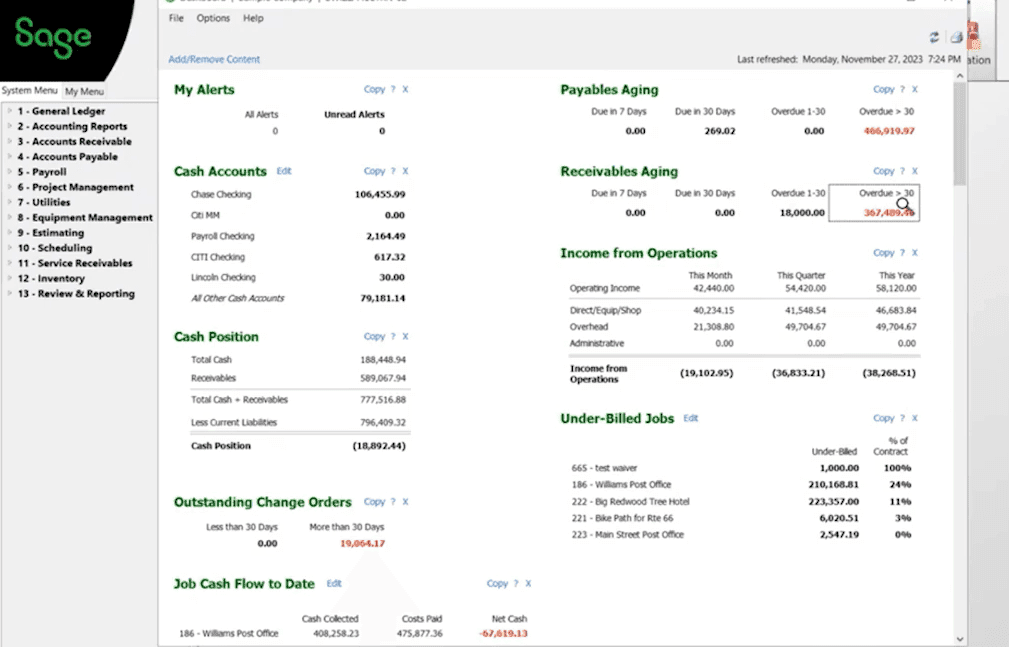
Sage 100 Contractor is construction payroll software that connects payroll directly to job cost reporting and the general ledger. When your financials and payroll complexity have genuinely outgrown lighter tools, this is where the conversation starts.
Best for: Larger, multi-entity construction companies with complex operations.
Rating: Capterra 4.0/5 (1,011 reviews, Sage Construction Suite) · G2 3.8/5 (24 reviews)
Key features:
- Certified payroll reporting across all 50 states, with state-specific format support.
- Union rate and fringe tracking with effective dates by contract.
- Multi-entity payroll across different company structures and tax jurisdictions.
- Job cost and general ledger sync , no manual export between systems.
- Employee certification tracking with alerts before licenses expire.
Pricing: Enterprise, quote-based. Budget for significant upfront setup time , this is a full construction accounting system, not a plug-and-play payroll tool.
What users like:
"This software is very easy to navigate and is very versatile. I used it mainly to process payroll, expenses, accounts payable, and did all of the onboarding. It's great if you have union employees and certified payroll to process."—Sara Rebecca T., Sr. Payroll and HR Administrator, G2
What users criticize:
"Unable to export to PDF/Word without crashing. Expensive. Clunky overall. A setting that was wrong for one employee caused the entire company's time keeping to fail."—Isaac H., G2
Our take: Sage earns its place when you've genuinely outgrown lighter options , when multi-entity payroll, certified payroll across multiple states, and general ledger integration all need to live in one place. For a small crew on private jobs, it's more than you need.
Construction Payroll Software Compared
Side-by-side, here's how the top three stack up on the factors contractors ask about most.
Foundation
- Starting price: Quote-based
- Setup time: Varies, confirm with vendor
- Certified payroll: Yes, Davis-Bacon and prevailing wage, WH-347 generation
- Prevailing wage / union: Yes, union wage tables, fringe automation, multi-state
- Job costing: Yes, native, tied to cost codes with real-time visibility
- Best for: Established commercial and government contractors
Payroll4Construction
- Starting price: Quote-based
- Setup time: ~1 month to get up to speed
- Certified payroll: Yes, done for you, 40+ construction-specific reports
- Prevailing wage / union: Yes, CBA fringe automation, multi-union support
- Job costing: Yes, integrated with Foundation accounting
- Best for: Contractors who want to hand off payroll entirely
Miter
- Starting price: Quote-based
- Setup time: Varies, confirm with vendor
- Certified payroll: Yes, prevailing wage, WH-347, state formats
- Prevailing wage / union: Yes, custom fringe and overtime, multiple CBAs
- Job costing: Yes, fully burdened, syncs to ERP and accounting
- Best for: Mobile-first contractors scaling out of spreadsheets
How Homebase Compares to Construction Payroll Software
For small hourly construction crews on private jobs, our app holds up well. It handles multiple pay rates, multi-location payroll, W-2 and 1099 workers in the same payroll run, and GPS-verified time capture with photo verification and geofencing. If your crew is on a private job site without certified payroll or prevailing wage requirements, those are the features that matter most.
What we don't handle in our construction payroll software: certified payroll reporting, WH-347 generation, prevailing wage rate automation, or union fringe calculations. If government contracts are part of your business, one of the five options above is where you need to start.
For small crews that need clean time capture and fast construction payroll software without the certified-payroll complexity, the Homebase payroll app starts at $49/month + $6/person.

How to Choose the Right Construction Payroll Software
Three things narrow the construction payroll software field faster than any feature list: your compliance load, where your admin time is actually going, and what vendors don't put in the base price.
Match construction payroll software to your compliance load.
When it comes to choosing construction payroll software, your job mix is the fastest way to narrow the field:
- Government contracts, union labor, or multi-state work → construction-specific tool (Foundation, Payroll4Construction, or Sage, depending on whether you want to run it yourself or hand it off).
- Private jobs with standard pay rates → lighter options, including general construction payroll software with strong time-capture integrations.
Start with time capture before switching payroll software for construction.
Before you switch anything, figure out where your time is actually going:
- If hours are coming in via text, paper timesheets, or end-of-week self-reports, a better payroll engine won't fix the problem. It'll just move the reconciliation work one step earlier.
- Clean, coded hours at the source cut admin time more reliably than any software switch.
Compare construction payroll software pricing carefully.
Most construction payroll tools are quote-based, and the gap between the sticker price and your actual monthly cost can be significant:
- Ask vendors to price your actual scenario: crew size, states you work in, number of unions, and certified payroll needs.
- Watch for module-by-module add-ons. As one reviewer noted, "the cost keeps going up and now everything is an add-on."
- The payroll costs breakdown covers what to watch for across different provider models.
Finding the Right Construction Payroll Software for Your Crew
The right construction payroll software does more than cut checks , it handles the compliance complexity that sets construction apart from every other industry. Certified payroll and prevailing wage requirements are the real dividing line. If you're on government-funded jobs, you need a tool built specifically for that work. If your crew is on private jobs, the requirements are lighter and your options are wider.
For small hourly construction crews on private work, finding the best payroll software for a construction company comes down to one thing: get accurate hours into payroll and get it done. Forebay Aquatic Center cut their payroll time by 10x and reduced payroll costs by 30% after switching to Homebase. As Executive Director Bradley Cooke put it, "Every time I open up payroll, I'm happy, because of how simple it is."
Construction Payroll Software FAQs
What is the best construction payroll software?
The best construction payroll software depends on your compliance load, your job mix, and how much certified payroll complexity you're managing. Foundation and Payroll4Construction are the strongest construction payroll software options for contractors with certified payroll and union requirements. Miter suits mobile-first, growing teams. Lumber fits tech-forward contractors that want AI-assisted compliance. Sage is built for larger, multi-entity operations. Match the tool to the complexity you're actually managing.
How much does construction payroll software cost?
Construction payroll software pricing varies by tool type and crew size, and most construction-specific tools are quote-based with no published pricing. Full-service options like Payroll4Construction generally cost more than software-only tools, and module-by-module pricing can add up quickly. Our guide to hourly team payroll covers what to factor into your total cost estimate.
What is certified payroll?
Certified payroll is the weekly reporting requirement under the Davis-Bacon Act for any federally funded construction contract over $2,000 , and it's one of the main reasons contractors need construction payroll software built for the job. Contractors submit Form WH-347 with a signed Statement of Compliance within seven days of each pay date, including no-work weeks. The updated WH-347 form took effect January 2025 and is required for all submissions after September 30, 2026.
What is prevailing wage?
Prevailing wage is the minimum pay rate , base hourly wage plus fringe benefits , set by the DOL for each worker classification and geographic area on federally funded projects. Many states have their own prevailing wage laws with separate thresholds and reporting requirements. Paying the wrong classification rate is one of the most common Davis-Bacon compliance errors.
Why does construction payroll take so long to run?
Construction payroll usually takes so long because the slowdown isn't in the payroll engine , it's in everything that has to happen before you can run it. When hours arrive via text, paper timesheets, or end-of-week self-reports, someone has to reconcile them against job codes before payroll can even start. GPS-verified, job-coded time capture fixes that faster than switching construction payroll software.