
SMALL BUSINESS INTEL, IN YOUR INBOX
Table of contents
Most pest control businesses don't know they need pest control scheduling software until a quarterly treatment slips through, one missed recurring visit turns into an irate customer call, then two missed visits turns into a cancellation. And since recurring service revenue accounts for 85.4% of residential pest control revenue, according to Specialty Consultants and NPMA, those missed visits add up fast.
This guide reviews four of the best field service management (FSM) tools for pest control businesses in 2026. Each was evaluated on scheduling depth, recurring contract handling, Federal Insecticide, Fungicide, and Rodenticide Act (FIFRA) compliance documentation, mobile app quality, and pricing transparency.

The Best Pest Control Scheduling Software, at a Glance
Not every pest control business needs the same tool. The market here splits into two categories:
- Field service management (FSM) tools handle the client-facing side: booking appointments, routing technicians, tracking completed jobs, sending invoices, and in pest control specifically, logging chemical application records for FIFRA compliance.
- Employee scheduling tools handle the team side: who works when, when technicians clock in, and how hours flow to payroll. Most pest control business owners are looking for the first category, but plenty of growing operations end up needing both.
Here are the four best pest control scheduling software options in 2026 and where each one fits best:
- GorillaDesk: Best for dedicated pest operators that need FIFRA chemical tracking and recurring route scheduling built in from day one.
- Jobber: Best for small pest teams of 1-5 technicians that want a clean mobile calendar and a fast setup.
- Housecall Pro: Best for growing operations where new customers book online and jobs land directly on the dispatch calendar.
- FieldRoutes: Best for mid-size operations of 5-25 technicians that need GPS-triggered invoicing and route optimization built for pest control's stop density.
Why Trust Homebase? Why We Built This Guide
We're Homebase, and we make an app for small businesses with hourly teams, covering scheduling, time tracking, team messaging, and payroll. We have a stake in this topic, so here's our disclosure: Homebase is not in the ranked list below, and every app was evaluated on its own merits. No placement was influenced by payment or a backlink agreement.
We built this guide because pest control business owners regularly ask us about tools for managing their technicians. Managing client jobs and managing the team behind them are two separate problems. This guide covers the client-job side.
How We Chose the Best Pest Control Scheduling Software
The pest control scheduling market includes tools built specifically for the industry and general field service tools that pest companies commonly adapt. We limited our review to tools with meaningful pest control traction and evaluated each on five criteria:
- Recurring contract handling. Does the tool auto-populate monthly, quarterly, and bi-monthly service visits, or does each one require manual re-entry?
- Mobile app quality. Will a technician actually use it one-handed after a service call?
- FIFRA compliance documentation. Does the tool log pesticide applications natively, or does compliance require a paper workaround?
- Pricing transparency. What does the tool actually cost at 3, 5, and 10 technicians? Per-user fees compound fast.
- Fit for pest control operations. Is this purpose-built for pests, or adapted from general field service?
Research method: vendor documentation, verified third-party reviews from Capterra and G2, and pricing pages checked in August 2026. Visit our full methodology here.
One popular tool we evaluated and excluded: PestPac. Its compliance documentation for FDA, AIB, and USDA audits is the deepest in the industry. We excluded it because of a 3.9/5 Capterra rating driven primarily by billing disputes and contract practices, a dated interface flagged consistently across both Capterra reviews and the r/pestcontrol community on Reddit, and billing complaint patterns that appeared in both sources independently. No current alternative covers the enterprise compliance use case with comparable depth and a strong review profile, so this guide does not include a recommendation for that use case.
Four Best Pest Control Scheduling Software in 2026
GorillaDesk
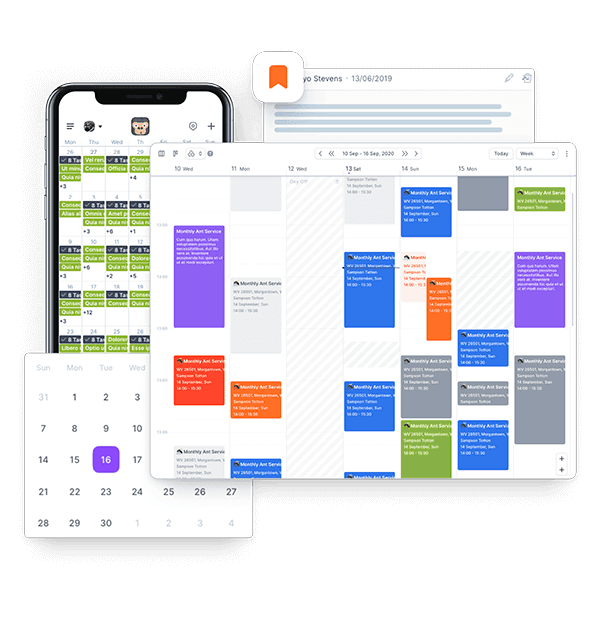
GorillaDesk is purpose-built scheduling software for service technicians in pest and lawn care, covering routing, chemical tracking, invoicing, and customer communication.
Best for: Dedicated pest control businesses with 1-15 technicians that need FIFRA-compliant chemical tracking and recurring route scheduling without workarounds.
Rating: Capterra 4.8/5 (200+ reviews) · G2 4.8/5 (40+ reviews)
Key features:
- Drag-and-drop scheduling calendar with recurring job management and automated appointment reminders (on all plans)
- Chemical and material tracking on every plan, so you can log what was applied, where, and when without paper records
- Device tracking and barcoding for bait station placement and trend reporting (Pro plan and above)
- Full route optimization with real-time drive times, plus QuickBooks sync and GPS technician tracking (Pro plan and above)
Pricing: Plans start at $49/month per route (no contracts, no setup fees); 14-day free trial. Route optimization, device tracking, and bait station barcoding are on the Pro plan at $99/month per route.
What users like: Reviewers on Capterra and G2 highlight fast onboarding and responsive support. Several pest control operators note it's the first tool that felt purpose-built for how pests actually run, rather than adapted from a generic field service template.
What users criticize: Route optimization, device tracking, and document signing are all locked behind the Pro plan, and a small number of reviewers flag occasional downtime and some mobile app limitations compared to the desktop version.
Our take: GorillaDesk is the default recommendation in the pest control community for a reason: it's purpose-built for pest control, chemical tracking is on every plan, and pricing scales by routes not users. If your business runs other trades alongside pest control, it won't cover those. For a dedicated pest operation up to 15 techs, nothing on this list comes close.
Jobber
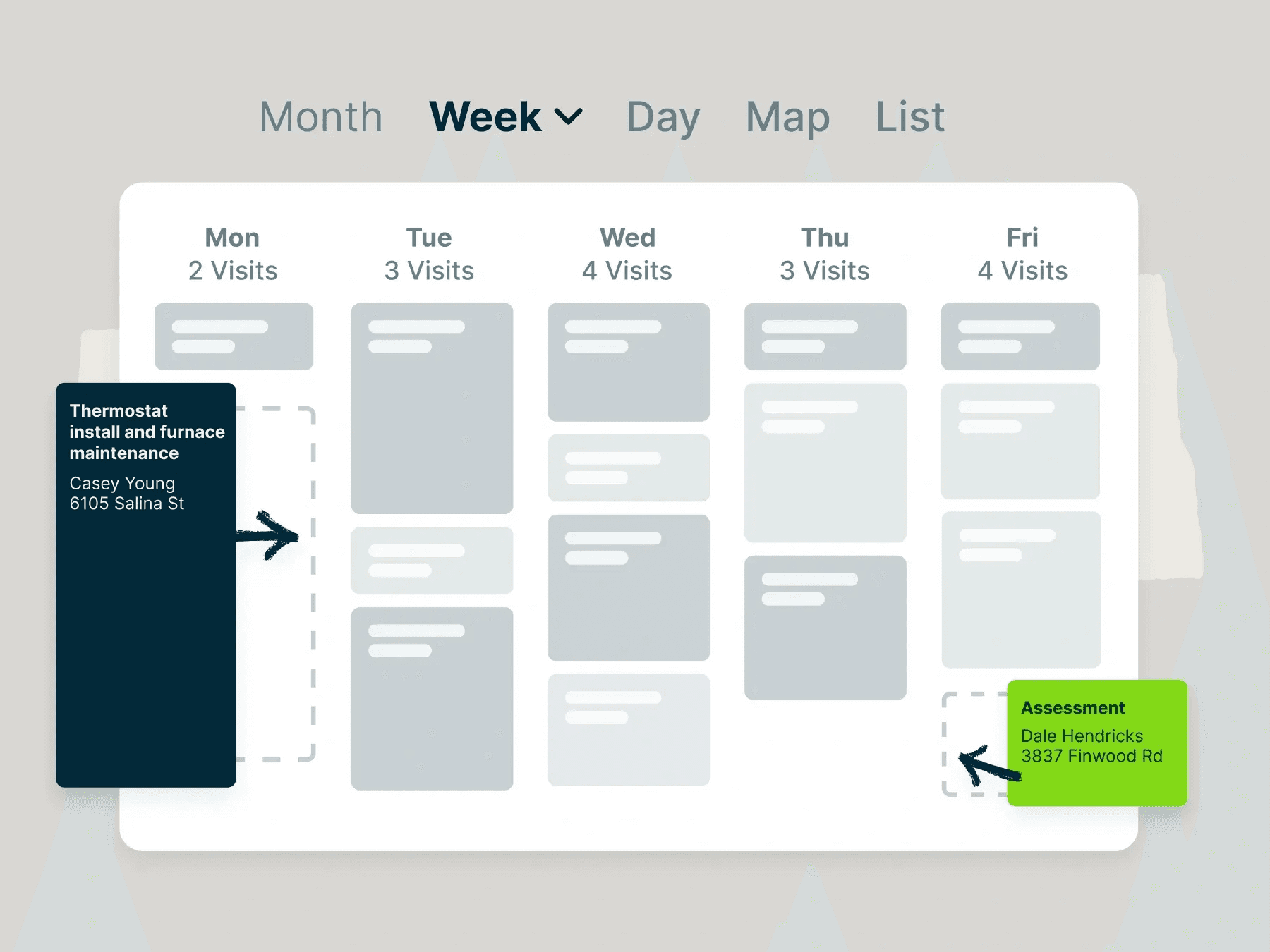
Jobber is technician scheduling software built for generalist service businesses, including pest control. It's drag-and-drop, fast to learn, and clean enough that a new technician can figure it out without training.
Best for: Small pest control teams of 1-5 technicians that want a clean mobile scheduling calendar and a fast path off spreadsheets, without enterprise complexity.
Rating: Capterra 4.6/5 (1,400+ reviews) · G2 4.6/5 (500+ reviews)
Key features:
- Drag-and-drop scheduling calendar with recurring job templates for quarterly and bi-monthly contracts, plus automated customer reminders that reduce no-shows (Core plan)
- Online booking from the business website or Google flowing directly into the calendar, plus the Client Hub customer portal (Core plan)
- Route optimization and GPS technician tracking for managing multi-stop days (Connect plan and above)
- Automated invoicing, payment follow-ups, and QuickBooks sync (Connect plan and above)
Pricing: Core plan starts at $29/month annual or $49/month monthly (1 user); 14-day free trial. Route optimization, GPS tracking, and QuickBooks sync require Connect at $99/month annual.
What users like: Ease of use is the consistent theme across Capterra and G2, with automated appointment reminders specifically credited for reducing no-shows.
What users criticize: Bugs and slowdowns affect 65% of negative Jobber reviewers on Capterra. Routing, GPS tracking, and QuickBooks sync are all locked behind the Connect plan, and reporting lacks depth for growing operations.
Our take: Jobber is the easiest way off a whiteboard for a small pest operation; most teams are running the same day. There's no FIFRA chemical tracking (unlike GorillaDesk), so it's the wrong pick if compliance documentation matters now. Route optimization also requires Connect at $99/month, not the $29 Core plan, so factor that into the real cost for any operation running multiple daily stops.
Housecall Pro
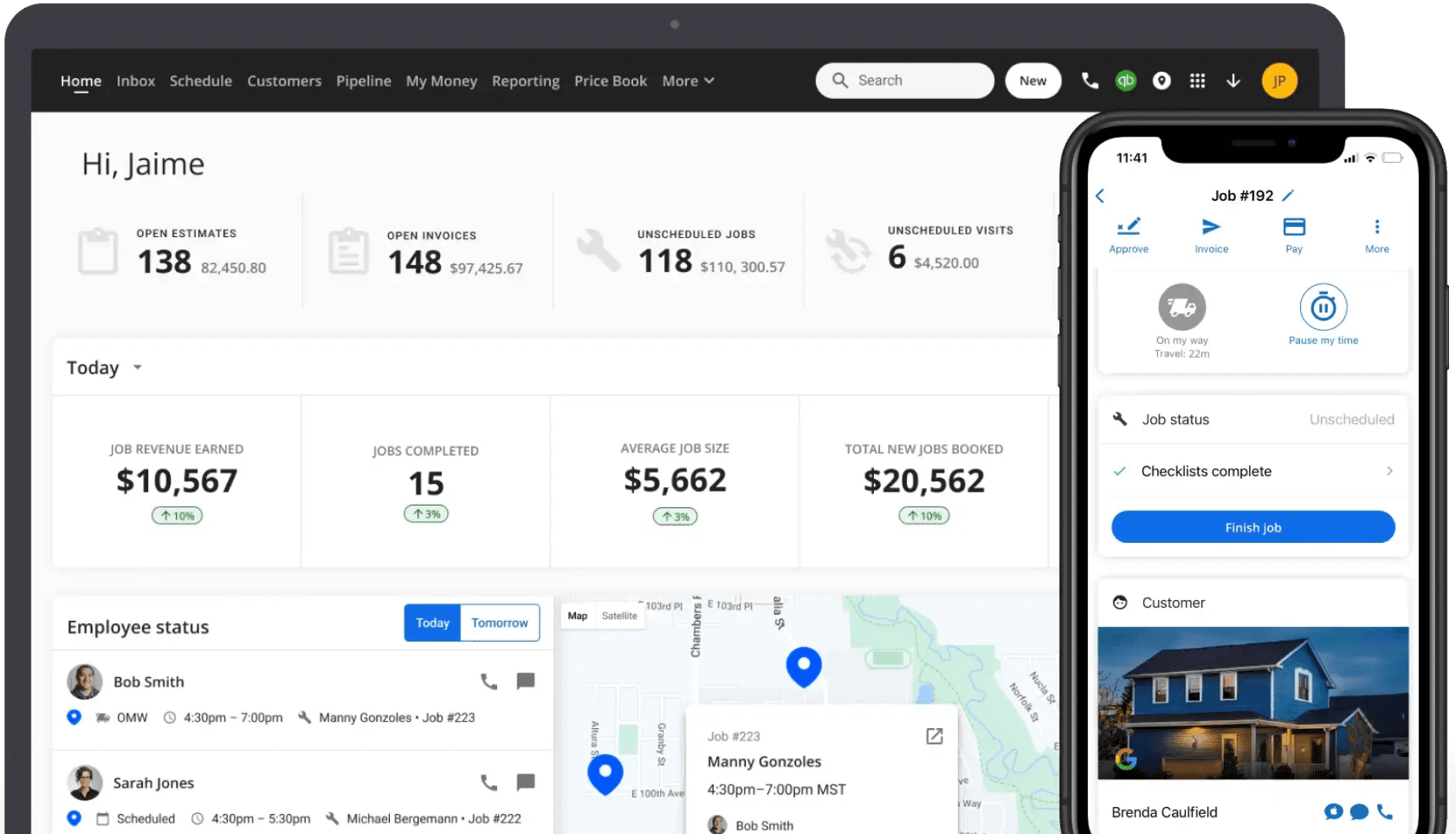
When new customers book through Google, Housecall Pro closes the loop automatically, landing the appointment on the dispatch calendar without a phone call. GPS tracking gives the office real-time visibility into where jobs stand, and automated "On My Way" notifications keep customers informed before each visit.
Best for: Pest control businesses actively growing their customer base through Google, where online bookings should flow directly into the dispatch calendar without manual entry.
Rating: Capterra 4.7/5 (2,700+ reviews) · G2 4.3/5 (200+ reviews)
Key features:
- Online booking from Google or the business website flowing directly into the dispatch calendar, plus automated "On My Way" customer notifications before each visit (all plans)
- Drag-and-drop scheduling calendar with real-time job tracking and customer payment collection in the field (all plans)
- Employee GPS tracking to see technician locations on the map using their phone, no hardware required (Essentials plan and above)
- Recurring Service Plans for managing ongoing pest control maintenance agreements automatically, plus full route optimization (Max plan only)
Pricing: Basic starts at $59/month (annual billing) or $79/month (monthly), 1 user. No free plan; 14-day free trial available. GPS tracking and QuickBooks sync require Essentials at $149/month (annual); route optimization and Recurring Service Plans require Max at $299/month (annual).
What users like: The booking-to-dispatch workflow and automated "On My Way" notifications are the most consistently praised features across Capterra and G2.
What users criticize: Bugs and system instability top the complaint list on Capterra, cited in 61% of negative reviews. Mobile app gaps compared to the desktop version are also flagged regularly.
Our take: Housecall Pro earns its cost for operations actively growing through Google; the online booking to dispatch connection is the real differentiator here. If you're not investing in customer acquisition, GorillaDesk or Jobber's lower base price is harder to justify against.
FieldRoutes
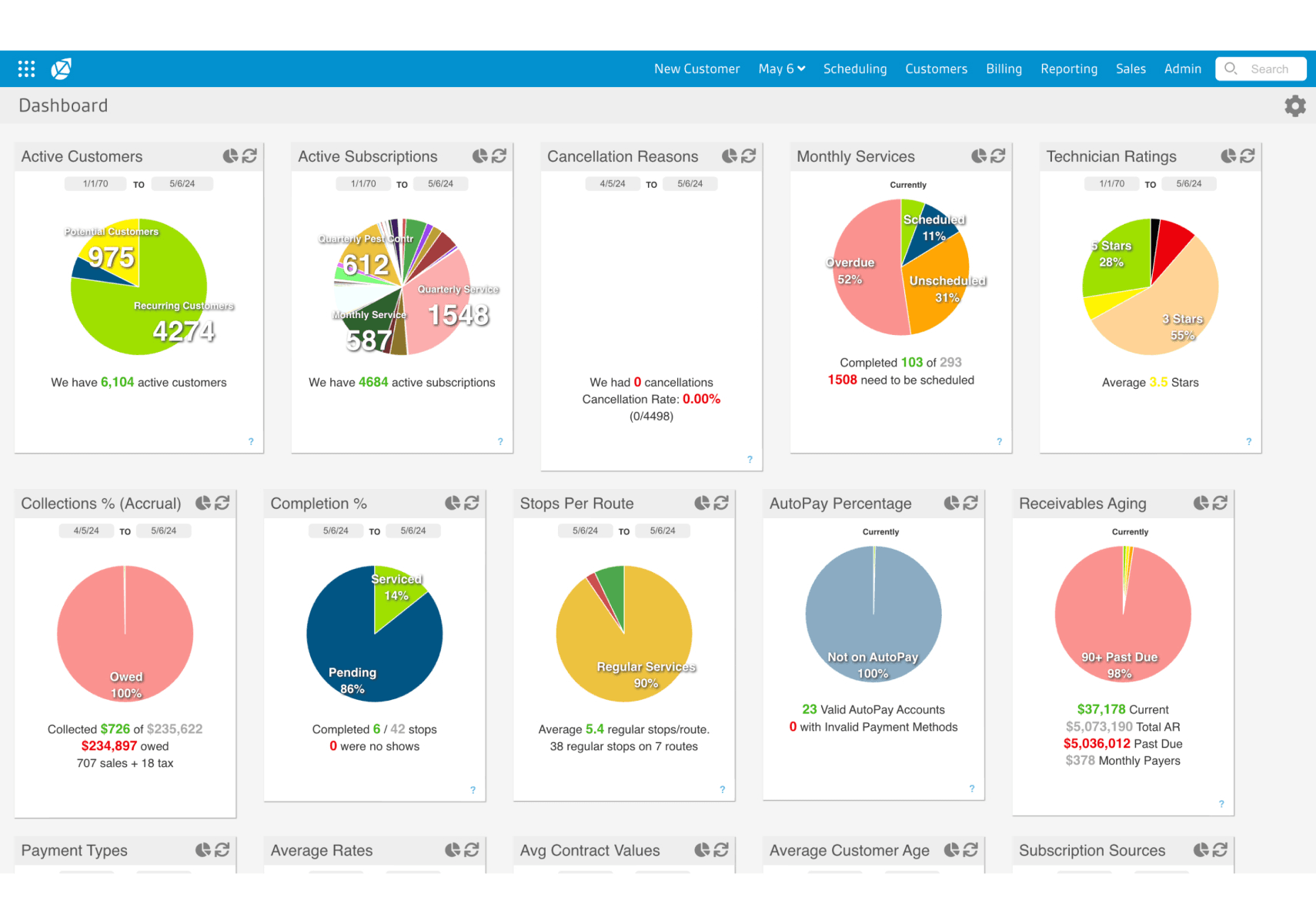
FieldRoutes (formerly PestRoutes, acquired by ServiceTitan in 2022) is where pest operations land when a generalist tool stops keeping up. Route optimization is calibrated for pest control's stop density, GPS-verified service completion triggers invoicing automatically, and chemical application tracking is built into the job workflow.
Best for: Mid-size to growing pest control operations with 5-25 technicians that need GPS-triggered scheduling, pest-native compliance documentation, and route optimization built for pest's specific stop density.
Rating: Capterra 4.3/5 (400+ reviews) · G2 4.4/5 (200+ reviews)
Key features:
- Route optimization calibrated for pest's daily stop density
- GPS-verified service completion that automatically triggers recurring invoicing
- Chemical application tracking and compliance documentation built into the job workflow
- Integrated marketing automation for customer retention and renewal campaigns
Pricing: No public pricing; contact FieldRoutes for a quote (demo only, no free trial). Two plans (Growth and Corporate) with route optimization included on both.
What users like: Reviewers consistently cite routing depth and measurable reductions in drive time as the strongest suit, with pest-native features like Sentricon integration and chemical tracking also getting specific mention.
What users criticize: Frequent bugs and payment processing issues appear in 72% of negative reviews on Capterra; the pest control community on Reddit adds reports of schedule sync problems and at least one undisclosed billing overcharge.
Our take: FieldRoutes is the right fit for 5-25 tech operations that need GPS-triggered routing and pest-native compliance in one tool. The investment is real: no public pricing, no free trial, and a minimum annual contract. Both Capterra reviewers and the pest control community on Reddit flag billing disputes and sync issues. Get everything in writing before signing.
How Homebase Compares
The tools reviewed above manage the job and client side of a pest control business: booking customer appointments, routing technicians to stops, logging service work, and sending invoices. Homebase handles the team side: who works which days, when technicians clock in and out, what they're owed at the end of the pay period, and how to reach them in the field when plans change.
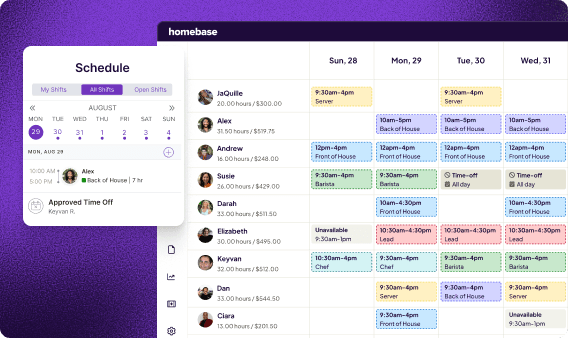
What Homebase covers for pest control businesses:
- Employee scheduling. Build the weekly technician schedule, manage availability, and publish shifts with instant notifications. Your techs see their schedule on their phone.
- GPS-verified time clock. Technicians clock in from job sites using the Homebase app. GPS confirms they're on location without you needing to be there.
- Team messaging. Push schedule updates, coverage changes, and job-site notes to your whole crew in one place instead of hoping the group text lands.
- Payroll. Verified hours feed directly into payroll. No re-entering timecard data.
For businesses where the team is always moving between sites, that visibility gap is usually where things break down first. As Kabe G., who manages mobile crews across multiple job sites, puts it: "The GPS clock-in has eliminated our blind spots; we get accurate timesheets without having to chase people down or guess which site they're working at."
If you're using Jobber or GorillaDesk to manage client appointments, Homebase fills the gap: the employee side those tools leave open, including time tracking, shift scheduling, team messaging, and payroll.
Homebase is free for one location with up to 10 employees. Paid plans start at $24/month per location. Try Homebase free.
Pest Control Scheduling Software FAQs
What software do pest control companies use?
GorillaDesk and FieldRoutes are purpose-built for pest control. Jobber and Housecall Pro are general field service tools that pest companies commonly choose. At the enterprise level, PestPac is widely used but wasn't included in this guide; see How We Chose above for why. The right pick depends on team size and what your operation needs day to day.
What is the most used scheduling software?
Among dedicated operators, GorillaDesk is the most commonly recommended scheduling software for pest control. Jobber leads across home service businesses broadly.
Is there any free pest control scheduling software available?
No FSM tool built for pest control has a permanent free plan. GorillaDesk, Jobber, and Housecall Pro offer 14-day free trials; FieldRoutes offers a demo only. For employee scheduling, Homebase has a free plan covering shift scheduling, time tracking, and team messaging. It doesn't handle client job booking or route optimization.
How much is GorillaDesk per month?
GorillaDesk prices by route (one per technician) rather than per user. Basic starts at $49/month per route, Pro at $99/month, and Growth at $149/month. All plans are month-to-month with no setup fees or contracts.
What is the difference between pest control scheduling software and employee scheduling software?
A pest control scheduling tool like GorillaDesk manages client appointments, routes, invoicing, and job records. Employee scheduling tools like Homebase manage technician shifts, time tracking, team messaging, and payroll. These solve different problems; growing pest businesses often need both running side by side.
How does pest control scheduling software handle recurring service contracts?
Most tools let you set a service cadence once (quarterly, monthly, or bi-monthly) and auto-populate all future visits. The key difference is compliance: GorillaDesk and FieldRoutes tie chemical application logs to each recurring visit automatically; Jobber and Housecall Pro handle the recurring scheduling without the chemical logging layer.
The Right Pest Control Scheduling Software for Your Stage
The right call comes down to two questions: Is pest your only trade, and is FIFRA chemical tracking a day-one requirement? If both are yes, GorillaDesk. If you just need to get organized fast without compliance overhead, start with Jobber. Past that, the split is between Housecall Pro for businesses actively growing through Google and FieldRoutes for operations that have outgrown simpler tools and need GPS-triggered routing at scale.
Your technicians still need their shifts on their phones, accurate hours tracked at job sites, and a reliable way to reach you when plans change. Homebase covers that side: scheduling, GPS-verified time tracking, team messaging, and payroll in one app, free for up to 10 employees. Try Homebase free.