Best Restaurant Tip Pooling Software in 2026


SMALL BUSINESS INTEL, IN YOUR INBOX
Table of contents
Closing a restaurant is slow enough without tip math. Card tips sit in the point-of-sale report, cash tips sit in a drawer, and the pool has to split across servers, bussers, bartenders, and sometimes the kitchen before payroll closes. Restaurant tip pooling software handles that split from your sales and hours data, applies the rules in your tip pooling policy, and passes the totals to payroll.
The right tool depends on three things: whether it pulls card tips from your point-of-sale system, which distribution rules it supports, and how it gets tips to your team. A fourth matters more this year. Starting with the 2026 tax year, employers report cash tips on the W-2 with a new Box 12 code, along with each worker's tipped occupation code, so a tool that tracks tip types cleanly saves work in January.
This guide compares five tools built to calculate and distribute tips: 7shifts, TipHaus, Kickfin, Toast Tips Manager, and Push Operations. We left out wage-access apps and payment tools that don't pool tips. Each entry covers what the tool does, what it costs, what users say, and where it falls short.

Five Restaurant Tip Pooling Tools at a Glance
The best restaurant tip pooling software matches your point-of-sale system and pays tips out the way your team prefers. Our five picks:
- 7shifts: custom tip pooling rules plus on-demand tip access, inside a restaurant labor app.
- TipHaus: a free employee app that shows how every tip was calculated.
- Kickfin: pool rules by sales category, hours, or points, with instant bank payouts.
- Toast Tips Manager: pooling and sharing built into the Toast point-of-sale system.
- Push Operations: tips bundled with payroll, scheduling, and HR.
Why Trust Homebase? Why We Built This Guide
We're Homebase, and we make an all-in-one app for small businesses with hourly teams that covers scheduling, time tracking, payroll, hiring, HR, team messaging, and a Tip Manager for restaurants. That gives us a stake in this topic, so we want to be upfront: Homebase isn't in the ranked list below, and every tool there was judged on its own merits. We never accept payment or backlinks for a mention. Our own review sits further down, under A Note on Homebase.
How We Chose Our Restaurant Tip Pooling Software
We looked at tools whose main job is calculating and distributing tips, and left out wage-access apps and general payment tools. For each one, we read the vendor's product and support documentation, checked pricing on vendor pages, and read ratings and reviews on G2 and Capterra. Where a vendor doesn't publish a price, we say so instead of guessing.
We ranked on six criteria:
- POS tip sync: whether card tips flow in automatically, and from which systems.
- Distribution rules: hours, role percentages, points, or sales categories.
- Cash tips: how they're entered and recorded.
- Payout options: payroll only, or faster payouts to a card or bank account.
- Payroll handoff and reporting: clean totals, tip-type tracking, and an audit trail.
- Price clarity and fit for small teams: whether you can see what it costs before talking to sales.
You can read more about how we evaluate software on our methodology page.
Restaurant Tip Pooling Software Comparison
| 7shifts | TipHaus | Kickfin | Toast Tips Manager | Push Operations | |
|---|---|---|---|---|---|
| Price | Paid Tips add-on. Contact 7shifts for current pricing. | No public price. Request a quote. | Quote-based. | Contact Toast for current pricing. | Starts at $30 per month for five employees in the US. Tip automation is plan-dependent, so confirm availability and total pricing. |
| Setup time | Not stated on the pages we reviewed. | Not stated on the pages we reviewed. | Not stated on the pages we reviewed. | Not stated on the pages we reviewed. | Not stated on the pages we reviewed. |
| Free tier | 14-day Tips add-on trial for eligible US customers on paid plans. | Free two-week trial with guided setup. | 30-day free trial advertised by Kickfin. | None. It's a paid add-on to Toast. | A free tip calculator is available. Trial terms aren't published. |
| Key integrations | POS tip sync for supported systems, manual entry for others, payroll export. | Major POS systems including Toast, Square, and Clover. | POS tip calculation integrations, plus payroll. | Toast POS and Toast Payroll, with a report you can export to other payroll providers. | Restaurant POS systems, plus built-in payroll, scheduling, and HR. |
| Best for | Restaurants that want custom tip rules and payroll exports next to scheduling. | Teams that want employees to see how tips were figured. | Restaurants that want custom pool rules and instant payouts. | Restaurants already running on Toast. | Restaurants that want tips, payroll, scheduling, and HR in one app. |
What is tip pooling?
Tip pooling is when a restaurant collects all tips from a shift or day and distributes them among eligible employees based on a set of rules. These rules might divide tips evenly, based on hours worked, by role and percentage (e.g., more for servers than bussers), or using a restaurant tip pool point system.
For many restaurants, tip pooling ensures fair compensation in a tip system where tips make up a significant portion of wages.
Why restaurants use tip pooling:
- Creates equity among your team
- Encourages teamwork and shared responsibilities
- Helps support back-of-house staff who don’t typically get tips
Some employers worry that tip pooling may reduce how much customers tip, but research shows that sharing vs. keeping tips doesn’t affect tip amounts significantly.
Not to be confused with tipping out: Tipping out is another way to distribute tips among staff. With this method, staff who received tips directly from patrons, like servers and bartenders, share a portion of their tips with teammates who helped them, like bussers and kitchen staff.
What is restaurant tip pooling software?
Restaurant tip pooling software is a tool that helps automate how tips are calculated, distributed, and reported. A good tip pooling calculator app eliminates late-night spreadsheets and handles the math for you based on your pre-set rules.
In practice, it might look like this:
- Your server clocks out, and their tips from the POS system are automatically logged
- The tip system applies your custom pool rules—maybe servers keep 70%, 20% goes to bussers, and 10% to hosts
- Tips are distributed digitally, synced with payroll, and everyone can view what they earned via the app
“Tip manager is the next iteration of my spreadsheet. It just does it without me doing anything, using the information that I already have in Homebase.” — Andrew Campolong, Owner, Idyllwild Ice Cream Shop
Benefits of tip pooling software for hourly teams
Eliminates spreadsheet errors and reduces human mistakes
Spreadsheets can work for a while, but as your team grows, manual tracking quickly becomes error-prone. One misplaced decimal can lead to tip shortages or overpayments. Tip management software automates the math, so payouts are accurate and faster to process.
Christofer Peralta, a Customer Success Manager at Homebase and former fine dining restaurant manager, recalls: "You do your ten-hour shift — and that's on an ideal day, because it never actually ends on the tenth hour — then you go to the back office, collect everyone's paper, add up the numbers, divide by each person's point system, put the tips in envelopes, and pray it's all correct so you don't have to do it again because someone complained."
Automates complex tip pool calculations
Splitting tips across different roles and shifts can get complicated fast. Using a tip pooling calculator app, you can set logic for roles, hours, or points—then let the tool handle everything behind the scenes.
Christofer Peralta, a Customer Success Manager at Homebase, recalls: "One small business used to go into her POS, pull the tip numbers for the week, add them up, divide them, and allocate a dollar-per-hour rate to each employee before running payroll. Now the tips come over automatically, and it's ten seconds to click run payroll. She tested it in one location and told me she needed it in the other two immediately."
Reduces cash handling and theft risks significantly
Handling large volumes of cash at the end of every shift increases the risk of theft or miscounting. Digital tip payouts remove the need for envelopes or drawer counts, making things safer, simpler, and more trackable.
Provides transparency and accountability
One of the biggest sources of tension in tip distribution is uncertainty—employees want to know they’re getting their fair share. A tip transparency app lets employees view their earnings and how they were calculated, which helps build trust and reduce tension.
Integrates directly with payroll systems for seamless processing
Manually syncing tip payouts with payroll can be a pain. Connecting tip data to payroll eliminates double entry and ensures taxes and withholdings are handled properly. It simplifies compliance and saves admin time.
Enables instant digital tip payouts to employee accounts
Some platforms allow employees to receive tips as soon as their shift ends—no need to wait for payday. That flexibility helps hourly workers manage cash flow and shows that you value their time, especially employee self-service payroll is available.
Creates a digital paper trail for compliance and tracking
Labor laws around tips vary by state, and failing to comply can mean major penalties. A digital record of who earned what, when, and why gives you built-in protection if you’re audited or need to confirm a payout.
Promotes team collaboration and reduces server competition
When tips are pooled fairly, servers stop competing for the best sections and can work as a team. Tip pooling can promote a healthier workplace culture and allow everyone to feel like a valued contributor.
Ensures fair distribution across all service staff roles
Tip pooling software makes it easy to include everyone who contributes to the guest experience. And fair tip pooling helps make up for wage differences across roles, especially where hourly pay may not reflect effort or impact, like how much bartenders make compared to kitchen staff or runners.
While tip pooling can promote collaboration among staff, it’s worth noting that public opinion isn’t always favorable about tip pools. Transparency about your tip distribution process—something tipping software helps with—can ease some of these concerns.
Top features to look for in a restaurant tip pooling software
POS integration
The best tip distribution software talks directly to your point of sale system so you don’t have to manually export data. POS integration ensures that sales and tips are pulled automatically, creating a seamless workflow with less manual entry and fewer errors.
Custom tip rules
Good tip pooling software lets you create flexible distribution rules based on role, hours worked, or points per shift. This way, your system reflects your restaurant's unique policies. And when roles or policies change, updating the rules is easy.
As Christofer Peralta, a Customer Success Manager at Homebase and former fine dining restaurant manager, puts it, "In fine dining, tip pooling works to a limit. You're separated by role, but even within a role, someone can get a higher share than someone else because of seniority or a knowledge gap — manual tip pooling doesn't have a point system that can add up individual points and divide by them easily."
Real-time calculations
A tip pooling calculator app with real-time updates lets managers and staff see accurate earnings before they clock out. For managers, it provides peace of mind that the books are balanced and that everyone will be paid correctly. Say goodbye to end-of-shift delays.
Digital payouts
A tip management software with digital payouts lets you send tips straight to employees’ bank accounts or prepaid cards. This is especially useful if your team works different shifts at different locations. Everyone gets paid accurately and on time, with no extra steps.
Payroll integration
Connecting your tipping software to your restaurant payroll software makes managing tax compliance—including FICA tip credits—a whole lot easier. It also speeds up the payroll process and reduces the risk of costly errors or omissions.
Compliance tracking
Tip regulations can be tricky and vary by state, so tip pooling software can alert you when a distribution setup may violate minimum wage laws or eligibility requirements. Some tip distribution software even generates reports to help prove compliance during audits or labor investigations.
Multiple location support
If you’re running more than one restaurant, or planning to grow, look for a platform that centralizes your tip pooling across locations. This allows you to apply consistent rules, monitor performance, and keep oversight simple across locations.
Detailed reporting
Tip pooling software should give you access to payout history, pool configurations, and employee earnings so you can monitor patterns and optimize your setup. Plus, a digital paper trail is also useful for audits or adjusting policies based on actual data.
Customer support
Even the best software can run into hiccups. When it does, you’ll want responsive, knowledgeable support that knows how restaurants work. Look for platforms that offer onboarding help, real-time chat, or even restaurant-specific support teams who can walk you through complex setups or rule changes.
The 5 Best Restaurant Tip Pooling Software Options for 2026
7shifts
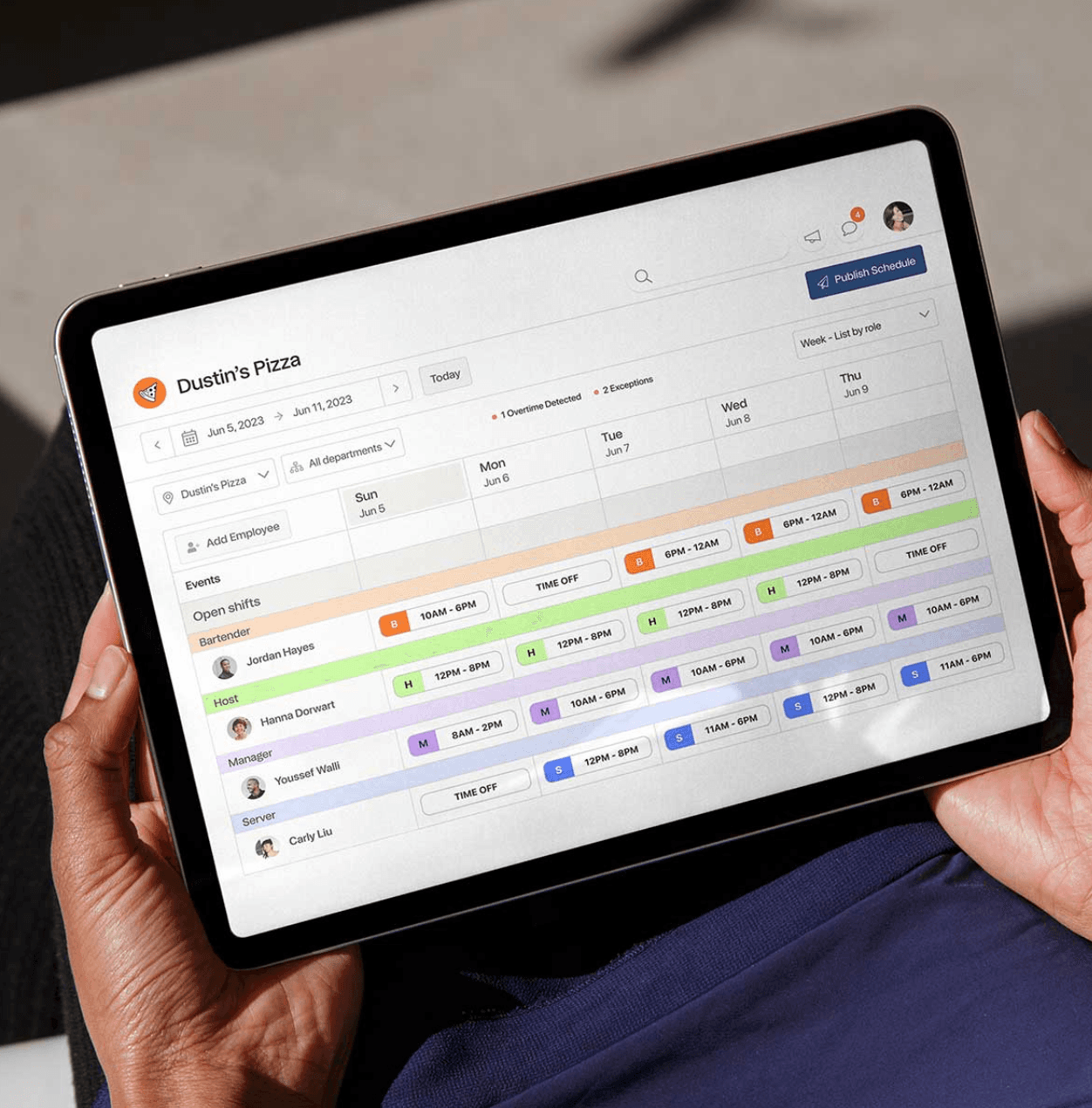
7shifts is a restaurant labor app with tip pooling built into its scheduling and payroll tools. It calculates each person's share from POS tips and hours using your pool rules and sends the totals to payroll. Employees can access part of their earned tips daily through On-Demand Tips, which replaced 7shifts' older Tip Payouts feature in June 2026.
Best for: Restaurants that want custom tip rules and payroll exports alongside scheduling.
Rating: G2 4.5 (128 reviews)
Key features:
- Pool rules that use POS tips and hours worked, with manual entry for restaurants on an unsupported POS.
- Export of tip totals to a payroll provider.
- On-Demand Tips through Clair, which lets employees access a portion of earned tips daily in the 7shifts mobile app. It requires the Tips add-on, tips paid through payroll, and either 7punches or a POS labor integration.
Pricing: Tip management is a paid add-on to a 7shifts plan. Eligible US customers on a paid 7shifts plan can try the Tips add-on free for 14 days, and billing starts after the trial unless you cancel. Contact 7shifts for current pricing.
What users like: One G2 reviewer wrote that "the support has always been fast and helpful."
What users criticize: A G2 reviewer who operates in Canada noted that tip pooling is "restricted to the US."
Our take: The draw is custom pool rules that sit next to scheduling and payroll. Faster access to tips now depends on On-Demand Tips, which needs the Tips add-on and tips paid through payroll, so confirm the setup fits your payroll provider. Older reviews that praise debit card payouts describe a feature 7shifts retired on June 30, 2026.
TipHaus
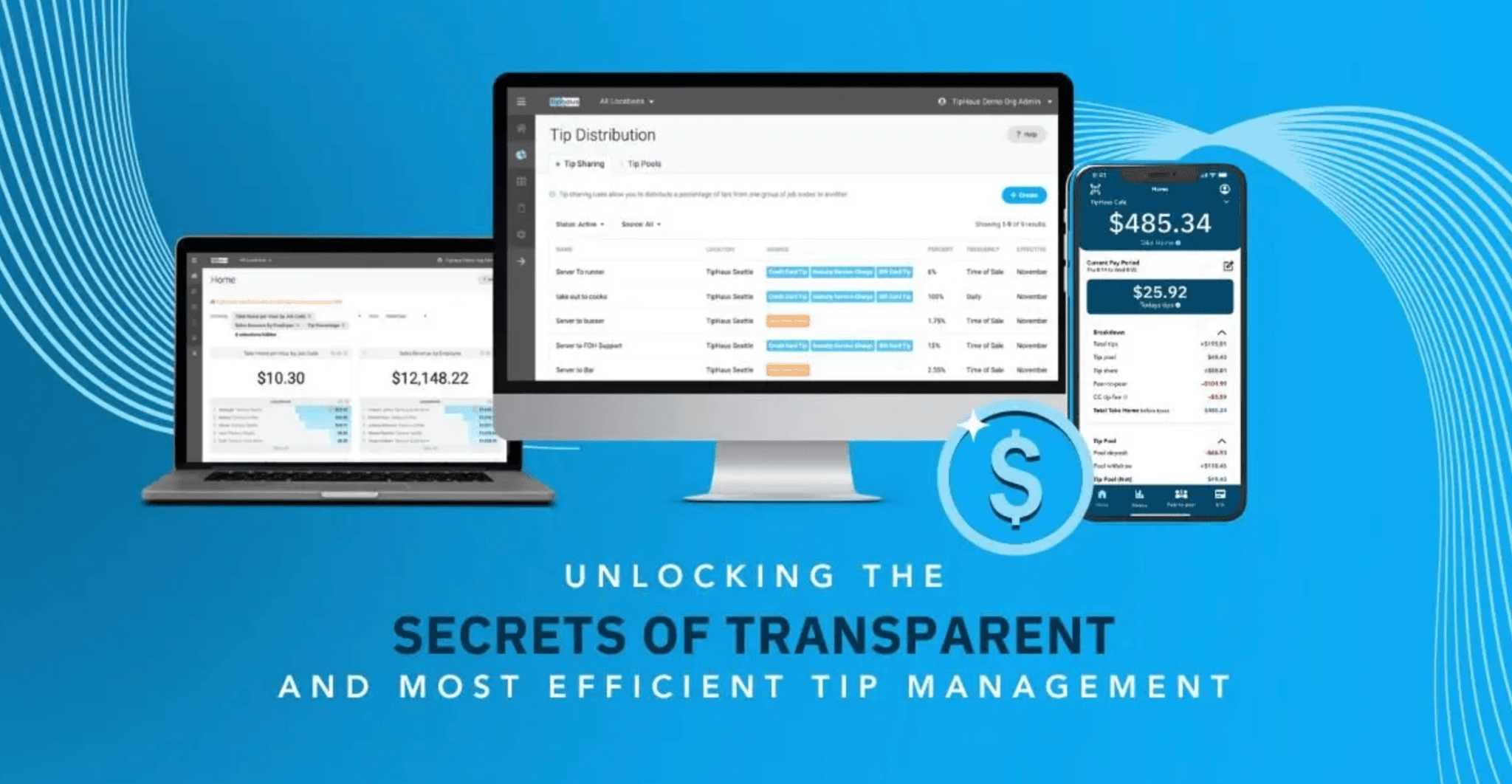
TipHaus is a dedicated tip management tool for restaurants, bars, and hotels. It calculates pools from your POS data, pays tips out digitally, and gives employees a free web app that shows their tip earnings and payout breakdowns. It fits teams where tip disputes are the main frustration.
Best for: Restaurants, bars, and hotels that want automated pooling with employee-facing transparency.
Rating: G2 4.8 (24 reviews) · Capterra 5.0 (3 reviews). Both samples are small.
Key features:
- Rule-based pooling and sharing driven by POS data.
- A free employee web app that breaks down each payout.
- Daily digital tip payments, plus an Earned Tip Access option for same-day payouts.
- Reporting tools that support tip-policy reviews.
Pricing: TipHaus doesn't publish pricing on the pages we reviewed, so you'll need to request a quote for your setup. It offers a free two-week trial with guided setup, so confirm feature eligibility and terms with the vendor.
What users say: Three Capterra reviewers in mid-2026 each gave TipHaus a 10 out of 10 recommendation rating, though three reviews is a thin base.
Our take: The transparency angle suits high-turnover teams, since employees can check the math themselves. Because public reviews are few and no price is posted, run the free trial on a full week of your own tips before committing.
Kickfin
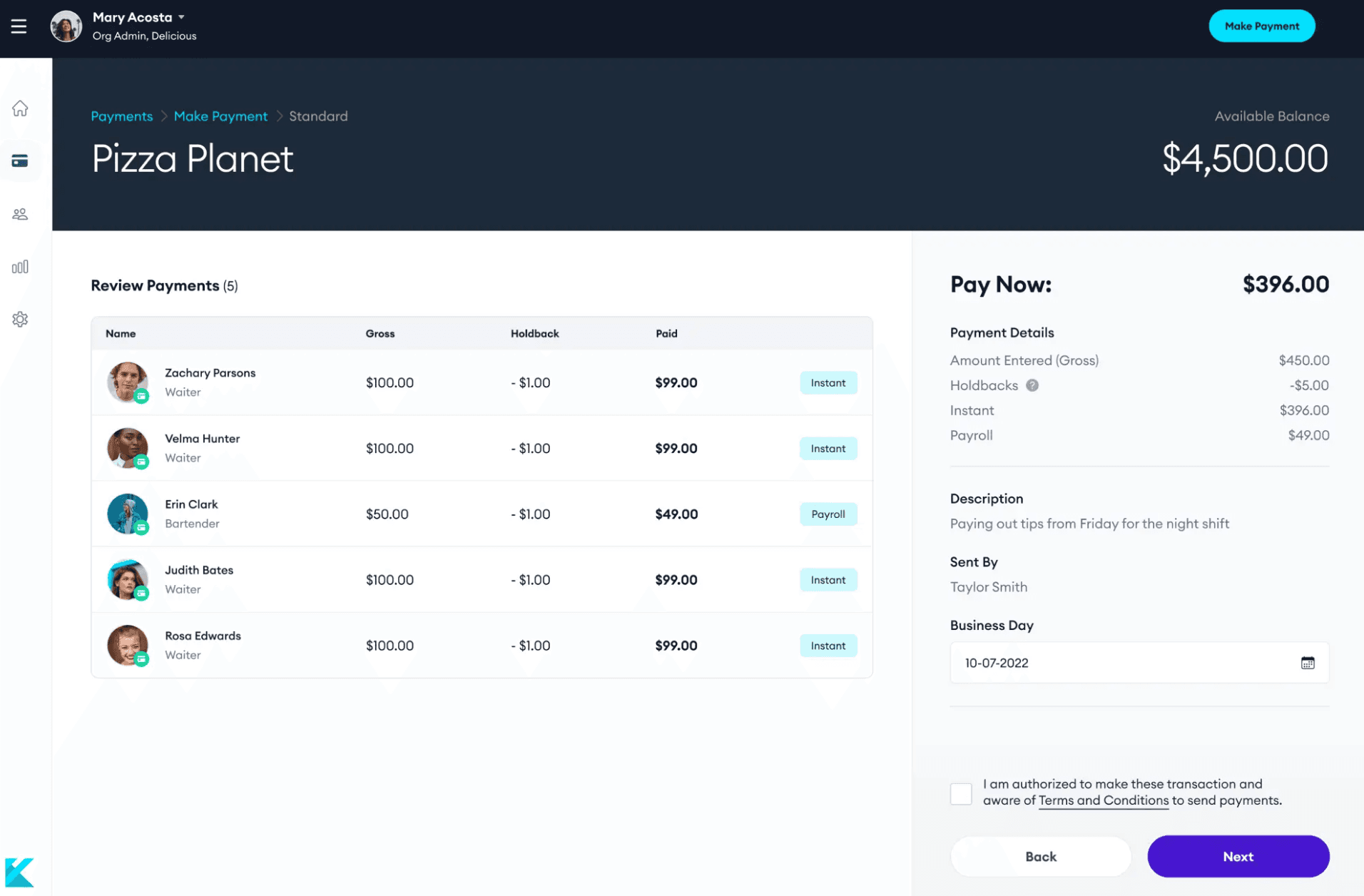
Kickfin is built around fast tip-outs. It calculates pools by sales category, hours worked, or points, and it sends cashless payouts straight to employees' bank accounts. Managers and employees can both see how a payout was calculated. Restaurants that want rule flexibility and same-shift payouts are its target.
Best for: Restaurants that want custom pool rules and instant cashless payouts.
Key features:
- Pool or share rules by sales category, hours worked, or points.
- A choice of which roles get paid and how each payout is calculated.
- Payouts to bank accounts at any hour, according to Kickfin.
- Permissions that limit who can change rules.
- An option to make the calculator the only way shift managers can pay out tips.
Pricing: Kickfin quotes prices on request and advertises a 30-day free trial, so confirm the current terms with the vendor.
Our take: The permission controls stand out. If several shift managers handle payouts, locking the rules and the payout path keeps your policy consistent from one closer to the next. The tradeoff is the quote-only price, which means a sales conversation before you can compare costs.
Toast Tips Manager
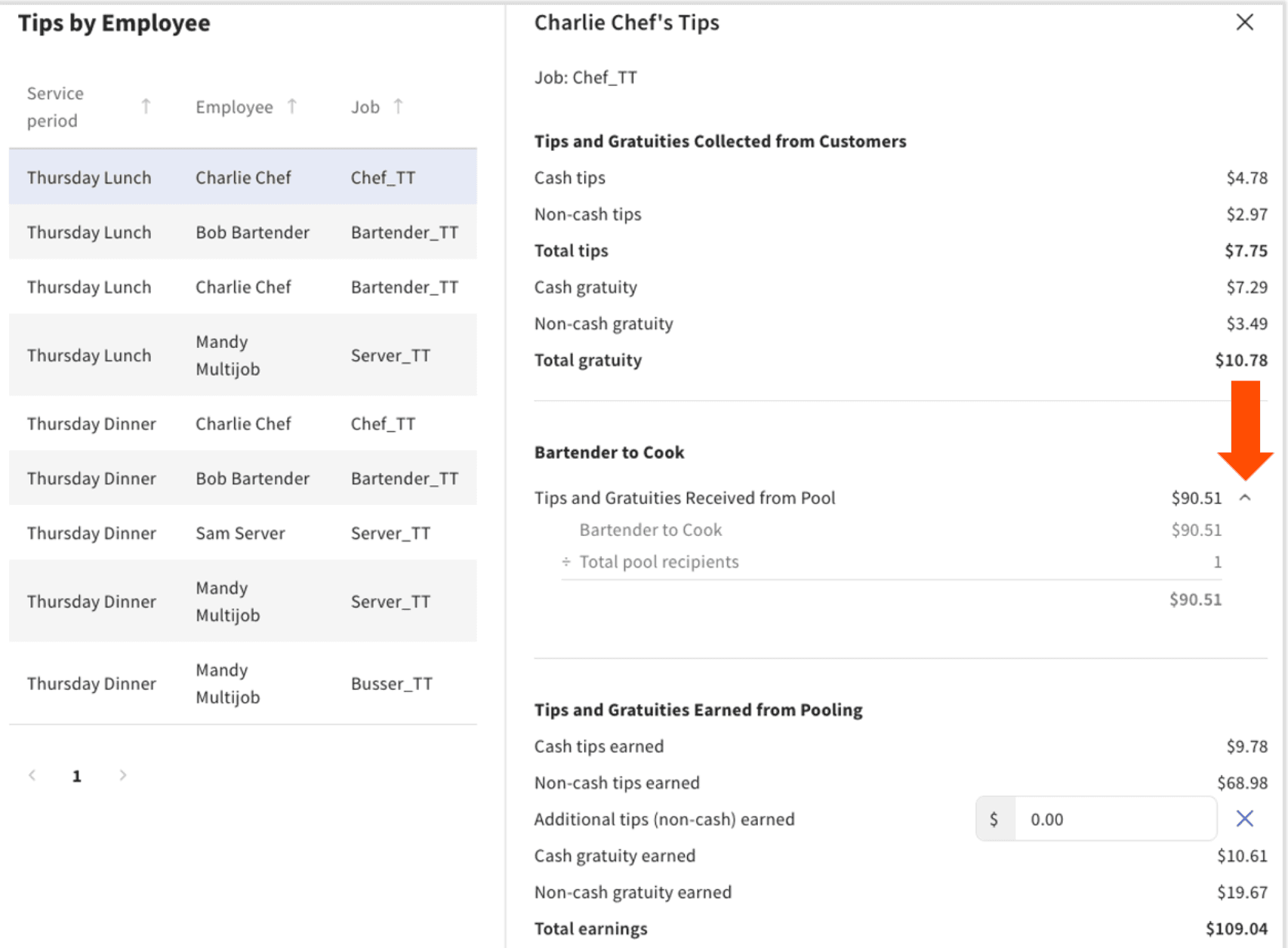
Toast Tips Manager is the tip pooling and tip sharing module inside the Toast point-of-sale system. You build a policy with pool rules, preview it against a recent day of your own data, and send the results to Toast Payroll or download a report for another payroll provider. It makes the most sense for restaurants that already run on Toast.
Best for: Restaurants on Toast that want pooling and sharing without another vendor.
Key features:
- Points (the default) or percentages for splitting a pool.
- Three pooling intervals: full workday, service period, or order.
- Separate pools for cash and non-cash tips, or by percentage of a sales category.
- A tip management report you can view, approve, and send to payroll.
Pricing: Contact Toast for current Tips Manager pricing. Toast doesn't publish a standard subscription price on its product page.
Our take: Toast's own documentation says Tips Manager doesn't allow conditional rules by day of the week, headcount, or sales amount, so a policy that shifts with volume needs a workaround. It also works best when employees are clocked into the right job in Toast and paid through Toast Payroll. Restaurants on another POS can't use it.
Push Operations
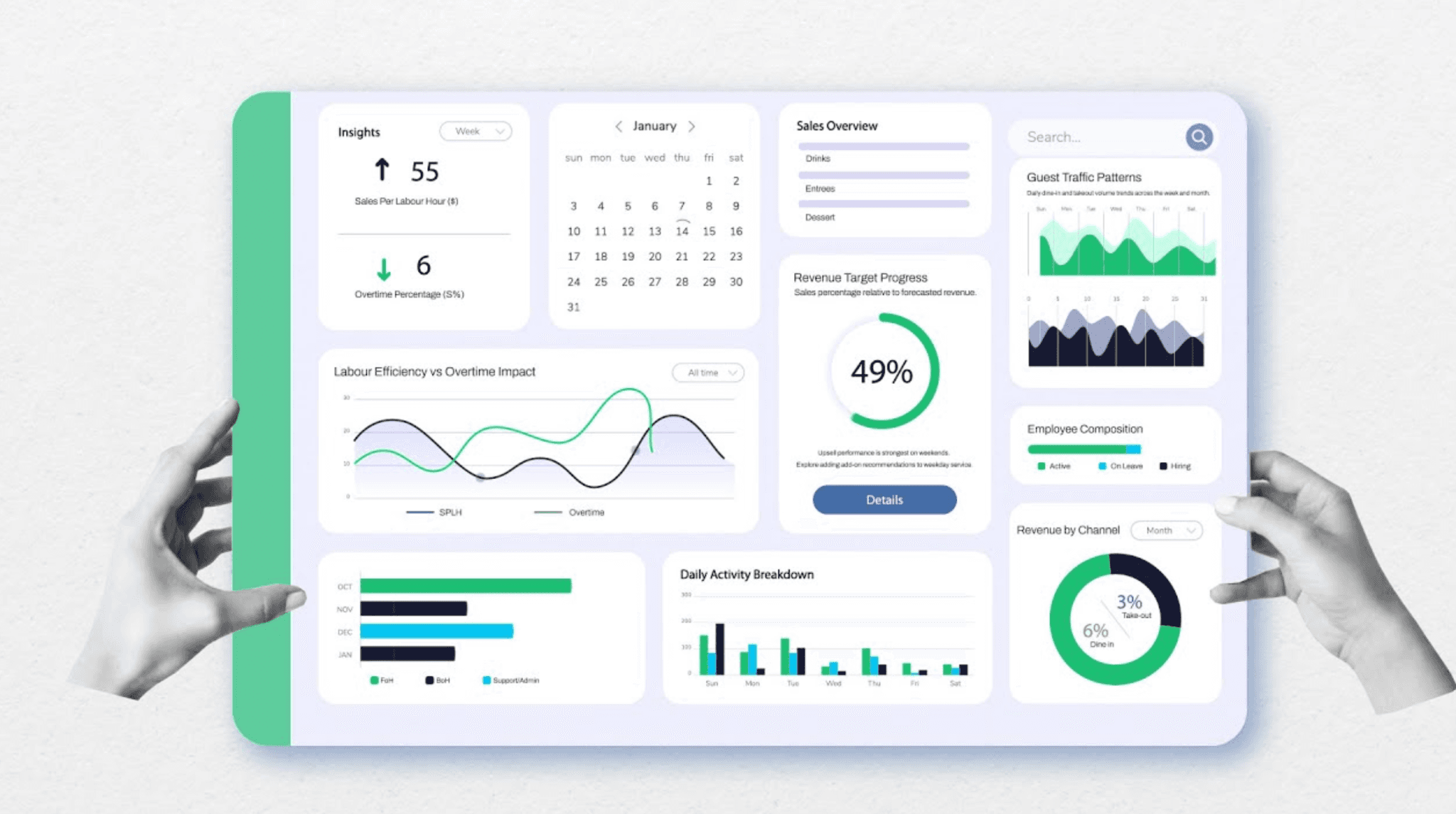
Push Operations is a restaurant labor app that combines payroll, scheduling, time tracking, HR, and tip distribution. Tip distribution is set up by position and percentage inside the same app that runs payroll, which can cut down manual reconciliation at the end of a pay period. It fits restaurants that want one app for back-office work, with tips as part of the bundle.
Best for: Restaurants that want tips, payroll, scheduling, and HR in one app.
Rating: G2 4.4 (155 reviews)
Key features:
- Tip distribution by position and percentage, set up through tip settings.
- Payroll built for restaurant workflows.
- Scheduling and shift management.
- Workforce and labor reporting.
Pricing: US plans start at $30 per month for five employees, and businesses with more than 50 employees can request a quote. Tip automation is plan-dependent, so confirm availability and total pricing with Push before you buy.
Our take: Choose it for consolidation. Public detail on its tip rules is thinner than for the dedicated tools above, so ask for a demo of your exact pool setup before you switch.
A Note on Homebase
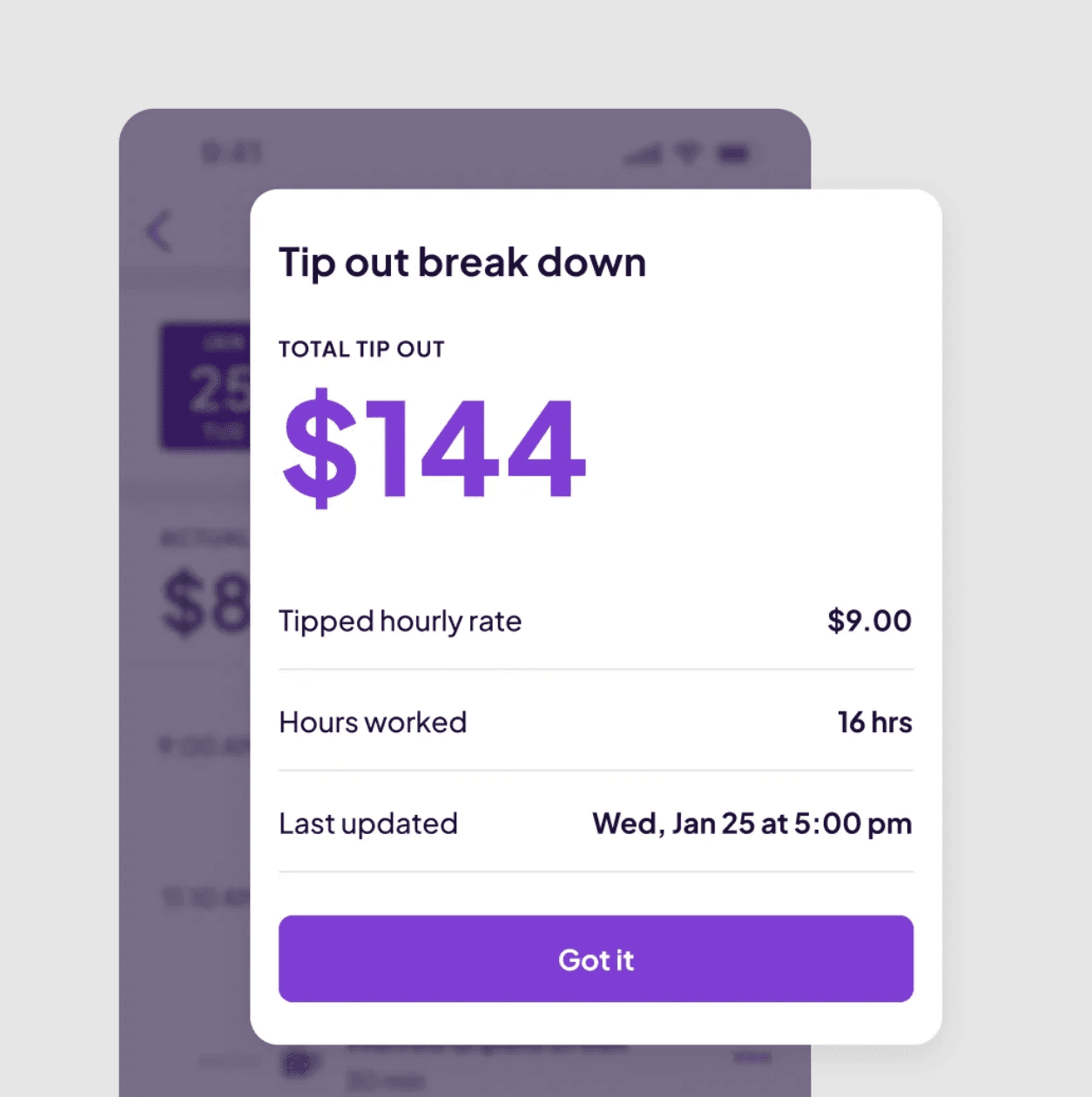
Homebase makes Tip Manager, an add-on that pulls card tips from your POS, calculates the pool, and adds each person's share to timesheets and payroll. It's part of an all-in-one app that also handles scheduling, time tracking, hiring, payroll, and team messaging, so tips, hours, and pay sit in one place. We're a publisher with a product here, so treat this as a disclosure rather than a ranking.
Homebase is best for: Restaurants on Square or Clover that want tips to flow into timesheets and payroll without a spreadsheet.
Rating: G2 4.6 (561 reviews)
Key features:
- Card tip sync from Square and Clover, with credit card fees factored in.
- Pooling by hours worked or by a set percentage by role.
- Cash tips and custom amounts added before you run payroll.
- Tipped wage reporting and Social Security tip credits that flow into Homebase Payroll.
- A view of daily tips in the free Homebase app, with daily payouts available.
- Stored tip policy and distribution records for audits or wage disputes.
Pricing: Tip Manager is a $25 per month per location add-on to any Homebase plan. The Basic plan is free for one location with up to 10 employees, but the add-on is a separate charge, and payroll is a separate add-on too. Essentials is 30 per month billed monthly (24 per month billed annually), and Plus is 70 per month billed monthly(56 per month billed annually). See the full pricing page.
What customers say: Andrew Campolong, owner of Idyllwild Ice Cream Shop, put it this way: "Tip manager is the next iteration of my spreadsheet."
Where it falls short: Automatic tip sync covers Square and Clover only, so restaurants on other POS systems enter tips by hand before distributing them. Pooling runs by hours worked or percentage by role, with no points option. Payouts run through payroll, with daily payouts available rather than instant ones.
Frequently Asked Questions About Restaurant Tip Pooling Software
What is the best tip pooling software for restaurants?
There's no single best option, because the right tool depends on your POS, team size, and payroll setup. Toast restaurants can start with Toast Tips Manager, while teams that want faster payouts often look at TipHaus or Kickfin. Compare POS sync, pool rules, and price before you commit.
Start with the point-of-sale system you already use, since that narrows the list fastest. Then check which payout method your team prefers and whether the tool's pricing is per location, per employee, or per feature.
How does tip pooling software work?
It pulls card tips from your POS, adds the cash tips you enter, and applies your pool rules, such as hours worked or a percentage by role. It then calculates each person's share, sends totals to timesheets or payroll, and keeps a record of every distribution. Employees can usually see their tips in an app.
The rules come from your written policy, so the software applies whatever split you set. If you're still deciding on a policy, our guide to tip pooling and the state-by-state tip pooling laws cover who can be in a pool.
Can tip pooling software handle cash tips?
Most tools handle cash tips through manual entry, because a POS can't see them. In Homebase, you add cash tips during payroll prep and they join the pool distribution. Ask any vendor how cash tips are entered, who can edit them, and whether each entry is logged.
Toast's documentation also covers cash tips, treating a shared cash tip jar as its own pool you can configure.
Does tip pooling software work with Square, Clover, or Toast?
It depends on the tool. Homebase Tip Manager syncs card tips automatically from Square and Clover, and with other POS systems you enter tips and still distribute them by hours or role. Toast offers its own tip tool, and several dedicated vendors list Toast, Square, and Clover integrations. Confirm tip sync, not just a POS connection.
A connection that imports sales and hours may not import tips, so ask the vendor which data flows in and how often it updates.
Can I use a tip pool calculator or spreadsheet instead of software?
For one location with a few roles, a tip pool calculator or spreadsheet can work. It tends to break down once you add card tips from a POS, cash tips, changing shifts, and a payroll handoff, because each step becomes another manual entry. Software replaces those steps and keeps a record of how every share was figured.
A spreadsheet also leaves you rebuilding the math each pay period and reconciling it with payroll by hand. If you spend more than a few minutes a shift on tip math, software usually pays for itself in time.
Do restaurants report tips differently in 2026?
Yes, starting with the 2026 tax year. Employers report cash tips on the W-2 using Box 12 code TP, along with each worker's Treasury Tipped Occupation Code in Box 14b. Mandatory service charges are not qualified tips. Ask your payroll provider how it tracks tips by type.
The IRS instructions for Forms W-2 and W-3 cover the new boxes. Treasury and the IRS published final regulations on April 13, 2026, and the deduction applies to income tax only, so Social Security and Medicare tax still apply to tips. The Department of Labor's tip rules still govern who can share in a tip pool.
How much does tip pooling software cost?
Prices vary widely. Homebase's Tip Manager add-on is $25 per location per month, Push Operations plans start at $30 per month for five employees in the US (tip automation depends on the plan), 7shifts sells tip management as a paid add-on, and TipHaus and Kickfin quote prices on request. Ask whether pricing is per location, per employee, or per feature.
Also ask whether instant payouts carry fees for employees or for you, since that cost often sits outside the headline price.
Picking the Right Tip Pooling Tool for Your Team
The best tip pooling software is the one that fits the way your restaurant already works. Start with your POS, since it decides which tools can pull card tips in. Then decide how you want tips to reach your team, whether that's on payday or the same night, and check how each tool handles cash tips and the new 2026 W-2 reporting.
Before you commit, run any tool on a full week of your own tips and compare the totals against your current process. If your shifts close with a calculator or a spreadsheet and you're on Square or Clover, you can see how Tip Manager works or start with a free Homebase account and add Tip Manager, a paid add-on, when you're ready.