The Best 7shifts Alternatives for Small Businesses in 2026


SMALL BUSINESS INTEL, IN YOUR INBOX
Table of contents
If you've been looking at your 7shifts bill and wondering whether you're getting your money's worth, you're not alone. 7shifts is a solid tool, especially for restaurants, but its pricing and feature set aren't the best fit for every small business. Its free Comp plan is capped at 15 employees, the paid Essentials plan covers up to 30 employees per location, and payroll runs as a separate add-on at $39.99/location/month plus $6 per employee paid.
If you're not in food service, restaurant-specific features like tip management and POS-driven labor forecasting may not be relevant to your business. And even for restaurant owners, having scheduling in one app, time tracking in another, and payroll in a third gets expensive fast.
This guide covers seven 7shifts alternatives with verified pricing, real user review sentiment, and honest trade-offs, so you can find the right fit for your team without spending a week in free trials.
The Best 7shifts Alternatives for Small Businesses at a Glance
- Homebase: All-in-one scheduling, time tracking, payroll, hiring, and HR for hourly teams. Free for one location, up to 10 team members; paid plans from $30/location/month with unlimited team members.
- When I Work: Focused shift scheduling and time tracking with multiple native payroll connections. From $2.50/user/month; no free tier.
- Deputy: AI-powered demand forecasting and labor compliance tools. From $5/user/month; no free tier.
- Connecteam: Scheduling, operations, and HR tools in one app. Free for up to 10 users; from $29/month for up to 30.
- Sling by Toast: Free scheduling and team communication for up to 30 users. Time tracking requires an upgrade to $1.70/user/month.
- Push Operations: Restaurant scheduling, time tracking, and native payroll. From $6/month; full pricing by quote.
- HotSchedules: Enterprise-scale scheduling for multi-unit restaurant operators. Pricing by quote.

Why Look for a 7shifts Alternative?
7shifts works well for restaurant teams that need POS-linked labor forecasting and tip management. For everyone else, a few consistent friction points push small business owners to start looking around.
Here's what comes up most in reviews and forums:
- Employee limits on lower tiers. The Comp plan is free for one location but caps at 15 employees. Essentials covers up to 30 per location. If you grow past that cap, you're upgrading to Pro and paying the higher price even if you don't need the extra features.
- Restaurant-specific features you won't use. Tip pooling, POS-linked labor forecasting, and shift feedback are genuinely useful in food service. For retail, home services, salons, or other hourly-team businesses, they're noise.
- No time clocking on the free plan. The Comp plan covers scheduling and basic messaging, but the paid time clock is a separate tier. Many new users don't realize this until they've already onboarded their team.
- Payroll is a paid add-on, not bundled. At $39.99/location/month plus $6/employee paid, it sits on top of whatever base plan you're already paying.
- Multi-location costs compound. Plans are priced per location, so each new site adds to your subscription.
If you need scheduling, time tracking, and payroll under one login without the restaurant-only extras, Homebase brings all three together, with a free plan that includes both scheduling and time tracking from day one.
What Is 7shifts and Who Is It For?
7shifts is a restaurant scheduling and team management app used by more than 55,000 restaurants. Its core product covers scheduling, team communication, time tracking, labor compliance, and payroll (sold as an add-on). Restaurant-specific features include tip management, POS integrations with Toast, Square, Clover, and Lightspeed, and labor forecasting tied to sales data.
7shifts is designed for restaurant teams, from single-location independents to multi-location groups. It's also used by bars, breweries, and other food service operations that need scheduling tightly connected to POS data. It's a less natural fit for non-restaurant small businesses, operations that want payroll included in the base price, or seasonal businesses sensitive to per-location cost growth.
How We Evaluated These 7shifts Alternatives
We work with more than 150,000 small businesses across restaurants, retail, home services, and beyond. That gives us a ground-level view of what hourly-team operators actually need from a scheduling tool, and where they get burned. We evaluated every pick in this guide from that perspective, not from the vantage point of an enterprise restaurant group. You can review our full methodology.
For each tool, we looked at:
- Pricing model: per-user vs. per-location, and what happens to the bill as the team grows
- Free plan depth: does the free tier include time tracking, or just scheduling?
- All-in-one capability: how many of scheduling, time tracking, payroll, and hiring are native?
- Setup and ease of use: can a manager build a schedule on day one without training?
- Mobile experience: apps that work for both managers building schedules and employees clocking in
- Integrations: POS connections (Toast, Square, Clover) and payroll providers (QuickBooks, Gusto, ADP)
- Review sentiment: verified G2 and Capterra reviews, cross-referenced with forum patterns from r/smallbusiness and r/restaurantowners
Why Trust Homebase?
We're Homebase. We build employee scheduling, time tracking, payroll, hiring, and HR tools for small businesses with hourly teams. More than 150,000 small businesses trust us to help run their day-to-day operations. Our free Basic plan covers one location and up to 10 team members; paid plans start at $30/month per location with unlimited team members.
We built this guide because software shopping for a small business takes real time and energy, and most comparison sites don't show you the full picture. Every app here was evaluated on its own merits. Homebase does not accept payment for placement on its listicles or comparison pages.
Kala Maxym, owner of The Chocolate Dispensary, on using Homebase day-to-day: "I can see what the day looks like. I can see what we're going to pay out. I can see how many hours someone has, what their availability is."
7shifts Alternatives Compared
| Feature | 7shifts | Homebase | When I Work | Deputy | Connecteam | Sling by Toast | Push Operations | HotSchedules |
|---|---|---|---|---|---|---|---|---|
| Free plan | Comp plan (1 location, up to 15 employees) | Basic plan (1 location, up to 10 team members) | 14-day trial only | Trial only | Yes, up to 10 users (all hubs) | Yes, up to 30 users (scheduling only) | No | No |
| Starting price | $39.99/location/month (annual) | $30/location/month | $2.50/user/month | $5/user/month | $29/month for first 30 users (annual) | $1.70/user/month (Premium, annual) | From $6/month | Quote only |
| Time tracking | Essentials plan required | Included free | Included all plans | Included all plans | Included | Paid plan required | Included | Yes |
| Payroll | Add-on ($39.99/location + $6/employee) | Add-on ($39/month + $6/employee) | Integrations only | Integrations only | Integrations only | No native payroll | First-party payroll | Via Fourth |
| Pricing model | Per location | Per location, unlimited team members on paid plans | Per user (min. $30/month monthly) | Per user (min. $30/month monthly) | Per hub | Per user | Contact for quote | Custom |
| Best for | Restaurant teams | Hourly teams across industries | Small teams with existing payroll providers | Demand-driven scheduling and compliance | Deskless and field-based teams | Budget-first teams needing free scheduling | Restaurant groups with complex payroll | Multi-unit hospitality operators |
The Best 7shifts Alternatives for Small Businesses in 2026
Here's a closer look at each pick.
Homebase: Best for Small Businesses That Want Scheduling, Time Tracking, and Payroll in One Place
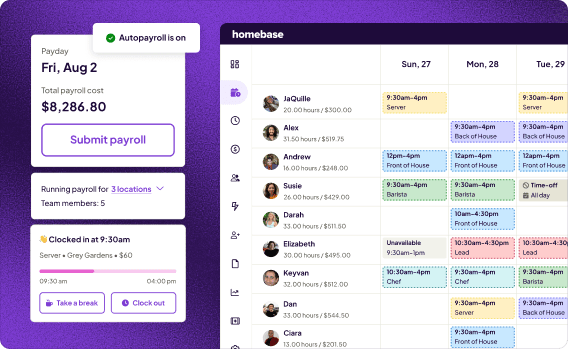
Best for: Small businesses with hourly teams across industries (restaurants, retail, salons, and services) that want scheduling, time tracking, payroll, and HR in one app without per-user pricing.
The biggest difference between Homebase and 7shifts isn't features: it's scope and audience. Where 7shifts is designed for restaurant teams, Homebase covers scheduling, time tracking, payroll, hiring, onboarding, and HR for small businesses across industries. G2 currently names Homebase the best overall 7shifts alternative.
Key features:
- Drag-and-drop scheduling with labor cost visibility as you build
- GPS-enabled time clock with photo capture at clock-in and missed-punch alerts
- Payroll with wages, overtime, tips, and taxes auto-calculated
- POS integrations: Toast, Square, Clover, and others
- Hiring, onboarding, and HR tools on paid tiers
- Pay Any Day (earned wage access, available through Homebase payroll)
Pricing:
- Basic: Free, one location, up to 10 team members (includes scheduling and time tracking)
- Essentials: $30/location/month, or $24/month billed annually
- Plus: $70/location/month, or $56/month billed annually
- All-in-one: $120/location/month, or $96/month billed annually
- Payroll add-on: $39/month + $6 per employee paid
Paid tiers include unlimited team members. See current Homebase pricing.
What users like:
Fred Sztabinski, owner of Fix Coffee + Bikes, on day-to-day scheduling: "You can drag and drop and edit. You can duplicate schedules. It's like it's a real time saver. We try to get the schedule published as far in advance as possible — we aim for three or four weeks ahead so our team knows."
A current Capterra reviewer said: "It allowed me to easily schedule my employees and alert them of any changes to their or the whole team's schedule."
What users criticize:
Some users report customer service responsiveness as a pain point. One small-business owner with eight years of Homebase experience across two businesses noted on Reddit that "customer service is kind of nonexistent," while still finding the product reasonable for the price. A separate Capterra reviewer reported a billing issue after canceling, noting they had to call the sales line to find resolution.
When I Work: Best for Small Teams That Need Scheduling and Time Tracking with Payroll Integrations
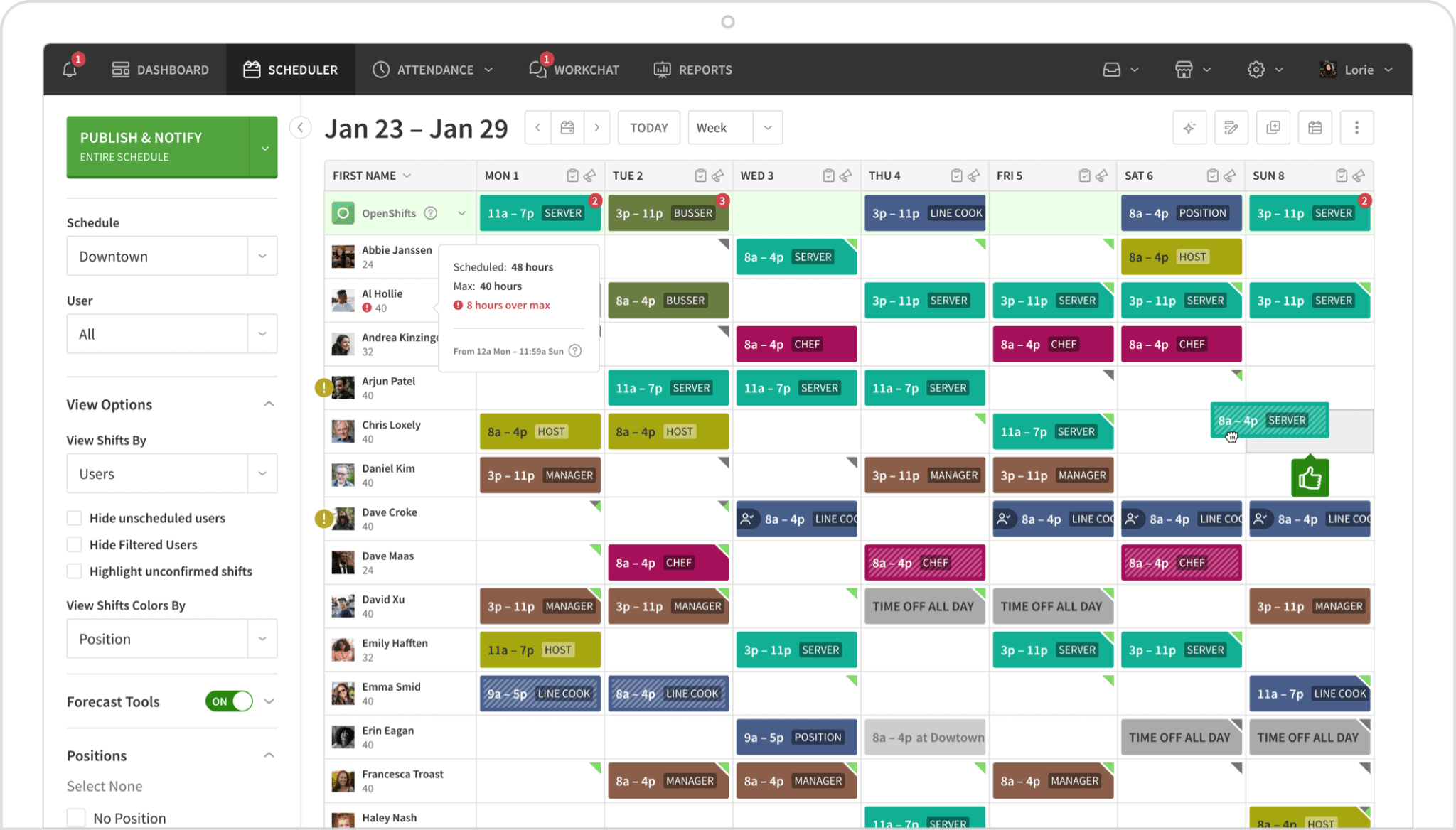
Best for: Small teams that want a focused scheduling and time tracking tool with multiple native payroll connections and no HR overhead.
What it is: When I Work is a shift scheduling and time tracking app for hourly teams. Managers build and publish schedules quickly; team members handle their own shift swaps from the mobile app.
When I Work keeps scheduling and time tracking straightforward. Its entry-level plan includes payroll and POS integrations, which is useful for teams that already have a payroll provider. Native connections to Gusto, QuickBooks, ADP, Square, and Rippling mean you're not doing manual exports at the end of a pay period. Time tracking and attendance are included in all current plans at no extra cost, confirmed by the current When I Work pricing page.
Key features:
- Drag-and-drop scheduling with templates and auto-scheduling
- Built-in team messaging and shift swapping
- Time tracking and attendance included in all plans
- Multiple native payroll integrations (Gusto, QuickBooks, ADP, Square, Rippling)
Pricing:
- Essentials: $2.50/user/month (single location)
- Pro: $5/user/month
- Premium: $8/user/month
- No permanent free tier; 14-day trial available
What users like:
A February 2026 G2 reviewer wrote: "I use When I Work to schedule shifts, track work hours, and communicate with my team all in one place." They added it was easy to use, with employees getting schedule updates instantly.
What users criticize:
The same G2 page includes a reviewer who said: "When I Work is very feature-heavy, but not always user-friendly," citing frequent update notifications as a frustration. Another G2 reviewer noted the shift-swapping flow could use refinement: "I wouldn't call it abysmal by any means, but I'd really like to see a little refinement to make the process smoother."
Our take: When I Work is a clean fit for teams that want scheduling and time tracking without HR overhead. Where it falls short: per-user pricing means a growing team at two locations can cost more than a flat per-location tool. As an example, 30 users at $2.50/user runs $75/month, more than Homebase Essentials at $30/location regardless of headcount. If your team is 10 to 20 people at one site and you already have a payroll provider, it's a strong fit.
Deputy: Best for Businesses That Schedule Based on Demand Data
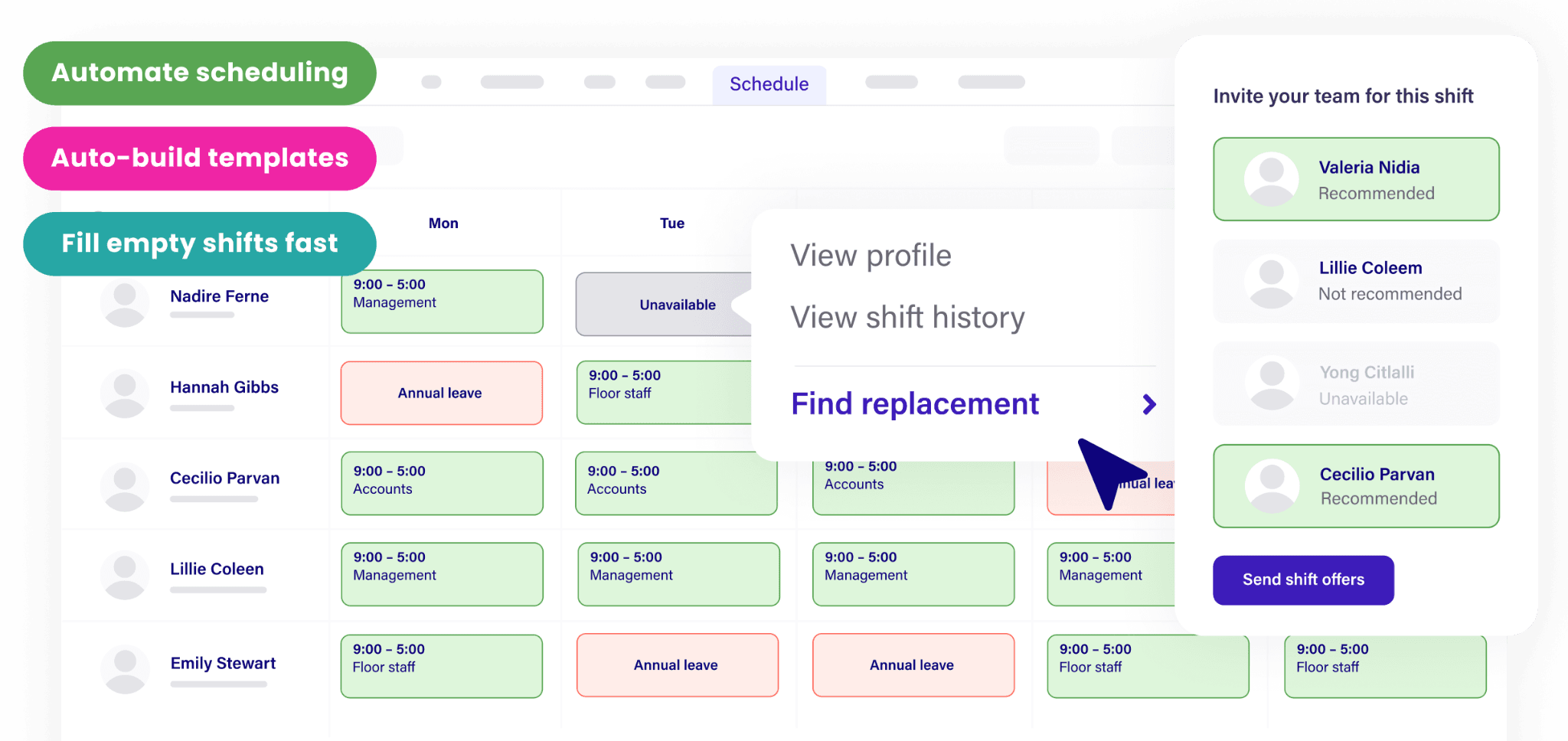
Best for: Restaurants and multi-location businesses in predictive scheduling law states, or any operation that wants staffing levels driven by sales and foot traffic data.
What it is: Deputy is an AI-powered scheduling tool that connects to your POS to generate staffing recommendations based on sales data, foot traffic patterns, and historical labor demand. It also covers time tracking and break compliance.
Deputy's automated scheduling tools use sales and demand data to help build and optimize staffing schedules. Its break compliance tool supports labor-law requirements by jurisdiction, reducing the manual work of tracking state-specific break rules.
Key features:
- AI auto-scheduling based on sales and demand forecasts
- Break and labor law compliance support by jurisdiction
- POS integrations (Toast, Square)
- Facial recognition clock-in option
- Real-time visibility across multiple locations
Pricing:
- Lite: $5/user/month (includes time tracking)
- Core: $6.50/user/month
- Pro: $9/user/month
- Free trial available; no permanent free tier
- Monthly plans carry a $30/month minimum spend across all tiers
What users like:
A current G2 reviewer wrote: "It's easy for everyone to use, whether you're a manager, a casual worker, or a full-time user." They specifically praised how Deputy handles shift assignments, shift swaps, and timesheet adjustments.
What users criticize:
Another G2 reviewer noted: "Some advanced features and reports could be more customizable, especially for larger or more complex teams." They also mentioned occasional mobile-app slowness and integrations that could be smoother. A Capterra reviewer added: "While there was a learning curve at first, it performed well once set up and in regular use."
Our take: Deputy is the right call for operators who want their schedule to follow the data, not a guess. The demand forecasting is most valuable when you have POS sales history to learn from. For a brand-new single-location business without that history, simpler tools will get you to the same place faster and cheaper. Also worth noting: Deputy doesn't include payroll, so you're still managing that separately through integrations.
Connecteam: Best for Small Teams Needing Scheduling, Operations, and HR in One Subscription
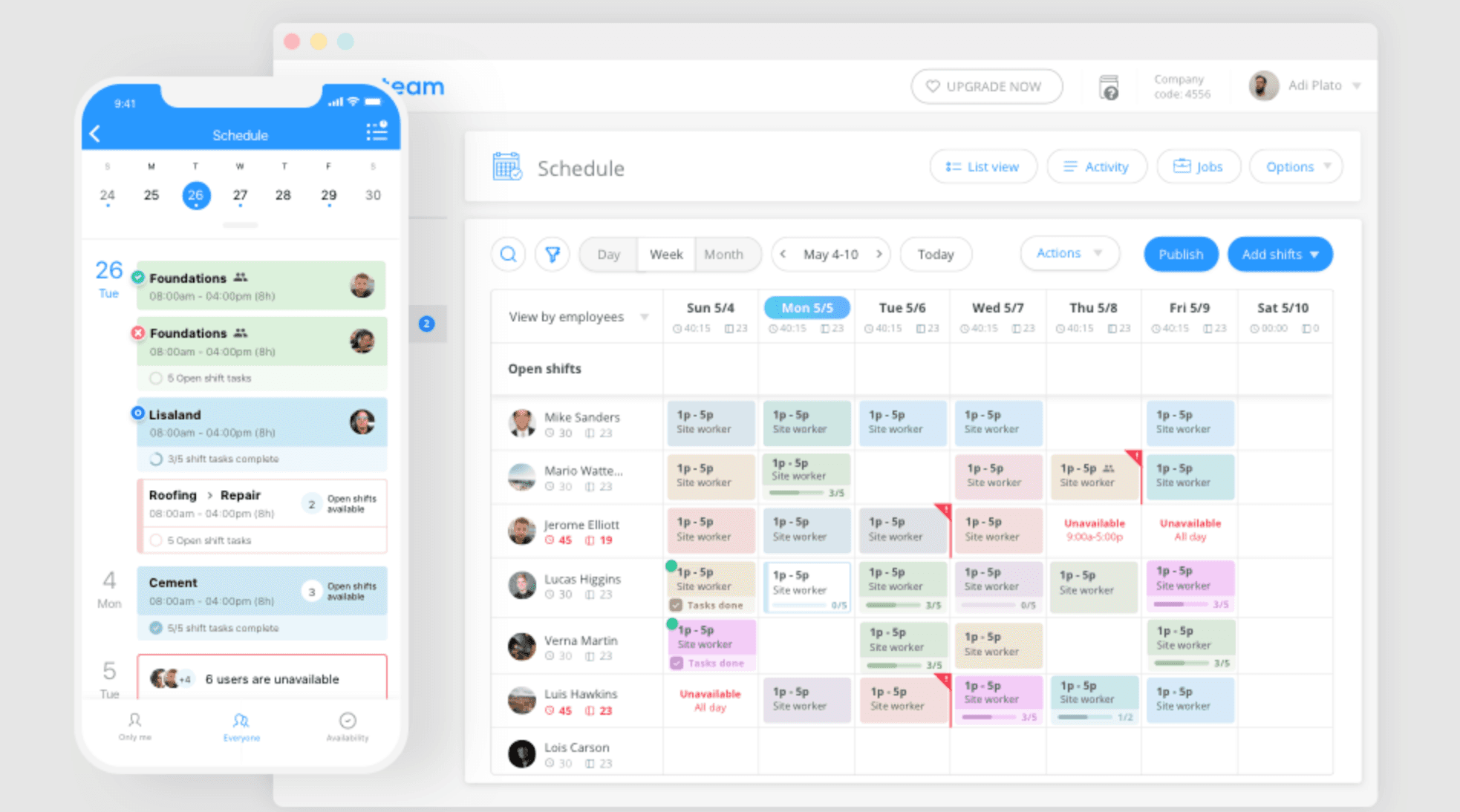
Best for: Deskless or field-based teams, and very small businesses, that need scheduling alongside task management, training, and team communication.
What it is: Connecteam is an all-in-one operations app for deskless and field-based teams. Beyond scheduling and time tracking, it covers task management, digital checklists, training, and team messaging, all from a mobile-first interface.
Connecteam offers a permanently free Small Business Plan for up to 10 users across all its hubs (Operations, Communications, and HR). Once you move past 10 users, the Operations Basic paid plan starts at $29/month for the first 30 users on annual billing. The hub-based model means the full feature suite requires separate hub subscriptions.
Key features:
- Scheduling, time tracking, task management, messaging, and HR tools in one app
- GPS clock-in and geofencing
- Mobile-first design for field and deskless teams
- Digital checklists and training materials
Pricing:
- Small Business Plan: Free for businesses with up to 10 users, across all hubs
- Operations Basic: $29/month for the first 30 users, billed annually ($35/month monthly)
- Additional users: $0.80/user/month after 30 (annual); $1/user/month (monthly)
- Payroll: handled through integrations (QuickBooks, Gusto, Paychex, ADP, and others)
What users like:
A G2 reviewer described it as: "everything is centralized in one app, from scheduling and time tracking to internal communication and task management." They also noted it was accessible for less tech-savvy employees.
What users criticize:
The same G2 reviewer said: "Sometimes the app can be a bit slow to load," and described the breadth of features as potentially overwhelming for new users. A separate G2 reviewer flagged a specific usability issue: "The timeclock is very difficult to use as a non-admin if needing to make corrections."
Our take: Connecteam's strongest argument is for teams of 10 or fewer who want a full-featured free plan. The Small Business tier is unusually generous. For teams that grow past that, the hub model is worth mapping out before committing. Payroll is handled through integrations rather than natively, so confirm your provider is on the supported list before making the switch.
Sling by Toast: Best for Budget-Conscious Teams That Need Free Scheduling for up to 30 People
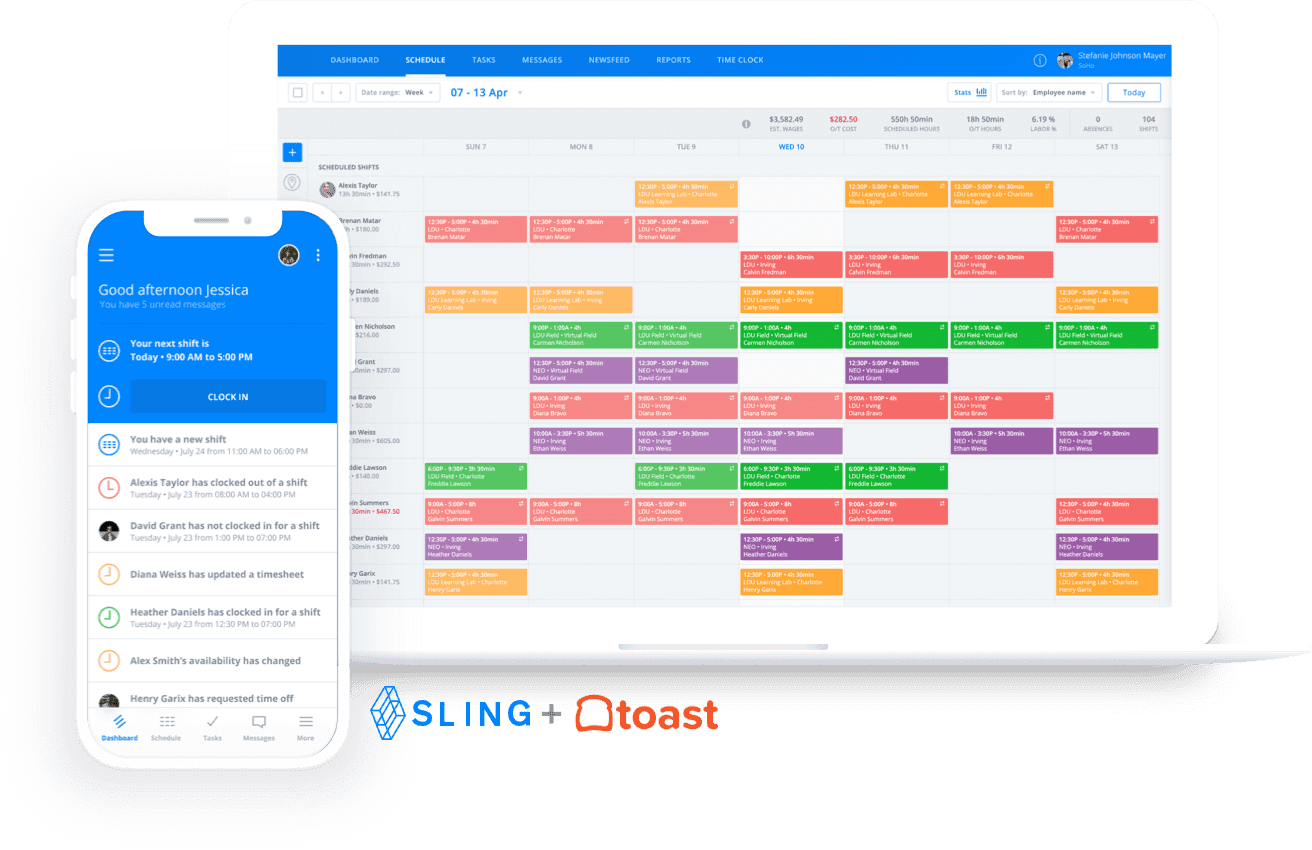
Best for: Small businesses that want free shift scheduling and team communication for up to 30 people, with time tracking available as an affordable upgrade.
What it is: Sling by Toast is a free-first scheduling and communication tool now owned by Toast. Its free plan covers shift scheduling, time-off requests, available shifts, messaging, and mobile access for up to 30 users, making it the most generous free tier in this comparison. The catch: time tracking requires the paid Premium plan. Sling also has no native payroll at any tier.
Key features:
- Free scheduling and communication for up to 30 users
- Shift swapping and open-shift claiming
- Time-off requests and available shifts on the free plan
- Labor cost tracking on paid plans
Pricing:
- Free: up to 30 users, scheduling and communication features
- Premium: $1.70/user/month (annual billing), adds time tracking and attendance
- Business: $3.40/user/month (annual), adds POS integrations
What users like:
A G2 reviewer praised its ease of use, flexible shift switching, and mobile access, also highlighting schedule templates, time-off management, and communication tools. A Capterra reviewer added: "I can use the mobile app to view the schedule between lessons without having to get to my desk."
What users criticize:
The same G2 reviewer noted that users often find Sling's interface cumbersome, and found the mobile version less user-friendly than the desktop experience. A Capterra reviewer flagged: "Occasionally, notifications are delayed which led to confusion."
Our take: Sling is the best answer to "what's free and actually works for scheduling?" But the moment you need time tracking, you're on a paid plan, and there's no native payroll at any tier. For a very small team with payroll handled elsewhere, it's a solid starting point. For anyone who needs clock-ins, overtime tracking, or payroll in the same app, look elsewhere.
Push Operations: Best for Restaurant Teams That Need Scheduling and Payroll in One Place
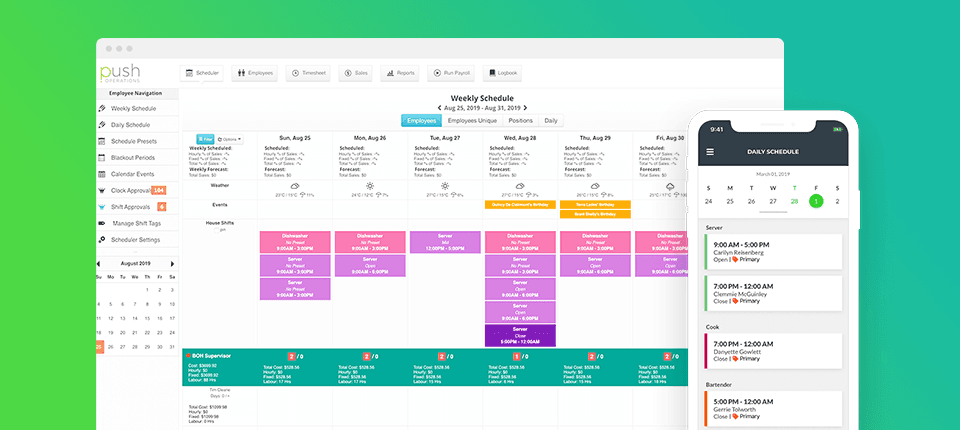
Best for: Restaurant and hospitality operators, particularly multi-location groups, that want scheduling, time tracking, and payroll in one integrated system.
What it is: Push Operations is a restaurant workforce management app that combines scheduling, time tracking, payroll, HR, and onboarding in one system. It's built for the hospitality industry and is particularly strong for multi-location restaurant groups managing complex tip and labor workflows.
Unlike 7shifts, which sells payroll as a clearly separate add-on, Push Operations integrates payroll more tightly into its system. POS integrations include Toast, TouchBistro, Lightspeed, and others, with payroll calculations pulling directly from time tracking data.
Key features:
- Scheduling with real-time labor cost tracking against sales forecasts
- Native payroll processing (US and Canada)
- Tip distribution and pooling automation
- POS integrations: Toast, TouchBistro, Lightspeed, NCR Aloha, and others
- Digital onboarding and HR document management
Pricing: Starting at $6/month; exact pricing varies by plan, employee count, and number of locations. Contact Push for a full quote.
What users like:
A G2 reviewer wrote: "payroll is made extremely simple, especially things like Stat Pay and remittances." They also praised how quickly the scheduler is to learn. Another G2 reviewer said: "PUSH payroll system is fairly easy to use even before going to the tutorials."
What users criticize:
A G2 reviewer noted shortcomings on the accounting and reporting side, particularly for larger organizations with multiple locations. Another reviewer said: "The online help isn't always easy to maneuver," and flagged long wait times for phone support.
Our take: Push Operations is a strong pick for restaurant groups that want scheduling, time tracking, payroll, and HR in a tightly integrated food-service system. The connection between scheduling and payroll is a real differentiator in this category. The trade-off: it's built specifically for food service and pricing requires a conversation with sales. Push is best suited to restaurant operators managing complex payroll, scheduling, and labor workflows across multiple locations.
HotSchedules: Best for Multi-Unit Restaurant and Hospitality Operators
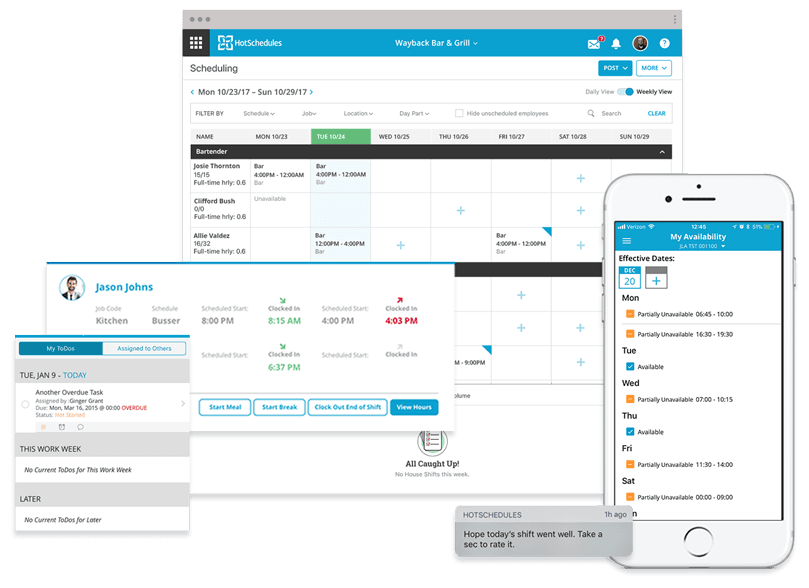
Best for: Multi-location restaurant and hospitality operators that need restaurant-specific labor forecasting, tip management, and enterprise-scale scheduling.
What it is: HotSchedules, now part of Fourth's workforce management suite, is restaurant and hospitality scheduling software designed for multi-unit operators. It covers demand-driven scheduling, tip management, time and attendance, and earned wage access, all within a food service context.
HotSchedules doesn't publish pricing publicly. Its positioning through Fourth's broader suite means capabilities span scheduling, payroll, HR, and restaurant-specific tools.
Key features:
- Restaurant-specific scheduling with POS-driven demand forecasting
- Tip management and digital tip payout tools
- Earned wage access for team members
- Multi-location management and HR/payroll capabilities
Pricing: Contact Fourth for a quote.
What users like:
A G2 reviewer called HotSchedules a user-friendly scheduling program and praised its handling of availability changes, requests, and schedules. A January 2026 Capterra reviewer specifically highlighted the ability to block out dates from employee time-off requests: "The best part about HotSchedules is the ability to block out certain dates."
What users criticize:
The same G2 reviewer said: "I don't care so much for the messaging aspect," feeling few employees used it. Another G2 reviewer noted they disliked that the HotSchedules app isn't free, and said employees couldn't see other team members' work times. Current Capterra reviews also identify frequent technical glitches as a recurring downside.
Our take: HotSchedules is built for operators managing multiple locations with complex tip and labor workflows. It's not designed for non-food businesses, and the lack of public pricing means committing to a sales conversation before you know if it fits your budget. Single-location restaurant owners are generally better served by 7shifts or Homebase. HotSchedules and Push Operations both earn their place for multi-unit food service operators.
How to Choose the Right 7shifts Alternative for Your Business
The right tool depends on your budget, what you need beyond shift scheduling, and whether it connects to the systems you're already running.
Start with your budget and pricing model. Per-location pricing keeps costs predictable as you hire. Per-user pricing increases as your team grows. As an example: 25 users on a $5/user/month plan costs $125/month. That same team on Homebase Essentials costs $30/month per location, regardless of headcount.
Decide how much you need beyond scheduling.
- Scheduling only: Sling by Toast covers up to 30 users free.
- Scheduling + time tracking + payroll for non-restaurant small businesses: Homebase is the strongest all-in-one option for businesses outside food service.
- Scheduling + payroll for restaurant teams: Push Operations and 7shifts both offer first-party restaurant payroll, though pricing and plan structures differ.
- Scheduling + operations tools for deskless teams: Connecteam adds task management, checklists, and HR tools beyond a shift calendar.
- Restaurant-specific labor forecasting: 7shifts, Push Operations, and HotSchedules are purpose-built for that use case.
Check your POS and payroll integrations. If you run Toast, Square, or Clover, confirm your scheduling tool connects directly. If you're already on QuickBooks, Gusto, or ADP, check whether native integration or built-in payroll is the better path.
For most small businesses with hourly teams (restaurants, retail, service businesses), Homebase is the strongest overall fit across industries. Per-location pricing keeps costs predictable. The all-in-one setup means fewer logins. And the free plan is a genuine place to start.
See why 150,000+ small businesses trust Homebase to manage their hourly teams. Get started free.
Frequently Asked Questions About 7shifts Alternatives
What is the best alternative to 7shifts?
For small businesses outside food service that want scheduling, time tracking, payroll, and HR at a flat per-location price, Homebase is the strongest overall pick, and currently ranks as the best 7shifts alternative on G2. Restaurant operators who need first-party payroll within a food-service app may also want to consider Push Operations.
What is 7shifts?
7shifts is a restaurant scheduling and team management app used by more than 55,000 restaurants. It covers scheduling, team communication, time tracking, labor compliance, and payroll (sold as an add-on). Its standout capabilities (tip management, POS-integrated labor forecasting, and tip pooling) are designed specifically for food service.
Is there a free version of 7shifts?
Yes. The 7shifts Comp plan is free for one location and up to 15 employees. It includes scheduling, basic team communication, and mobile access, but does not include the paid time clock. Homebase's free Basic plan covers one location and up to 10 team members, and includes both scheduling and time tracking at no cost.
What is the difference between 7shifts and Homebase?
7shifts is designed specifically for restaurant teams and uses per-location pricing with employee limits on its Comp and Essentials tiers. Homebase uses per-location pricing too, but paid plans include unlimited team members and serve businesses across industries beyond food service. Homebase offers scheduling, time tracking, payroll, hiring, and HR within its ecosystem, while 7shifts offers payroll as a separate add-on. For a detailed comparison, see 7shifts vs. Homebase.
Which scheduling app is best for restaurants?
7shifts, Push Operations, and HotSchedules are all purpose-built for restaurants, with deep POS integrations and tip management designed for food service. Homebase also works well for single-location or small multi-location restaurants that want scheduling, time tracking, payroll, and HR in one app without restaurant-only features they won't use.
Does 7shifts work for non-restaurant businesses?
7shifts is designed primarily for restaurant businesses. Non-restaurant buyers may find that some restaurant-specific functionality isn't relevant to them. For retail, services, or other hourly-team businesses, tools like Homebase, When I Work, or Connecteam are built for a broader range of industries.
What happens to my 7shifts bill if I hire more people?
7shifts uses per-location pricing, with employee limits on its Comp and Essentials tiers. The Comp plan covers up to 15 employees; Essentials covers up to 30 per location. Pro and Premium allow unlimited employees, but Essentials locations that grow past 30 will need to upgrade to Pro.