7 Best Team Communication Apps for Hourly Teams in 2026

SMALL BUSINESS INTEL, IN YOUR INBOX
Table of contents
A closer calls out at 4pm on a Saturday. You text the team, but your message lands in a thread already full of photos, shift swaps, and a debate about Friday’s lunch order. Two people see it, and nobody answers.
That’s the problem team communication apps are built to fix. No app can make someone reply, but the good ones make a reply easier to get. They give you separate groups so your message isn’t buried and alerts tied to your schedule. Read receipts show who saw it, and shift-cover requests let people accept with a tap instead of typing back.
Most roundups compare chat apps built for office teams, or employee scheduling apps judged mostly on how they schedule. This guide ranks seven apps on what makes the best employee communication app for hourly teams. We looked at how messages are sent, how groups work, which alerts tie to shifts, and what you get on a free plan versus a paid one.
Your workday, your way.
Every day, more small businesses use Homebase to build the exact workflows their teams need.
The Best Team Communication Apps for Hourly Teams, at a Glance
The best apps for team communication put messaging next to your schedule, so a shift change reaches the right people. Which app is best for you depends on your size and budget, and these five stood out:
- Homebase: Free messaging with scheduling for one-location teams of up to 10
- TeamSense: Text-only call-offs and alerts for larger teams without an app
- Connecteam: The fullest communications toolkit, with a free 10-user plan
- When I Work: Messaging in every plan from $2.50 per user per month
- Sling: Free for up to 30 users, with group chat on paid plans
Why Trust Homebase? Why We Built This Guide
We’re Homebase, and we make an app that puts scheduling, time tracking, hiring, payroll, and team messaging in one place for small businesses with hourly teams. That means we have a stake in this topic, so we’ll be upfront about where we stand.
We know picking a tool takes time you don’t have, so we did the checking. We ranked Homebase first and explain why in its entry, including where we fall short. Every other app was judged on the same criteria, and we never accept payment or backlinks in exchange for a mention.
To see how we pick and check apps, read our methodology. If you’re weighing us against a specific tool, our comparison pages have the details.
How We Chose the Best Team Communication Apps for Hourly Teams
Hourly teams make up a big share of U.S. workers: according to the Bureau of Labor Statistics, 80.3 million were paid hourly in 2024, about 55.6% of all wage and salary workers. We looked at the apps hourly teams use to schedule shifts and talk to each other, then judged each one on its messaging. We left out chat apps built mainly for office teams, since they don’t tie messages to shifts.
We scored Homebase on the same criteria as every other app, specifically:
- Messaging type: Does it use in-app messages, push alerts, or text messages?
- Group channels: Can you message the whole team, one role, or only the people on shift?
- Shift-specific alerts: Does it tell people about schedule changes and upcoming shifts?
- Free plan limits: How many people does the free plan cover, and does it include messaging?
- Plan gating: Which messaging features move behind a paid plan?
- Price: What does messaging cost a small team?
- Mobile experience: Can employees use it as a mobile employee communication app on their own phones?
We read each app’s own pricing and feature pages in November 2026, then checked G2 and Capterra to see what real users say.
Team Communication Apps Compared
The best team messaging app comes down to a few differences, and our top three picks line up like this. The full entries for all seven apps follow.
| Homebase | TeamSense | Connecteam | |
|---|---|---|---|
| Messaging type | In-app messages and announcements | Text messages, with no app for employees | In-app chat and an updates feed, with optional SMS for updates |
| Group channels | Individuals, preset groups, or the whole team. Custom channels on Essentials and up. Instant groups like “everyone working today” | Broadcast texts to your whole team, a group, or one person, on the Action plan and up | Group chats and chat channels, with automated Smart Groups on Advanced |
| Shift-specific alerts | Schedule update alerts, with clock-in and clock-out reminders on Essentials and up and late alerts on Plus | Instant supervisor alerts on call-offs, plus a shift start digest and handoff | Push notification reminders, with customizable schedule notifications on Advanced |
| Price (annual billing) | Free for one location and up to 10 employees. Essentials is $24 per location per month. | Quote-based, billed annually, with a $6,000 annual minimum | Free for up to 10 users. Communications Basic is $29 per month for the first 30 users. |
| Free tier | Yes | No free plan or trial, only a 90-day paid pilot | Yes, up to 10 users |
| Key integrations | Clover, Square, Toast, Gusto, QuickBooks Online, ADP Workforce Now | ADP, Workday, UKG, Paycom, and Paylocity | Gusto, QuickBooks Online, ADP Workforce Now, Paychex, Xero, Zapier |
| Best for | Free messaging and scheduling at one location | Large hourly teams that run call-offs, shift fills, and alerts by text | The fullest communications toolkit |
The 7 Best Team Communication Apps for Hourly Teams
Here are our seven picks, ranked on their messaging. Prices come from each app’s own pages as of November 2026, so double-check them before you buy.
1. Homebase.
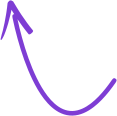
Homebase is a free employee communication app that combines scheduling, time tracking, and team messaging for small businesses with hourly teams. Messaging is part of the free plan, so a one-location team of up to 10 can run shifts and chat in one place. Essentials adds custom channels, announcements, shift notes, and read confirmations.
Best for: Single-location hourly teams that want scheduling, time tracking, and messaging together, for free
Key features:
- Group and one-on-one messages: Message individuals, preset groups like All Managers, or the whole team, and attach photos, polls, or Find Cover requests
- Instant groups: Create groups like “everyone working today” or “all keyholders” for quick requests
- Announcements, shift notes, and read confirmations: Share updates, add notes to shifts, and see who has read them, on Essentials and up
- No personal numbers: New hires join team chat automatically on day one, with no phone numbers exchanged
Pricing: Free for one location and up to 10 employees. Essentials is $24 per location per month billed annually, and it adds Team Communication. See Homebase pricing for current plans.
What users like: Edgar G. says it’s “easy to send updates to the crew in a fast, straightforward way” in a G2 review.
What users criticize: “Occasional glitch in the notification system,” writes Lex S. in a September 2026 Capterra review.
Our take: If you run a small business with one location and up to 10 teammates, Homebase is the best team communication app we found, with free messaging and scheduling in one app. It’s a weaker fit if you need chat across locations, since messages stay within each location, or a broader free toolkit: Connecteam’s free plan has more communication tools, and Sling’s covers 30 users.
Your workday, your way.
Every day, more small businesses use Homebase to build the exact workflows their teams need.
2. TeamSense.
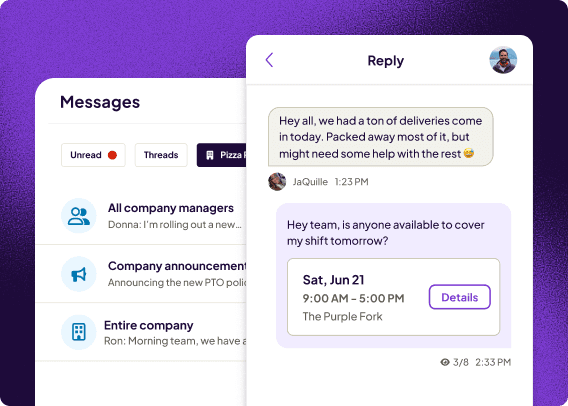
Text messages do the work in TeamSense, a frontline employee communication app for large hourly teams in manufacturing, warehousing, and logistics. Employees report absences by text, and managers send one text to fill an open shift or share an urgent alert, with no app to download. Annual agreements start at $6,000, so it fits big sites better than small teams.
Best for: Large hourly teams in manufacturing, warehousing, and logistics that handle call-offs, shift fills, and alerts by text
Key features:
- Text-only messaging: Send open-shift announcements, urgent alerts, and updates to your whole team, a group, or one person, with no app or sign-in, on the Action plan and up
- Auto-translate: Messages arrive in each employee’s preferred language
- Delivery and acknowledgment logs: See who received and acknowledged a message, logged by name with a timestamp
- Call-offs with instant supervisor alerts: Employees call off by text or phone, and supervisors are alerted right away
Pricing: TeamSense doesn’t publish prices. Pricing is per employee and billed annually, and annual agreements start at $6,000. There’s no free trial, only a 90-day pilot at one site with a one-time implementation fee. Communication tools start on the Action plan, above Visibility. See TeamSense pricing.
What users like: Stephanie M. likes that it lets her “filter your messages to a select group of individuals,” she writes in a 2022 G2 review.
What users criticize: “Employees tend to forget or decide to stop answering the text messages,” writes Robert P. in a 2022 Capterra review.
Our take: TeamSense works for large hourly sites that want call-offs, shift fills, and alerts handled by text, since a text reaches everyone. Small teams will find it a stretch: annual agreements start at $6,000, there’s no free plan, and it doesn’t handle scheduling, so Homebase or Connecteam fit better.
3. Connecteam.
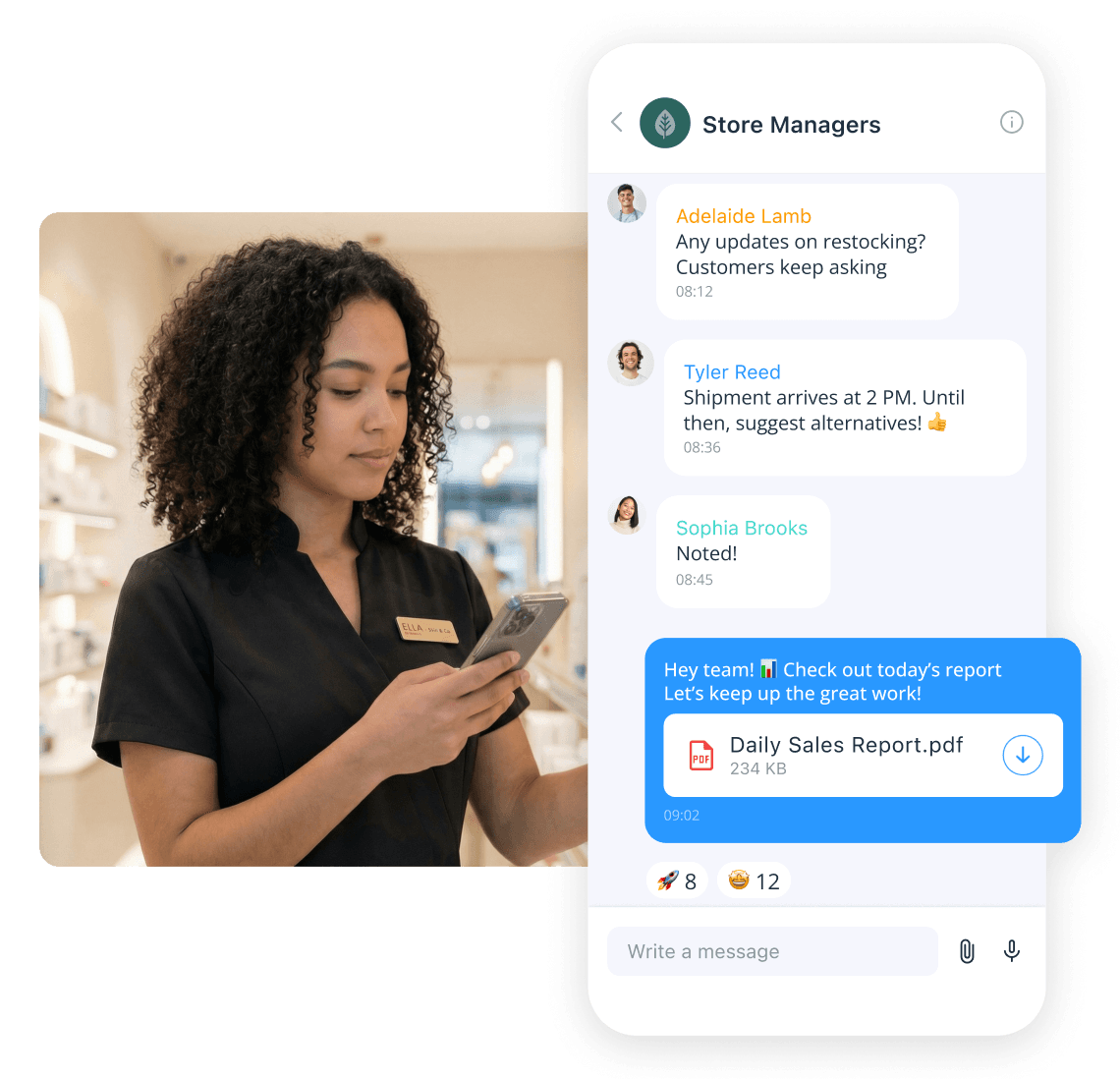
Connecteam splits its work app into three hubs: Operations, Communications, and HR and Skills. Its Communications hub makes it the broadest team messaging app of the seven, while scheduling lives in Operations. A free plan supports up to 10 users. Connecteam is a direct competitor of ours, but it earns this spot by leading its category.
Best for: Teams that want the fullest communications toolkit
Key features:
- Chat: Unlimited personal and group chats with media and file attachments, plus scheduled messages on Advanced
- Updates feed: A company feed with engagement tracking, live polls on Advanced, and read-confirmation pop-ups on Expert
- Automated Smart Groups: Group people automatically so updates reach the right teams, on Advanced
- The rest of the Communications hub: Directory, surveys, events, knowledge base, and help desk
Pricing: The Small Business plan is free for up to 10 users with all features. Communications Basic is $29 per month billed yearly for the first 30 users, and Advanced is $49 billed yearly. Hubs are priced separately, so chat plus scheduling means two subscriptions. See Connecteam pricing.
What users like: A verified G2 reviewer in construction writes that they can “see whether my employees have confirmed their shifts” in a May 2026 G2 review.
What users criticize: Lauren W. reports “delayed notifications or some team members not receiving them at all” in a Capterra review.
Our take: Connecteam is the pick for an internal hub, with chat, a company feed, polls, and surveys, plus a free plan for up to 10 users. It gets pricier if you want chat and scheduling together, since hubs are priced separately, while Homebase’s Essentials plan bundles both. Teams that want a simpler setup can compare Connecteam alternatives.
4. When I Work.
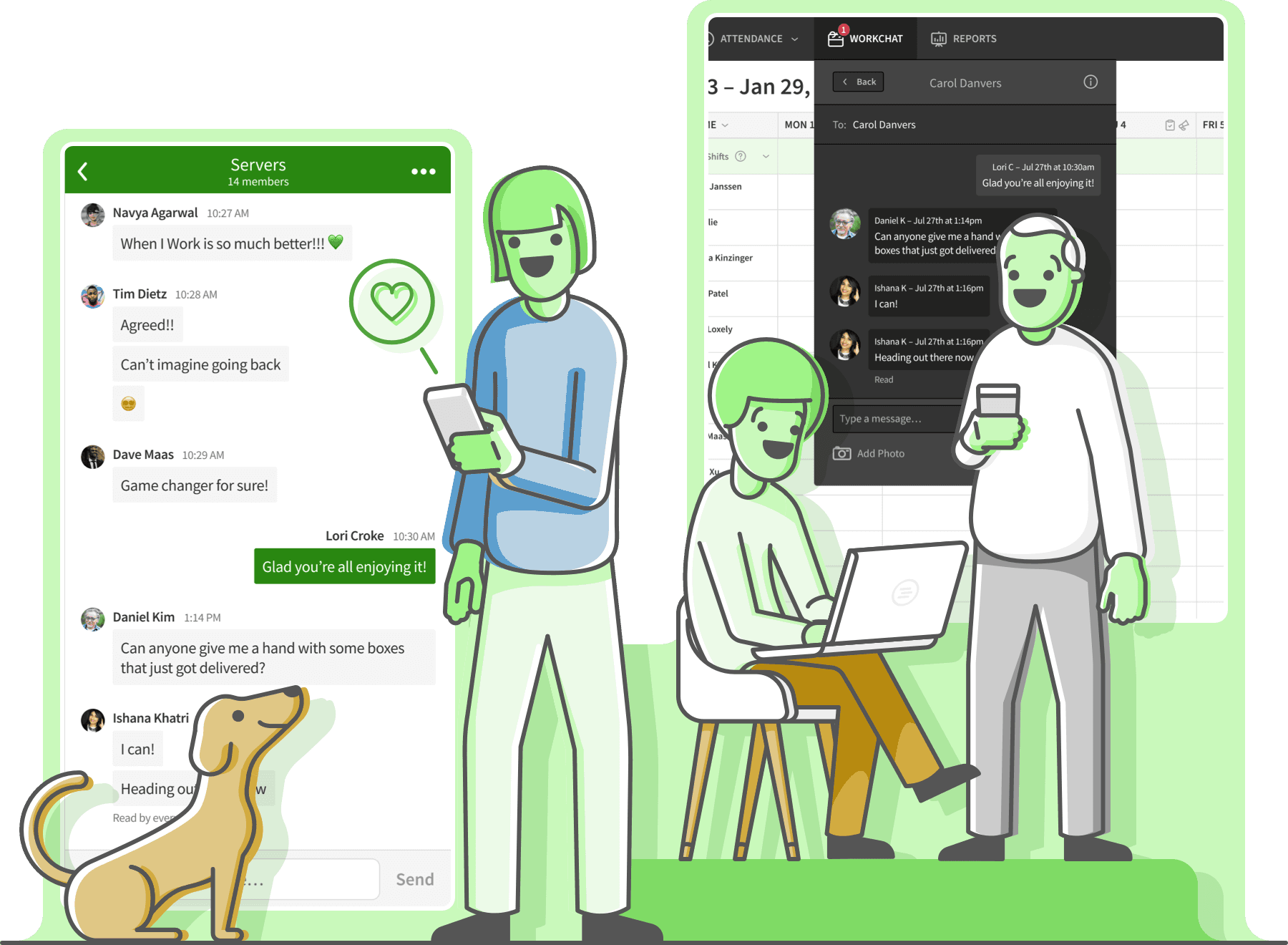
Scheduling is When I Work’s specialty, and in-app messaging comes standard in every plan alongside auto-scheduling, open shifts, and shift swaps. Essentials starts at $2.50 per user per month, which keeps the price low for a small team, though the cost climbs with every hire. There’s a 14-day trial but no free plan.
Best for: Lean teams that want low per-user pricing with messaging included
Key features:
- Group and direct chats: Message one-on-one, the whole team, or groups by position or schedule, with no personal phone numbers
- Shift and schedule updates: Automatic alerts for new, changed, and open shifts
- Message controls: Managers choose who can create group chats and what access each person has
- Media and file sharing: Share shift details, photos, and notes, stored in the app
Pricing: Essentials is $2.50 per user per month, Pro is $5, and Premium is $8. Time tracking and attendance is a toggle on top of each plan, and the page doesn’t list its price. There’s a 14-day free trial and no free plan. See When I Work pricing.
What users like: William L. says he can “communicate with my team all in one place” in a G2 review.
What users criticize: Zoe Z. writes that “notifications can sometimes be delayed, leading to confusion about shift changes” in a Capterra review.
Our take: When I Work keeps things simple for small teams, with messaging in every plan from $2.50 per user per month. Growing or seasonal teams will feel the per-user pricing with every hire: a 25-person team on Essentials pays about $62.50 a month before add-ons, while Homebase’s Essentials is priced per location. Teams that want a different pricing model can compare When I Work alternatives.
5. Sling.
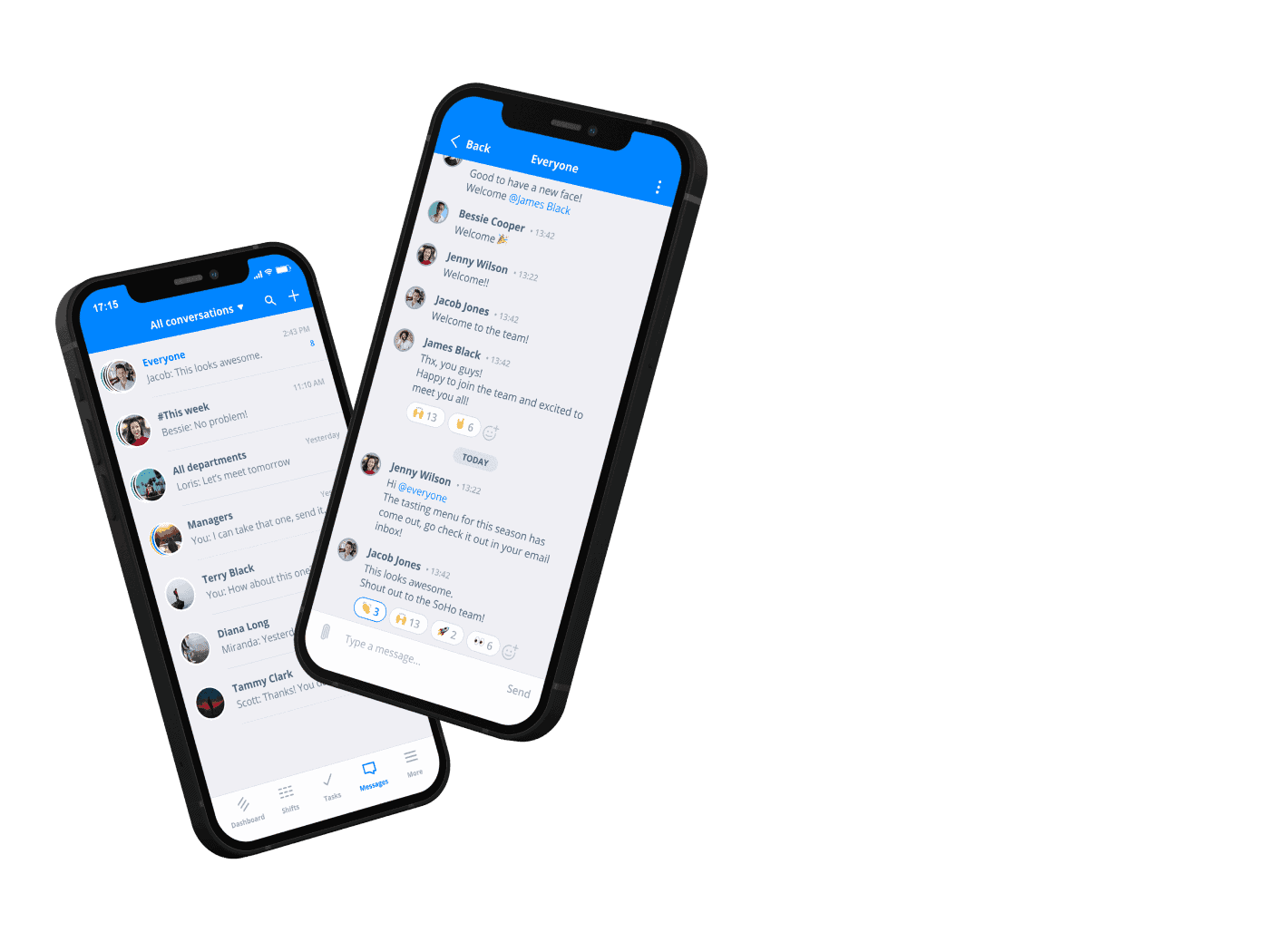
Sling’s free plan supports up to 30 users and includes scheduling, private messaging, announcements, and shift alarms. Group messaging starts on the Premium plan at $1.70 per user per month billed annually. Sling is a scheduling and time tracking app, now owned by Toast.
Best for: The largest free team, up to 30 users
Key features:
- Private messaging and announcements: One-on-one messages, announcements, and news sharing on the free plan
- Group messaging: Available from Premium up
- BCC messages: Send a direct message to several people at once, on Business
- Shift alarms: Automatic reminders for upcoming shifts
Pricing: Free for up to 30 users. Premium is $1.70 per user per month and Business is $3.40, both billed annually. Paid plans come with a 15-day free trial. See Sling pricing.
What users like: Samantha M. says it “made talking to staff members a breeze” in an October 2026 Capterra review.
What users criticize: A verified G2 reviewer says there are “not a lot of team building things in the app other than scheduling” in a G2 review.
Our take: Sling gives teams of up to 30 free private messages and announcements. Group chat starts on Premium at $1.70 per user per month billed annually, while Connecteam’s free plan for up to 10 users includes group chats. Teams that need group chat on a free plan can compare Sling alternatives.
6. 7shifts.
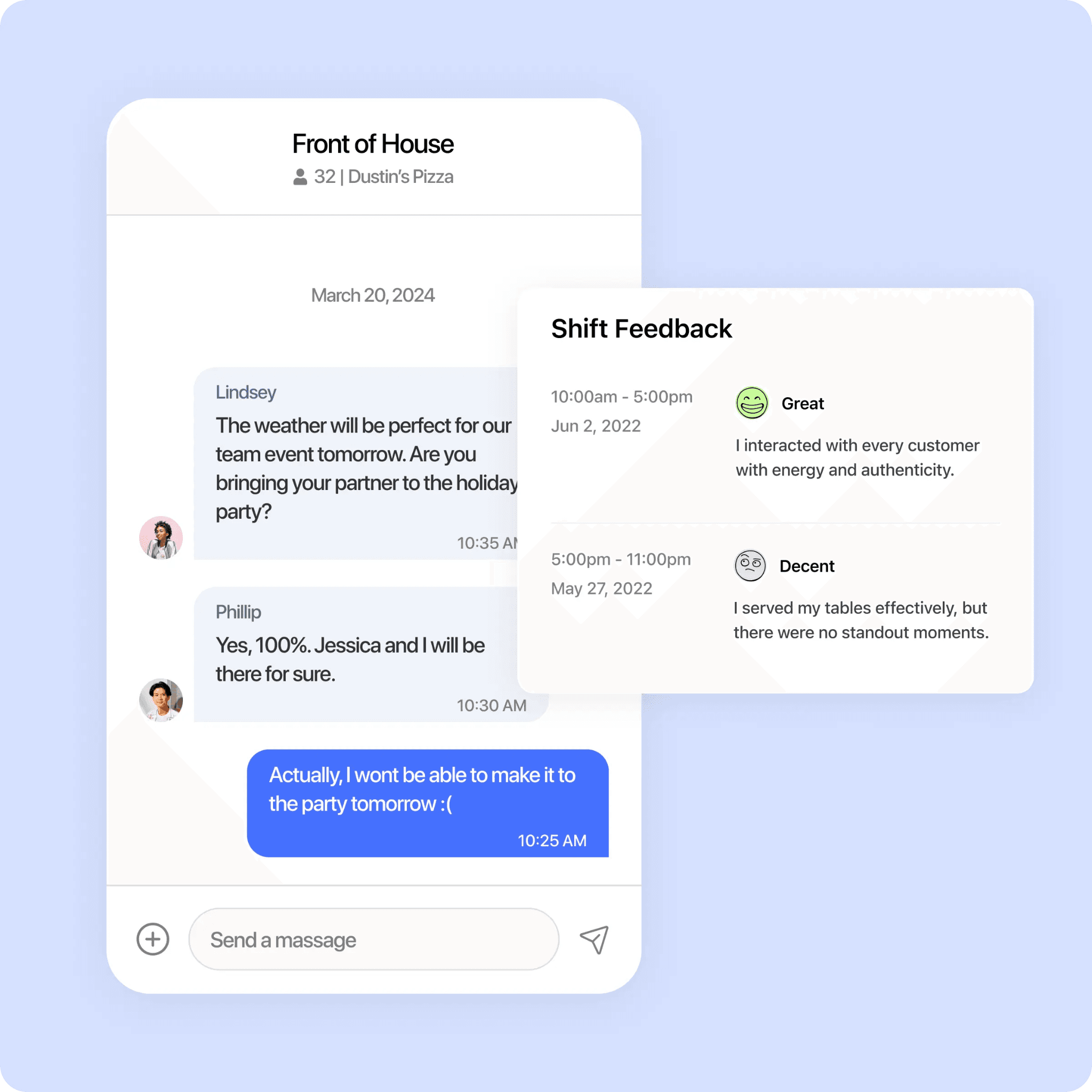
7shifts is a team communication app for restaurants that also handles scheduling, with team messaging, announcements, time clocking, labor tools, and a manager log book. Its free Comp plan is moving to one-way announcements, per 7shifts’ 2026 plan notice. For restaurant communication, it’s the one designed around restaurant shifts from the start.
Best for: Restaurants
Key features:
- One-way announcements with read receipts: Share updates with the whole team and see who read them, with read receipts on Essentials and up
- Direct and group messaging: Message team members, departments, or everyone, with attachments and find-coverage requests
- Automated reminders: Alerts for upcoming shifts, breaks, and tasks
- Manager Log Book: Leave shift notes for the next manager, on Pro and Premium
Pricing: 7shifts has a free Comp plan. Capterra and G2 list Essentials at $39.99 per month and Pro at $69.99, with Premium at $149.99 and usage-based, and reviewers describe flat fees rather than per-user charges. See 7shifts pricing.
What users like: In a G2 review, Kristin B. enjoys “the ability to message our entire company in one message.”
What users criticize: Jennifer R., an owner, writes that “the shift pool notifications don’t always work” in a Capterra review.
Our take: 7shifts fits restaurants that want scheduling built around restaurant shifts, plus a manager log book. Read receipts start on Essentials, and G2 reviewers mention price increases. Teams outside restaurants can compare 7shifts alternatives.
7. Deputy.
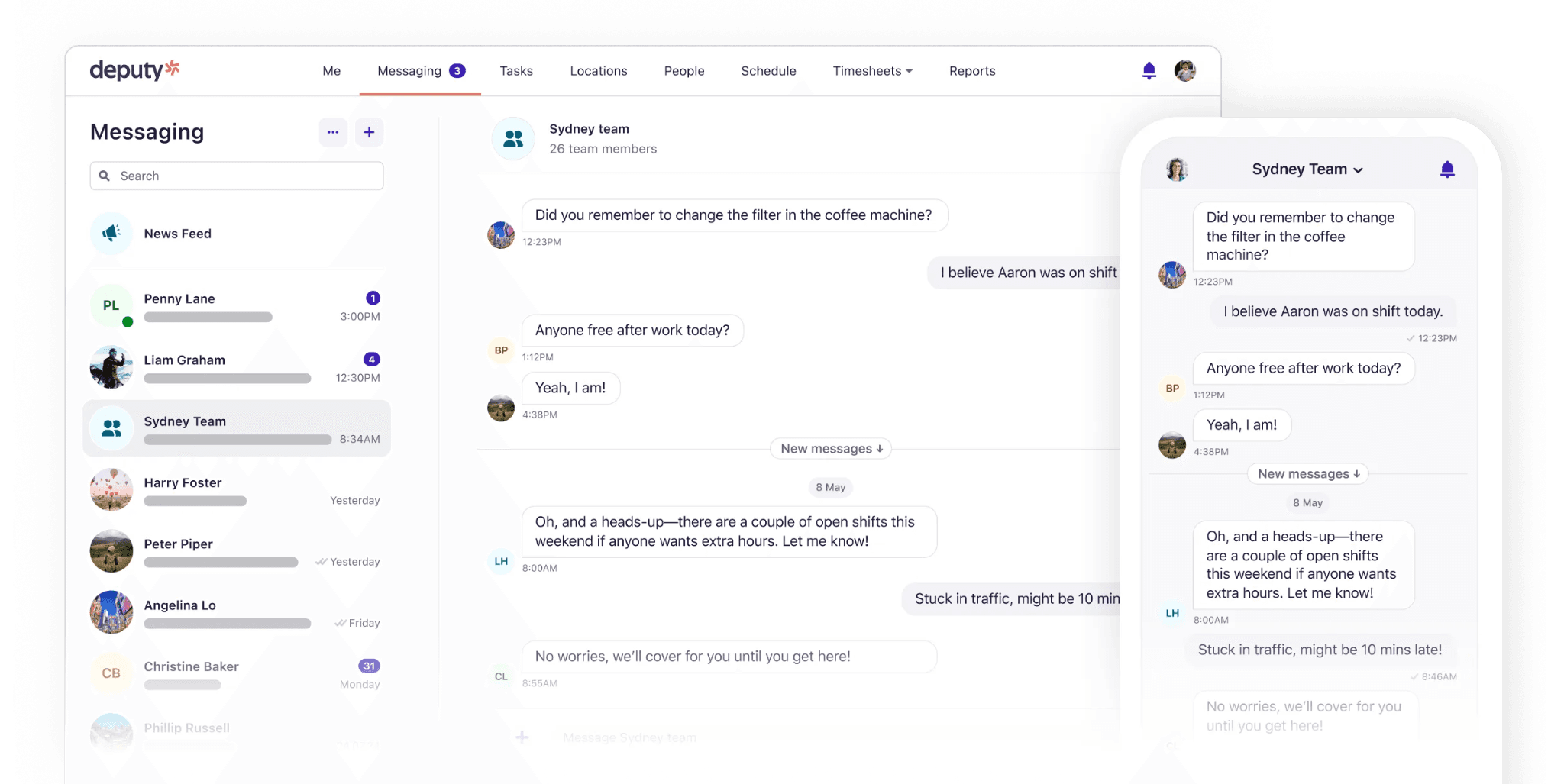
Deputy’s messaging is the simpler side of an app built around scheduling rules and compliance tools. Every plan includes direct and group messaging and a news feed, while richer tools come from the Messaging+ add-on or the Pro plan. Plans run from $5 to $9 per user per month on annual billing.
Best for: Teams with complex shift patterns
Key features:
- Messaging and news feed: Direct and group messaging plus a news feed for updates, documents, and videos, on every plan
- Messaging+ add-on: Shift-aware actions, role-based permissions, location-based channels, and automatic group updates, included in Pro
- Read receipts, polls, and kudos: Part of Messaging+, along with exportable message history
- Text notifications: SMS alerts at 1¢ per 160 characters in the US
Pricing: Lite is $5 per user per month, Core is $6.50, and Pro is $9, all on annual billing. Messaging+ is about $1.76 per user per month on annual billing, and it comes with Pro. SMS notifications cost 1¢ per 160 characters in the US. See Deputy pricing.
What users like: Vighnesh K. says Deputy helps send upcoming shifts to team members, who can be reached by email, call, or message, in a November 2026 Capterra review.
What users criticize: Holly M. says chat-room notifications “should pop up as soon as you open the app” so team members don’t miss important information, in a November 2026 Capterra review.
Our take: Deputy makes sense when scheduling rules drive the decision. Direct and group messaging come with every plan, and Messaging+ adds shift-aware actions, role-based permissions, and read receipts for teams that want more. Teams that want simpler scheduling can compare Deputy alternatives.
Team Communication App FAQs
What is an app for employee communication?
An app for employee communication lets managers and hourly team members send messages, share announcements, and coordinate shifts from their phones, keeping work chat off personal numbers. Most fall into three types: chat apps built for office teams, scheduling apps with messaging built in, and text-based tools that need no download. This guide focuses on the last two because they tie messages to shifts.
Why use an app for employee communication?
A work app keeps messages separate from personal texts, so employees don’t share phone numbers and you don’t scroll past photos to find a shift update. It can tie alerts to your schedule, and some apps show who has seen a message, which a group text can’t do. Several apps here also include messaging on a free or low-priced plan, so you may not need a separate chat subscription.
Which scheduling apps have built-in team messaging?
Homebase, Connecteam, When I Work, Sling, 7shifts, and Deputy all include team messaging with their scheduling tools, but how much you get depends on the plan. Sling’s group chat starts on Premium, 7shifts adds read receipts on Essentials and up, and Deputy sells richer messaging as the Messaging+ add-on. TeamSense is team communication software for shift workers that works over text, but it doesn’t handle scheduling.
Can managers see employees’ messages in a work chat app?
It depends on the app. In Homebase, managers can access and download every message sent within a location, including deleted ones, and the app tells people so. Check how any app you’re considering handles this, tell your team what’s visible before they start, and assume an admin can see whatever gets sent in a work app.
Is a group text or WhatsApp enough for a small hourly team?
For a very small team, a group text can work for a while. As the team grows, it gets harder to manage: everyone’s personal number is exposed, work and personal messages blur, and there’s no tie to your schedule or way to see who read an update.
Choose the Team Communication App That Gets Replies
A message only helps if your team sees it and answers. Homebase adds new hires to team chat automatically on day one, and messaging is free to start for one location with up to 10 employees. Try Homebase free with your next schedule update and see who answers.
Your workday, your way.
Every day, more small businesses use Homebase to build the exact workflows their teams need.