Top 7 Connecteam Alternatives for Small Businesses in 2026


SMALL BUSINESS INTEL, IN YOUR INBOX
Table of contents
Most owners don't realize Connecteam isn't the right fit until the invoice arrives. You signed up for the free plan, hit the 10-user cap, and then discovered that the features you actually need (scheduling, team messaging, HR tools) each live in a separately purchased hub. To get the full product, you're buying three subscriptions.
That's one common reason small business owners start comparing Connecteam alternatives. But it's not the only one. No built-in payroll processing, a pricing model that multiplies as your needs grow, and a feature set that can be more than a small team actually needs all push owners to look elsewhere.
This guide covers seven Connecteam alternatives built for small businesses with hourly teams. Each entry includes verified pricing, free-tier limits, and a clear explanation of who it's actually for, so you can compare on what matters and stop reading when you've found your answer.
The Best Connecteam Alternatives for Small Businesses at a Glance
- Homebase — best all-in-one for hourly teams; scheduling, time tracking, payroll, and messaging in one app. Free for up to 10 employees at one location.
- Deputy — best for demand-based scheduling and labor law compliance. From $5/user/month, no free plan.
- When I Work — best for simple, clean scheduling. From $2.50/user/month, no free plan.
- Sling — best free scheduling option. Up to 30 employees at no cost.
- Jibble — best free time tracker with scheduling included. Unlimited users, no payroll.
- Buddy Punch — best for time tracking with strong payroll integrations. From $4.99/user/month + $19/month base fee (annual billing).
- 7shifts — best for restaurants. Free for up to 15 employees at one location.
If you want all of the above in one app without juggling separate tools, Homebase does it for free for up to 10 team members.
Why Small Business Owners Look for Connecteam Alternatives
Connecteam is a capable all-in-one for frontline teams. But there are four situations where a different tool makes more sense.
You only need a subset of what Connecteam offers. Connecteam packages scheduling, time tracking, GPS, forms, task management, team communications, training, and HR tools across three separately purchased hubs. If your team mainly needs scheduling and a time clock, you're paying for a lot of functionality you won't use.
You want payroll processing, not just payroll integrations. Connecteam doesn't run payroll itself. It connects to providers including ADP, Gusto, QuickBooks Online, Paychex, and Xero. That works well if you already have a payroll provider. But if you want hours to flow straight into payroll without a separate vendor, tools like Homebase or 7shifts handle that in-house.
The hub pricing model doesn't fit your cost structure. Connecteam's paid plans charge per hub. The Basic plan starts at $35/month per hub for the first 30 users on monthly billing. A business using Operations, Communications, and HR & Skills is buying three separate subscriptions. Verify current pricing at connecteam.com.
Your team wants something simpler. Reviews across Reddit threads are mixed. Some small-business owners praise Connecteam's breadth for scheduling, messaging, forms, surveys, and training. Others find the interface burdensome as the business grows, or feel the upselling becomes frustrating once they move past the free plan, a pattern that surfaces in multiple discussions, including from users who also flagged interface complexity and rising costs. If a simpler scheduling or time-tracking tool would actually get used, that's worth weighing.
If you're managing an hourly team and want scheduling, time tracking, and payroll connected in one place, Homebase brings all three together without a separate vendor.
What Is Connecteam and Who Is It For?
Connecteam is a mobile-first employee management app built for deskless and frontline workers. It organizes its features across three separately purchased hubs: Operations (scheduling, time tracking, tasks, forms), Communications (chat, newsfeed, surveys, recognition), and HR & Skills (onboarding, training, document storage).
Industries that commonly use Connecteam include retail, construction, hospitality, healthcare staffing, and cleaning services, generally businesses with 10 to 200 employees where coordinating shift workers and keeping teams connected are the main challenges.
Connecteam's free Small Business Plan is full-featured for teams of up to 10 users: access to all three hubs and all features, with limits of one time clock and one job schedule. It's a strong starting point, but the economics change once a business grows beyond that threshold or needs multiple time clocks, additional schedules, or payroll processing. It's less of a fit for small businesses that want payroll connected to time tracking, field service businesses that need dispatching or invoicing, or owners who want a single predictable monthly price without managing multiple hub subscriptions.
How We Evaluated These Connecteam Alternatives
To put this guide together, we reviewed seven scheduling and team management apps built for small businesses with hourly or shift-based teams. Carissa Tham, Homebase's SEO and GEO Managing Editor, led the evaluation with 13 years of experience in content strategy and small business operations.
We evaluated each app against the criteria that matter most to hourly team owners:
- Free-tier limits — what's actually usable on the free plan, not just whether one exists
- Pricing transparency — per user vs. per location, what's bundled vs. sold separately
- Scheduling and time tracking capabilities — depth and ease of use for shift-based teams
- Built-in payroll vs. integration-only — whether you need a separate vendor for payday
- Mobile app reliability — performance based on App Store/Play Store reviews and user reports
- Fit for small businesses — tools built for 2–100 person hourly teams, not enterprise tools in disguise
Pricing and feature data was verified against each app's official pricing page. User sentiment was gathered from G2, Capterra, and patterns across review threads. We don't accept payment or backlinks for product mentions. See our full methodology here.
Why Trust Homebase?
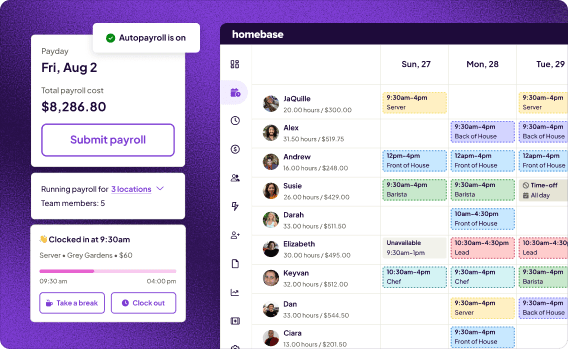
Homebase publishes this guide. We make scheduling, time tracking, payroll, hiring, and team messaging software for small businesses with hourly teams: over 150,000 of them, with 1.3 billion hours tracked and counting.
For this guide, every app was evaluated on its own merits. We don't accept payment or backlinks for a placement. Our goal is to help you find the right tool for your business, even if that's not us.
The 7 Best Connecteam Alternatives for Small Businesses
1. Homebase — best all-in-one app for small businesses with hourly teams.
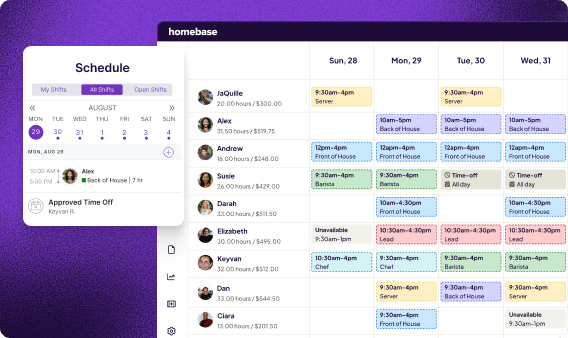
Best for: Small businesses with hourly teams that want scheduling, time tracking, payroll, and team messaging in one app — without exporting data to a separate payroll vendor before every payday.
Rating: G2 4.5/5 · Capterra 4.6/5 (1,153 reviews)
Homebase is one of the few tools on this list that combines scheduling, time tracking, payroll, and team communication in one product, with a focus on small businesses across hourly industries. When a team member clocks out, those hours flow directly into payroll, with no re-entry, no CSV exports, and no manual reconciliation. For owners running a restaurant, retail shop, salon, or any business with hourly team members, that connection is the thing that makes payday stop feeling like a project.
Key features:
- Employee scheduling with auto-scheduling, shift templates, and shift swaps
- GPS time clock with break and overtime tracking, photo verification
- Built-in payroll — hours flow from timesheets to paychecks automatically
- Hiring and onboarding tools — post jobs, manage applicants, onboard new hires
- Labor cost tracking and reporting
Pricing:
- Free plan: scheduling and time tracking for up to 10 employees at 1 location
- Essentials: $30/month per location ($24/month billed annually) — adds team messaging, performance tracking
- Plus: $70/month per location ($56/month billed annually) — adds labor cost controls, PTO, advanced scheduling
- All-in-one: $120/month per location ($96/month billed annually) — adds hiring, onboarding, HR compliance tools
- Payroll: $49/month + $6/person — add-on available on any plan
- Team messaging: included on Essentials plan and above (not on free plan)
What users like:
"The scheduling system is very user-friendly for both managers and employees." — Allegra A., Owner, small business, G2
What users criticize:
"Sometimes it logs me into the wrong account. Sometimes it logs me into the right account but won't show any data." — Davinder T., restaurant owner, Capterra
2. Deputy — best for demand-based scheduling.
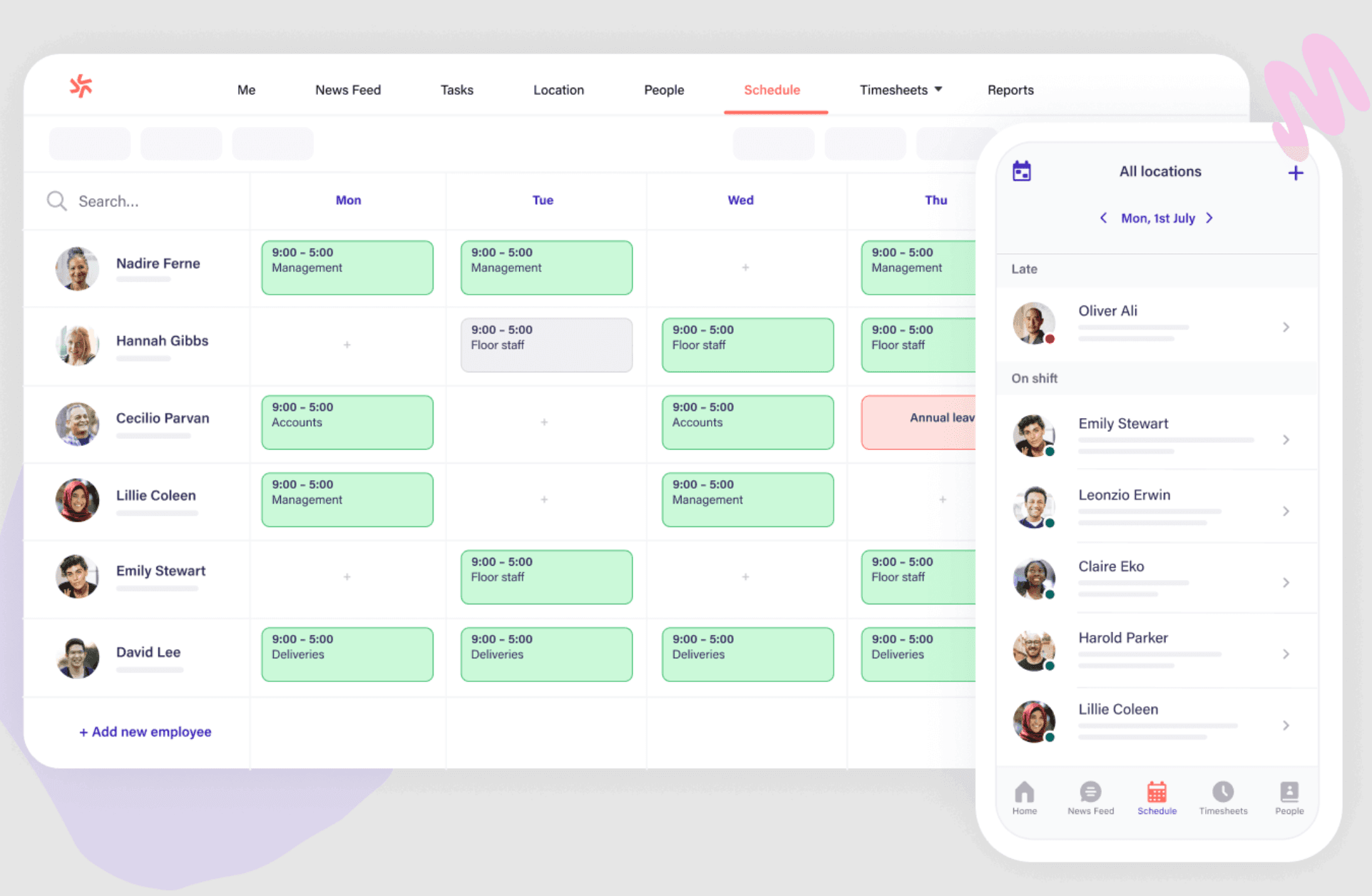
Best for: Businesses where staffing needs shift based on foot traffic, sales volume, or reservations — and where labor law compliance across multiple jurisdictions matters.
Deputy is a scheduling and team management app built around demand forecasting. Instead of building a schedule from scratch each week, Deputy pulls in sales data or foot traffic projections and auto-fills shifts based on predicted demand. For a cafe that's slammed Friday mornings and quiet Tuesday afternoons, that matters: it reduces over-staffing during slow periods and prevents scrambling when it gets busy.
The compliance tools are baked into the scheduling workflow, not bolted on after the fact. Break alerts, overtime warnings, and jurisdiction-specific rules surface in real time as you build the schedule. Deputy Payroll is now available as a U.S. add-on at $8/user/month plus a $49/month base fee on eligible plans. Core plans don't include payroll processing by default, so verify whether payroll is available for your plan and location before assuming you'll need a separate provider.
Key features:
- Auto-scheduling based on demand, availability, and labor law rules
- Time tracking with facial recognition clock-in
- Break compliance alerts built into the scheduling workflow
- Wide library of payroll and POS integrations
Pricing:
- No free plan — free trial available
- Lite: $5/user/month | Core: $6.50/user/month | Pro: $9/user/month
- Minimum monthly spend: $30/month
What users like:
"It's easy for everyone to use, whether you're a manager, a casual worker, or a full-time user." — Verified retail reviewer, G2
What users criticize:
"I find that it malfunctions and slows down." — Alexandra T., G2
Our take: Deputy is the strongest pick when demand forecasting is the actual problem, not just scheduling simplicity. If your staffing needs follow predictable patterns tied to sales volume or traffic, the forecasting features justify the per-user cost. If you just need to post shifts and track clock-ins, it's more tool than you need.
3. When I Work — best for simple scheduling.
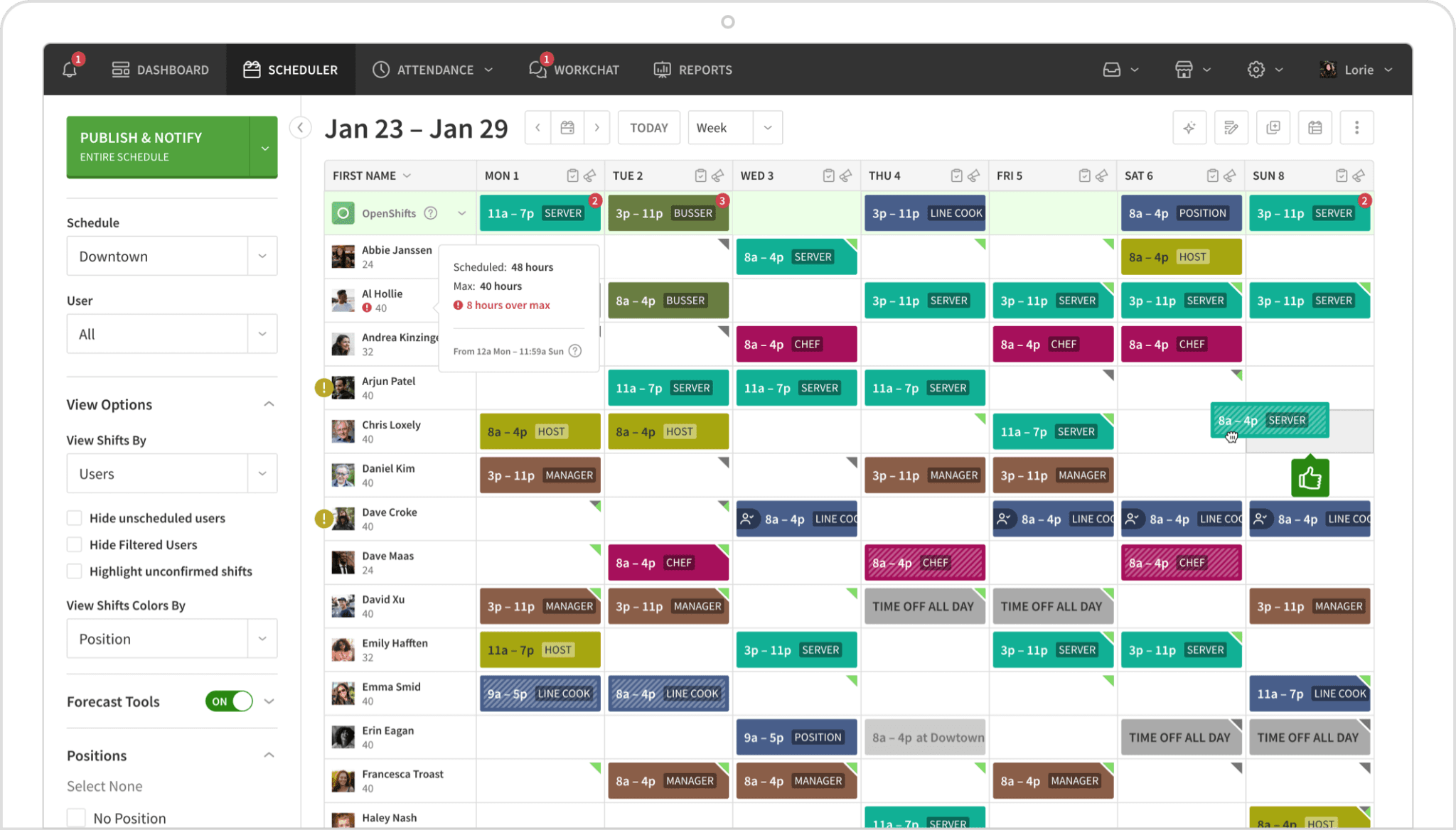
Best for: Teams that have outgrown group texts and spreadsheets and just need a clean, easy-to-learn way to build and share schedules.
When I Work keeps the scope narrow: scheduling, time tracking, and messaging, without the complexity that comes with trying to do everything. The interface is intuitive enough that most managers are building real schedules within an hour, and employees can swap shifts, check availability, and request time off from their phones without calling anyone.
The trade-offs are real. There's no free plan, just a 14-day trial. Time tracking is a paid add-on rather than included by default. And like most tools in this category, there's no built-in payroll.
Key features:
- Drag-and-drop scheduling with shift swapping and availability management
- GPS time clock (add-on)
- Team messaging via WorkChat, included in all plans
- Labor forecasting on higher-tier plans
Pricing:
- No free plan — 14-day free trial
- Essentials: $2.50/user/month (single location)
- Time tracking: add-on available (see wheniwork.com/pricing for current rates)
What users like:
"When I Work is great for time tracking, team communication, and saving time on scheduling." — Stenie O., Capterra
What users criticize:
"The steep price increase if you need 2 locations." — Matt A., Capterra
Our take: When I Work is the cleanest entry point for a team that's been running on a group text thread. The per-user cost is low enough for most single-location small businesses, but model the math before signing up, because it adds up faster for teams with variable headcount. The time-tracking add-on and missing payroll are worth knowing upfront.
4. 7shifts — best for restaurants.
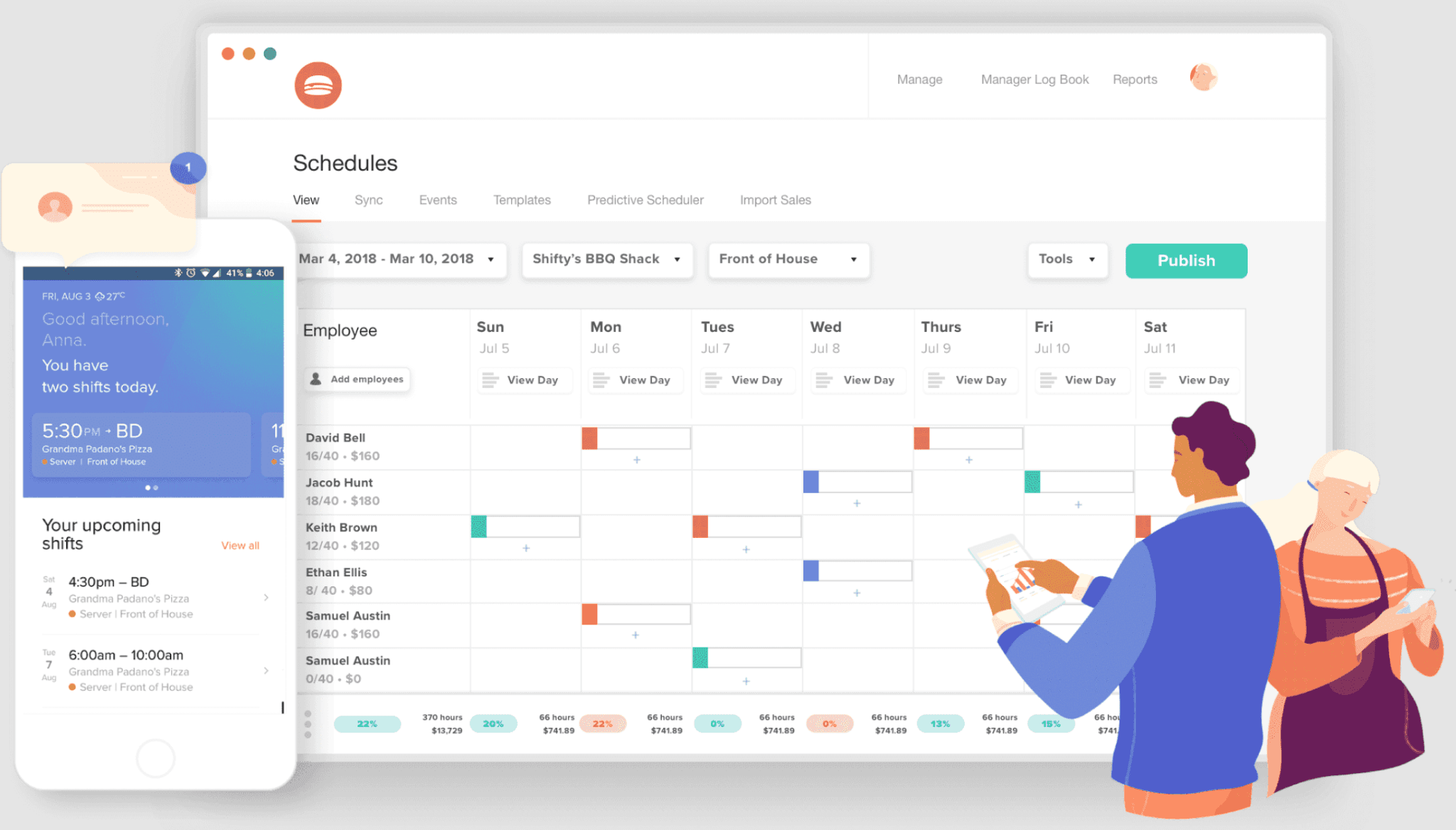
Best for: Restaurant owners and food service operators who want scheduling software built around how restaurants actually work — with tip management, POS integrations, and labor compliance for hospitality.
7shifts is purpose-built for food service. Every feature in the product reflects how restaurants operate: tip pooling, POS integrations with Toast, Square, and Clover, labor cost visibility tied directly to projected sales, and scheduling templates designed for front-of-house and back-of-house simultaneously. If you run a restaurant, it's worth a serious look.
If you don't run a restaurant, there's probably a better fit on this list. The feature set doesn't translate well to retail, salons, healthcare, or other hourly industries where the food-service specifics just add noise.
Key features:
- Restaurant-specific scheduling with labor compliance tools
- Tip pooling and tip management built in
- POS integrations with Toast, Square, and Clover
- Task management and team communication
Pricing:
- Free plan: up to 15 employees at 1 location (Comp plan)
- Paid plans: see 7shifts.com/pricing for current rates
- Payroll add-on: $39.99/month per location + $6/employee (U.S. only, paid plans required)
What users like:
"Built-in messaging, group chats, and announcement features streamline team communication." — Cory R., Capterra
What users criticize:
"Users report occasional performance issues, such as slow loading times, random logouts, and server crashes that can disrupt clocking in." — Cory R., Capterra
Our take: Non-restaurant businesses can stop reading this entry. For food service teams, especially those already using Toast, Square, or Clover, 7shifts earns a serious look. It's also worth noting that 7shifts now offers integrated payroll (U.S. only, paid plans required), making it one of the few tools on this list — alongside Homebase — with scheduling, time tracking, payroll, and team messaging in one product. The free tier for up to 15 employees at one location remains one of the most generous in the category.
5. Buddy Punch — best for time tracking with payroll integrations.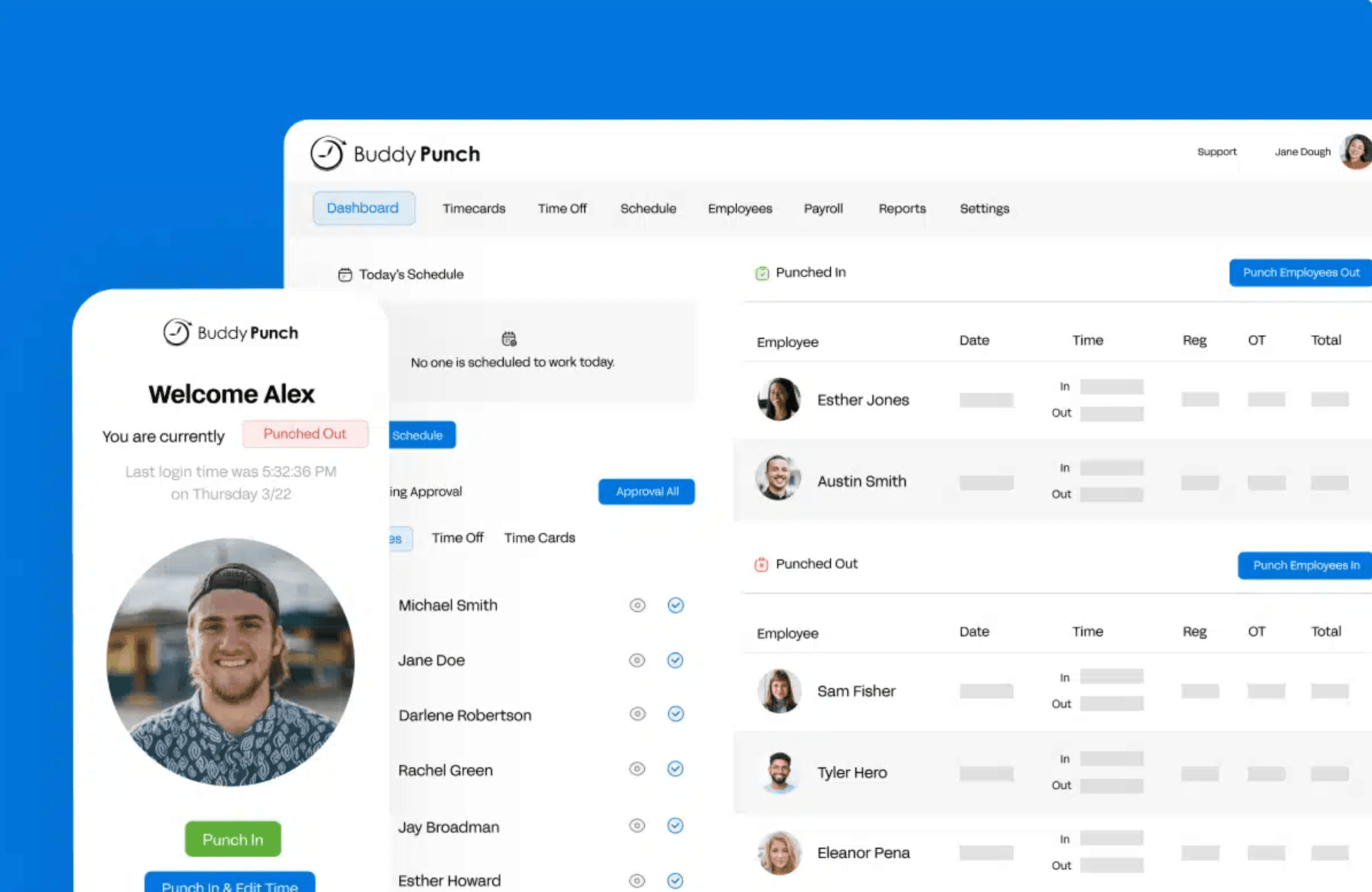
Best for: Field teams or distributed workforces that need accurate clock-ins, GPS verification, and clean exports to common payroll providers — without a lot of scheduling complexity.
Buddy Punch is a time tracking tool first. The focus is on accurate clock-ins: GPS verification, geofencing for field teams, photo verification, and integrations with the payroll providers most small businesses already use: ADP, Gusto, and QuickBooks. Scheduling is available but secondary; you'll need the Pro plan or a paid add-on on the Starter plan to access it.
The pricing structure is worth modeling before you sign up. There's a base fee plus a per-user charge, which can add up faster than a per-location or flat-rate model for teams with more than 10 or 15 people.
Key features:
- Clock-in and clock-out with GPS and IP address tracking
- Geofencing for field teams
- PTO management and accrual tracking
- Payroll integrations with ADP, Gusto, and QuickBooks
Pricing:
- No free plan — 14-day free trial
- Starter: $4.99/user/month (annual) or $5.99/month + $19/month base fee; scheduling is a $1/user/month add-on
- Pro: $6.99/user/month (annual) or $7.99/month + $19/month base fee; scheduling included
What users like:
"What I like most is how easy it is to use. Very user-friendly." — Melvin B., Scheduling Coordinator, G2
What users criticize:
"There are a few limitations with advanced features and reporting customization." — Wendell M., Capterra
Our take: Buddy Punch works best for field teams or distributed workforces where geofencing and GPS matter more than scheduling depth. Run the base fee plus per-user math for your headcount before committing, because it gets expensive faster than a flat per-location model for teams over 15 people.
6. Sling — best free scheduling option.
Best for: Budget-constrained small businesses that need scheduling and team communication for up to 30 employees at no cost — and don't need time tracking or payroll yet.
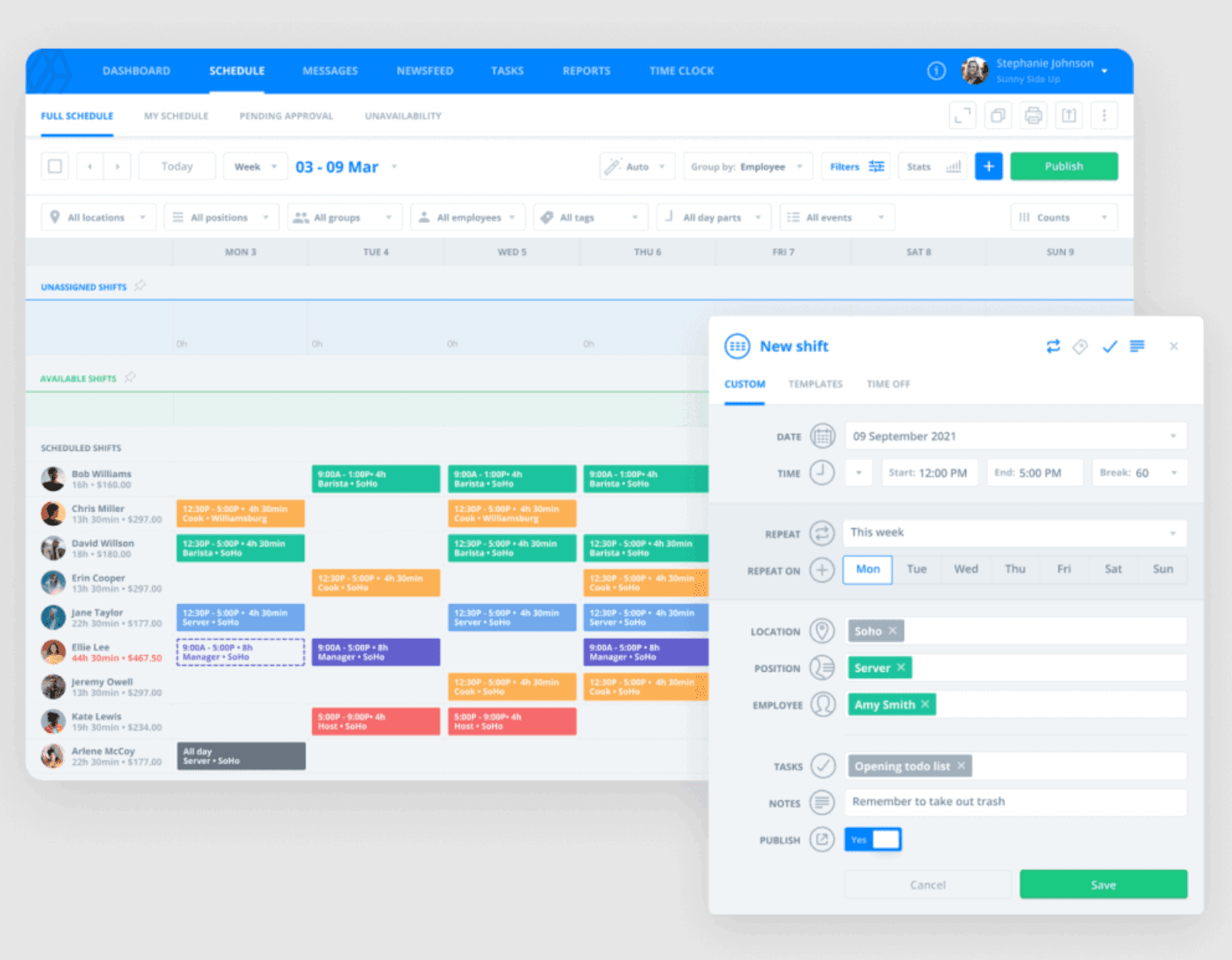
Sling's free plan covers scheduling, shift swapping, and team messaging for up to 30 employees, with no credit card required and no time limit. For a small business owner who just needs a way to build and share schedules without paying for software, that's a real option.
The catch is that time tracking is locked behind a paid plan, and there's no payroll on any tier. Sling was acquired by Toast. While Sling explicitly markets to healthcare, retail, education, events, and other industries beyond food service, it's worth checking whether the current feature roadmap matches your industry before committing.
Key features:
- Employee scheduling with shift swapping and availability management
- Team messaging and announcements (free and paid plans)
- Time tracking with geofencing and labor cost monitoring (paid only)
- Task management
Pricing:
- Free plan: scheduling, shift swapping, messaging — up to 30 employees
- Premium: $1.70/user/month annual equivalent (adds time tracking, overtime tracking, labor cost management)
- Business: $3.40/user/month annual equivalent (adds PTO management, reporting, kiosk time tracking)
What users like:
"I can use the mobile app to view the schedule between lessons without having to get to my desk." — Blerta K., Capterra
What users criticize:
"It's getting more expensive as our team grows, as it's priced per employee." — Angelika M., Capterra
Our take: Sling's free tier is hard to beat if scheduling and messaging cover your immediate needs and you have fewer than 30 team members. The time-tracking paywall is worth knowing upfront. Sling was acquired by Toast, and while it serves multiple industries, it's worth checking the current roadmap fits your needs before committing.
7. Jibble — best free time tracker.
Best for: Teams that need accurate time tracking with facial recognition, GPS, and basic scheduling at no cost.
Rating: G2 4.7/5 · Capterra 4.8/5 (1,953 reviews)
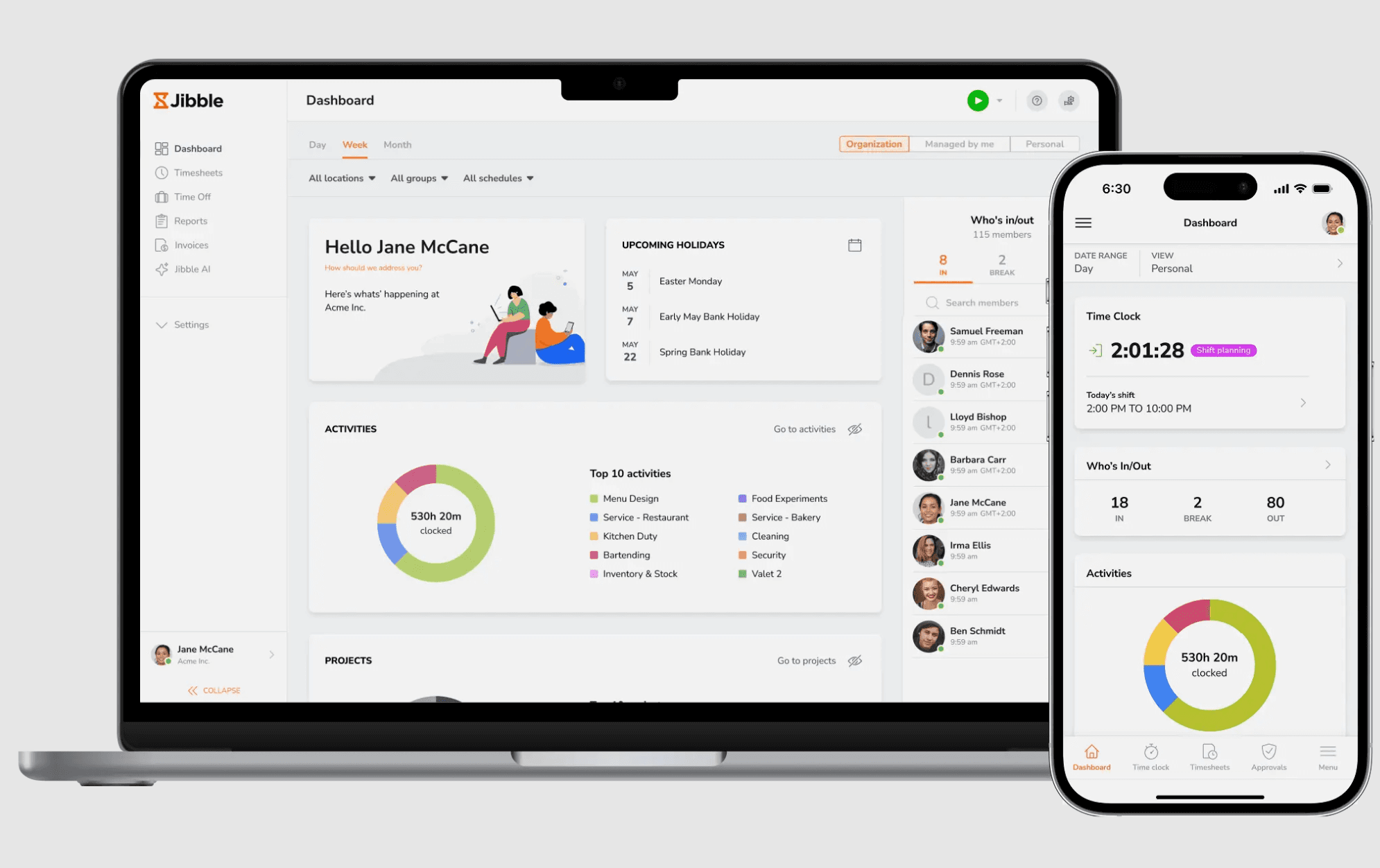
Jibble's free plan is one of the most generous in this category: unlimited users, facial recognition clock-in to prevent buddy punching, GPS tracking, geofencing, automated timesheets, and now shift scheduling (including shift creation, open shifts, and conflict detection). All of it at no cost, no trial period, no feature expiration. For a team that needs time tracking and basic scheduling without paying for software, Jibble earns a serious look.
Key features:
- Facial recognition clock-in to prevent buddy punching
- GPS tracking and geofencing (free tier)
- Automated timesheets with approval workflow
- Shift scheduling with open shifts and conflict detection (free tier)
- Integrations with QuickBooks, Xero, and Slack
Pricing:
- Free plan: unlimited users — time tracking, GPS, facial recognition, automated timesheets, scheduling
- Premium: see jibble.io/pricing for current rates
- Ultimate: $6.99/user/month (custom permissions, live location tracking)
What users like:
"The interface is intuitive, reporting is straightforward, and it has made time tracking much more organized and efficient for our team." — Rizza O., G2
What users criticize:
"The mobile app can occasionally be slow to refresh attendance data." — Ben P., Capterra
Our take: Jibble's unlimited-user free tier is real and functional. With scheduling now included in the free plan, the previous knock against it (no shift management) no longer applies. It's a narrower tool than Connecteam overall, but for teams that want time tracking, GPS, facial recognition, and basic scheduling at no cost, it's hard to argue with.
Homebase vs. Connecteam: How Do They Compare?
If you're weighing Connecteam vs. Homebase specifically, here's where they diverge.
Payroll. Homebase has it built in: hours go from timesheets to paychecks without re-entry or a third-party export. Connecteam doesn't include payroll on any plan. You'll need a separate provider regardless of which Connecteam hub you're on.
Pricing model. Homebase charges per location with core features included at each tier. Connecteam charges per hub, so your actual cost depends on which combination of Operations, Communications, and HR & Skills you need. Most businesses need more than one hub, and the Basic plan runs $35/month per hub as of mid-2026.
Free plan. Both cap at 10 users. Homebase's free tier covers scheduling and time tracking at one location. Connecteam's free plan spans all three hubs but goes shallower in each; features like geofencing and advanced reporting require a paid plan.
Team communication. Connecteam has the edge here. Surveys, recognition tools, a configurable employee directory, and a fuller newsfeed make it a stronger pick for businesses that prioritize internal communications over operational tools. Homebase handles shift-related messaging well but doesn't match that depth.
Bottom line. Homebase is the stronger fit for hourly teams that want scheduling, time tracking, and payroll connected in one place. Connecteam is the better pick for businesses that prioritize internal communications and training, and are comfortable managing payroll through a separate provider.
"Scheduling and communication is always one of the hardest parts as a leader. Homebase makes it easier so you can get back to blending your tea or making your muffins or whatever it is you do in business." — Jamila Wright, Co-Owner, Brooklyn Tea
Connecteam Alternatives at a Glance
| Tool | Free plan | Starting price | Scheduling | Time tracking | Payroll | Best for |
|---|---|---|---|---|---|---|
| Connecteam | Yes — up to 10 users | $35/month per hub (Basic, first 30 users) | Yes | Yes | No | Mobile-first frontline teams |
| Homebase | Yes — up to 10 employees, 1 location | $30/month per location ($24/month annual) | Yes | Yes | Yes — add-on ($49/month + $6/person) | All-in-one hourly team management |
| Deputy | No — free trial only | $5/user/month | Yes | Yes | Add-on (U.S.) | Demand-based scheduling |
| When I Work | No — 14-day trial | $2.50/user/month | Yes | Add-on | No | Simple scheduling |
| 7shifts | Yes — up to 15 employees, 1 location | See 7shifts.com/pricing | Yes | Yes | Add-on (U.S.) | Restaurants |
| Buddy Punch | No — 14-day trial | $4.99/user/month + $19/mo base (annual) | Add-on on Starter; included on Pro | Yes | No — integrations only | Time tracking + payroll integrations |
| Sling | Yes — up to 30 employees | $1.70/user/month (annual equivalent) | Yes | Paid only | No | Free scheduling |
| Jibble | Yes — unlimited users | See jibble.io/pricing | Yes | Yes | No | Free time tracking + scheduling |
Pricing verified against official pages as of September 2026.
How to Choose the Right Connecteam Alternative
The right tool depends on what you're actually trying to solve.
If you want one app that does it all, Homebase is one of the few tools on this list with scheduling, time tracking, payroll, and messaging in one product. For non-restaurant businesses, it's the clearest fit. No separate payroll vendor, no data exports before payday.
If scheduling is the main priority, When I Work or Sling offer focused, easy-to-learn employee scheduling without unnecessary complexity.
If you run a restaurant, 7shifts is purpose-built for food service and integrates with the POS systems restaurants actually use.
If you just need time tracking, Jibble (facial recognition, unlimited users, scheduling included, free) or Buddy Punch (GPS, geofencing, strong payroll integrations) are both solid choices.
If demand forecasting matters, Deputy's auto-scheduling is the standout option when staffing needs fluctuate with sales volume.
If budget is the main constraint, Sling (free scheduling for up to 30 employees) or Jibble (free time tracking with no user cap) give you the most without a paid plan.
Frequently Asked Questions About Connecteam Alternatives
Is there a free alternative to Connecteam?
Yes, several. Homebase, Sling, Jibble, and 7shifts all offer free plans. Jibble has the most generous free tier with unlimited users, time tracking, and now scheduling included. Sling covers scheduling and messaging for up to 30 employees. Homebase's free plan includes scheduling and time tracking for up to 10 team members at one location, with payroll available as a paid add-on when you're ready.
What apps are similar to Connecteam?
The apps most similar to Connecteam (covering scheduling and time tracking for hourly teams) are Homebase, Deputy, and When I Work. Homebase and 7shifts are the only ones on this list that also include payroll processing — Homebase for teams across hourly industries, 7shifts for U.S.-based restaurant operators. For restaurant-specific teams, 7shifts is the closest equivalent to Connecteam's communications and scheduling depth.
Does Connecteam have a free plan?
Yes. Connecteam's Small Business Plan is free for life for up to 10 users and provides access to all three hubs and all features, with limits of one time clock and one job schedule. Features like geofencing, advanced reporting, and custom forms require a paid plan. Some Capterra reviews and Reddit discussions report feeling pressured toward paid features as a team grows, so it's worth knowing the free plan's limits before committing.
How much does Connecteam actually cost per month?
More than the base price suggests. The Basic plan starts at $35/month per hub for the first 30 users on monthly billing (annual-equivalent is $29/month per hub). Teams that need scheduling (Operations hub), messaging (Communications hub), and HR tools (HR & Skills hub) are buying three separate subscriptions: $105/month minimum on monthly billing across all three at Basic tier. Per-user fees apply once you pass 30 users on each hub. Verify current pricing at connecteam.com.
Does Connecteam have built-in payroll?
No. Connecteam doesn't process payroll itself; it integrates with providers including ADP, Gusto, QuickBooks Online, Paychex, and Xero. If you want payroll processing built into the same product you use for scheduling and time tracking, Homebase handles that for teams across hourly industries, and 7shifts handles it for U.S.-based restaurant operators on paid plans.
What is the best scheduling app for small businesses?
For small businesses with hourly teams, Homebase is the strongest all-around option. It combines employee scheduling, time tracking, payroll, and team messaging in one place without requiring multiple tools. Restaurant owners should also consider 7shifts. Teams that only need scheduling can get started for free with Sling (free up to 30 employees) or Jibble (free, unlimited users, scheduling included).
Why are people leaving Connecteam?
The recurring themes in reviews: the hub pricing model becomes complicated as needs grow, Connecteam doesn't process payroll itself (it integrates with providers), and some users find the interface more complex than expected. Across multiple Reddit discussions, feedback is mixed: some owners have used Connecteam for years and find the breadth valuable; others report UX friction, upselling pressure, and rising costs as their team grows — a theme that comes up in r/smallbusiness and r/RunYourBusiness threads on the topic.
The Best Connecteam Alternative for Your Small Business
The right tool is the one that matches how your business actually runs. If payroll, scheduling, and time tracking are all things you're managing, and you're tired of exporting data between tools to make it work every pay period, Homebase connects all three in one app built specifically for small businesses with hourly teams.