Top 8 Clockify Alternatives for Small Business Time Tracking


SMALL BUSINESS INTEL, IN YOUR INBOX
Table of contents
In April 2026, Clockify's parent company CAKE.com announced changes to its free plan. Teams that had relied on unlimited users suddenly faced a 5-person cap. Features like billable rates, CSV exports, and shared report links moved behind a paywall, often with little warning.
If your team has grown past five people, or if you're tracking hours to run payroll rather than bill a client, Clockify's original pitch no longer fits your business.
Most comparison guides lump two very different use cases together: project billing (freelancers tracking client hours) and shift-based attendance (restaurants, retail shops, salons tracking when people clock in and out). This article doesn't. Every Clockify alternative below was chosen with small businesses and hourly teams in mind.
Here are 8 tools worth considering, what each one does best, and where each one falls short.
The Best Clockify Alternatives for Small Business Time Tracking at a Glance
If you're in a hurry, here's the short version.
- Homebase: Best for small businesses with hourly teams who need scheduling, time tracking, and payroll in one place. Free for up to 10 team members at one location.
- Toggl Track: Best for freelancers and project teams who want clean reporting. Free for up to 5 users.
- Harvest: Best for consultants and freelancers who invoice clients directly. Free for 1 seat and 2 projects.
- TimeCamp: Best for teams that want AI-assisted time tracking and unlimited free users. Free plan available.
- Hubstaff: Best for remote and field teams that need GPS tracking and payroll workflows. Starts at $7/user/month (monthly).
- Jibble: Best for teams that need unlimited free users after Clockify's cap. Free plan available.
- Buddy Punch: Best for small businesses needing GPS clock-in, scheduling, and payroll integrations. Starts at $4.99/user/month plus a $19 monthly base fee.
- QuickBooks Time: Best for businesses already using QuickBooks. Starts at $20/month plus $10/user/month.
Why Look for a Clockify Alternative?
On April 21, 2026, CAKE.com announced changes that reshaped what Clockify's free plan actually includes. Here's what changed:
- The free plan is now capped at 5 users. Teams of six or more need a paid plan for everyone. The previous unlimited-user free tier was Clockify's biggest selling point for small teams.
- Billable rates moved to paid tiers. Tracking billable versus non-billable time now requires at least the Basic plan at $4.99/user/month.
- CSV and Excel exports require a paid plan. Free users can still export PDFs, but not spreadsheet formats, which breaks a lot of existing workflows.
- Free plan reports are limited to a 31-day date range. You can no longer pull a full quarter or a year of data without upgrading.
- Kiosk mode, shared report links, and project time estimates all moved to paid tiers. Features that many brick-and-mortar businesses depended on are no longer free.
Beyond the pricing changes, there's a structural mismatch that the 2026 update made more visible. Clockify is primarily oriented toward project and billable-time tracking. Its core flow: start a timer, assign it to a client or task, stop the timer. That's a different job than managing when a crew of ten clocks in and out, tracking break compliance, or connecting timesheet data directly to payroll.
If your team is hourly, shift-based, or growing past Clockify's free-tier limits, you're likely looking for something built around those needs.
What Is Clockify and Who Is It For?
Clockify is a time tracking tool founded in 2017 by Nenad Milanovic and Lazar Vujanic. It's built around timer-based logging: you start a timer, assign the time to a project or client, and stop it when you're done. Reports, billing summaries, and basic invoicing are available, with more advanced features like scheduling, GPS, and kiosk mode on paid plans.
Clockify is used by freelancers, agencies, and project-based professional services teams. It works well when your primary goal is tracking time against client deliverables or internal projects. It's strongest for teams of 5 or fewer on the free plan, and for organizations where billable-hours reporting is the central use case. It's not the most natural fit for businesses that need shift scheduling, break compliance, or direct payroll integration as their primary workflow.
How We Evaluated These Clockify Alternatives
We focused on tools that make practical sense for small businesses with hourly teams. That means we're less interested in how well a tool handles six-figure agency retainers and more interested in whether your team can clock in from a phone, whether overtime gets flagged before it hits payroll, and whether you're managing scheduling and time tracking in one place or two.
We evaluated each tool on:
- Free tier depth: What do you get without paying, and what's locked behind a paywall?
- Hourly team fit: Is the tool built around shift-based clock-in/out, or project timers?
- Scheduling integration: Can you build shifts in the same tool, or is scheduling a separate subscription?
- Payroll connection: Does tracked time connect to payroll directly, or does it require manual exports?
- Mobile clock-in: Can team members clock in from a phone without a computer nearby?
- GPS and location verification: Is it available, and at what plan level?
- User ratings: Verified against current G2 and Capterra pages.
We also reviewed Reddit threads, G2 and Capterra reviews, and each tool's live pricing and feature pages. For methodology details, see our editorial approach to software reviews.
Why Trust Homebase? A Note on Our Process
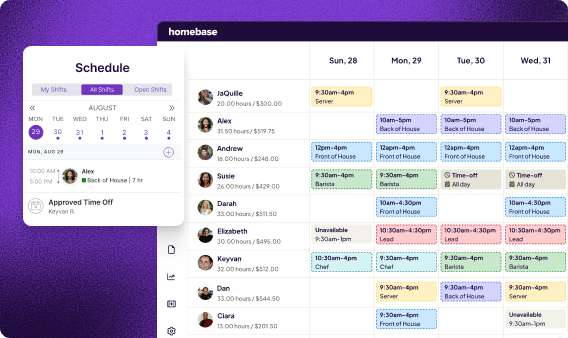
Homebase publishes this guide. We make scheduling, time tracking, payroll, hiring, and team communication tools for small businesses with hourly teams (restaurants, retailers, salons, cleaning crews, and more).
Homebase isn't in the ranked list below. Every tool was evaluated on its own merits. We don't accept payment for inclusions, and we don't rank tools based on affiliate arrangements.
We built this guide because the questions we hear from our customers deserve a real answer built around their actual use case, not a generic listicle.
"I want to have everything in just one platform so I don't have to jump into different platforms. That made it easy." (Roberto Bustillos, Co-Owner, Lombard Doggy Daycare)
If Homebase sounds like it could work for your business, you can compare plans and start for free.
Clockify Alternatives At a Glance
| Tool | Starting price | Free tier | Free user cap | Mobile clock-in | Scheduling | Payroll connection | Best for |
|---|---|---|---|---|---|---|---|
| Clockify | Free; paid from $4.99/user/mo | ✓ | 5 users | ✓ | Paid plans only | Via integrations | Freelancers tracking billable hours by project |
| Homebase | Free; paid from $30/location/mo | ✓ | 10 employees, 1 location | ✓ | ✓ | Add-on ($39/mo + $6/employee) | Small businesses with hourly shift-based teams |
| Toggl Track | Free; paid from $9/user/mo (annual) | ✓ | 5 users | ✓ | ✗ | ✗ | Freelancers and project teams tracking billable time |
| Harvest | Free; paid from $11/seat/mo | ✓ | 1 seat, 2 projects | ✓ | Via Forecast (separate product) | ✗ | Consultants and freelancers who invoice clients |
| TimeCamp | Free; paid from $3.99/user/mo (annual) | ✓ | Unlimited | ✓ | ✗ | Via integrations | Teams wanting AI-assisted timesheets and no user cap |
| Hubstaff | 7/user/mo(4.99 annual); no free plan | ✗ | — | ✓ | ✓ | Paid plans | Remote and field teams needing GPS + payroll workflows |
| Jibble | Free; paid from $3.99/user/mo (annual) | ✓ | Unlimited | ✓ | ✗ | Via integrations | Teams that need unlimited free users after Clockify's cap |
| Buddy Punch | $4.99/user/mo + $19 base fee/mo; no free plan | ✗ | — | ✓ | ✓ | ✓ (QuickBooks, ADP, Paychex, SurePayroll) | Small businesses needing GPS clock-in, scheduling, and payroll integrations |
| QuickBooks Time | $20/mo base + $10/user/mo; no free plan | ✗ | — | ✓ | ✓ | ✓ (native QuickBooks sync) | Businesses already using QuickBooks for accounting or payroll |
Homebase — Our Pick for Small Businesses with Hourly Teams
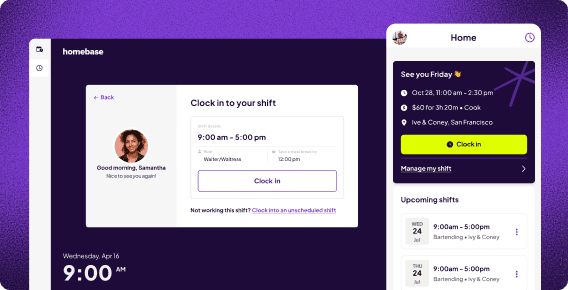
Homebase is best for: Small businesses with hourly teams who need scheduling, time tracking, and payroll in one place.
Rating: G2 4.5 · Capterra 4.6
Homebase is an all-in-one tool built specifically for businesses with hourly teams. Unlike Clockify, which is built around project timers, Homebase is built around shifts: your team clocks in, you track their hours, and that data connects directly to payroll. Scheduling, time tracking, and team messaging all live in the same app, which means you're not paying for, or switching between, three separate tools.
Key features:
- Mobile time clock works on any device (phone, tablet, POS, or computer) with GPS location verification and photo capture at clock-in
- Automatic overtime alerts before you hit the threshold, not after
- Break compliance reminders and timecard records for labor law documentation
- Scheduling built into the same system: build shifts, post open shifts, approve trades and time-off requests
- Team messaging on Essentials and above, so shift coverage conversations happen in one place
Pricing: Free for up to 10 team members at one location. Paid plans start at $30/location/month (Essentials) when billed monthly, or $24/location/month billed annually. Payroll is a paid add-on at $39/month plus $6/month per employee. See full pricing here.
What users like:
"Before Homebase I was manually tallying up my team's work hours and entering them into payroll, crossing my fingers I hadn't made any mistakes. Now our entire team logs in and out quickly and easily with the Homebase app, and all I have to do is send their hours to my payroll program with the click of a button."
What users criticize: Some users report occasional syncing delays and note that certain features, like team messaging and advanced reporting, are locked behind paid plans. A few reviewers mention that pricing adds up as you add locations.
Our take: Homebase makes the most sense if you're running a team with regular shifts, a physical location, and hourly pay. If you're a freelancer billing clients by the hour, the scheduling-first design isn't what you need. Toggl Track or Harvest will serve you better.
8 Clockify Alternatives Worth Considering
1. Toggl Track
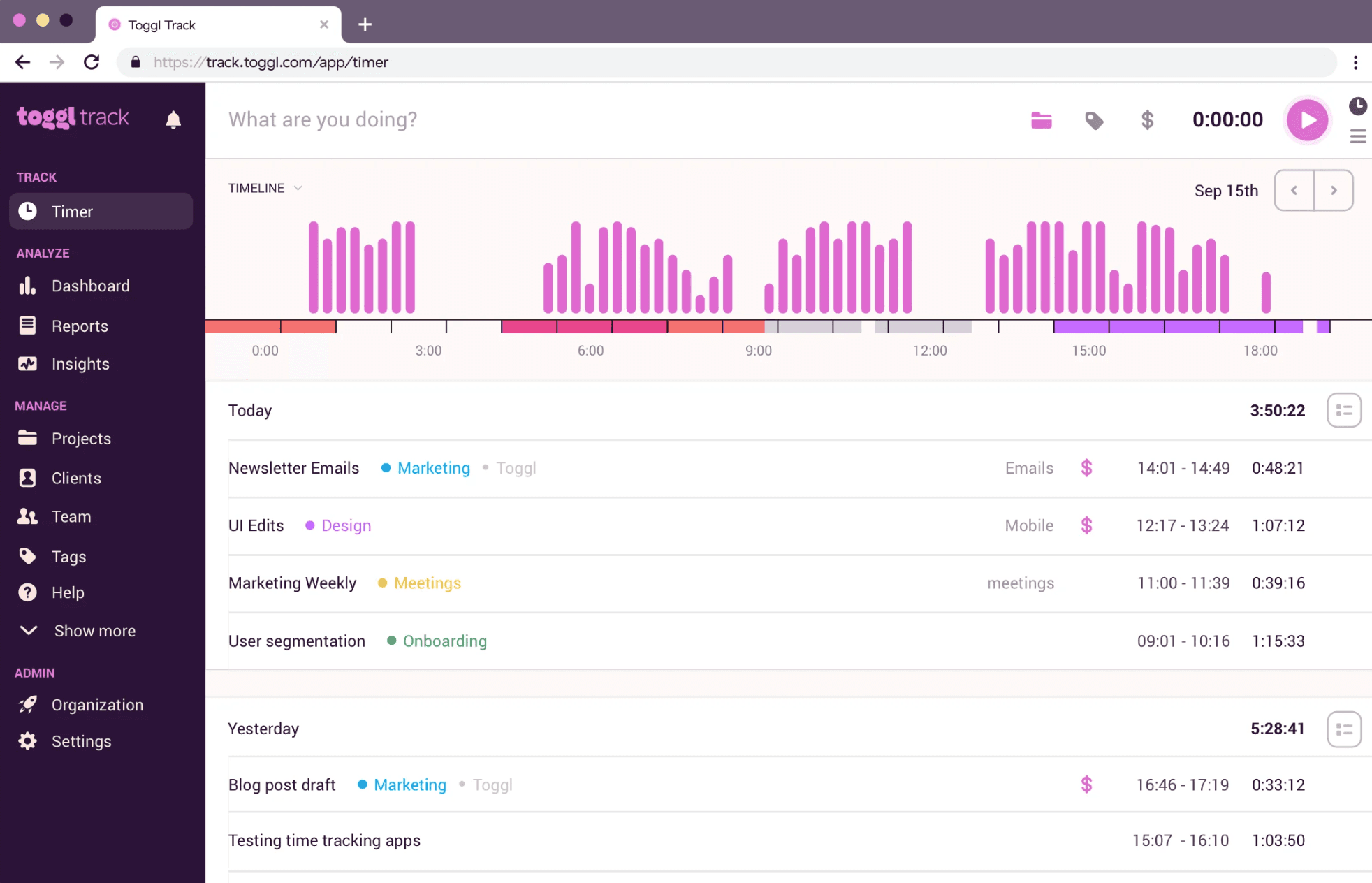
Best for: Freelancers and small project-based teams who want clean reporting and an intuitive interface
Rating: G2 4.6 (1,588 reviews) · Capterra 4.7
Toggl Track is a timer-based time tracking tool built for people who log hours against projects and clients. If what's pushing you away from Clockify is the interface or the reporting quality, Toggl is the closest like-for-like alternative. It's cleaner, its analytics go deeper, and it adds useful features like automatic tracking from your calendar and a built-in Pomodoro timer.
Key features:
- One-click timer with automatic tracking suggestions from calendar events
- Browser extension for tracking across web apps (Asana, Trello, Jira, and 100+ more)
- Custom reports, dashboards, and project insights
- Pomodoro timer built in
- No employee monitoring or surveillance features
Pricing: Free for up to 5 users. Starter at $9/user/month billed annually ($12/month billed monthly). Premium at $18/user/month billed annually ($20/month billed monthly). Verify current pricing at toggl.com/track/pricing.
What users like: Reviewers consistently cite ease of use and the intuitive interface. The timer starts fast, works across devices, and doesn't get in the way of the work.
What users criticize: Users flag limited functionality on the mobile app, missing features for more complex project management needs, and pricing that feels steep as team size grows.
Our take: Toggl is the right call if you're leaving Clockify because of the interface or analytics. It's not the right call if you need shift scheduling or direct payroll sync. Toggl doesn't do either, and you'd be adding separate subscriptions to fill those gaps.
2. Harvest
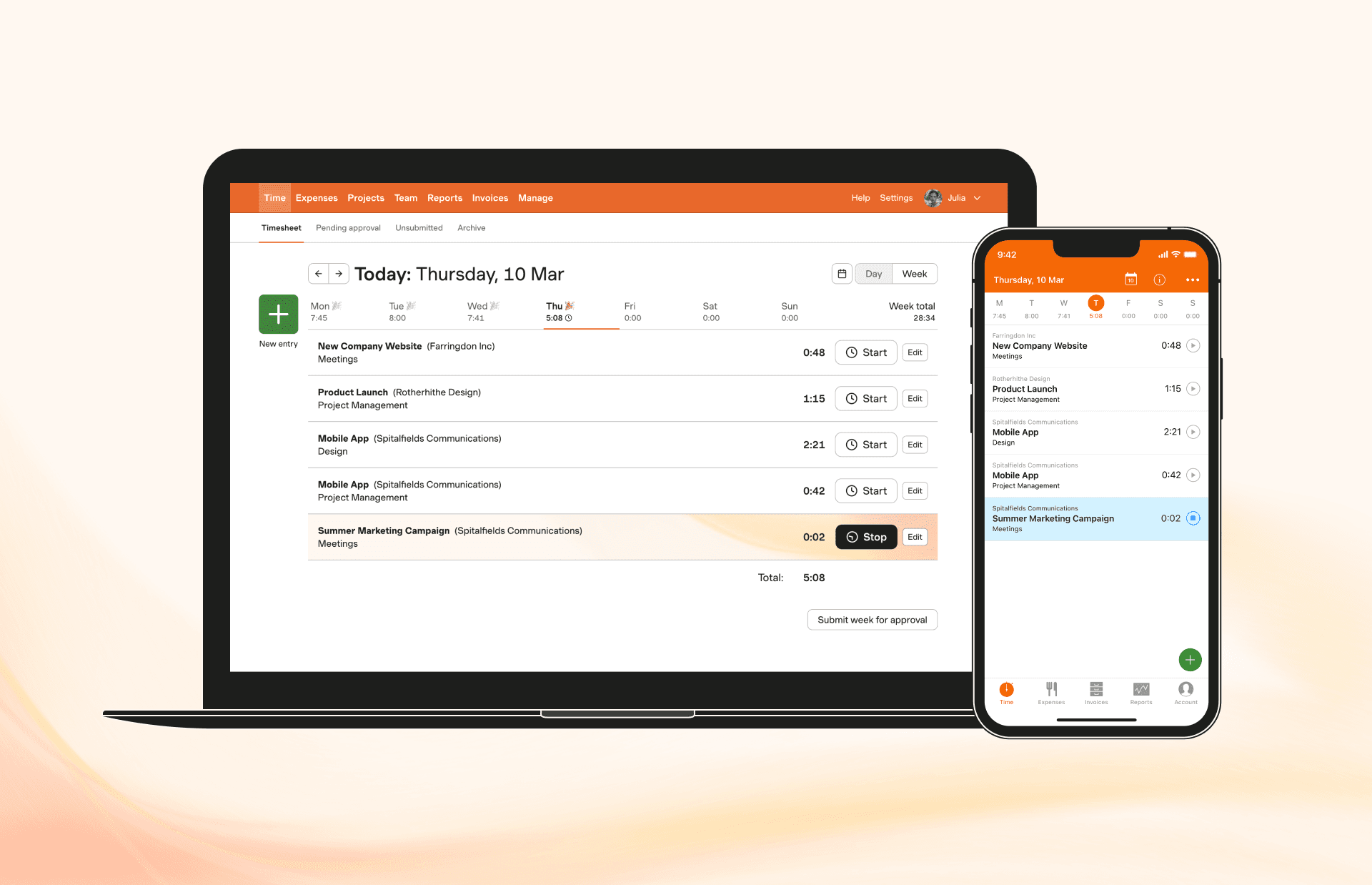
Best for: Freelancers and consultants who need to turn time tracked into client invoices
Rating: G2 4.3 (834 reviews) · Capterra 4.6 (652 reviews)
Harvest is a lightweight time tracking tool built around invoicing. You track time against projects and tasks, and Harvest converts those hours into invoices, with PayPal and Stripe integrations so clients can pay directly from the invoice. It's a natural Clockify alternative for anyone who was primarily using Clockify for client billing.
Key features:
- Timesheet-to-invoice conversion in a few clicks
- PayPal and Stripe payment integrations
- Project budget tracking with hour-level granularity
- Expense tracking per project
- 68+ integrations including Asana, Trello, QuickBooks, and Slack
Pricing: Free for 1 seat and 2 projects. Paid Teams plan at $11/seat/month (monthly) or $9/seat/month billed annually. Verify current pricing at getharvest.com/pricing.
What users like: Users consistently praise the invoicing experience and the ease of converting time entries into billable invoices. The interface is clean and the learning curve is low.
What users criticize: Reviewers cite limited reporting capabilities and pricing that becomes expensive when teams grow. A few mention inconsistent customer support.
Our take: Harvest is purpose-built for client billing. If that's your use case, it's one of the better tools in this space. If you're tracking hours to run payroll for hourly team members, Harvest isn't the right tool: it has no shift scheduling, and its time tracking design assumes project-based work rather than shift-based attendance. Note that scheduling and capacity planning are handled through a separate Harvest product called Forecast.
3. TimeCamp
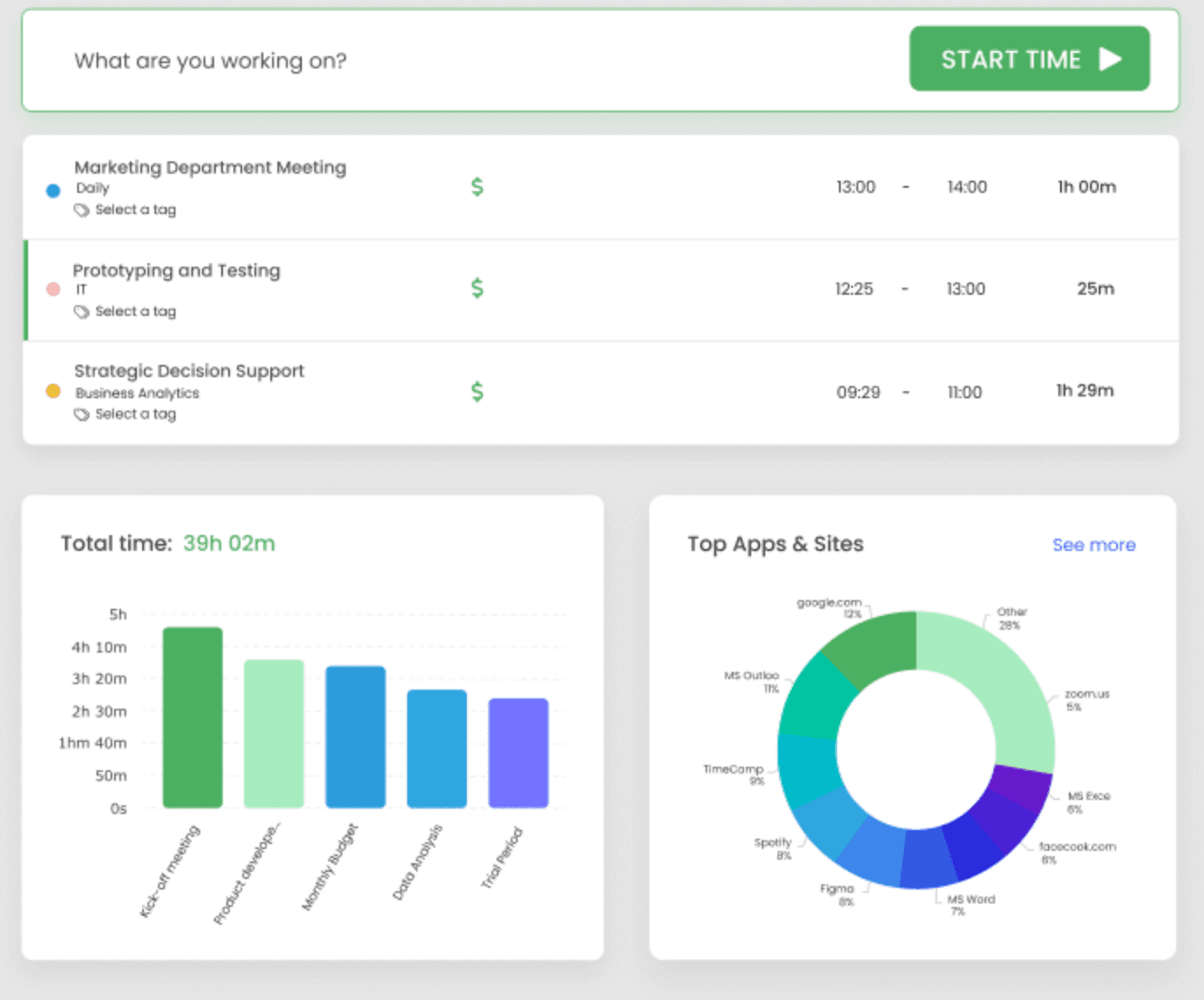
Best for: Teams that want AI-assisted timesheet completion and a free plan with no user cap
Rating: G2 4.7 (354 reviews) · Capterra 4.7 (599 reviews)
TimeCamp is a time tracking tool with automatic tracking built in. Rather than requiring team members to start and stop timers manually, TimeCamp can analyze app and website activity in the background and populate timesheets automatically. It also offers a kiosk mode for shared clock-in stations and strong attendance management features.
One notable point: TimeCamp's free plan supports unlimited users, which makes it one of the few remaining tools where Clockify's April 2026 changes create a direct, free-plan comparison.
Key features:
- AI-powered automatic time tracking from desktop activity
- Kiosk mode for shared clock-in stations
- Geofencing and GPS tracking for remote or field teams
- Attendance tracking including PTO and leave management
- Timesheet approval workflows
Pricing: Free plan for unlimited users. Starter at $3.99/user/month billed annually ($5.49/month billed monthly). Premium at $6.99/user/month billed annually ($9.99/month billed monthly). Verify current pricing at timecamp.com/pricing.
What users like: Reviewers consistently highlight the automatic tracking feature and how it reduces the manual burden of time entry. Attendance reporting is also frequently cited.
What users criticize: Users report occasional mobile app issues, slow loading, and some limitations in customization and feature depth. The monitoring features (screenshots and app tracking) come up as a concern in some reviews.
Our take: TimeCamp works well for teams that want the "set it and forget it" side of time tracking, and the unlimited free tier is a genuine advantage right now. Worth noting: TimeCamp does not offer traditional employee scheduling. If shift management is central to your operation, you'd still need a separate tool for that.
4. Hubstaff
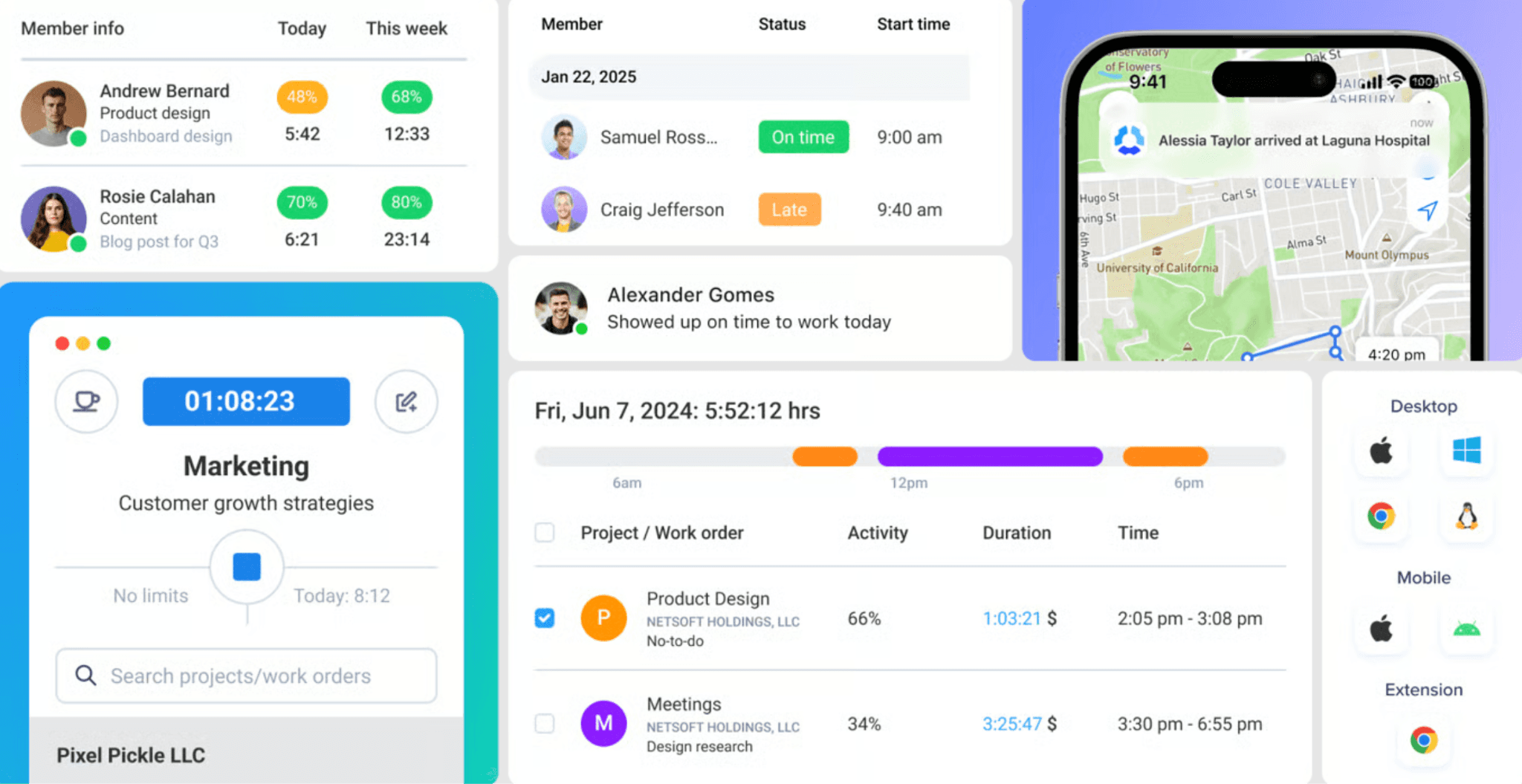
Best for: Remote and field teams that need GPS location tracking alongside time tracking and team visibility
Rating: G2 4.3 · Capterra 4.5 (1,613 reviews)
Hubstaff is a time and attendance tool built for distributed and field-based teams. It tracks time via mobile or desktop, confirms location with GPS and geofencing, and offers payroll and automated payment workflows, including integrations with common payroll providers. It's one of the more complete options for teams that need location verification as a core requirement.
Key features:
- GPS tracking and geofencing with controls to prevent remote clock-ins
- Payroll and automated payment workflows (availability varies by plan and location — verify at hubstaff.com)
- Employee scheduling and shift management
- Overtime, PTO, and attendance tracking
- Over 20 customizable reports
- Optional productivity monitoring (screenshots, activity tracking)
Pricing: Starter at $7/user/month billed monthly, or $4.99/user/month billed annually. Grow at $9/month or $7.50 annually. Team at $12/month or $10 annually. Enterprise at $25/month. No free plan. Verify current pricing at hubstaff.com/hubstaff-pricing-guide.
What users like: Reviewers cite time tracking accuracy and the GPS and location features as particular strengths. Team visibility (seeing who's working, where, and how long) comes up consistently in positive reviews.
What users criticize: Some reviewers mention UI complexity, limitations in reporting customization, and add-on costs that can drive the total price higher than expected.
Our take: Hubstaff is a solid option for remote or field-based teams where location verification is the core requirement. The optional productivity monitoring (screenshots, activity tracking) is worth discussing with your team before rolling it out, since it tends to come up in reviews as a friction point with employees. For a small retail or restaurant operation with a fixed location, the per-user pricing adds up faster than some of the alternatives here.
5. Jibble
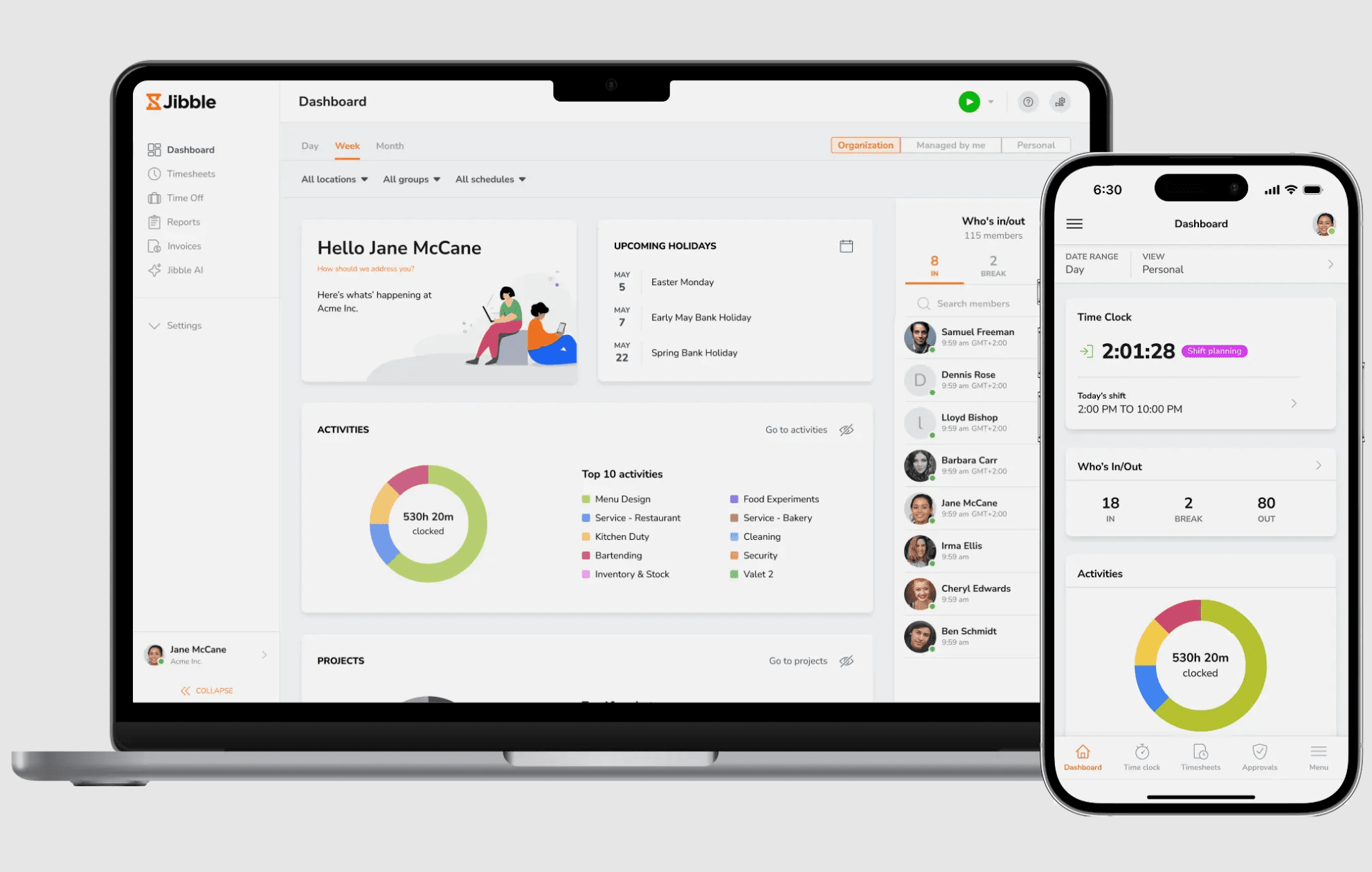
Best for: Teams that need unlimited free users after Clockify's 5-person cap
Rating: G2 4.7 (506 reviews) · Capterra 4.8 (1,953 reviews)
Jibble is a time and attendance tool with one of the few remaining free plans that supports unlimited users. After Clockify's April 2026 changes, that makes it a direct comparison for any team that simply outgrew Clockify's free tier. Its clock-in features include biometric verification, facial recognition, NFC card support, and a kiosk option, making it suited to businesses with physical locations and stricter attendance controls.
Key features:
- Free plan for unlimited users
- Biometric and facial recognition clock-in
- NFC card and shared kiosk support
- Geofencing and GPS location verification
- Overtime tracking and automated work hour calculations
- Slack and Microsoft Teams integrations
Pricing: Free for unlimited users. Paid plans from $3.99/user/month billed annually, or $4.99/user/month billed monthly. Verify current pricing at jibble.io/upgrade-plans before publishing — free plan terms have changed at other tools in 2026.
What users like: Reviewers consistently praise the ease of use, intuitive interface, and the generosity of the free plan. Time tracking and payroll visibility are frequently cited as positives.
What users criticize: Mobile app reliability comes up frequently in reviews. Users also note limited customization options and some missing features compared to more full-featured tools.
Our take: If the only reason you're leaving Clockify is the 5-user cap, Jibble's free plan is one of the clearest replacements. For a small business that needs team members to clock in and out from a shared kiosk, it works well. It's less suited to operations that need integrated shift scheduling or a direct payroll connection built into the same tool.
6. Buddy Punch
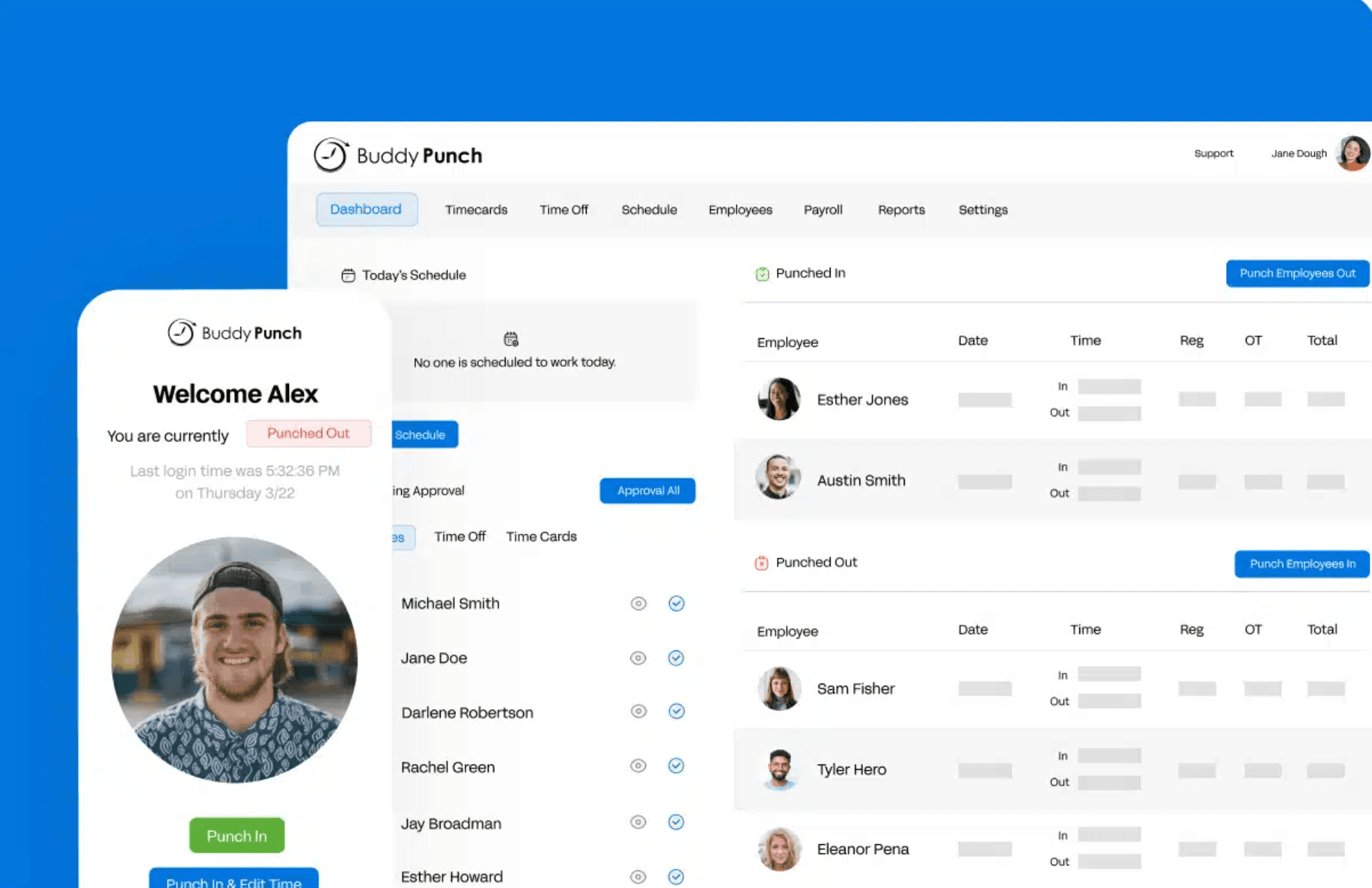
Best for: Small businesses that need GPS clock-in, built-in scheduling, and payroll integrations without a steep learning curve
Rating: G2 4.8 (365 reviews) · Capterra 4.8 (1,126 reviews)
Buddy Punch is a time and attendance tool built specifically for small and mid-sized businesses with hourly teams. It includes GPS-verified clock-in, photo capture to prevent buddy punching, employee scheduling with drag-and-drop shift building, PTO tracking, and integrations with QuickBooks, ADP, and Paychex. The mobile experience is designed for people actually out in the field, not mirroring a desktop interface.
Key features:
- GPS and geofencing with photo verification at clock-in
- Drag-and-drop scheduling with employee availability, recurring shifts, and shift trade/cover requests
- PTO tracking and accrual management
- Job code tracking
- Payroll integrations with QuickBooks, ADP, Paychex, and SurePayroll
- Alerts and reminders for clock-in and schedule changes
Pricing: Starter at $4.99/user/month plus a $19 monthly base fee. Pro at $6.99/user/month plus $19 base fee. Advanced at $12.99/user/month plus $19 base fee. 14-day free trial available. No permanent free plan. Verify current pricing at buddypunch.com/pricing.
What users like: Reviewers praise ease of use, mobile accessibility, and how well it prepares data for payroll. The GPS and photo verification features come up consistently as valued by managers.
What users criticize: Some users report occasional technical glitches, slow loading, and limited flexibility in editing time entries after the fact. A few reviewers note that the per-user pricing feels high as teams grow.
Our take: Buddy Punch is one of the better options in this list specifically for hourly shift tracking: it was built for that workflow, not adapted to it. The scheduling features are substantive, not an afterthought — you get drag-and-drop, availability management, recurring shifts, and shift trades in one place. Note the $19 base fee when comparing costs: a team of five pays $44/month on the Starter plan, not $25.
7. QuickBooks Time
Best for: Small businesses already using QuickBooks for accounting or payroll
Rating: G2 4.5 (1,447 reviews) · Capterra 4.7 (7,022 reviews)
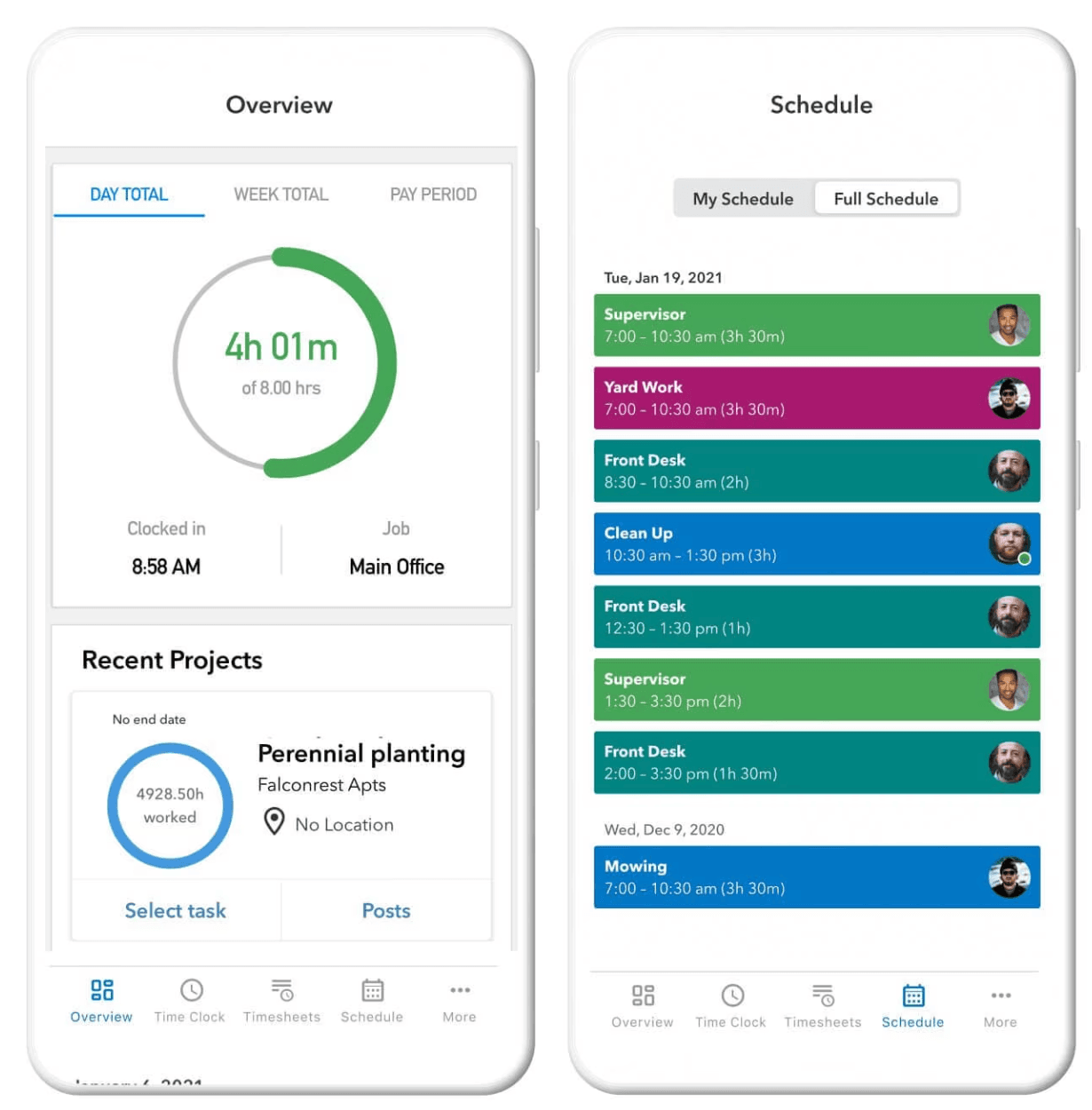
QuickBooks Time (formerly TSheets) is a time tracking and scheduling tool built to integrate directly with QuickBooks Online and QuickBooks Payroll. If your accounting is already on Intuit's ecosystem, tracked hours can flow into payroll and accounting without a manual export step. That alone makes it worth considering for businesses that are otherwise happy with QuickBooks.
Key features:
- Direct sync with QuickBooks Online payroll and accounting
- GPS and geofencing for location-verified clock-in
- Mobile clock-in with job code tracking
- Employee scheduling and shift management
- Time-off management and overtime alerts
- Timesheet photos attached to entries
Pricing: Time Premium at $20/month plus $10/user/month. Time Elite at $40/month plus $12/user/month. A QuickBooks Online account is required. Verify current pricing at quickbooks.intuit.com/time-tracking/pricing.
What users like: Reviewers consistently cite the QuickBooks integration as the primary reason for choosing the tool. Ease of use, reliable time tracking, and GPS accuracy also come up frequently.
What users criticize: Users report bugs and syncing issues, inconsistent customer support, and pricing that becomes expensive compared to standalone time clock tools at the same feature level. Some note limitations for more complex use cases.
Our take: QuickBooks Time offers one of the most seamless time-to-payroll workflows for businesses already using QuickBooks, because tracked hours can flow directly into QuickBooks payroll and accounting. If you're not in that ecosystem, the pricing is hard to justify when alternatives offer comparable GPS and scheduling features for less.
How to Choose the Right Time Tracking Tool for Your Business
Before you compare pricing pages, it helps to know which of two very different use cases you're actually shopping for.
If you track time for client billing, you start a timer when you begin a task, assign it to a client, and use that data to invoice. You want a project-based time tracker. Toggl Track and Harvest are built for this. Clockify was too, which is why leaving Clockify for a billing-first tool is a natural move.
If you track time for payroll, your team works scheduled shifts, clocks in and out, and their hours feed into payroll. You want a time clock built for hourly team management. Homebase, Buddy Punch, Jibble, Hubstaff, and QuickBooks Time all land here, though they vary considerably in what else they include.
A few questions worth answering before you pick:
- How many people are on your team? If you're under 10 and have one location, Homebase's free plan covers scheduling, time tracking, and mobile clock-in at no cost.
- Do you need scheduling in the same tool? Toggl and Harvest don't do shift scheduling. Homebase, Buddy Punch, Hubstaff, and QuickBooks Time do.
- Does tracked time need to connect to payroll? If yes, check whether that connection requires a separate subscription or comes built in.
- Do you have a physical location, multiple locations, or a mobile team? GPS clock-in matters more for field teams than for office-based ones. Unsure which rules apply in your state? See our guide to hourly employee labor laws.
- What's your actual total cost? Per-user pricing looks different at 5 users vs. 20. Factor in base fees (Buddy Punch), location fees (Homebase), and add-on payroll costs before comparing.
Most of these tools offer a free plan or free trial. Don't skip the test run. The tool your team actually uses is worth more than the one with the longest feature list.
Frequently Asked Questions About Clockify Alternatives
What changed about Clockify's free plan in 2026?
On April 21, 2026, CAKE.com announced changes that moved several Clockify features from the free plan to paid tiers. The free plan is now capped at 5 active users, down from unlimited. Billable rates, CSV and Excel exports, shared report links, kiosk mode, and project time estimates all moved to paid plans. Free plan reports are also now limited to a 31-day date range per report. Paid plans start at $4.99/user/month (Basic).
What's the best free alternative to Clockify?
It depends on what you need the free plan to do. Jibble and TimeCamp both offer free plans with unlimited users, one of the clearest advantages over Clockify's current 5-person cap. Homebase's free plan covers up to 10 team members at one location and includes scheduling and time tracking, which Clockify's free tier doesn't. Toggl Track is the closest match to Clockify's project-timer experience on a free plan, but it's also capped at 5 users.
Is Clockify good for small businesses with hourly employees?
Clockify is primarily oriented toward project and billable-time tracking, which is a different workflow than managing hourly employees on shifts. While Clockify does offer scheduling, GPS, and attendance features on paid plans, they're not the product's core design. For businesses where the main job is tracking when team members clock in and out, managing shifts, and connecting those hours to payroll, tools like Homebase, Buddy Punch, or Hubstaff are built more directly for that use case.
What's the difference between a time tracker and a time clock?
A time tracker (like Clockify or Toggl) is typically used for project billing. You start a timer when you begin a task and stop it when you're done. A time clock (like Homebase or Jibble) records when employees arrive and leave. It's used for shift-based attendance, payroll, and labor law compliance. The right tool depends on whether you're tracking hours to bill a client or tracking hours to run payroll.
Can I export my data from Clockify before switching?
Yes, but Clockify's free plan now requires a paid tier for CSV and Excel exports. You can still export PDFs on the free plan. If you need your historical data in a spreadsheet format, you may need to briefly upgrade to the Basic plan ($4.99/user/month) to pull your history. Once you have the export, import options vary by tool: some accept CSV uploads directly, others require manual re-entry.
Which Clockify alternative is best for restaurants or retail businesses?
For restaurants and retail, the priorities are usually shift scheduling, mobile clock-in, break compliance, and payroll sync, not client billing or project timers. Homebase was built specifically for this: scheduling and time tracking are in the same tool, team members can clock in from a phone, tablet, POS, or shared kiosk, and it's free for teams of up to 10 at one location. QuickBooks Time is worth considering if your accounting already runs through QuickBooks.
Does Clockify have a scheduling feature?
Yes, Clockify has scheduling on its Pro and Enterprise plans. It's designed around project capacity and resource planning, meaning assigning people to projects over time, rather than the kind of weekly shift scheduling that restaurants and retail businesses need. If shift management is central to how you run your business, tools built specifically around that workflow (like Homebase or Buddy Punch) will handle it more directly.
The Bottom Line on Clockify Alternatives
The April 2026 changes made Clockify's free plan much less useful for growing teams, and brought a limitation into focus that was always there: Clockify is strongest as a project and billable-time tracker, not as an hourly team management tool.
The right replacement depends on what you're actually trying to do. If you're tracking client hours and billing against them, Toggl Track or Harvest are the cleanest moves. If you need unlimited free users, Jibble and TimeCamp are worth a look. If you need payroll integration to go with your GPS tracking, Hubstaff or QuickBooks Time make sense. And if you're running a team with scheduled shifts, a physical location, and hourly pay: Homebase is the one tool that puts all of that together in one place.
Most of these tools offer a free plan or trial. The best time to test a few of them is before you're in the middle of a pay cycle.
Start Homebase for free. No credit card required, up to 10 team members at one location. Or explore the Homebase time clock and timesheets to see what is included on every plan.