7 Best ClockShark Alternatives for Small Business Teams in 2026


SMALL BUSINESS INTEL, IN YOUR INBOX
Table of contents
If you've been watching your ClockShark bill climb every time you hire someone new, you're not alone. ClockShark charges $40/month just to get started, then $9 more for every person on your team. A crew of 10 costs $130/month. A crew of 25 is $265/month. And as of mid-2026, new customers are being locked into 3-year contracts.
ClockShark was built for construction and field service, job costing, GPS breadcrumbs, task-level tracking across job sites. If that's you, it makes sense. If you're running a restaurant, retail shop, salon, or any business where your team just needs to clock in and out reliably, you're probably paying for features you've never touched.
The alternatives below were chosen for small business owners managing hourly teams. Some are free. Some cost a fraction of what ClockShark charges. All of them are a better fit for teams that don't need construction-grade job costing.
The Best ClockShark Alternatives for Small Business Teams at a Glance
Here's the short version before we get into the details.
- Homebase: Free for up to 10 employees at one location. Scheduling, time tracking, team messaging, hiring, and payroll all in one app. Built for hourly teams.
- Connecteam: Free for up to 10 users. GPS time tracking, shift scheduling, team chat, and task management. Best for deskless and field teams.
- OnTheClock: ~$4/user/month flat. Simple GPS clock-in and scheduling for small crews. No base fee.
- Jibble: Free for unlimited users. GPS clock-in with facial recognition. Best if you need free and don't need shift scheduling.
- QuickBooks Time: From $20/month + $8/user. Best if you're already on QuickBooks and want native payroll sync.
- Clockify: Free for unlimited users. Project-based time tracking. GPS requires a paid upgrade.
- Workyard: From $6/user/month. GPS breadcrumbs and job costing. Best construction/field service alternative to ClockShark.
- Hubstaff: From ~$4.99/seat/month. GPS tracking plus optional productivity monitoring for remote and distributed teams.
Why Look for a ClockShark Alternative?
ClockShark has real strengths. But there are specific reasons small business owners, especially outside construction, end up looking elsewhere.
The pricing model hits hardest. At $40/month plus $9/user (Standard plan), a team of 10 costs $130/month. A team of 25 is $265/month. For a business that runs on thin margins and just needs reliable clock-ins, that's a steep ask.
Here are the reasons that come up most often:
- Per-user pricing that scales painfully. Every new hire adds to the bill. Teams that are growing feel this immediately.
- Built for construction, not every industry. Job costing, GPS breadcrumbs, and task-level tracking are powerful features for general contractors. For restaurants, retail, salons, healthcare, and service businesses, they're noise.
- 3-year contract requirement. As of mid-2026, ClockShark has been applying a 3-year contract term to all plans. That's a significant commitment for a small team that's still figuring out its tools. Confirm current terms at clockshark.com before signing.
- App battery drain. GPS always-on mode is a recurring complaint across G2, Capterra, and App Store reviews. Employees notice it.
- Limited offline functionality. Real problem for crews working in areas with spotty cell coverage.
- More features than most small businesses need. If you're not using job costing or breadcrumb GPS, you're paying for them anyway.
If any of those sound familiar, there's a better fit below. Homebase in particular is built for exactly the kind of hourly team that ClockShark wasn't designed for: scheduling, time tracking, hiring, payroll, and team messaging in one app, free for up to 10 employees.
What Is ClockShark and Who Is It For?
ClockShark is a GPS time tracking and scheduling tool designed for field service and construction businesses. It lets crews clock in from a job site, tracks their location, assigns time to specific jobs or tasks, and integrates with payroll tools like QuickBooks and Gusto.
Its core products include GPS time clocks, job-based scheduling, crew management, job costing, and field reporting. It integrates with QuickBooks, Gusto, ADP, Sage, and Xero.
ClockShark is built for businesses in construction, electrical, plumbing, landscaping, HVAC, and similar field trades, typically teams of 5 to 500 that need to track labor costs across multiple job sites. It's less well suited to single-location businesses, shift-based hourly teams, or industries like food service, retail, and healthcare where job costing isn't relevant.
How We Evaluated ClockShark Alternatives
We put together this guide for small business owners who are tired of overpaying for software their team doesn't fully use. The goal was to find tools that match how hourly teams actually work, not how construction crews work.
To build this list, we:
- Tested app interfaces and onboarding flows directly where possible
- Reviewed pricing pages and free-tier limits against each vendor's live website
- Aggregated patterns from verified reviews on G2 and Capterra (not individual opinions, but themes across hundreds of reviews)
- Sourced common complaints and praise from Reddit threads and software forums
- Evaluated each tool against criteria small business owners actually care about:
- Free tier: Is there one, and what does it actually include?
- GPS time tracking: Included on free plan or paid only?
- Shift scheduling: Integrated with time tracking, or separate?
- Payroll integration: How much manual work does it eliminate?
- Ease of setup: Can a small team be up and running same-day?
- Hourly team fit: Is this built for shift-based workers or knowledge workers?
- Pricing at scale: What does it actually cost at 10, 25, and 50 employees?
For more on how we evaluate software at Homebase, see our editorial methodology.
Why Trust Homebase?
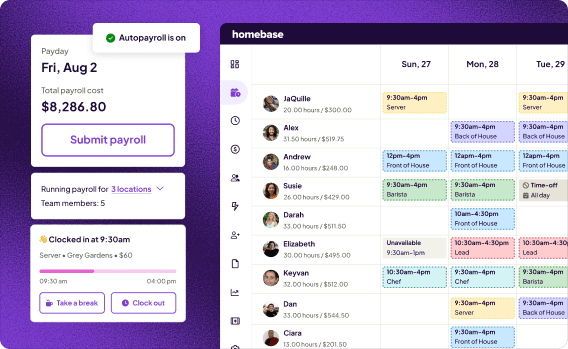
We're Homebase, the company that publishes this guide. We make scheduling, time tracking, payroll, hiring, and team messaging software for small businesses with hourly teams. Our customers include restaurants, retail shops, salons, healthcare offices, and any business where people work shifts.
We built this guide because evaluating time tracking software takes real time, and most comparison articles don't account for what small business owners actually need. We wanted to give you a real breakdown, not a sponsored ranking.
Homebase doesn't appear in the ranked list below. Every tool was evaluated on its own merits. We don't accept payments or backlinks for a mention.
One of our customers on what switching meant for them:
"Before Homebase I was manually tallying up my team's work hours and entering them into payroll, crossing my fingers I hadn't made any mistakes. Now our entire team logs in and out quickly and easily with the Homebase app, and all I have to do is send their hours to my payroll program with the click of a button."
The 7 Best ClockShark Alternatives
These tools cover the full range of what small business owners need when switching away from ClockShark, from free GPS clock-ins to full team management apps.
1. Homebase: Best free scheduling and time tracking for hourly teams
Best for: Small businesses with hourly teams in restaurants, retail, healthcare, beauty, and service industries
Rating: 4.4/5 on G2 · 4.6/5 on Capterra
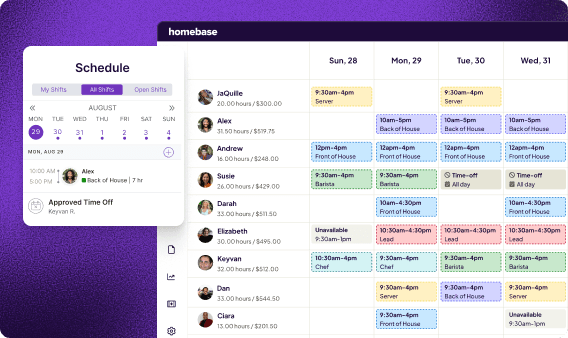
Homebase is an all-in-one scheduling, time tracking, payroll, hiring, and team messaging app built specifically for hourly teams. Unlike ClockShark, which was built for construction and field service, Homebase was designed for the businesses that run your neighborhood: restaurants, retail shops, salons, gyms, and service businesses. Scheduling and time tracking are connected, so your team clocks in from the published schedule, hours flow into timesheets automatically, and payroll prep takes minutes instead of hours.
Key features:
- Free scheduling and time tracking for up to 10 employees at one location
- GPS and geofencing on paid plans
- Built-in team messaging (Essentials plan and above)
- Hiring and onboarding tools
- Payroll (paid add-on) with automatic tax filing and direct deposit
Pricing: Free for up to 10 employees at one location. Paid plans from $24/month per location (billed annually). Payroll is a paid add-on. See full pricing.
What users like:
"Homebase makes it simple to quickly create schedules with multiple employees on rotating shifts. If any updates are made that create a conflict in the schedule, Homebase identifies and warns of those conflicts."
What users criticize: GPS and geofencing require a paid plan. Team messaging isn't included on the free Basic plan. Payroll is not bundled, it's a separate add-on cost.
Our take: If you're running an hourly team in any industry outside construction, Homebase is the most complete free option on this list. The free plan covers scheduling and time tracking for up to 10 employees, which is enough for most small businesses to get through payroll week without a spreadsheet in sight.
2. Connecteam: Best all-in-one for deskless teams
Best for: Teams that don't work at desks and need time tracking, scheduling, messaging, and tasks in one place
Rating: 4.6/5 on G2 (3,500+ reviews)
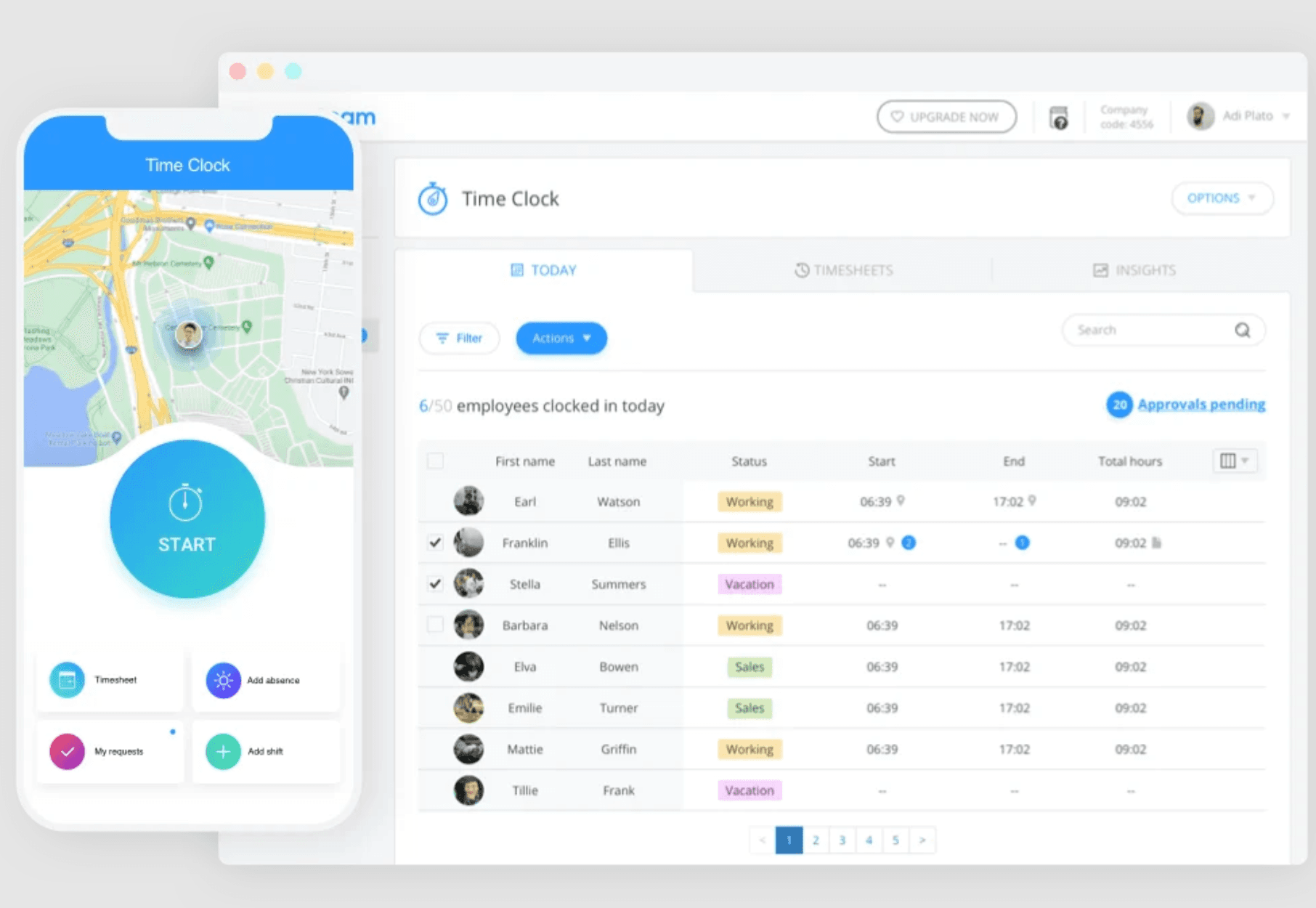
Connecteam is a team management app built for teams in the field, on the floor, or on the road. Where ClockShark focuses on job costing and GPS breadcrumbs for construction, Connecteam goes broader: GPS time tracking alongside shift scheduling, team messaging, task checklists, and digital forms, all from one mobile-first app.
Key features:
- GPS time clock with geofencing and facial recognition
- Drag-and-drop shift scheduling with open shift claiming
- Job-based time tracking (comparable structure to ClockShark)
- Built-in team chat and announcement channels
- Digital forms and checklists for field compliance
Pricing: Free for up to 10 users. Paid plans from $29/month for up to 30 users.
What users like:
"The best part is that everything is in one place. I can see who's working, message my team, and track time all in the same app." — G2
What users criticize:
"Some features feel overwhelming at first. It took us a few weeks to figure out which modules we actually needed." — G2
Our take: Connecteam is the closest true alternative to ClockShark for teams that need job-and-task tracking plus communication tools ClockShark doesn't offer. If you're managing a deskless crew across shifts, tasks, and multiple channels, Connecteam probably does more for the same money, or less.
3. OnTheClock: Best for simplicity
Best for: Small businesses that want affordable GPS time tracking without construction-specific complexity
Rating: 4.7/5 on Capterra (718 reviews)
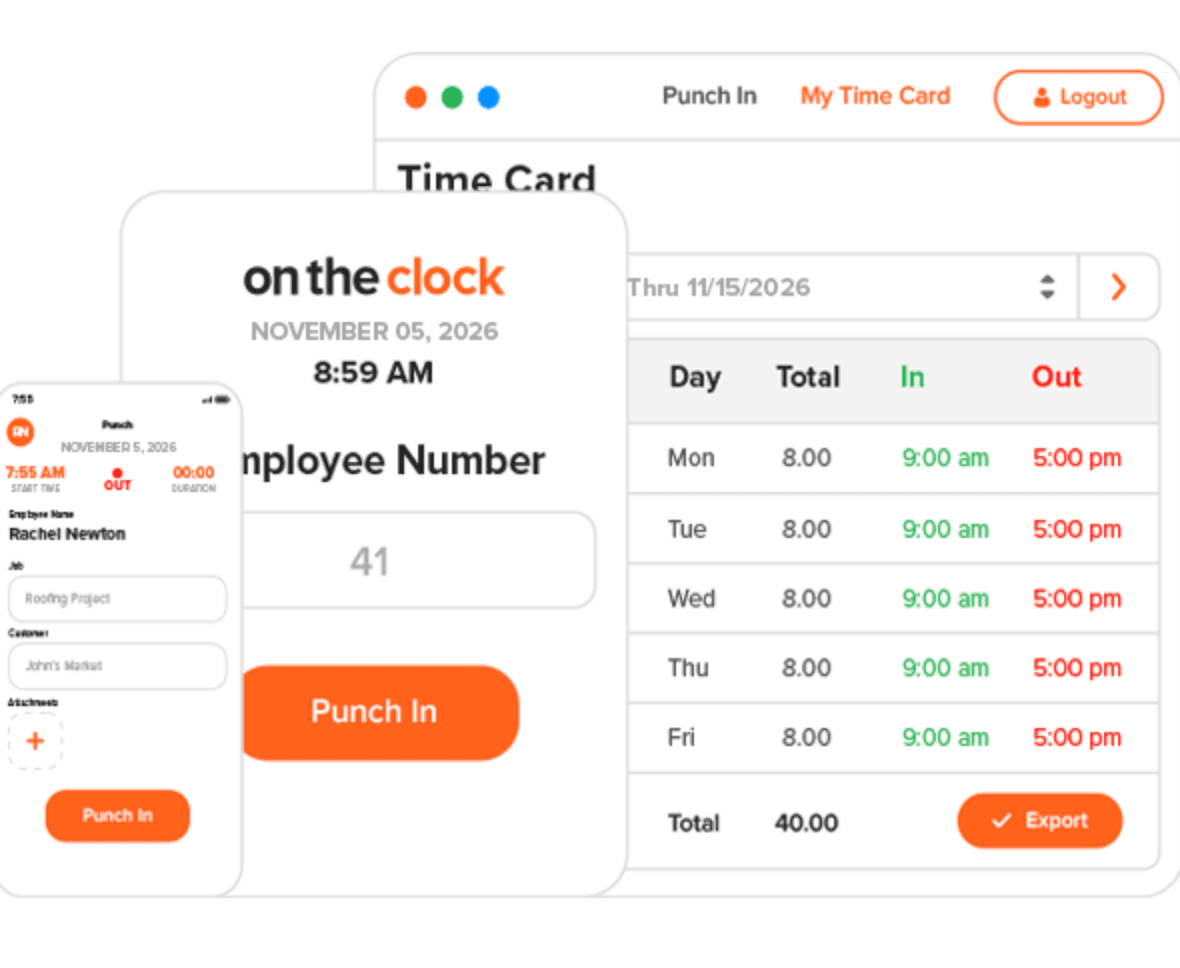
OnTheClock does one thing really well: it gets your team clocking in accurately without making anyone feel like they need a manual. GPS clock-in, geofencing, drag-and-drop scheduling, and payroll integrations are all included. No job-costing layer, no breadcrumb GPS trail. Just clean, reliable time tracking your crew can figure out in minutes.
Key features:
- GPS clock-in with geofencing alerts
- Employee scheduling with drag-and-drop
- Overtime tracking and break management
- Payroll integrations (QuickBooks, Gusto, ADP)
- Web and mobile clock-in
Pricing: Approximately $4/user/month flat, no base fee. Free trial available.
What users like:
"Super easy to set up. We had everyone clocking in correctly within an hour of signing up." — Capterra
What users criticize:
"Reporting is pretty basic. If you need detailed breakdowns by job or project, you'll hit a wall quickly." — Capterra
Our take: If you switched to ClockShark because you needed GPS time tracking but found the job-costing features irrelevant and the price steep, OnTheClock is probably exactly what you were looking for in the first place.
4. Jibble: Best free option
Best for: Teams that want a free GPS time tracking app with facial recognition clock-in
Rating: 4.8/5 on G2 (393 reviews)
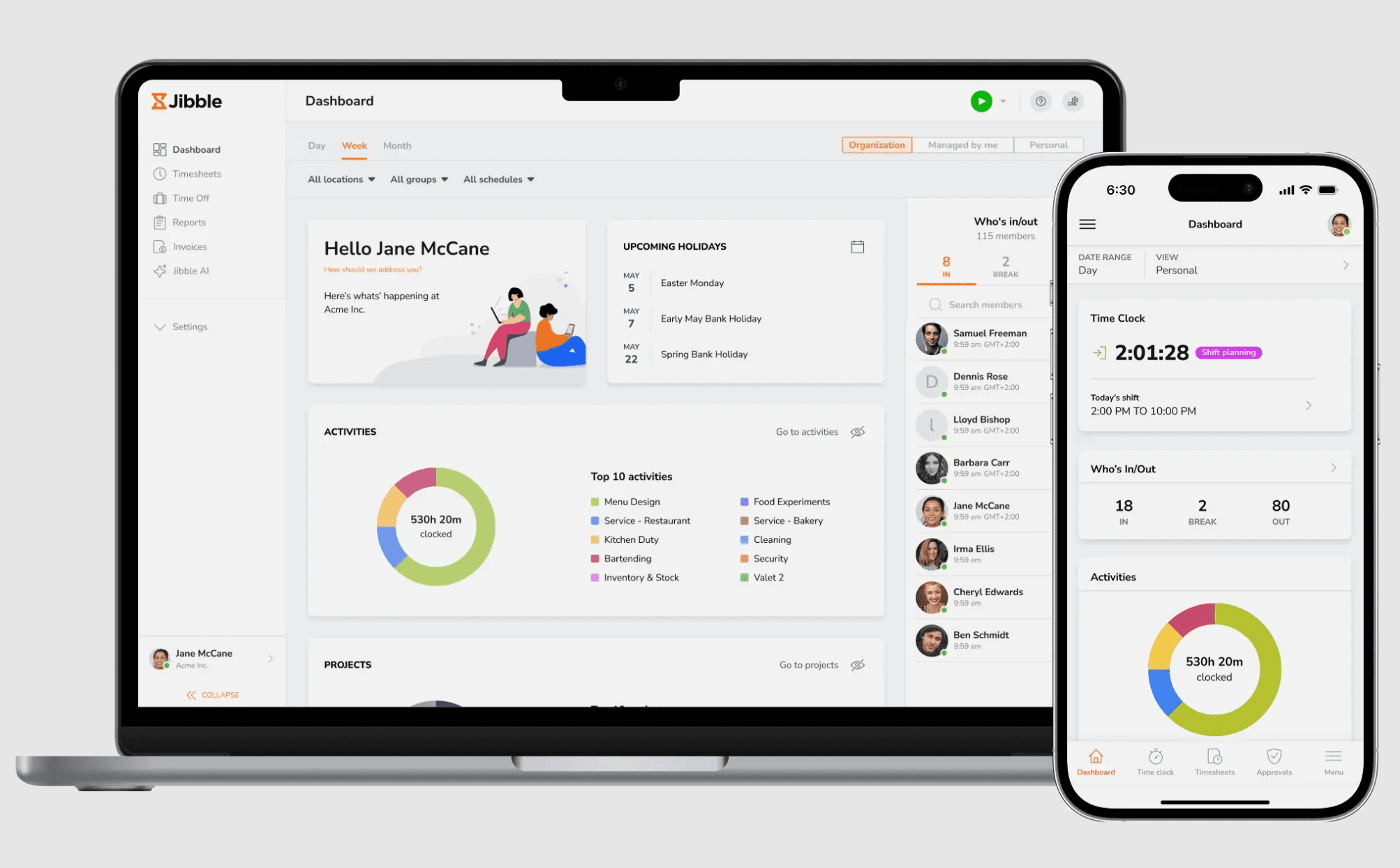
Jibble's free plan covers GPS time tracking, facial recognition clock-in, leave tracking, and geofencing for unlimited users at no cost. That's not a "free trial": it's an ongoing free tier with no user cap.
Key features:
- GPS clock-in/out with geofencing
- Facial recognition for location-verified punches
- Leave and PTO tracking
- Real-time attendance dashboard
- Offline functionality, syncs when connection is restored
Pricing: Free for unlimited users (core features). Paid plans unlock advanced reporting and integrations.
What users like:
"I've been using the free plan for two years with a team of 18. Jibble hasn't asked me to upgrade once." — G2
What users criticize:
"Scheduling is very basic. If you need to build out a full shift schedule inside the app, look elsewhere." — G2
Our take: Jibble wins on price, and it's not close. If you don't need shift scheduling and mainly care about accurate clock-ins, this is a legitimate ClockShark replacement at $0/month.
5. QuickBooks Time: Best for QuickBooks users
Best for: Small businesses already using QuickBooks for accounting or payroll
Rating: 4.5/5 on G2 (1,439 reviews)
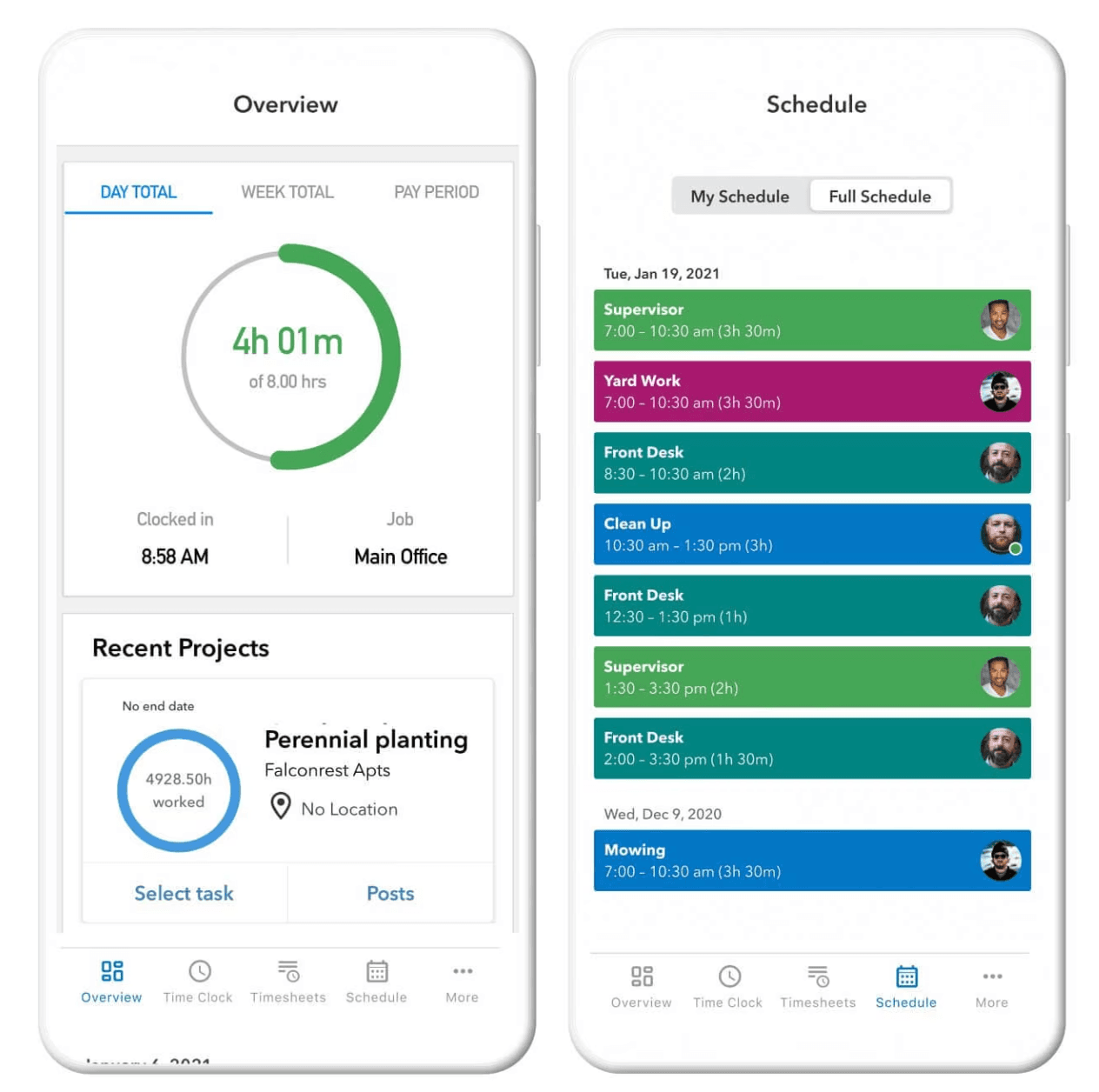
QuickBooks Time is built to work inside the QuickBooks ecosystem. Approved hours sync directly to QuickBooks Online Payroll, QuickBooks Desktop, and QuickBooks accounting. No manual export, no re-entering data.
Key features:
- Native QuickBooks integration (payroll, project, and accounting sync)
- GPS tracking with geofencing
- Job and shift scheduling
- Overtime alerts and compliance tracking
- Works on mobile, web, and kiosk
Pricing: From $20/month plus $8/user/month (Premium plan).
What users like:
"The integration with QuickBooks Payroll is seamless. I used to spend two hours on payroll. Now it's maybe 20 minutes." — G2
What users criticize:
"If you're not using QuickBooks for everything, the price doesn't really make sense. It's expensive for what it does on its own." — G2
Our take: If you're already paying for QuickBooks, QuickBooks Time is worth a serious look. If you're not in that ecosystem, better-value options are on this list.
6. Clockify: Best for project-based time tracking
Best for: Teams that primarily need time tracking without shift scheduling, or want free unlimited users
Rating: 4.5/5 on G2 (199 reviews)
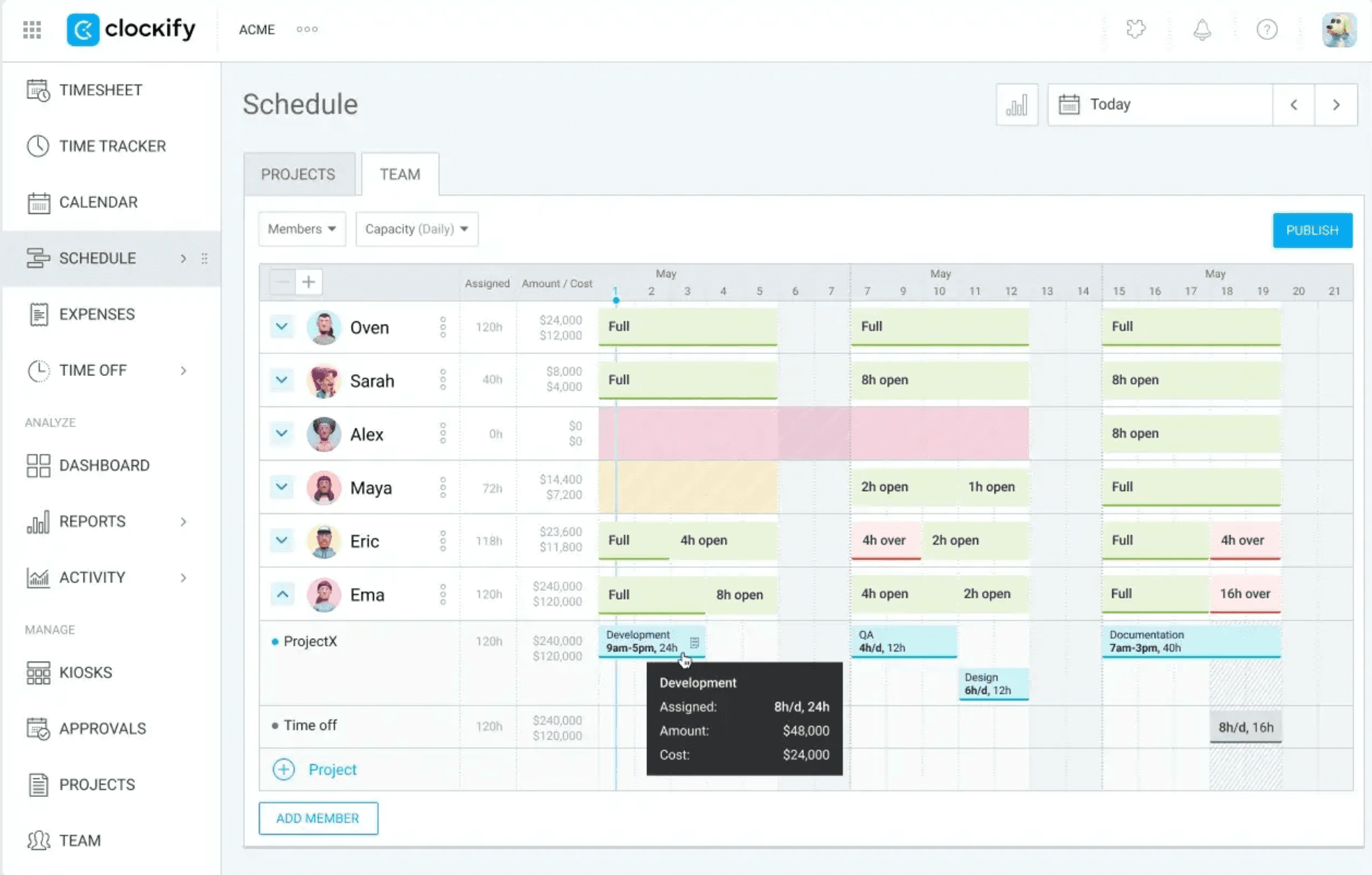
Clockify is built around one-click timers, project categorization, and reporting dashboards. It's a project-first time tracker, not a shift-scheduling tool, a meaningful distinction if your crew works hourly shifts rather than tracking time against client projects.
Key features:
- Free unlimited time tracking for unlimited users
- GPS tracking (paid plans)
- Scheduling on Pro and Enterprise plans
- Reporting dashboard and timesheets
- Kiosk mode for shared device clock-in
Pricing: Free for unlimited users (basic features). GPS and scheduling start on paid plans at approximately $5.49/user/month.
What users like:
"Best free time tracking app, period. I've tried six others and came back to Clockify every time." — G2
What users criticize:
"GPS tracking is locked behind a paid plan. That's a dealbreaker if you have field workers." — G2
Our take: Clockify is a great ClockShark alternative if your team doesn't need GPS or scheduling on the free tier. For shift-based hourly teams who want GPS, you'll need to upgrade, and at that point Connecteam or OnTheClock may be a better fit.
7. Workyard: Best construction and field service alternative
Best for: Construction and field service businesses that want ClockShark-level GPS at a lower per-user price
Rating: 4.8/5 on G2 (49 reviews)
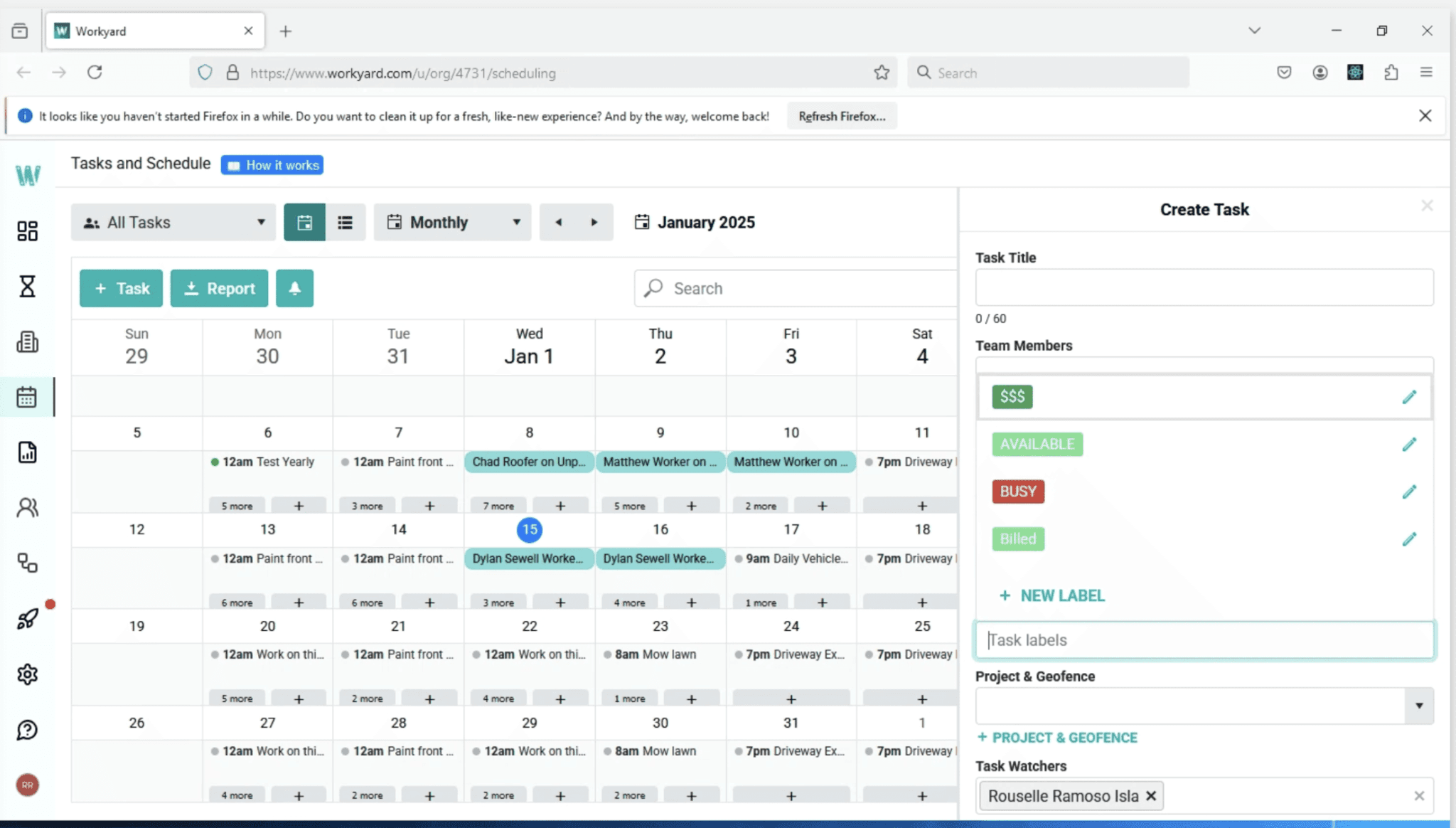
Workyard is the closest feature-for-feature alternative to ClockShark in the construction and field service category. Continuous GPS breadcrumb tracking, job-based time entry, geofencing with automatic job entry and exit detection, and automated mileage: all the things that make ClockShark worth it for construction crews, at a more competitive price point.
Key features:
- Continuous GPS breadcrumbs while on the clock
- Geofencing with automatic job entry/exit detection
- Job and task time tracking
- Automated mileage tracking
- Payroll integrations (QuickBooks, Gusto, ADP)
Pricing: From $6/user/month. Volume discount at 50+ employees.
What users like:
"GPS accuracy is noticeably better than what we had before. We can see exactly where crews are without anyone having to check in manually." — G2
What users criticize:
"The admin interface has a learning curve. It took our office manager a few days to get comfortable with the setup." — G2
Our take: If you're in construction or field service and GPS breadcrumbs and job costing are what you actually need, Workyard is the most direct swap for ClockShark, at a lower per-user price.
8. Hubstaff: Best for remote and distributed teams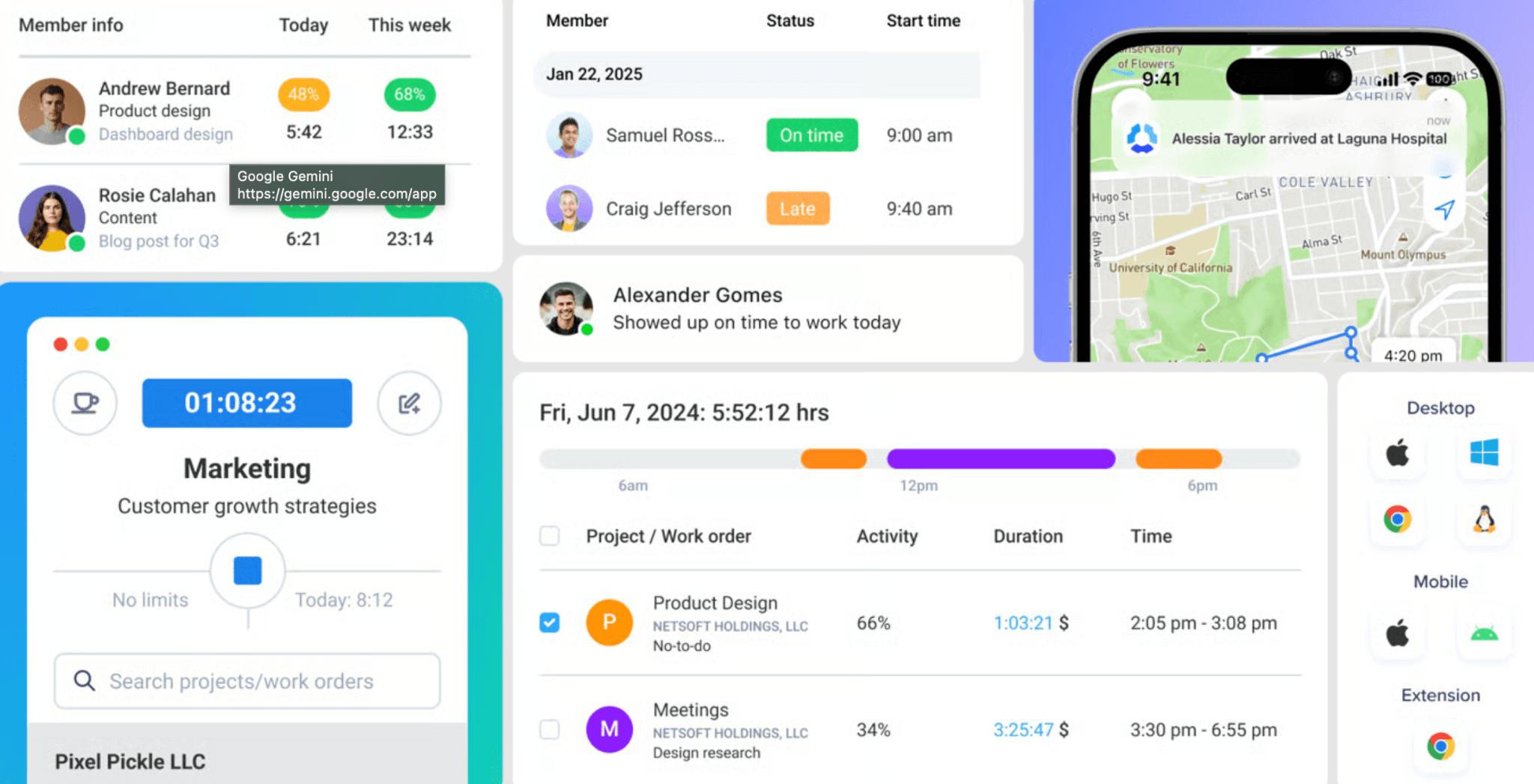
Best for: Remote and field teams that need GPS tracking plus visibility into work activity
Rating: 4.4/5 on G2 (2,302 reviews)
Hubstaff combines GPS time tracking with optional productivity monitoring, including screenshots, activity levels, and app and URL tracking. It's a strong fit for businesses with remote or distributed teams where managers can't be on-site.
Key features:
- GPS tracking and geofencing
- Optional productivity monitoring (screenshots, activity levels)
- Payroll integrations (PayPal, Gusto, QuickBooks)
- Scheduling with shift assignments
- Reporting and labor cost tracking
Pricing: From approximately $4.99/seat/month.
What users like:
"The GPS tracking is accurate and the productivity reports actually help me have real conversations with my team about their time." — G2
What users criticize:
"The screenshot feature created trust issues on our team. Some people felt monitored constantly and it hurt morale." — G2
Our take: Hubstaff is worth a look if you're managing remote or distributed team members who aren't at a physical job site. If you just need shift scheduling and accurate clock-ins, it may be more than you need.
How to Choose the Right ClockShark Alternative
The best tool depends on what actually broke down with ClockShark. A few questions worth asking before you sign up for anything new.
Do you need GPS tracking?
If yes, Connecteam, Workyard, Hubstaff, QuickBooks Time, and Homebase (paid plans) all offer GPS with geofencing. If accurate clock-in location is all you need (not continuous breadcrumb tracking employee hours), Jibble's free plan covers it. If GPS isn't a priority, Clockify's free tier works fine without it.
Do you need shift scheduling alongside time tracking?
If your team works set shifts, you need a tool where scheduling and time tracking live together, otherwise you're managing two separate apps. Connecteam, OnTheClock, QuickBooks Time, and Homebase all handle this. Jibble and Clockify are primarily time trackers; scheduling is limited or requires a paid upgrade.
Are you in construction or field service?
If job costing, GPS breadcrumbs, and task-level tracking are part of how you actually operate, Workyard is the most direct ClockShark alternative. Connecteam also handles job-based tracking if you want communication tools included. If you're in construction but don't use those features, OnTheClock may be all you need at a fraction of the cost.
Is pricing the main driver?
For teams under 10 employees, Jibble and Homebase's Basic plan are both free. For growing teams, OnTheClock's flat ~$4/user pricing and Workyard's $6/user with volume discounts at 50+ both offer more predictable costs than ClockShark's base-fee-plus-per-user model.
Are you already on QuickBooks?
QuickBooks Time's native payroll sync is the strongest in the market for businesses in that ecosystem. If you're not, the premium isn't worth it.
Frequently Asked Questions About ClockShark Alternatives
What is ClockShark used for?
ClockShark is GPS time tracking and scheduling software built for field service and construction businesses. It lets crews clock in from a job site, tracks their location, assigns time to specific jobs or tasks, and connects to payroll tools like QuickBooks and Gusto. It starts at $40/month plus $9/user/month on the Standard plan.
Is there a free alternative to ClockShark?
Yes. Jibble offers GPS time tracking with facial recognition for unlimited users at no cost. Clockify also has a free unlimited-user plan, though GPS tracking requires a paid upgrade. Homebase offers free scheduling and time tracking for up to 10 employees at one location.
What is the best ClockShark alternative for restaurants and retail?
Homebase is built for hourly teams in restaurants, retail, and service businesses, unlike ClockShark, which was designed for construction and field service. Connecteam is another strong option for hourly teams that need communication tools alongside time tracking.
Is ClockShark good for small businesses?
ClockShark works well for small businesses in construction and field service. For other industries, the pricing can feel steep and the job-costing features may be more than you need. Tools like OnTheClock or Homebase tend to be a better fit for non-construction small businesses.
Does ClockShark require a contract?
As of mid-2026, ClockShark has been applying a 3-year contract term to all plans. It's worth confirming current terms directly at clockshark.com before signing up.
How much does ClockShark cost per month?
ClockShark's Standard plan starts at $40/month plus $9/user/month. A 10-person team pays approximately $130/month. A 25-person team is approximately $265/month. Check clockshark.com for current plan details.
Can I switch from ClockShark without losing my data?
Most ClockShark alternatives support CSV export of timesheets, which you can import into a new tool. Check your target tool's data import support before canceling. Most tools on this list offer a free trial, so you can test before making the switch.
The Bottom Line
ClockShark is a well-built tool for a specific kind of business. If you're a contractor or field service company that needs GPS breadcrumbs and job-level labor costing, it makes sense. If you're not, you're probably overpaying for a tool that doesn't quite fit.
The right alternative comes down to your team type:
- Free and just need clock-ins? Jibble.
- Hourly team in restaurants, retail, or services? Try Homebase free for up to 10 employees. See how Homebase compares to ClockShark.
- Need scheduling and time tracking together? Connecteam or OnTheClock.
- In construction and want comparable GPS features? Workyard.
- Already on QuickBooks? QuickBooks Time.
Whatever you pick, most of these tools offer a free trial. Don't commit to another multi-year contract until you've actually used it.