Scheduling Software for Small Business: The Complete Guide

SMALL BUSINESS INTEL, IN YOUR INBOX
Table of contents
Good scheduling software for small business is the difference between a Sunday night of phone tag and a week that starts on time. Most owners begin with a spreadsheet or a group chat. That works, until one call-out cascades into an hour of scrambling, two people end up double-booked, and the whole week starts off wrong.
This guide explains what scheduling software for small business actually is, how it works, what to look for when you're evaluating options, and how to know if it's worth switching for a team your size. If you already know what you need and want a ranked list of apps, jump straight to our guide on the best scheduling apps for small businesses.
TL;DR: What scheduling software for small business actually does
Scheduling software for small business is a digital tool that replaces manual shift-building with automated, mobile-accessible scheduling, connected to time tracking and, often, payroll. Instead of texting your team or updating a spreadsheet, everything lives in one place.
Here's the short version:
- Replaces paper schedules, spreadsheets, and group chat coordination
- Used by managers and owners of shift-based, hourly teams
- Core capabilities: build schedules, publish shifts, manage swaps, track time, flag overtime
- Connects to: payroll, POS systems, and team messaging
- Want to compare specific apps? See our roundup of the best scheduling apps for small businesses

What is scheduling software for small business?
Scheduling software for small business is a digital tool that helps managers build, publish, and manage employee shift schedules. Whether you call it online scheduling software for small business, an employee scheduling app, or simply a digital scheduling tool, it automates the manual tasks, tracking availability, catching conflicts, notifying the team, that otherwise eat up hours every week.
But the term covers more ground than most people realize. Two distinct types exist, and they solve very different problems:
- Employee/shift scheduling software, built for managers scheduling hourly workers across shifts. Restaurants, retail shops, healthcare practices, and other teams running on a shift-based model use this type. It handles availability, open shifts, shift swaps, and time tracking. This is what this guide covers.
- Appointment/client booking software, built for service businesses that need customers to book time directly. Think of it as software used to keep track of appointments rather than employee shifts. Calendly, Acuity Scheduling, and Square Appointments fall here.
That matters because the search results for "scheduling software for small business" mix both categories. Calendly ranks near the top, alongside shift-scheduling tools built for hourly teams.
A thread on r/smallbusiness captures the confusion well: a home services business owner described needing software to let clients book appointments, manage location-based availability for a two-person team, and reduce travel time across town. That's a client-booking and route-planning problem, not a shift-scheduling problem. The tools built for each are different.
If you're scheduling employees for shifts, not booking clients for appointments, you're in the right place. Capterra's analysis of scheduling software reviewers finds that most come from hospitality, healthcare, food and beverage, and retail: all shift-based industries with the same core need.
How scheduling software for small business works
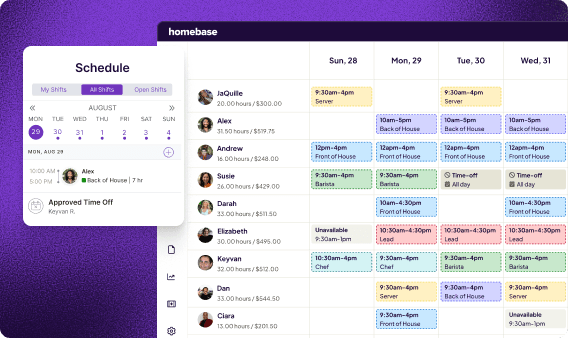
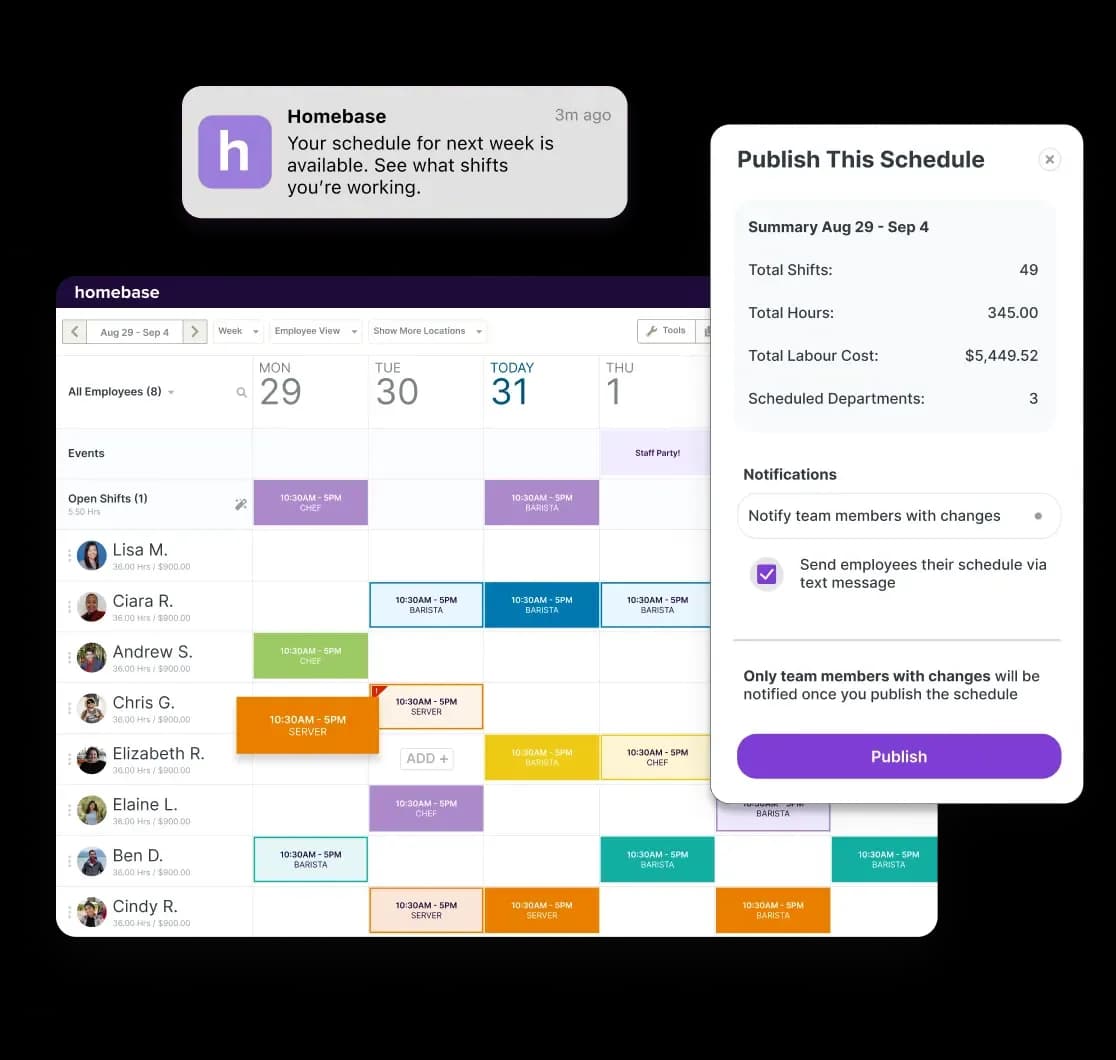
Most scheduling software for small business follows the same basic flow: build the schedule, publish it to your team, manage changes in real time, and connect the hours to payroll.
How employee scheduling software builds the schedule.
Modern schedule builders use drag-and-drop interfaces, copy-forward templates, and auto-scheduling to cut the time it takes to build a week's worth of shifts. Instead of starting from scratch every Sunday, you duplicate last week's schedule, adjust for any changes, and publish.
Availability and time-off requests pull in automatically, so when an employee submits that they can't work Tuesday mornings, you see it in the schedule builder before you accidentally assign them a Tuesday morning shift.
Fred Sztabinski, Owner at Fix Coffee + Bikes, describes the difference from paper: "You can drag and drop and edit. You can duplicate schedules. It's like it's a real time saver. We try to get the schedule published as far in advance as possible."
Want step-by-step guidance on building your first schedule? See how to make an employee schedule.
Publishing and sharing the shift schedule with your team.
Once you publish, the schedule goes out to every employee's phone instantly, via push notification, SMS, or in-app message. No printing, no corkboard, no forwarding a spreadsheet and hoping everyone opens it.
Team members confirm they've received and viewed their schedule, and managers can see exactly who has and hasn't acknowledged their shifts. The "I didn't know I was working" conversation stops happening.
Learn more about keeping your team connected with a team communication app.
Managing shift coverage and schedule changes in real time.
When someone calls out or a shift goes uncovered, scheduling software handles the coordination that would otherwise land in your inbox. Open shifts post to the team automatically; employees can claim them from their phones. Swap requests go through you for approval before anything's confirmed.
Overtime alerts surface before payday, not after. When someone's approaching their weekly threshold, you see it in the schedule and can make an adjustment before it costs you.
For a closer look at how shift swaps work in practice, and how to stay ahead of overtime, those guides go deeper on both.
Connecting small business scheduling software to time tracking and payroll.
The real time savings come from what happens after you publish. When scheduling connects to a time clock, employees clock in directly from the published schedule. Hours convert to timesheets automatically. No manual re-entry, no copy-pasting numbers from one system to another. For businesses that also invoice clients by the hour, scheduling and billing software for small business can take this a step further, tying shift hours directly to billable time.
From there, timesheets feed into payroll. 84% of Homebase payroll customers report faster payroll processing after switching, compared to their previous provider (Homebase customer data, 2024).
For more on what that connection looks like end to end, see our guides on time tracking software for small businesses and payroll integration.
Key features to look for in small business scheduling software
When evaluating scheduling software for small business, focus on the features that solve your actual daily problems: availability tracking, shift coverage, overtime visibility, and the connection to payroll. The right scheduling software for small business doesn't need to do everything. It needs to do the right things reliably.
Here's what to look for:
- Mobile access for the whole team. Most of your team isn't at a desk. The app needs to work reliably on both iOS and Android, not just look good in a demo. Test it on your own phone before committing.
- Availability and time-off management. Employees should submit their own availability in the app so you're not tracking it in a text thread or a sticky note. When someone's unavailable, the schedule should know before you publish.
- Shift swapping with manager oversight. Self-service shift trades cut the phone tag, but the final call should still go through you. Look for tools that require manager approval before a swap is confirmed.
- Overtime alerts. Getting notified before an employee hits overtime gives you time to adjust. Getting notified after means it's already on the paycheck.
- Time tracking integration. The schedule should connect to your time clock so hours flow into timesheets without manual re-entry. This is the step that eliminates the most error-prone admin work.
- Payroll connectivity. Whether that's built-in payroll or an export to QuickBooks, Gusto, or ADP, this connection is where the real time savings show up every pay period.
- Transparent pricing. Look at whether pricing is per user or per location, that distinction matters as your team grows. Per-user pricing scales with every new hire; per-location pricing stays predictable.
When you're running a lean team, keeping scheduling, time tracking, and payroll in three separate tools creates its own coordination problem. Pulling those together in one app is where the friction disappears. Try it free with Homebase, no credit card required.
Types of scheduling software for small business
"Scheduling software" is a broad category, and the right type depends entirely on what kind of scheduling your business needs to do. Before you evaluate any tool, it helps to know which category you're actually shopping in.
Here's how the main types break down:
Types of scheduling software for small business — type, best for, and example tools
| Type | Best for | Examples |
|---|---|---|
| Employee/shift scheduling | Hourly teams in restaurants, retail, and healthcare | Homebase, 7shifts, Deputy |
| Appointment/client booking | Service businesses with client-facing booking | Calendly, Acuity, Square Appointments |
| Service/field scheduling | Field crews, technicians, and delivery teams | Jobber, ServiceTitan |
| Job/project scheduling | Construction, trades, and project-based businesses | Buildertrend, Jobber |
| Production scheduling | Manufacturing and fabrication | Fishbowl, MRPeasy |
This guide focuses on employee/shift scheduling, the category built for hourly teams. Each row in the table above is a different problem:
- If you send crews to job sites, you need service scheduling software for small business that handles route optimization and client booking.
- If you're in construction or trades, job scheduling software for small business is built around projects, not shifts.
- For fabrication or manufacturing, production scheduling software for small business and manufacturing scheduling software for small business work on different logic entirely.
The distinction matters more than it sounds. A home services business owner on r/smallbusiness described needing software to let clients book directly, manage location-based availability for a two-person team, and reduce unnecessary travel across town. That's a different problem than what a restaurant or retail shop needs to solve.
Some tools do overlap categories. A salon app, for instance, may handle both client appointments and employee shift management. Most tools are optimized for one use case, though, and picking the wrong type means working around limitations that shouldn't apply to you.
For more on vertical-specific tools, see our guides on restaurant scheduling software, retail scheduling software, construction scheduling software, healthcare staff scheduling software, and field service scheduling.
For a ranked comparison of employee scheduling apps, see our guide on the best scheduling apps for small businesses.
5 Benefits of Scheduling Software for Small Business
For businesses with five or more hourly employees, the best employee scheduling software for small business pays off when manual scheduling is taking more than an hour a week, creating conflicts, or causing errors that show up on payday. The shift from spreadsheets or group chats to a dedicated tool tends to make itself felt quickly.
Here's where the biggest differences show up.
1. Fewer scheduling conflicts and no-shows.
Automated conflict detection catches double-bookings before they reach the floor. When employees can see their schedules on their phones, the "I didn't know I was working" conversation stops. Availability tracking handles the upstream problem: instead of texting team members one by one to ask if they're free, the schedule already knows.
2. Less time building employee schedules every week.
Templates carry forward recurring shifts. Copy-forward scheduling means you're adjusting last week's schedule, not rebuilding it. AI auto-scheduling, available on higher tiers, builds an optimized schedule based on availability, roles, and labor targets. A weekly schedule that once took an hour can take 15 minutes.
3. Better labor cost control for small business scheduling.
Scheduling against a labor budget before you publish means fewer overtime surprises and a clearer picture of what each shift costs. Managers who use Homebase save an average of five or more hours per week compared to manual methods (Homebase customer data). For more on how to manage labor costs, that guide covers the key levers.
4. Higher team satisfaction from better shift scheduling.
Schedules published in advance, with visibility into their own shifts, keep employees from feeling blindsided. That reduces friction and directly affects employee retention, particularly on hourly teams where last-minute changes are one of the most common reasons people quit.
5. A clear path from scheduling to payroll.
When scheduling, time tracking, and payroll connect, hours flow into timesheets and timesheets flow into payroll without manual re-entry. That eliminates the transcription errors that show up on paychecks and the correction conversations that follow.
How to choose scheduling software for your small business
The best scheduling software for small business isn't the one with the most features. It's the one your team will actually use. A few questions make the decision easier.
Start with your team size and scheduling software budget.
A tool built for a five-person single-location team may not hold up once you're managing 20 people across two sites. Know which scenario you're solving for now, and whether the tool grows with you.
Watch how pricing scales: per-user pricing grows with every hire; per-location pricing stays predictable as headcount changes. That distinction matters more than the entry-level cost when you're choosing scheduling software for small business. For a detailed breakdown of which tools fit which team sizes, see our guide on the best scheduling apps for small businesses.
Match your employee scheduling software to your industry.
Different industries have different scheduling needs, and the best tools are built around those specifics:
- Restaurants and hospitality → tools with POS integration and tip management (7shifts, Homebase)
- Field and service businesses → tools with GPS tracking and job-based scheduling (Jobber, Homebase for smaller field teams)
- Retail and healthcare → tools with compliance support and multi-role scheduling (Deputy, Homebase)
- Construction and trades → tools with project or job-based scheduling (Buildertrend, Jobber)
For more on industry-specific tools, see our guides on bar scheduling software and hospitality staff scheduling software.
Confirm what your scheduling app connects to.
Before you commit, verify that the tool connects to the other systems your business depends on:
- Time tracking that flows into timesheets without re-entry
- Payroll connectivity, built-in or export to QuickBooks, Gusto, or ADP
- POS or sales data integration for labor budgeting
- Team communication built in or integrated
The more of these that are native to the same tool, the less you'll be manually moving data between systems each pay period.
Test the scheduling app's mobile experience before you commit.
Most scheduling decisions and schedule checks happen on a phone, not a laptop. And the employee experience matters as much as yours. A tool that's easy for you but confusing for your team won't stick. Most tools offer a trial or entry-level plan, so test the mobile experience for both roles before you commit.
If you're running a single location with an hourly team and want scheduling, time tracking, and payroll in one app without paying per person, our employee scheduling tools are worth a look. For a side-by-side comparison of the top options, see the best scheduling apps for small businesses.
Finding the Right Scheduling Software for Your Small Business
Scheduling software for small business is a category, not a single tool. The type matters more than the feature list. Pick the wrong one and you'll spend your time working around limitations that shouldn't apply to you. The most valuable capability usually isn't the schedule builder itself. It's the connection to time tracking and payroll, where the manual re-entry, the errors, and the lost hours actually live.
Luanne Ronquillo, Owner and Founder of Ruru Baked, puts the broader shift plainly: "Innovate or die. When you're running a business and you need access to information at your fingertips at all times, there should be no reason why you're doing anything analog anymore."
Still building your schedule in a spreadsheet every week? There's a faster way. Try Homebase free, no credit card required
Scheduling software for small business: frequently asked questions
What is the best scheduling software for small businesses?
The best scheduling software for small business depends on your team size, industry, and budget. For hourly shift-based teams, Homebase, Connecteam, Deputy, When I Work, 7shifts, and Sling are the most-used options, each built around different priorities.
For a detailed comparison with verified ratings and pricing, see our guide to the best scheduling apps for small businesses.
Does Google have a free scheduler?
Google Calendar is a free calendar tool with basic shared scheduling features, but it isn't employee scheduling software built for hourly teams. It doesn't include shift management, time tracking, overtime alerts, or payroll connectivity.
For businesses scheduling hourly employees, dedicated tools like Homebase or Sling go considerably further, and both offer free plans.
Does QuickBooks have a scheduling tool?
QuickBooks Time (formerly TSheets) includes shift scheduling alongside time tracking, and it integrates tightly with QuickBooks payroll. That makes it a reasonable option if your business is already deep in the QuickBooks ecosystem.
That said, it doesn't go as deep on shift management, open shifts, or team communication as tools built specifically around hourly scheduling.
What is the most commonly used scheduling system for small businesses?
The most commonly used scheduling software for small business varies by industry, but Homebase, Deputy, When I Work, and 7shifts consistently appear in top-rated lists across hospitality, retail, and healthcare. Homebase is used by more than 150,000 small businesses, and it's the only one that combines scheduling, time tracking, and payroll in a single app without enterprise pricing.
How much does scheduling software for small business cost?
Scheduling software for small business ranges from free to $100+ per month depending on team size and features. Several tools, including Homebase, Sling, Connecteam, and 7shifts, offer free plans for small teams, though paid tiers add time tracking, auto-scheduling, and labor reporting.
Per-user pricing scales with headcount; per-location pricing (like Homebase) stays more predictable as you add team members.
Is scheduling software worth it for a small business?
Scheduling software for small business pays off when manual scheduling is taking more than an hour per week, causing conflicts, or creating payroll errors. For businesses with five or more hourly employees, the shift from spreadsheets or group chats to a dedicated tool typically cuts scheduling time significantly and reduces the coverage scrambles that eat into owner time every weekend.