Best Dispatch Scheduling Software for Service Teams in 2026


SMALL BUSINESS INTEL, IN YOUR INBOX
Table of contents
It's 8am on a Tuesday. One of your technicians just called in sick. Another job is running long. A customer is texting you for an ETA. And you're managing all of it through three group texts and a spreadsheet.
For HVAC, plumbing, electrical, and home service businesses, this is what a lot of workdays look like when you're the owner, the scheduler, and the dispatcher all at once.
Dispatch scheduling software solves the coordination layer: who goes where, when, and how the whole team stays updated when plans change. This guide focuses on dispatch software tools built for field service technicians and smaller service teams under 20 people.
Top picks at a glance:
- Housecall Pro: Best purpose-built dispatch tool for HVAC, plumbing, and home service trades
- Workiz: Best for small-to-mid field service teams that need a focused dispatch and scheduling tool
- Jobber: Best when dispatch and invoicing need to live in the same system
What You Need to Know About Dispatch Scheduling Software
Dispatch scheduling software (also called dispatching software or scheduling and dispatch software) assigns technicians to jobs, pushes schedule updates to their phones, and handles real-time changes. It replaces the group texts and spreadsheets that slow small service teams down without requiring a full field service management system.
- Focused on scheduling and dispatch. It sits between a basic calendar and a full field service management (FSM) system, handling the coordination layer without the invoicing or CRM overhead.
- Built for small trades teams. HVAC, plumbing, electrical, pest control, landscaping, and similar home service businesses get the most out of these tools.
- Key things to look for: a visual scheduling board, real-time technician notifications, mobile access, built-in team messaging, and time tracking.
- The strongest tools for small service businesses in 2026 are Housecall Pro, Workiz, Jobber, FieldPulse, and Workyard. Each one suits a different point on the complexity spectrum.
- Dispatch scheduling software costs range from free (Homebase) to hundreds per month for tools like Workiz and FieldPulse, depending on features and team size.
What Is Dispatch Scheduling Software?
Dispatch scheduling software manages who does each job, when, and how that assignment gets communicated. You'll also see it called dispatch management software or service dispatch scheduling software depending on the vendor, but the function is the same. It brings field service scheduling, job assignments, technician notifications, and availability tracking together in one place, without the overhead of a full field service software system.
Two things happen inside it:
- scheduling (the planning phase, where you decide who works when and what job they're assigned)
- dispatching (the activation phase, where the technician gets alerted with job details in real time)
The two come packaged together because one without the other creates coordination gaps.
Most dispatch scheduling tools include:
- A visual schedule or dispatch board for assigning and moving jobs
- Job assignment with shift planning across the team
- A mobile app so technicians get real-time job notifications from the field
- Availability and time-off tracking
- Shift notes so job instructions travel with each assignment
- Basic time tracking
Dispatch Scheduling Software vs. Field Service Management Software
Dispatch scheduling software and field service management (FSM) software are often used interchangeably. They solve different problems at different levels of complexity, and knowing which one you need saves you from buying more tools than your business actually requires.
Dispatch scheduling software handles:
- Visual schedule building and job assignment
- Real-time technician notifications
- Mobile access to daily schedules and job details
- Job notes and work instructions per assignment
- Team messaging and availability tracking
- Basic time tracking
Best for: Teams under 20 technicians whose main pain is coordination.
Full FSM apps add:
- Work order management
- Customer-facing invoicing and payment processing
- Quote and estimate generation
- Customer CRM and service history
- Parts inventory tracking
- Advanced reporting and automation
Best for: Operations with dedicated office staff, recurring work, and a billing workflow.
For a 5-person HVAC crew whose main challenge is that technicians don't always know when the schedule changes, the invoicing layer creates more work than it solves. Most small service businesses get more value from getting the coordination layer right. Adding CRM and billing can always come later.
Best Dispatch Scheduling Software for Small Service Businesses in 2026
These tools were evaluated on fit for small technician teams (under 20 employees), ease of use, mobile app quality, scheduling and dispatch functionality, and review quality and volume on G2 and Capterra.
The list covers purpose-built field service scheduling and dispatch software, full FSM apps with job scheduling and dispatch capabilities, and workforce tools with strong coordination features. Homebase is not in this ranked list.
1. Housecall Pro: Best for HVAC, plumbing, and home service dispatch
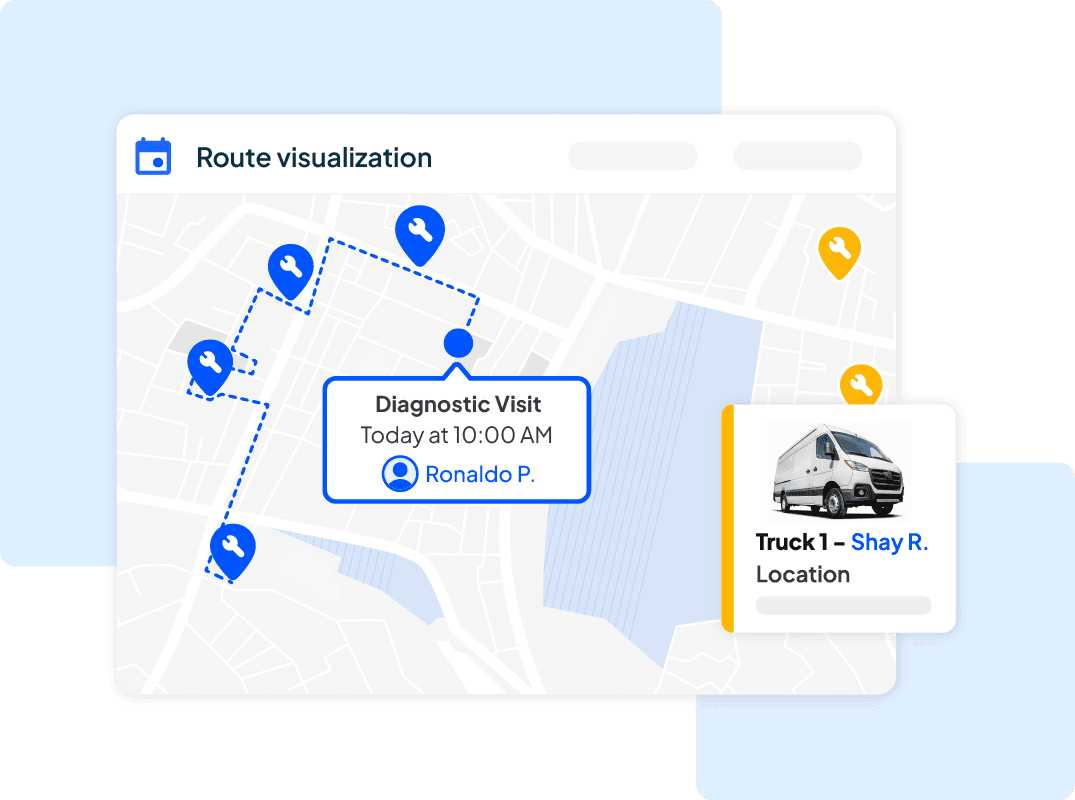
Housecall Pro is a field service management app built specifically for residential and commercial trades contractors. Its visual dispatch board, automated customer notifications, and online booking tools make it the most purpose-built HVAC scheduling and dispatch software option on this list, equally strong for plumbing and electrical businesses that need scheduling and dispatch tied directly to their customer communication workflow.
Best for: HVAC, plumbing, electrical, and home service contractors booking 20 to 150 jobs per month
G2: 4.3/5 (204 reviews)
Capterra: 4.7/5 (2,741 reviews)
Key dispatch capabilities:
- Visual dispatch board with drag-and-drop job assignment
- Automated customer notifications, including appointment reminders and ETA updates
- Real-time technician tracking
- Job notes and customer history per dispatch
Pricing: Starts at $79/month; free trial available
Free tier: No
What users like: Users consistently highlight how easy and intuitive Housecall Pro is to use, with quick onboarding and minimal training needed for new team members.
What users criticize: Users frequently cite recurring bugs that disrupt daily workflow and find invoicing cumbersome with limited customization options.
Our take: The strongest purpose-built dispatch option for home service trades, but the CRM, invoicing, and marketing layer adds cost and complexity that very small teams may not need yet.
2. Workiz: Best for small-to-mid field service teams
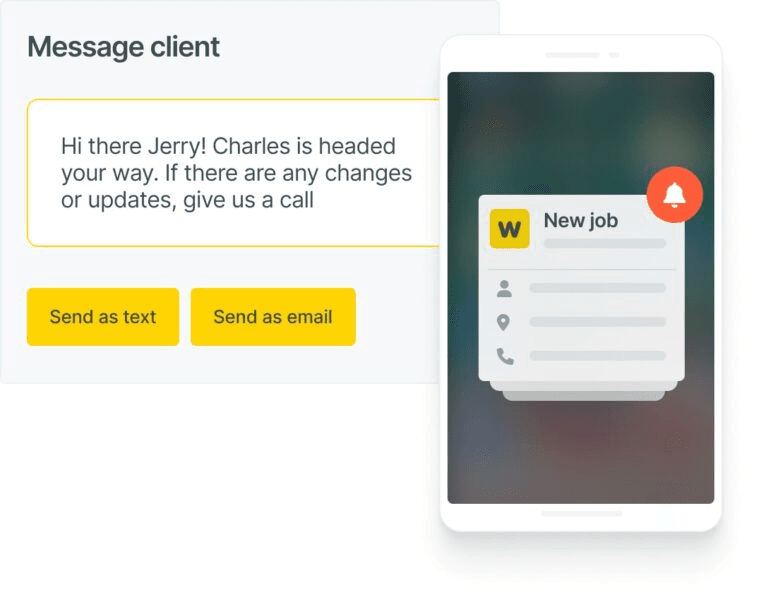
Workiz is a field service management app built primarily for small home service businesses. About 96% of its G2 reviewers come from small companies. It covers scheduling, dispatching, CRM, invoicing, and communications in one system, with strong flat-rate pricing tools that make it a practical fit for service businesses that want focused dispatch without a heavy enterprise setup.
Best for: Home service businesses (locksmith, HVAC, appliance repair, cleaning, junk removal) with 1 to 20 technicians
G2: 4.5/5 (231 reviews; 96% small business reviewers)
Capterra: 4.4/5 (218 reviews)
Key dispatch capabilities:
- Visual scheduling and dispatch board
- Live technician tracking
- Automated customer confirmations and reminders
- Job assignment with customer history
Pricing: Contact Workiz for current pricing (Standard, Pro, and Ultimate plans available; pricing is not publicly listed and is provided upon request)
Free tier: No (7-day free trial available)
What users like: Users appreciate how Workiz centralizes scheduling, dispatching, invoicing, and automated customer communication in one place, with automation features that reduce manual follow-up.
What users criticize: Users frequently cite pricing that climbs as the team grows, along with occasional mobile app bugs and inconsistent customer support responsiveness.
Our take: A solid all-in-one pick for small home service teams that want scheduling, dispatch, and CRM together. Verify current pricing directly before committing, since Workiz no longer lists a public rate.
3. Jobber: Best when dispatch and invoicing need to be in the same system
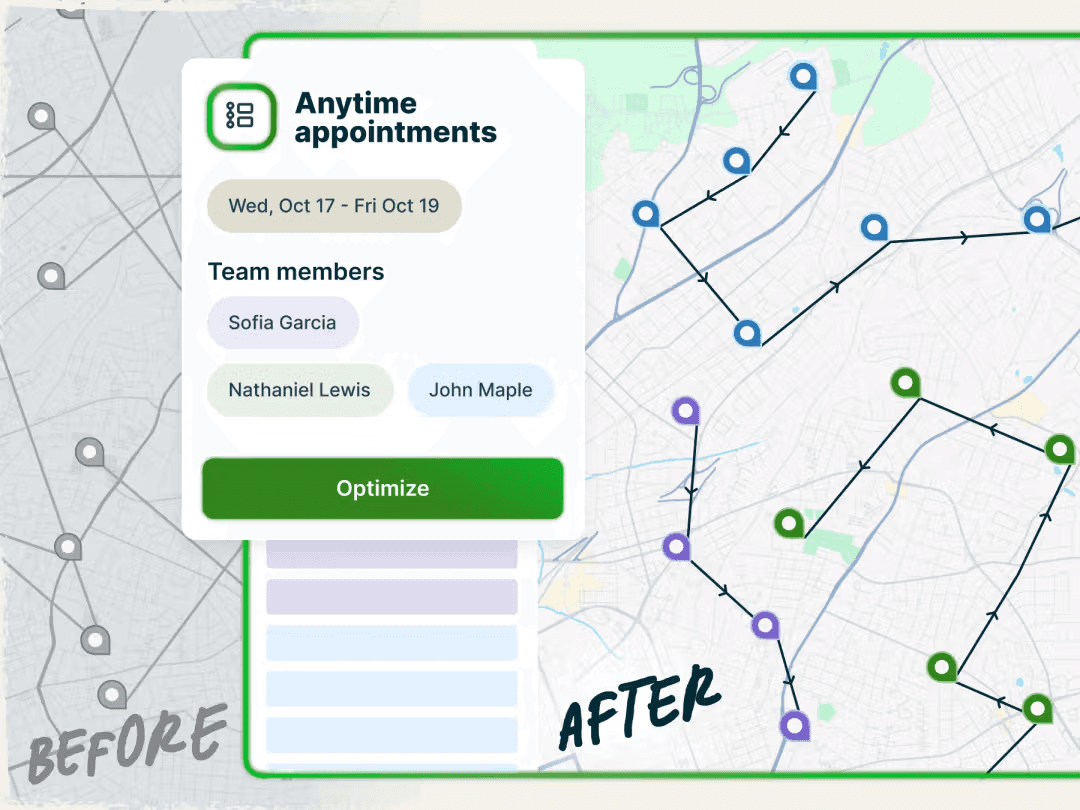
Jobber is a field service management app purpose-built for home service contractors. It works well as scheduling and dispatch software for plumbing, HVAC, electrical, landscaping, and cleaning businesses that also need billing handled in the same system. It's the strongest pick for small-to-mid service businesses where the bottleneck is both scheduling and billing. Dispatch, quoting, invoicing, and client management live in one system without requiring a dedicated administrator to run it.
Best for: Service businesses with 1 to 15 technicians that need scheduling, dispatch, quotes, invoicing, and client management in one tool
G2: 4.6/5 (509 reviews)
Capterra: 4.6/5 (1,458 reviews; 97% small business reviewers)
Key dispatch capabilities:
- Drag-and-drop scheduling calendar
- Job assignment with client history and notes
- Automated follow-ups and client notifications
- QuickBooks sync for time and billing
Pricing: Starts at $39/month; free trial available
Free tier: No
What users like: Users consistently praise how well Jobber centralizes scheduling, invoicing, and client communication in one easy-to-use system.
What users criticize: Users frequently note that key features sit behind higher-tier plans and that reporting lacks the depth and customization many businesses need.
Our take: The best pick when dispatch and billing need to live together, but teams that only need scheduling and coordination may find it more tool than they currently need.
4. FieldPulse: Best for growing service businesses
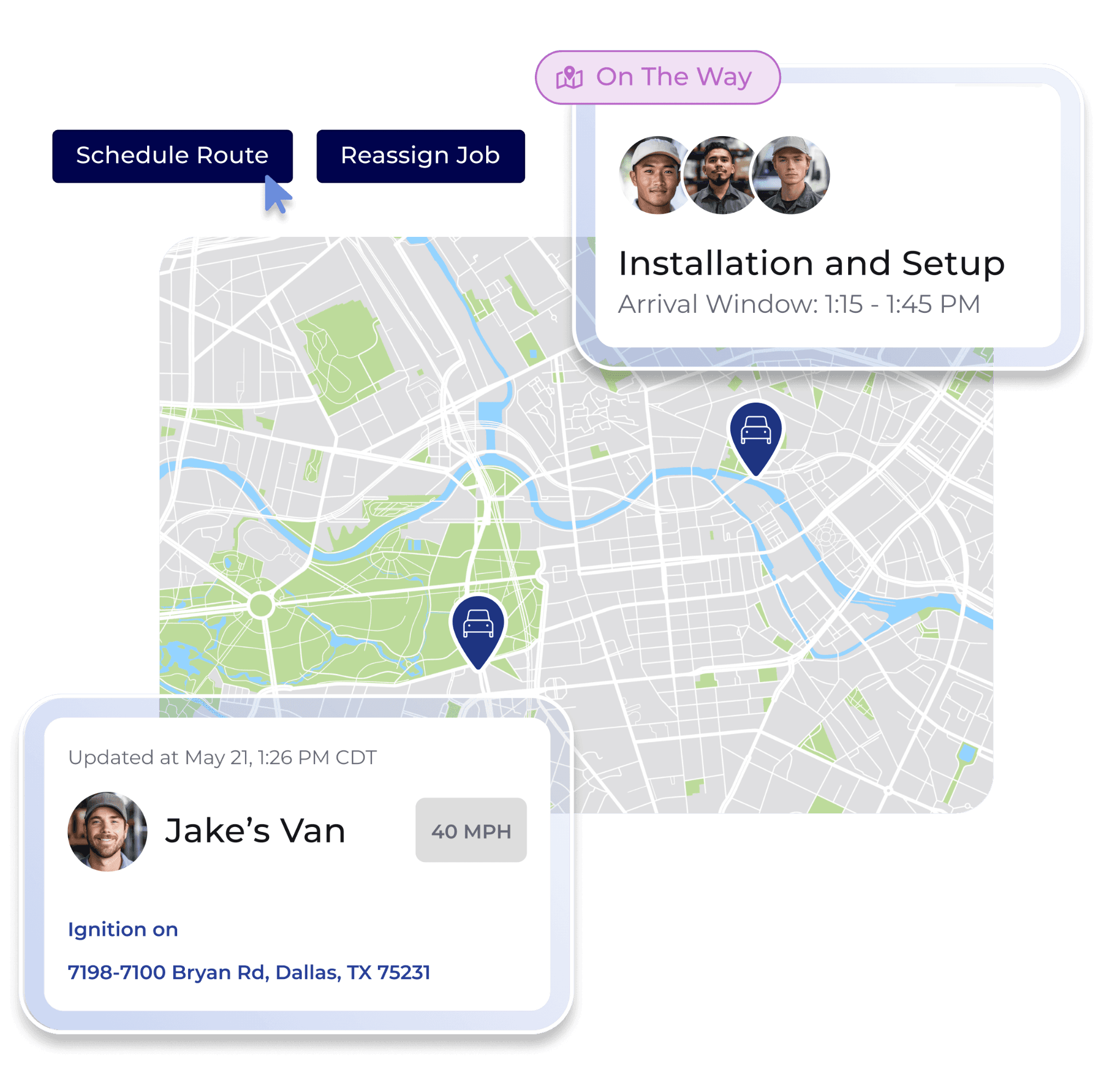
FieldPulse is a field service app targeting small-to-mid service teams that have outgrown basic scheduling tools and need more operational visibility. Drag-and-drop scheduling, GPS dispatch, real-time job notifications, and a strong mobile app make it a capable next step for businesses adding technicians and needing tighter control over daily job flow.
Best for: Growing service businesses with 5 to 25 technicians that need a dispatch board, live technician tracking, and some invoicing capability
G2: 4.7/5 (364 reviews; 99% small business reviewers)
Capterra: 4.6/5 (450 reviews; 99% small business reviewers)
Key dispatch capabilities:
- Drag-and-drop scheduling calendar
- GPS technician tracking for live dispatch decisions
- Real-time job notifications to field technicians
- Technician workload visibility dashboard
Pricing: Seat-based; contact FieldPulse for a custom quote (Essentials, Professional, and Enterprise plans available; no public pricing listed)
Free tier: No (no free trial available)
What users like: Users consistently highlight FieldPulse's responsive, knowledgeable customer support team and intuitive scheduling that makes job assignment and technician tracking easy to learn.
What users criticize: Users frequently report recurring bugs and glitches that interrupt daily workflow, along with unreliable QuickBooks sync that can require support intervention to resolve.
Our take: Strong ratings and standout customer support make FieldPulse a compelling option for growing service teams. Contact them directly for pricing before comparing, since no public rates are listed.
5. Workyard: Best for construction and contractor dispatch
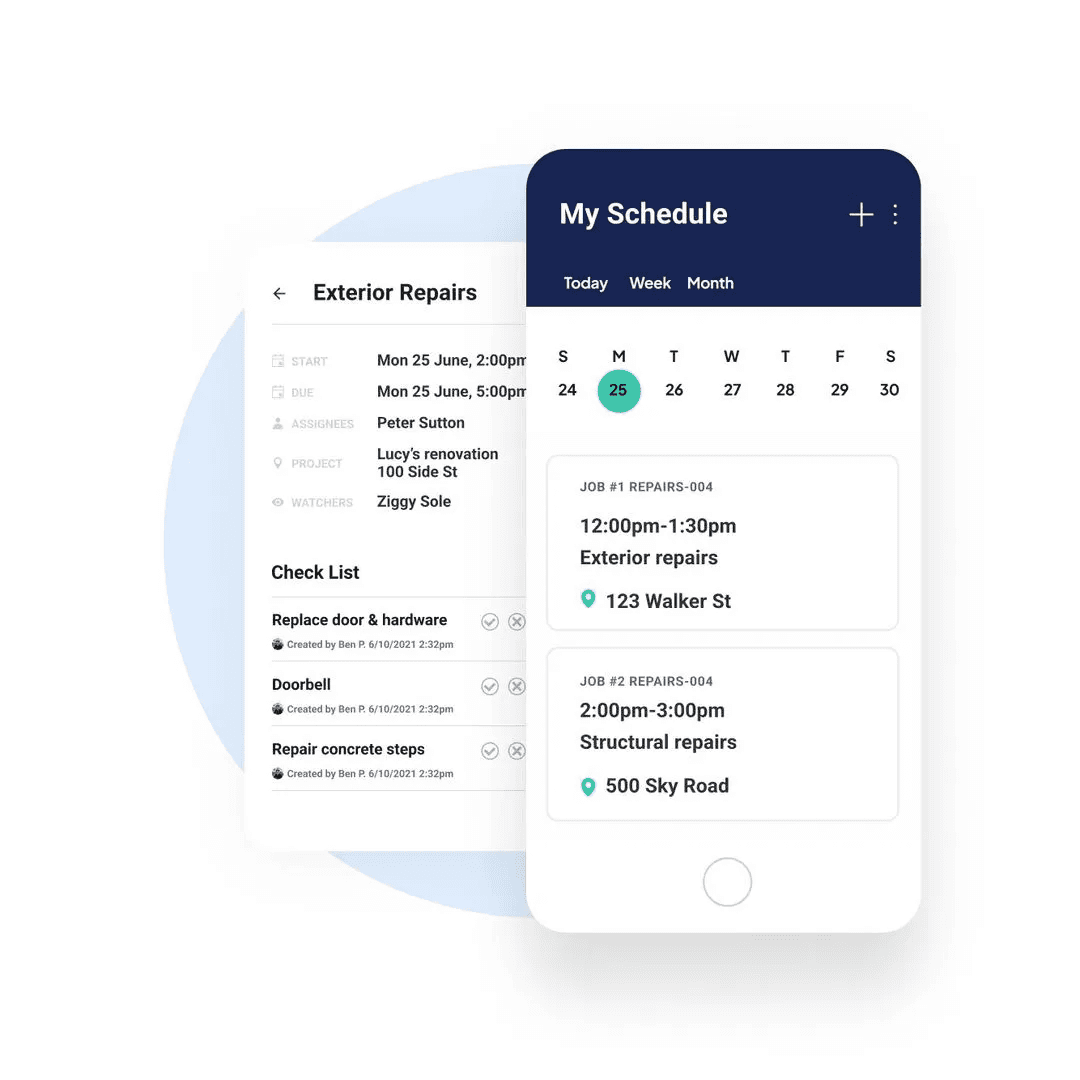
Workyard is a workforce management app and the strongest construction scheduling and dispatch software option on this list, with 75% of its Capterra reviewers coming from construction. GPS tracking, geofencing, visual scheduling, and job costing make it the best fit for contractors managing crews across multiple job sites who need dispatch tied to time tracking and payroll.
Best for: Construction crews and field contractors managing multiple job sites, time tracking, and job costing
G2: 4.8/5 (49 reviews)
Capterra: 4.7/5 (102 reviews; 99% small business reviewers; 75% construction)
Key dispatch capabilities:
- Visual scheduling calendar with daily, weekly, and monthly views
- Live GPS employee tracking for real-time dispatch decisions
- Geofencing with automatic clock-ins
- Job costing with cost codes
Pricing: $6/user/month plus $50/month base (Starter); $13/user/month (Pro)
Free tier: No (14-day free trial)
What users like: Users consistently praise GPS tracking accuracy and geofencing for making time tracking effortless and crew accountability clear across multiple job sites.
What users criticize: Users occasionally report that geofencing can trigger false clock-ins when employees simply drive past a job site, and some note battery drain on field devices.
Our take: The strongest option when construction work, GPS accountability, and job costing are the primary requirements. For HVAC or home service dispatch specifically, Housecall Pro or Workiz will serve you better.
How Homebase Compares
Publisher note: About Homebase
Homebase publishes this guide. We build scheduling, time tracking, and team communication tools for small hourly businesses, including home service teams. That makes us a participant in this category, and the tools we review often include our direct competitors.
Every tool in the ranked list above was evaluated the same way: scheduling and dispatch fit for teams under 20 technicians, user review quality and volume on G2 and Capterra, clarity of pricing, and mobile app quality. We don't accept payment for placement.
What Homebase does
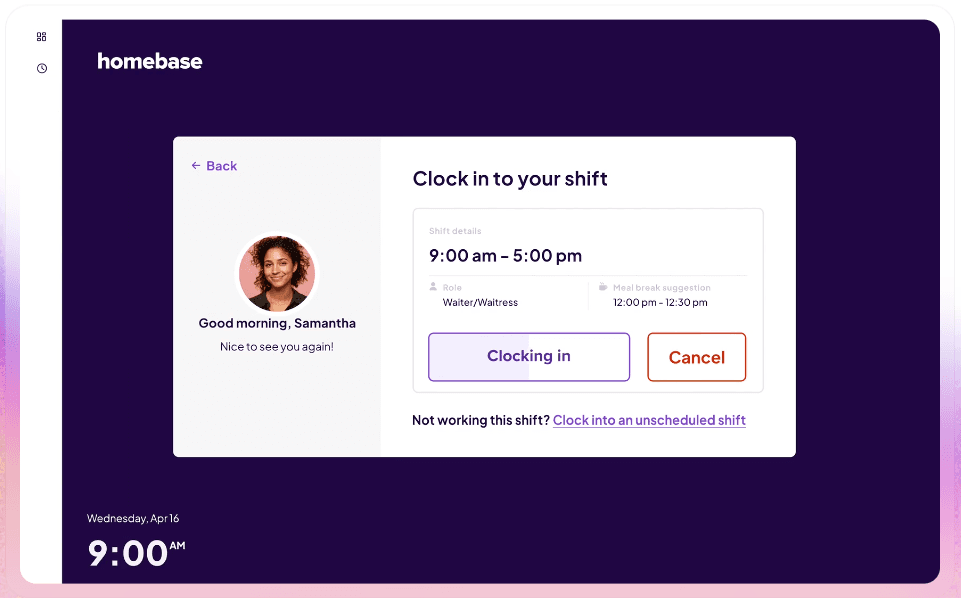
Homebase focuses on the coordination layer: scheduling, team communication, and time tracking for small hourly teams. For work orders, customer-facing invoicing, quotes, and CRM, Jobber and Housecall Pro are the better fits.
The most common pain point for small service teams is straightforward: the schedule changes and not everyone finds out. Shifts go uncovered, technicians show up to the wrong job, and communication is scattered across personal text threads.
"We started using Homebase since day one — since the first day that we ran a business. We ran a trial at that point, very affordable, almost free, very little risk. And we tried it and the scheduling was super easy for us," said Roberto Bustillos, co-owner of Lombard Doggy Daycare and one of Homebase's customers. "We use the scheduling, the clocked in and clocked out to track the time of the employees, and it has the payroll built in. For me it's like — I want to have everything in just one platform."
Homebase at a glance
Best for: Small hourly service teams with 2 to 20 technicians that need scheduling, team communication, and time tracking without FSM complexity
Capterra: 4.6/5 (1,147 reviews)
G2: 4.5/5 (448 reviews)
Key capabilities:
- Drag-and-drop scheduling with conflict detection
- Instant schedule notifications via text, email, and app
- Shift notes for job details attached to every assignment
- Built-in team messaging
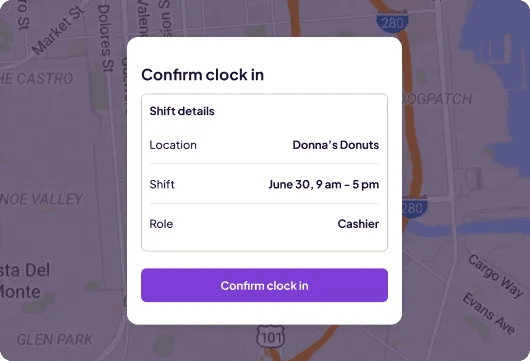
- GPS time clock with geofencing for field clock-ins
- QuickBooks integration
Pricing: Free for up to 10 employees at one location; paid plans from $24/month (billed annually) or $30/month (billed monthly)
Free tier: Yes
Who Homebase doesn't fit: Businesses that need invoicing, customer history, work orders, and CRM in one tool. For those needs, Jobber or Housecall Pro are the better choices.

Stop watching the clock.
Use automated reminders to log your hours and breaks, and spend more time focusing on your customers.
What to Look for in Dispatch Scheduling Software for Small Service Teams
Picking the right dispatch tool comes down to what your team actually runs into every day. Here are the capabilities that matter most.
A visual schedule your whole team can see
A drag-and-drop dispatch board lets you assign and move jobs without rebuilding the entire day. When something changes, everyone from the office to the field works from the same live schedule. Conflict detection should flag double-bookings or overtime before the schedule is published, not after a technician drives to the wrong job.
Real-time notifications when anything changes
When a job moves, technicians need to know right away. Look for scheduling software for service technicians that sends instant push notifications to the technician's phone the moment the schedule is updated. That one capability removes the "I didn't know" moment from the equation entirely.
Mobile access built for field workers
Technicians shouldn't need to call the office to find out where they're going next. A mobile app lets your team view daily jobs, receive updates, access job details, and mark work complete from the field. Offline support matters for basements, rural routes, and commercial buildings with poor signal.
Job notes attached to each assignment
Customer address, access instructions, tools needed, special requests. All of it attached to the shift before the technician leaves. This reduces pre-job phone calls and first-visit confusion, and fewer calls from the field means fewer interruptions to your day.
Team communication built in
Separate group texts for work updates get lost in personal threads. Purpose-built team communication keeps work conversations in one place and off personal channels. The less your team has to bounce between apps, the fewer updates slip through.
Availability and time-off visibility
Scheduling a technician who's already on PTO is entirely avoidable when your tool surfaces availability while you're building the schedule, not after you've published it. This one capability prevents a surprising number of last-minute coverage scrambles.
Time tracking and QuickBooks integration
For service businesses paying technicians by the hour, time tracking tied to job assignments means hours flow to payroll without manual re-entry. GPS verification confirms technicians are on-site. Look for dispatch scheduling software with a QuickBooks integration so data moves cleanly between your schedule and your books.
Frequently Asked Questions About Dispatch Scheduling Software
What is the best dispatch software?
The best dispatch software depends on what you need beyond scheduling. Housecall Pro leads for purpose-built HVAC and home service dispatch. Workiz suits small teams that want dispatch without heavy setup. Jobber is the strongest pick when dispatch and billing need to live together. Homebase fits teams focused on scheduling and team coordination.
What software do 911 dispatchers use?
911 dispatchers use specialized computer-aided dispatch (CAD) systems like Tyler Technologies New World CAD, built specifically for emergency response. These are an entirely separate category from the scheduling and dispatch tools used by HVAC, plumbing, and other field service businesses.
Which software is used for dispatch?
Field service businesses most commonly use purpose-built dispatch tools (Housecall Pro, Workiz, Jobber), FSM apps (FieldPulse, Workyard), or workforce scheduling apps like Homebase. For small technician teams, the right choice handles job assignment and real-time updates without requiring a full FSM stack.
How much does dispatch software cost?
Most dispatch scheduling software requires a paid subscription—free options exist but are the exception, and typically come with limits on team size or features. For a small service team, expect to pay somewhere between $30 and $150+ per month depending on how many technicians you have and which features you need. Many tools price per user, so costs climb as the team grows. Some use a flat per-location model instead. Free plans (like Homebase's, for teams up to 10 employees) can be a good starting point, but most businesses with active dispatch needs will end up on a paid tier.
To choose your dispatch scheduling software, start with the coordination layer
Most small service teams are looking for something more focused than a full field service management system: one place to build the schedule, get it to the field, and stay updated when things change.
The right dispatch scheduling tool closes most of that gap. Start with the basics: job assignment, real-time updates, mobile access, and built-in messaging. Add invoicing and CRM when the operation grows to the point where it genuinely calls for them.
If scheduling, field updates, and team communication are what your service team needs most, Homebase covers that coordination layer in one app, free for up to 10 employees. Try Homebase for free.
Stop watching the clock.
Use automated reminders to log your hours and breaks, and spend more time focusing on your customers.