Best Plumbing Scheduling Software: Top Picks for 2026

SMALL BUSINESS INTEL, IN YOUR INBOX
Table of contents
Three plumbers. Four jobs. One callout. Your group text is already full of messages from a tech who can't find the right address, and it's not even 8 am.
Plumbing service scheduling software is supposed to fix that. But most tools are built to solve only one of the two scheduling problems plumbing businesses actually face: managing customer appointments and dispatch, or managing your team's shifts, hours, and payroll. Getting both right usually means using different tools for each.
This guide covers the best plumbing scheduling software across both categories. Whether you need to sort out dispatch and job management or get better visibility into who's where and what they're owed, you'll find the right fit below.

Less messaging, more managing.
Scrambling to fill open shifts or manage swaps for your team? Let them sign themselves up.
TL;DR: The Best Plumbing Business Scheduling Software for 2026
Plumbing scheduling software helps you organize where your technicians go, when they work, and how their hours get tracked. Here are the top picks:
- Jobber: Best all-in-one for small-to-mid plumbing businesses. Scheduling, dispatch, invoicing, and client communication in one place.
- Housecall Pro: Best for mobile-first operations. Strong dispatch board and the top-rated field app in this category.
- Workiz: Best for call-heavy operations. Scheduling and a built-in phone system on the same screen.
- Workyard: Best for GPS-tied time tracking. Live location data and payroll integrations that go beyond QuickBooks.
- Connecteam: Best for small plumbing teams. Free for up to 10 users, with GPS clock-in and shift scheduling included.
Why Trust Homebase? Why We Built This Guide
We're Homebase. We make a free scheduling, time tracking, and payroll app for small businesses with hourly and field-based teams.
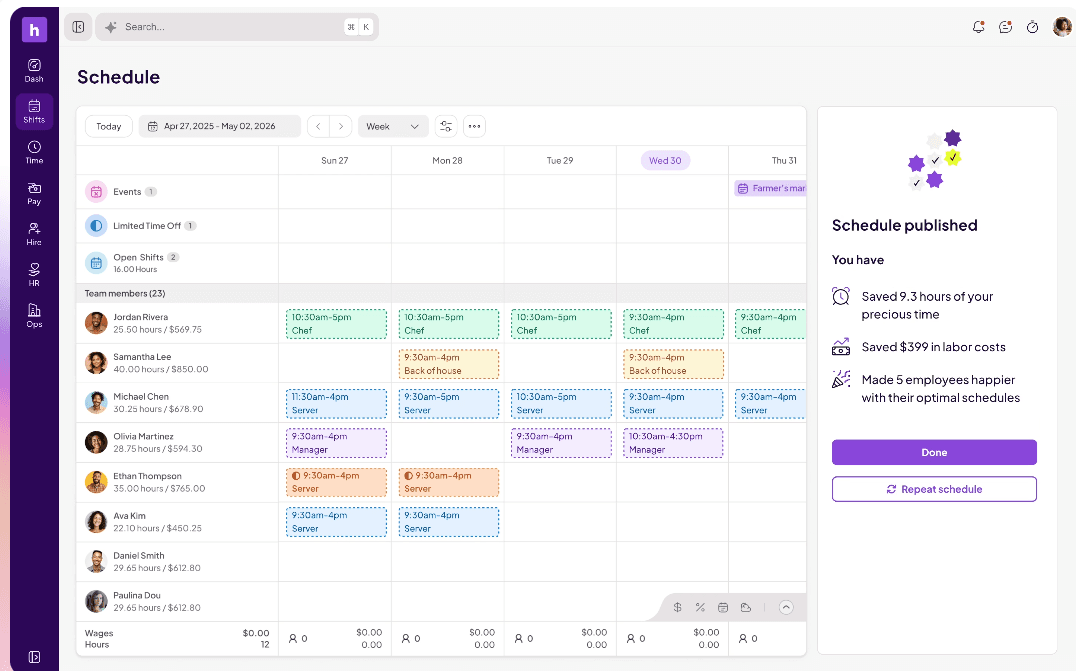
We have a stake in this topic, so we want to be upfront: Homebase is not in the ranked list below. Every tool was evaluated on its own merits. No tool paid for placement or provided backlinks in exchange for a mention.
You'll find our take on where Homebase fits in the "How Homebase compares" section below.
How We Chose The Best Plumbing Scheduling Software
Plumbing businesses face two different scheduling problems, and most tools are built to solve one or the other.
Job scheduling and dispatch tools handle the customer-facing side: booking appointments, assigning techs to specific jobs, routing them efficiently, and managing the work through to invoice. These are sometimes called dispatch scheduling software for plumbing, and they're what most people find when they search this topic. Team and technician scheduling tools handle the people side: who works which shifts and job sites, when they clock in via GPS, and how those hours feed into payroll accurately.
Most of the tools on this list sit clearly in one of those two categories. We grouped our picks accordingly and were upfront in each entry about what a tool does well and where it falls short. We evaluated each tool on:
- Plumbing-specific fit: Does it serve real plumbing workflows, from dispatch to job documentation to field mobile access?
- Ease of use in the field: Does the mobile app work for a plumber checking their schedule between jobs?
- Transparent pricing: Every price was verified against the vendor's own live pricing page before publication. Where pricing required a sales quote, we noted it.
- GPS and location tracking: Can you verify where your techs are clocking in?
- Mobile reliability: Does it hold up at a job site on a weak signal?
- Verified ratings: All G2 and Capterra scores were checked against live pages. Reviews were sourced from Capterra, G2, and Reddit.
For more information, read our full methodology.
How Homebase Compares
Publisher note: This section covers Homebase, the publisher of this guide. It is not part of the ranked list.
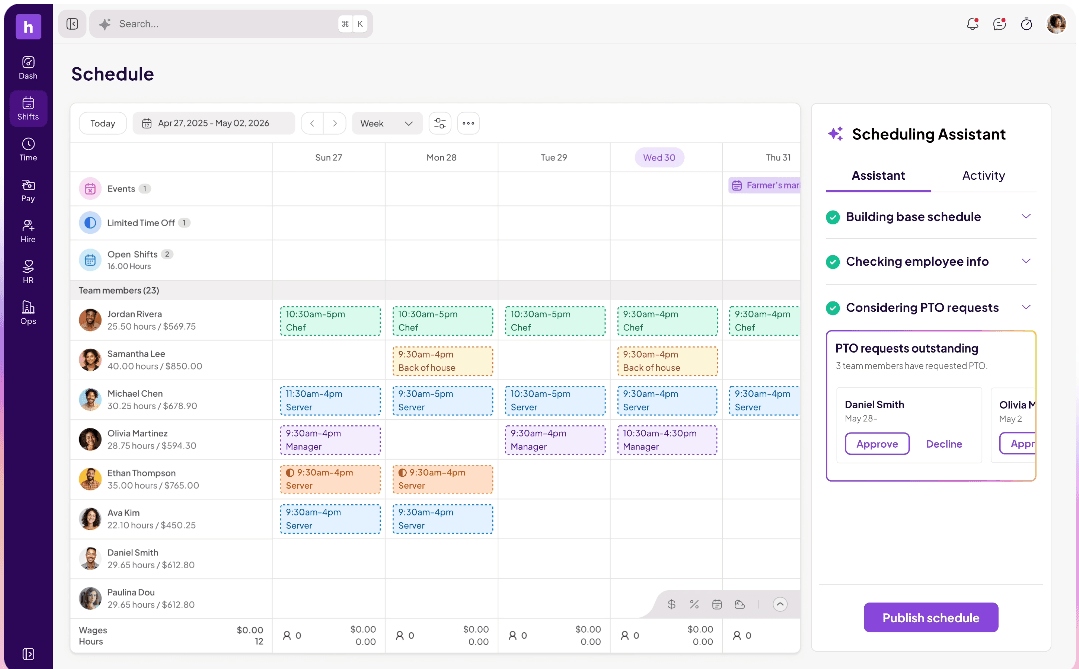
Homebase is built for the team side of plumbing scheduling. It covers who's working which shifts, where they're clocking in, and how their hours connect to payroll. For plumbing businesses managing plumbing technician scheduling alongside time tracking and payroll, Homebase handles all of that in one app.
Best for: Plumbing businesses managing technician shifts, GPS time tracking, and payroll. Works well alongside an FSM tool for teams that need both sides covered.
Key features:
- Shift scheduling with job site notes: add the address, access instructions, or what equipment to bring directly to the shift
- GPS clock-in confirms your plumbers are at the right job site when they punch in
- Overtime alerts before techs cross the weekly threshold
- Built-in team messaging, separate from personal texts
- Timesheets convert to payroll in one step, no re-entry
Pricing: Free for up to 10 employees at one location. Paid plans from $24/mo per location, for unlimited employees.
What to know: Homebase handles your team, not your customer jobs. Customer appointments, dispatch routing, and invoicing are outside its scope. Most plumbing businesses pair it with one of the job scheduling tools above for full coverage.
Less messaging, more managing.
Scrambling to fill open shifts or manage swaps for your team? Let them sign themselves up.
Best Plumbing Scheduling Software for Job Management and Dispatch
These tools handle the full customer job cycle: booking appointments, dispatching technicians, managing work orders, and closing out jobs with an invoice. If you're looking for scheduling and dispatch software for plumbing that covers the customer-facing side of your operation, start here.
Jobber.
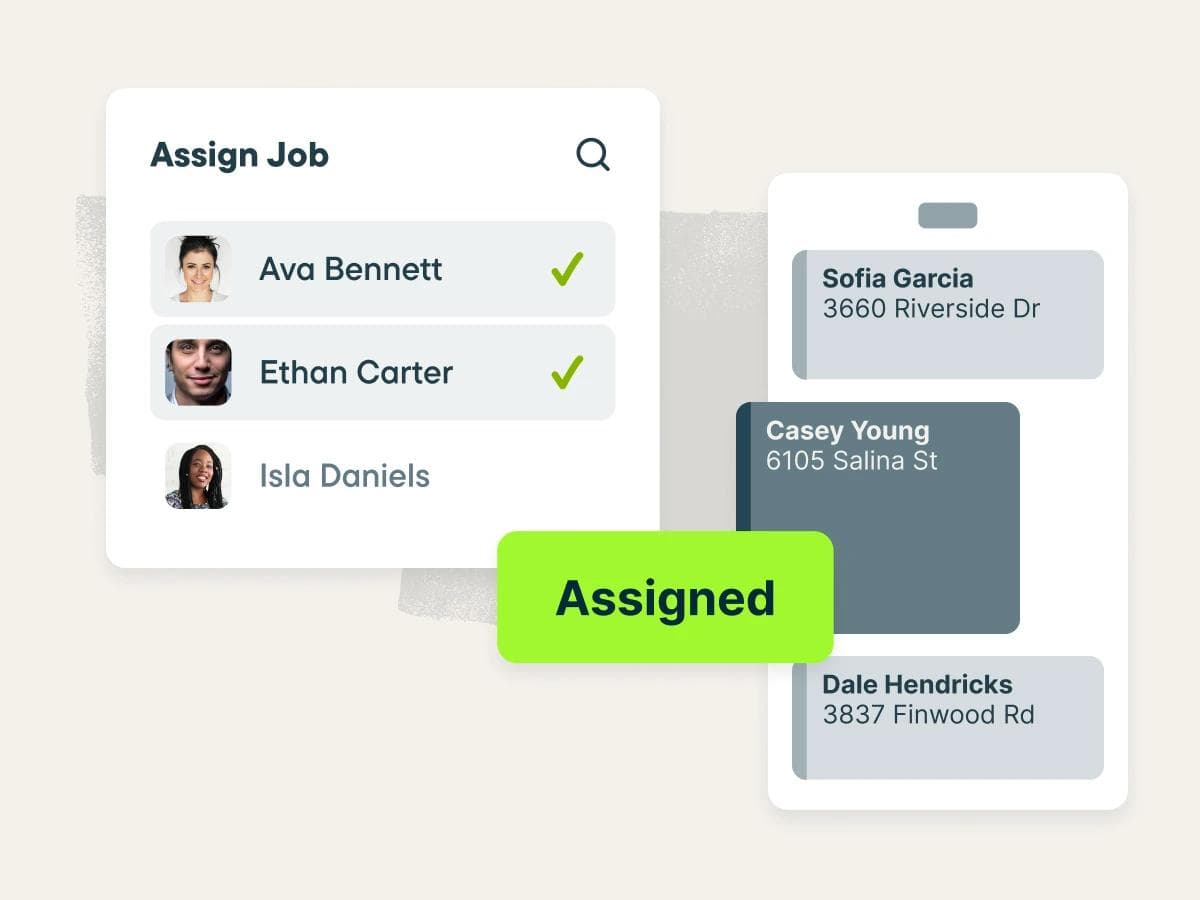
Best for: Small-to-mid plumbing businesses (1-10 techs) that want scheduling, dispatch, and invoicing in one transparent app
Rating: G2 4.6/5 (500+ reviews) · Capterra 4.6/5 (1,400+ reviews)
What it is: Jobber is field service management software used by 250,000+ home service pros across plumbing, HVAC, electrical, and similar trades. You manage jobs from the first customer request through scheduling, dispatch, invoicing, and payment in one place.
Key features:
- Drag-and-drop scheduling calendar with route optimization and arrival windows
- Client Hub: customers approve quotes, pay invoices, and check appointment details without calling the office
- Offline mobile app: techs can view schedules, update job details, and track time without cell signal
- Automated follow-ups for unaccepted quotes and outstanding invoices
Pricing: Starts at $29/mo (billed annually). No free plan; 14-day trial available.
What users like: Across G2 and Capterra, users consistently praise how easy Jobber is to pick up for both office staff and field techs, with scheduling, quoting, and invoicing working together in one workflow that reduces admin time.
What users criticize: The most common complaint on both platforms is limited functionality on lower tiers and feature gaps that become more apparent as teams grow, with per-user pricing adding up quickly past 10 technicians.
Our take: Jobber is the most practical starting point for a plumbing business under 10 techs. Pricing is transparent, setup takes days, and the mobile app is reliable enough that your crew will actually use it. Once you're regularly scheduling 15 or more, run the numbers on the Teams tiers before you commit.
Housecall Pro.
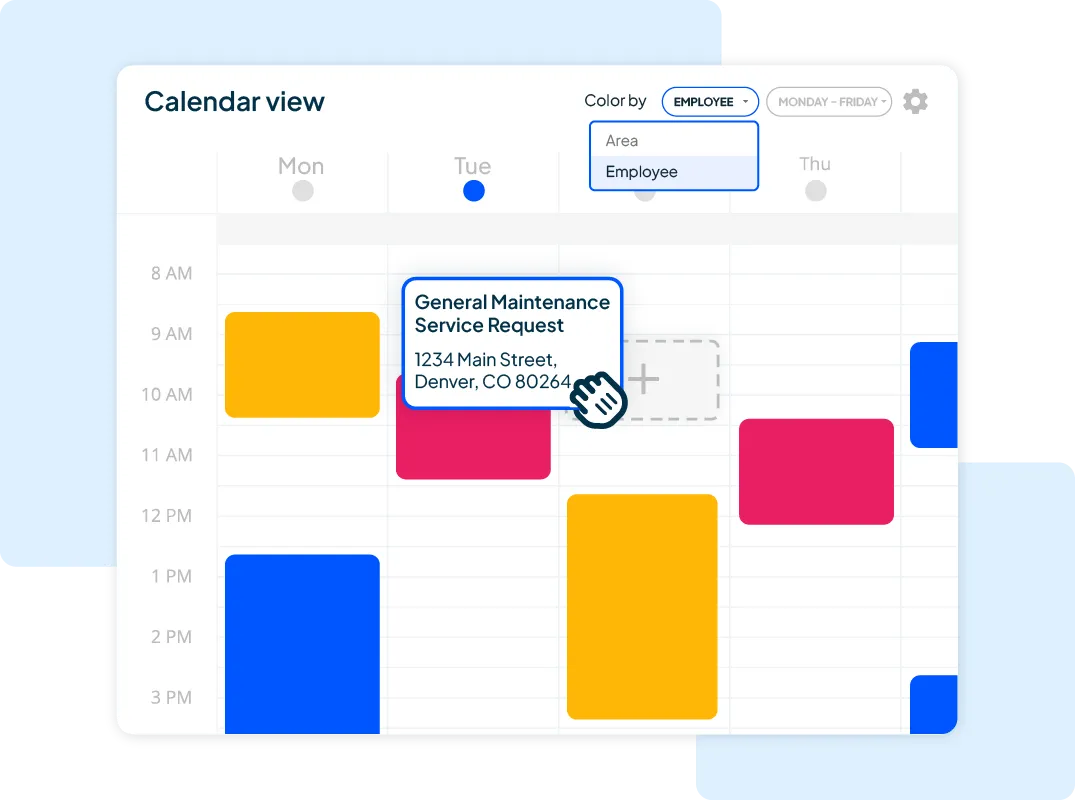
Best for: Mobile-first plumbing operations that prioritize customer experience from booking to field payment
Rating: G2 4.3/5 (200+ reviews) · Capterra 4.7/5 (2,700+ reviews)
What it is: Housecall Pro is an all-in-one FSM app trusted by 45,000+ home service businesses, with strong adoption among plumbing, HVAC, and electrical contractors. The whole system is designed around the customer-facing workflow, from first booking through to the field invoice.
Key features:
- Drag-and-drop dispatch calendar with color-coded technician views and same-day reassignment
- "On my way" notifications sent automatically when a tech is dispatched, keeping customers in the loop
- GPS tracking and employee time tracking (Essentials plan and above)
- Offline mobile app for field techs, so jobs can be managed and updated in low-signal areas
Pricing: Starts at $59/mo (billed annually). No free plan; 14-day trial available.
What users like: Reviewers on both G2 and Capterra consistently highlight how quickly new employees can be onboarded, with the mobile app singled out for making scheduling and payment collection straightforward in the field.
What users criticize: Across both platforms, the most documented frustrations are occasional bugs in the invoicing workflow and the fact that GPS tracking and QuickBooks sync are locked behind the Essentials tier, making the $59 entry price misleading for most growing plumbing operations. According to a Reddit thread on r/smallbusiness, u/TheGoodPatriarch found the platform worked well early on but noted the experience dropped off once they grew to a few techs, eventually switching over support and cost concerns.
Our take: Housecall Pro earns its place on the strength of the field mobile experience. The "on my way" automation and in-field payment collection add real polish to how your business shows up to customers. Go in knowing that GPS tracking and QuickBooks sync both require Essentials ($149/mo annual), so budget accordingly.
Workiz.
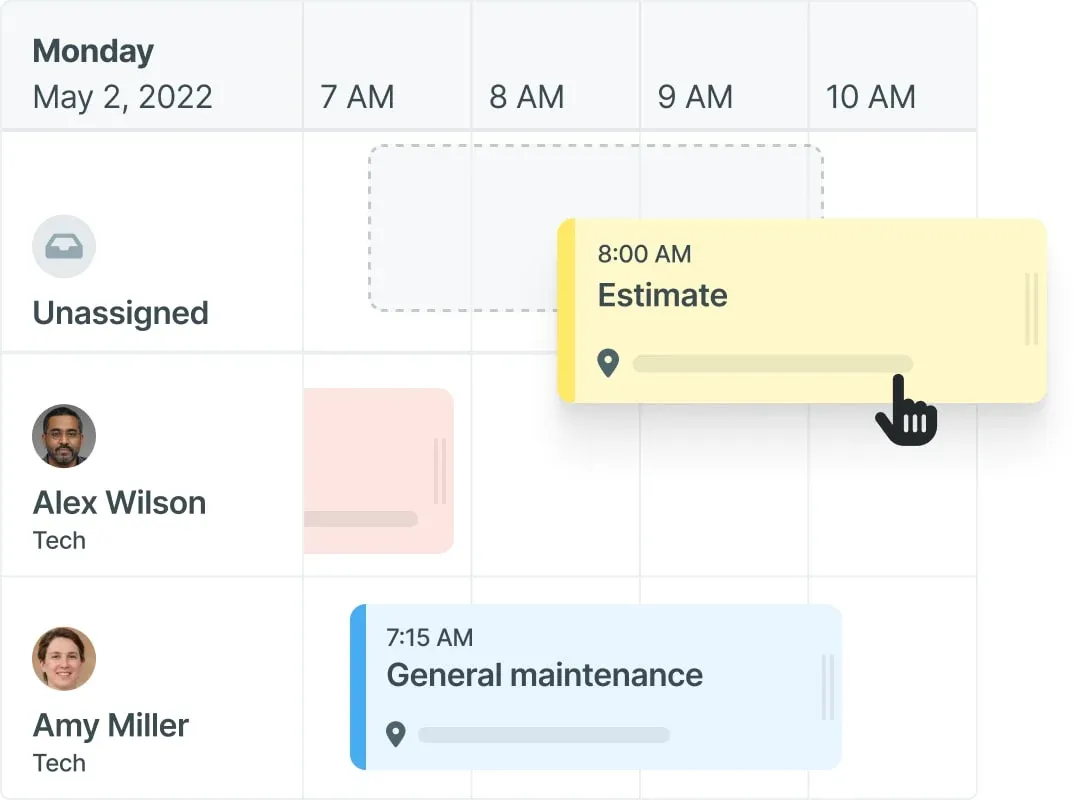
Best for: Plumbing businesses with high inbound call volume that want scheduling and a phone system on the same screen
Rating: G2 4.5/5 (200+ reviews) · Capterra 4.4/5 (200+ reviews)
What it is: Workiz is an FSM app trusted by 120,000+ field service pros, built around the idea that dispatch and customer communication belong in the same place. The standout feature is a native VoIP phone system that sits inside the app, so calls and plumbing job scheduling happen in one place without switching between tools.
Key features:
- Drag-and-drop scheduling calendar with real-time job status and technician availability
- Built-in phone system with call tracking, routing, and recording (included on higher tiers)
- Automated job alerts, "on my way" texts, and follow-up reminders via the Workiz mobile app
- Online booking with direct integration to Google Local Services Ads
Pricing: Pricing is not publicly listed. 7-day free trial available.
What users like: Across G2 and Capterra, users consistently praise how easy Workiz is to get started with, highlighting the scheduling automation, real-time job visibility, and built-in communication tools as time-savers for day-to-day dispatch.
What users criticize: The most common complaints on both platforms are pricing that becomes hard to predict once add-ons are factored in, and some limitations in mobile app functionality that users want improved.
Our take: Workiz makes the most sense for a plumbing business where calls and the dispatch board need to live on the same screen. The built-in phone system removes the need for a separate VoIP tool. Budget carefully: the real monthly cost depends on which add-ons you need, and that number isn't visible until you speak to their team.
Best Plumbing Scheduling Software for Technician Team Management
These tools focus on the employee side of running a plumbing crew: scheduling technicians to shifts and job sites, tracking their hours in the field via GPS, and getting accurate time data into payroll. If you're looking for software for scheduling plumbing technicians and managing the team directly, these are built for that job.
Workyard.
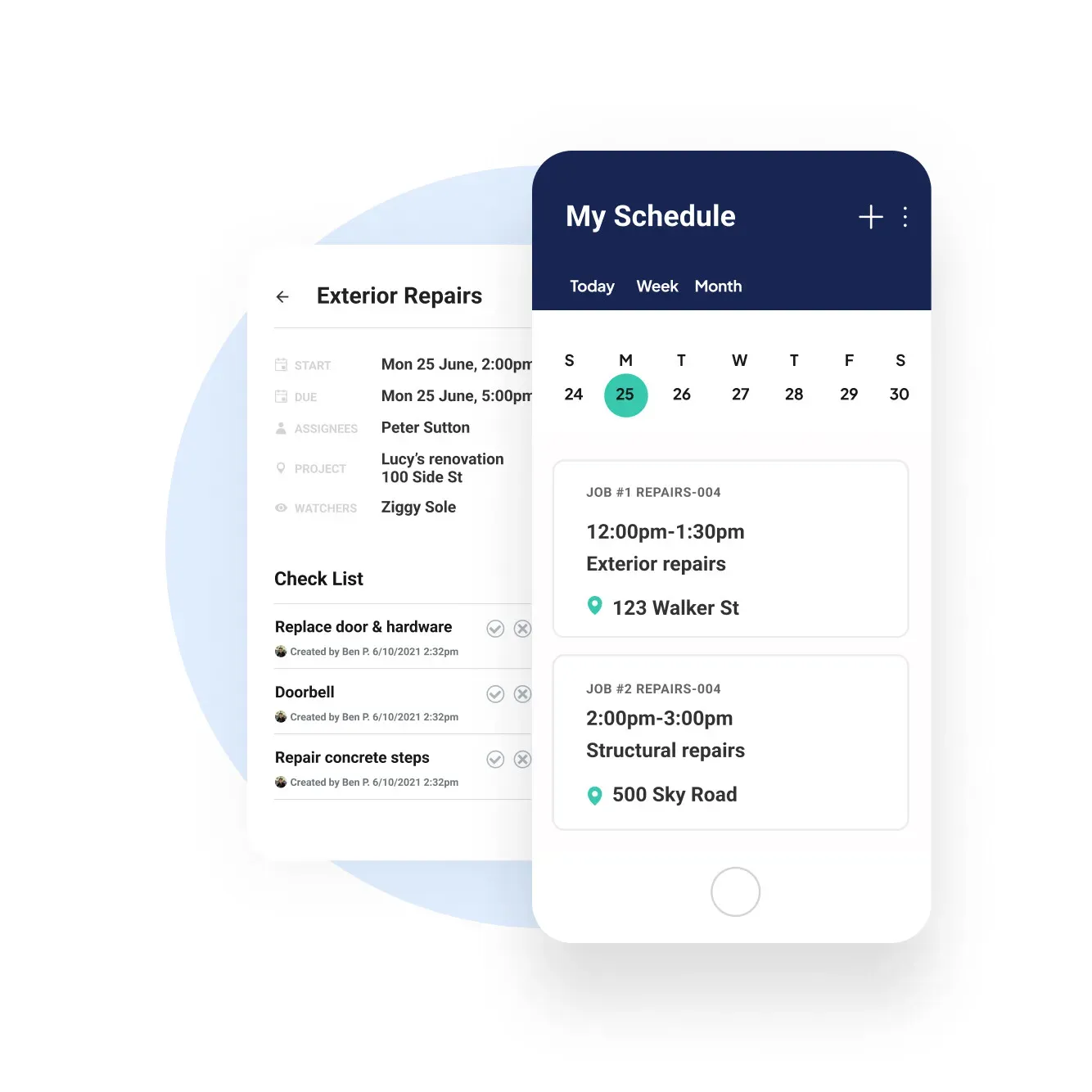
Best for: Plumbing businesses where GPS-verified time records and broad payroll integration are the priority
Rating: G2 4.8/5 (49 reviews) · Capterra 4.7/5 (102 reviews)
What it is: Workyard is a GPS-focused time tracking and scheduling app built for construction and field service crews. Every timesheet is verified to a specific job site address, travel time between sites is tracked automatically, and hours are exported directly to payroll without manual re-entry.
Key features:
- Auto clock-in via geofencing: techs are clocked in when they arrive at a job site, without opening the app
- GPS-tied timecards with a full breadcrumb trail, showing exact addresses visited, time on site, and driving routes between jobs
- Overtime and break compliance tracking with state-level rule configuration
- Scheduling and job assignments (Pro plan and above), with payroll exports to QuickBooks, ADP, Gusto, Paychex, Paycor, and Paylocity
Pricing: Starts at $6/user/mo plus a $50/mo base fee (Starter plan). Free 14-day trial available.
What users like: Reviewers on both G2 and Capterra consistently highlight how accurately and automatically Workyard tracks time across job sites, with GPS verification, auto clock-ins, and real-time crew visibility being the features called out most as making payroll dependably reliable.
What users criticize: The most recurring complaint on both platforms is GPS lag and slower syncing in areas with poor cell signal, which affects clock-in accuracy at remote or underground job sites.
Our take: Workyard makes the most sense for plumbing businesses where payroll accuracy is the main pain and you need to know your techs are clocking in from the actual job site. The $50 base fee makes it less economical for very small crews, but for a team of five or more, Pro is reasonably priced for what it delivers. Scheduling is a Pro-only feature, so if you need both time tracking and job scheduling, budget for that tier from the start.
Connecteam.
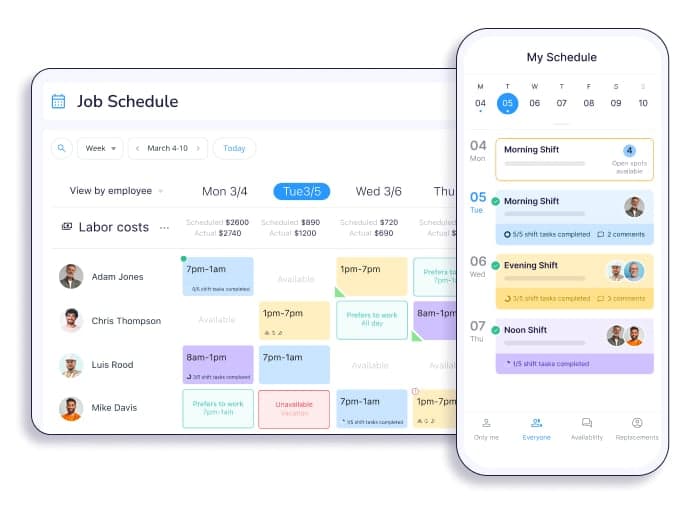
Best for: Small plumbing businesses that want GPS shift scheduling and time tracking without paying FSM prices
Rating: G2 4.6/5 (3,504 reviews) · Capterra 4.6/5 (5,298 reviews)
What it is: Connecteam is a mobile-first app built for deskless and field teams, trusted by 80,000+ companies. It handles technician scheduling, GPS clock-in, team messaging, and timesheet exports. Customer job management, dispatch routing, and invoicing are outside its scope, so most plumbing businesses pair it with one of the FSM tools above.
Key features:
- Drag-and-drop shift scheduling with job site notes, checklists, and file attachments on each shift
- GPS clock-in with geofencing: techs can only clock in within a set radius of the job site address
- Overtime alerts when a tech approaches their weekly hour limit
- Team messaging and shift coordination in the same app as the schedule, separate from personal texts
Pricing: Free for up to 10 users. Paid plans start at $29/mo (annual billing) for the first 30 users.
What users like: Users across G2 and Capterra consistently call out how easy Connecteam is for field workers to pick up, with the mobile scheduling, GPS clock-ins, and team chat working together in one app that doesn't require any technical knowledge to use.
What users criticize: The most common complaints on both platforms are occasional app slowdowns and technical glitches, plus the fact that some features are gated behind higher-tier plans, which can push costs up faster than expected once you grow past 10 users.
Our take: Connecteam's free plan is the most cost-effective starting point in this category for a plumbing team under 10. The free plan covers all the key features, including GPS clock-in, shift scheduling, and team messaging. One honest limitation: the app has no offline mode, so plumbers working in basements, crawlspaces, or areas with poor signal won't be able to clock in until they get signal back. Test it on your actual job sites before committing.
Plumbing Scheduling Software FAQs
What software do plumbers use?
Plumbing businesses typically use two categories of software. Field service management tools like Jobber, Housecall Pro, ServiceTitan, and Workiz handle customer appointments, technician dispatch, job tracking, and invoicing. Employee scheduling and time tracking tools like Homebase manage who works which shifts, GPS clock-ins at job sites, and payroll.
What is the 135 rule in plumbing?
The 135 rule limits how much a horizontal drain pipe can change direction before requiring a vent or cleanout. A drain section should not exceed 135 degrees of total horizontal direction change, the equivalent of one 90-degree turn plus one 45-degree turn. The rule appears in many local plumbing codes derived from the International Plumbing Code (IPC); verify the version adopted in your jurisdiction through the International Code Council.
What is the best scheduling software?
For plumbing businesses that need to manage customer appointments and technician dispatch, Jobber and Housecall Pro consistently earn the highest ratings on G2 and Capterra. For businesses that need to manage employee shifts, GPS time tracking at job sites, and payroll, Homebase is a strong option with a free plan available for one location. The right tool depends on which scheduling problem you're solving: the customer side, the team side, or both.
What is the best plumbing estimating software?
Plumbing estimating software generates job quotes and proposals, while scheduling software assigns technicians and manages when the work happens. For most service-and-repair plumbing businesses, FSM tools like Jobber and Housecall Pro include built-in quoting and flat-rate pricing, covering estimating needs without a separate tool. Commercial plumbing contractors working from blueprints and needing detailed material takeoffs often use dedicated tools like McCormick Systems or FastPIPE.
The setup that covers both sides of your operation
Most plumbing businesses searching for scheduling software end up in the same place: looking at tools built for customer job management when what they actually need is something that handles both sides.
The tools in the job management and dispatch category (Jobber, Housecall Pro, and Workiz) are built to organize your customer workflow, from the first call through to the invoice. The tools in the team management category (Workyard and Connecteam) are built to organize your crew: who works where, when they clock in, and what you owe them.
Many plumbing operations need one from each group. An FSM tool keeps your customer jobs moving. A team scheduling app keeps your plumbers accountable and your payroll accurate. They solve different problems, and running both doesn't mean double the admin. It usually means less.
Homebase handles the team side. We're free for up to 10 employees at one location, and our app works on any phone your techs already have. If you're still building schedules in a group text and manually tallying timesheets at the end of each week, it's a straightforward switch. Get started with Homebase for free.
Less messaging, more managing.
Scrambling to fill open shifts or manage swaps for your team? Let them sign themselves up.