Best HVAC Scheduling Software for Small Business (2026)


SMALL BUSINESS INTEL, IN YOUR INBOX
Table of contents
The emergency call comes in at 2 PM. You grab your phone to find the closest available tech, but you're already checking three group texts, guessing who's between jobs and who's stuck at a site that ran long. You don't actually know where anyone is.
That's what running a small HVAC shop looks like without the right hvac scheduling software. Paper work orders get lost, group texts spiral, and peak season exposes every gap in a manual system. This guide compares the six best HVAC scheduling software tools for small businesses in 2026 -- verified pricing, real ratings, and an honest take on who each tool fits.
The Best HVAC Scheduling Software at a Glance
The best hvac scheduling software and hvac business scheduling software for small shops handles dispatch, QuickBooks integration, and job management without enterprise complexity. Here's who made the list:
- Jobber -- Best for small HVAC teams that want simple scheduling and clean invoicing.
- Housecall Pro -- Best for growing shops that want an all-in-one with a polished customer experience.
- ServiceTitan -- Best for shops that have outgrown what most small-business tools can handle.
- Service Fusion -- Best for teams wanting unlimited users on every plan with published pricing.
- Workiz -- Best for shops driven by inbound phone volume.
- FieldEdge -- Best for established QuickBooks shops needing service-agreement depth.
Why Trust Homebase's HVAC Scheduling Software Guide?
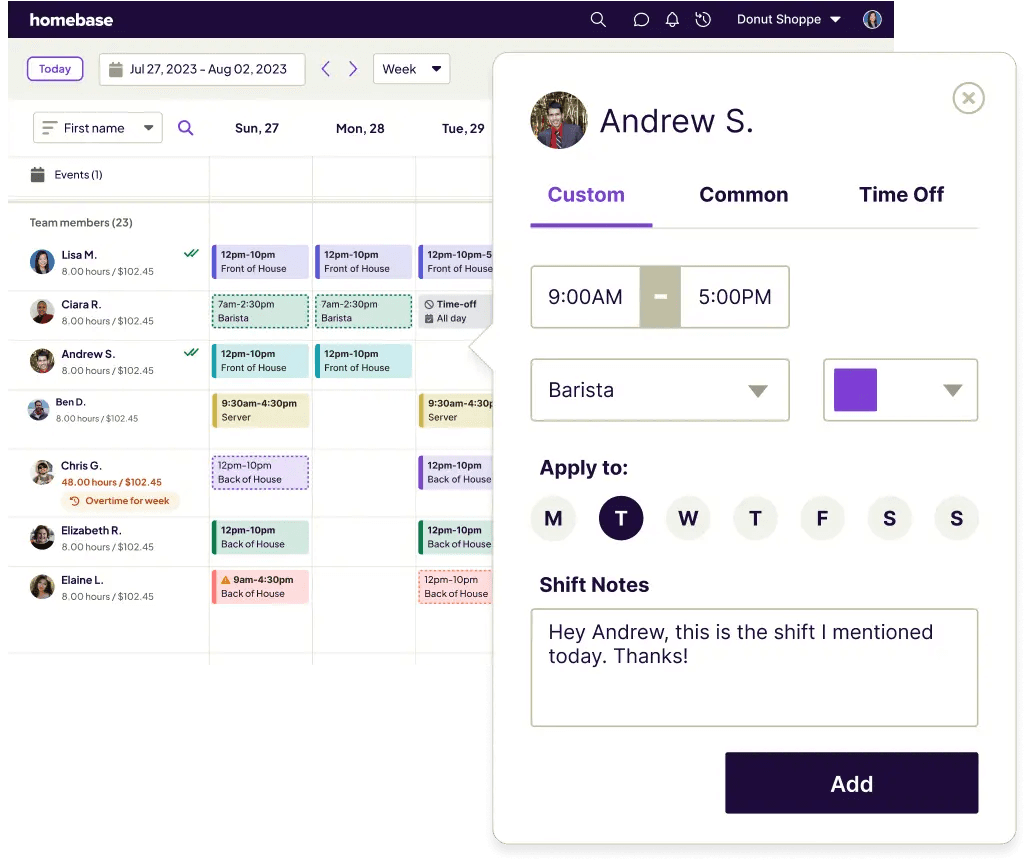
We're Homebase -- we make scheduling, time tracking, and payroll software for small businesses with hourly teams, and HVAC shops are one of our core use cases. That means we understand the specific headaches of running a mobile crew: techs spread across job sites, hours that are hard to track when nobody's ever in the office, and a mix of W-2 employees and 1099 subcontractors that complicates payday. Those aren't hypotheticals to us.
We're also not in the ranked list below, and we want to be clear about that. Every tool here was evaluated on its own merits -- we don't accept payment or backlinks for a mention. What we bring is a specific point of view on what makes HVAC crew management actually work, and that shaped every criterion we used.
How We Chose the Best HVAC Scheduling Software
There's a wide range of hvac scheduling software on the market, and the right scheduling software for HVAC shops depends heavily on how you actually run your crew -- these picks come from hands-on research into how each tool serves small teams, not a pay-to-play list:
- Scheduling and dispatch -- drag-and-drop boards and fast emergency-call handling.
- Mobile usability -- since techs are never at a desk, the mobile experience carries most of the weight.
- Pricing model -- per-user, flat, or quote-only, and how cost behaves as you add a tech or two.
- Fit for small shops -- fast setup, no dedicated office manager required.
- QuickBooks integration -- the invoicing-to-books handoff that cuts double-entry.
- Data portability -- whether you can export your job history if you leave. HVAC owners on Reddit's r/Businessowners flag this one regularly.
We verified pricing against each vendor's live page at time of research. See how we chose for methodology.
HVAC Scheduling Software Compared
Three tools with the clearest published pricing:
Jobber
- Starting price: $29/mo billed annually (Core, 1 user)
- Free trial: 14 days, no credit card
- Key integrations: QuickBooks Online, Xero
- Best for: Residential HVAC teams under 10 techs
Housecall Pro
- Starting price: $59/mo billed annually (Basic, 1 user)
- Free trial: 14 days, no credit card
- Key integrations: QuickBooks Online and Desktop, CompanyCam, Zapier
- Best for: Growing shops prioritizing customer experience
Service Fusion
- Starting price: $208/mo billed annually (Starter, unlimited users)
- Free trial: Free demo; no free trial
- Key integrations: QuickBooks Online and Desktop
- Best for: Teams wanting unlimited users without per-seat fees
How Homebase Compares for HVAC Scheduling
If the biggest pain in your shop isn't dispatching jobs but keeping the team organized -- that's where Homebase fits. Pricing models vary significantly across hvac scheduling software: per-user, per-technician, unlimited-user, and custom licensing all appear, so the right model depends on your headcount and how fast you're growing.
Here's how Homebase fits into the picture:
- Pricing: Per location, not per technician. The Basic plan is free for one location for up to ten employees -- no credit card required. Paid plans are also per location with unlimited employees.
- What you can do: Build schedules, track hours with GPS-verified mobile clock-in, and message the crew from one app.
- Payroll: Available as an add-on via Homebase payroll.
- What we don't do: Dispatch boards, routing, and work orders. If that's what you need, the tools above are your answer.
Juggling timesheets and shift schedules for a mobile crew is its own full-time job -- Homebase keeps it all in one place, starting free for one location.
The 6 Best HVAC Scheduling Software Tools for 2026
Re-verify and screenshot ratings before publish (sourced July 15, 2026).
Jobber
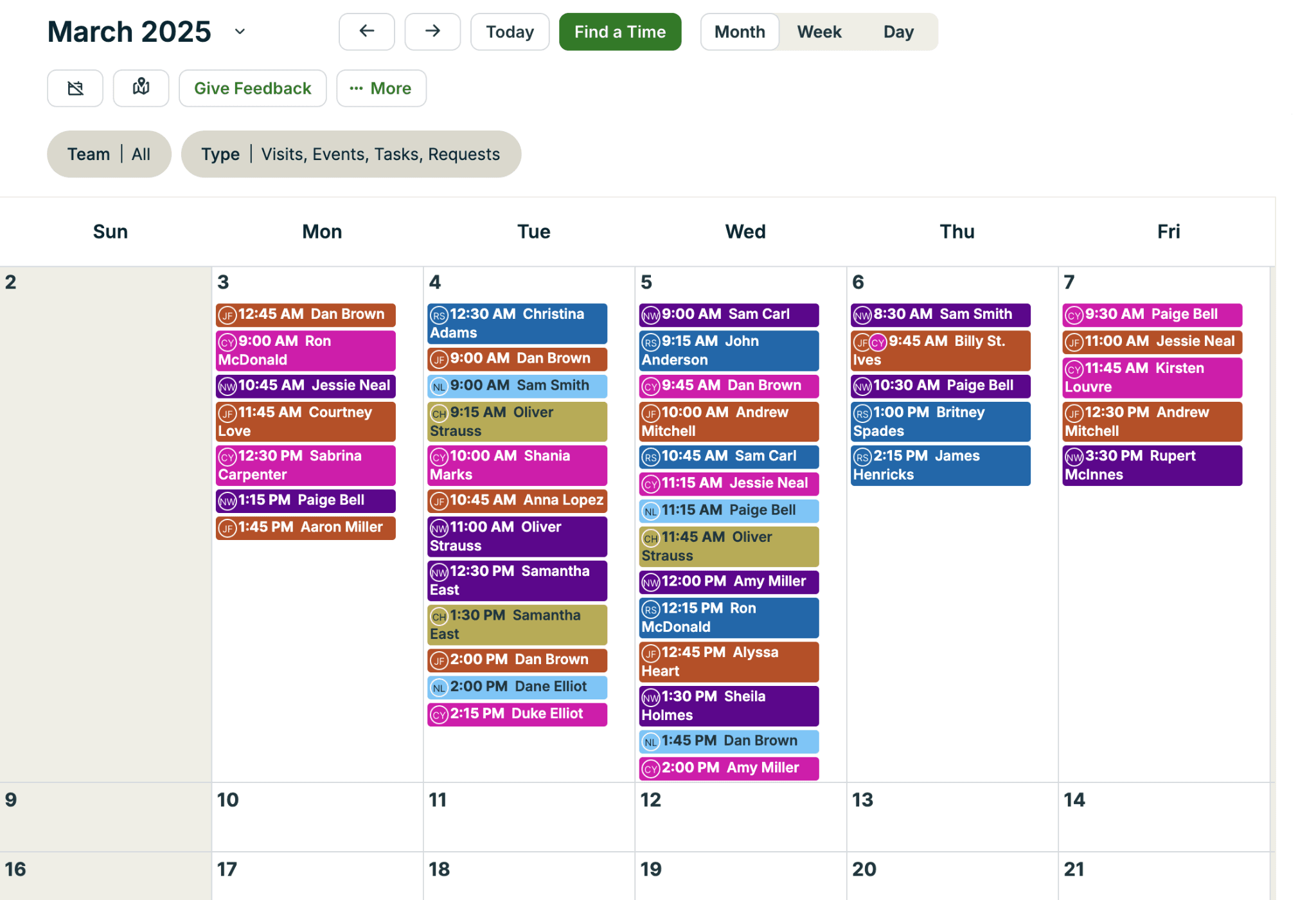
Best for: Small residential HVAC teams wanting simple scheduling and clean invoicing.
Rating: G2 4.6/5 from 509 reviews · Capterra 4.6 from 1,373 reviews (as of July 15, 2026)
Jobber is cloud-based hvac scheduling software built for home-service businesses. Customers can book and approve quotes through the client hub without calling the office -- it works as hvac appointment scheduling software for shops that want online booking too. The scheduling interface is one of the most intuitive in the category.
Key features:
- Drag-and-drop calendar with recurring job setup
- QuickBooks Online and Xero sync (Connect plan and above)
- Client hub for customer quote approvals and payments
- GPS tracking / real-time vehicle tracking (via fleet tracking partners)
- Mobile app for iOS and Android
Pricing: Published. Core starts at $29/mo billed annually ($39/mo with a one-year commitment; $49/mo month-to-month). Plus (15 users) runs $529/$599/$699 on the same tiers. Extra users beyond a plan cap cost $29/month. No permanent free tier; 14-day trial, no credit card required.
What users like: The quoting and invoicing flow is what keeps people around. Moving a job from estimate to payment without switching systems is the most common reason reviewers say they'd never leave.
What users criticize: The built-in reports are too basic for shops that want to break down revenue by job type or track performance by tech.
Our take: If you're a residential shop under ten techs and you're still running things out of a spreadsheet, Jobber is where to start. Just keep an eye on the per-user math -- it's manageable at three techs but can sneak up on you at eight.
Housecall Pro
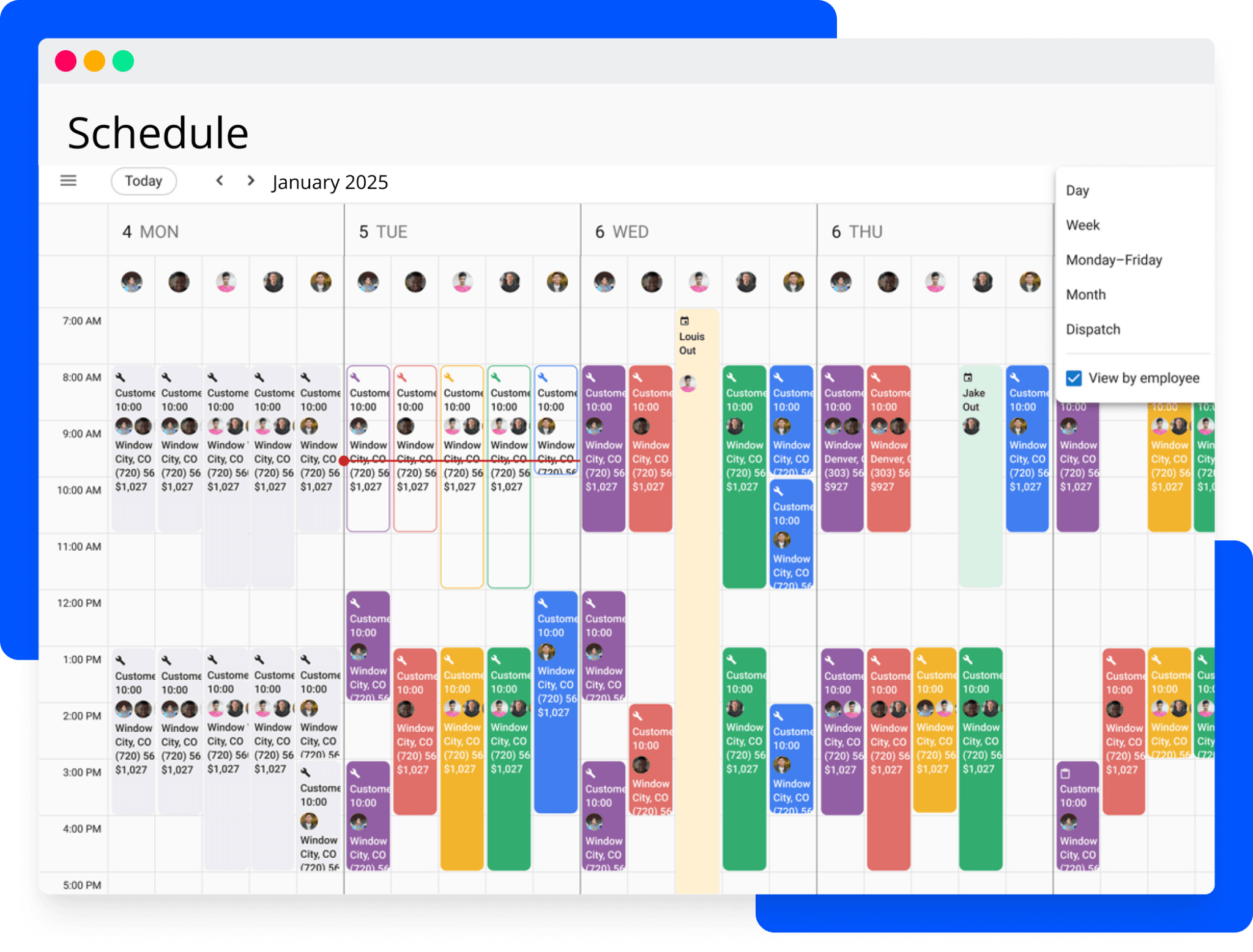
Best for: Growing HVAC shops wanting an all-in-one with a strong customer-facing experience.
Rating: G2 4.3/5 from 204 reviews · Capterra 4.7 from 2,736 reviews (as of July 15, 2026)
Housecall Pro is designed for home service businesses from solo operators to growing teams, covering the full hvac service scheduling software workflow. Worth noting the gap between those two ratings: the Capterra score reflects day-to-day platform quality, which is genuinely strong. The G2 score is lower because it catches more users who've run into billing friction or support issues after onboarding.
Key features:
- Drag-and-drop dispatch with real-time GPS tracking
- Automated "on my way" customer notifications
- Online booking through your website or Google
- QuickBooks Online and Desktop integration
- Flat-rate pricebook support
Pricing: Published. Basic: $59/mo annual / $79/mo monthly (1 user). Essentials: $149/mo annual / $189/mo monthly (up to 5). Max: $299/mo annual / $329/mo monthly. Most reviewers say they landed a tier above where they started once they unlocked what they actually needed.
What users like: The dispatch calendar and mobile app are what people rave about -- fast to learn, reliable in the field, and the "on my way" text is the feature they say they'd miss most if they switched.
What users criticize: Support consistency is where it falls short. Negative reviews tend to cluster around unresolved issues after onboarding wraps up and billing disputes that took too many contacts to resolve.
Our take: Housecall Pro is the right call when how your customers experience the job matters as much as how your team dispatches it. If hvac scheduling software with strong customer communication is what you're after, this is the strongest option at the price. Just go in knowing which tier actually covers your workflow -- the upgrade path is very real.
ServiceTitan
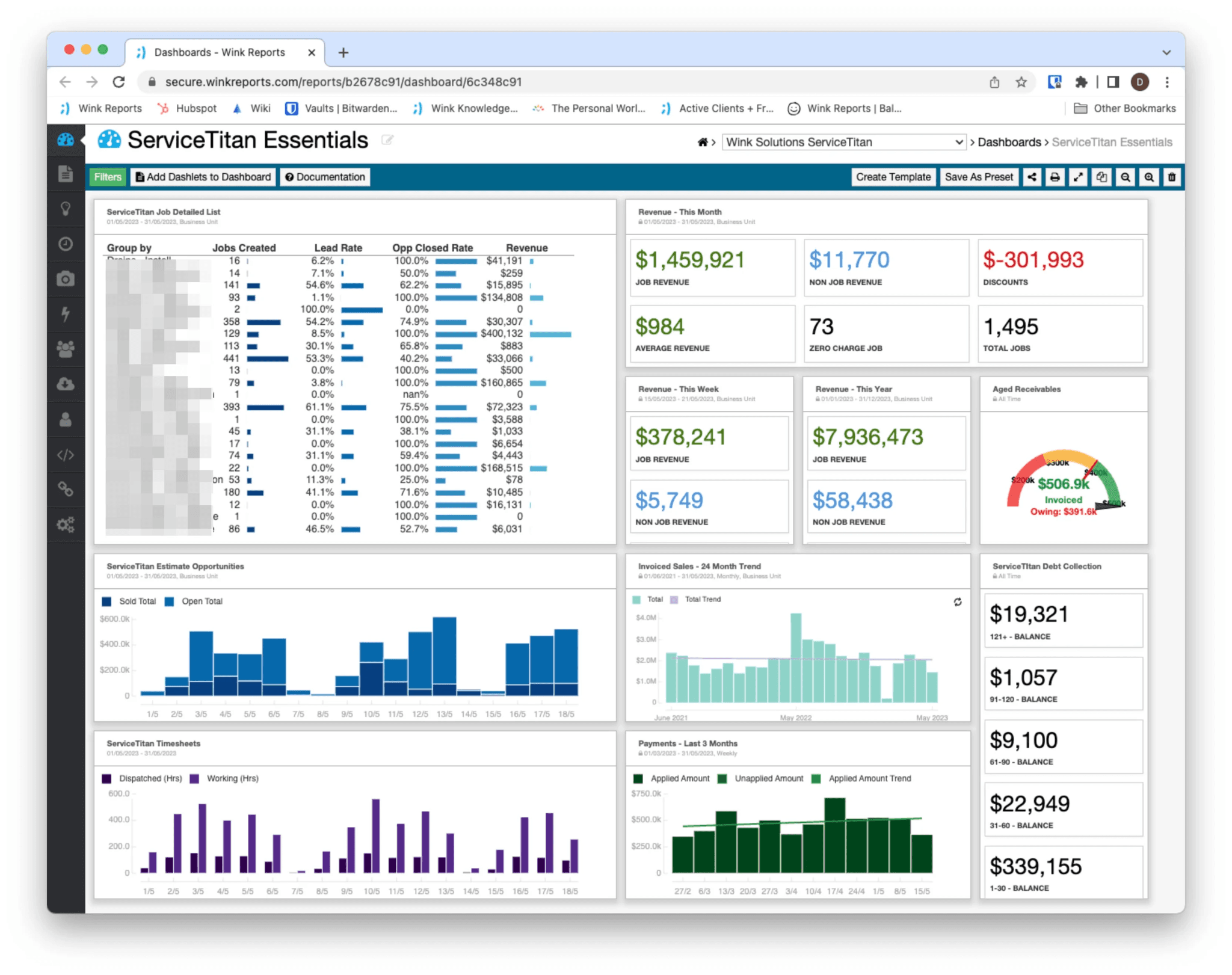
Best for: HVAC shops that have outgrown what most small-business tools can handle.
Rating: G2 4.5/5 from 356 reviews · Capterra 4.3 from 308 reviews (as of July 15, 2026)
Most HVAC owners researching hvac field service software will come across ServiceTitan -- and a lot of them will rule it out before they ever try it, usually when they see the price. That's not a knock. In our view, it's best suited to larger shops with dedicated office support, where the full depth of dispatch, pricebook, service agreements, marketing attribution, and call recording actually gets used.
Key features:
- Advanced dispatch board with multi-view scheduling
- Native flat-rate pricebook (Pricebook Pro)
- Service agreements and recurring maintenance tracking
- Call recording and marketing attribution
- Custom KPI dashboards and reporting depth
Pricing: Not publicly listed. ServiceTitan publishes package names and notes that pricing is per technician, but exact amounts require a demo and custom quote.
What users like: The dispatch board is what earns the long-term loyalty. G2 reviewers specifically credit real-time technician visibility and the ability to adjust schedules without picking up the phone.
What users criticize: Cost and setup time are the main complaints. On Capterra, users describe the initial setup as "extremely time-consuming and not informative" -- and that comes up often enough that it's worth taking seriously.
Our take: For most shops reading this guide, this hvac scheduling software is bigger than what you actually need. It's the tool everyone asks about, and then a lot of people rule out once they see what the implementation actually looks like. If you're under 15 techs, Jobber or Housecall Pro will get you much further, much faster.
Service Fusion
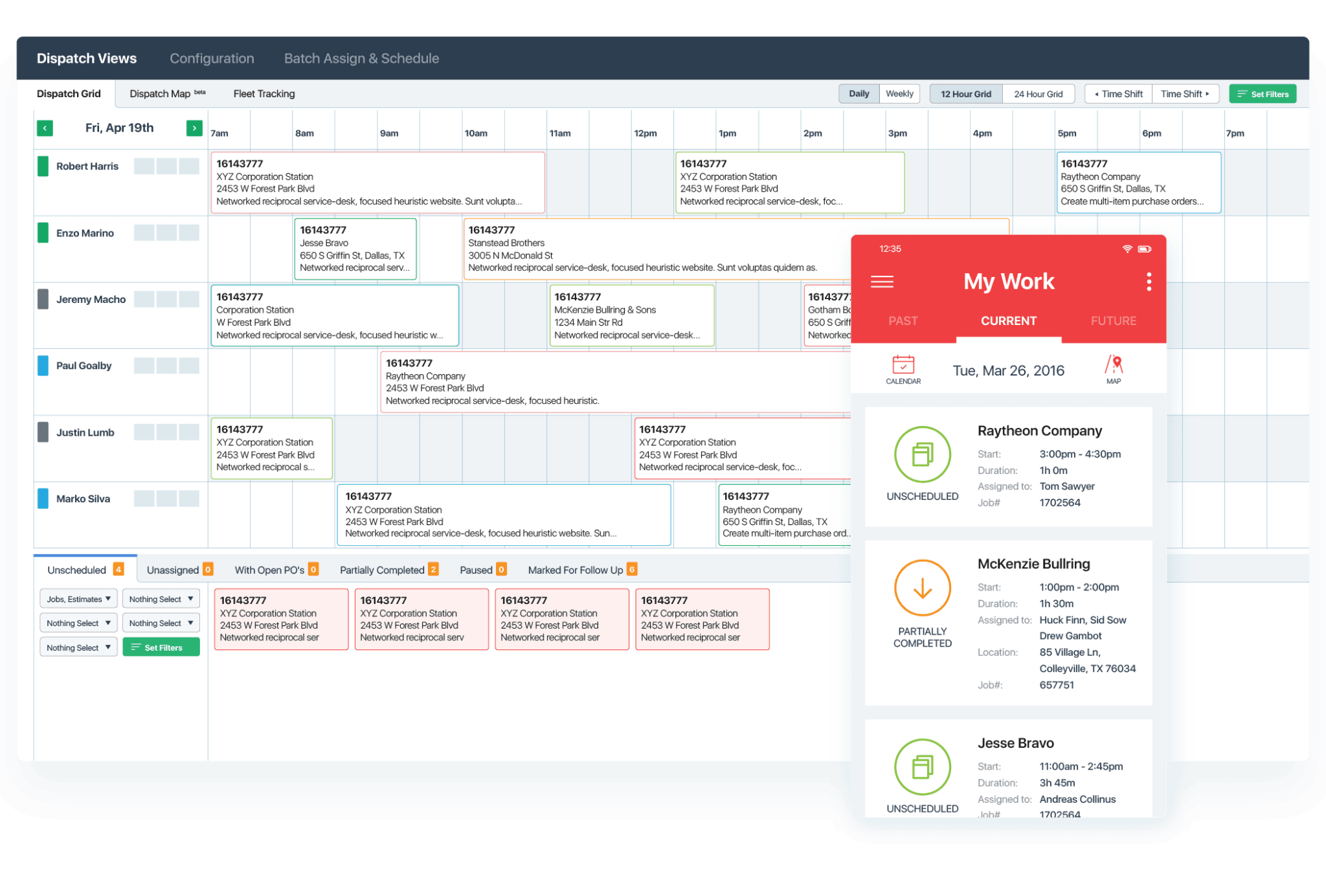
Best for: HVAC teams wanting unlimited users on every plan with published, transparent pricing.
Rating: G2 4.1/5 from 120 reviews · Capterra 4.3 from 286 reviews (as of July 15, 2026)
Service Fusion is hvac scheduling software that publishes its pricing and includes unlimited users on every plan -- two things that are genuinely rare in the category. The color-coded dispatch board makes it easy to read crew availability at a glance.
Key features:
- Unlimited-user plans with no per-seat fees
- Drag-and-drop dispatch board with color-coding
- Estimates-to-job-to-invoice pipeline
- QuickBooks Online and Desktop integration
- GPS Fleet Tracking (available as an add-on)
Pricing: Published. Starter is $208/mo annually or $245/mo monthly. Plus is $325/mo annual or $382/mo monthly. Pro is $533/mo annual or $627/mo monthly. All plans include unlimited users, personalized onboarding, and unlimited support. Free demo available; no free trial.
What users like: The dispatch board is what reviewers bring up most -- office teams pick it up quickly, and the color-coding makes crew availability readable without having to dig.
What users criticize: Android app reliability is the most consistent sore spot. Reviewers also note that support quality tends to drop once the initial onboarding wraps up.
Our take: Service Fusion makes a lot of sense for shops where the unlimited-user math is already becoming uncomfortable. You can see exactly what it'll cost before you ever get on a sales call, which is more than most tools in this category will give you. That said, make sure your techs test the Android app before you commit -- that's where the friction shows up.
Workiz
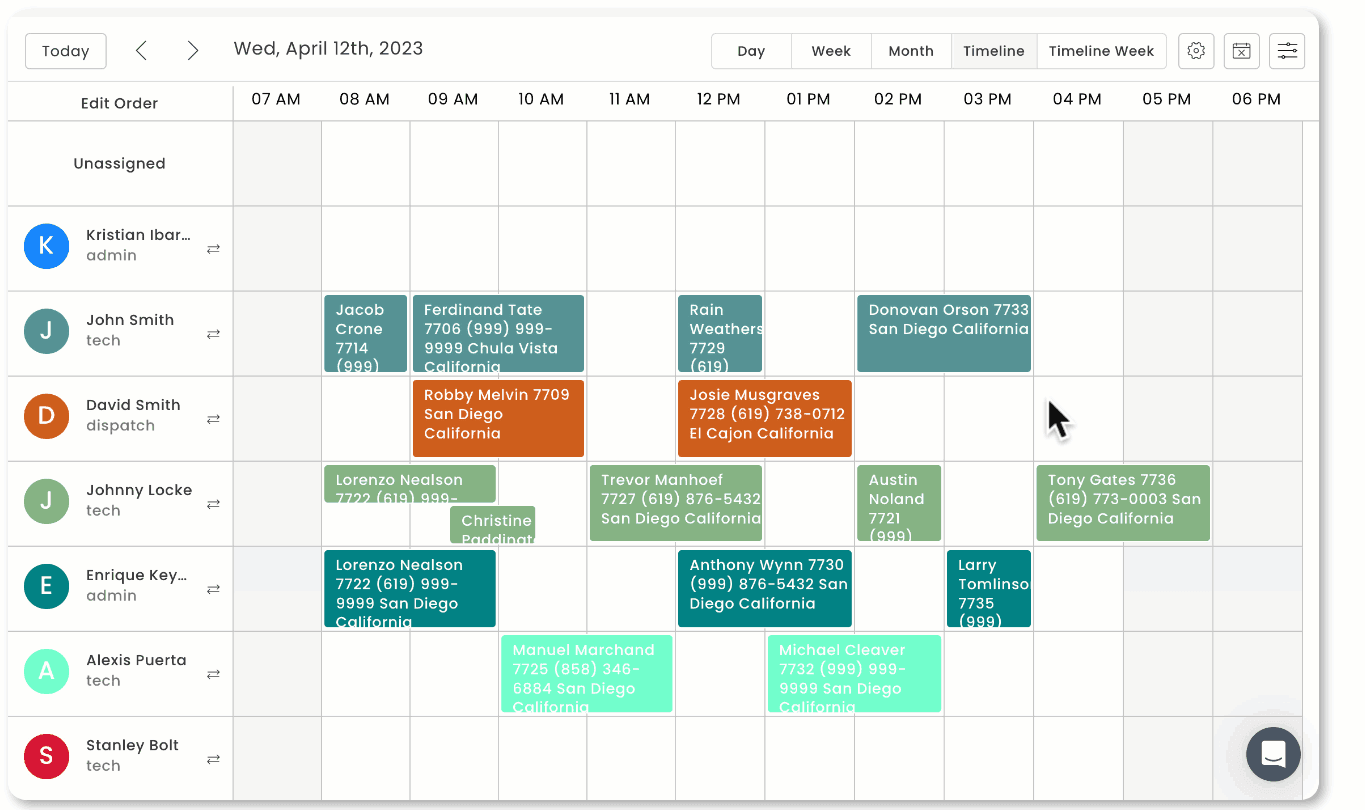
Best for: HVAC shops where missed inbound calls are the biggest revenue leak.
Rating: G2 4.5/5 from 228 reviews · Capterra 4.4 from 218 reviews (as of July 15, 2026)
Workiz is the only tool in this comparison with an integrated phone and communications system wired directly into the scheduling workflow -- a booked call flows straight onto the dispatch board without a manual step. Beyond the phone tools, it covers standard hvac scheduling software features: drag-and-drop dispatch, GPS tracking, SMS reminders, and QuickBooks Online integration. Genius Answering, the AI feature that picks up calls and adds jobs to the schedule, is sold separately and requires a phone plan.
Pricing: Request pricing via demo. Workiz offers a 7-day free trial with no credit card required.
What users like: G2 reviewers love the connection between inbound calls and the dispatch board. When a call comes in and gets booked, it goes straight onto the calendar -- no re-entering anything, no extra step.
What users criticize: App notification reliability is a recurring complaint, and some users run into messaging gaps that need workarounds.
Our take: Workiz is the right pick when the phone is where you're losing jobs. If your crew's dispatched but you're watching calls go to voicemail during peak season, this is the tool that solves that specifically.
FieldEdge
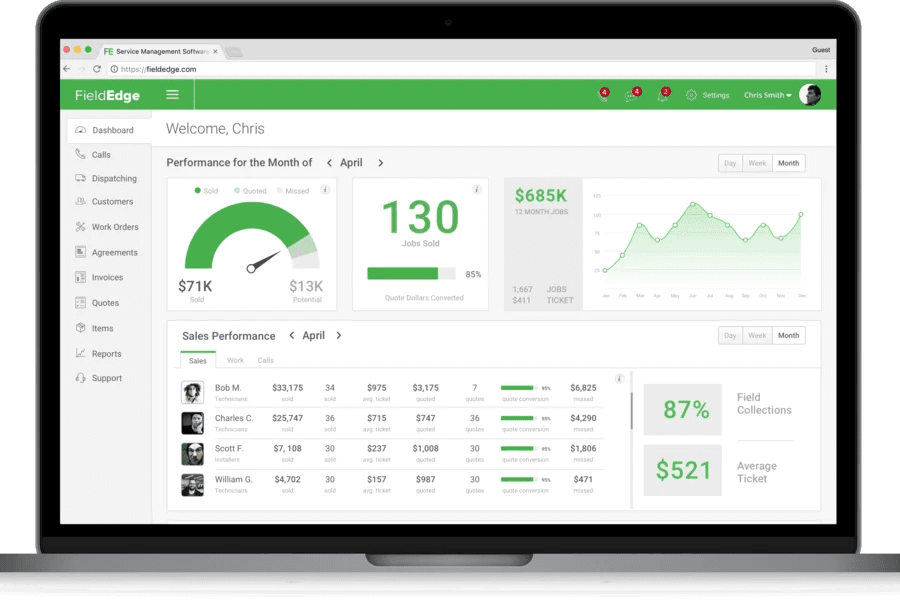
Best for: Established QuickBooks shops needing real-time sync and service-agreement depth.
Rating: G2 4.0/5 from 87 reviews · Capterra 4.2 from 304 reviews (as of July 15, 2026)
FieldEdge traces its roots to 1980, when its founders introduced field service management software for HVAC contractors. That heritage shows up most clearly in the QuickBooks integration -- specifically real-time sync with Desktop, which most modern hvac scheduling software tools have quietly walked away from. Pair that with Coolfront flat-rate pricing and service agreement tracking, and it's a full workflow for shops with a real recurring maintenance base.
Pricing: Quote-only, no free trial. Pricing varies by plan, licenses, team size, and add-ons -- schedule a demo. FieldEdge is especially well-suited for shops that run on QuickBooks Online or Desktop.
What users like: Customer support is FieldEdge's highest-rated dimension on Capterra, and it shows up in reviews constantly. Reviewers describe the team as responsive and genuinely knowledgeable, especially when working through QuickBooks integration questions.
What users criticize: "We switched from Service Titan due to being sold on the fact that they can do the same thing without the price tag. That is far from the truth." -- G2 reviewer
Our take: FieldEdge is built for a specific kind of shop -- established, running QuickBooks, with a service agreement program that generates real recurring revenue. If that's you, nothing else in this comparison handles the real-time Desktop sync as reliably. If you're not already in the QuickBooks ecosystem or you want to try before committing to a demo-only process, start with Jobber or Housecall Pro.
Choosing the Right HVAC Scheduling Software With Homebase
Match the tool to your daily pain. Dispatch visibility? Jobber or Housecall Pro. Missed calls? Workiz. Service agreements on QuickBooks Desktop? FieldEdge. Unlimited users with published pricing? Service Fusion.
Verify pricing before you commit. Published prices change, and per-user fees compound fast. A rate that looks reasonable at three techs can be uncomfortable at eight.
Use free trials with real jobs. Schedule an actual call, dispatch a tech, clock the hours, and export to QuickBooks -- that loop is where gaps show up.
Once you've got dispatch and invoicing sorted, there's still the people side to manage: building the crew shift schedule, tracking hours, and running payroll -- exactly what Homebase is built for.
"From clocking in and out to managing days off and shift changes from the PC or my smart phone -- the program has shined." -- Gary Kibbe, Owner, SLO Dryer Vent Cleaning

HVAC Scheduling Software FAQs
What is the best HVAC scheduling software?
The best hvac scheduling software depends on your shop size and your biggest daily pain. Jobber is the most common pick for small residential teams -- published pricing, clean invoicing, fast setup. Housecall Pro when customer communication is the priority. Service Fusion when unlimited users and transparent pricing matter most.
What is the best free HVAC scheduling software?
Most free hvac scheduling software options are trials, not permanent tiers. Jobber offers 14 days free; Workiz offers 7 days -- both with no credit card required. If you mainly need to schedule your crew rather than manage field dispatch, Homebase's Basic plan is free for one location and up to ten employees.
How much does HVAC scheduling software cost?
Published pricing ranges from Homebase's free Basic plan and Jobber's $29/mo annual Core to Service Fusion's $208/mo annual Starter and Housecall Pro's $59/mo annual Basic. ServiceTitan, Workiz, and FieldEdge use request-pricing flows. Per-user fees compound quickly -- map your headcount to the pricing model before you commit.
Does HVAC scheduling software integrate with QuickBooks?
How you handle hvac scheduling software quickbooks integration depends on your version. Jobber supports QuickBooks Online and Xero. Housecall Pro supports Online and Desktop. Service Fusion integrates with both. ServiceTitan covers Online and Desktop Premier/Enterprise. FieldEdge offers real-time sync with Online and Desktop. Workiz integrates with QuickBooks Online. Check the specific version each tool supports before you sign anything.
What is the best HVAC dispatch software?
For small shops, Housecall Pro and Service Fusion are the strongest hvac dispatch software options. Housecall Pro for its polished board and customer notifications; Service Fusion for unlimited dispatchers at a flat price. ServiceTitan has the most capable board in the category, but it's sized for operations well beyond the typical small hvac software buyer.
Do I need field service software or team scheduling software?
They solve different problems, and it's worth knowing which one you're actually missing. Field service management tools like Jobber, Housecall Pro, or ServiceTitan handle dispatch, work orders, and invoicing. Team scheduling handles how to make an employee schedule, time tracking, and payroll. If the gap is tracking hours and paying 1099 contractors alongside W-2 techs, that's where Homebase is built.