Top 5 Fountain Alternatives for Small Business Hiring


SMALL BUSINESS INTEL, IN YOUR INBOX
Table of contents
You went looking for Fountain’s price and found a “Book a demo” button instead. Fountain mainly serves large employers that hire hourly workers at scale, so small teams can end up paying for tools they never open.
Plenty of hiring tools are a better fit for a small hourly team. This guide covers why small businesses leave Fountain, then compares five Fountain alternatives by price, free plans, and fit. Each pick suits a specific kind of business, so skip to yours.

No more surprise additions.
Keep an eye on your potential hires, from job postings all the way to onboardings. You’ll never be out of the loop again.
The Best Fountain Alternatives for Small Business Hiring at a Glance
The best hiring tool depends on how often you hire and whether you want hiring tied to scheduling and payroll.
- Homebase: Best for hourly teams of up to 50 that want hiring tied to scheduling, time tracking, and payroll. Hiring tools are free on every plan.
- Breezy HR: Best for small teams hiring a few roles at a time. It’s free for one active job, then $157 a month billed annually.
- JazzHR: Best for single-location businesses with several open roles year-round. Plans start at $1,000 a year billed annually.
- HigherMe: Best for franchise and multi-unit restaurant operators. It doesn’t publish prices, but G2 lists plans from $88.97 per location per month.
- BambooHR: Best for growing teams that need an HR system first and hiring second. Plans start at $10.25 per employee per month.
Why Look for a Fountain Alternative
Fountain is well reviewed, but a few things add up fast for a team of 10:
- Pricing isn’t published. Fountain doesn’t list prices and sends you to a demo instead. Vendr, which tracks real purchase data, shows Fountain buyers paying a median of $27,600 a year, with the range running from about $11,300 to $136,800.
- Its customers skew large. Fountain says it’s trusted by more than 500 of the top frontline employers, and Capterra describes it as designed for enterprises.
- It has grown well past hiring. Fountain offers an applicant tracking system (ATS), a CRM, sourcing, onboarding, and shift scheduling, all run by an AI agent called Cue. That’s more than most small teams need to fill a shift.
- Hiring stays separate from time tracking and payroll. Once someone’s hired, you’d need other tools to clock them in and pay them, plus a way to move their details from one system to the next.
- Reviewers mention a cluttered interface. Capterra’s review summary notes a cluttered interface and limited visual customization.
What Is Fountain and Who Is It For?
Fountain is a high volume hiring tool for hourly and frontline teams, used mostly by large employers.
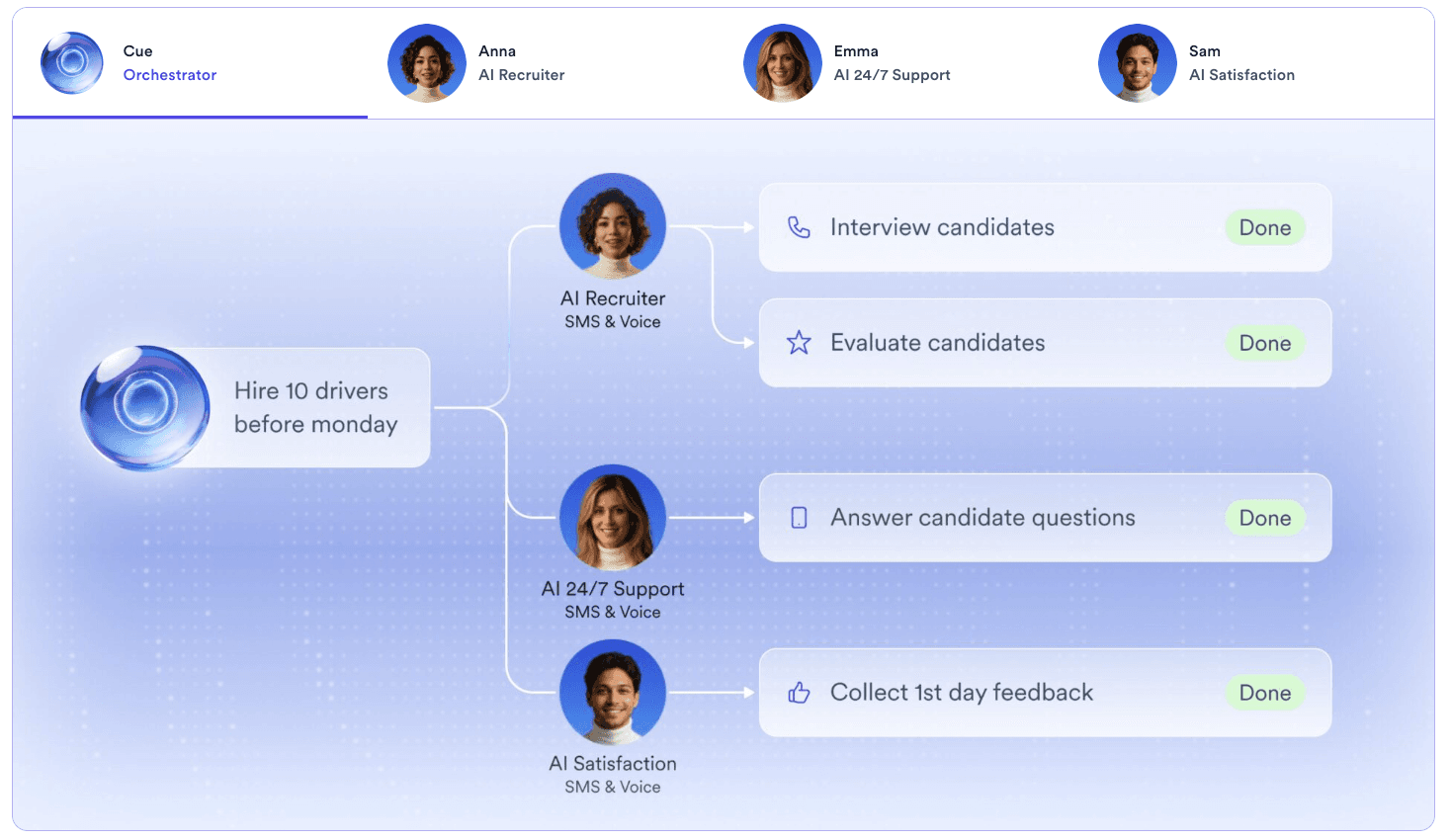
Rating: G2 4.3 (120+ reviews) · Capterra 4.6 (39 reviews)
Fountain’s lineup includes an ATS, a CRM for past candidates, sourcing, onboarding, and shift scheduling, plus AI agents coordinated by Cue. Onboarding covers Form I-9 and Form W-4.
Who it’s for: Fountain’s customers are mostly large employers in quick-service restaurants, retail, logistics, hospitality, and healthcare. If you run one to a few locations, a simpler applicant tracking system for small businesses will do.
How We Evaluated These Hiring Tools
We looked at each tool the way a small business owner would: prices from each vendor’s own pages, verified reviews on G2 and Capterra, and demos or free trials where they exist. Read more in our full methodology.
We compared each tool on:
- Pricing transparency and free plans
- Fit for hourly hiring, like text-to-apply and interview scheduling
- Background checks and onboarding
- Connection to scheduling and payroll
- G2 and Capterra ratings of at least 4.3 stars, with enough reviews to trust the score
Why Trust Homebase
We publish this guide, and we make one of the tools on the list. Homebase is an all-in-one app for scheduling, time tracking, hiring, payroll, and team messaging, built for small businesses with hourly teams. We judged every tool on its own merits, and we never take payment or backlinks for a mention. We’re also upfront about fit: Homebase isn’t built for large employers hiring hundreds of people a month, which is where Fountain’s biggest customers sit.
For Roberto Bustillos, co-owner of Lombard Doggy Daycare, one app was the whole point. “I want to have everything in just one platform so I don’t have to jump into different platforms,” Bustillos says. “That made it easy.”
Side-by-Side Comparison of Hourly Hiring Software
| Tool | Starting price | Free plan | Key integrations | Best for |
|---|---|---|---|---|
| Fountain | Not published; Vendr shows a $27,600 median a year | None published | 40-plus, including ADP and Workday | Large employers hiring at scale |
| Homebase | Hiring tools free on every plan, Hiring Assistant from $99 a month | Yes, Basic | Indeed, ZipRecruiter, Google, Facebook, Craigslist | Hourly teams of up to 50 |
| Breezy HR | $157 a month billed annually | Yes, one active job | 50-plus job boards, including Indeed and LinkedIn | Small teams hiring a few roles |
| JazzHR | From $1,000 a year | None published | Indeed, LinkedIn, ZipRecruiter, Glassdoor | Single-location, year-round hiring |
| HigherMe | Not published; G2 lists from $88.97 per location per month | None published | ADP, Paychex, Checkr, 7shifts | Franchise and multi-unit restaurants |
| BambooHR | From $10.25 per employee per month, or $250 flat for 25 or fewer | Free trial | 150-plus, including Indeed and Checkr | HR system first, hiring second |
The Five Best Fountain Alternatives for Small Business
These Fountain competitors are ranked by fit for small hourly teams, with Homebase first. Each one is matched to a specific hiring scenario, so you can pick by situation instead of by tool list.
1. Homebase
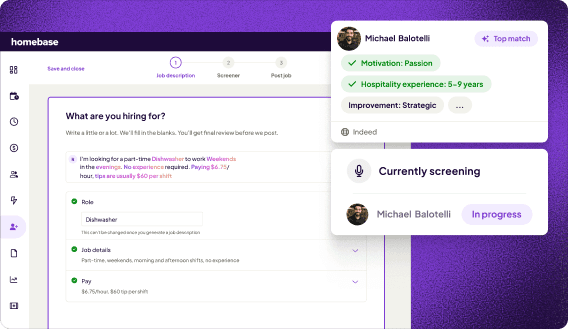
Best for: Hourly teams of up to 50 in one or a few locations that want hiring tied to scheduling, time tracking, and payroll.
Rating: G2 4.6 (610+ reviews) · Capterra 4.6 (1,150+ reviews)
What it is: Homebase is an all-in-one app for hourly teams. You post one job to Indeed, ZipRecruiter, Google, Facebook, and Craigslist, then track every applicant in one place.
Key features:
- Applicant tracking, a careers page, and interview scheduling
- Custom links and QR codes to share job posts
- Hiring Assistant, an add-on that screens applicants around the clock
- Background checks (add-on) and paperless onboarding (All-in-One)
- Free plan: Basic covers one location with up to 10 employees, with basic scheduling and time tracking. Homebase Hiring & Onboarding includes job posts, applicant tracking, a careers page, and interview scheduling on every plan.
- Free trial: You can try All-in-One free for 14 days, no credit card needed. Hiring Assistant also comes with a one-month free trial.
- Paid plans: Start at $24 per location per month billed annually.
- Paid extras: Hiring Assistant starts at $99 a month billed annually, background checks are $30 each, and employee onboarding comes with All-in-One at $120 a month.
What users like: In a June 2026 Capterra review, Jeff H., a front end manager at a medical practice, praises having scheduling, time tracking, messaging, and payroll tools in one app.
What users criticize: Capterra’s review summary flags recurring glitches. Jeff H. also cites occasional syncing delays and reporting that feels limited.
Our take: Homebase works best when hiring should flow straight into your schedule and payroll, and we’re not built for hundreds of hires a month. Jeff Shoemaker, general manager at Grady’s Family Fun Park, tried another tool after two years with us and came back. “I’m back to Homebase as it meets my needs and like the features they offer,” Shoemaker says. See how Hiring Assistant works.
No more surprise additions.
Keep an eye on your potential hires, from job postings all the way to onboardings. You’ll never be out of the loop again.
2. Breezy HR
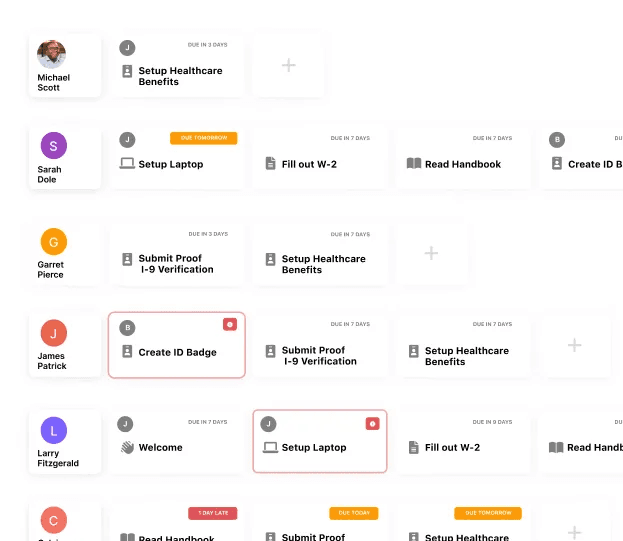
Best for: Small teams hiring one or a few roles at a time that want to start free.
Rating: G2 4.4 (690+ reviews) · Capterra 4.5 (1,420+ reviews)
What it is: Breezy HR is an applicant tracking tool for teams of 10 to 10,000, with flat monthly fees and unlimited users.
Key features:
- A free plan for one active job, with a branded career site
- One-click posting to 50-plus job boards
- Pipelines, screening questionnaires, and interview self-scheduling from Startup, with e-signatures on Growth
- Add-ons for texting (from $41 a month) and onboarding (from $49 a month)
Pricing:
- Free plan: A free Bootstrap plan with one active job, unlimited users, and a branded career site.
- Free trial: Every paid plan starts with a 14-day trial, no credit card needed.
- Paid plans: They start at $157/month billed annually ($189 month to month).
- Paid extras: Interview self-scheduling comes with Startup, e-signatures need Growth ($273 a month billed annually), and the texting and onboarding add-ons cost extra.
What users like: In a November 2025 Capterra review, Samantha Q., an HR manager at a food and beverage business, calls it intuitive and says it keeps collaboration easy across the team.
What users criticize: Samantha Q. also says integrations with HR tools or calendar systems “can be a bit inconsistent.” Capterra’s review summary flags frequent technical glitches.
Our take: Breezy HR is a solid applicant tracking tool for small teams. Texting and onboarding cost extra, there’s no employee scheduling, and the jump from free to $157 a month is steep.
3. JazzHR
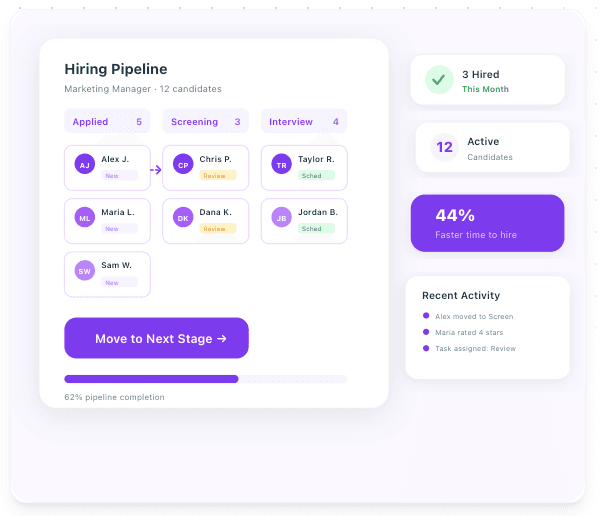
Best for: Single-location businesses with several open roles year-round that want a dedicated applicant tracking tool.
Rating: G2 4.4 (870+ reviews) · Capterra 4.3 (490+ reviews)
What it is: JazzHR is built for small and mid-size teams that hire regularly. Our small business hiring roundup calls it one of the strongest dedicated options.
Key features:
- One-click job posting to Indeed, LinkedIn, ZipRecruiter, and Glassdoor
- Custom workflow stages and knockout questions
- AI candidate matching on Plus, and offers with e-signatures on Pro
- Branded careers pages and a searchable resume database
Pricing:
- Free plan: None.
- Paid plans: Start at $1,000 a year billed annually (about $83 a month), with three job postings a month to start.
- Paid extras: AI candidate matching starts on Plus ($3,480/year) and offers with e-signatures need Pro ($5,508/year).
- Watch-out: Standard pricing doesn’t apply to franchises, multi-location businesses, or organizations with more than 250 employees.
What users like: Stephanie M., a human resources specialist, credits JazzHR’s customer support in a September 2026 Capterra review.
What users criticize: Capterra’s review summary flags limited, inflexible reporting and unreliable calendar and document tools. Blake A., an IT technician at a retailer, also called the onboarding side clunky in a July 2026 review.
Our take: JazzHR is a strong pick if you run one location and only need an applicant tracking tool. It’s the lowest-rated option here, it isn’t built around hourly hiring, and there’s no native mobile app.
4. HigherMe
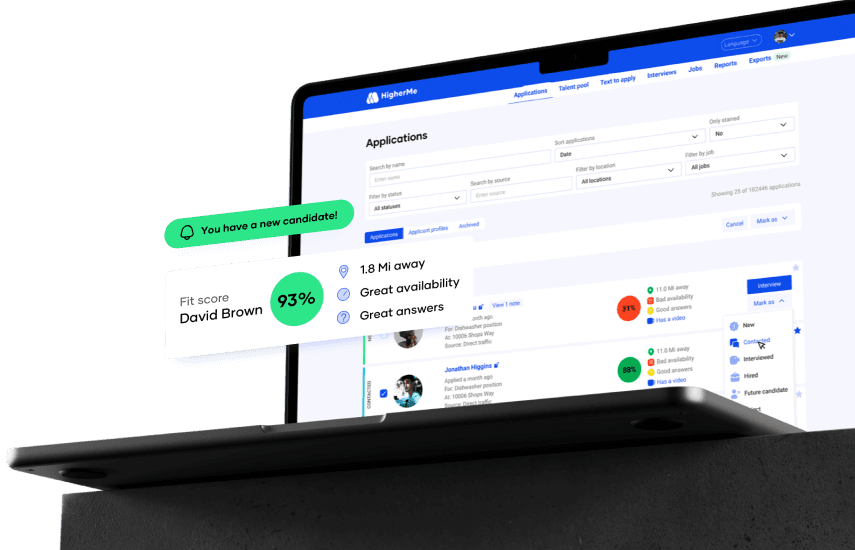
Best for: Franchise and multi-unit restaurant operators who hire all year.
Rating: G2 4.9 (14 reviews) · Capterra 4.6 (25 reviews). Both rest on few reviews, and Capterra’s newest is from 2022.
What it is: HigherMe is a hiring and payroll tool for hourly, multi-location teams, with customers like Domino’s, Dunkin’, and Tim Hortons franchisees.
Key features:
- Text-to-Apply through QR codes and branded careers pages
- AI pre-screening and automated interview scheduling
- A Hiring Hub that tracks applicants across locations
- Background checks, E-Verify, and paperless onboarding, plus optional payroll
Pricing:
- Free plan and trial: HigherMe doesn’t list prices, a free plan, or a free trial on its own site. You book a demo instead.
- Paid plans: G2 lists Standard at $88.97 and Premium at $99 per location per month, noting the pricing comes from HigherMe.
- Paid extras: HigherMe’s site doesn’t say which tools each tier includes, so ask in the demo. Payroll is optional, and its ROI calculator frames the full suite with payroll as a per-employee monthly price.
What users like: G2’s review summary credits helpful, responsive support and ease of use.
What users criticize: G2’s review summary lists candidate quality, duplicate entries, and glitches as the main dislikes, each from only a couple of reviews.
Our take: If you run several restaurant locations and hire all year, HigherMe covers most of what Fountain does for hourly hiring, and it’s built around restaurants. The tradeoffs are no published price on its own site and a small review base. We compete with HigherMe, so see how we compare.
5. BambooHR
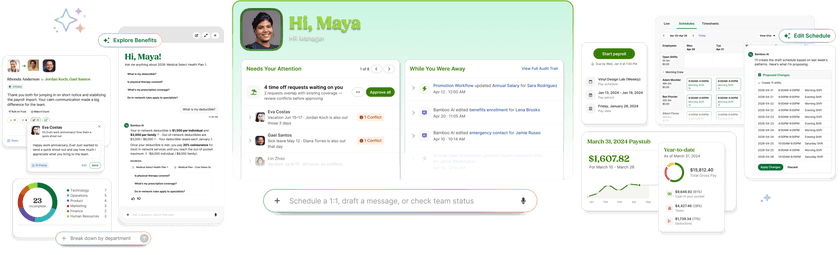
Best for: Growing teams that need an HR system first, with employee records, time off, and onboarding, and hiring second.
Rating: G2 4.4 (7,140+ reviews) · Capterra 4.6 (3,640+ reviews)
What it is: BambooHR is an HR system with applicant tracking and onboarding built in. It is purpose-built for organizations of generally 50 to 500 employees. Hiring is the weaker half, since its tool is built for HR teams rather than hourly hiring.
Key features:
- Job posting to Indeed, ZipRecruiter, and LinkedIn
- Automated candidate emails, interview self-scheduling, and offer letters with e-signatures
- Background checks (first three free) and new hire packets that feed employee records
- Add-ons for payroll, benefits, and time and attendance
Pricing:
- Free plan: None.
- Free trial: Yes.
- Paid plans: Start at $10.25 per employee per month for companies with more than 25 employees, or a flat $250 a month for teams of 25 or fewer.
- Included tools: Applicant tracking and onboarding come with every plan, but open jobs are capped at five on Core, 25 on Pro, and 50 on Elite.
- Paid extras: Payroll, benefits, and time and attendance cost extra, and the first three background checks are free.
What users like: Capterra’s review summary shows 96% of reviews about ease of use as positive.
What users criticize: Hiring looks like the weak spot. The open-job caps matter if you hire often, and Capterra’s job posting summary notes that some reviewers want broader LinkedIn and global job board support.
Our take: BambooHR makes sense when hiring is one piece of a bigger HR setup. If hiring is your biggest problem, one of the dedicated options above is a better fit.
Fountain Alternatives FAQs
Do I Need an Applicant Tracking System if I Only Hire a Few Times a Year?
Probably not at first. A job board account and a shared spreadsheet can cover a few hires a year. An applicant tracking system earns its place once applications arrive from several job sites, or when you screen candidates between shifts. Free plans let you try one without committing.
Can I Run Background Checks and Onboarding Paperwork From the Same Tool I Hire With?
Often, yes, but it varies by tool. Some run checks and collect forms in the app, while others connect to a screening partner. Either way, the Federal Trade Commission (FTC) says you must get an applicant’s written permission before getting a background report under the Fair Credit Reporting Act (FCRA).
How Do I Move My Jobs and Applicants Out of Fountain?
Before you cancel, ask Fountain to export your candidates and open jobs, and check your contract for notice periods and renewal dates. Then rebuild your open job posts in the new tool, and ask each vendor what it can import. Fountain’s help center can confirm what’s available.
Picking the Right Fountain Alternative for Your Team
The right Fountain alternative comes down to three questions: how often you hire, how many locations you run, and whether you want hiring tied to the rest of your team’s week.
If you hire a few times a year and mostly need applicants in one place, Breezy HR’s free plan is an easy way to start. If you have several open roles year-round at a single location, JazzHR gives you a dedicated applicant tracking tool. Franchise and multi-unit restaurant operators should put HigherMe on the shortlist, and teams that see hiring as one piece of a bigger HR system should look at BambooHR.
Before you commit to anything, run one real job through your top two picks. Post the role, move a few applicants along in each tool, and schedule an interview. A week of that will tell you more than any comparison table, and it shows whether a tool fits the way your managers already work between shifts.
If you’d rather keep hiring, scheduling, time tracking, and payroll in one app, we built Homebase for exactly that. Luanne Ronquillo, owner and founder of Ruru Baked, looked at other options after a price jump and found that “nothing has really been able to do all of the things that we needed to do that would make it worth it to switch over.”
Job posts, applicant tracking, and interview scheduling are free on every plan, and Hiring Assistant can screen applicants around the clock once you’re ready for it. You can try out Hiring Assistant for free for the first month and post your first job today.
No more surprise additions.
Keep an eye on your potential hires, from job postings all the way to onboardings. You’ll never be out of the loop again.