How to manage payroll for retail & keep a low payroll to sales ratio

SMALL BUSINESS INTEL, IN YOUR INBOX
Table of contents
Getting your employees paid shouldn’t take a big bite out of your budget. But for retail businesses, it’s known to happen—in fact, they spend a whopping average of $13,938 annually on payroll processing alone. The reality is that retail payroll is more complicated than most other industries. Ever-shifting schedules, seasonal fluctuations, and high staff turnover come with a cost, and that’s before we consider multi-location businesses.
But managing payroll for retail doesn’t have to be a time and money sink. With a keen eye on ROI and the right payroll software, you can save yourself lots of stress when payday comes along.
TL;DR: Understanding and managing retail payroll
In a hurry to get your employees paid? Here are the basics of understanding retail payroll.
Options for managing payroll for retail:
- In-house retail payroll software
- Outsourced retail payroll services
- Professional employer organization (PEO)
Essential features of a payroll management system for retail:
- Integrated time tracking
- Mobile app for both managers and employees
- Multi-location support
- Point of sale (POS) and retail system integration
- Features for seasonal employment
How retail businesses manage payroll in 6 steps:
- Choose integrated time tracking
- Establish clear payroll policies
- Automate tax calculations and filings
- Process payroll consistently
- Maintain compliance documentation
- Review and optimize regularly
The best payroll software for retail businesses:
- Homebase: Best for small retail businesses with hourly workers
- Gusto: Best for retail businesses seeking full HR features
- Paychex: Best retail payroll software for multi-location businesses
- QuickBooks Payroll: Best software for existing QuickBooks users

Types of retail payroll: Choose your approach
There are three ways that you can manage payroll for retail:
- In-house DIY payroll: Retail payroll software is an automated tool for processing payroll. You plug in the numbers, and the software does the rest. Some businesses stick to spreadsheets, but there’s a higher risk of human error.
- Outsourced retail payroll services: For business owners that want to pass payroll to someone else, an external service handles wages, taxes, direct deposits, and compliance filings. All you need to do is hit approve.
- Professional Employer Organization (PEO): A PEO takes things a step further and acts as a co-employer. On top of payroll, these organizations manage HR, extensive benefits, and risk management. PEOs act more like a business partner as they provide more than just payroll support.
So which approach is right for your retail business?
- Starting out with a tight budget: In-house with free or low-cost payroll software
- A hands-on owner with under 20 employees: In-house with more robust software
- 20-100+ employees or multiple locations: Outsourced payroll services
- Looking to partner and take HR fully off your plate: PEO
What should payroll cost in retail?
Unless you’re an expert spreadsheet user, running payroll for retail isn’t 100% free. But if you’ve got a general idea of how much payroll services cost, you can save yourself from overpaying.
Payroll processing costs
Prices vary for in-house payroll software, but expect to spend:
- Base fee: $25-$200/month
- Per-employee fee: $4-$10/month
- Setup fees: $100-$500
If you decide to go with payroll outsourcing, it looks more like:
- Base fee: $40-$150/month
- Per-employee fee: $2-$15 per pay period
- Setup fees: Often waived, but can be up to $500
According to the National Association of Professional Employer Organizations, the average cost of using a PEO is $1,395 per year per employee, and yields a savings of $1,775 per year per employee. An average ROI of 27.2% isn’t anything to sneeze at, but most small retail businesses don’t have the starting capital to invest in a PEO.
Labor costs as percentage of revenue
When you’re thinking numbers, ask yourself how much of your total revenue is being put back into the cost of managing your employees. The lower you can get this number, the better. For retail businesses, total labor costs (wages + taxes + benefits) typically come out at 15-30% of revenue.
However, benchmarks vary depending on the type of retail business:
- Grocery: 10-15%
- Specialty retail: 15-25%
- Restaurants/food service: 25-35%
Payroll administration (processing) should be a small fraction of total labor cost. If you’re paying expensive outsourced payroll services or PEOs when you don’t have to, that’s money you could be saving.
Hidden retail payroll costs
Payroll isn’t just a matter of monthly software and employee fees.
Depending on your retail payroll services, you might also end up paying:
- Integration fees for connecting time tracking, POS systems, and accounting
- Software implementation and setup
- Time that goes into training managers
- Year-end W-2 processing ($50-$75 annually)
- Multi-state tax filing ($20-$30 per state)
- Direct deposit fees ($1-$2 per transfer)
- Paper check fees ($30-$5 per check)
- Off-cycle payroll runs for terminations or corrections
- The risk of tax penalties from manual in-house mistakes
ROI of retail payroll software
If you’re working with reliable payroll software, a lot of these hidden costs and legal risks don’t end up being a problem. Not only does automation cut out room for human error, but some software comes with key features included for free.
Less cost per pay cycle = better ROI, plain and simple.
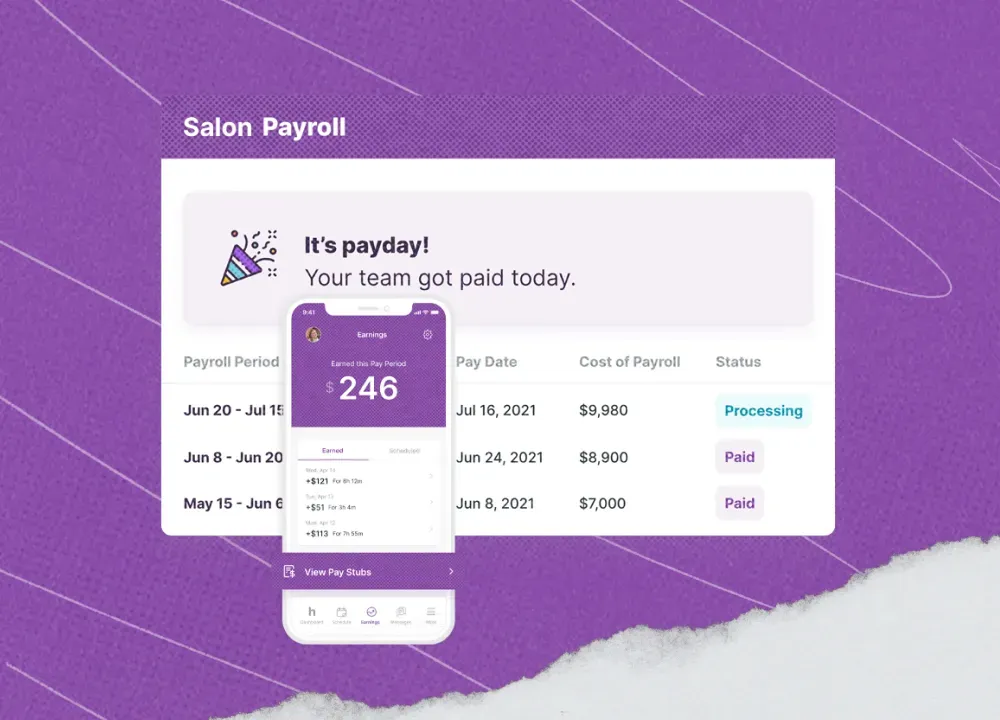
With Homebase, you can seamlessly integrate payroll processing into employee scheduling and time tracking. One app tells you what hours to expect, what hours are actually worked, and the what, when, and how of when they get paid.
Right now, we’re offering 6 free months of our Payroll add-on. It’s the perfect time to give us a try, so drop us a line.
Essential features for retail payroll software
There are a few key features of quality retail payroll software:
- Time tracking integration: Having employee hours integrated with payroll features just makes sense. Goodbye to jumping between tabs, and hello to simplified reports.
- Mobile access for managers and employees: Save time on payroll questions. A mobile app gives your whole team the information they need about when and when they’re getting paid.
- Multi-location support: If you’re planning on scaling, your payroll software should scale with you. Look for plans that can grow with your business needs.
- POS and retail system integration: The more retail software you can integrate, the less brain power you need for operations. An all-in-one toolkit is a timesaver.
- Seasonal worker management: There are over 73,000 seasonal employees in the United States. If you need the extra labor, make sure your retail payroll software is prepared for it.
How to manage retail payroll effectively
The best way to manage payroll for retail is by building rock solid systems that automate as much as possible. No matter your business, these 6 steps will cut out the stress and keep you payroll compliant.
Step 1: Choose integrated time tracking
Why spread your operations across platforms? All it does is add extra steps and extra costs to your day-to-day. Integrating time tracking software with payroll cuts the opportunity for manual mistakes, and gives you a full look at the story of your pay cycle.
Step 2: Establish clear payroll policies
When it comes to payroll, everyone involved needs to be on the same page. Document your payroll policies and make them available to managers, employees, and, if you’re using them, outsourced retail payroll services.
Miscommunications happen sometimes in business—but you don’t want them happening in payroll.
Step 3: Automate tax calculations and filings
Most small business owners don’t happen to also be accountants. When you’re running a busy store, filing deadlines can slip by, and laws regarding federal, local, and state taxes can change without you noticing.
Good payroll software for retail stores does more than automate tax withholdings—it also keeps on top of deadlines and adjusts with tax laws. Business owners sleep easier when there isn’t the risk of surprise fines.
Step 4: Process payroll consistently
Process payroll on the same timeline every time. The more you break from your systems, the more likely it is to make errors and confuse your staff. If you’re correcting an error or managing a termination you might need to break your rhythm, but don’t make it a habit.
Step 5: Maintain compliance documentation
Don’t just stay payroll compliant—be ready to prove it. If you end up getting audited, having all of your documentation organized saves you from scrambling.
This includes documents like your:
- At least 3 years of payroll records
- Employee W2s
- Business tax returns
- Employer Identification Number (EIN)
- Financial statements‘
The good news? A payroll management system for retail stores will stay on top of your federal and state tax filing and keep your records tidy.
Step 6: Review and optimize regularly
Your payroll systems aren’t a one-and-done set up. When you put new employees into the system, check in that everything is working as it should before mistakes get automated. And if you find that you aren’t satisfied with your payroll software, it’s never too late to swap over.
Just make sure that any payroll changes you make are compliant and clearly communicated to your team in advance.
Retail payroll compliance essentials
Let’s cover the basics of payroll compliance:
- Wage and hour compliance: Are employees being paid the state or federal minimum wage? Legally, you need to pay whichever is higher.
- Multi-state compliance: If you’ve got employees from multiple states, you need to make sure that every state’s tax rules are followed. When you’re researching payroll software for retail businesses, this is a key feature to have on hand.
- Tip compliance (if applicable): Tips need to be tracked, taxed properly, and reported to the IRS. Tipped employees must be paid an hourly minimum of $2.13, but if their tips don’t earn them the federal minimum of $7.25 per hour, employers must make up the difference.
- Predictive scheduling laws: In most states, employees must provide schedules at least two weeks in advance. Some retail businesses have on-call policies, but your staff members have lives—you probably won’t retain them for long if they don’t have time to step away from work.
- Record retention requirements: The FLSA requires you to keep at least three years of employee records. That means personal info, timesheets, daily and weekly hours, wage, overtime, deductions, pay periods, and more.
Best payroll software for retail businesses
In the market for a payroll management solution for retail businesses? Our top picks each have something unique to offer.
Homebase — Best for small retail with hourly workers
Why it's good for retail payroll: Homebase comes with integrated scheduling, time clock, timesheet, and employee management tools. You don’t just get numbers, you get the full story behind every pay cycle.
Key features:
- Integrated timesheets
- Auto tax payments and filings
- Unlimited payroll runs
- Direct deposits
- New employee onboarding tools
Pricing: Payroll add-on is $49/month + $6 per employee
Through January 20, 2027, new customers get their first 6 months of payroll free. Book an appointment with one of our Payroll Advisors to try out a demo.
Who it's best for: Small hourly teams that need reliable payroll even when hours get busy. Our automated retail payroll software doesn’t flinch when it comes to call-outs, overtime, or tips. You run the store, we do the rest.
Gusto — Best for small retail wanting full HR
Why it's good for retail payroll: Gusto manages payroll for small retail businesses that prioritize complex HR features. Its employee-facing dashboard gives staff members insight into their benefits and beyond.
Key features:
- Same-day payment options
- Garnishment support
- New hire reporting
- Options for contractor-only businesses
Pricing: Starts at $49/month + $6 per employee
Who it's best for: Business owners looking for extra support with employee benefits, hiring and onboarding, and talent management.
Paychex — Best for multi-location retail
Why it's good for retail payroll: Paychex offers payroll software that grows smoothly alongside your business. If you own—or anticipate owning—retail stores across multiple locations, you don’t need to worry about bumps.
Key features:
- Employee self-service portal
- Detailed reports
- HR library with federal and state tax info
- Submit payroll by phone, app, or with a payroll specialist
Pricing: Contact for pricing
Who it's best for: Retail business owners who want thorough customer support as they grow. Reporting and analytics gives you a detailed look into how your business is growing, and a support team is there to answer questions.
QuickBooks Payroll — Best for existing QuickBooks users
Why it's good for retail payroll: QuickBooks Payroll is a comprehensive payroll tool that integrates with the rest of the QuickBooks accounting tools. It has options for small and mid-sized businesses, as well as freelancers.
Key features:
- Employee portal for access to pay information
- 2-day or next-day direct deposits
- Simplified year-end forms
- Will reimburse up to $25k for user errors
Pricing: Starts at $55 + $4/employee/mo
Who it's best for: Owners who swear by QuickBooks for bookkeeping and want everything in one place. However, payroll-only options are also available if you don’t need the full QuickBooks suite.
Frequently asked questions about retail payroll
What are the three types of payroll?
The three types of payroll are in-house DIY payroll, outsourced retail payroll services, and Professional Employer Organizations (PEO). How you manage retail payroll depends on your budget and the size of your business.
What is the best way to do payroll for a small business?
The best way to do payroll for a small business is by using automated payroll software. Small businesses typically don’t have enterprise-level payroll needs, but spreadsheets leave room for costly mistakes.
Payroll software cuts out the risks without breaking the bank, especially when it integrates with your scheduling and timeclock software.
What skills do I need for payroll?
You need organization, math, and time management skills for payroll, plus a basic understanding of payroll compliance and key tax dates. A payroll management system for retail makes payroll accessible to newbies, and cuts out the risk of legal mistakes.
How do I pay seasonal workers in retail?
You pay seasonal workers in retail the same way you pay your year-round staff. Input their information into your payroll system, follow labor laws, pay at least the federal or state minimum wage (whichever is higher), and follow overtime rules.
You don’t need to give seasonal employees the same benefits as your full-timers, but you need to stick to the same legal requirements.
Streamline your retail payroll
Retail payroll doesn’t have to be expensive, and it doesn’t have to be stressful. With integrated retail payroll software, you can keep all your ducks in order while getting your employees paid.
Chat with us today to learn how Homebase streamlines your ops from scheduling to payday. No more working for your software—let your software work for you.