6 Best Hubstaff Alternatives for Small Businesses in 2026


SMALL BUSINESS INTEL, IN YOUR INBOX
Table of contents
Hubstaff is built for remote agencies and freelancers who need to prove billable hours to clients, and if your business is neither of those you'll want to start looking at Hubstaff alternatives. If your team clocks in for shifts at a restaurant, retail floor, or job site, you're paying for screenshot monitoring and keystroke tracking that has nothing to do with how your team actually works.
This guide covers six Hubstaff alternatives split by team type: tools built for hourly, shift-based teams, and tools built for remote or project-based work. All pricing was verified directly from vendor pages in September 2026.
The Best Hubstaff Alternatives for Small Businesses at a Glance
For most small businesses with hourly teams, Homebase is the best Hubstaff alternative — but if you need a project tracker or client billing tool, Toggl Track, Harvest, and TimeCamp are worth a look.
Best Hubstaff alternatives at a glance:
- Homebase — best all-in-one for hourly shift teams; free plan covers one location, up to 10 employees; paid plans from $24/location/month (annual, unlimited employees)
- Buddy Punch — best for GPS accountability and flexible clock-in options; $4.99/user/month + $19 base fee (annual); no free plan
- QuickBooks Time — best if you already use QuickBooks for accounting or payroll; Time Premium at $20/month base + $10/user/month (requires active QuickBooks Online subscription)
- Toggl Track — best for remote teams that want time tracking without surveillance; free plan up to five users; paid from $9/user/month (annual)
- Harvest — best for freelancers and agencies billing clients by the hour; free plan (one seat, two projects); Teams plan from $9/seat/month (annual)
- TimeCamp — best for automatic tracking across client projects without manual timers; free plan (unlimited users and projects); paid from $3.99/user/month (annual)
Why Look for a Hubstaff Alternative?
Teams looking at Hubstaff alternatives usually hit the same friction points: per-user pricing gets expensive, screenshot monitoring puts hourly employees on edge, and the product's remote-work focus leaves shift scheduling gaps.
Most time tracking software for small businesses doesn't come bundled with employee surveillance — and for hourly teams, that's the right call. The Team plan charges $10/user/month before GPS and scheduling add-ons, and you're paying per seat whether someone works full-time or picks up a few shifts a week.
Here's what drives most businesses away:
- Per-user pricing stacks up fast. GPS location tracking is a paid add-on on lower tiers (Hubstaff's Locations add-on starts at approximately $3.33/user/month), and you're paying for every seat whether it's a full-timer or a seasonal hire.
- Screenshot monitoring damages trust. If you're looking for time tracking without screenshots, Hubstaff isn't it. Hubstaff captures screenshots, monitors keystrokes, and logs idle time. On Reddit's r/digitalnomad, users describe it as a "watchdog" tool built for proving productivity to clients, not for running a shift-based team. When the job is showing up and doing physical work, that's friction you don't need.
- It's built for remote knowledge workers, not hourly shift teams. Hubstaff's scheduling add-on doesn't connect natively to time tracking the way a shift-based time clock does. It also has no tools for preventing time theft at physical locations.
- Overtime alerts aren't built in at lower tiers. Surprise overtime on payday is one of the most common payroll headaches for small businesses, and Hubstaff treats overtime tracking as a premium feature rather than a baseline expectation.
If your team clocks in for shifts rather than projects, there's a better fit, one built around the hourly worker's day, not the remote freelancer's. Try Homebase free.

What Is Hubstaff and Who Is It For?
Hubstaff is a time tracking tool built primarily for remote teams, freelancers, and agencies that need to log billable hours and prove productivity to clients. Hubstaff time tracking centers on activity monitoring: screenshots, keystroke logs, and idle-time detection.
Key features include screenshot capture, keystroke monitoring, GPS tracking, scheduling, payroll, and invoicing. It's built as a workforce management tool for distributed teams where managers need proof-of-work visibility.
Hubstaff has been in market since 2012 and serves tens of thousands of organizations worldwide. On annual billing, pricing starts at $4.99/user/month on Starter, Grow at $7.50/user/month, and Team at $10/user/month, all requiring a two-user minimum. GPS location tracking is available as an add-on on lower tiers (approximately $3–4/user/month via the Locations add-on).
The product also covers time and attendance basics, though scheduling was added later and doesn't connect natively to time tracking.
Who it's for: Remote and distributed teams, freelancers logging client hours, agencies proving billable time to clients, and field service businesses with GPS accountability needs.
Who it's not for: Businesses with on-site hourly teams clocking in and out of scheduled shifts, especially restaurants, retail, and service businesses where monitoring features aren't relevant and per-user pricing gets expensive as headcount grows. If you've been comparing Hubstaff competitors for shift-based teams, none of them are quite as specialized as tools built from the ground up for hourly work.
How We Chose These Hubstaff Alternatives
A lot of the 150,000+ hourly-team businesses on Homebase came from tools built for remote teams — Hubstaff included. We know the specific failure modes: GPS priced as an add-on, scheduling that doesn't connect to time tracking, timesheets that still need a manual export before payroll. That's what we were looking for when we evaluated each tool below.
We evaluated each tool on:
- Time tracking accuracy: does it capture hours reliably across mobile, tablet, and employee time clock app formats?
- GPS and location verification: is it built for on-site accountability or remote monitoring?
- Shift scheduling: can it connect time tracking to pre-assigned shifts?
- Payroll integration: does it reduce manual data entry between time tracking and payroll?
- Pricing transparency: is the total cost clear before you sign up?
- Ease of setup: can a team without an IT department get running in under a day?
- G2 and Capterra ratings: we cross-referenced verified user reviews from both platforms (ratings sourced and verified as of September 2026)
Every tool was evaluated on its own merits. We never accept payment or backlinks for product mentions. Homebase is excluded from the ranked list and appears separately. Read our full methodology.
Why Trust Us for the Best Hubstaff Alternatives?
A lot of the small business owners we work with evaluated Hubstaff before finding us — or came from it. The pattern is consistent: Hubstaff is built for remote agencies proving billable hours, and it shows when you try to run a restaurant, retail floor, or field crew on it. Screenshots and keystroke monitoring don't tell you whether your team showed up on time.
We know what those businesses actually needed, which is why we're the ones writing this guide.
Hubstaff vs. the Alternatives: Side-by-Side Comparison
| Tool | Starting Price | Free Tier | Shift Scheduling | GPS Clock-in | Built-in Payroll | Best For |
|---|---|---|---|---|---|---|
| Hubstaff | $4.99/user/mo (annual) | 14-day trial only | Add-on | Add-on (lower tiers) | Yes (higher tiers) | Remote & distributed teams |
| Homebase | $24/location/mo (annual) | Yes, 1 location, up to 10 employees | Yes | Yes | Add-on ($39/mo + $6/employee) | Hourly shift-based teams |
| Buddy Punch | $4.99/user/mo (annual) + $19 base | No | $1/user/mo add-on (Starter); included on Pro | Yes, basic GPS on Starter; Real-Time GPS add-on $2/user/mo | Add-on | Field/multi-site teams |
| QuickBooks Time | $20/mo base + $10/user/mo | No | Yes (all paid tiers) | Yes | Requires QBO subscription | QuickBooks users |
| Toggl Track | $9/user/mo (annual) | Yes, up to 5 users | No | No | No | Remote project teams |
| Harvest | $9/seat/mo (annual) | Yes, 1 seat, 2 projects | No | No | No | Freelancers/agencies billing clients |
| TimeCamp | $3.99/user/mo (annual) | Yes, unlimited users, unlimited projects | No | No (GPS on Ultimate tier) | No | Auto-tracking across client projects |
The 6 Best Hubstaff Alternatives for Small Businesses
The Hubstaff alternatives below are split by use case: three for hourly shift-based teams (Homebase, Buddy Punch, QuickBooks Time) and three for remote and project-based teams (Toggl Track, Harvest, TimeCamp). Each was evaluated on pricing, user reviews from G2 and Capterra, and how well it fits the small business context.
1. Homebase: Best All-in-One for Hourly Teams.
Homebase is best for: Small businesses with hourly, shift-based teams, restaurants, retail, home services, healthcare, that want scheduling, time tracking, and payroll in one app.
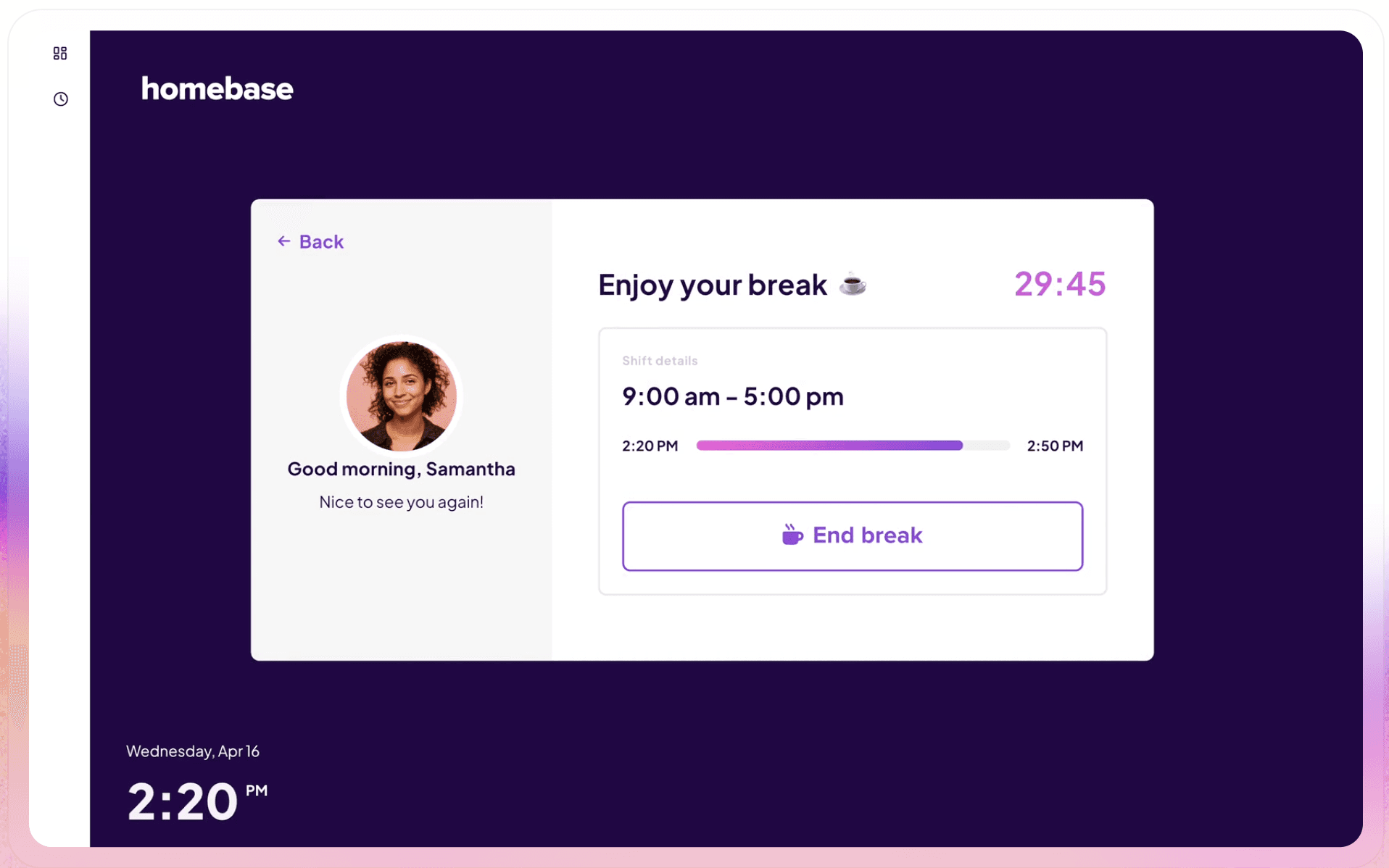
Where Hubstaff charges per seat and layers on monitoring, Homebase focuses on what actually matters for your business: did the right person show up at the right place and time, and did we pay them correctly? As time clock software for small businesses, it connects scheduling, time tracking, and payroll in one app, priced per location rather than per employee.
Key features:
- GPS clock-in with photo capture at clock-in on all paid plans; kiosk mode available on any shared device
- Automatic overtime tracking, break management, and late/missed punch alerts across all plans
- Timesheets sync to payroll, so hours flow without re-entry or manual export
- Shift scheduling, open shift claiming, shift swaps, and team messaging all in one app
- Free plan covers one location, up to 10 employees, including time clock, scheduling, and GPS time clock app features
Pricing:
- Free: one location, up to 10 employees
- Essentials: $24/location/month (annual)
- Plus: $56/location/month (annual)
- All-in-One: $96/location/month (annual)
- All paid plans include unlimited employees; payroll is an add-on ($39/month + $6/employee)
What users like:
"That is a one stop shop for my employees. We used to have 3 systems, and my employees had to have a separate login to each to do what we now do all in Homebase." — G2 reviewer, March 2026
What users criticize:
Occasional app lag and slow real-time schedule updates are the most common complaints: "One area where Homebase could improve is the occasional lag in the app, which sometimes made it difficult to update schedules in real-time." — Capterra, March 2026
Our take: Of all the Hubstaff alternatives on this list, Homebase is the strongest fit for businesses that pay hourly workers and need scheduling and time tracking to connect. Per-location pricing is the key structural difference from Hubstaff. Payroll is a separate add-on, so budget for it if you want everything in one bill.
From the field: Bryan Tublin of Kitava Kitchen runs four restaurant locations. GPS clock-in and break compliance gave him documented proof his team was following San Francisco's labor rules. "We needed software that could back up our practices as proof and evidence that we were doing the right thing," he says. See how timesheets sync automatically.
2. Buddy Punch: Best for GPS and Flexible Clock-In Options.
Best for: Field service businesses, construction crews, multi-site retail, and any team where verified location clock-in matters more than productivity monitoring.
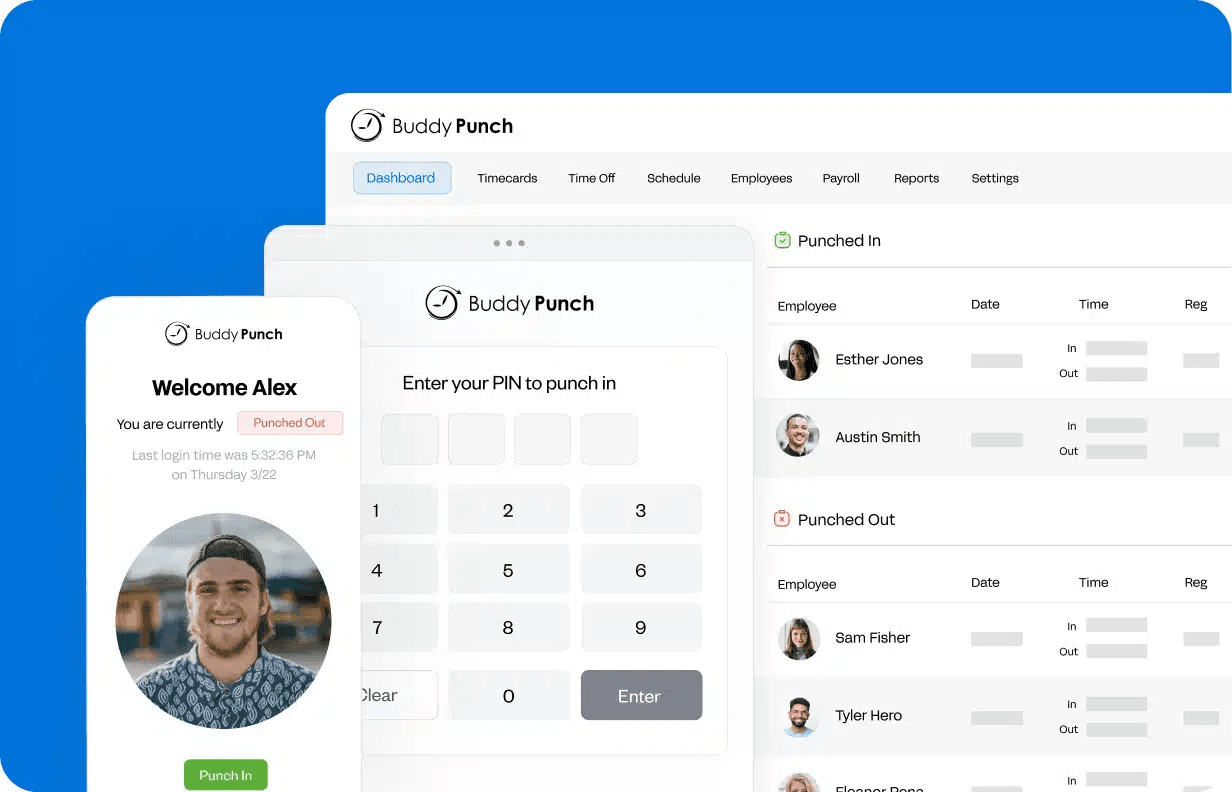
Key features:
- GPS coordinates on every punch across all plans; Real-Time GPS (live tracking) available as a $2/user/month add-on or included on Advanced
- Geofencing, QR code, and PIN/kiosk clock-in on Pro and above (to stop buddy punching); Face ID facial recognition available on all plans
- Payroll integrations with QuickBooks, ADP, Gusto, Paychex, Paylocity, and Rippling
Pricing: All plans include a $19/month base fee.
- Starter: $4.99/user/month (annual): GPS, time tracking, payroll integrations
- Pro: $6.99/user/month (annual): adds geofencing, QR code and kiosk clock-in, break compliance, scheduling
- Advanced: $12.99/user/month (annual): adds Real-Time GPS, SSO, dedicated support
- Real-Time GPS: $2/user/month add-on on Starter and Pro
The features most shift teams need (geofencing, kiosk, scheduling) require Pro at minimum.
What users like:
"Buddy Punch is very easy to use and employee friendly for punching in and out. The seamless integration with Quickbooks Desktop Enterprise Edition is the best part of all." — Janice I., Capterra (verified review)
What users criticize:
Buddy Punch reviewers most commonly flag mobile reliability. Occasional slow loading times and difficulty clocking in during poor connectivity come up repeatedly across G2 and Capterra. One reviewer described offline behavior as unpredictable for field team members.
Our take: As Hubstaff alternatives go, Buddy Punch is the strongest standalone GPS time clock for field and multi-site teams. Plan for Pro ($6.99/user/month + $19 base) to get the features that matter; Starter's basic GPS is fine if location capture is all you need. Not the right fit? See Buddy Punch alternatives.
3. QuickBooks Time: Best If You Already Use QuickBooks.
Best for: Businesses already running accounting or payroll through QuickBooks Online who want timesheets to sync directly with no export step. (QuickBooks Time was formerly known as TSheets.)
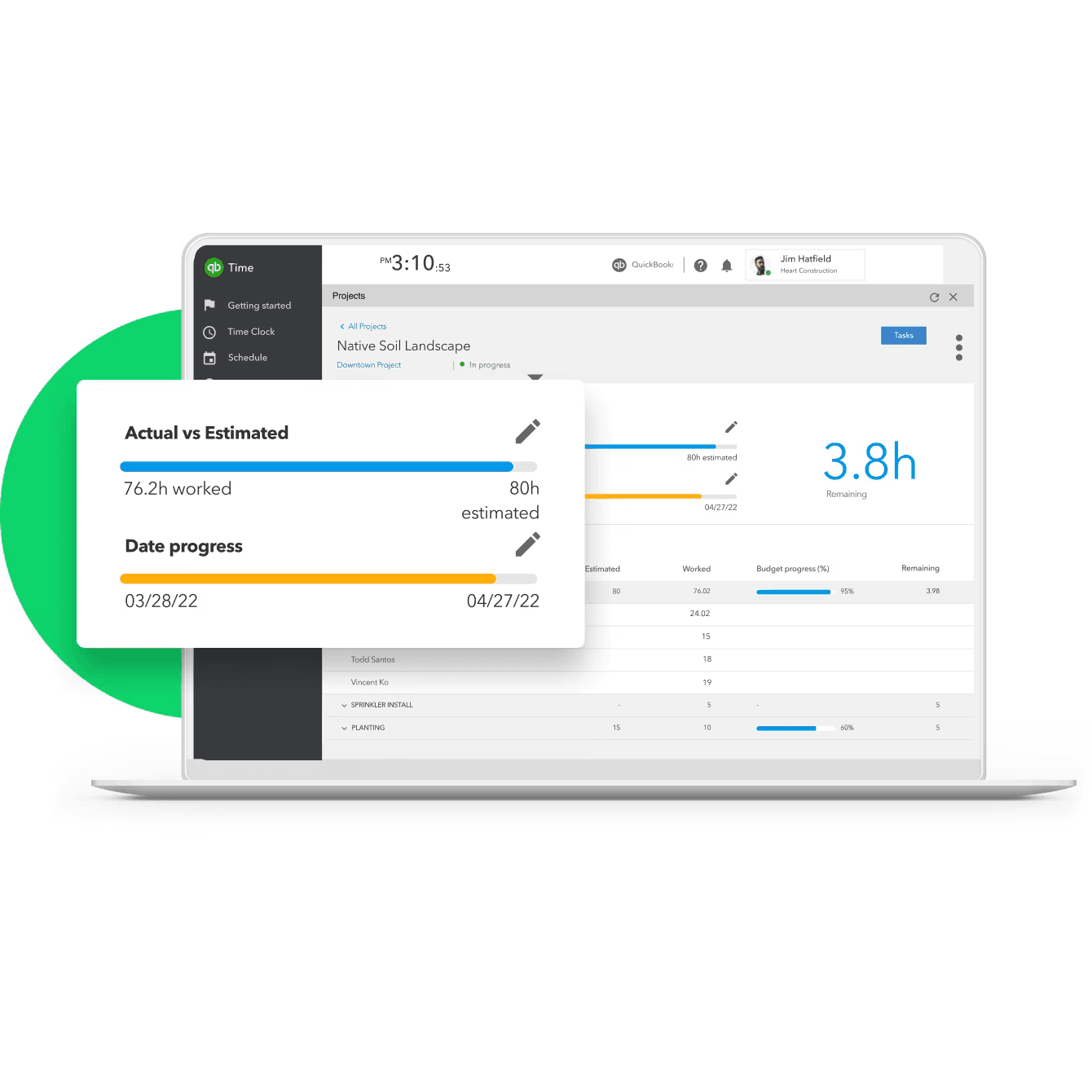
Key features:
- Native two-way sync to QuickBooks payroll and accounting
- Shift scheduling, overtime alerts, GPS tracking, and geofencing
- Mileage tracking (Elite tier)
Pricing: QuickBooks Time requires an active QuickBooks Online subscription (~$35+/month).
- Time Premium: $20/month base + $10/user/month
- Time Elite: $40/month base + $12/user/month
- Base fee includes one admin
What users like:
"What stands out most about QuickBooks Time is how seamlessly it connects time tracking with payroll and accounting, eliminating duplicate work and reducing errors." — Merlyn M., G2, April 2026
What users criticize:
The combined cost of QuickBooks Online + QuickBooks Time makes it one of the most expensive options on this list for teams starting fresh. Capterra reviewers consistently flag that pricing is "not transparent" and "can be complicated." Several also note the product hasn't meaningfully improved since 2022.
Our take: Among Hubstaff alternatives for QuickBooks users, this is the right call if you're already paying for QuickBooks Online and want to cut out manual timesheet-to-payroll entry. Teams not in the QuickBooks ecosystem will find better value in Buddy Punch or Homebase.
4. Toggl Track: Best for Remote Teams That Want Privacy-First Tracking.
Best for: Agencies, design firms, consultants, and distributed teams where invasive monitoring would damage culture, and where work is measured by output, not location.
Key features:
- One-click timer with calendar integration and 100+ app integrations
- Billable rates, project estimates, and revenue analysis
- No employee monitoring features at any tier
Pricing: Toggl Track free plan covers up to five users. Starter: $9/user/month (annual). Premium: $18/user/month (annual). Enterprise: custom.
What users like:
"It makes time tracking simple and easy without feeling intrusive. It's quick to use and very straightforward. The interface is the part I like most — it's clean, and you can start tracking in seconds." — Mariana V., G2 (verified review)
What users criticize:
The most consistent criticism is that Toggl Track tells you how long things took, not what happened. Reviewers note the lack of context per entry: "While the time tracking itself works well, it feels somewhat limited beyond that core function. There isn't a strong way to add detailed context to each entry." — Chris U., Capterra (verified review)
Our take: For remote teams, Toggl Track is the cleanest of these Hubstaff alternatives. The trade-off is exactly what the critical review names: it gives you hours, not narrative. For teams that trust each other and bill by the hour, that's enough.
5. Harvest: Best for Client Billing and Invoicing.
Best for: Freelancers, small agencies, and consultants who bill clients by the hour and want the billing-to-payment workflow handled in one place.
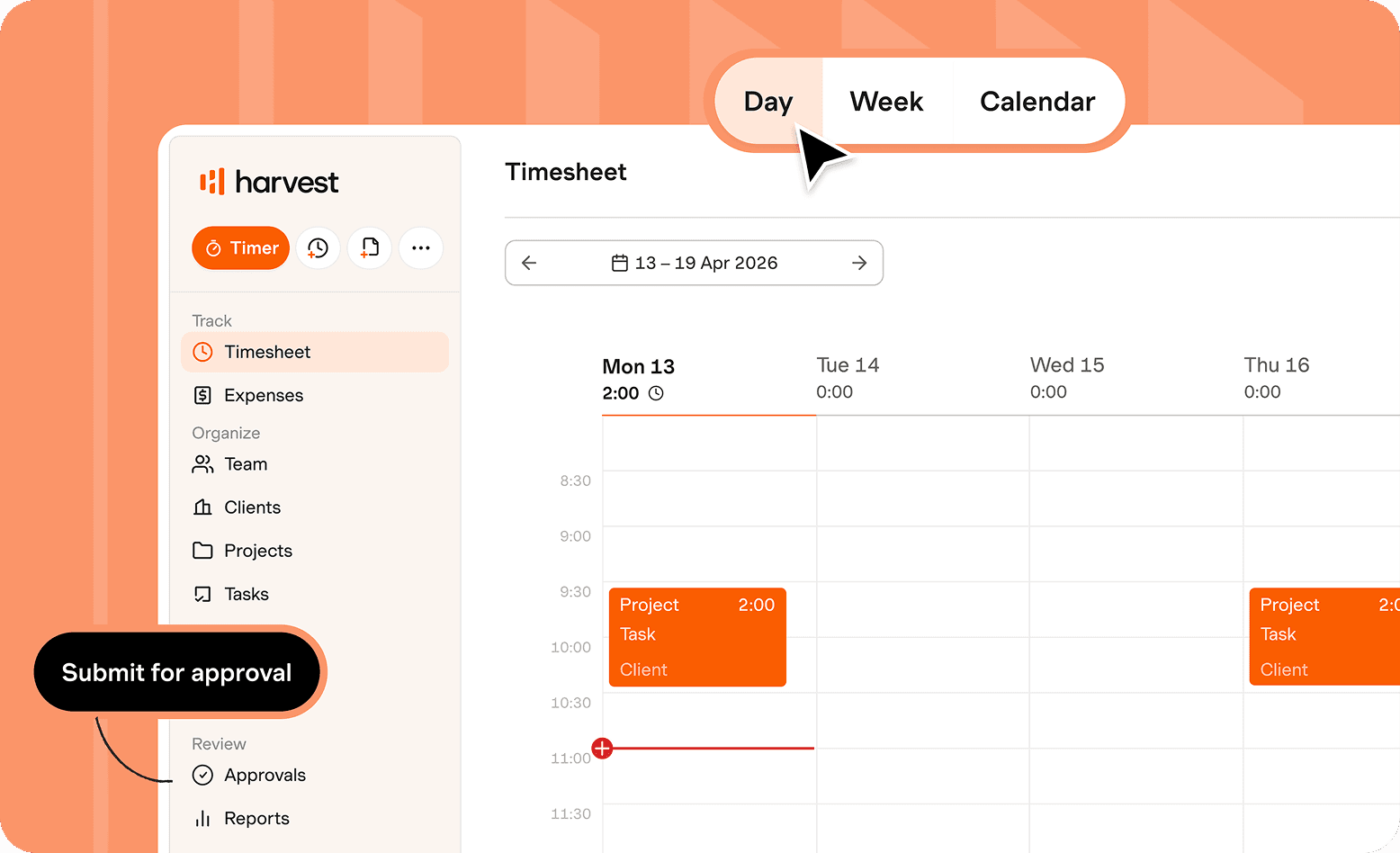
Key features:
- Timer and manual entry across web, desktop, and mobile with calendar integration
- Invoicing directly from tracked hours; client payment via Stripe and PayPal
- Accounting integrations (QuickBooks Online, Xero, Deel) and team capacity reporting
Pricing: Free plan (one seat, two projects). Teams: $9/seat/month (annual); unlimited seats, team reporting, accounting and payment integrations. Enterprise: $14/seat/month (annual); adds profitability reporting, timesheet approvals, unlimited custom reports, and SSO. Note: Teams and Enterprise use usage-based (Flex) billing — the per-seat rate is a starting price; additional charges apply for projects, clients, tasks, and invoices above the base allowance.
What users like:
Reviewers consistently praise Harvest's invoice-from-hours workflow. It's intuitive and takes little setup to get running with a new client.
What users criticize:
Reporting flexibility has been the most common limitation — though Harvest shipped significant custom reporting improvements in mid-2026. Earlier reviewers noted: "I find the reporting is limited as I would like to see the discounts I provide clients and do a little more reporting on client billings." — Debbie M., Capterra (verified review)
Our take: Of the Hubstaff alternatives for client billing, Harvest is the strongest. The billing workflow is well thought out; reporting flexibility is the ceiling you'll hit if you need deeper analytics.
6. TimeCamp: Best for Automatic Time Tracking Across Client Projects.
Best for: Freelancers, consultants, and small teams who bill by the hour and want automatic time logging across multiple client projects without managing manual timers.

Key features:
- Keyword-based automatic tracking from app names, document titles, and browser tabs, no timers needed
- Free plan: unlimited users, unlimited projects, timesheets, and web/desktop/mobile apps
- Billable tracking, invoicing, project budgets, and 40+ integrations (Jira, Slack, QuickBooks, Xero)
Pricing: TimeCamp free plan covers unlimited users and projects. Starter: $3.99/user/month (annual). Premium: $6.99/user/month (annual). Ultimate: $9.99/user/month (annual). Enterprise: on request.
What users like:
"I tend to bounce between tasks and forget that I need to track my time for each client individually. TimeCamp allows me to work the way I naturally work without stressing about losing track of time. I don't have to worry about 'starting the clock,' which I'll forget 90% of the time." — Shannon P., G2 (verified review)
What users criticize:
Mobile reliability is the recurring issue. "The mobile experience and some of the 'on-the-go' features didn't feel as polished — I had bumps like timers hanging, geofencing or offline entries being a bit unpredictable." — Dominic Y., Capterra (verified review)
Our take: TimeCamp rounds out the Hubstaff alternatives for project-based teams. Automatic keyword tracking is useful for anyone who bounces between client projects. The free plan's unlimited users is unusual in the category. Weak point: mobile reliability, making it a better fit for desk-based teams than field workers.
How to Choose the Right Hubstaff Alternative
Choosing between Hubstaff alternatives comes down to one question: what is your team actually doing? Not which tool has more features.
Your team clocks in and out of scheduled shifts → you need a shift-based time clock. Start with Homebase, Buddy Punch, or QuickBooks Time.
Your team logs hours against clients or deliverables → you need a project tracker: Toggl Track, Harvest, or TimeCamp.
You already use QuickBooks and want timesheets to sync automatically → QuickBooks Time is the obvious choice.
Location-verified clock-in is your main accountability requirement → Buddy Punch.
Watching your budget? → Start with TimeCamp's free plan (unlimited users) or Homebase's free plan (one location, up to 10 employees). If you're deciding between those two, see how Homebase and Buddy Punch compare.
You want to avoid surveillance features entirely → Toggl Track.
Pick the right category first, then the best tool within it. Get that right and you won't be shopping again in six months.
How to Pick the Best Hubstaff Alternative for Your Homebase Team
Hubstaff is a fine tool. It's just built for remote teams tracking billable hours, not hourly workers clocking into shifts. The Hubstaff alternatives that work best for small businesses are the ones built around how hourly work actually runs. The right alternative depends on one question: are your employees logging hours by project, or clocking in to shifts?
For hourly shift teams, that means GPS clock-in, break compliance, overtime alerts, shift scheduling, and payroll-ready timesheets. Those aren't premium features, they're the baseline for running an hourly team without constant manual cleanup.
If that's what you're after, Homebase is the only tool on this list that puts scheduling, time tracking, and payroll in a single app, priced per location. Your bill doesn't grow every time you add a team member for the summer. Try it free for your location.
Frequently Asked Questions About Hubstaff Alternatives
What is the best free alternative to Hubstaff?
The best free Hubstaff alternative for hourly teams is Homebase, which covers one location and up to 10 employees at no cost, including scheduling, time tracking, and GPS clock-in. For project-based teams, Clockify's free plan covers up to five users, though its April 2026 changes removed some previously free features. See Clockify alternatives for more options.
Is Clockify better than Hubstaff?
Clockify is a better fit than Hubstaff for teams that need time logging without monitoring features, especially at the free tier. Hubstaff has stronger GPS and proof-of-work capabilities for distributed teams. Neither is the right pick for hourly, shift-based businesses. Homebase vs. Clockify breaks down how they compare for the hourly team use case.
What is the best Hubstaff alternative for hourly teams?
For small businesses with hourly employees, the best Hubstaff alternatives are Homebase and Buddy Punch. Both are built for shift-based work: GPS clock-in, overtime tracking, and payroll integration. Homebase's per-location pricing makes it more cost-effective for single-location businesses adding headcount over time; Buddy Punch's broad clock-in verification options (facial recognition, geofencing, QR code) are a better fit for multi-site field teams.
Can I switch from Hubstaff without losing my data?
Switching from Hubstaff without losing data is possible, but export your time records before canceling. Some users report difficulty accessing historical data after a subscription ends. Running both tools in parallel for two to three weeks before cutting over is the safest approach.
What time tracking app is best for small businesses?
The best time tracking app for small businesses depends on team type. Hourly workers clocking in and out of scheduled shifts need a shift-based time clock like Homebase, Buddy Punch, or QuickBooks Time. Remote teams logging billable project hours are better served by Toggl Track, Harvest, or TimeCamp.