Best Restaurant HR Software for Small Business in 2026


SMALL BUSINESS INTEL, IN YOUR INBOX
Table of contents
Managing HR in a restaurant is not like managing HR anywhere else. Tip credits, pooled tip distributions, multi-role employees clocking in at different pay rates, missed meal break penalties, and restaurant employee turnover that no other American industry comes close to matching. These are not edge cases. They are Tuesday.
The restaurant industry's average annual turnover rate has topped 75% for the past decade, according to industry analysis of BLS JOLTS data. For quick-service restaurants, it exceeds 130% annually. That means the average 10-person restaurant re-onboards most of its team at least once a year.
Generic tools were not built for this. Restaurant HR software was, and this guide covers what to look for and which tools actually handle the restaurant-specific stuff well.
At a Glance: Our Restaurant HR Software Picks
The best HR software for restaurants goes beyond payroll: it handles tip distribution, break compliance, and scheduling in one place. Here's how the top restaurant HR software options stack up.
- Homebase — Best all-in-one for small restaurant teams: scheduling, time tracking, payroll, tip management, and labor law compliance in one app.
- Gusto — Best for full-service payroll and HR compliance without restaurant-specific complexity.
- Toast Payroll — Best for restaurants already on Toast POS, where payroll syncs directly from the register.
- 7shifts — Best for restaurants where scheduling depth and labor cost analytics are the priority.
- Harri — Best for mid-to-large hospitality operations with a dedicated HR team.
- OnPay — Best budget pick for simple, accurate payroll at a flat predictable monthly cost.

Why Do You Need Restaurant HR Software?
Doing restaurant HR manually means a different workaround for every problem:
- Tip splits calculated by hand after every shift
- Break schedules tracked in a notebook
- Onboarding paperwork signed in person and stored in a filing cabinet
Each step adds error risk, and in restaurants, errors compound quickly: a missed meal break in California triggers one additional hour of pay per workday of violation, and tip calculation mistakes affect every person on the floor.
Restaurant HR software closes those gaps by connecting the parts that manual processes keep separate:
- Tips distribute from the POS automatically
- Compliance alerts fire before the shift ends, not after a violation has already occurred
- New hire paperwork is sent, signed, and stored before day one
- Every document stays in one place, which matters more than most restaurant owners realize until they face an audit
Christofer Peralta leads customer success at Homebase and spent 16-plus years in hospitality before joining us, including managing an independently owned fine dining restaurant in New York City. On documentation in high-compliance states:
"I had this experience of talking to one California small business owner who has sixteen different documents they have to store and keep on file in case they're ever audited. As someone who had sixteen filing cabinets in one room myself — a whole room just of cabinets — I know you have to keep a record of everything, in case someone from five years ago says you never gave them a break."
Why Trust Our Restaurant HR Software Rankings?
Homebase builds scheduling, payroll, and HR tools that run in restaurants every day, from independent cafés to multi-location groups. More than 100,000 businesses use the app, and restaurants make up a big share of that. We've seen firsthand what makes restaurant HR software harder to get right than HR tools for other industries: tip credits, break compliance, and a workforce that turns over faster than any other.
How We Chose the Best Restaurant HR Software
Six criteria drove our restaurant HR software rankings. Whether you're evaluating restaurant employee management software or a broader restaurant staff management software suite, these are the questions that separate tools worth your time from ones that fall apart in a real shift.
Restaurant-specific payroll handling. Tip credits, pooled distributions, and variable pay rates for the same employee across different roles in a single shift. The test: ask how a tool handles "an employee who works two roles in one shift at different rates with tips allocated at the end of the night."
Labor compliance alerts. Break requirements, overtime rules, and minimum wage variations by state. In California and several other states, a missed meal break triggers one additional hour of pay per workday of violation. Tools that flag this before the shift ends ranked higher.
Scheduling and time clock integration. Hours should flow from the time clock to payroll without a manual export step. Tools with that direct connection ranked higher.
Mobile ease of use. Good restaurant HR software should work for the employee on the floor, not just the manager at the desk. We evaluated whether hourly team members could clock in, see their schedule, and swap shifts without manager help.
Pricing transparency. All pricing verified against each vendor's live pricing page in October 2026.
Third-party review patterns. G2 and Capterra ratings plus peer discussions in r/restaurateur. Full details at our methodology page.
Comparison Table: Our Top 3 Restaurant HR Software Picks
| Homebase | Gusto | Toast Payroll | |
|---|---|---|---|
| Starting price | Free | $49/mo + $6/employee | Contact for pricing |
| Free tier | Yes (1 location, 10 employees) | No | No |
| Best for | Small restaurants, all-in-one | Multi-state payroll + HR | Toast POS operators |
| Payroll | Yes (add-on) | Yes | Yes |
| Scheduling | Yes | No | Limited |
| Tip management | Yes (Tip Manager add-on) | No | Limited |
| Compliance alerts | Yes (All-in-One plan) | Basic | Limited |
| POS integration | Multiple | Third-party | Toast native |
How Homebase Stacks Up as Restaurant HR Software
As restaurant HR software, Homebase fits small restaurants (typically under 50 employees, one to three locations) that want scheduling, time tracking, payroll, and HR and compliance in one app. The free plan covers real daily operations, not just a trial window.
Where Homebase may not be the first pick:
- Restaurants already deep in the Toast POS ecosystem (Toast Payroll has a native connection to the register)
- Multi-unit chains needing dedicated HR business partner support (Harri or enterprise workforce tools serve that better)
- Operators who only need payroll and have scheduling handled (Gusto or OnPay, without additional overhead)
For direct comparisons, see Homebase vs. 7shifts, Homebase vs. Toast, and Homebase vs. Harri.
If you're spending weekend hours manually calculating tip splits or trying to track which states require a 10-minute rest break every four hours, Homebase handles both in the same app where your schedule lives. Get started free.
The 6 Best Restaurant HR Software Tools for Small Business
1. Homebase: best all-in-one restaurant HR software.
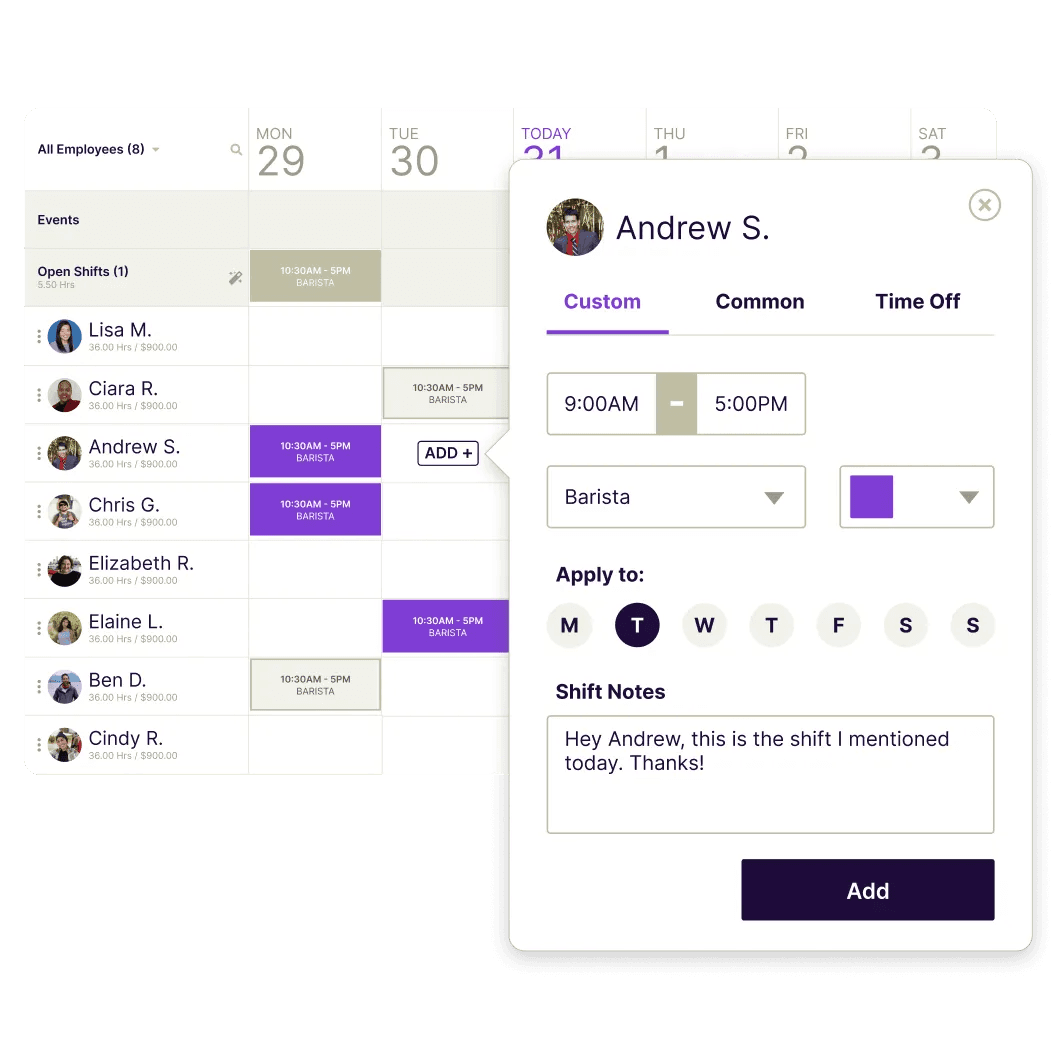
Best for: Small restaurant teams that want scheduling, time tracking, payroll, and HR compliance without managing three separate apps.
Rating: G2 4.6 (560 reviews) · Capterra 4.6 (1,142 reviews)
Homebase is a team management app built for hourly workers. As restaurant HR software, it covers restaurant scheduling, time clocks, tip distribution, digital onboarding, and full-service payroll, with labor law compliance alerts built in. For operators searching for restaurant tip management software or restaurant onboarding software specifically, those tools are both built into Homebase rather than sold separately.
Key features:
- Shift scheduling with live labor cost projections: see your projected labor percentage before publishing the week, not after
- Tip Manager: distributes tips from your POS based on hours worked or sales volume, eliminating end-of-shift manual calculations ($25/month add-on)
- Hiring and Onboarding tools including digital new hire packets with I-9, W-4, and custom documents sent and signed before day one (All-in-One plan)
- Restaurant compliance software alerts that flag overtime and missed break requirements before they become violations (All-in-One plan)
- Full-service payroll: wages, overtime, taxes auto-calculated, tax filings handled, direct deposit included
Pricing (verified October 2026 from joinhomebase.com/pricing — a limited-time promo offering 6 months of Payroll and Plus free is active as of this date; standard rates apply after the promo period):
- Basic: Free (1 location, up to 10 employees)
- Essentials: $30/location/month (unlimited employees)
- Plus: $70/location/month (adds AI Scheduling Assistant, PTO controls)
- All-in-One: $120/location/month (adds digital onboarding, HR and compliance)
- Payroll: $49/month base + $6/month per employee paid
- Tip Manager: $25/month per location
What users like:
- "Scheduling managers are up and running on it within 30 minutes." — Jason W., Owner, Restaurants, Capterra
What users criticize:
- "I dislike that the only feature I require from the next tier is different job codes." — Daniel C., Managing Partner, Food & Beverages, Capterra
Our take: Homebase earns the top spot in this restaurant HR software roundup because it was built for hourly teams, not retrofitted for them. Most tools treat tip pooling and break compliance as edge cases. Homebase starts with shift work, and the free plan provides real daily utility, not just a trial clock.
Luanne Ronquillo at Ruru Baked grew her team from 3 to 20-plus employees over four years with almost no turnover and reclaimed 20-plus hours a week. She's on track to cut labor costs by 5% without reducing anyone's hours.
"The great thing about Homebase is you have all the different roles. So I was seeing: how much is back of house making? And then how much are we staffing front of house? I love using it for all our locations and seeing the numbers so I can actually see how much labor we're using a day."
— Luanne Ronquillo, Owner, Ruru Baked
2. Gusto: best restaurant payroll software for payroll-only needs.
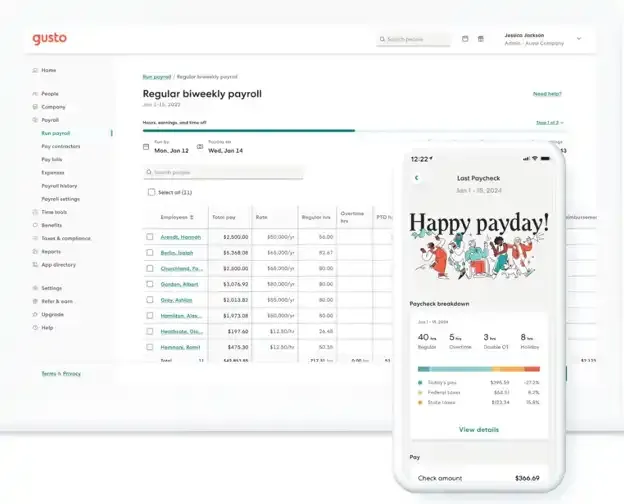
Best for: Restaurants that want full-service payroll, benefits, and basic HR compliance without a restaurant-specific tool, especially multi-state operators or those paying a mix of W-2 and 1099 workers.
📸 Screenshot: Gusto payroll dashboard — "Run payroll" screen showing automated tax calculations and direct deposit confirmation for a small business team. File name: gusto-payroll-software-run-payroll-screen.png Alt text: "Gusto payroll software showing automated tax calculations and direct deposit for small business teams" (101 chars)
Rating: G2 4.6 (9,051 reviews) · Capterra 4.6 (4,202 reviews)
Gusto is a payroll, HR, and benefits app for small businesses. As restaurant payroll software, it handles federal and state tax filings automatically, supports both W-2 and 1099 workers, and includes basic onboarding documents and HR tools. Built for a broad range of businesses, not restaurant-specific.
Key features:
- Full-service restaurant payroll with automatic direct deposit and tax filing; note that the 49/monthSimpleplancoverspayrollinasinglestateonly—multi-staterequiresthePlusplan(80/month + $12/employee)
- Benefits administration: health, dental, vision, 401(k), workers' comp (varies by plan)
- Time tracking integration that connects with third-party apps, including Homebase
Pricing:
- Simple: $49/month + $6/employee/month
- Plus: $80/month + $12/employee/month
- Premium: $180/month + $22/employee/month
- No free tier
What users like:
- "Gusto provides clear instruction and definitions for a variety of hiring categories." — Katie M., COO, Hospitality, Capterra
What users criticize:
- "Rising costs of base amounts and per employee fees." — Julie T., Owner, Capterra
Our take: As restaurant HR software, Gusto works well for restaurants that have scheduling handled elsewhere and primarily need payroll to run correctly every pay period. For a café that manages tipping out manually and just needs payroll and HR paperwork off their plate, Gusto is a strong pick at a competitive price. For a direct comparison, see Homebase vs. Gusto.
3. Toast Payroll: best restaurant payroll software for Toast POS users.
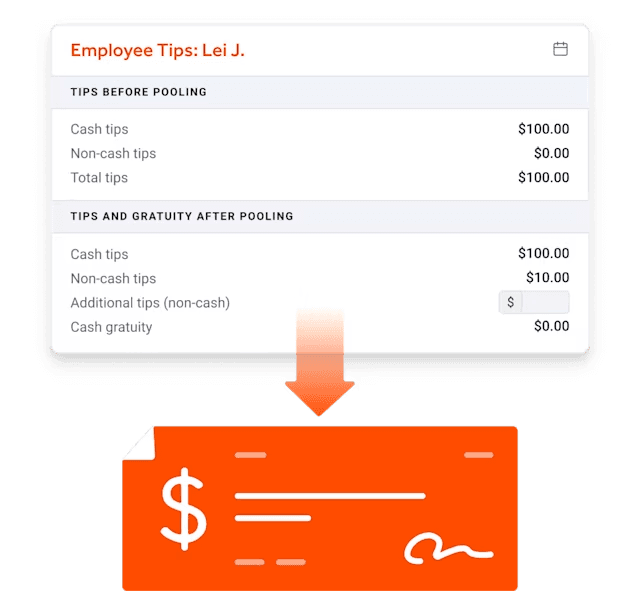
Best for: Restaurants already running Toast POS that want payroll, tip distribution, and team management without a separate data transfer step between the register and the payroll app.
Rating: G2 4.3 (363 reviews, overall Toast platform) · Capterra 3.5 (21 reviews, Toast Payroll specifically)
Toast Payroll is the payroll and team management add-on for the Toast POS. If you're already running Toast at the register, payroll pulls hours, tips, and sales data directly from the point of sale. The G2 rating reflects the full Toast platform; the Capterra rating covers Toast Payroll specifically, so it's the more relevant benchmark here.
Key features:
- Direct POS-to-payroll sync: hours and tips flow from the register automatically
- Tip pooling and distribution built into the payroll workflow
- Compliance tools: tip credit calculations, overtime tracking, multi-rate employee support
Pricing: Quote-based (contact Toast). No standard list price is publicly available for standalone Toast Payroll.
What users like:
- "Toast Payroll is integrated with Toast POS, so running payroll is seamless." — Paul H., Owner, Hospitality, Capterra
What users criticize:
- "The tip manager is horrible to use." — Ana R., Admin, Restaurants, Capterra
Our take: As restaurant HR software goes, Toast Payroll is the right pick for a narrow but specific restaurant: one already running Toast POS that doesn't want to stitch together a separate payroll integration. Worth knowing: Homebase also integrates with Toast, so you don't have to choose between a dedicated scheduling tool and direct payroll sync.
4. 7shifts: best restaurant employee scheduling software for labor analytics.
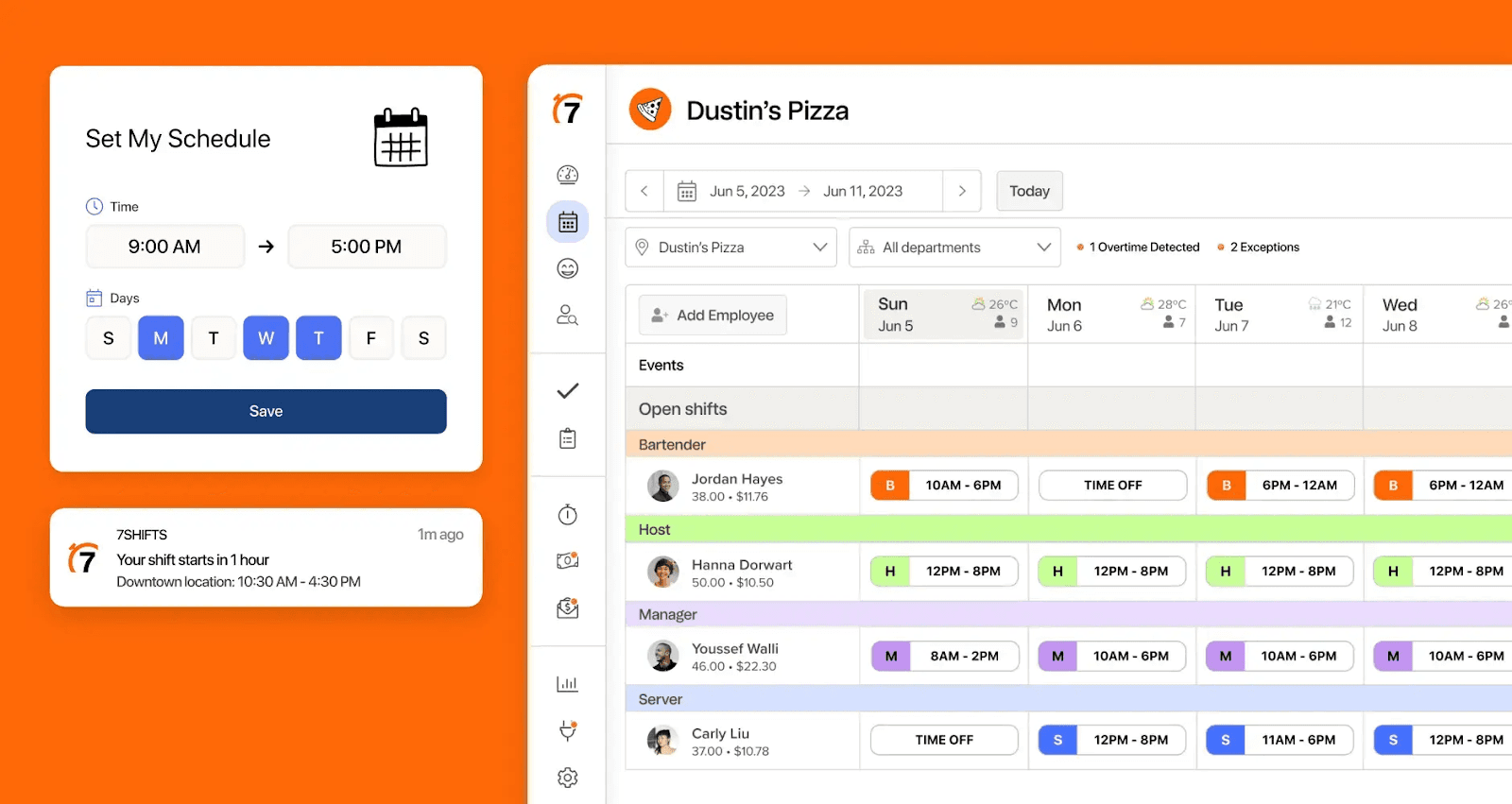
Best for: Restaurants that build operations around scheduling analytics, particularly those actively trying to reduce labor as a percentage of weekly sales.
Rating: G2 4.5 (129 reviews) · Capterra 4.7 (1,212 reviews)
7shifts is a restaurant workforce management and scheduling app built exclusively for the restaurant industry. It started as a restaurant employee scheduling tool and has expanded into time tracking, tip management, team communication, and payroll, making it one of the more comprehensive pieces of restaurant HR software for operators who lead with scheduling.
Key features:
- Drag-and-drop scheduling with live labor cost projections: see the labor percentage as you slot people in, not at the end of the week
- Labor vs. sales dashboard showing actual labor percentage during an active shift
- Shift bidding, swap requests, and time-off management from the mobile app
Pricing (confirmed via Capterra vendor listing, September 2026):
- Comp (free): 1 location, up to 15 employees, basic scheduling
- Essentials: $39.99/location/month
- Pro: $79.99/location/month
- Premium: $134.99/location/month
What users like:
- "7shifts makes it really easy to manage schedules, time off request, manage labor hours." — Andrena T., Catering Manager, Food & Beverages, Capterra
What users criticize:
- "Pricing has increased, support is less than it has been in prior years." — Terry M., Manager, Restaurants, Capterra
Our take: 7shifts is the best pure scheduling tool in this list, and the strongest restaurant workforce management software pick for operators who lead with labor cost analytics. Where it falls short as full restaurant HR software is coverage: compliance alerts, digital onboarding, and HR advisory support aren't part of the core tool. If smarter scheduling is your single biggest need and payroll is already handled elsewhere, 7shifts is worth a free trial. See Homebase vs. 7shifts for a direct look.
5. Harri: best restaurant labor management software for large operations.
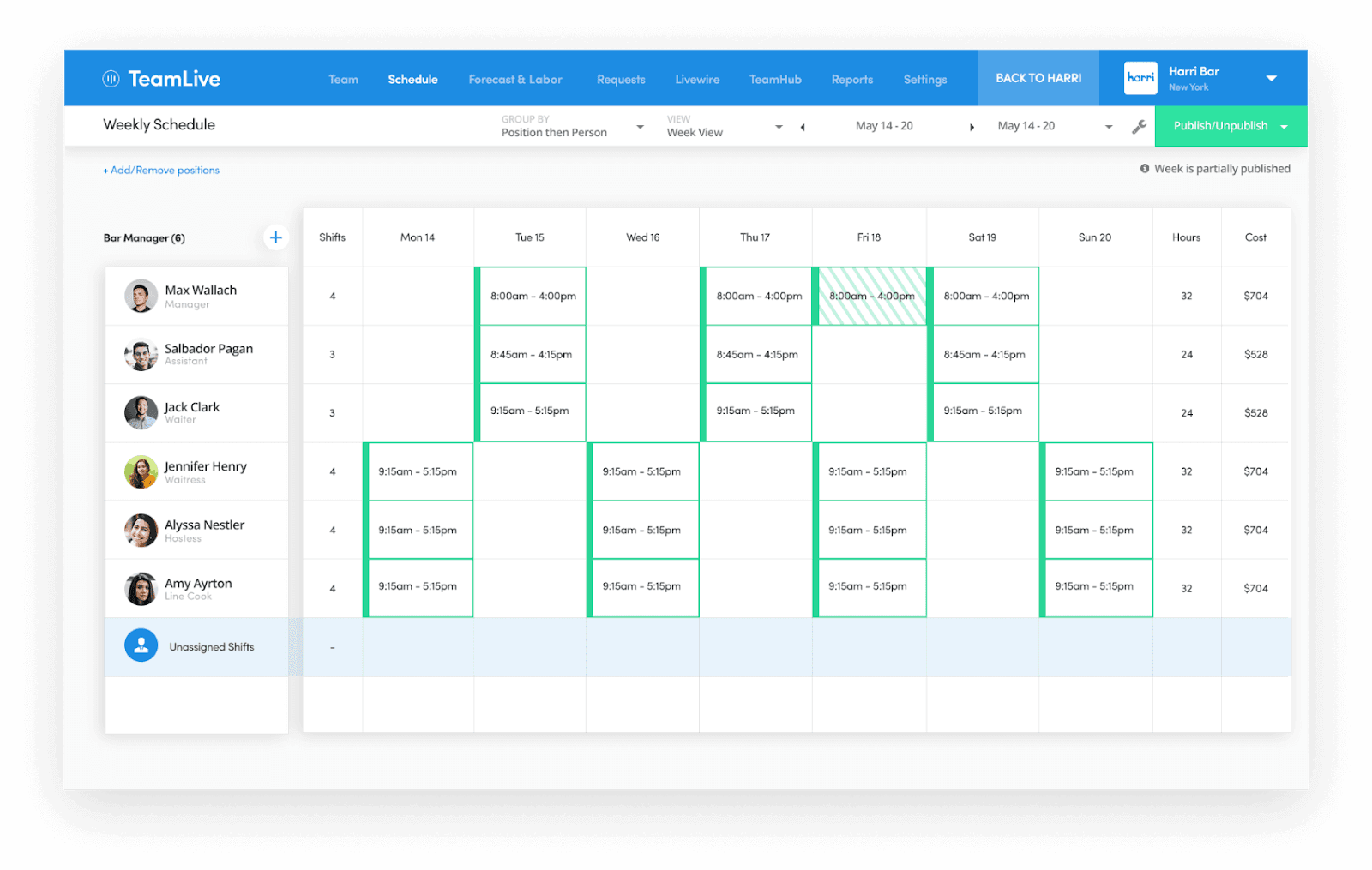
Best for: Mid-to-large hospitality operations (typically 100-plus employees across multiple locations) that need applicant tracking, compliance documentation, and performance management alongside scheduling.
Rating: G2 4.3 (99 reviews) · Capterra 4.3 (43 reviews)
Harri is a hospitality-specific restaurant labor management software built for large multi-location operations. It covers the whole range of restaurant HR software: recruiting, onboarding, compliance, performance, and scheduling, for hospitality businesses with a dedicated HR team.
Key features:
- Applicant tracking and recruitment tools built for high-volume hospitality hiring
- Compliance documentation management: food handler certifications, state-required forms, renewal tracking
- AI-assisted candidate screening and employee onboarding workflows
Pricing: Custom pricing only (contact Harri for a quote).
What users like:
- "it was very simple to pick up and teach to our staff." — Amanda B., Assistant Manager, Food & Beverages, Capterra
What users criticize:
- "customer service, setting configuration, reporting, etc. is below par compared to other HR systems." — Bethany L., Chief People Officer, Hospitality, Capterra
Our take: Harri is a serious piece of restaurant HR software for serious hospitality operations. If you're running three or more locations, managing 200-plus employees, and have at least one person with "HR" in their job title, it's worth a demo. For a single-location restaurant where the owner handles HR between the lunch and dinner rush, the setup complexity will likely cost more time than it saves. See Homebase vs. Harri for a direct comparison.
6. OnPay: best affordable restaurant payroll software.
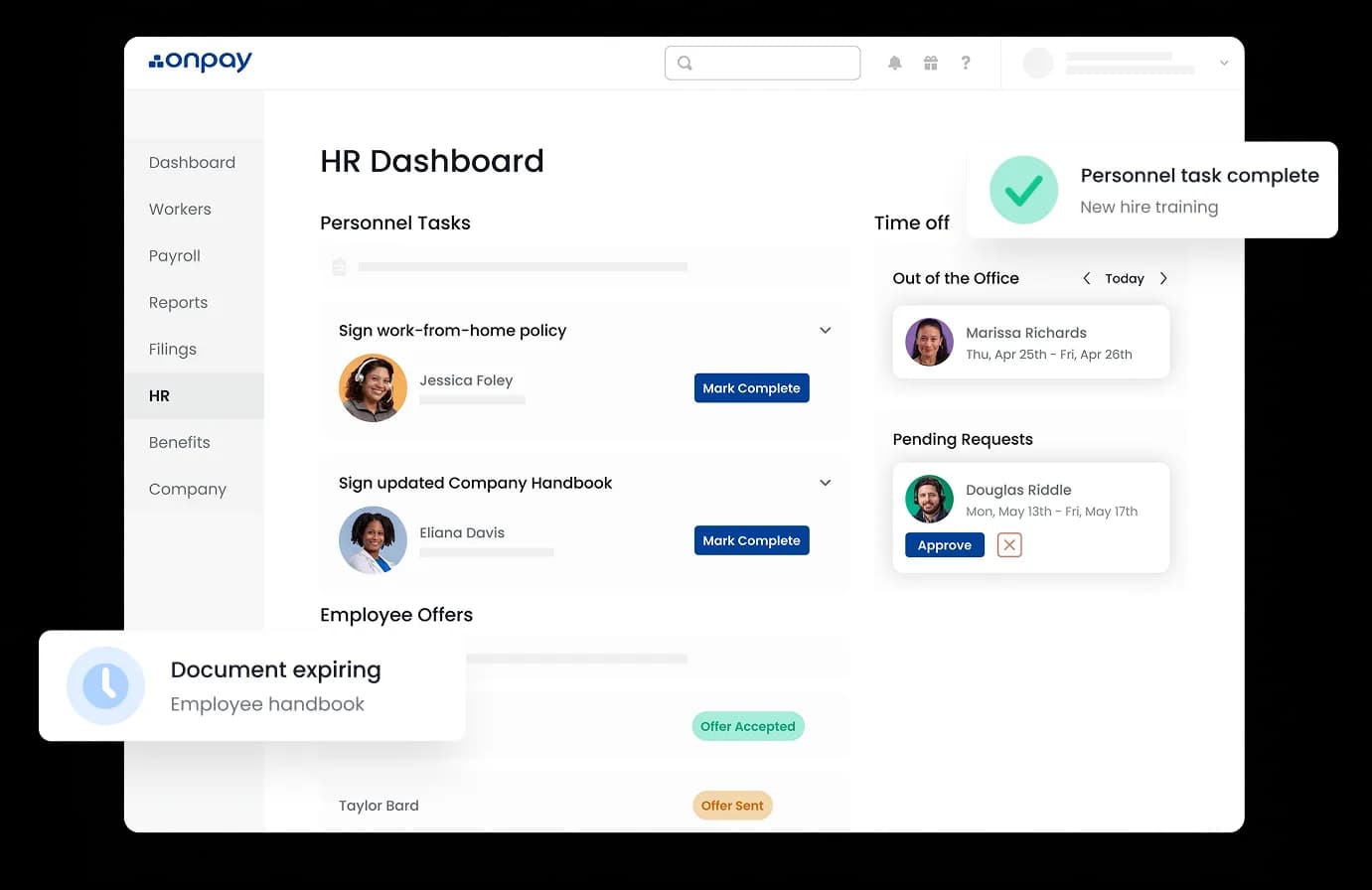
Best for: Small restaurants that need simple, accurate full-service payroll at a flat, predictable monthly cost without paying for scheduling or HR features they don't use.
📸 Screenshot: OnPay payroll dashboard — employee list view showing tipped employee wage calculations, pay period totals, and flat-rate pricing breakdown. File name: onpay-payroll-software-small-business-dashboard.png Alt text: "" (98 chars)
Rating: G2 4.8 (406 reviews) · Capterra 4.8 (468 reviews)
OnPay is a full-service payroll app that handles tipped employee pay structures, multiple wage rates, and multi-state tax compliance accurately. Its pricing is flat and published: one base fee plus a per-person rate, with no per-run fees for off-cycle payroll.
Key features:
- Automatic payroll tax filing across all 50 states with an accuracy guarantee
- Tipped employee wage calculations and tip credit compliance
- No per-run fees: off-cycle or bonus payroll runs don't add to the bill
Pricing (verified October 2026):
- Payroll Essentials: $49/month + $6/employee/month
- HR Add-on: additional $15/month + $2/employee/month
- No free tier; 30-day free trial available
What users like:
- "It's easy to navigate, the team is helpful, and the software is affordable." — Verified Reviewer, Marketing & Advertising, G2
What users criticize:
- "I wish there was a time clock feature included." — Tara M., small business, G2
Our take: As restaurant HR software focused purely on payroll, OnPay does exactly what it promises: full-service payroll for restaurant-specific pay structures at a flat, predictable fee. It's the right pick for an operator who already has scheduling and a restaurant time clock handled separately, and just needs payroll to run reliably every two weeks.
Choosing the Right Restaurant HR Software for Your Team
Restaurant HR is not general HR. The right restaurant HR software — whether you call it restaurant workforce management software or just a scheduling and payroll tool — is built for this reality from the start, not adapted for it after the fact. Tip pooling software, break compliance, and high employee turnover require that kind of purpose-built approach. Generic payroll engines typically require manual workarounds for tip credit calculations, adding error risk every pay cycle.
Most small restaurant owners don't need every feature in this list. Start with your single biggest pain point: payroll errors, scheduling chaos, or compliance exposure. Pick the tool that solves that first.
Start with restaurant HR software that lets you try before you pay. Homebase and 7shifts both offer meaningful free tiers that cover real daily operations, not just a trial window.
If you're tired of managing payroll in spreadsheets and coordinating shifts through group texts, Homebase brings scheduling, payroll, and HR compliance into one app. Start free, no credit card required.
Restaurant HR Software FAQs
What is the best payroll software for restaurants?
The best payroll software for restaurants handles tip credits, variable pay rates, and compliance alongside standard payroll. The right restaurant HR software depends on what gap you're closing first: Homebase covers payroll, scheduling, and tip management in one app; Gusto and OnPay are stronger for operators who need payroll only; Toast Payroll is the right pick for restaurants already running Toast POS.
What do restaurant owners look for in HR software?
Restaurant owners consistently look for restaurant HR software that handles what generic tools miss: tip credits and variable pay rates, mobile shift swapping, digital onboarding, compliance alerts before violations occur, and labor cost reporting against sales. Tools built specifically for restaurants address all five; general HR tools typically cover only some.
Do I need specialized HR software if I run a small restaurant?
Most small restaurants need specialized restaurant HR software because tip credits, tip pooling laws, and state-specific break requirements require logic that generic tools weren't built for. In California, a missed meal break triggers one additional hour of pay per workday of violation, and software that flags this proactively pays for itself quickly.
How much does restaurant HR software cost?
Restaurant HR software costs range from free (Homebase and 7shifts both offer free scheduling tiers) to $120-plus per month per location for full HR suites. Most small restaurant owners spend $60 to $150 per month total once payroll is added, with payroll add-ons typically running $49 to $80 per month base plus $6 to $12 per employee.
What's the difference between restaurant HR software and general HR software?
Restaurant HR software differs from general HR tools in what it's built to handle: tip income, variable pay rates for multi-role employees, and state-specific break compliance. A generic payroll engine typically requires manual workarounds for tip credit calculations; restaurant-specific tools run those calculations automatically, reducing error risk every pay cycle.