Best Salon Software with Payroll in 2026

SMALL BUSINESS INTEL, IN YOUR INBOX
Table of contents
It's Sunday night. Payroll is due tomorrow, and you're still trying to figure out whether Janelle earned commission on top of her hourly hours this week, how much of her tips are taxable, and whether she crossed into overtime, all at once.
Salon pay is more complicated than most payroll tools are built for. You've got mixed pay rates, tips with their own IRS rules, and booth renters who aren't even employees. Generic payroll treats everyone the same, and that's the problem.
The right salon software with payroll handles all of it, or pairs with a payroll engine that does. This guide compares the five best options for 2026, what each tool actually does, what it costs, and where it falls short, so you can match a tool to how your salon runs.
The Best Salon Software with Payroll at a Glance
The best salon software with payroll depends on how your salon pays people: whether you need booking and payroll bundled, or a dedicated payroll engine to pair with software you're already using. Here are the five picks for 2026:
- Homebase, best for salons with hourly teams that need scheduling, time tracking, and payroll all in one app
- Mangomint, best salon-built all-in-one with true built-in payroll.
- Vagaro, best value for commission, booth-rent, and chair-rent tracking.
- GlossGenius, best for solo stylists and small booth-rental teams.
- Gusto, best standalone payroll to pair with your existing booking software.
- Square Payroll, best if you're already running Square POS.
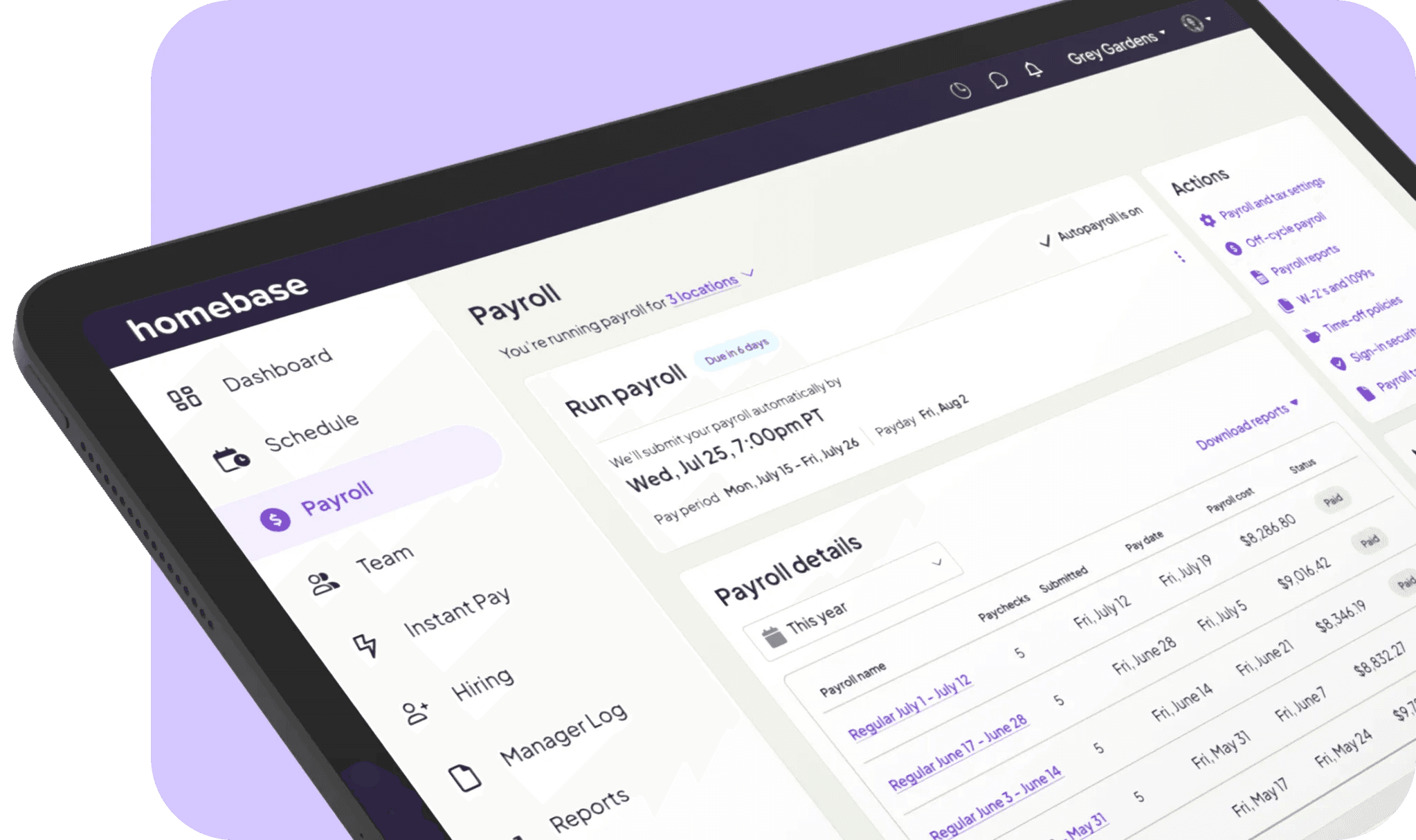
Why Trust Homebase? Here's Why We Wrote This Guide
We're Homebase, we make payroll, scheduling, and time tracking software for hourly teams, and salons are one of our core use cases. That means we've spent a lot of time understanding exactly why salon payroll is harder than regular payroll: the tip reconciliation, the commission-meets-overtime math, the booth renter who needs a 1099 instead of a W-2. Those aren't hypotheticals to us.
Every tool here was evaluated on its own merits, we don't accept payment or backlinks for a mention. What we do bring is a specific point of view on what makes salon payroll software actually work, and that shaped every criterion we used.
How We Chose the Best Salon Software with Payroll
The biggest thing most reviews get wrong: they treat "commission tracking" and "payroll" as the same thing. They're not. Some tools run payroll and file your taxes. Others just calculate what to pay and leave the rest to you. We flag which is which for every pick. Here's what else we looked at, see our full methodology for more detail.
True payroll vs. commission tracking. Does the tool actually pay your team and file W-2s and 1099s, or does it stop at calculating what to pay? A commission tracker that doesn't file taxes isn't payroll, it's math.
Mixed pay structures. Hourly rates that vary by role, commission splits on services and retail, tips from multiple sources. Does it handle these automatically, or does someone have to do the math manually every pay period?
Tip and commission handling. Card tips that import from the POS, cash tip entry, commission splits by service type, and whether the tool correctly applies the weighted-average overtime rule when commission is in the mix.
Booth renter (1099) support. Can the tool pay contractors alongside W-2 employees without needing a separate system? Mixing up the classification carries real IRS risk.
Tax filing. Federal, state, and local, automated, or left to you?
Pricing, verified. Every price checked against the vendor's own live page.
Real user sentiment. G2 and Capterra reviews, plus patterns from Reddit threads where salon owners compare notes.
Salon-built all-in-ones at a glance
The three salon-built tools below bundle booking and payroll under one roof. Gusto and Square Payroll are "pair-with" options, covered separately in their entries.
Mangomint
- Starting price: $165/mo (Essentials, up to 10 pros)
- Payroll: Built-in add-on (+$50/mo, +$8/employee)
- Free trial: Yes
- Best for: Established salon teams wanting everything in one place
Vagaro
- Starting price: $23.99/mo (One Location)
- Payroll: Powered by Gusto, priced separately
- Free trial: Yes
- Best for: Mixed-model salons with booth renters and commission staff
GlossGenius
- Starting price: $24--28/mo (Standard)
- Payroll: Add-on (+$40/mo, +$6/working employee), Gold tier and up
- Free trial: Yes
- Best for: Solo stylists and small booth-rental teams
The 6 Best Salon Software with Payroll Options for 2026
Every salon pays people differently. Some run a mix of hourly front-desk staff, commission stylists, and independent booth renters. Others are solo operators managing their own books. The five tools below cover the full range.
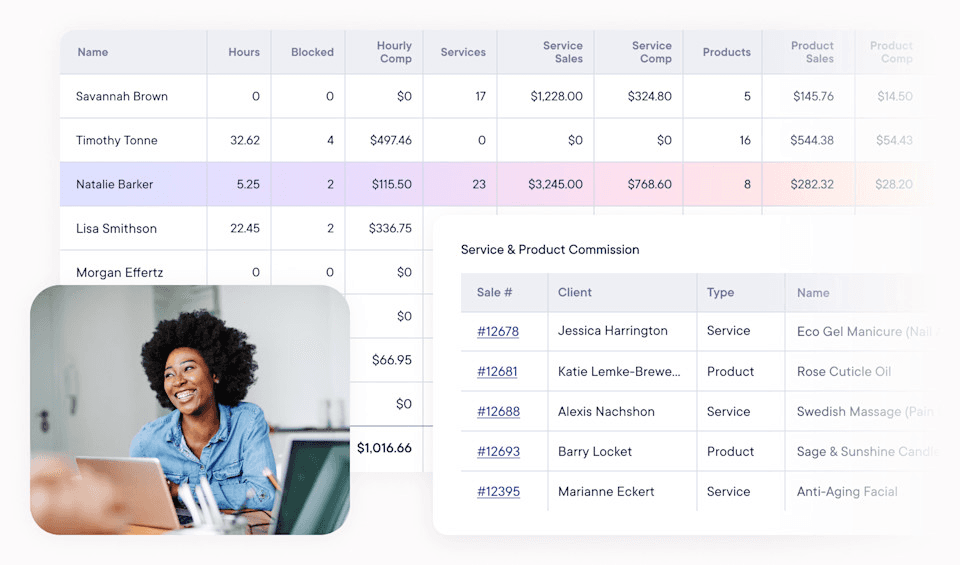
1. Homebase
Who it's best for: Small businesses with hourly teams who want everything in one place—scheduling, time tracking, and payroll that actually works together.
Key features:
- All-in-one platform eliminates software juggling by combining employee scheduling, time tracking, and payroll processing in a single app that your team will actually use.
- Automated time clocks capture precise hours and overtime calculations, preventing payroll errors and keeping you compliant with labor laws without the guesswork.
- Integrated tip management pulls tips directly from POS systems, making tip reporting and distribution simple for restaurants and service businesses.
- Early wage access keeps employees happy by letting them access earned wages before payday—great for retention and morale.
- Built-in HR tools streamline hiring, onboarding, and compliance with document storage and automated reminders that keep you organized.
Payroll: Handles standard payroll compliance for most small businesses, though not specialized for certified payroll reporting.
Starting price: Free basic plan for scheduling and time tracking (one location, up to 10 employees); paid plans start at $24/month per location. Payroll add-on: $49/month + $6/employee.
2. Mangomint
If you want salon scheduling and salon payroll software in one system, no third-party payroll engine, no syncing between apps, Mangomint is where the search usually ends. It's built from the ground up for service businesses, not adapted from a generic small-business tool.
Best for: Established salons that want a salon-built all-in-one with genuine payroll.
Key features:
- Built-in payroll with automated tax filing, benefits, and time-off tracking.
- Automated commission tracking by service and retail, per staff member.
- Payroll and sales reports broken down per provider.
- Fast, clean interface with strong automation throughout.
Pricing: From $165/mo (Essentials, up to 10 professionals). Payroll add-on: +$50/mo, +$8/employee. Free trial available.
What users like: Payroll processing gets called out as "outstanding" in more than a few reviews, and the support team consistently earns praise for being fast and helpful when something comes up.
What users criticize: The add-ons stack up. The base price is already on the higher end, and the per-employee payroll fee pushes costs noticeably higher as your team grows. Some users also flag that per-provider hourly-rate adjustments are still manual.
Our take: The premium salon-built pick. If you're running a team and want scheduling, POS, and true payroll in one place with the least friction, Mangomint is the cleanest option here. Just know the entry price and add-on stack make it a poor fit for solos or tight budgets.
3. Vagaro
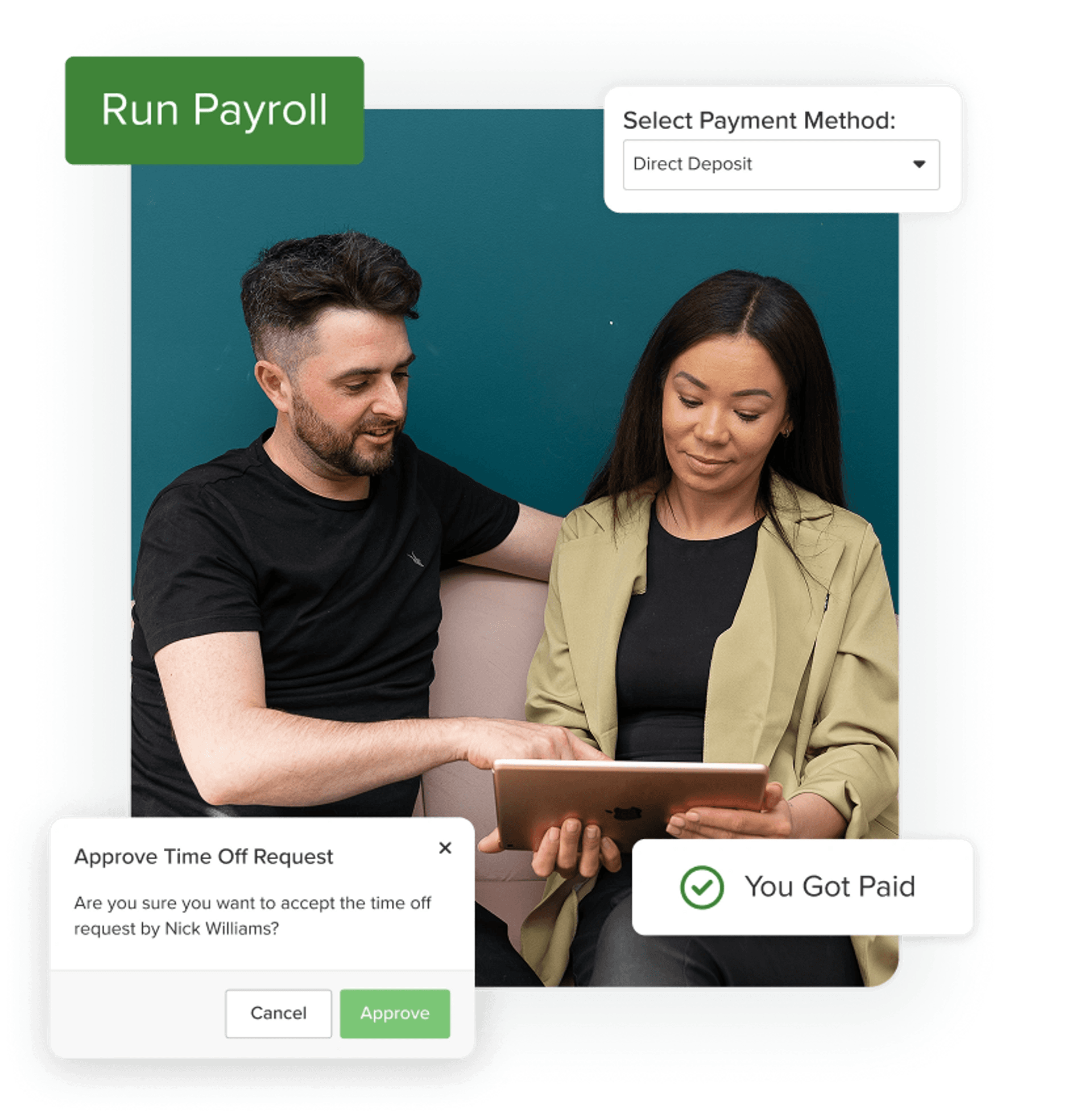
Vagaro is built for the messy reality of salons that mix booth renters, commission stylists, and chair rental, and it handles all three without requiring a team of ten to justify the cost. Salon payroll runs through a Gusto integration, so you're getting purpose-built salon workflows on top of a proven payroll engine.
Best for: Growing salons and barbershops that want commission, booth-rent, and chair-rent tracking at a low entry price.
Key features:
- Commission and booth/chair-rent tracking built in, not bolted on.
- Payroll powered by Gusto: time tracking, PTO, contractor payments, automated tax filing.
- POS, inventory, and marketing tools included.
- A lot of functionality for the entry price.
Pricing: From $23.99/mo (One Location). Payroll priced separately via Gusto. Free trial available.
What users like: Reviewers say Vagaro replaces several separate tools at once, and that commission and rent tracking work well for the mixed models most salons actually run. The value-for-price ratio comes up often.
What users criticize: That low sticker price climbs quickly once you start adding what you actually need. Several users flag that the à-la-carte structure makes the real monthly cost higher than it first appears. Larger teams also mention it can feel cluttered at scale.
Our take: The best value for salons juggling booth renters and commission staff. Two things to know going in: the price rises once you configure it, and Vagaro's "payroll" is Gusto under the hood, which isn't a knock, but it means you're really choosing Vagaro for the salon workflows and Gusto for the payroll engine.
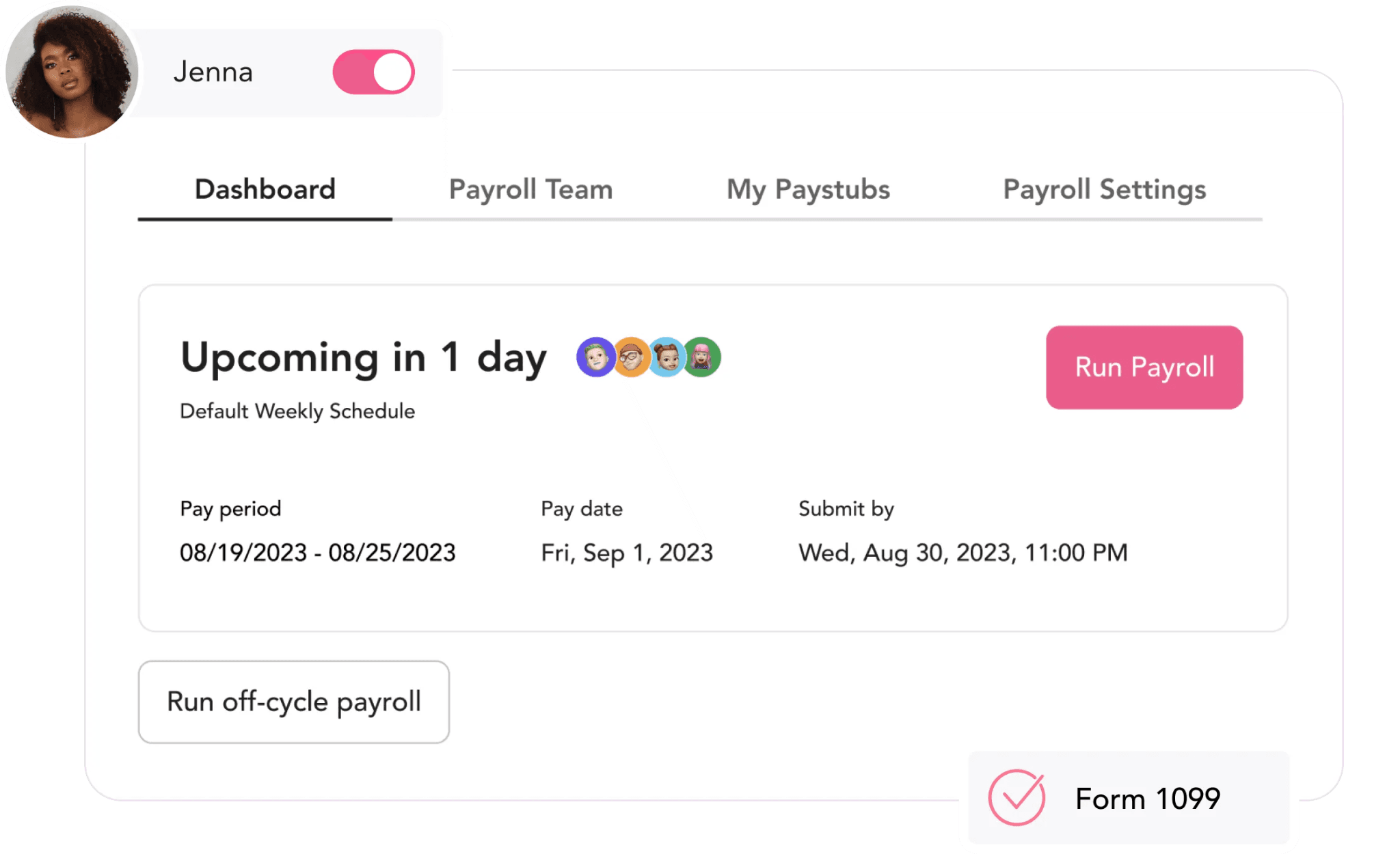
4. GlossGenius
GlossGenius is designed for independent stylists and small teams who want clean, mobile-first booking with payroll available when they're ready for it. It's the easiest salon software with payroll to get off the ground, and the one most likely to feel like it was actually built for your phone.
Best for: Solo stylists and small booth-rental teams who want mobile-first booking with an optional payroll add-on.
Key features:
- Polished mobile-first design built for independent beauty professionals.
- Flat 2.6% card processing across all plans.
- Payroll add-on with tax filing in all 50 states, W-2 and 1099 support for contractors.
- Automated commission and tip consolidation.
- Fast setup.
Pricing: From $24--28/mo (Standard). Payroll add-on: +$40/mo, +$6 per working employee. Free trial available.
What users like: The design, ease of use, and flat card processing rate are the consistent highlights. More than one reviewer puts it at a "10 out of 10" and says setup was painless.
What users criticize: Payout and deposit timing delays show up repeatedly in critical reviews, as does the cost of customizing the experience. Team features start to feel limited once you're past three or four chairs.
Our take: The strongest pick for solo stylists and small booth-rental teams. Payroll here is a real, well-integrated add-on, not an afterthought. But if you're scaling past a handful of chairs, Mangomint or Vagaro will give you more room to grow.
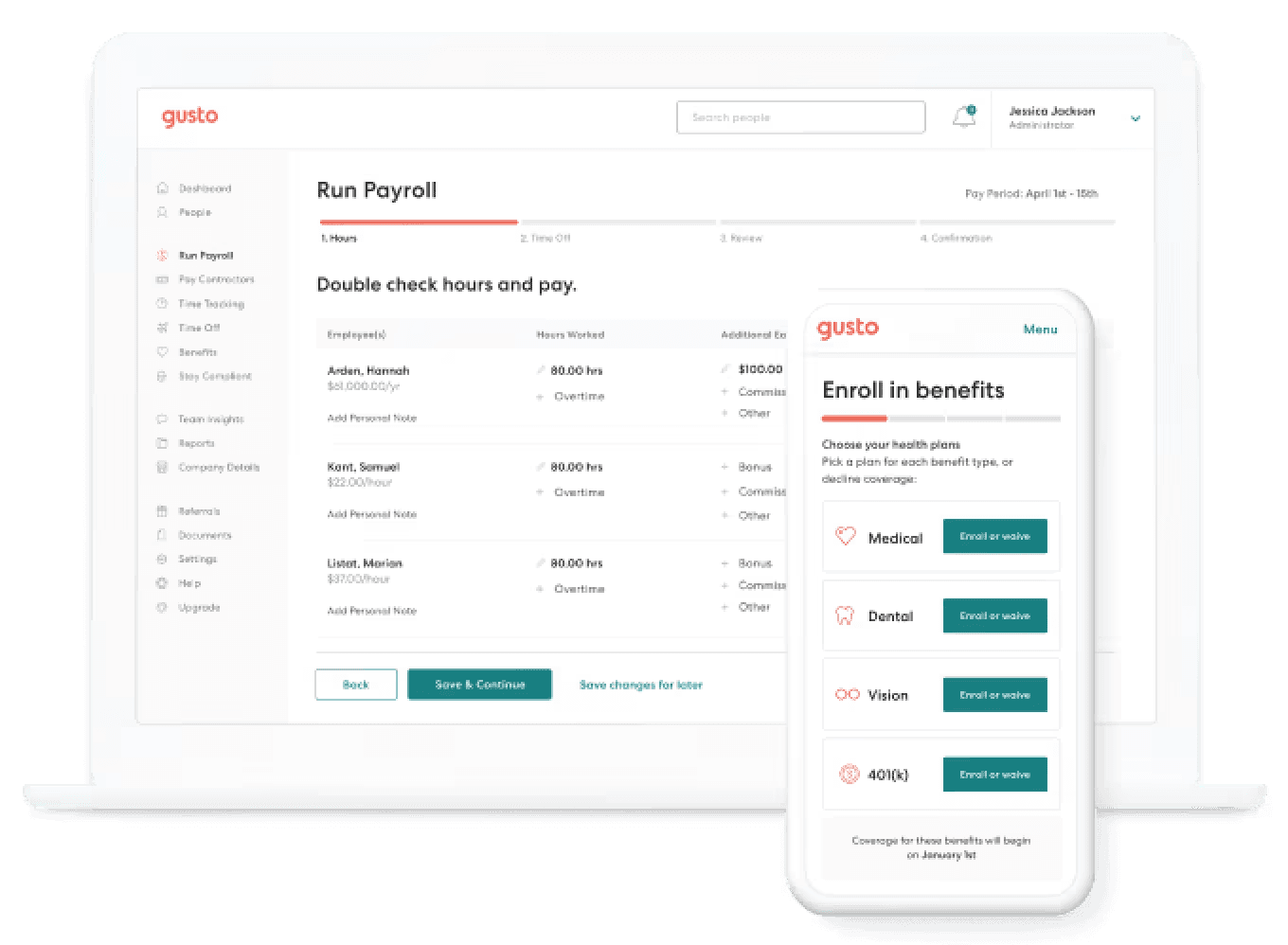
5. Gusto
Gusto isn't salon software, it's the payroll software salon owners reach for when they need taxes filed correctly and don't want to think about it again. If you've already got booking software you like and just need the payroll side done right, this is where most salon owners land.
Best for: Salons that want powerful standalone payroll to pair with their existing booking or POS software.
Key features:
- Full-service payroll with automated federal, state, and local tax filing.
- Handles hourly, commission, tips, and multiple pay rates.
- W-2 and 1099 in one place.
- Unlimited payroll runs per month.
- Benefits, HR tools, and employee onboarding.
Pricing: From $49/mo + $6/person (Simple). Plus: $80/mo + $12/person. Contractor Only: $35/mo + $6/contractor.
What users like: Ease of use and reliable tax filing at scale. Reviewers managing mixed hourly and commission pay say it gets the math, and the filings, right, consistently.
What users criticize: Support is the main frustration. Dedicated help is gated to the Premium tier, and getting answers on lower plans can be slow. Gusto also doesn't touch scheduling or booking, you'll pair it with something else for that.
Our take: When salon owners ask on Reddit what payroll software they use, Gusto is the near-universal answer, including from an accountant who shared in r/smallbusiness that they've run payroll for 200+ companies and it's their go-to. You'll still need salon software for scheduling. But for getting mixed hourly, commission, and tip pay filed correctly, it's the safe default.
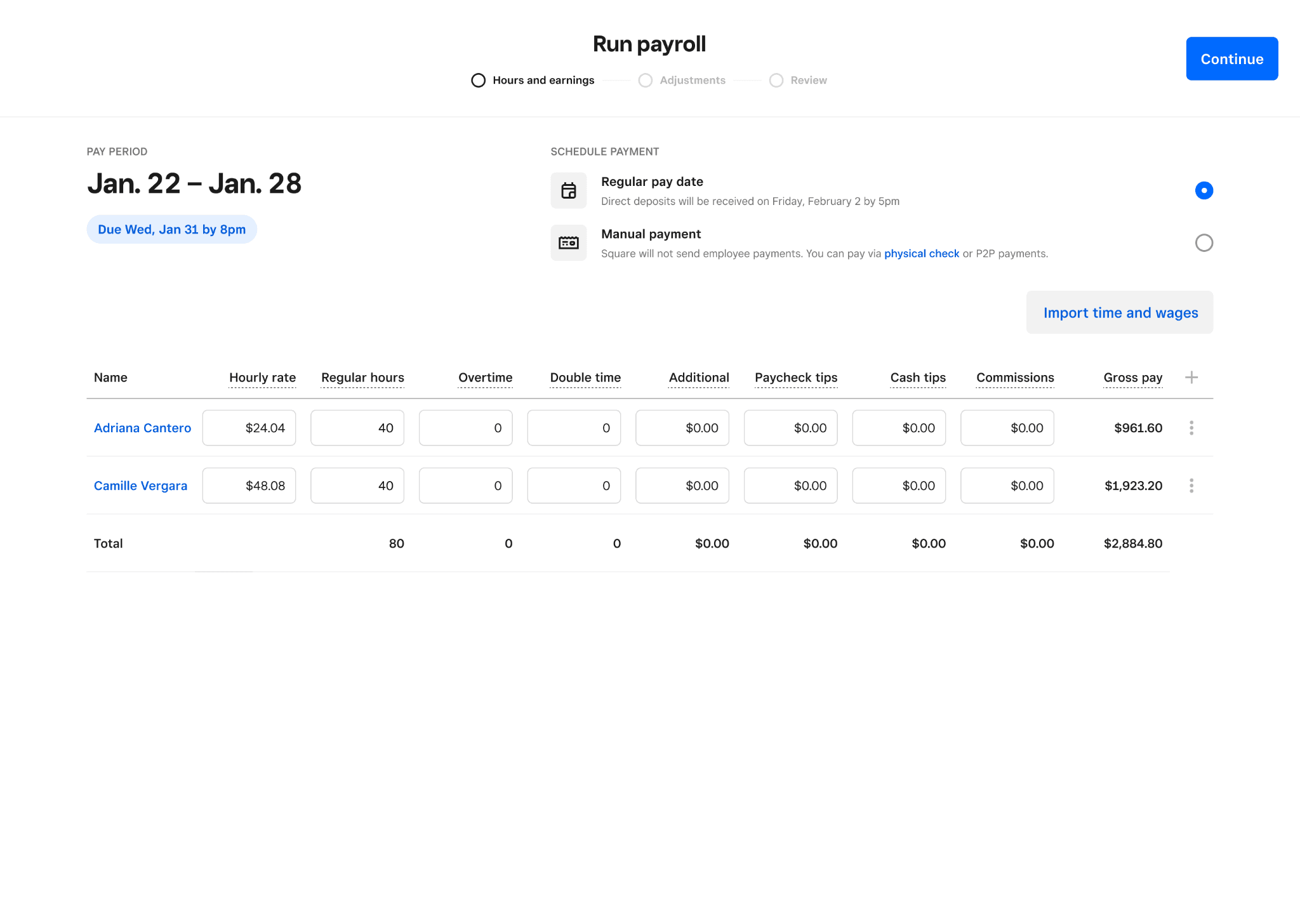
6. Square Payroll
Square Payroll is on this list for one reason: if you're already running Square POS, it connects salon payroll to your existing setup with almost no effort. Tips and commissions pull from the register automatically, no manual reconciliation between systems.
Best for: Salons already running Square POS who want payroll in the same ecosystem.
Key features:
- Full-service payroll with automated tax filing.
- Timecards, tips, and commissions sync from Square POS in one click.
- Multiple pay rates supported.
- W-2 and 1099 in one place.
- Transparent flat pricing.
Pricing: $35/mo + $6 per person paid (full-service). Contractor-only: no monthly base, $6 per contractor.
What users like: The POS sync is the headline. Tips and commissions land in paychecks automatically, and reviewers say new hire paperwork and quarterly filings are handled without extra effort.
What users criticize: It's a lean tool. Reviewers flag limited support hours and manual-entry gaps when schedules get complicated.
Our take: If you're already on Square for checkout, this is the easiest integration on the list, tips and commission flow to payroll with almost no setup. If you're not running Square POS, there's not much reason to choose it over Gusto.
Find the Best Salon Software with Payroll, and Where Homebase Fits
The core decision is simple: do you need booking and payroll under one roof, or a dedicated payroll engine to pair with software you already use? Mangomint, Vagaro, and GlossGenius are the all-in-one answers, each suited to a different team size and budget. Gusto and Square Payroll are the pair-with options when you just need the payroll side handled correctly.
Before you commit to anything, make sure the tool actually files your taxes, not just calculates what to pay. That's the line between true salon payroll software and a commission tracker.
If you're juggling hourly rates, tips, commission, and booth renters across your team, Homebase payroll pulls it all together and files the taxes for you.

Salon Software with Payroll FAQs
Can salon software handle tips and commissions?
Yes, good salon software calculates both automatically, pulling card tips from the POS and applying commission rules to service and retail sales. Cash tips are a separate step: per IRS guidelines, employees need to report cash tips of $20 or more per month to you in writing, so your software needs a way to capture that. The tools that do this well make it obvious which amounts came in automatically and which were entered by hand.
What's the difference between salon software with payroll and commission tracking?
Commission tracking tells you what each stylist is owed, but it stops there. You still have to take those numbers somewhere else to actually pay people and file taxes. Salon software with payroll runs the full cycle: calculating what's owed, sending direct deposits or checks, and filing federal and state taxes for you. A commission calculator that doesn't file your taxes isn't payroll, it's math.
How is salon payroll different from regular payroll?
Salon pay is layered in ways most payroll tools weren't designed for. A single stylist might earn an hourly rate at the front desk, a commission rate on color services, and tips, all in the same week. The DOL's weighted-average overtime rule kicks in when someone works at multiple pay rates, and most generic payroll tools miss it. Salon payroll software that handles this correctly keeps you out of compliance trouble you might not even know you're in.
How do you pay booth renters vs. commissioned stylists?
Booth renters are typically independent contractors, they rent their space, set their own prices, and handle their own taxes. Commissioned stylists are usually W-2 employees whose taxes you withhold and remit. The right tools let you run 1099 contractor payments alongside W-2 payroll without needing two separate systems. If you're not sure how to classify someone, our 1099 vs. W-2 guide is a good starting point, getting it wrong carries real IRS risk.
What payroll software do most hair salons use?
The payroll software most hair salons use is Gusto. That's the consistent answer in r/smallbusiness threads where salon owners compare notes, especially for mixed commission and hourly pay. Owners already on Square POS tend to go with Square Payroll for the convenience. But when the priority is getting taxes filed correctly, Gusto is the name that keeps coming up.
Is salon payroll software worth it for a small salon?
If your pay structure has any complexity, tips, commission, multiple rates, yes, almost always. The manual version of salon payroll adds up to hours every pay period, and one mistake can cost more in penalties than a year of subscription fees. If you've got one or two people on flat hourly rates, a simpler tool might cover you. But if you're managing anything more layered than that, dedicated salon payroll software pays for itself.