8 Best Spa Scheduling Software Tools for 2026


SMALL BUSINESS INTEL, IN YOUR INBOX
Table of contents
Spa scheduling is not a simple calendar problem. Behind every appointment are service durations, room dependencies, provider credentials, prep and cleanup buffers, packages that span multiple visits, and clients who expect to book at 11pm from their phone. Generic booking tools break under that weight, and so do spa owners who chose the wrong software before they understood what they actually needed.
This guide compares the eight best spa scheduling software tools for 2026: what each one does well, where it falls short, and who it's really built for. We also flag the part of spa operations most booking software still ignores entirely.
The Best Spa Scheduling Software at a Glance
Not all spa software is built the same. Here's a quick snapshot before we get into the details:
- Best for staff scheduling + payroll: Homebase: covers the hourly team operations side that most spa software ignores.
- Best overall for spa management: Mangomint: modern, clean, built for teams that need depth without clutter.
- Best for solo providers: GlossGenius: mobile-first, fast to set up, polished client-facing experience.
- Best budget-friendly option: Vagaro: broad feature set at the lowest price, learning curve included.
- Best for marketplace-driven growth: Fresha: low cost, built-in client discovery, trade-offs on customization.
- Best simple booking + POS: Square Appointments: free for solo providers, scales to small teams.
- Best for premium client experience: Boulevard: retention-focused, polished, contract required.
- Best for multi-location and enterprise: Zenoti: deep reporting and configuration at scale.
Why Trust Homebase?
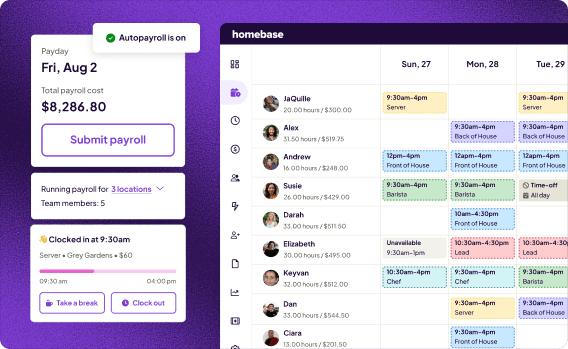
We're Homebase, and we make scheduling, time tracking, and payroll software for small businesses with hourly teams. We have a stake in this topic, so we want to be upfront: Every app is evaluated on its own merits. We never accept payment or backlinks for a mention.
We built this guide because spa owners ask us constantly about booking software, and we kept noticing the same gap: most reviews cover the client-facing tools and skip the team operations side entirely. This guide covers both.
How We Chose These Spa Scheduling Tools
We evaluated spa scheduling tools against the criteria that actually matter for spa operations: appointment complexity, room and resource management, pricing transparency, mobile usability, med spa compliance features, and fit for different team sizes.
Research included firsthand product demos, live pricing verification against each vendor's current page, and aggregated review analysis across G2 and Capterra. User sentiment was drawn from verified reviews and Reddit threads, not press materials. Every pricing figure was confirmed against the vendor's live page before inclusion. For our full evaluation framework, read our methodology.
What Makes Spa Scheduling Software Different
Most booking tools were built for the simplest version of a service appointment: one client, one provider, one time slot. Spa operations are more complex than that, and the complexity compounds quickly.
A guest booking a half-day experience might need a massage, a facial, access to the thermal circuit, and a couples room for someone arriving at a different time. Scheduling that correctly means locking three things simultaneously: a staff member, a physical room, and any specialized equipment like a hydrotherapy tub or laser machine. Standard booking software blocks a practitioner's time. Spa scheduling software has to coordinate all three at once.
There's also a split most spa owners don't think about until they're already running into problems: client-facing scheduling (the appointment book, online booking, POS) is only half the operational picture. The other half is team operations: building the weekly staff schedule, tracking who clocked in, running payroll. Most spa scheduling tools only handle the first half.
The 8 Best Spa Scheduling Software Tools for 2026
We evaluated these tools across usability, pricing, feature depth, real user reviews, and fit for actual spa operations. Here's what we found.
1. Homebase: best for staff scheduling and team operations
Best for: Spa owners who need to manage an hourly team alongside their booking system.
Pricing: Free for one location, up to 10 team members. Paid plans from $24/month (Essentials) to $96/month (All-in-One) billed annually.
G2 / Capterra: 4.2 / 4.6
Here's the part most spa owners don't think about until they're already in trouble: every tool above handles the client-facing side of spa operations. Almost none of them handle the other half: building the week's staff schedule, tracking who clocked in, running payroll without spending three hours on a spreadsheet every Friday.
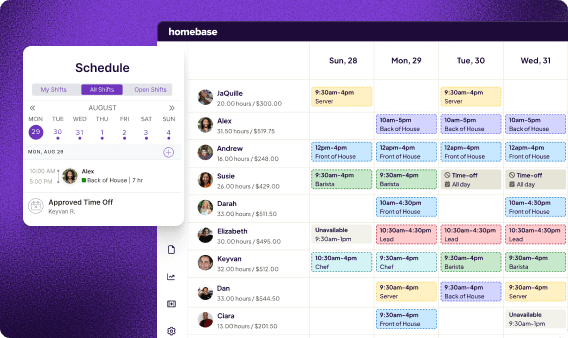
Homebase fills that gap. It's not a replacement for a spa booking tool. It doesn't handle client appointments, POS, or memberships. What it does is run the hourly team operations that booking software leaves behind.
Key features include:
- Drag-and-drop shift scheduling: build and share weekly schedules in minutes, with an AI Scheduling Assistant to draft them for you.
- Time clock: team members clock in and out via app, tablet, or POS. GPS lock available.
- Automated timesheets: generated directly from clock-in data. No manual entry required.
- Integrated payroll: run payroll inside the same tool without exporting to a third-party system.
- Team messaging: group chats, shift coverage requests, and announcements in one place.
- Labor law compliance alerts: flags potential overtime or break violations before they become issues.
What users like: Replaces the spreadsheet and the group text for shift management. Payroll is integrated, not bolted on. The free plan works well for smaller teams.
What users criticize: Not a client-facing booking engine. No POS, no appointment calendar, no client CRM. It's a team management tool, not a spa management tool, and it works best when paired with one.
Our take: Most spa owners are running two parallel systems and don't realize it. A booking tool for clients and a spreadsheet (or a group text) for staff. That's where things slip: missed coverage, payroll errors, team members who don't know their schedule until the day of. Homebase handles the team side so your booking software can focus on the client side.
Managing eight therapists across three treatment rooms is complicated enough. Running payroll shouldn't add to it. Homebase handles scheduling, time tracking, and payroll for hourly teams. It's free to start.
2. Mangomint: best overall spa management software
Best for: Growing spas and multi-location teams that want a modern system with depth.
Pricing: Starts at $120/month + $10/user. No long-term contracts.
G2 / Capterra: 4.9 / 4.9
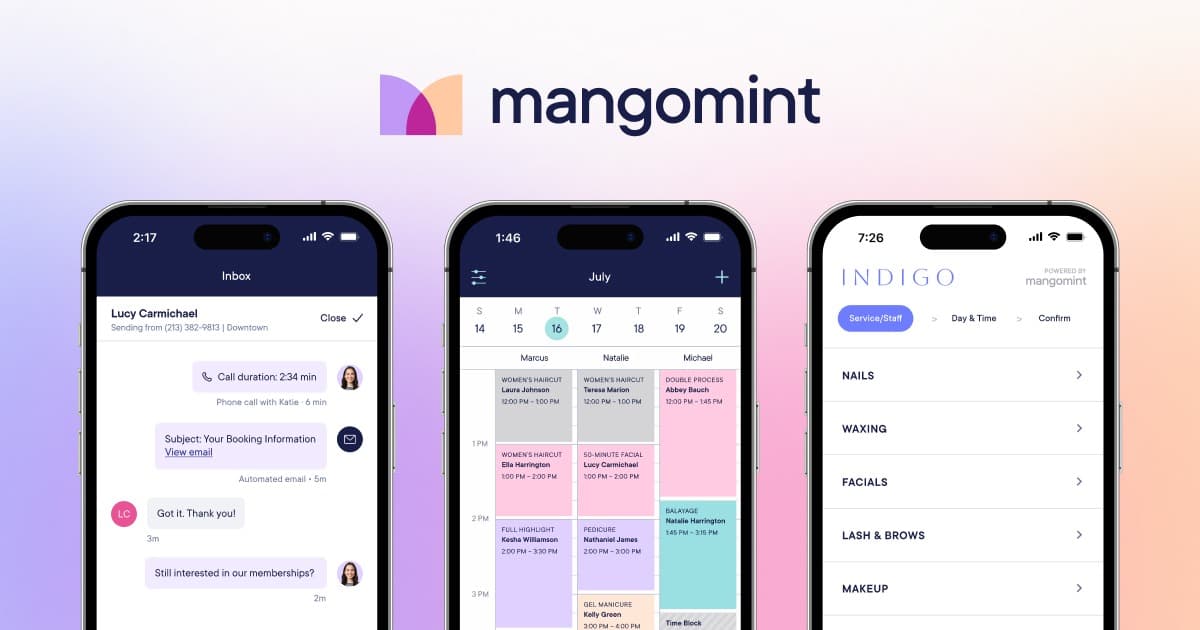
Mangomint is the most polished software in this category. The interface is fast, navigation is intuitive, and teams can get up and running without a heavy onboarding process. What sets it apart from the rest of the field is how cleanly it brings together daily operations, client experience, and clinical functionality, without feeling like enterprise software.
Key features include:
- Automated multi-resource booking: locks staff, room, and equipment simultaneously.
- Intelligent waitlist: fills open slots automatically when cancellations happen.
- Central inbox: two-way texting, phone calls, and web chat in one place.
- HIPAA-compliant charting: SOAP notes, consent forms, and intake documentation for med spas.
- Online memberships and packages: clients can purchase directly from your website.
What users like: Consistently rated highest for customer support and ease of use. Teams adopt it fast. The clean interface reduces friction for both staff and clients.
What users criticize: Higher starting price than entry-level options. Limited to the US and Canada. Not designed for solo providers (GlossGenius is a better fit there).
Our take: Mangomint earns its price if you're running a team of four or more and want something that handles both day-to-day operations and med spa clinical workflows. It's the right pick for most growing spas.
3. GlossGenius: best for solo providers
Best for: Independent estheticians, massage therapists, and solo spa operators who want polished, mobile-first booking.
Pricing: $28–$168/month. No long-term contract. 14-day free trial.
G2 / Capterra: 4.3 / 4.8
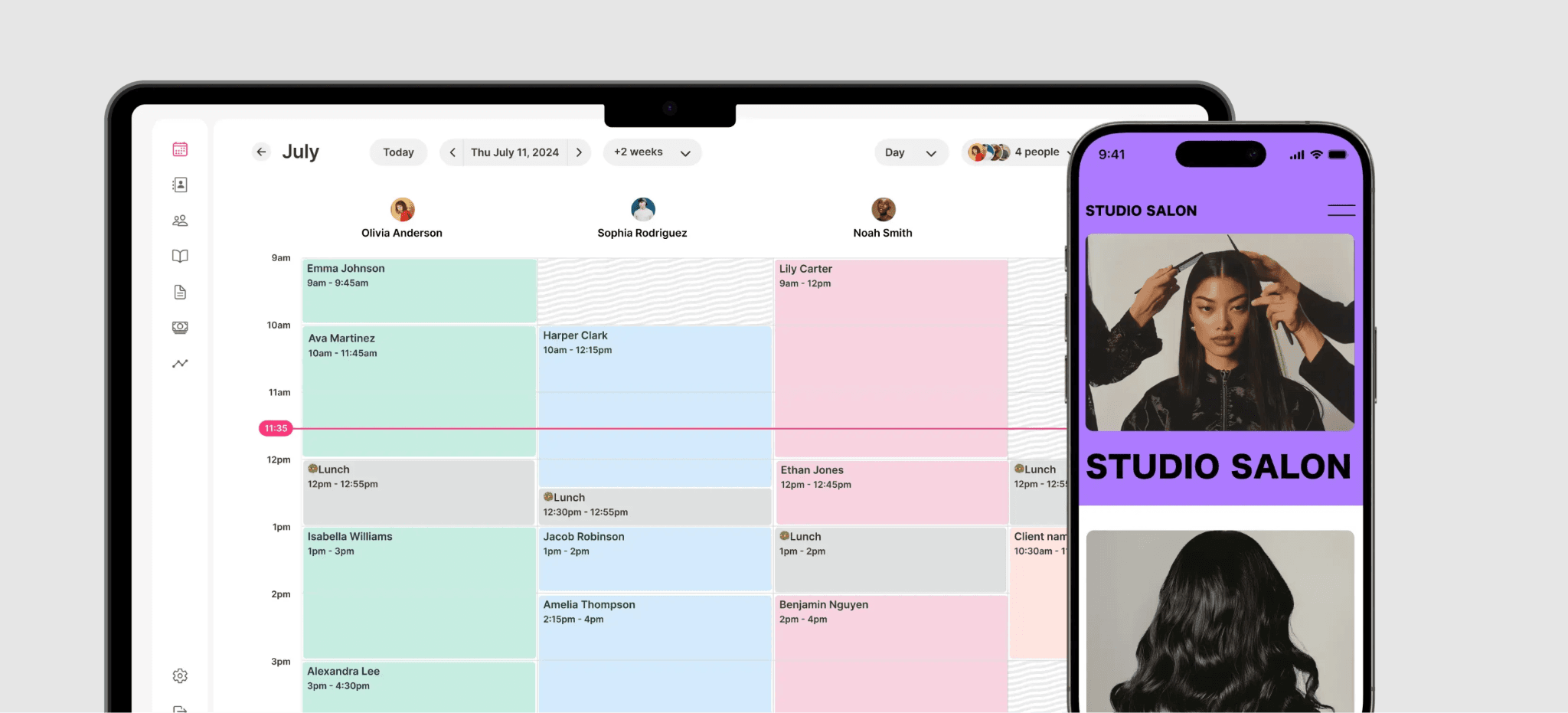
GlossGenius is built for the one-person operation. Setup is fast, the interface is clean, and the client-facing experience feels elevated without requiring any design work on your end. Recent updates have added team-oriented features, but the DNA of this tool is still solo-first.
Key features include:
- Mobile-first design: manage everything from your phone.
- Room and resource locking: now available as a recent addition.
- Buy Now, Pay Later for clients: you receive full payment upfront.
- AI-generated marketing tools: follow-up messages and promotional content.
- Memberships and packages: built-in, easier to manage than before.
What users like: Intuitive, fast to learn, and the booking pages look professional without any extra effort. Flat-fee pricing is predictable.
What users criticize: Some features are mobile-only with limited desktop access. No native booking widget (links redirect to a GlossGenius page instead of staying on your site). Not built for large teams.
Our take: The right pick for independent spa professionals. You'll likely outgrow it once you start building a team of more than two or three.
4. Vagaro: best budget-friendly option
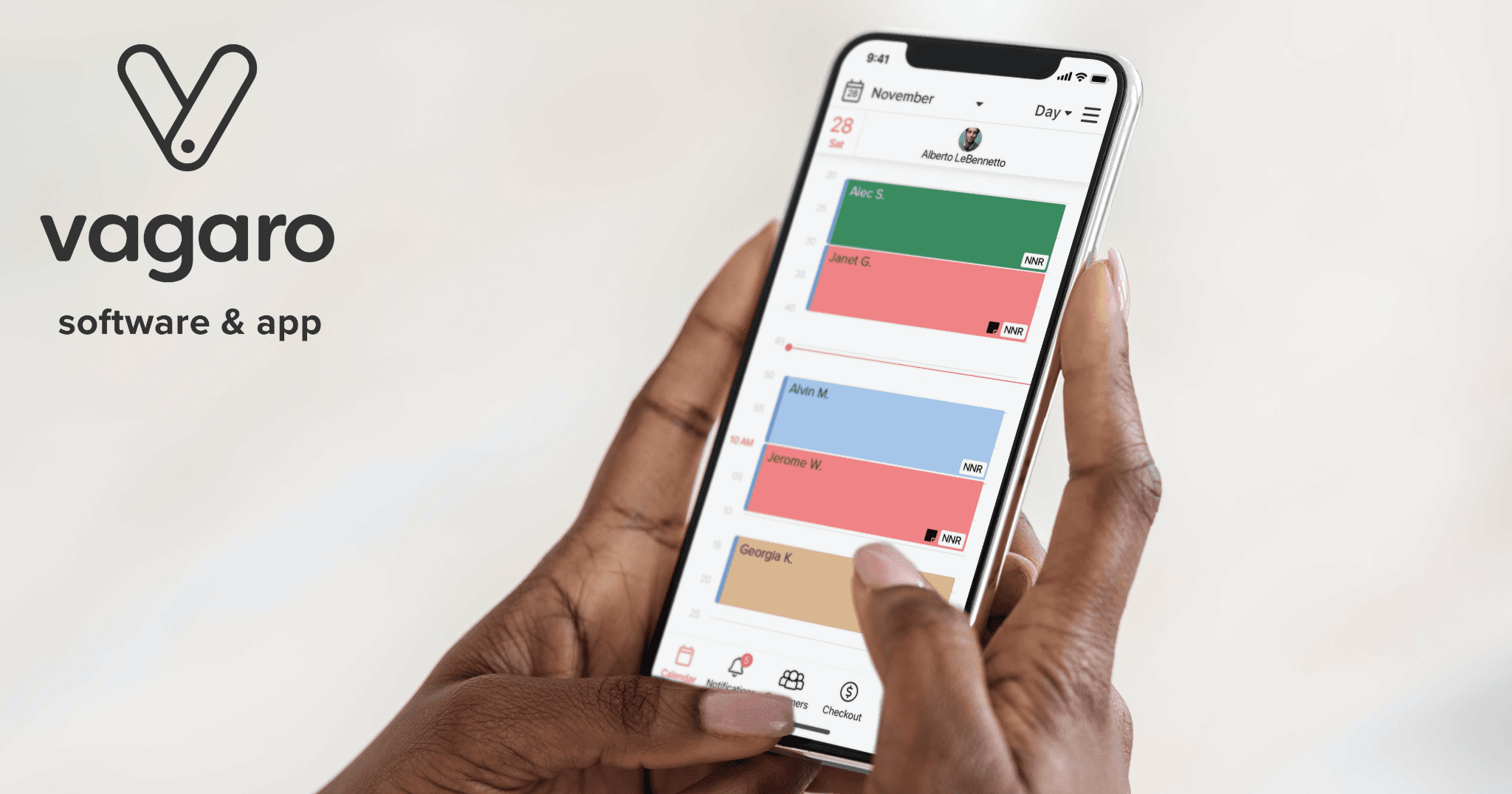
Best for: Cost-conscious teams that want a wide feature set and can handle a learning curve.
Pricing: $30/month for one user, +$10/month per additional team member, capped at $85/month for 9+ users. 30-day free trial.
G2 / Capterra: 4.6 / 4.7
Vagaro offers one of the broadest feature sets at one of the lowest price points. Scheduling, payments, marketing tools, payroll, website builder, inventory tracking, and a built-in consumer marketplace: it's all there. The trade-off is interface quality and a steeper learning curve than newer tools.
Key features include:
- Built-in consumer marketplace: drives new client bookings from the Vagaro app.
- Aura calendar: a redesigned interface that's faster and easier to navigate.
- AI content tools: generates service descriptions, staff bios, and marketing copy.
- Digital forms and custom website builder: all in one plan.
- Integrations: QuickBooks, Facebook, Zoom, Xero.
What users like: Price-to-feature ratio is hard to beat. The marketplace drives cold client leads. Flexible enough to replace multiple separate tools.
What users criticize: Interface feels dated compared to Mangomint or GlossGenius. Performance issues reported at busy periods. Clients must create a Vagaro account to book online.
Our take: Best value for a team willing to invest time in setup and learning. Don't expect an elegant experience, but the functionality is real.
5. Fresha: best for marketplace-driven growth
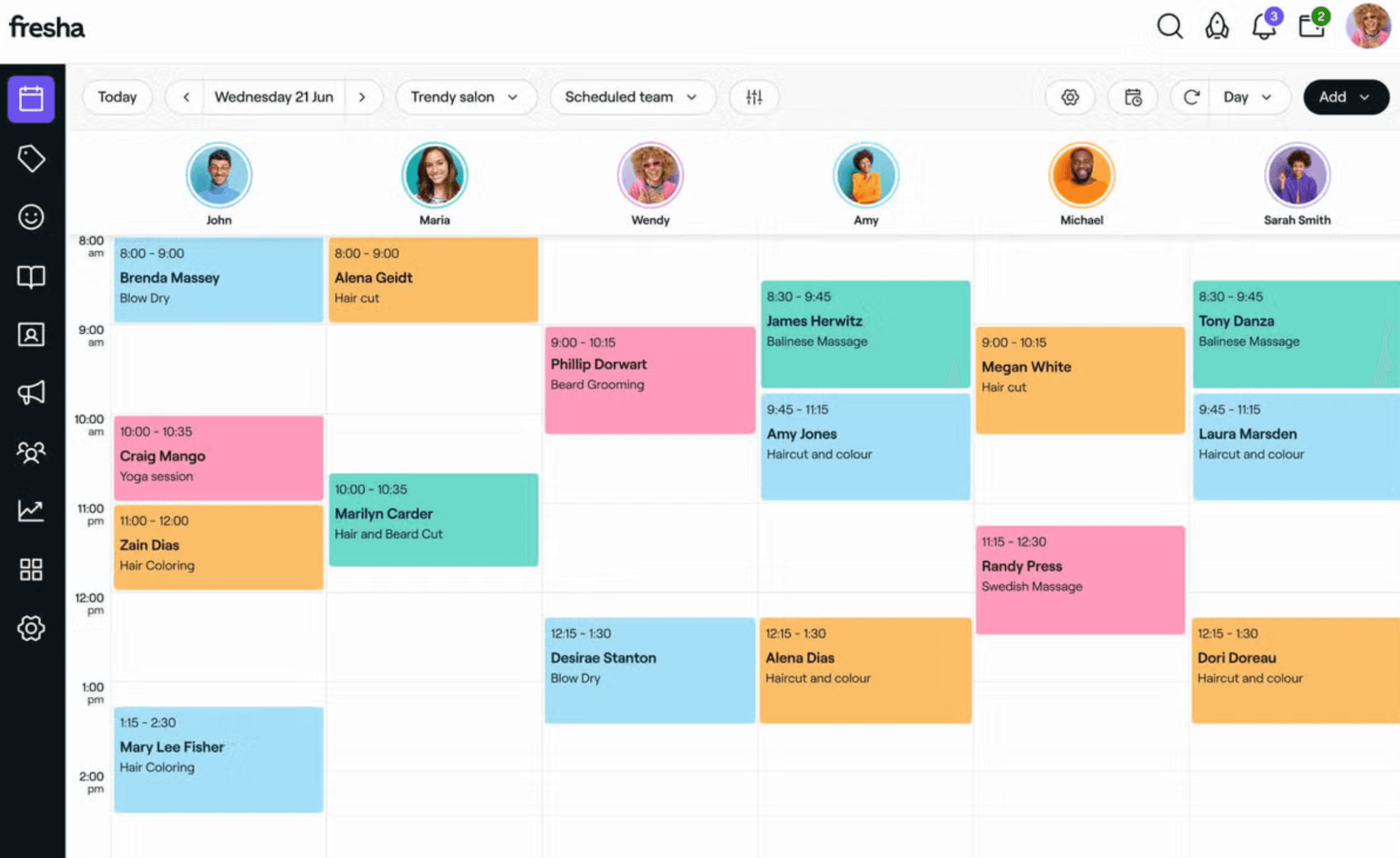
Best for: Spas that want a low upfront cost and are open to using a marketplace for client acquisition.
Pricing: $19.95/month for individuals, $14.95/user for teams. 20% commission on new clients acquired via the Fresha marketplace. 14-day free trial.
G2 / Capterra: 4.2 / 4.8
Fresha pairs spa management tools with a built-in booking marketplace available in over 120 countries. Recent updates show a push toward supporting larger teams and more complex spa operations (room allocations, WhatsApp/SMS messaging, and multi-location management are now included).
Key features include:
- Marketplace with global reach: helps spas get discovered by new clients.
- Google Reserve integration: clients can book directly through Google Search.
- Room and resource allocation: now available, though less sophisticated than Mangomint.
- Multi-location support: useful for operators managing more than one property.
- Integrated payment processing: includes QR code payments and Apple Pay.
What users like: Easy to use, low barrier to entry, and the marketplace is a real client-acquisition channel, not just a feature on a spec sheet.
What users criticize: Limited customization. Booking redirects to a Fresha page instead of staying on your site. Clients must create a Fresha account to book. The 20% fee on marketplace clients adds up fast as you grow.
Our take: The marketplace model makes sense for spas still building their clientele. As your book fills up with returning clients, revisit whether the fees and the lock-in still make sense for your operation.
6. Square Appointments: best simple booking + POS
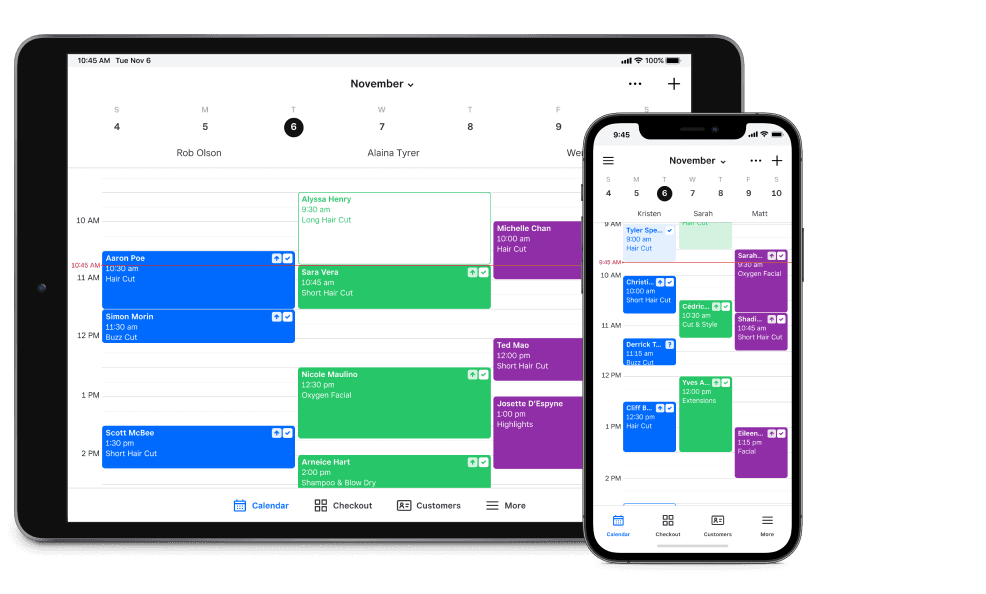
Best for: Solo providers or small teams already in the Square ecosystem who want no-frills booking.
Pricing: Free for individual users. Plus plan at $49/month per location. Premium plan at $149/month per location (required for advanced resource management). 30-day free trial on paid plans.
G2 / Capterra: 4.5 / 4.5
Square Appointments is the low-friction option. It connects directly to Square's payment tools, works well for simple scheduling, and offers a functional free plan for solo providers. If you already use Square for payments, this is the obvious first look.
Key features include:
- Free plan for solo providers: core scheduling and POS with no monthly fee.
- Reserve with Google: clients book directly from Search and Maps.
- Deposit collection and no-show fees: now available across plans.
- Tap to Pay on mobile: accept payments from a phone, no card reader required.
- Unlimited calendars: available on all plans.
What users like: Simple, intuitive, and directly connected to the Square payment ecosystem. The free plan is usable, not stripped down.
What users criticize: Customization is limited. Room and resource management requires the Premium plan ($149/month). Complex multi-service spa bookings are thin at lower tiers. Costs climb as teams grow.
Our take: The right call if you want something simple and already use Square. For deeper spa-specific features (room dependencies, complex packages, med spa workflows), look at Mangomint or Boulevard.
7. Boulevard: best for premium client experience
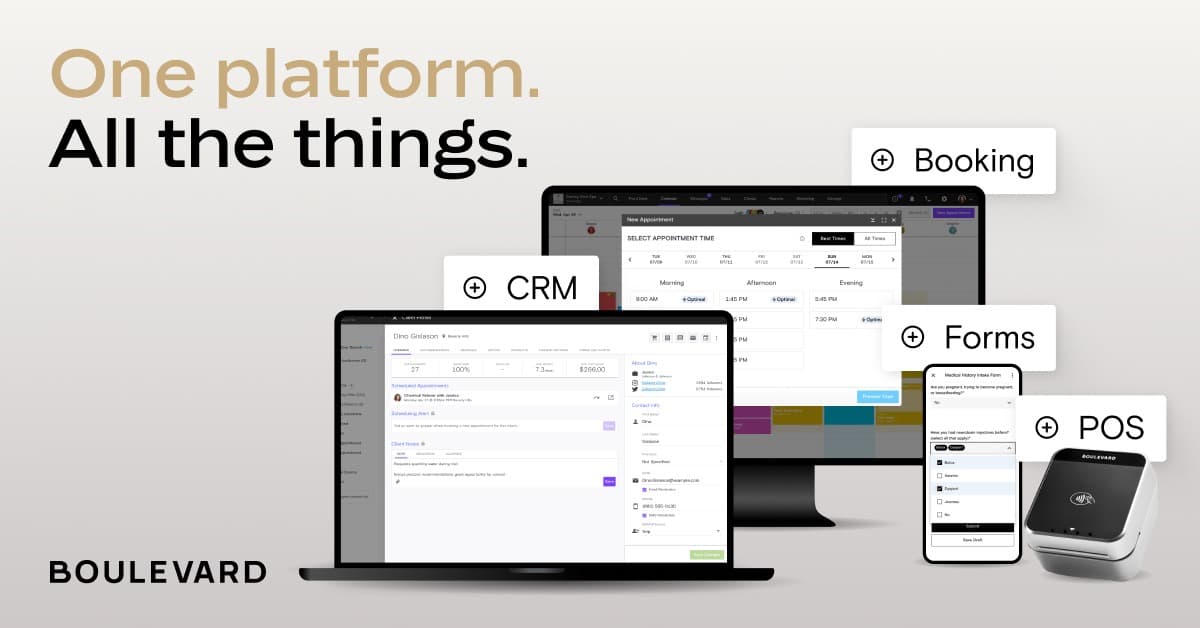
Best for: Established spas focused on client retention, brand experience, and high-end service.
Pricing: Ranges from approximately $175/month to $450+/month depending on tier. Requires a 12-month contract.
G2 / Capterra: 4.4 / 4.6
Boulevard is built around the idea that the client experience is the product. The interface is polished, the booking flow is smooth, and the marketing automation is more developed than most tools at a comparable price point. The contract requirement is the biggest friction point: you're committing before you've had a full trial.
Key features include:
- "Billie" AI assistant: handles calls, bookings, and rebooking flows automatically.
- Precision scheduling: minimizes calendar gaps and coordinates room and equipment availability.
- Boulevard Capital: business financing based on your revenue performance.
- Strong marketing automation: automated rebooking flows, client communication, and campaign tools.
- Integrations: Shopify, QuickBooks, Instagram, Zapier.
What users like: High-end client checkout experience. Marketing tools are truly strong. Smart scheduling reduces admin time.
What users criticize: Annual contract required before you see a real trial. High price floor across all plans. Clinical features are less deep than Mangomint. Marketing attribution in reporting has limitations.
Our take: If you're an established spa with consistent revenue and retention is your primary metric, Boulevard earns its cost. Don't sign up if you're still figuring out your model. The contract makes it a long commitment.
8. Zenoti: best for multi-location and enterprise
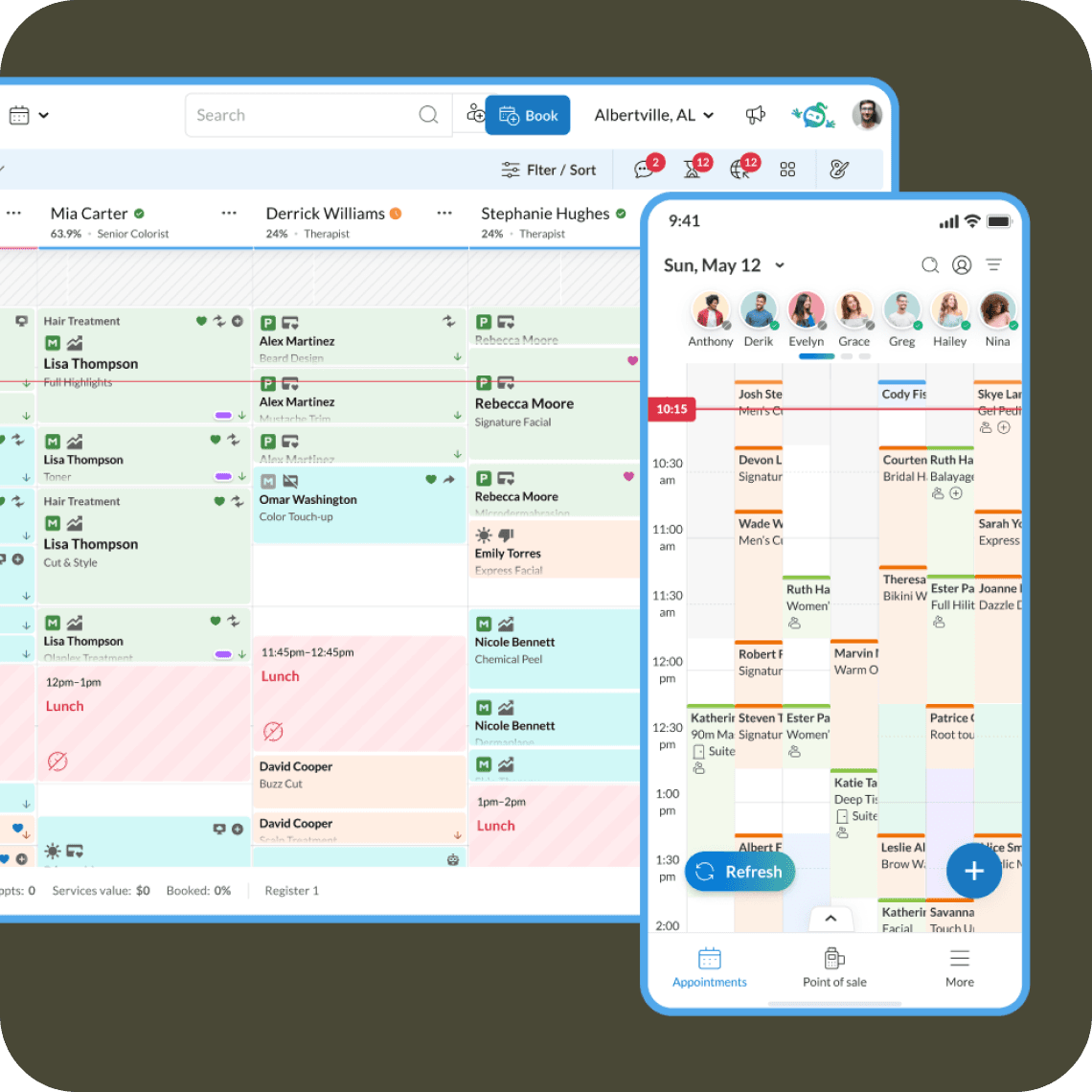
Best for: Larger spa businesses, resort spas, and multi-location operators that need enterprise-level tools.
Pricing: Custom enterprise pricing, typically $350–$500+/month per location. Annual contracts required.
G2 / Capterra: 4.5 / 4.4
Zenoti is built for scale. Multi-location reporting, advanced workflow configuration, AI tools for bookings and operations, it's a comprehensive system for operators who need real control across multiple properties. For a single-location day spa, it's overkill.
Key features include:
- AI receptionist: handles calls, bookings, and follow-ups automatically.
- EMR and HIPAA support: for medical spa environments with clinical charting needs.
- Franchise-wide reporting: analytics across all locations in one dashboard.
- Advanced room and resource management: coordinates staff, rooms, and equipment across properties.
- Multi-location resource balancing: useful for resort and hotel spa operations.
What users like: Depth of reporting and configuration at scale. Strong training resources. A well-established tool for large operators.
What users criticize: Complex to implement. Pricing is opaque; you'll need a sales call to get real numbers. Long contracts. Mobile app performance receives inconsistently poor reviews (1.6 on Google Play).
Our take: Zenoti is the right call if you're running three or more locations and have dedicated staff to manage the system. A small or single-location spa has no reason to take on this complexity.
Spa scheduling software compared
Here's a quick side-by-side of the top tools across the factors that matter most for spa operations:
| Tool | Starting price | Room management | Online booking | Marketplace | Payroll / team ops | Free plan |
|---|---|---|---|---|---|---|
| Mangomint | $120/mo + $10/user | Yes | Yes | No | Add-on | No |
| GlossGenius | $28/mo | Yes (recent) | Yes | No | Add-on | No (14-day trial) |
| Vagaro | $30/mo | Limited | Yes | Yes | Add-on | No (30-day trial) |
| Fresha | $14.95–$19.95/mo + marketplace fees | Basic | Yes | Yes | No | No (14-day trial) |
| Square Appointments | Free / $49/mo (Plus) / $149/mo (Premium) | Premium only | Yes | No | Add-on | Yes (solo) |
| Boulevard | $175+/mo | Yes | Yes | No | No | No (demo only) |
| Zenoti | Custom | Yes | Yes | No | No | No |
| Homebase | Free / $20+/mo | N/A | No | No | Yes (core feature) | Yes (up to 10 team members) |
Pre-publish note for CMS: Tag all competitor tool links as no-follow in Webflow.
How Homebase Compares
Publisher note: Homebase is not included in the ranked list above. This section is provided separately so readers considering Homebase alongside these tools have a direct comparison.
| Starting price | Free (up to 10 employees, 1 location) |
|---|---|
| Room management | No |
| Online booking | No |
| Marketplace | No |
| Payroll / team ops | Yes (core feature) |
| Free plan | Yes |
| Best for | Staff scheduling, time tracking, and payroll for hourly spa teams |
Homebase doesn't replace a spa booking tool. It handles what booking tools leave behind: building the weekly staff schedule, tracking clock-ins, and running payroll for hourly teams without a separate spreadsheet.
How to choose spa scheduling software
The right tool depends on how your spa runs today and where you want it to go.
Start with your size. Solo providers are best served by GlossGenius or Square's free plan. Small teams of two to eight people often find their footing with Vagaro or Mangomint. Multi-location or enterprise operations generally need Boulevard or Zenoti.
Think about your primary growth lever. If you're still filling your book, marketplace tools like Fresha and Vagaro help new clients find you. If you're focused on keeping the clients you already have, Boulevard and Mangomint have the stronger retention and marketing tools.
Check for med spa compliance needs. If you're performing regulated procedures (injectables, laser treatments, microneedling), you need HIPAA-compliant workflows: digital consent forms, SOAP note charting, and credential enforcement so only licensed practitioners get booked for medical services. Mangomint and Zenoti both cover this. Most other tools on this list do not.
Don't forget your team. If you have hourly team members (estheticians, therapists, front desk), your booking software probably doesn't handle their schedule or payroll. Add Homebase for the team operations side.
Frequently asked questions about spa scheduling software
What is the best spa scheduling software for small businesses?
For solo providers, GlossGenius or Square Appointments (free) are the most common starting points. For small teams of two to eight people, Vagaro offers the best cost-to-feature ratio, while Mangomint offers the best experience if budget allows. Match the tool to your team size before worrying about features you won't use yet.
What is the difference between spa scheduling software and spa management software?
Spa scheduling software handles appointment booking, coordinating clients, providers, rooms, and services. Spa management software goes further, adding POS, client CRM, marketing tools, inventory, and reporting in one system. Most tools today bundle both. Homebase adds a third layer that most spa software skips: staff scheduling, time tracking, and payroll for hourly teams.
Is there free spa scheduling software?
Square Appointments is free for solo providers with access to core scheduling and POS. Homebase has a free plan for staff scheduling and time tracking for up to 10 team members at one location. Fresha's base pricing is low, though it charges a 20% fee on new clients acquired through its marketplace.
What do spa owners actually use for scheduling?
It varies by size and market. Small spas commonly use Fresha, Vagaro, or Square. Growing and premium operations often land on Mangomint or Boulevard. The common gap: most spa software doesn't include staff scheduling or payroll, so many owners end up using a booking tool for clients and a spreadsheet for their team.
Does spa scheduling software handle room and resource conflicts?
Most mid-tier and premium tools do. Mangomint, Fresha, and GlossGenius (via recent updates) all include room and resource locking. Square Appointments requires the Premium plan for resource management. Always test this feature directly before committing. A demo environment doesn't always reflect how complex multi-service bookings perform in practice.
What is the difference between medical spa and day spa software?
Medical spas perform invasive or regulated procedures like Botox, laser, and microneedling. That means they need HIPAA-compliant workflows, secure EMR charting, digital consent forms, and credential enforcement to ensure only licensed practitioners are booked for medical services. Day spa tools typically don't include any of this. Mangomint and Zenoti are the strongest options for medical spa environments.
Can I run payroll from my spa software?
Most spa booking tools don't include payroll. Vagaro and Mangomint offer payroll as a paid add-on. Homebase offers payroll as an add-on alongside staff scheduling and time tracking, purpose-built for hourly teams. If you have therapists, estheticians, or front desk staff clocking hours every week, Homebase handles the payroll side without adding another spreadsheet.
The right spa scheduling software for your team
Spa scheduling has a lot of moving parts: services, providers, rooms, equipment, and client preferences all have to line up for every single appointment. The right booking software brings that together on the client side.
What it usually doesn't bring together is the team side. Who works which shift. Who's clocked in right now. Whether you're heading toward overtime. What payroll looks like at the end of the week. That's where most spa owners are still working in spreadsheets and group texts.
Homebase handles scheduling, time tracking, and payroll for hourly teams, so your booking software can do what it's built for, and your team operations don't fall through the cracks.