Best QuickBooks Time Alternatives for Small Businesses in 2026


SMALL BUSINESS INTEL, IN YOUR INBOX
Table of contents
If you're searching for TSheets alternatives, you're in the right place. TSheets is now called QuickBooks Time, and it costs more than it used to. Intuit acquired TSheets in January 2018 and rebranded it as QuickBooks Time in February 2021. The core product stayed largely the same, but the pricing structure changed. It now bundles a monthly base fee, a per-user charge, and a required QuickBooks Online subscription that didn't exist when the tool was still called TSheets.
For small businesses running lean, that stack of charges adds up fast. A 10-person team on Time Premium can easily exceed $150/month before payroll. A 20-person team pushes toward $260/month.
This guide compares four alternatives: OnTheClock, Clockify, Buddy Punch, and Workyard. Each was evaluated on pricing, real user reviews from G2 and Capterra, and fit for hourly teams. Homebase publishes this guide and is not in the ranked list.
Quick Answer: Best QuickBooks Time (Formerly TSheets) Alternatives
Not ready to read the full breakdown? Here's where each tool wins:
- OnTheClock: Best for small hourly teams that want affordable, no-frills time tracking with transparent per-employee pricing
- Clockify: Best for freelancers and project-based teams; has a free tier for unlimited users, though plan limits have tightened recently
- Buddy Punch: Best where punch accountability matters most, with GPS verification, geofencing, and facial recognition in one tool
- Workyard: Best for construction, HVAC, and field crews that need GPS-verified time paired with job costing
The right pick depends on team size, whether you do field work, and how tightly your time tracking needs to connect to payroll. Full breakdown below.
What QuickBooks Time Actually Costs Small Businesses
QuickBooks Time Premium runs $20/month base plus $10/user/month, and Time Elite runs $40/month plus $12/user/month. Both require an active QuickBooks Online account. Using QuickBooks Online Simple Start (current pricing at quickbooks.intuit.com/pricing), a 10-person team on Time Premium is paying roughly $158/month before payroll. A 20-person team hits $258/month.
That base fee, per-user charge, and required QBO plan stacked together is what's pushing a lot of small business owners to look elsewhere. This guide covers four alternatives worth considering, with verified ratings and real review patterns for each.
A note from Homebase: We make time tracking and scheduling software for hourly teams, so we have a stake in this topic. Homebase doesn't appear in the ranked list: that wouldn't be a fair comparison. We never accept payment or backlinks for a product mention. You'll find an honest breakdown of where we fit at the end.
Why Trust Homebase? Why We Built This Guide
We work with businesses that deal with time tracking problems every week across restaurants, retail, salons, home services, and beyond, which is why we built this guide. Homebase has over 150,000 small business customers. We're upfront that we have a product in this category and that Homebase is not in the ranked list below.
We update this guide when pricing or ratings change. Pricing and plan details were checked against vendor websites on July 24, 2026. Review ratings and counts were recorded on the same date.
How We Ranked These Tools
We compared vendor documentation, current pricing pages, and verified reviews from G2 and Capterra. Where available, we also reviewed recurring issues discussed in public user forums. We did not accept payment, backlinks, or other incentives for inclusion. Our conclusions are based on documented capabilities and review research rather than a full production deployment of every app. We revisit this guide whenever pricing, free-tier limits, or review trends materially change. Where review volume is low (Workyard has around 100 public reviews compared to several thousand for Clockify and Buddy Punch), we note it and weight our conclusions accordingly.
Criteria used:
- Total cost at 10 and 20 employees, including base fees and required add-ons
- Hourly-team and shift-scheduling fit
- GPS and field-crew capabilities
- Payroll integration depth
- Free-plan availability and actual limits
- Support and onboarding quality
- Pricing transparency
Read our full methodology at joinhomebase.com/methodology for more detail on how we evaluate software.
The 4 Best QuickBooks Time (Formerly TSheets) Alternatives
Each tool below was evaluated against QuickBooks Time: what it does better, where it falls short, and who it's built for.
1. OnTheClock

Best for small hourly teams that want simple, affordable time tracking without a long setup.
OnTheClock is a time clock app built for businesses that don't need a sprawling feature set. It handles punch-in/punch-out, PTO tracking, and basic scheduling without a complicated onboarding process.
Rating: Capterra: 4.7/5 from 773 reviews
What it does well:
- Per-employee pricing with a small base fee, so no bundled subscription required to access core features.
- Timesheets export cleanly to common payroll tools, reducing manual data entry.
- Interface is straightforward enough that employees can pick it up without training.
Where it falls short:
- Scheduling is limited compared to tools built for shift-based teams.
- Fewer integrations than QuickBooks Time or Homebase.
- GPS tracking is lighter than what field-focused tools like Workyard offer.
What reviewers like: One recent reviewer on Capterra said: "SO far its easy to use and i had no issues." That pattern holds across the review pool: reviewers praise the simple interface and quick clock-in process above all else.
Common complaints: Recurring Capterra themes include occasional bugs, punch-management friction, and limited customization. Businesses with complex PTO policies or heavily tailored approval rules should test those workflows before committing.
Our take: OnTheClock makes the most sense when ease of adoption matters more than deep scheduling or team management customization. We found very little substantive Reddit discussion about OnTheClock, so our assessment relies on verified Capterra reviews and documented product capabilities.
Pricing: OnTheClock charges per employee per month plus a small base fee. Current rates at ontheclock.com/pricing.
OnTheClock is a good fit if you run a small hourly team and want reliable time tracking without paying for features you'll never use.
2. Clockify
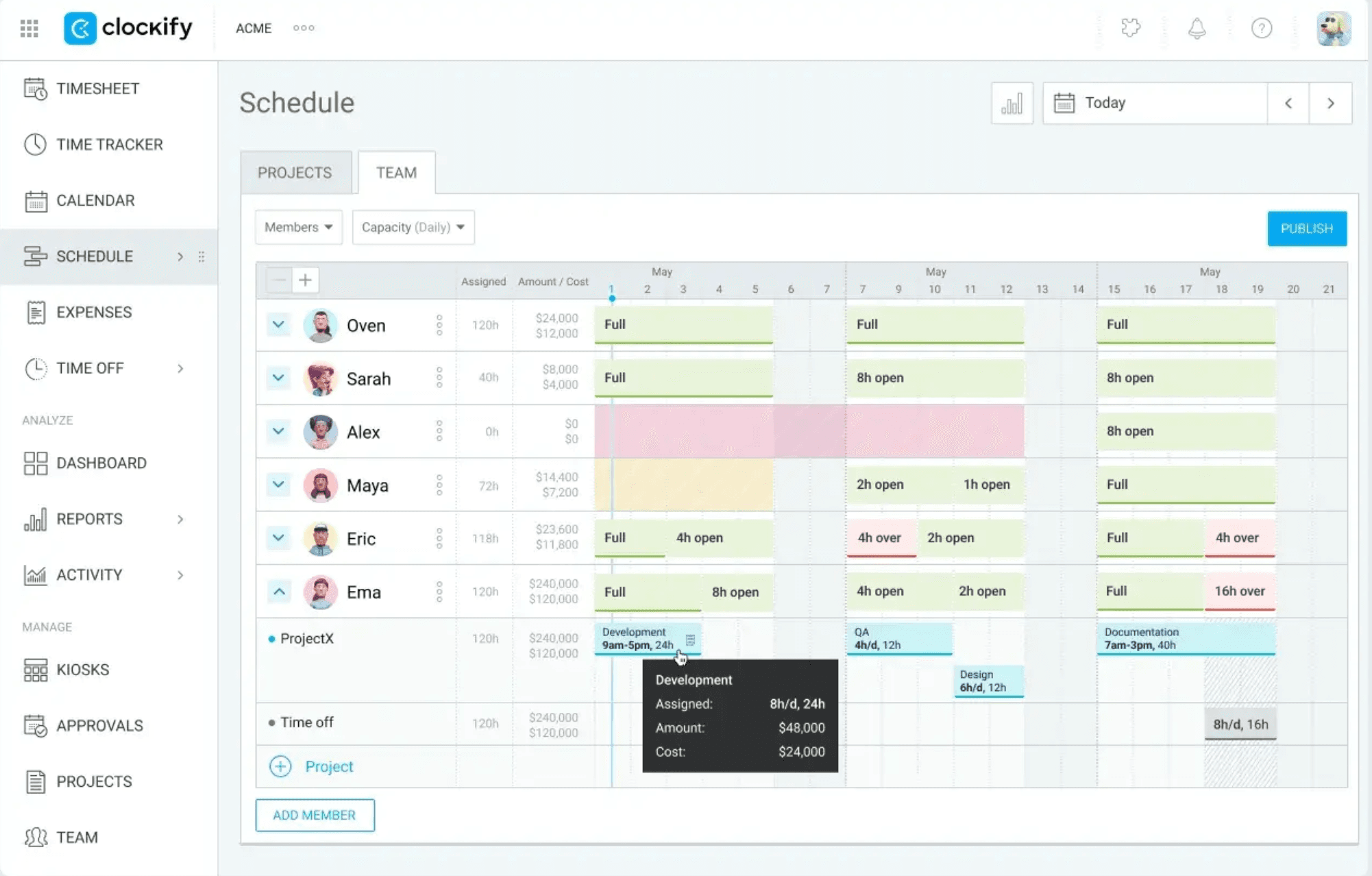
Best for project-based billing, freelancers, and teams tracking billable hours across clients.
Clockify is a project and task time tracking tool. It's not built around shift scheduling the way QuickBooks Time is, but it handles billable hours tracking, client invoicing, and productivity reporting better than most tools in this category. Clockify's free plan remains one of the most generous in the category, although feature availability has changed over time.
What it does well:
- Free plan for unlimited users.
- Project hierarchies and invoice-ready reports work well for teams that bill by the hour.
- Managers can see who's working on what across projects in real time.
Where it falls short:
- Not built for shift-based, hourly teams. Scheduling is minimal.
- Mobile and desktop functionality can be inconsistent, with occasional synchronization issues.
- GPS is limited compared to tools built for field crews.
What reviewers like: On G2, Alex H. wrote: "Clockify keeps everything organized and makes reporting on it a breeze." On Capterra, the theme is similar: "Clockify is super easy to set up."
Common complaints: On G2, one verified user noted: "Some of the features require purchasing a more expensive version..." That's a real pattern: free-tier users find themselves bumping into paywalls as their needs grow.
What Reddit users say: Recent threads on r/clockify and r/TimeTrackingSoftware flag frustration with how plan changes were communicated. One user wrote: "I've always liked Clockify... but the recent changes to the free tier have forced us to start looking at alternatives." Another said: "This now actually makes the free product unusable for me." If you're counting on the free tier long-term, check the current plan limits at clockify.me/pricing before committing.
Our take: Clockify is the strongest choice here for billable project time. Shift-based teams will need more scheduling, attendance, and payroll depth than it provides. The free plan is worth noting, but read the fine print on feature limits before building your workflow around it.
Pricing: Free plan available. Paid plans start at $4.99/seat/month billed annually. Current rates at clockify.me/pricing.
Clockify is a good fit if you're an agency, consultancy, or any team that tracks time against projects or clients rather than shifts.
3. Buddy Punch
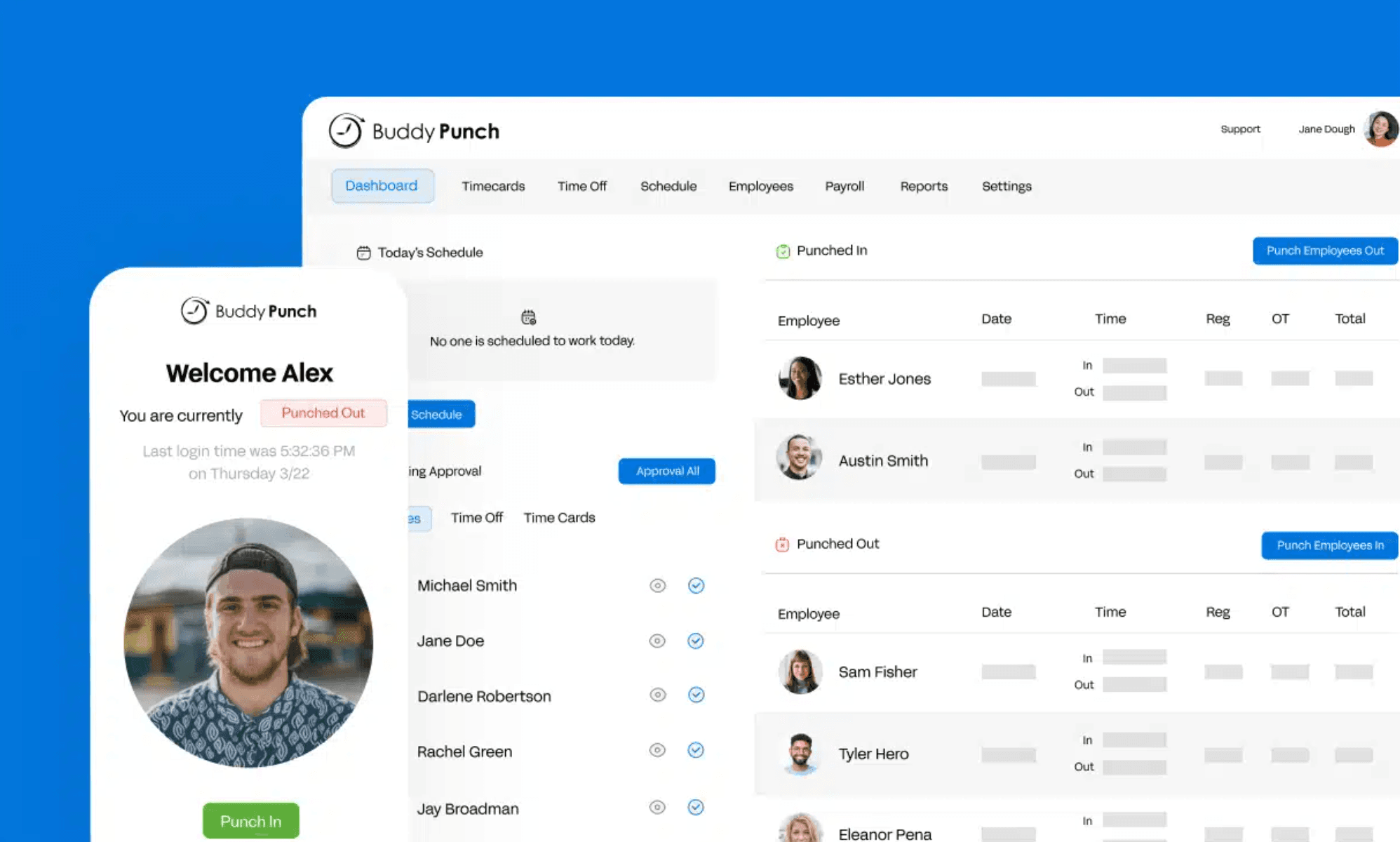
Best for teams where GPS punch-in, geofencing, and facial recognition matter.
Buddy Punch is a punch clock app built around anti-buddy punching controls, a genuine problem for hourly businesses. It handles GPS coordinates on punches, webcam photos at clock-in, facial recognition, and geofencing to confirm employees are where they're supposed to be.
What it does well:
- GPS, photo verification, and facial recognition available depending on plan.
- Overtime tracking flags issues automatically before they become a payroll problem.
- Scheduling included in Pro and up, or available as an add-on for Starter.
Where it falls short:
- Some features are plan-specific: GPS is in Starter, but geofencing, webcam photos, and scheduling require Pro or higher.
- The standard app does not offer a complete offline GPS-punch workflow. Businesses with crews in poor-signal areas should test connectivity before committing.
- Per-user pricing scales faster than location-based pricing as headcount rises.
What reviewers like: On Buddy Punch's review page, one user wrote: "Buddy Punch is extremely simple and easy to use." Another added: "It gives you the flexibility to adjust your time if you forget to punch in or out." Both reflect the dominant positive theme across G2 and Capterra: the clock-in process is simple, and the verification features work as described.
Common complaints: Recurring themes across Capterra reviews include mobile bugs and features locked behind higher plans. One Capterra reviewer wrote: "Not being able to punch out outside of geofence..." Strict geofence boundaries can create friction when employees' actual locations don't align with the configured zone.
Our take: Buddy Punch is a strong accountability-first option. Businesses operating in weak-signal areas should test the mobile workflow before choosing it. We found very little substantive Reddit discussion about Buddy Punch, so our assessment relies on verified G2 and Capterra reviews.
Pricing: Starter starts at $4.99/user/month (billed annually) plus a $19/month base fee. Current rates at buddypunch.com/pricing.
Buddy Punch is a good fit if accountability at punch-in is your primary concern and your team has consistent cell signal.
4. Workyard
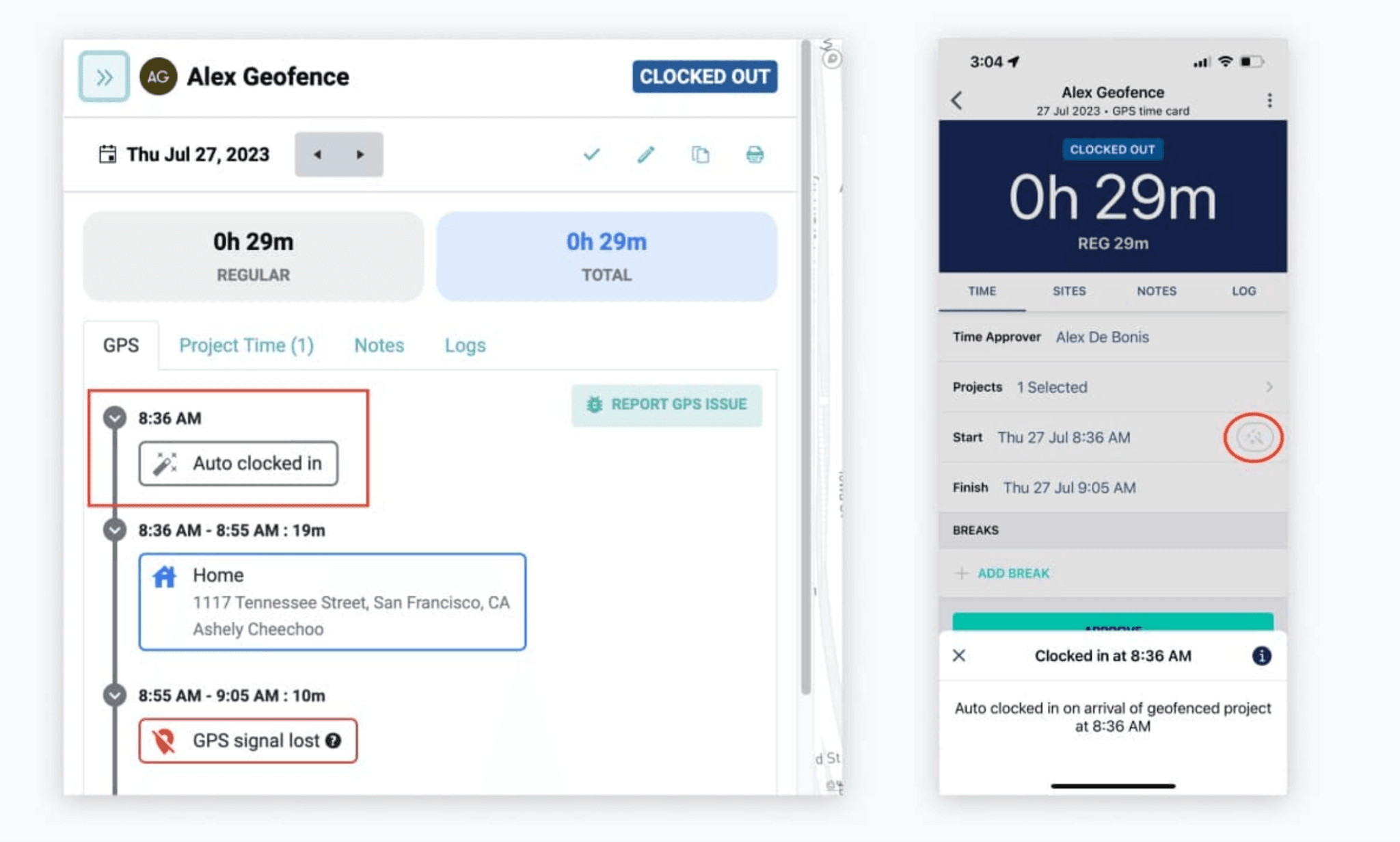
Best for construction, HVAC, plumbing, landscaping, and field crews that need GPS-verified time and job costing.
Workyard is built for field crews. Its GPS and geofencing are designed for job-site verification, and its job costing features let managers track labor costs against specific jobs in real time. If QuickBooks Time felt too generic for field-based work, Workyard is the most construction-specific option here.
What it does well:
- Location tracking with geofencing and GPS verification designed for job sites, not general neighborhoods.
- Job costing connects labor hours to specific jobs so you can see actual labor cost per project.
- Scheduling and dispatch built around crew-based work, not shift patterns.
Where it falls short:
- More complex than most restaurants, retail, or location-based businesses need.
- Batch time corrections can require opening individual employee profiles rather than editing in bulk.
- Automatic clock rules may need careful configuration to avoid misfires.
What reviewers like: On Capterra, one construction reviewer wrote: "The onboarding made it a seamless transition." Across the G2 review pool, GPS accuracy, ease of use, and mobile management come up as the dominant positive themes.
Common complaints: One Capterra reviewer summed up a common tradeoff: "It was more a time-tracking software than a dispatching one." Reviewers also note that automatic clock rules may trigger incorrectly, and batch corrections can involve extra steps.
Our take: Workyard offers the clearest construction-specific fit in this group, for companies that need labor assigned to jobs and locations rather than ordinary shift-based work. We found limited direct Reddit discussion about Workyard, so our assessment relies on verified G2 and Capterra reviews.
Pricing: Current rates at workyard.com/pricing.
Workyard is a good fit if you're a contractor or field crew where job costing and GPS verification are essential to how you run the business.
What About Homebase?
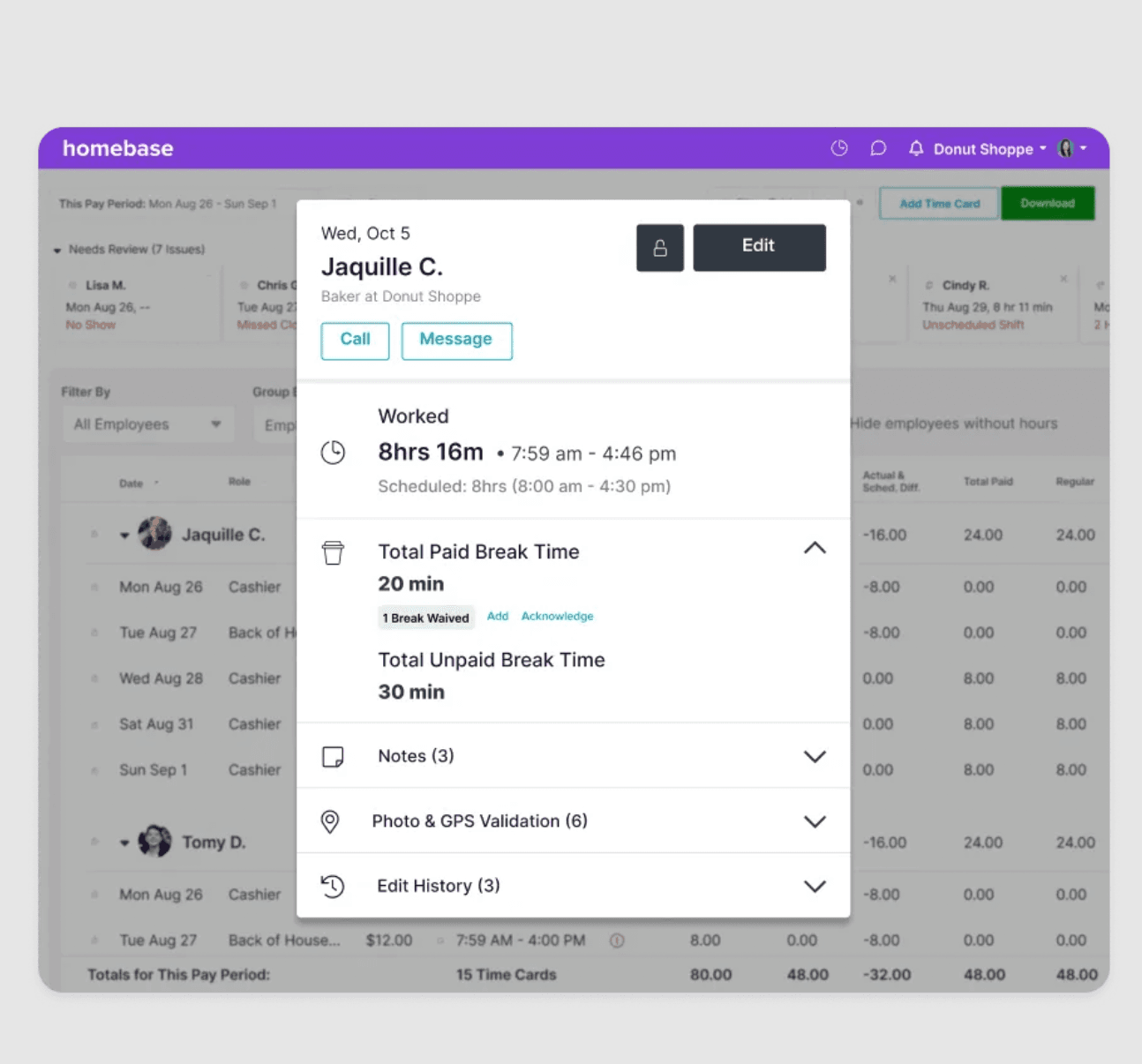
Homebase is our product, so take this section with that in mind. We're not in the ranked list above, but here's an honest breakdown of where we fit.
Homebase is an all-in-one tool for hourly teams. Scheduling, time tracking, team messaging, hiring, HR, and payroll are all in one place. Approved hours can flow directly into Homebase Payroll, while third-party payroll integrations vary: some sync directly, while others use formatted exports.
The free Basic plan covers one location and up to 10 employees. Paid plans use location-based pricing rather than per-employee pricing, so your bill doesn't automatically grow every time you add someone.
Named Best Time Tracking by Forbes Advisor (2025, forbes.com/advisor/business/software/best-time-tracking-software). Rated 4.8/5 on the App Store. Current review ratings at Homebase's Capterra profile.
Homebase fits best if you're running a restaurant, retail shop, salon, or other location-based business with an hourly team, and you want scheduling and time tracking in one place rather than two. Try Homebase free, no credit card required
Frequently Asked Questions
What is TSheets called now?
TSheets is now called QuickBooks Time. Intuit acquired TSheets in January 2018 and rebranded it in February 2021. The core product stayed largely intact at rebrand, but it now lives inside the QuickBooks ecosystem and requires a QuickBooks Online account for most use cases.
Is the TSheets app still available?
No. The TSheets app no longer exists under that name. It's now QuickBooks Time. Existing TSheets accounts migrated to QuickBooks Time at rebrand, and new users sign up for QuickBooks Time directly.
Does QuickBooks Time require a QuickBooks Online subscription?
When purchased as a standalone time-tracking add-on, QuickBooks Time Premium and Elite require a QuickBooks Online account. QuickBooks Time is also included in certain QuickBooks Payroll packages. If you're already paying for one of those, factor that in before comparing total costs.
Is Clockify really free for a whole team?
Based on Capterra's current listing, Clockify's free plan supports unlimited users. Recent Reddit threads suggest the free tier has become more restrictive over time, so check clockify.me/pricing directly before building your workflow around it, especially if you need long-term data access or historical exports.
Is GPS time tracking reliable for construction crews?
Reliability depends on mobile permissions, cell signal, battery settings, geofence configuration, and whether the app records punches offline. Workyard is designed with construction-site conditions in mind. Buddy Punch's standard app requires internet for full GPS verification, so crews in poor-signal areas should test that workflow before committing.
What happens when employees have no cell service?
Buddy Punch's standard app requires internet for GPS-verified punches; the text-based workaround doesn't provide location verification. Workyard handles offline conditions better, but test your specific environment before purchasing either tool.
Which time tracker is easiest for non-technical employees?
OnTheClock and Buddy Punch receive the strongest ease-of-use scores on Capterra. Clockify's mobile app has more mixed reviews on consistency between mobile and desktop. Workyard has a steeper configuration curve, but reviewers describe the onboarding support as strong.
What to Use Instead of QuickBooks Time
QuickBooks Time, formerly known as TSheets, is a capable tool. Its bundled cost structure makes it more expensive than TSheets was, and those costs grow fast as your team does. The right alternative depends on what kind of business you run:
- Just need basic time tracking? OnTheClock or Clockify.
- Need punch accountability with GPS and geofencing? Buddy Punch.
- Running a field crew with job costing needs? Workyard.
- Running a restaurant, retail shop, or salon with an hourly team? Give Homebase a look.
Whatever you choose, check pricing directly with the vendor before you sign up.