Homebase vs. Workstream (2026)
Discover how Homebase stands out against competitors in team management solutions for your business.
Compare
See How We Stack Up
Discover the advantages of Homebase over Workstream.
| Homebase | Workstream | |
|---|---|---|
| Shift scheduling | Included in Homebase | Scheduling-first vs. hiring-first origins |
| Time tracking | Included in Homebase | Included in Workstream |
| Full-service payroll | Included in Homebase | Included in Workstream |
| Hiring & applicant tracking | Included in Homebase | Included in Workstream |
| Digital onboarding | Included in Homebase | Included in Workstream |
| HR tools & compliance | Included in Homebase | Included in Workstream |
| Team messaging | Included in Homebase | Included in Workstream |
| Free plan | Included in Homebase | No public free plan; quote-based pricing |
| Transparent pricing | Included in Homebase | Plan packaging published; dollar amounts require a sales call |
| Employee mobile app | Included in Homebase | Included in Workstream |
| POS integrations | Included in Homebase | Included in Workstream |
| Labor cost tracking | Included in Homebase | Available within payroll reporting; not scheduling-native |
Trusted by 150,000+ small businesses and their teams.














Why businesses choose Homebase over Workstream
Real numbers, real results. Hourly teams thrive with Homebase.

Scheduling
275 Million
Shifts logged on Homebase Scheduling

Time Clock
1 Billion
Hours tracked with Homebase Time Clock

Payroll
4 Million
Paychecks processed with Homebase Payroll
Table of contents

Conquer your workday.
Join the 150K+ small businesses using Homebase for time clocks, schedules, payroll, and HR.
Homebase vs. Workstream: Which Is Right for Your Team?
You've probably run into both names while looking for a better way to manage your hourly team. Maybe someone pitched you on Workstream. Maybe you've been using Homebase and want to understand how they stack up. Either way, most comparison articles tell you both tools are great and leave you to figure out the rest.
This one won't. Homebase and Workstream both serve hourly workforces, and both have payroll, but they're built for very different businesses. Getting this wrong means paying for infrastructure you don't need, or missing the tools you rely on every day.
Below is a breakdown of what each does well, where each falls short, and which one fits your situation.
TL;DR: Homebase vs. Workstream at a glance
- Homebase is an all-in-one platform covering scheduling, time tracking, payroll, hiring, HR, and team communication, built for independent small businesses with hourly teams. Pricing is transparent and published. There's a free plan for one location and up to 10 employees.
- Workstream is built for franchise groups and QSR operators with high hiring volume. Its strengths are hiring automation, digital onboarding, and payroll for deskless teams at scale. Pricing is quote-based.
- If you're an independent restaurant, retail store, or service business running one to five locations, Homebase may be the better fit for businesses prioritizing scheduling, time tracking, payroll, and day-to-day workforce management in a single system. If you're a franchise group with 20+ locations and frequent hiring volume, Workstream is worth evaluating.
What is Workstream?
Workstream is an HR, payroll, and hiring platform primarily built for restaurants and QSR/franchise operators, with broader use cases across hourly workforces. It focuses on mobile-first hiring automation, digital onboarding, and payroll for deskless teams. It's most commonly used by franchise groups and multi-unit QSR operators.
The platform's core modules include:
- Text-to-apply hiring and QR code applications.
- Applicant tracking with voice AI screening and automated workflows.
- Digital onboarding covering W-4, I-9, eSign, and offer letters.
- Full-service payroll with tax filing and direct deposit.
- HR and compliance workflows, employee records, and benefits administration.
- Engagement and exit surveys.
- In-app messaging with group chat, announcements, and voice notes.
The company claims 46 of the top 50 quick-service restaurant brands as customers, including Burger King, Jimmy John's, and Taco Bell. That customer list tells you who the product was designed for. Workstream holds a 4.7-star rating on G2.
Workstream publishes plan and module packaging, but pricing is quote-based. Costs are set per employee per month and vary based on selected modules, employee count, location count, and contract length — you get a quote by booking a demo with their sales team. Workstream does not publicly offer a free plan.
What is Homebase?
Homebase is an employee management platform built for small businesses with hourly teams. It combines scheduling, time tracking, payroll, hiring, HR, and team communication in one app. Over 100,000 small businesses use it across restaurants, retail, salons, and service industries. It holds a 4.6 rating on Capterra based on 1,138 reviews and 4.8 stars on the App Store from 93,000+ ratings.
Core features include:
- Drag-and-drop schedule builder with templates, an AI scheduling assistant, open shifts, and conflict detection.
- GPS time tracking with overtime alerts, geofencing, early clock-in prevention, and POS integrations.
- Full-service payroll covering tips, overtime, direct deposit, automated tax filing, W-2s, 1099s, and contractor payments.
- Tip Manager for automatic tip calculation, pooling, distribution, and reporting.
- Earned Wage Access so employees can access earned pay before payday.
- Hiring and onboarding with one-click posting to Indeed, ZipRecruiter, Google, and Glassdoor; custom screening questions; an AI hiring assistant; digital onboarding; and background check integration.
- HR tools including a handbook builder, law alerts, and on-demand HR advisors through HR Pro.
- Built-in team communication with messaging, announcements, and read receipts.
Pricing is per location, not per employee, so costs stay predictable as your team grows. The free plan covers one location with up to 10 employees, no credit card required.
How Homebase and Workstream compare
These tools overlap on paper. In practice, they diverge at the level of what each was originally built to solve. Below is where each one is stronger.
Scheduling and time tracking
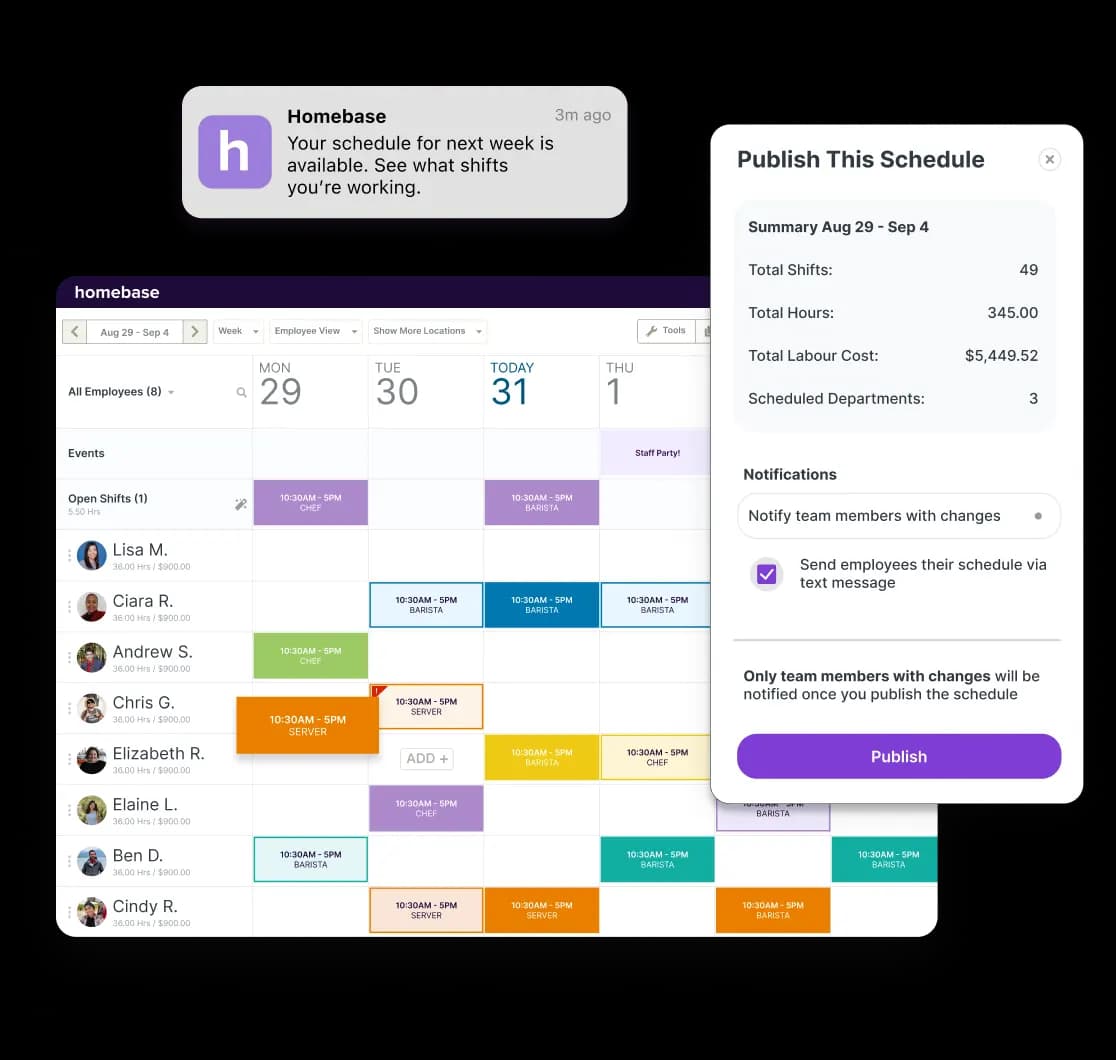
Homebase is scheduling-first. Employee scheduling is the product's origin and core strength, built from the ground up for shift-based teams. Workstream's roots are in hiring and onboarding, with time and scheduling added as the platform has expanded.
Homebase includes:
- Drag-and-drop scheduling with unlimited templates.
- Open shifts employees can claim themselves.
- Conflict detection and an AI scheduling assistant.
- GPS clock-in with geofencing and early clock-in prevention.
- Overtime alerts and POS integration that shows labor cost against actual sales data.
When the pay period ends, timesheets flow directly into payroll with no re-entering of hours.
Workstream offers time clock and shift scheduling functionality as part of its platform. For a business managing restaurant payroll or retail shifts, the key question is whether scheduling or hiring is the bigger daily operational challenge — and the answer usually points to which tool fits better.
Hiring and onboarding
Workstream is particularly strong in high-volume hiring and onboarding workflows. Its hiring infrastructure includes:
- Text-to-apply and QR code applications.
- Voice AI for applicant screening.
- A full ATS with automated workflows.
- Digital onboarding covering W-4, I-9, eSign, and offer letters.
- New hire checklists, training and LMS features.
- Engagement surveys and exit surveys.
If you're a franchise group turning over 200 people a year across 20 locations, that infrastructure is built for that specific pressure.
Homebase's hiring tools are built for the scale most small businesses operate at:
- One-click posting to Indeed, ZipRecruiter, Google, and Glassdoor.
- Custom screening questions that filter candidates automatically.
- An AI hiring assistant and digital onboarding packet.
- Background check integration.
All of it lives in the same system as your schedule and payroll. Better suited to hiring a few times a year than processing hundreds of applications a month.
If hiring is your current bottleneck, Homebase lets you post to multiple job boards in one click and track every applicant in one place, with no separate ATS needed.
HR, compliance, and operations
Both platforms offer HR capabilities, with different depth and focus.
Homebase HR and compliance tools include:
- A handbook builder that creates a customized employee handbook for your business and state.
- Law alerts that notify you when state and federal labor laws change.
- On-demand HR advisors through HR Pro for help with policies, compliance questions, and difficult employee situations.
- A Task Manager for assigning and tracking shift-specific duties and checklists across your team.
Workstream's HR capabilities include employee records management, onboarding and offboarding workflows, benefits administration, compliance automation, engagement surveys, and exit surveys. It's a broader HR infrastructure, oriented toward the operational complexity of franchise and multi-unit operators.
For small business HR needs — building a handbook, staying on top of labor law changes, or having an expert to call when a situation needs judgment — Homebase HR Pro is built for exactly that.
Payroll
Both tools offer full-service payroll for hourly teams. The difference is in how payroll connects to the rest of the system, and what it costs to find out what you'll pay.
Homebase payroll lives in the same system as your schedule and time clock. Hours move directly into payroll at the end of the pay period, covering:
- Tips, overtime, and direct deposit.
- Automated federal and state tax filing.
- W-2 and 1099 forms and contractor payments.
- Earned Wage Access for employees who need it before payday.
- Tip Manager for pooling, distribution, and reporting.
Payroll is available as an add-on on all plans at $49/month + $6 per employee paid per month. Homebase also offers Core, Grow, and Scale bundles with payroll included. See current pricing for details.
Workstream also covers full-service payroll for hourly workers, including tax filing and direct deposit. Same general capabilities. But the cost requires a conversation with their sales team, which is a friction point for an owner who expects to know what they're paying before signing up.
Pricing: what each tool costs
The pricing difference between these two tools is one of the most practical things to understand before deciding.
Homebase pricing
Homebase publishes its pricing. The free plan covers one location with up to 10 employees and includes basic scheduling, time tracking, team messaging, and the mobile app — no credit card required. Paid plans are priced per location, not per employee, so costs stay predictable as your team grows at a single site. Payroll is available as an add-on at $49/month + $6 per employee paid per month, or included in Core, Grow, and Scale bundles.
Workstream pricing
Workstream publishes plan and module packaging, but pricing is quote-based. Costs are set per employee per month and vary based on selected modules, employee count, location count, and contract length. You get that number by booking a demo with their sales team. Workstream does not publicly offer a free plan.
What the difference tells you
The way each company prices its product reflects who it's built for. Homebase publishes dollar amounts because its customers are small business owners making decisions on their own, often after a long shift. Workstream routes you to sales because its buyers are typically franchise operators and multi-unit groups with operations teams and procurement processes.
See Homebase's plans and pricing and start free if you want to try it before committing.
Who should use Workstream?
Workstream is optimized for one specific operational challenge: bringing in a lot of people, fast.
The right fit for Workstream
Workstream is well suited for multi-location franchise operators, QSR chains, and regional retail groups whose primary operational challenge is high-volume hiring and onboarding rather than day-to-day scheduling for a small team.
The 46-of-top-50-QSR-brands claim signals the target customer. If you're a franchisee with 15+ locations processing hundreds of hires a year, Workstream's hiring and onboarding infrastructure is built for that pressure. It's also worth evaluating if you need compliance automation across multiple states, benefits administration, or deep integration with an enterprise HR stack.
Businesses with modest hiring volume may find they use only a subset of Workstream's hiring-focused capabilities. The pricing process is a useful filter: if you need to book a demo to find out what the software costs, the product was designed for a buyer who works that way.
Who should use Homebase?
If Workstream is built around the hiring problem, Homebase is built around everything that happens once your team is in place.
The right fit for Homebase
Homebase is built for independent small businesses with hourly teams: restaurants, retail stores, salons, home service companies, healthcare practices, and similar operations. It's strongest for owners running one to a handful of locations with teams of five to 50 people — especially anyone managing scheduling, payroll, and HR without a dedicated team to handle each.
The free plan is a working entry point, not a trial. You get actual scheduling and time tracking for one location with up to 10 employees at no cost, with no credit card required. Because the schedule, time clock, and payroll are all connected in the same app, there's no data re-entry at the end of the pay period.
For restaurants and service businesses, features like tip management, Earned Wage Access, and labor cost tracking are built into the same system — not bolted on from a separate tool.
Jamila Wright, co-founder of Brooklyn Tea, started using Homebase across her three locations and put it plainly: "Homebase was the beginning of us systematizing our business and getting our staff on accord."
Homebase is built for business owners who need their tools to work together without assembling a separate software stack to make it happen. Try it free — no credit card required.
The bottom line
Homebase and Workstream are both legitimate tools for hourly workforces. They're just not competing for the same customer.
Workstream was built for operators who hire constantly — franchise groups, QSR chains, and multi-unit businesses where onboarding hundreds of people a year is the core operational challenge. If that's your situation, its hiring infrastructure is worth a serious look.
Homebase was built for the owner who manages their own schedule, runs their own payroll, and needs everything to work together without setting up a separate system for each job. Over 100,000 small businesses use it for exactly that — restaurant scheduling, retail time tracking, tip management, HR, and payroll in one place.
If you're still deciding, the fastest way to find out if Homebase fits is to try it. The free plan covers one location with up to 10 employees — no credit card, no sales call required.
Our customers love us
"Homebase simplifies scheduling, payroll, and HR in a way that is easy to navigate and understand. We highly recommend it."
Mandana Shabani
Owner, Zood Restaurant
"As a small business I want to leverage tools that will help me with systems AND make things easier for my team."
Cadence Kidwell
Owner, Fuzzy Goat
"Our team members love using Homebase. It's user-friendly and has significantly improved communication and collaboration"
Jamila Wright
Owner, Brooklyn Tea
Related Posts


Top-rated app built for small business teams.
Best Payroll for Hourly Teams
2024

Best in Business for Best AI Implementation
2025

Best Employee Scheduling
2025

Best HR & Employee App
2025