Homebase vs. ZoomShift
Discover how Homebase stands out against competitors in team management solutions for your business.
Compare
See How We Stack Up
Discover the advantages of Homebase over ZoomShift.
| Homebase | ZoomShift | |
|---|---|---|
| Scheduling | Included in Homebase | Included in ZoomShift |
| Time tracking | Included in Homebase | Premium only |
| Auto-scheduling | Included in Homebase | Premium only |
| Conflict detection | Included in Homebase | Premium only |
| Overtime alerts | Included in Homebase | Premium only |
| Team messaging | Included in Homebase | Included in ZoomShift |
| Full payroll processing | Included in Homebase | Not included in ZoomShift |
| Hiring & onboarding | Included in Homebase | Not included in ZoomShift |
| HR tools & compliance | Included in Homebase | Not included in ZoomShift |
| POS integrations | Included in Homebase | Not included in ZoomShift |
| Free plan (no scheduling limit) | Included in Homebase | 2-week limit |
| Per-location pricing | Included in Homebase | Per user |
Trusted by 150,000+ small businesses and their teams.














Why businesses choose Homebase over ZoomShift
Real numbers, real results. Hourly teams thrive with Homebase.

Scheduling
275 Million
Shifts logged on Homebase Scheduling

Time Clock
1 Billion
Hours tracked with Homebase Time Clock

Payroll
4 Million
Paychecks processed with Homebase Payroll
Table of contents

Conquer your workday.
Join the 150K+ small businesses using Homebase for time clocks, schedules, payroll, and HR.
Homebase vs ZoomShift: Which Is Right for Your Team?
Both Homebase and ZoomShift show up when you search for employee scheduling software. Both have a free plan. Both use drag-and-drop scheduling. Both live on your phone. On the surface, they look nearly identical — and that's exactly what makes the comparison frustrating.
The difference isn't in the surface features. It's in what each tool is built to do. ZoomShift focuses primarily on scheduling and time tracking. Homebase offers a broader workforce management suite that includes scheduling alongside payroll, hiring, HR, and team communication. That distinction matters more than it sounds, especially once your team starts growing or you need more than a weekly shift calendar.
This breakdown covers how Homebase and ZoomShift compare across scheduling, time tracking, payroll, pricing, and features — so you can pick the one that fits your business and move on.
What is Homebase?
Homebase is an all-in-one workforce management platform built for small businesses with hourly teams. It covers scheduling, time tracking, team messaging, payroll, hiring and onboarding, and HR and compliance — all in a single app. Over 150,000 small businesses use it, most of them in restaurants, retail, and services.
The free plan covers up to 10 employees at one location and includes basic scheduling, time tracking, and POS integration. Paid plans are priced per location — not per user — which means your monthly cost stays flat as your team grows. Payroll is available as an add-on to any plan.
- Basic: Free — up to 10 employees, one location. Basic scheduling, time tracking, POS integration.
- Essentials: $30/location/month — advanced scheduling, GPS time tracking, overtime tracking, team communication, shift notes.
- Plus: $70/location/month — hiring tools, PTO controls, labor cost management, departments and permissions.
- All-in-One: $120/location/month — onboarding, HR and compliance, document storage, full labor cost oversight.
- Payroll add-on: $49/month + $6 per active employee — available on any plan.
Homebase integrates with Clover, Square, Toast, Shopify, and Lightspeed on the POS side, and with QuickBooks, Gusto, ADP, and Paychex for payroll.
What is ZoomShift?
ZoomShift is a scheduling tool built for simplicity. Its job is to help small teams move off paper and get schedules published fast. It does that well — drag-and-drop scheduling, shift templates, time clock, timesheets, shift swapping, PTO tracking, and team messaging are all available, and communication is included on every tier including free.
What ZoomShift doesn't do: payroll processing, hiring, onboarding, HR compliance, or POS integrations. It generates a payroll report you can export to a third-party processor, but payroll itself lives somewhere else. (For a broader look at tools that do include these features, see our Sling alternatives roundup, which covers ZoomShift alongside other scheduling-focused tools.)
The free plan covers up to 20 users at one location, with one meaningful constraint: scheduling is capped at two weeks in advance. For businesses that plan a month out or manage time-off requests early, that creates friction fast.
Paid plans are per active user:
- Starter: $2/user/month — unlimited scheduling, templates, availability, PTO, timesheets, time clock.
- Premium: $4/user/month — auto-scheduling, overtime warnings, conflict prevention, geofencing, advanced reporting.
One genuine differentiator: ZoomShift lets you pause your subscription during slow seasons, so you won't be charged while the account is inactive. For seasonal businesses like beach bars or ski rentals, that's a real cost advantage.
Homebase vs ZoomShift: feature-by-feature comparison
Both tools cover the basics — the differences show up in the details. Here's how they stack up across the features small business owners actually use every day.
Scheduling
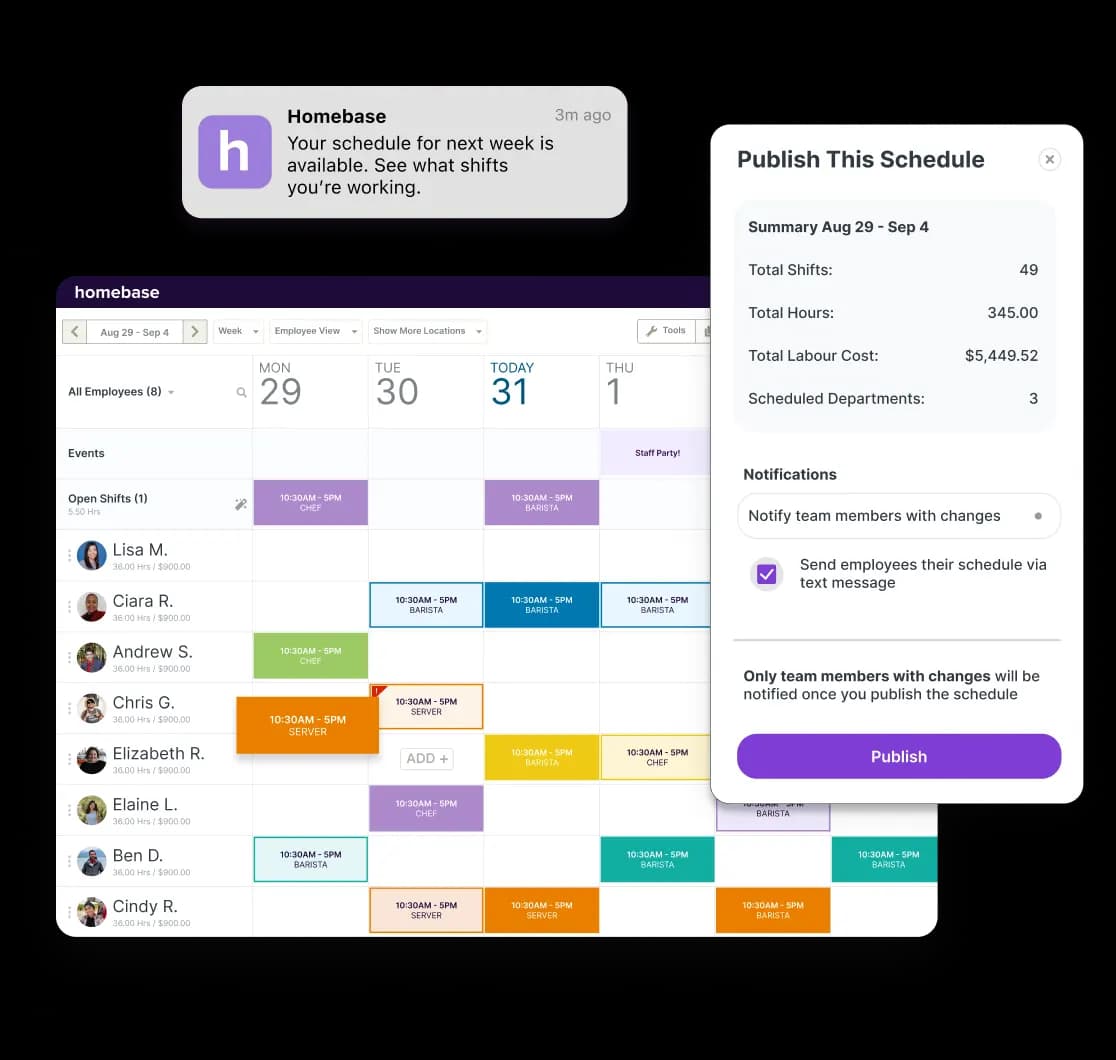
Both tools use drag-and-drop scheduling with templates and a mobile app for the team. For a business with consistent hours and a stable crew, either one gets the job done.
Where they diverge is what happens when things change.
Homebase:
- Detects scheduling conflicts automatically before the schedule goes out
- Flags overlaps with approved time-off requests without manual checking
- Scheduling assistant helps build optimized schedules based on availability, roles, and labor targets
ZoomShift:
- Template-based scheduling that works well for predictable, repeating weeks
- Availability changes and conflict resolution require manual adjustments from the manager
- Auto-scheduling and conflict prevention are locked to Premium ($4/user/month) — not available on Starter or free
For businesses where availability changes frequently or scheduling volume is high, Homebase removes a meaningful layer of manual work. For stable, predictable schedules, ZoomShift's approach is perfectly workable.
Time tracking
Both tools let employees clock in from their phones or a shared device, with timesheets that feed into payroll prep. The differences come down to what's available at each tier.
Homebase:
- Clock-in from web, mobile, tablet, and POS devices across paid plans
- GPS location verification and photo capture available on Essentials and above
- Late clock-in alerts and auto clock-out available on paid plans
ZoomShift:
- Mobile and desktop clock-in on all tiers
- GPS geofencing is Premium-only ($4/user/month)
- Basic time tracking available on Starter; location verification requires an upgrade
Verify exact GPS and photo capture tier availability at joinhomebase.com/pricing before publishing, as feature packaging can change.
Payroll
This is where the two tools split most clearly — and where the choice has the most day-to-day impact.
Homebase processes payroll as an add-on to any plan ($49/month + $6/active employee):
- Timesheets feed automatically into payroll calculations
- Wages, taxes, and deductions calculated automatically
- Direct deposit to employee bank accounts
- W-2 and 1099 generation at year end
- Built-in AI Payroll Assistant flags errors before you finalize
ZoomShift generates a payroll export:
- Downloads a report of hours worked
- You take it to your existing payroll provider to process
- No in-app payroll processing
If you already have a payroll provider you're happy with, ZoomShift's export workflow may be fine. If you want one system handling both scheduling and payroll, ZoomShift can't do it.
Team messaging
ZoomShift includes team messaging on every tier, including free — group communication is available from day one regardless of plan.
Homebase includes team communication starting on the Essentials plan ($30/month). The free plan does not include messaging.
For teams staying on the free plan who need group communication, ZoomShift has a clear edge here. For teams on any paid Homebase plan, both tools cover the basics well.
Hiring and HR
ZoomShift doesn't offer hiring, onboarding, or HR features. That's by design — those aren't the problems it's built to solve.
Homebase includes hiring and onboarding tools on Plus and above, and HR and compliance on All-in-One:
- Job postings to Indeed, ZipRecruiter, and Google
- Centralized applicant tracking system
- Digital onboarding packets new hires complete before day one
- HR and compliance tools including document storage, labor law guidance, and compliance alerts
These features aren't what most owners need on day one. But they become relevant fast once hiring picks up or a compliance question comes up.
Pricing model
Homebase charges per location — your bill stays flat no matter how many employees you add.
ZoomShift charges per active user — affordable at low headcount, gets more expensive as the team grows.
The crossover point in practice:
- Under 15 employees on ZoomShift Starter ($2/user): $30/month or less — comparable to Homebase Essentials at $30/month
- 15 employees on ZoomShift Premium: $60/month — Homebase Essentials is still $30
- 20 employees on ZoomShift Premium: $80/month — Homebase Essentials is $30, Plus is $70
Note: once you add Homebase Payroll ($49/month + $6/employee), the total cost rises meaningfully. For a team of 15, Homebase Essentials + Payroll = $30 + $49 + $90 = $169/month. Factor in what you'd otherwise pay a separate payroll provider before comparing.
Ready to see how Homebase works for your team? The Basic plan is free for up to 10 employees — no credit card required.
Pricing comparison: Homebase vs ZoomShift
Both tools price themselves differently, and the model matters as much as the number. Here's what each plan actually costs, and where each pricing structure works in your favor.
Homebase pricing
- Basic — free: Up to 10 employees, one location. Basic scheduling, time tracking, POS integration.
- Essentials — $30/location/month: Advanced scheduling, GPS time tracking, overtime tracking, team communication, shift notes, late clock-in alerts.
- Plus — $70/location/month: Everything in Essentials, plus hiring tools, PTO and time-off controls, labor cost tracking, departments and permissions.
- All-in-One — $120/location/month: Everything in Plus, plus employee onboarding, HR and compliance features, document storage.
- Payroll add-on: $49/month + $6 per active employee. Available on any plan.
Annual billing saves 20% on all paid plans. Per-location pricing means a team of 30 pays the same monthly rate as a team of eight.
Verify current pricing at joinhomebase.com/pricing before publishing — pricing is subject to change.
ZoomShift pricing
- Essentials — free: Up to 20 users, one location. Scheduling limited to two weeks in advance.
- Starter — $2/active user/month: Unlimited scheduling, templates, availability, PTO, timesheets, time clock.
- Premium — $4/active user/month: Auto-scheduling, overtime warnings, conflict prevention, geofencing, advanced reporting.
Annual billing saves roughly 20% vs. monthly. ZoomShift also allows seasonal plan pausing — you won't be charged while the account is inactive.
Verify current pricing at zoomshift.com/pricing before publishing — pricing is subject to change.
Who pays less
For very small teams, ZoomShift can be cheaper. A team of 10 on ZoomShift Starter is $20/month, compared to Homebase Essentials at $30. As headcount grows, Homebase's per-location pricing becomes more cost-effective — a team of 20 on ZoomShift Premium is $80/month, while Homebase Essentials stays at $30.
Keep in mind: if you add Homebase Payroll, that changes the math significantly. Businesses that already use a separate payroll provider with ZoomShift's export should factor in that cost on both sides of the comparison.
Which tool is right for your business?
Based on everything above, here's how to think about the decision. Neither tool is the wrong choice; it comes down to what your business actually needs right now.
Choose ZoomShift if…
- You have a small, stable team and your schedule doesn't change much week to week.
- You run a seasonal business and want to pause software costs during slow months.
- Your budget is tight and you don't need payroll, hiring, or HR features built in.
- You need group messaging on the free plan — ZoomShift includes it, Homebase doesn't.
- You're comfortable catching scheduling conflicts manually on lower tiers.
ZoomShift does what it says it does. It's the right call when your needs are genuinely that focused — not because it's a lesser tool, but because a simpler tool is sometimes the right one.
Choose Homebase if…
- You want scheduling, time tracking, team messaging, and payroll in one ecosystem without managing separate apps.
- Your team fluctuates or grows. Per-location pricing means adding employees doesn't raise your monthly bill.
- You need overtime alerts, conflict detection, and late clock-in alerts without jumping to a premium per-user tier.
- You use a POS system. Homebase integrates with Square, Clover, Toast, Shopify, and others — connecting labor directly to your sales data.
- You want hiring tools, digital onboarding, or HR compliance support available as your business matures. Homebase's hiring and onboarding and HR tools are built for small teams that need this without an HR department.
- You run a restaurant — Homebase's POS integrations, tip management, and labor cost tracking give it a meaningful edge over ZoomShift in food and beverage.
A note on the free plan comparison
Both tools offer a free plan, but they're structured differently. Homebase's free plan covers up to 10 employees with no scheduling horizon limit, but doesn't include team messaging. ZoomShift's free plan covers up to 20 users with team messaging included, but caps scheduling at two weeks in advance. Which free plan works better depends on your team size and what you need from day one.
What users say: Homebase and ZoomShift reviews
Feature lists and pricing only go so far. Here's what small business owners who use both tools day to day actually think about them.
Homebase reviews
Homebase has a strong track record on third-party review sites, particularly among small businesses in food and beverage, retail, and services. The feedback is mostly positive, with a few consistent friction points worth knowing before you commit.
Rating: 4.6/5 on Capterra (1,147 reviews, as of June 2026)
What users praise:
- Easy to set up — most reviewers describe quick onboarding with minimal training needed.
- Scheduling and timesheet features consistently rated highly across industries.
- Food and beverage businesses make up a large share of reviewers; small businesses under 50 employees dominate the review base.
Common criticisms:
- Some users report that payroll management options feel limited without upgrading, and the add-on cost can add up.
- Recurring app glitches flagged by a subset of users.
- Price jumps between tiers feel steep for some features.
"Homebase has made it very easy for my employees to pick up shifts and take charge of their own schedules. It's reduced a lot of scheduling overhead for us so we can spend our time more wisely. We would recommend Homebase to any small business looking to level up its scheduling, and its personnel management over all."
— Todd Hayward, Owner
ZoomShift reviews
ZoomShift's review base skews toward smaller teams and seasonal operations, which tracks with who the tool is built for. Users generally find it easy to get started, though a few patterns in recent reviews are worth paying attention to.
Rating: 4.5/5 on Capterra (112 reviews, as of June 2026)
What users praise:
- Fast to learn — most users describe it as intuitive from day one.
- Affordable for small teams, especially those with seasonal fluctuations.
- The subscription pause feature is a consistent standout for seasonal businesses.
Common criticisms:
- Some recent reviewers mention concerns about customer support responsiveness.
- Overtime warnings and conflict prevention being gated to Premium ($4/user/month) feels steep for features many users consider standard.
The bottom line
ZoomShift and Homebase solve different problems. ZoomShift is a focused, affordable scheduling tool that does exactly what it promises — and for small or seasonal teams with simple needs, it's a solid choice. Homebase is a broader workforce management platform — scheduling is part of it, but so is time tracking, team communication, payroll, hiring, and HR.
For small businesses that want to grow without managing four different apps, Homebase's coverage pays off quickly. Both tools have free plans worth trying. Start with the one that fits where your business is right now.
Homebase is free for up to 10 employees, and setup takes minutes. If you want employee scheduling, time tracking, and team communication handled in one place as your team grows, it's a good place to start.
Our customers love us
"Homebase simplifies scheduling, payroll, and HR in a way that is easy to navigate and understand. We highly recommend it."
Mandana Shabani
Owner, Zood Restaurant
"As a small business I want to leverage tools that will help me with systems AND make things easier for my team."
Cadence Kidwell
Owner, Fuzzy Goat
"Our team members love using Homebase. It's user-friendly and has significantly improved communication and collaboration"
Jamila Wright
Owner, Brooklyn Tea
Related Posts


Top-rated app built for small business teams.
Best Payroll for Hourly Teams
2024

Best in Business for Best AI Implementation
2025

Best Employee Scheduling
2025

Best HR & Employee App
2025