The Best Hospitality Staff Scheduling Software for 2026


SMALL BUSINESS INTEL, IN YOUR INBOX
Table of contents
Sundays shouldn't be spent texting twelve people to fill Monday's shift. But for a lot of café owners and hotel managers, that's exactly what scheduling looks like: a group chat that spirals, a spreadsheet that breaks the moment someone calls out, and a roster that gets rebuilt from scratch every week.
The problem usually isn't the schedule itself. It's the tool. Most hospitality scheduling software was built for generic office environments, then retrofitted for shift work. The ones that actually hold up are designed around how hourly teams operate: availability changes, last-minute swaps happen, and managers need their whole team on the same page without playing phone tag.
This guide ranks the tools that work. Before we get into it: we're Homebase, and we make scheduling, time tracking, and payroll for small hourly teams. The ranked list below is independent. See our separate section for where we fit.
The Top Picks for Hospitality Scheduling Software
- 7shifts: Best for restaurants and F&B operations that need labor forecasting tied to sales data
- When I Work: Best for multi-location teams that want predictable, per-user pricing
- Deputy: Best for operations in high-compliance states that need demand-based scheduling
- Sling by Toast: Best free option for small, single-location operations that only need scheduling
Each tool is ranked for a specific type of operation.
What We Found About Hospitality Scheduling Software
Shopping for employee scheduling software in hospitality is harder than it looks. Here's what matters:
- Operation type is everything. A tool that works beautifully for a restaurant will frustrate a hotel housekeeping team. The right starting question isn't "what's the best software?" It's "what kind of operation am I scheduling?"
- Pricing models are not apples-to-apples. Per-user pricing (When I Work, Deputy, Sling) and per-location pricing (7shifts, Homebase) produce very different numbers for the same team. Run the math before you commit.
- Time tracking is often sold separately. Several tools advertise a low base rate that doesn't include time clocks. Confirm what's in the tier you're evaluating.
- Free plans exist and are worth testing. 7shifts offers a free plan with real scheduling functionality. Sling by Toast's free plan covers scheduling and communication, but time tracking requires a paid upgrade.
Why Trust Homebase? Here's Why We Wrote This Guide
Homebase publishes this guide. We make scheduling, time tracking, payroll, and team communication tools for small businesses with hourly teams, like restaurants, cafés, boutique hotels, and similar operations.
We know what good hospitality scheduling looks like because we've built tools to solve it. Our time clock works across any device: Android, iOS, computers, and POS systems, so teams aren't limited to a single piece of hardware. Team members clock in with a secure PIN and photo verification, which means no buddy punching and no disputes about who worked when. GPS confirmation is available for field or multi-site operations. Managers get automated break and overtime alerts, digital timesheets that remove manual entry, and the ability to see labor costs in real time from their phone.
That operational experience is what shaped how we evaluated every tool in this guide. We looked at scheduling basics, time tracking depth, labor cost controls, multi-department support, integration depth, pricing transparency, and how quickly a small operation can realistically get up and running.
The ranked list below was built to give you an honest look at what's available, with verdicts based on real use cases. Homebase isn't in it. Our own product appears in a clearly labeled separate section. We never accept payment or backlinks for a mention.
This guide was written and reviewed by Kerry McCreadie, Senior Manager of Organic Growth at Homebase, with over ten years of experience working with and alongside small business operators.
How We Chose the Best Hospitality Scheduling Software
We evaluated tools across four operation types: hotels and resorts, restaurants and cafés, multi-location businesses, and small hourly teams. Each tool was assessed against the same criteria: mobile scheduling, employee availability management, shift swapping with approvals, integrated time clock, overtime alerts, labor tracking, multi-location support, integration depth, and pricing transparency.
We verified all pricing and free-plan limits against each vendor's live pricing page. G2 and Capterra ratings were pulled directly from each product's review page and are current as of this writing. We also reviewed Reddit threads and hospitality forums to surface what operators actually say once demos are over.
Read our full methodology for more on how we approach software reviews.
Department-by-Department Scheduling Needs
Hospitality scheduling spans across departments, and each team has different needs. Before committing to any tool, map out what each department actually requires.
Front desk and concierge
Your front desk team is the beating heart of your operation. Without someone at reception, everything stops. Coverage gaps here aren't just inconvenient. They're felt immediately by every guest who walks in. Look for software with minimum staffing rules per shift so you can't accidentally publish a schedule with no one at the desk. Structured shift handoff workflows help outgoing and incoming team members stay in sync without relying on verbal handoffs that get missed. Build schedules around peak check-in and check-out times, and make sure your tool lets managers see coverage at a glance before publishing.
Housekeeping
Overstaff during low-occupancy windows and you'll burn through your labor budget fast. Understaff during a busy weekend and guest satisfaction takes the hit. Hotel staff scheduling software gives you more control than a static weekly template: staggered start times based on occupancy prevent early-hour bloat, and task-based scheduling features help you budget time for standard versus deep cleans without guessing.
Schedule unpredictability is one of the top drivers of hotel employee turnover. Housekeeping teams that know their schedule in advance, and can see changes as they happen, are more reliable and less likely to call out. Giving your team visibility into their shifts costs nothing and reduces the firefighting that eats up a manager's week.
Food and beverage
For your F&B team, scheduling is driven by expected covers, not a fixed weekly rhythm. That means split shifts are the norm, not the exception. A lunch rush, a slow mid-afternoon, and a dinner surge in the same day can require three different staffing levels. Your scheduling tool needs to handle that without making the schedule look like a spreadsheet nightmare.
Look for on-call support for unexpected surges, fast approval-based shift swap workflows, and reports that show projected versus actual labor costs by shift. If those two numbers are consistently diverging, catch it early. Not at the end of the week when payroll is already done.
Events and banquets
Event staffing comes in seasonal bursts. Your core team might be steady year-round, but a wedding season or conference calendar can require temporary workers, outside vendors, or a completely different staffing structure for a single weekend. Look for scheduling software with templates that scale up quickly, and make sure your payroll can process pay for both salaried employees and contractors without requiring a separate system.
Maintenance and engineering
Maintenance teams don't follow the same rhythms as guest-facing roles. Their scheduling is largely built around on-call rotations so the property can respond to incidents fast. A leaking pipe at 2am or an HVAC failure mid-check-in needs an immediate response. Your scheduling tool should make it easy to see who's on call, in what order, and how to reach them without digging through a shared document.
What to Look for in Hospitality Scheduling Software
Before you compare features or pricing, a few factors matter more than any individual feature. Getting them wrong means paying for the wrong tool entirely.
Operation type determines everything
A hotel running housekeeping, front desk, and F&B across multiple departments has fundamentally different needs than a 10-person café. Before you compare features or pricing, be clear about which category you're in:
- Hotels and resorts need multi-department scheduling, tiered manager permissions, and PMS integration so staffing can flex with occupancy
- Restaurants and cafés need fast shift swaps, POS-synced labor forecasting, and mobile-first communication
- Multi-location businesses need per-location or per-user pricing that doesn't spike as you add sites
- Small hourly teams need something they can learn in an afternoon
Pricing, time tracking, and what's actually included
Per-user and per-location pricing produce very different numbers. A 30-person restaurant on When I Work's Essentials plan ($2.50/user/month) runs $75/month. On 7shifts' free Comp plan, that same team costs $0/month at one location.
Sling by Toast's free plan covers scheduling, but mobile time tracking requires the paid Premium tier. For any shift-based operation, time tracking is non-negotiable. Confirm exactly what's included in your target tier before you sign up.
The Best Hospitality Scheduling Software, Ranked
No tool paid to appear here. Homebase is the publisher. See "How Homebase Compares" below for where we fit.
1. 7shifts
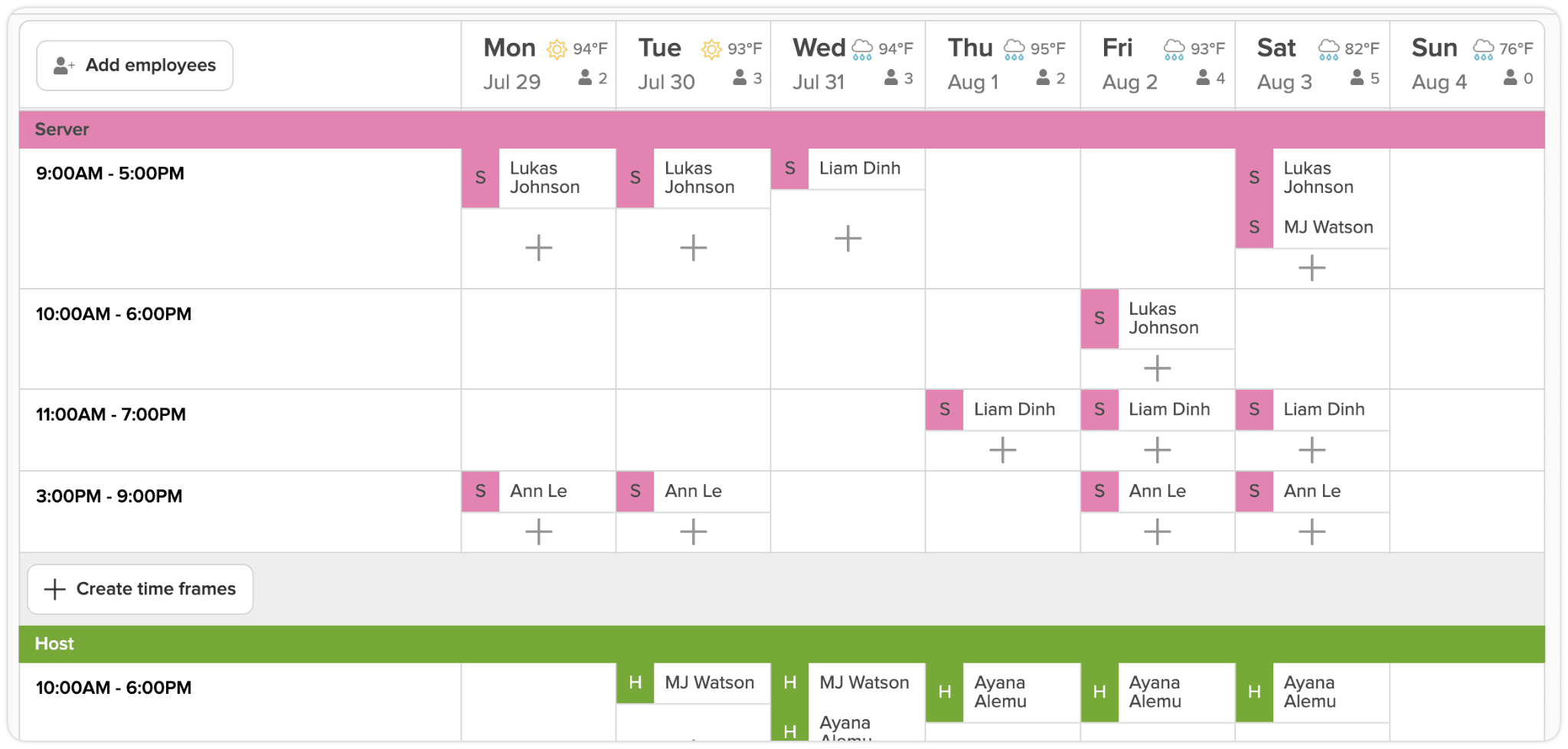
Best for: Restaurants, bars, and F&B operations that need labor forecasting and POS integration.
7shifts is built specifically for restaurant employee scheduling. Its labor forecasting connects directly to POS sales data, so you can see whether your scheduled hours align with expected revenue before the shift starts. That matters a lot more at a 60-seat restaurant than at a boutique hotel.
The POS integration covers Toast, Square, and 65+ other systems. When a Thursday night looks like it's trending above the forecast, you can see that in the schedule builder and adjust staffing before you're already short. For restaurant groups and multi-location F&B operations, that kind of real-time signal is the difference between managing labor costs and reacting to them after the fact.
The scheduling interface is drag-and-drop with templates and auto-fill. Built-in team messaging means your team doesn't need a separate chat app. Tip management and payroll are available but sit behind paid add-ons or higher-tier plans, so check what you actually need before signing up.
Pricing: Free Comp plan available (1 location). See current plan pricing at 7shifts.com/pricing.
Ratings: 4.7/5 on Capterra (1,212 reviews) / 4.5/5 on G2 (125 reviews)
Key features:
- Drag-and-drop scheduling with templates and auto-fill
- POS-synced labor forecasting (Toast, Square, 65+ integrations)
- 7punches time clock app (separate from the main app)
- Built-in team messaging and announcements
- Tip management and payroll (paid add-ons or higher tiers)
What users like: In r/Restaurant_Managers, operators who've used 7shifts for years point to the Toast integration and messaging as the standout combination: "7shifts has been good. The biggest thing is the messaging ability. No longer giving staff my phone number has been amazing," wrote one user. Another running 7-day operations added that it handles side-work task assignments alongside scheduling, with employee shift feedback built in. (Source: r/Restaurant_Managers)
What users criticize: The main friction point that comes up across threads is the 7punches time clock being a separate app from the main scheduling interface. For smaller teams, the extra clock-in step creates confusion. Several users also note the free tier's employee cap and that tip management costs extra. The total price climbs once you add the features most restaurants actually need. (Source: r/smallbusiness)
Our take: Go with 7shifts if your scheduling decisions live and die by POS data. The free Comp plan is worth testing if you're a single-location restaurant. The total cost climbs once you add tip management and payroll, so map out what you actually need before comparing it against per-location alternatives.
2. When I Work
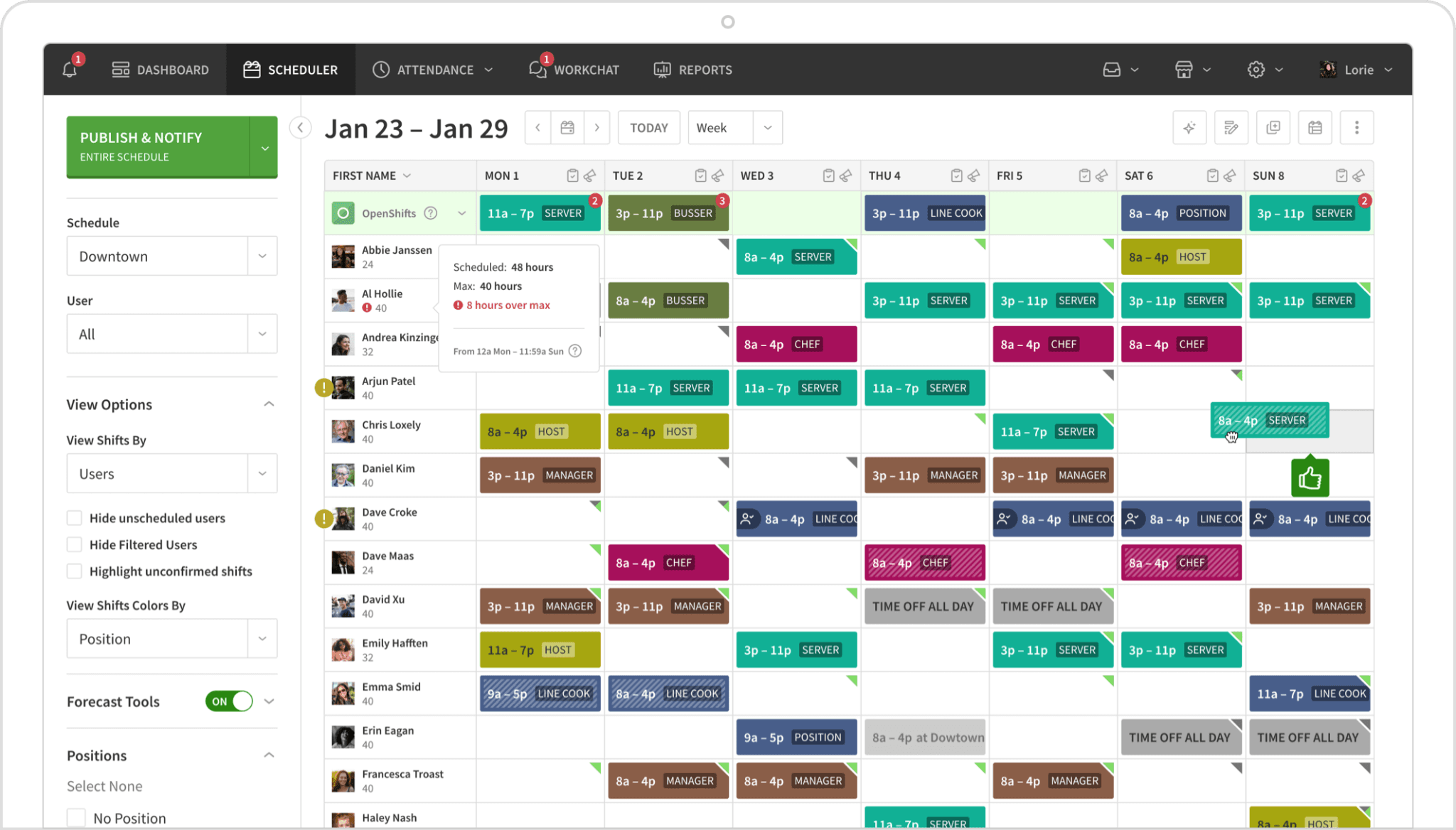
Best for: Multi-location shift-based teams that want transparent per-user pricing.
When I Work covers scheduling, messaging, and time and attendance without being built for one specific industry. That generalist design is part of the appeal for multi-location operators who are scheduling a hotel front desk, a café, and a gift shop on the same platform. Per-user pricing stays predictable as you add locations, which is the main reason multi-site operators find it easier to budget for than per-location tools.
The scheduling interface includes auto-scheduling with templates and a shift swapping and approval workflow that keeps managers in the loop without requiring them to manually coordinate every trade. WorkChat handles in-app messaging so your team isn't relying on personal phone numbers. Nine native payroll integrations, including Rippling, Gusto, QuickBooks, ADP, and Square, cover most small and mid-size operations without needing custom connections.
Time and attendance is available on all plans as a toggleable add-on. Confirm current bundling and pricing at wheniwork.com/pricing before you compare costs against per-location tools.
Pricing: $2.50/user/month (Essentials); $5/user/month (Pro, multi-location); $8/user/month (Premium). Time and attendance is available as an add-on on all plans. See current pricing at wheniwork.com/pricing.
Ratings: 4.5/5 on Capterra (1,298 reviews) / 4.4/5 on G2 (381 reviews)
Key features:
- Auto-scheduling with schedule templates
- Shift swapping and approval workflows
- WorkChat in-app messaging
- 9 native payroll integrations
- Multi-location and multi-schedule support from Pro tier
What users like: Operators who have used When I Work for years point to reliability and ease for team members as the consistent upside. "We've been using When I Work for over a decade now. Easy for the staff and us," one bar owner shared in r/BarOwners. The per-user pricing model also gets credit for staying predictable at scale. (Source: r/BarOwners)
What users criticize: An independent r/Entrepreneurs breakdown put it plainly: When I Work "sits in the middle without a clear advantage over the other two" when compared against tools with stronger scheduling or communication depth. It's a solid generalist, but operators with a specific pain point: POS-synced forecasting or flat-rate team messaging, often find a more focused tool serves them better. (Source: r/Entrepreneurs)
Our take: When I Work works well for multi-location operations where headcount-based pricing makes sense. Time and attendance is available as an add-on across all plans. Confirm current bundling at wheniwork.com/pricing so you can run an accurate comparison against per-location tools.
3. Deputy
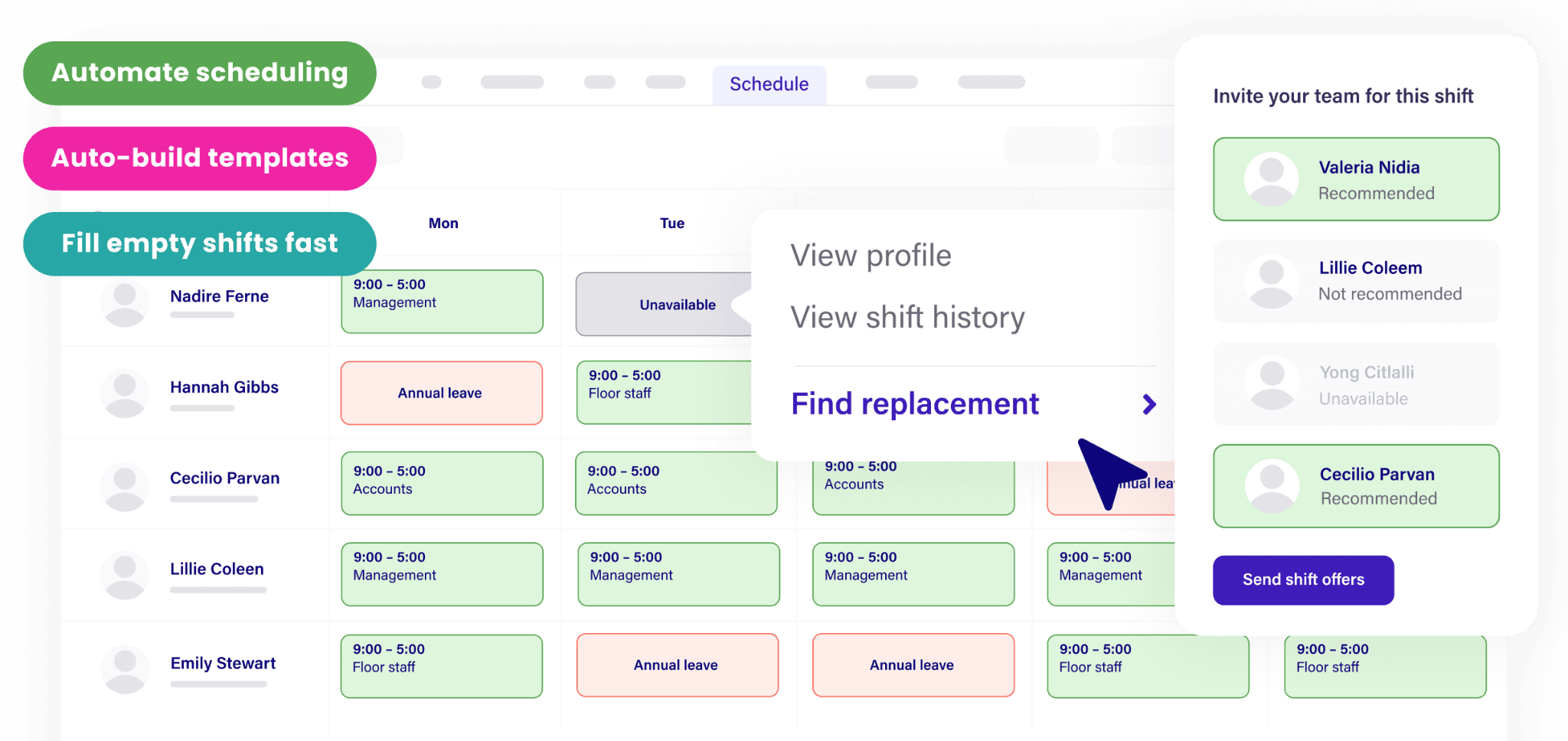
Best for: Hospitality teams in high-compliance states or multi-site operations that need demand forecasting.
Deputy is the right pick when labor law compliance is the real issue: multi-jurisdiction overtime rules, predictive scheduling laws, break requirements that vary by state. Operations in California, New York, Oregon, or other high-regulation markets spend real time managing compliance manually. Deputy automates most of that.
The demand forecasting is built around occupancy data or sales figures, depending on your operation type. That means your schedule isn't built from last week's template. It's built from what's actually coming. For hotel operations with variable occupancy, that's a meaningful capability. Labor cost reporting by department gives managers and owners visibility into where hours are going without needing to export data to a separate tool.
The $6.50/month Core plan is where most of the operationally useful features live, including auto-scheduling, demand forecasting, and labor optimization. The Lite plan at $5/month covers the basics but skips those.
Pricing: $5/user/month (Lite); $6.50/user/month (Core); $9/user/month (Pro). See current plan details at deputy.com/pricing.
Ratings: 4.6/5 on Capterra (773 reviews) / 4.6/5 on G2 (664 reviews)
Key features:
- AI-assisted demand forecasting
- Multi-jurisdiction compliance automation
- Mobile clock-in with geofencing
- Labor cost reporting by department
- Drag-and-drop scheduling with role-based permissions
What users like: The depth of features is the main draw for operators who actually use them. One bar owner in r/BarOwners noted they use Deputy but only tap about 10% of what it can do, which points to both the feature ceiling and the onboarding investment required: "Their onboarding process was very in depth and it's like $5 a month per user." For compliance-heavy markets, that depth is the value. (Source: r/BarOwners)
What users criticize: A hospitality manager in r/hotels identified the real adoption challenge: scheduling tools don't fail on feature lists, they fail on last-minute changes and getting staff to actually use them consistently. For smaller or simpler operations, Deputy's feature depth becomes overhead: complexity without payoff. (Source: r/hotels)
Our take: Deputy earns its higher price point when labor law complexity is real. Single-location cafés and small boutique hotels are likely paying for compliance features they won't use. For multi-site or high-compliance operations, the ROI is clear.
4. Sling by Toast
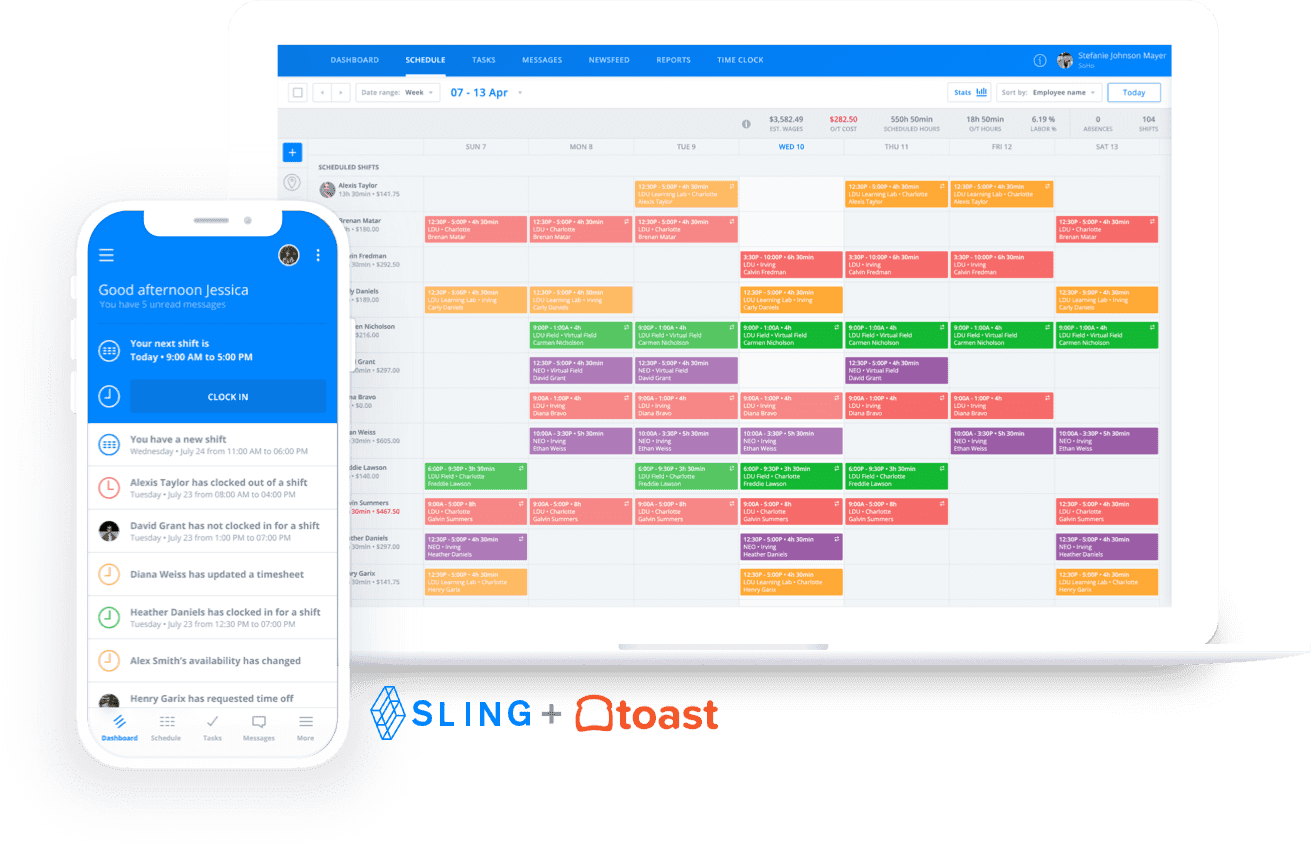
Best for: Budget-conscious hospitality teams that need scheduling and communication without paying for features they don't use yet.
Sling by Toast offers one of the most functional free plans in this category. Scheduling and messaging for up to 30 users costs nothing, and the interface is clean enough that most managers are building their first schedule within an hour of signing up. For a single-location café, small hotel, or independent restaurant watching every dollar, that's a real advantage.
Mobile time tracking requires the paid Premium plan. Sling doesn't do labor forecasting or PMS integration, and reporting gets thin past a single location. If your operation is likely to grow beyond one site, or if you need time tracking on day one, budget for at least the Premium tier before comparing Sling's effective cost against other tools.
Sling is now officially Sling by Toast, which is worth knowing if your restaurant already runs Toast POS. There's a natural integration path there that makes the free scheduling plan even more compelling as a starting point.
Pricing: Free (scheduling and messaging, up to 30 users). $2/user/month Premium, adds mobile time tracking and labor cost management ($1.70 billed annually). $4/user/month Business, adds kiosk time tracking and reports ($3.40 billed annually). See current pricing at getsling.com/pricing.
Ratings: 4.6/5 on Capterra (211 reviews) / 4.4/5 on G2 (88 reviews)
Key features:
- Drag-and-drop scheduling and shift templates (free)
- Shift swapping and availability management (free)
- Team messaging (free)
- Mobile time tracking and labor cost tracker (Premium and above)
What users like: The free tier is the main draw. One bar owner in r/BarOwners who uses Sling alongside Toast POS called it "great" and a clean integration: new hires added to Toast automatically appear in Sling. For Toast users specifically, it removes a setup step that other tools require. (Source: r/BarOwners)
What users criticize: The shift pickup workflow has been a recurring complaint across restaurant management threads. One r/Restaurant_Managers user was direct: "On Sling they make it so difficult to see pending shift pickups and the user interface is just plain bad." The free tier works well for simple operations, but usability gaps show up once the schedule gets more complex. (Source: r/Restaurant_Managers)
Our take: Sling by Toast is a solid starting point if you're watching margins and only need scheduling and messaging today. Once you add time tracking, the per-user cost gets close to When I Work territory. And past one location, it starts to show its limits.
How Homebase Compares
Publisher note: Homebase is the publisher of this guide. The section below uses the same evaluation criteria as the ranked entries above.
Best for: Small hourly hospitality teams, including cafés, quick-service restaurants, small hotels, and specific departments within larger properties
Free tier: Yes (1 location, up to 10 team members)
Starting price: $30/month (Essentials)
Key integrations: Payroll, POS (Square, Toast, Clover), HR, hiring
Ratings: 4.6/5 on Capterra (1,149 reviews) / 4.5/5 on G2 (448 reviews) / 4.8 stars on the App Store (93,000+ ratings)
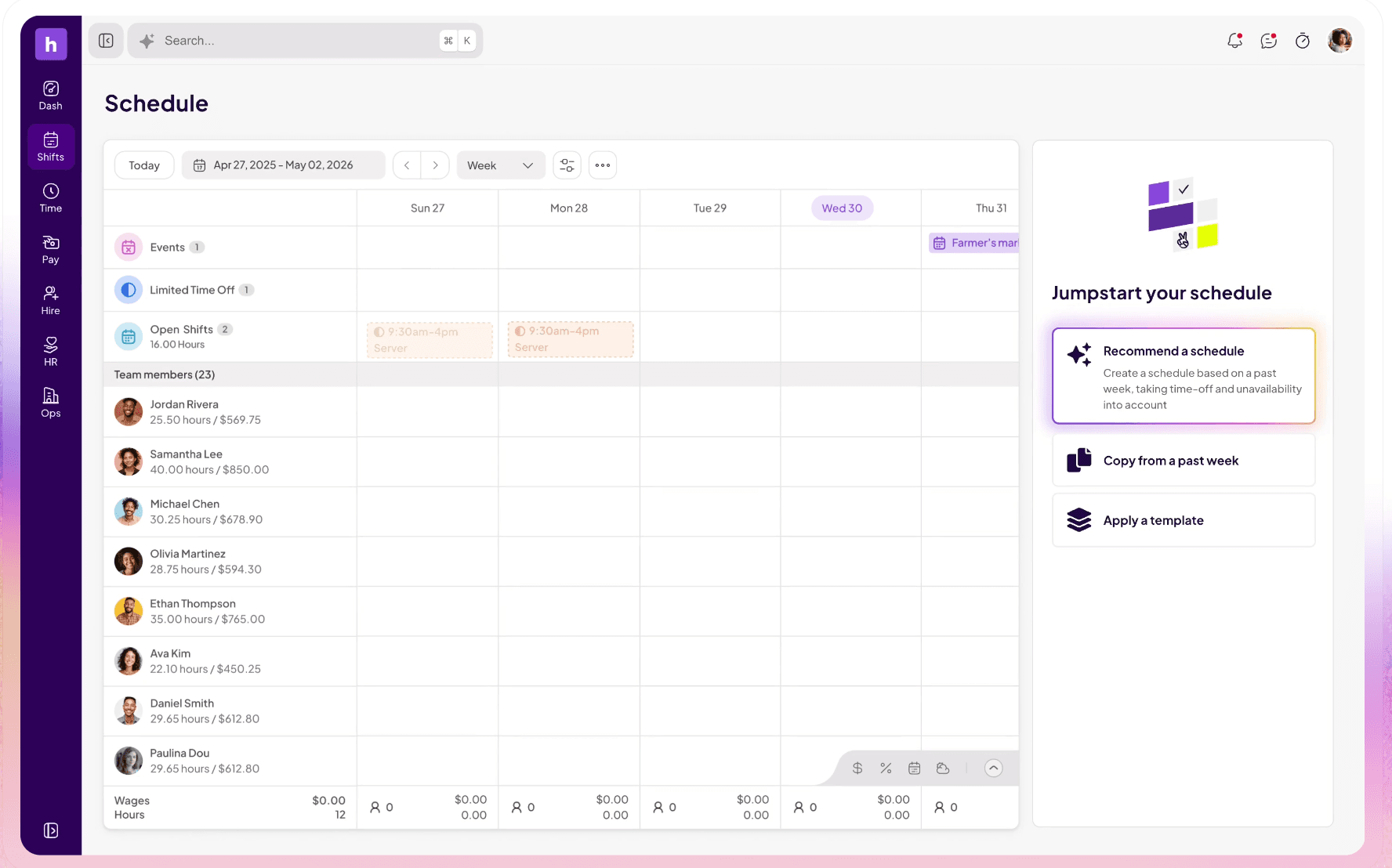
We built Homebase specifically for hourly shift-based teams. Scheduling, time tracking, and team communication are all included in the app. Payroll and some hiring features are separate paid products. No separate time clock app needed: team members clock in through the same Homebase app they use to check their schedule, request time off, and swap shifts. The time clock works on Android, iOS, computers, and POS systems, with secure PINs, photo verification, and GPS confirmation available for any operation that needs it.
Across Reddit threads, Homebase comes up most often as the default starting point for single-location operations that need free scheduling and time tracking together. One r/restaurantowners commenter summed up their stack simply: "Homebase for scheduling, payroll and employees." A bar owner in r/BarOwners was more specific: "Making the schedule is so much easier on HomeBase and you can actually speak with a customer service rep within 5 minutes." The consistent criticism across threads is messaging. Users on the free plan describe it as functional but basic, and operators who scaled past one or two locations ran into communication limitations. (Sources: r/restaurantowners, r/BarOwners, r/Entrepreneurs)
"Before Homebase I was manually tallying up my team's work hours and entering them into payroll, crossing my fingers I hadn't made any mistakes. Now our entire team logs in and out quickly and easily with the Homebase app, and all I have to do is send their hours to my payroll program with the click of a button."
"As a wedding venue, there are a lot of roles to coordinate in order to execute a seamless event and Homebase helps us verify that the right staff is showing up at the right time each and every day."
Our AI auto-scheduling builds schedules based on past patterns and team availability, then shows you exactly what decisions it made so you can review, adjust, and publish with confidence.
Full-service hotels that need PMS integration, labor standards modeling, or enterprise compliance automation will be better served by hotel-specific tools like Inn-Flow, Actabl, or Unifocus.
If scheduling chaos is costing you your weekends, Homebase brings scheduling, time tracking, and payroll into one app built for hourly teams like yours. Get started free.
Hospitality Scheduling Software FAQs
What is the best scheduling software for hospitality?
The best fit depends on your operation type. 7shifts is the top choice for restaurants and F&B teams. When I Work works well for multi-location shift-based teams that want predictable per-user pricing. Deputy is built for compliance-heavy operations. Sling by Toast is the best free option for smaller teams that only need scheduling and messaging. For small hourly teams that want scheduling, time tracking, and payroll in one app, Homebase is a good place to start.
What features matter most in hospitality scheduling software?
The core requirements are mobile scheduling, shift swapping with manager approval, time tracking, and push notifications for schedule changes. Labor cost visibility and overtime alerts matter more as team size grows. Multi-department support and PMS integration are critical for full-service hotels. POS integration is the priority for F&B operations.
What's the difference between hospitality scheduling software and workforce management software?
Scheduling software handles shift creation, availability, swaps, and team communication. Workforce management software goes further into demand forecasting, labor standards modeling, compliance automation, and payroll. The line between the two has blurred. Full workforce management tools are typically built for hotel labor operations at scale.
How much does hospitality scheduling software cost?
Costs range from free (Sling by Toast for scheduling and messaging; 7shifts for one location on its free plan) to $2–$9/user/month for SMB tools, to $100–$2,000/month per property for enterprise hotel tools. Most restaurants and small hotels land in the $30–$150/location/month range.
How long does it take to implement hospitality scheduling software?
SMB tools like Homebase, Sling, and When I Work can be set up in hours and fully live within a few days. Enterprise hotel tools take longer due to PMS and payroll integration, configuration, and employee training across departments.
What do hospitality operators say about scheduling apps on Reddit?
Across threads in r/Restaurant_Managers, r/BarOwners, and r/restaurantowners, 7shifts and Homebase come up most frequently as the default recommendations for restaurants and bars. The consistent themes: operators care less about feature lists and more about whether last-minute callouts can be filled fast, whether staff actually adopt the tool, and whether shift swaps can happen without the manager being the middleman for every trade. Sling by Toast gets credit for its free tier but criticism for its shift pickup UI. Deputy gets recommended for compliance-heavy markets but acknowledged as more tool than most small operations need. (Source: r/Restaurant_Managers)
What is hospitality rostering software?
Hospitality rostering software is another term for staff scheduling software, particularly common in UK and Australian markets. It covers the same tools: assigning shifts, managing availability, approving time-off requests, and communicating schedule changes to your team.
The Right Tool Is the One Built for Your Operation
There's no single best hospitality scheduling software. There's the one that fits how your team actually works. If you're running a restaurant, 7shifts' POS-synced forecasting is hard to beat. If you need multi-location scheduling without per-user costs that spike, When I Work or Homebase are both worth a look. If compliance is your biggest headache, Deputy earns its price. If you're watching margins and need to start somewhere free, Sling by Toast handles scheduling and messaging without a monthly fee.
Start with your operation type, run the pricing math for your actual headcount, and pick the tool that solves your biggest problem first.
Still rebuilding your schedule from scratch every week? Homebase brings scheduling, time tracking, and payroll into one app built for hourly teams. Get started free.