Top 7 BambooHR Alternatives for Small Businesses in 2026


SMALL BUSINESS INTEL, IN YOUR INBOX
Table of contents
BambooHR has been a go-to HR tool for small and mid-sized businesses for years, and it's easy to see why. The interface is clean, the onboarding flows are intuitive, and for a team with straightforward HR needs, it covers a lot of ground. But as your business grows — or if you're running a team that clocks in and out, swaps shifts, and needs real-time communication — you may find it's not the right fit.
Some businesses need more flexible pricing as hourly headcount fluctuates. Others need payroll built in from the start, not bolted on. And businesses running shift-based operations often want a tool that was designed around hourly work from day one, not a traditional HRIS that's since added time and attendance features.
This guide covers the 7 best BambooHR alternatives for small businesses in 2026 — evaluated by pricing, features, and how well they serve the kind of business you're actually running.
The Best BambooHR Alternatives for Small Businesses at a Glance
- Homebase — Best all-in-one for hourly teams; free plan for one location, paid plans from $30/month per location (not per employee)
- Rippling — Best for unified HR, IT, and payroll; from $8/user/month (modular add-ons)
- Paychex — Best for benefits administration; contact for pricing
- Paylocity — Best for employee engagement and peer recognition; contact for pricing
- Gusto — Best for payroll-first HR; from $40/month + $6/person
- ADP Run — Best for automatic payroll from a long-established provider; contact for pricing
- Paycom — Best for employee-driven payroll verification; contact for pricing
- UKG Ready — Best for businesses with complex scheduling and labor management needs; contact for pricing
Why Look for a BambooHR Alternative?
BambooHR's pricing floor for teams of 25 or fewer employees starts at approximately $250/month — meaning a 10-person team pays the same as a 24-person team. That's before any add-ons. For businesses with fluctuating hourly headcount, that math gets painful fast.
Beyond pricing, a few specific situations drive most of the switching decisions:
Per-employee pricing scales poorly for hourly teams. BambooHR charges per employee, so your bill grows every time you hire — even for part-time or seasonal team members. A tool with per-location pricing holds steady as your team grows.
Scheduling depth matters for shift-based businesses. BambooHR added shift scheduling to its Time and Attendance product in June 2026. Businesses should compare its scheduling capabilities — shift creation, coverage workflows, and team communication — against tools built specifically for hourly operations before assuming it covers all their needs.
Payroll is a US-only add-on, not included. The base HRIS doesn't include payroll processing — it's a paid add-on with no international payroll support. Businesses that want one system for HR and payroll often find that structure frustrating.
Reporting hits a ceiling. G2 reviewers consistently flag that custom cross-table reporting requires workarounds once you move beyond standard outputs. One G2 reviewer noted: "Custom reporting can feel rigid when trying to cross-reference multiple data points across modules."
The 2024 pricing restructure pushed many teams to reevaluate. Several r/humanresources threads reference repricing that increased costs for some teams by $2,000–$2,500/year — enough to justify a full category re-evaluation.
Multi-state compliance support is limited. A G2 reviewer noted: "It lacks built-in local and multi-state compliance guidance out-of-the-box compared to dedicated payroll providers."
If your team clocks in and out, covers shifts, and needs HR and scheduling in one place without paying more every time you hire someone, Homebase charges per location — so your bill stays flat as your team grows. See how Homebase compares
What Is BambooHR and Who Is It For?
BambooHR is a cloud-based HRIS (human resources information system) built primarily for small to mid-sized businesses. Its core functions cover employee records and data management, hiring and onboarding, performance reviews and management, time off and benefits tracking, and payroll as a US-only paid add-on. In June 2026, BambooHR also launched shift scheduling within its Time and Attendance product.
BambooHR currently offers three plans: Core ($10/employee/month), Pro ($17/employee/month), and Elite ($25/employee/month). Teams of 25 or fewer employees start at a flat rate of approximately $250/month. Pricing is quote-based — contact BambooHR directly for a current figure.
BambooHR is best suited for small to mid-sized businesses with standard HR admin needs. Businesses with complex hourly scheduling requirements, variable headcount, or international payroll needs should compare its capabilities carefully before committing.
How We Evaluated These BambooHR Alternatives
We evaluated each tool based on the features small business owners actually use: payroll processing, time tracking, shift scheduling, HR compliance support, onboarding, and mobile accessibility for hourly team members. We looked at pricing transparency, free tier availability, and G2 and Capterra ratings at the time of writing. G2 and Capterra ratings shown below were checked on September 11, 2026 and may change as new reviews are added. Every pricing detail below was confirmed against the vendor's live page before publication — tools without public pricing are marked accordingly.
Criteria we evaluated:
- Free tier availability and limits
- Pricing transparency and per-employee vs. per-location structure
- Payroll depth (native vs. add-on, US-only vs. multi-state, international support)
- Shift scheduling and hourly team management capability
- HR and compliance tools for small businesses
- G2 and Capterra ratings and review patterns
- Mobile accessibility for team members
We gathered information through vendor websites, aggregated third-party research, G2 and Capterra review analysis, and Reddit and forum threads from r/humanresources and r/smallbusiness. Read our full methodology
Why Trust Homebase?
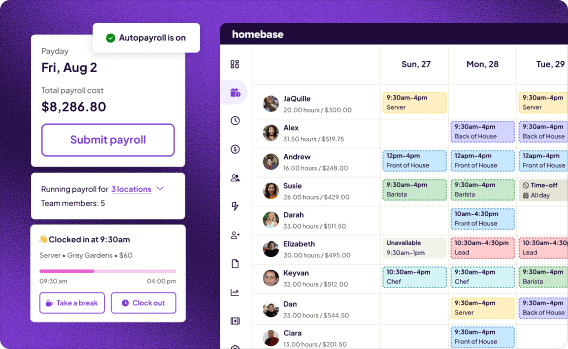
We're Homebase. We build scheduling, time tracking, payroll, and HR tools for small businesses with hourly teams. We have a stake in this category, so we want to be upfront: Homebase appears as the first pick in this article because we believe it's the right fit for the audience we serve — but the seven tools ranked below were evaluated independently, on their own merits. We never accept payment or backlinks for a product mention.
Homebase is best for: Hourly teams at single or multi-location small businesses who need scheduling, time tracking, HR, and payroll without paying per employee as headcount grows.
Rating: G2 4.6/5 · Capterra 4.6/5
Key features:
- Free scheduling and time tracking for up to 20 team members at one location
- Drag-and-drop scheduling with open shifts, shift swap requests, and availability management
- Hiring tools: job posting to multiple boards, applicant tracking, new hire onboarding
- Team messaging built for real-time shift coverage and last-minute changes
- HR and compliance: document storage, new hire paperwork, labor law alerts
- Payroll add-on: $39/month + $6/active employee per month
Pricing: Free Basic plan (1 location, up to 20 team members); Essentials $30/month; Plus $70/month; All-in-One $120/month — all per location, not per employee. See full pricing
What customers say: Primo Stropoli, Owner, Tetta's Market: "It literally is a one-stop shop. From messaging, scheduling, having a place that my employees can access so we're all on the same page when it comes to scheduling and requesting time off."
If your team clocks in and out, deals with last-minute shift changes, and needs scheduling and HR in one place without paying per employee — try Homebase free.
BambooHR Alternatives Compared
| Tool | Best for | Starting price | Free tier | Shift scheduling | Payroll included | G2 rating |
|---|---|---|---|---|---|---|
| Homebase | Hourly teams needing scheduling, time tracking, HR, and payroll in one place | Free; paid from $30/mo per location | Yes | Yes — built-in | Add-on ($39/mo + $6/employee) | 4.6 |
| Rippling | Unified HR, IT, and payroll | From $8/user/mo | No | Add-on | Add-on | 4.8 |
| Paychex | Benefits administration | Contact for pricing | No | Add-on | Yes | 4.1 |
| Paylocity | Employee engagement and feedback | Contact for pricing | No | Yes | Yes | 4.5 |
| Gusto | Payroll-first HR | $40/mo + $6/person | No | Add-on | Yes | 4.6 |
| ADP Run | Automatic payroll | Contact for pricing | No | Add-on | Yes | 4.6 |
| Paycom | Employee-driven payroll | Contact for pricing | No | Yes | Yes | 4.5 |
| UKG Ready | Complex scheduling and multi-location management | Contact for pricing | No | Yes | Yes | 4.4 |
The 7 Best BambooHR Alternatives for Small Businesses
The tools below were chosen because they come up consistently in searches for BambooHR alternatives and cover the most common reasons small business owners switch: pricing, payroll depth, scheduling capability, onboarding, benefits, and compliance. Each was evaluated on its own merits.
1. Homebase: Best for Hourly Teams Who Need Everything in One Place
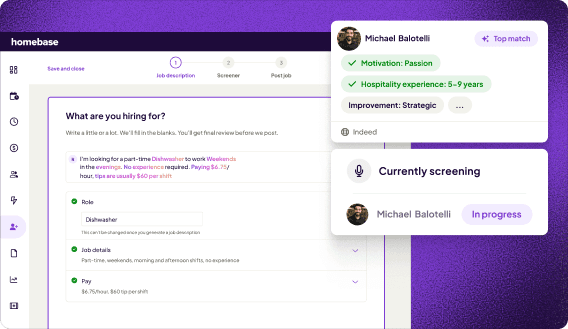
Best for: Small businesses with hourly teams who need scheduling, time tracking, HR, and payroll in one place — without paying more every time they hire someone.
Rating: G2 4.6/5 · Capterra 4.6/5
Homebase was built around the specific needs of hourly teams — shift scheduling, time clock, team messaging, and hiring — and has since added payroll and HR compliance to close the loop. The pricing model is the biggest structural difference from every other tool in this list: Homebase charges per location, not per employee, so your bill stays flat whether you're running a team of 8 or 30.
Key features:
- Drag-and-drop scheduling with open shifts, swap requests, and availability management
- Free time clock with GPS and photo verification for mobile clock-in
- Hiring tools: job posting to major boards, applicant tracking, digital onboarding paperwork
- Team messaging built for real-time shift coverage coordination
- HR and compliance: document storage, new hire paperwork, labor law alerts
- Payroll add-on with automatic tax filing, direct deposit, and tip tracking
Pricing: Free Basic plan (1 location, up to 20 team members); Essentials $30/month; Plus $70/month; All-in-One $120/month — all per location. Payroll add-on: $39/month + $6/active employee per month. See full pricing
What users like: Reviewers on G2 and Capterra consistently praise the scheduling interface and ease of use. A September 2026 G2 reviewer described the scheduling functionality as making schedules easier than spreadsheets and manual documents. A June 2026 Capterra reviewer noted that Homebase made scheduling, hour tracking, and team communication significantly easier.
What users criticize: Some Capterra reviewers mention occasional glitches and syncing issues. Others note that the payroll add-on cost adds up for teams that need it on top of a paid plan.
2. Rippling: Best for Unified HR and IT
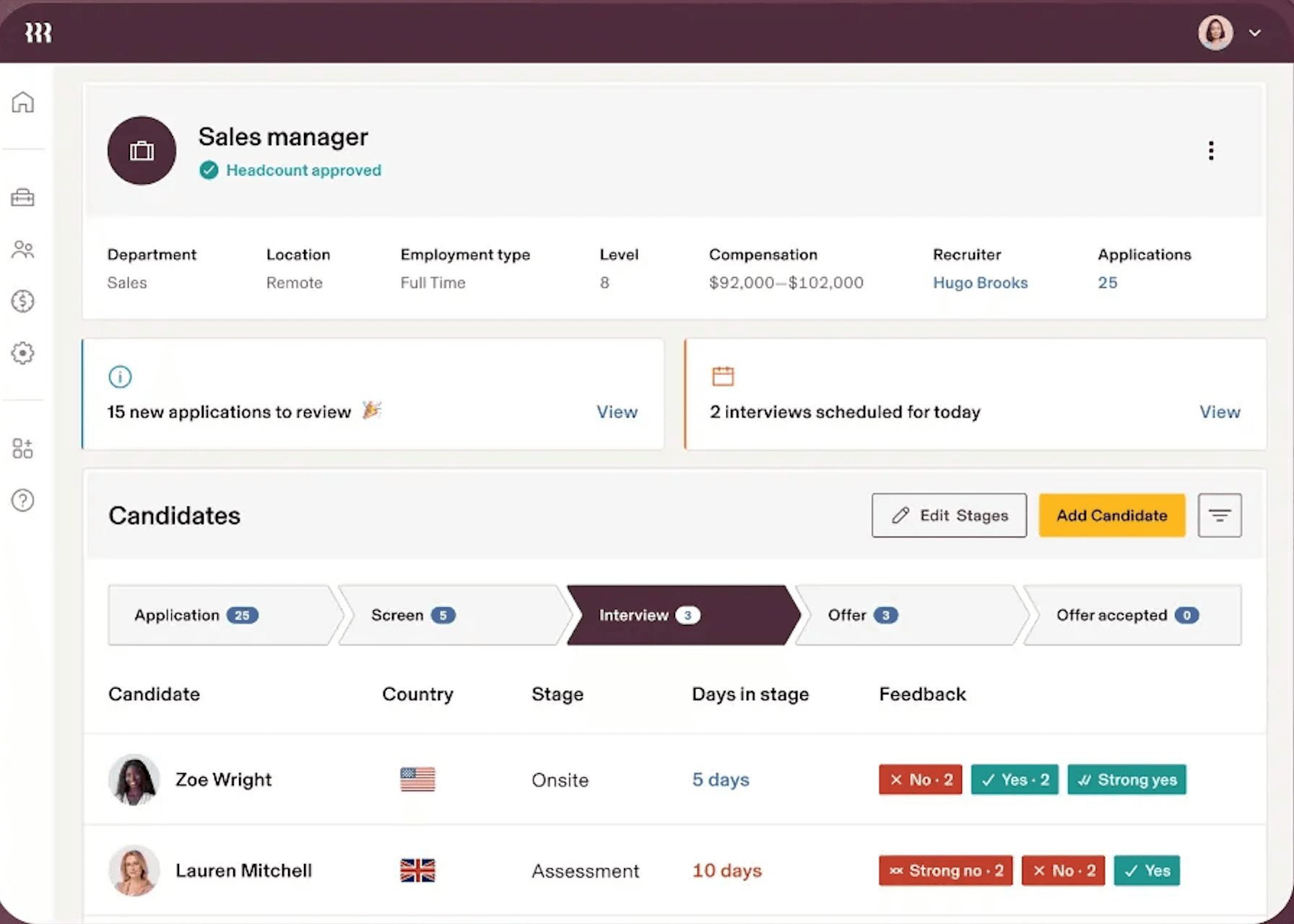
Best for: Growing businesses that want HR, payroll, and IT management unified in one system.
Rating: G2 4.8/5 · Capterra 4.9/5
Rippling takes a different approach from every other tool on this list. Rather than building HR software, it built a single system that connects HR, IT, and finance — so when you hire someone, you can trigger payroll enrollment, device provisioning, app access, and benefits setup in one action. For businesses that have outgrown juggling separate tools for each of these, that's a meaningful difference.
Key features:
- Unified employee record that triggers actions across HR, IT, and payroll automatically
- Global payroll across multiple countries
- Device management and IT provisioning alongside HR
- Benefits administration
- Shift scheduling and time tracking via the labor management add-on
Pricing: Starting at $8/user/month for the core platform; additional modules are priced separately. Contact Rippling for a full quote.
What users like: G2 reviewers highlight the automation depth — onboarding a new hire triggers hardware and software permissions automatically, without manual steps in each system.
What users criticize: One r/humanresources commenter was direct: "Rippling is great but only if you're looking for an all-in-one platform and you're willing to spend the big bucks."
Our take: Rippling is the right fit if your business is scaling and you're consolidating separate HR, IT, and payroll systems. It's overkill for a 10-person restaurant. The modular pricing means the total cost isn't always clear upfront — get a line-item quote before committing.
3. Paychex: Best for Benefits Administration
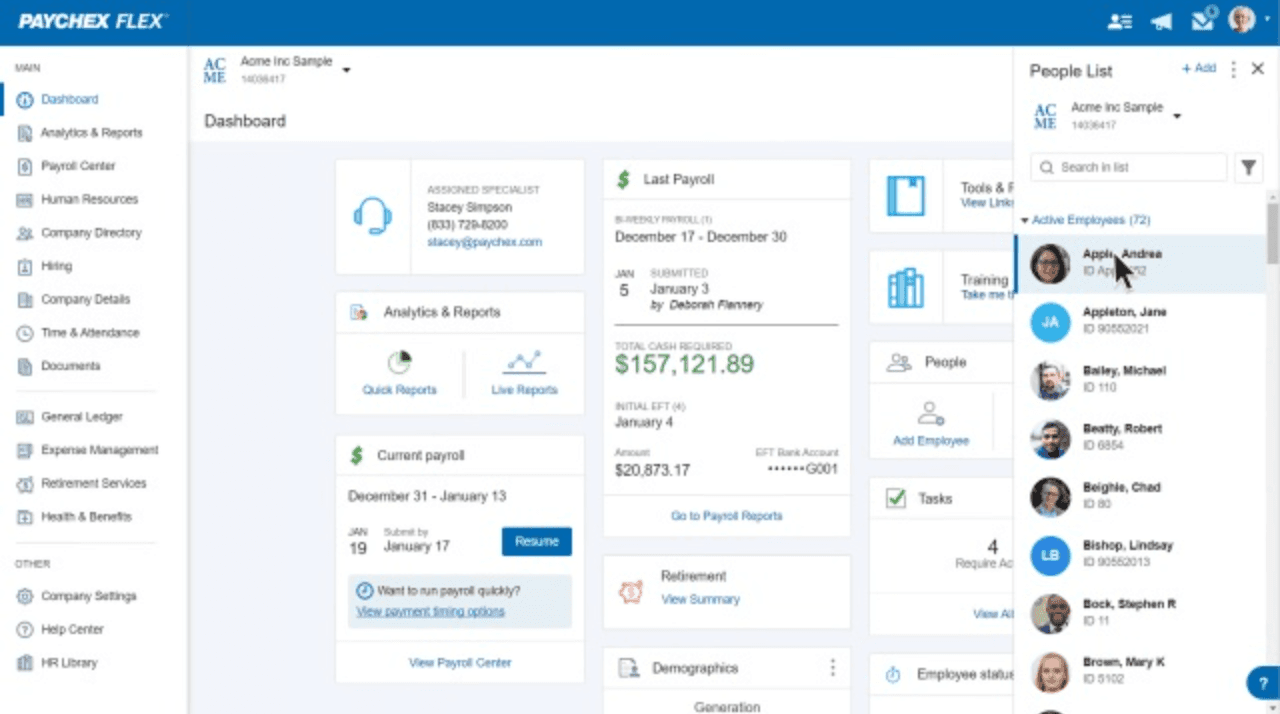
Best for: Small businesses that want to offer and manage employee benefits — group insurance, HSAs, and 401(k) plans — without a dedicated HR team.
Rating: G2 4.1/5 · Capterra 4.2/5
Offering your team a benefits package can make your business more competitive when hiring, but coordinating group insurance, health savings accounts, and retirement plans is complicated. Paychex handles flexible spending accounts, HSAs, and 401(k) plans alongside its core payroll and HR tools. It's a modular product — feature availability varies by plan configuration.
Key features:
- Full-service payroll with tax filing
- Group health insurance administration
- Flexible spending accounts and HSA management
- 401(k) plan administration
- Time and attendance tracking (availability varies by plan)
Pricing: Paychex does not publish pricing publicly. Contact Paychex directly for a current quote.
What users like: The benefits administration depth is the consistent standout — users who want to offer a competitive package without managing multiple benefit providers appreciate having it in one place.
What users criticize: Pricing isn't transparent, and Capterra reviewers report that customer service quality varies significantly by representative.
Our take: Paychex makes the most sense if benefits administration is a genuine priority and you want group insurance or retirement plans without piecing together multiple providers. If the main need is straightforward payroll and basic HR, it may be more than you need — and the opaque pricing makes it harder to evaluate without a sales conversation.
4. Paylocity: Best for Employee Engagement
Best for: Businesses that want to combine HR administration with employee engagement and feedback tools to address turnover.
Rating: G2 4.5/5 · Capterra 4.3/5
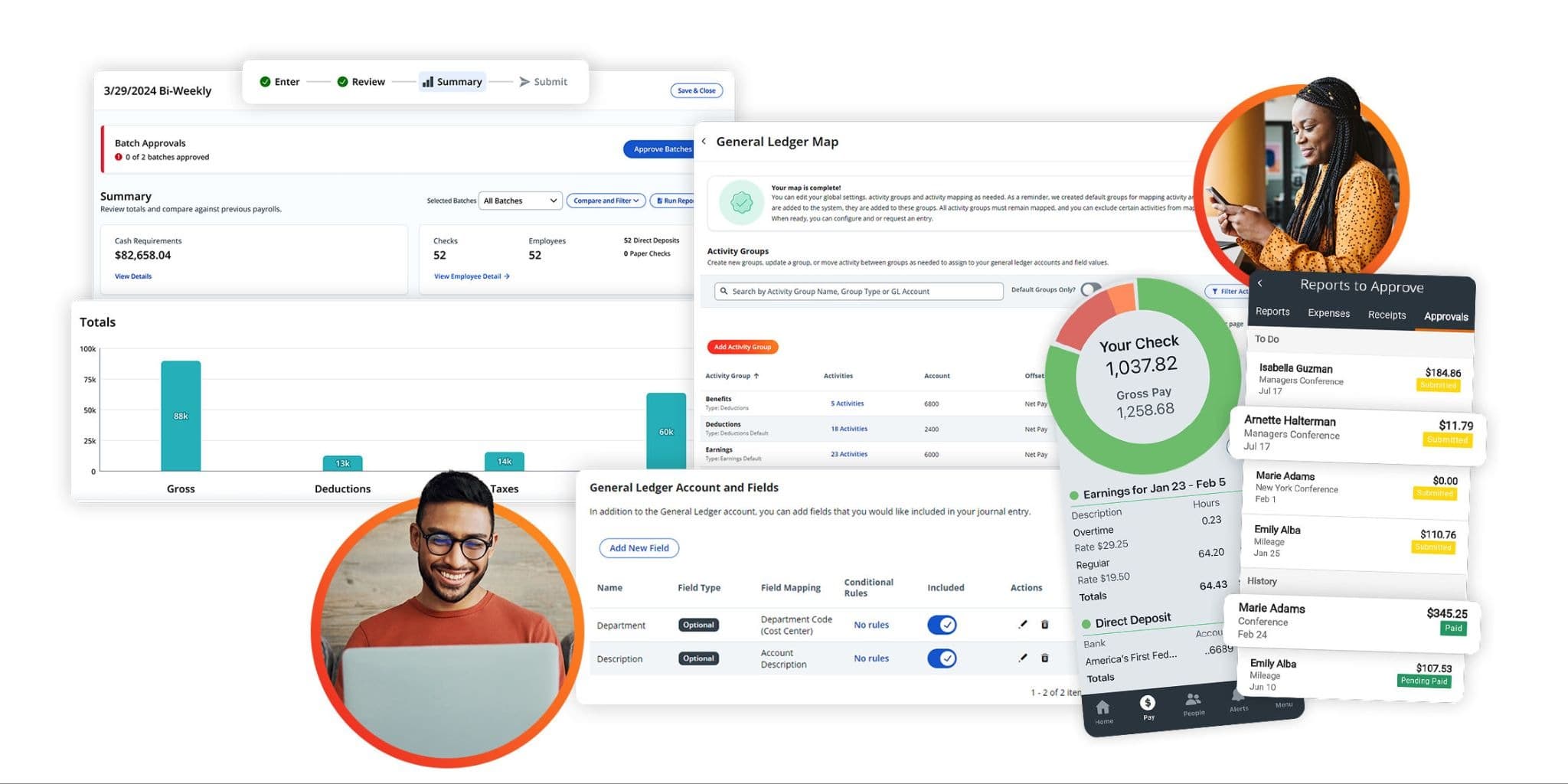
Most HR tools are built around what employers need to track. Paylocity adds a layer for what employees actually experience — surveys, peer recognition, and internal communication tools designed to improve how teams feel about work. If reducing employee turnover and building team culture are on your to-do list alongside HR admin, Paylocity addresses both.
Key features:
- Payroll with tax filing
- Employee surveys and sentiment tracking
- Peer recognition tool (Impressions)
- Time and attendance
- Benefits administration
- Compliance tools
Pricing: Paylocity does not publish pricing publicly. Contact Paylocity directly for a current quote.
What users like: The employee-facing features — particularly the peer recognition tool and survey functionality — are consistently praised for making the app feel less like HR software and more like something employees actually want to use.
What users criticize: Some users find the interface harder to navigate than simpler tools, and multiple r/humanresources threads noted that Paylocity customer service responsiveness has been inconsistent.
Our take: Paylocity is worth considering if employee retention is an active challenge and you want data to back up decisions about team culture. It's a heavier tool than most on this list — best suited for businesses that have the bandwidth to use the engagement features, not just the payroll.
5. Gusto: Best for Payroll-First HR
Best for: Small US businesses (under 100 employees) that want payroll and HR in one place without managing multiple tools.
Rating: G2 4.6/5 · Capterra 4.6/5
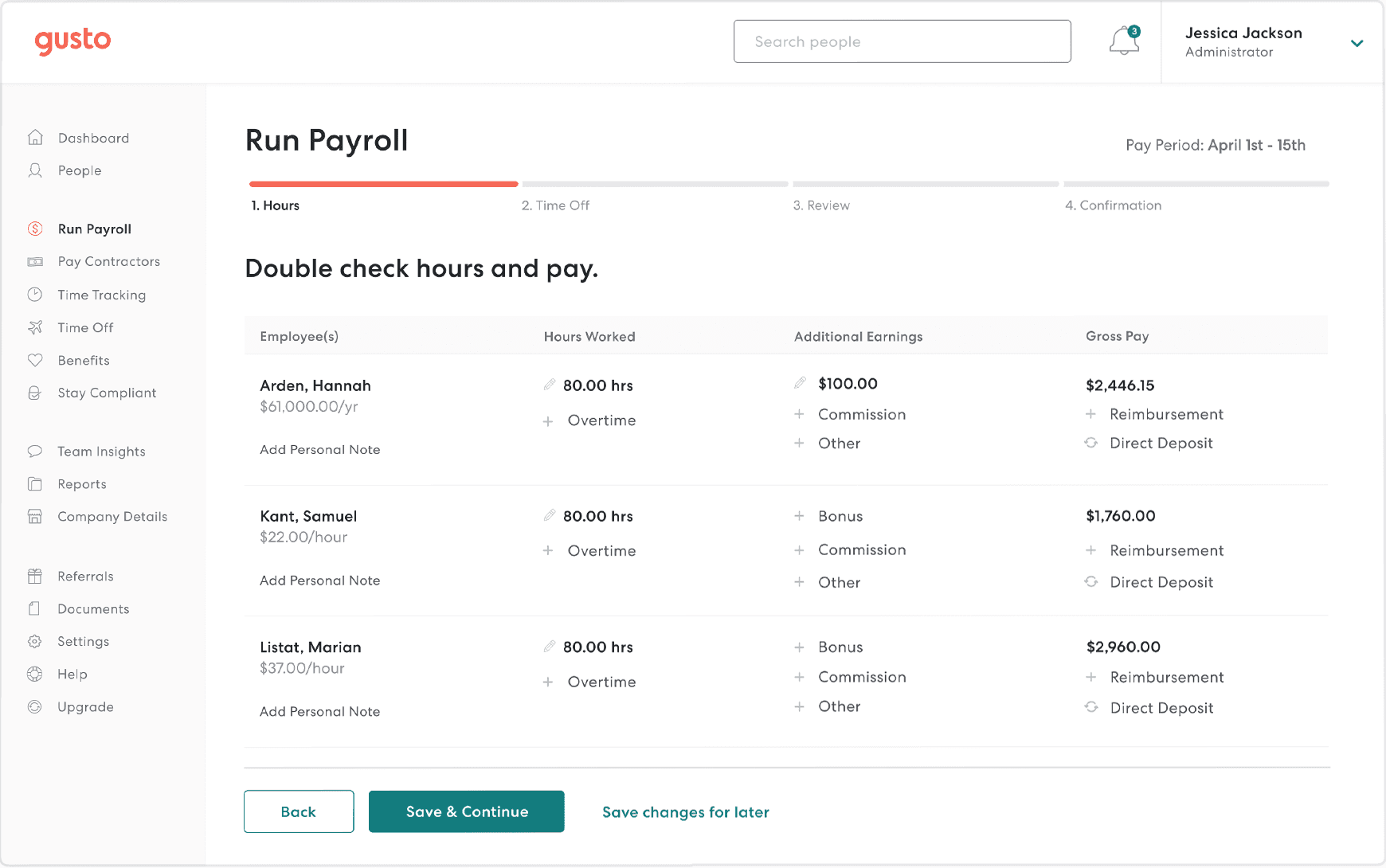
Gusto is a popular BambooHR alternative for US-based small businesses focused primarily on payroll. It leads with full-service, automatic payroll with tax filing in all 50 states, and wraps in HR, onboarding, and benefits. If payroll complexity is your primary pain point with BambooHR, Gusto is the most direct upgrade path.
Key features:
- Full-service payroll with automatic federal, state, and local tax filing
- Benefits administration including health insurance, 401(k), and workers' comp
- Employee onboarding with e-signatures and document collection
- Time tracking and scheduling available on Plus plan and above
- Contractor payments in addition to employee payroll
Pricing: Simple plan from $40/month + $6/person/month (single-state payroll); Plus from $80/month + $12/person/month (multi-state payroll and time tracking included); Premium from $180/month + $22/person. No free tier.
What users like: Reviewers consistently cite Gusto's payroll reliability and hands-off tax filing. G2 currently rates ease of use highly, with reviewers praising automated payroll tax filings.
What users criticize: HR features are basic by design. Users who need performance management, advanced reporting, or deep scheduling capability typically outgrow Gusto or run it alongside a second tool. Customer support quality is a recurring concern in recent G2 reviews.
Our take: Gusto is the right call if payroll processing is your primary gap and your team is US-based. It's less compelling for high-volume hourly operations with complex scheduling needs. Multi-state payroll also requires the Plus plan, which more than doubles the Simple plan base cost.
6. ADP Run: Best for Automatic Payroll
Best for: Small businesses (1–49 employees) that want automatic payroll from a long-established, compliance-focused provider.
Rating: G2 4.6/5 · Capterra 4.6/5
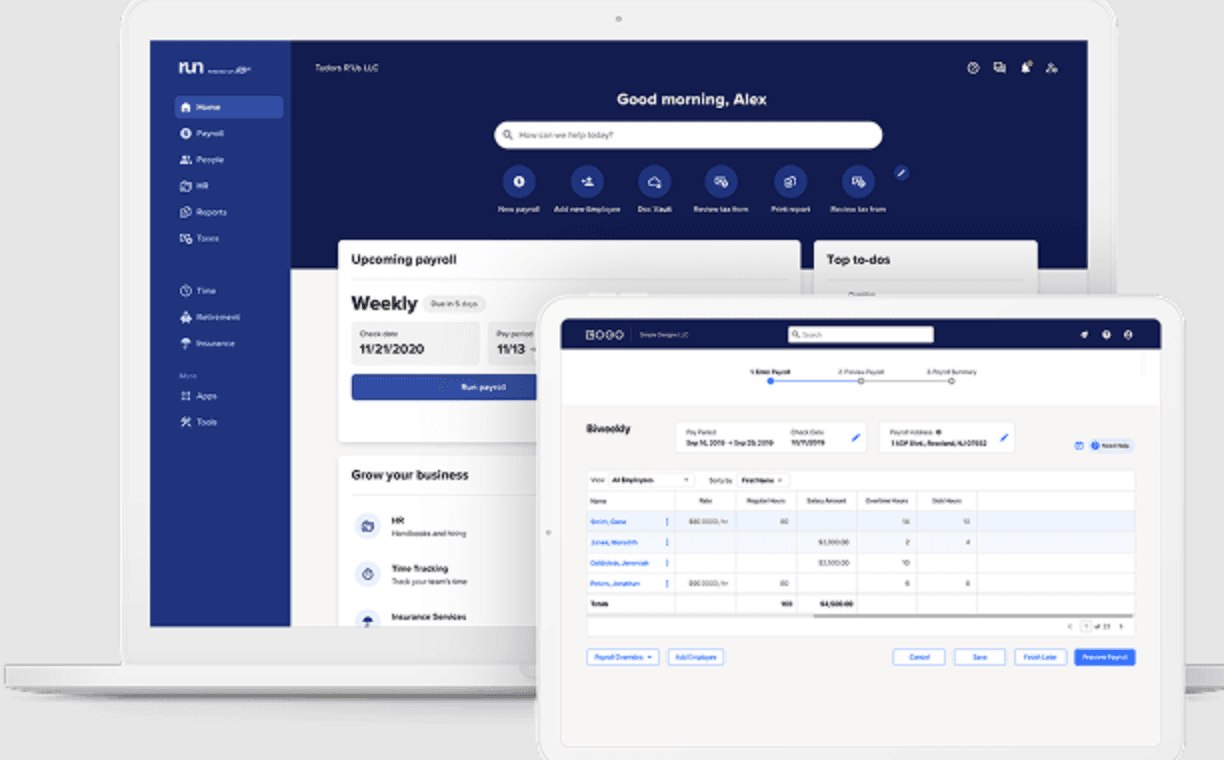
ADP has been running payroll for businesses of all sizes for decades — more than 900,000 small businesses currently use RUN Powered by ADP. The standout feature is RUN and Done, automatic payroll that runs on a schedule without manual input.
Key features:
- Automatic payroll with federal, state, and local tax filing
- RUN and Done automatic payroll scheduling
- HR compliance library and alerts
- Hiring and onboarding tools
- Time and attendance tracking as an add-on
Pricing: ADP does not publish pricing publicly. Contact ADP directly for a current quote.
What users like: Reliability and compliance coverage. Capterra reviewers cite long-term trust in ADP's tax filing accuracy and stability.
What users criticize: The interface feels dated compared to newer tools, and the add-on pricing model means costs can escalate as you add features. Customer service experiences are mixed across review platforms.
Our take: ADP Run is a solid, low-risk payroll choice if you want a proven payroll provider with decades of experience. It's less compelling as an all-in-one HR tool — the HR features are functional but not as polished as newer alternatives, and the add-on structure means you'll likely pay more than the base price suggests.
7. Paycom: Best for Employee-Driven Payroll
Best for: Mid-size businesses that want to reduce payroll errors by giving employees more visibility and ownership of their own payroll data.
Rating: G2 4.5/5 · Capterra 4.4/5
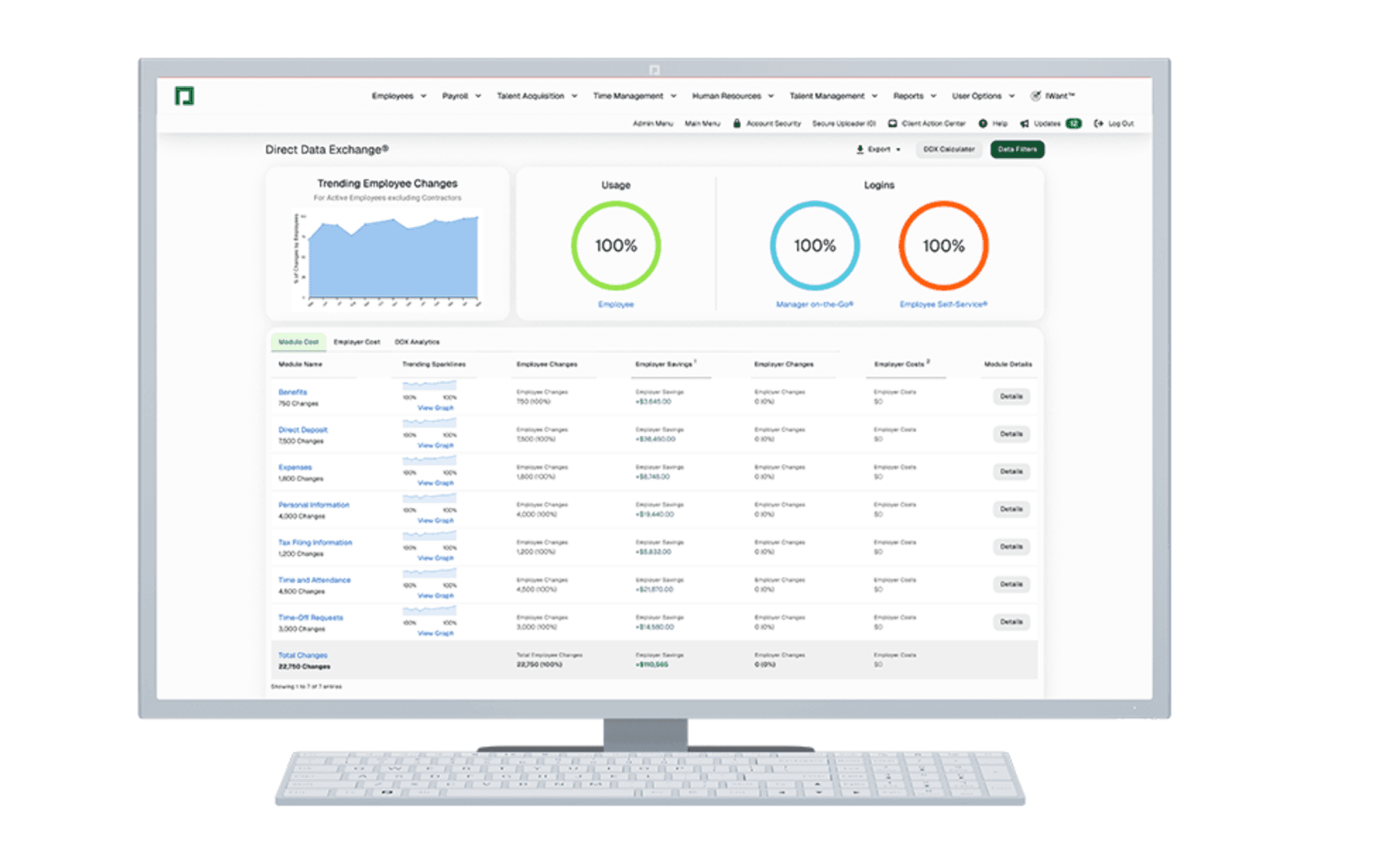
Paycom's distinguishing feature is Beti — a payroll tool that lets employees review and approve their own payroll before it's submitted. Rather than HR re-entering and checking data, employees verify their timecards and deductions before payday, which surfaces payroll errors before they become problems.
Key features:
- Employee-driven payroll verification via Beti
- Applicant tracking and hiring
- Background check integration
- Time and attendance
- Performance management
- Document management
Pricing: Paycom does not publish pricing publicly. Contact Paycom directly for a current quote.
What users like: G2 reviewers note that Beti significantly reduces payroll processing errors by letting employees verify their timecards and deductions before payday. Users also praise the intuitive navigation.
What users criticize: Some users report occasional slow loading. The tool can feel like a lot for smaller teams — it's best suited to businesses with enough payroll complexity to justify the process.
Our take: Paycom's Beti feature is a real differentiator if payroll errors are your primary pain point. It's a better fit for businesses with enough payroll complexity to justify the added employee-verification step. For a 10-person team, it's likely more than you need.
8. UKG Ready: Best for Businesses with Complex Scheduling Needs
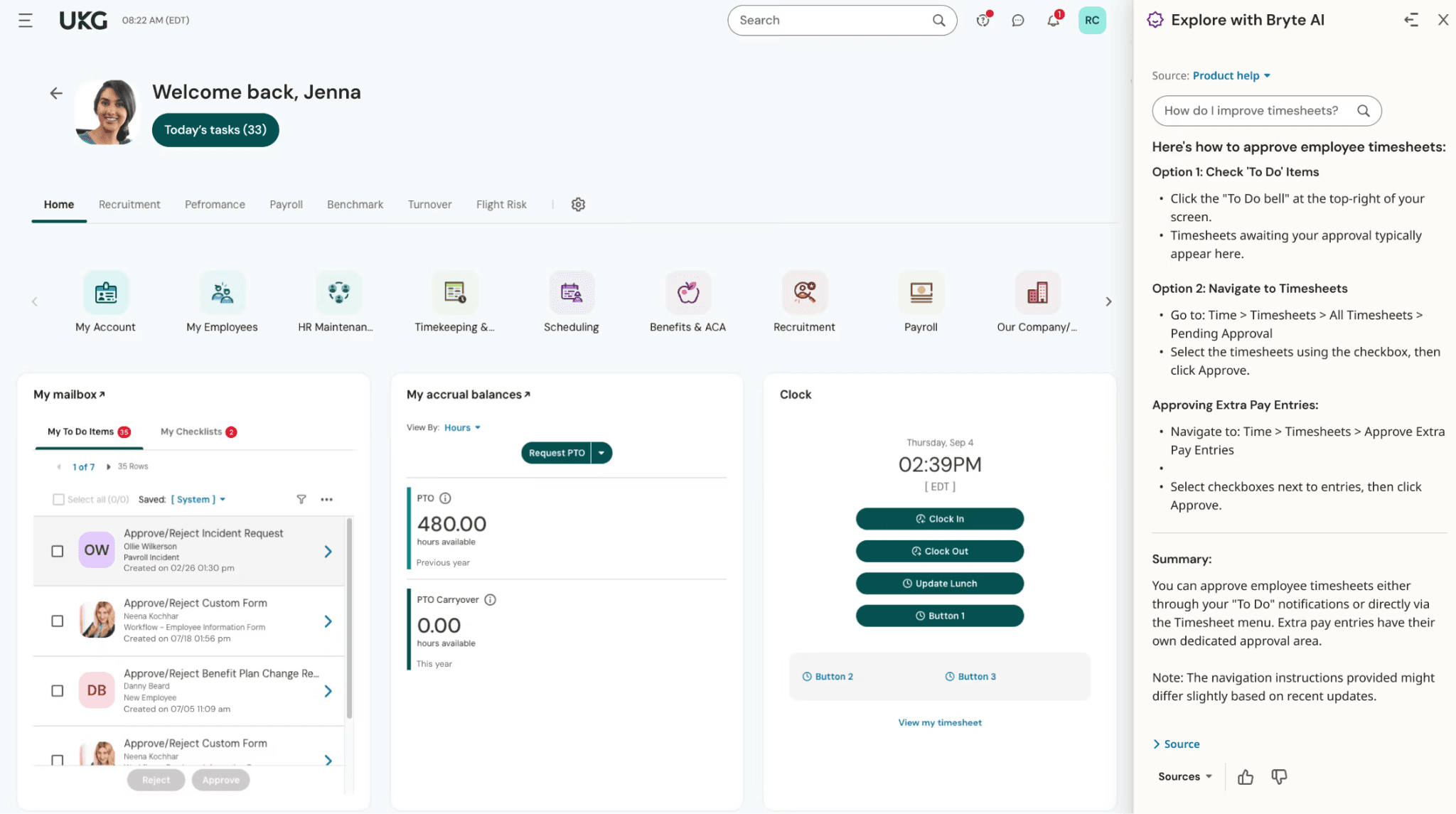
Best for: Growing small and midsize businesses with complex scheduling, labor tracking, or multi-location management needs.
Rating: G2 4.4/5 · Capterra 4.2/5
UKG Ready is built for businesses that have outgrown lightweight HR tools. It combines labor management — scheduling, time and attendance, labor cost tracking — with HR, payroll, and talent management. UKG markets Ready specifically to small and midsize organizations, with plans ranging from Ready Start to Ready Advanced, all quote-based.
Key features:
- Shift scheduling and labor management
- Time and attendance with compliance tools
- Payroll
- HR and talent management
- Compensation and performance tools
- Multi-location management
Pricing: UKG does not publish pricing publicly. Contact UKG directly for a current quote.
What users like: The labor management depth — particularly labor cost tracking, complex scheduling rules, and compliance tools — is where UKG Ready distinguishes itself from simpler tools. G2 reviewers rate it highly for multi-location scheduling rule enforcement.
What users criticize: Some reviewers describe implementation and the learning curve as challenging, particularly for more complex deployments. Multiple r/humanresources threads flagged customer support responsiveness as a concern.
Our take: UKG Ready is worth considering for businesses with complex scheduling and labor cost management needs. Go in with eyes open on implementation — budget for it in both time and cost, and ask detailed questions about post-implementation support before signing.
What People Switching from BambooHR Are Actually Saying
To get a read beyond vendor marketing, we looked at several Reddit threads where small business owners and HR managers discussed their BambooHR experience and what they switched to. The threads span r/humanresources, r/CRM, and r/workforcemanagement — most posters are from remote or office-based teams rather than shift-based businesses, but the pricing and scaling patterns they describe are consistent across business types.
Three signals come up repeatedly across the threads:
- Pricing increases are among the most commonly cited triggers for switching. Several threads reference BambooHR's repricing pushing teams from roughly $240/month to $450/month to maintain the same feature set.
- Rippling and HiBob are among the most-cited alternatives for teams that outgrow BambooHR. Rippling comes up for businesses that want HR and IT unified. HiBob is consistently mentioned for teams that want stronger onboarding UX and analytics, particularly past 15–50 employees. One commenter put it simply: "HiBob scales better once you grow past 15 people."
- The "too HRIS-focused" complaint is real, but it's audience-specific. Teams with straightforward salaried HR needs often return to BambooHR after trying alternatives — it does that job well. The dissatisfaction is concentrated among businesses whose workflows don't fit a clean HRIS model: teams with variable headcount, hourly workers, or shift scheduling complexity that BambooHR wasn't originally built to handle.
Why BambooHR May Not Be the Right Fit for Your Business
BambooHR is primarily an HRIS — it's built around employee records, onboarding, payroll, performance management, and benefits. It now includes shift scheduling within its Time and Attendance product, launched in June 2026, with features like shift creation, availability management, and time-off-aware scheduling. For many businesses, that's enough.
But a few specific situations tend to push businesses to look elsewhere:
- Per-employee pricing becomes expensive with hourly headcount growth. BambooHR uses per-employee pricing — Core at $10/employee/month, Pro at $17, Elite at $25 — with a minimum around $250/month for teams of 25 or fewer. For businesses with seasonal or fluctuating teams — restaurants, retail, events — that cost structure can become painful as headcount grows.
- Scheduling depth and coverage workflows may need evaluation. BambooHR's shift scheduling is relatively new. Businesses that rely heavily on real-time team communication, open shift claiming, or shift swap workflows should verify that BambooHR's current feature set covers their specific needs before committing.
- Compliance support for hourly labor requirements needs evaluation. BambooHR markets compliance tools, but businesses with complex overtime rules, break requirements across multiple states, or labor law needs specific to hourly work should verify that BambooHR's compliance capabilities match their situation before assuming they do.
Frequently Asked Questions about BambooHR Alternatives
What Is the Best Free Alternative to BambooHR?
Most BambooHR alternatives don't offer free tiers — Gusto, Rippling, ADP, Paychex, Paylocity, Paycom, and UKG Ready all require paid plans. If your business has hourly team members, Homebase offers a free plan for one location that includes scheduling and time tracking — though it's a different kind of tool than a traditional HRIS.
Is BambooHR Good for Small Businesses?
BambooHR works well for small businesses with salaried employees and standard HR needs — onboarding, employee records, payroll, and benefits. It's a less natural fit for businesses running shift-based hourly teams, where scheduling depth, variable headcount, and real-time team communication are part of daily operations.
What Does BambooHR Cost?
BambooHR uses per-employee pricing across three tiers: Core ($10/employee/month), Pro ($17/employee/month), and Elite ($25/employee/month). Teams of 25 or fewer employees start at approximately $250/month. BambooHR does not publish full pricing publicly — contact BambooHR directly for a current quote.
Does BambooHR Do Payroll?
Yes. BambooHR Payroll is available as a US-only paid add-on. It's not included in base plans, and BambooHR does not currently offer native international payroll — though it does have EOR options for global workers.
What's the Difference Between BambooHR and Gusto?
BambooHR is primarily an HRIS — its core strength is employee records, onboarding, and HR workflows. Gusto is payroll-first, with HR and benefits layered in. Gusto's Simple plan covers single-state payroll; multi-state payroll requires the Plus plan. For US businesses where payroll is the top priority, Gusto is typically the more natural fit. For businesses running shift operations, both have gaps compared to tools built specifically around hourly team management.
Is BambooHR Good for Restaurants and Retail Businesses?
BambooHR added shift scheduling to its Time and Attendance product in June 2026. Restaurants, retail, and other shift-based businesses should evaluate whether its scheduling depth, real-time team messaging, and hourly labor compliance tools cover their day-to-day needs. For businesses where shift management is a daily activity, tools built specifically around hourly operations tend to offer more depth.
What Is the Cheapest BambooHR Alternative for a Small Team?
Homebase offers a free plan for one location that includes scheduling and time tracking — no credit card required. Gusto starts at $40/month + $6/person for payroll-first teams. Most other HRIS alternatives require a sales call for pricing and don't publish rates publicly.
Can I Switch from BambooHR Without Losing My Data?
Most major alternatives — including Gusto, Rippling, and ADP — offer data import tools or implementation support. Migration complexity depends on how much data you have in BambooHR and whether you have custom fields or workflows. Ask each vendor specifically about their data migration process and what's included before signing.
The Right Tool Depends on What You're Actually Managing
BambooHR is solid HR software. If it's stopped working for your business, it's usually for one of three reasons: the pricing structure doesn't fit how your team is built, the payroll tools don't go deep enough, or you need something with more scheduling and hourly operations depth.
The tools above address each of those gaps differently:
- Payroll gap → Gusto or ADP Run go deeper on automated tax filing and compliance
- HR + IT consolidation → Rippling unifies all three in one system
- Benefits complexity → Paychex handles group insurance and retirement plans in one place
- Hourly shift operations → Homebase was built around the clock-in, schedule change, and shift swap workflows your team runs daily
If your team clocks in and out, deals with shift changes, and needs scheduling and HR in one place without paying per employee as your team grows, Homebase offers a free plan worth comparing against anything on this list.
The information above is based on publicly available vendor information verified at time of writing in September 2026. Ratings were checked on September 11, 2026 and may change as new reviews are added. Pricing, features, and ratings change frequently.