Labor Forecasting Software
Make the most of your labor budget.
Track labor costs and sales forecasts in real time as you add shifts to create the perfect schedule every week.
Restaurant Scheduling Best Results, Summer 2026

Best Employee Scheduling Software, 2026

Best Employee Scheduling Software, 2026


Get more oversight to stop overspending on labor.

Forecast sales.
Use your historical sales data, seasonal trends, and day-of-week patterns to schedule the right number of staff for each shift.

Track labor costs.
See exactly what you're spending on labor in real time as you add shifts to your schedule.

Avoid payroll surprises.
See labor cost percentages against sales and get alerts if you schedule overtime or go over budget.
Create cost-effective schedules with labor forecasting built in.

Sign up in 5 minutes
Labor cost management
Know if you’ll overspend before payday.
- See sales forecasts in the schedule builder to predict peak demand and adjust staffing levels.
- Set a labor target percentage as you build the schedule to see how every shift tracks against your goals.
- Control your budget with labor costs that update in real time as you add shifts, including overtime and estimated pay insights in shift swap requests.
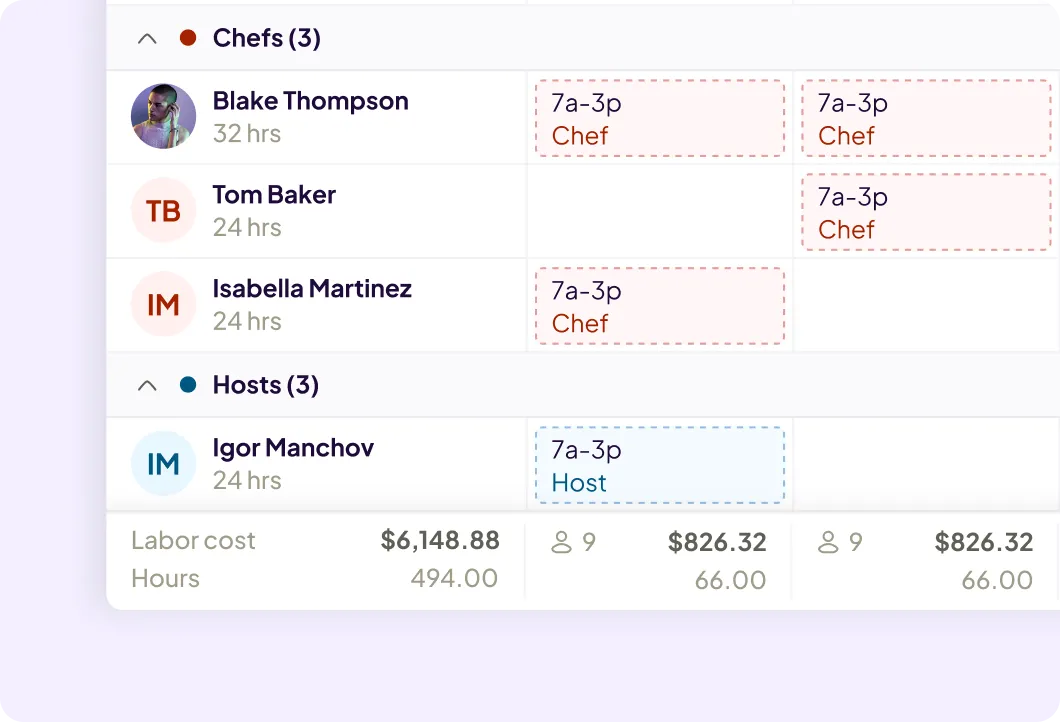
Workforce forecasting software
Drill into the details to find labor cost savings.
- Break down costs by department or role, compare against sales, and staff up or down for better efficiency.
- Get AI-assisted scheduling recommendations factoring in sales forecasts, labor targets, and team availability.
- Pull location breakdown reports to see how much you’re spending on labor across every location.
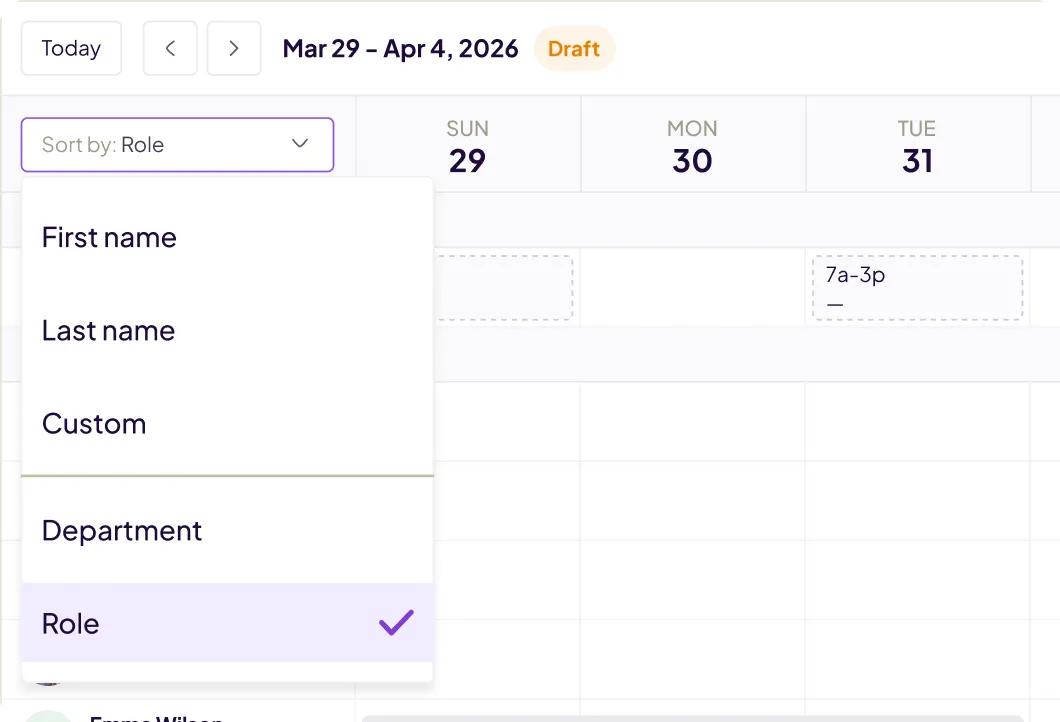
Labor planning software
Schedules tailored to your team.
- Schedule with templates or copy previous weeks, with recommended changes based on team availability, sales forecasts, and labor costs.
- Review time off requests in the app and see approved time off on your schedule without needing to cross-reference texts or emails.
- Spot conflicts as you add shifts if employees are unavailable, on PTO, or approaching overtime.
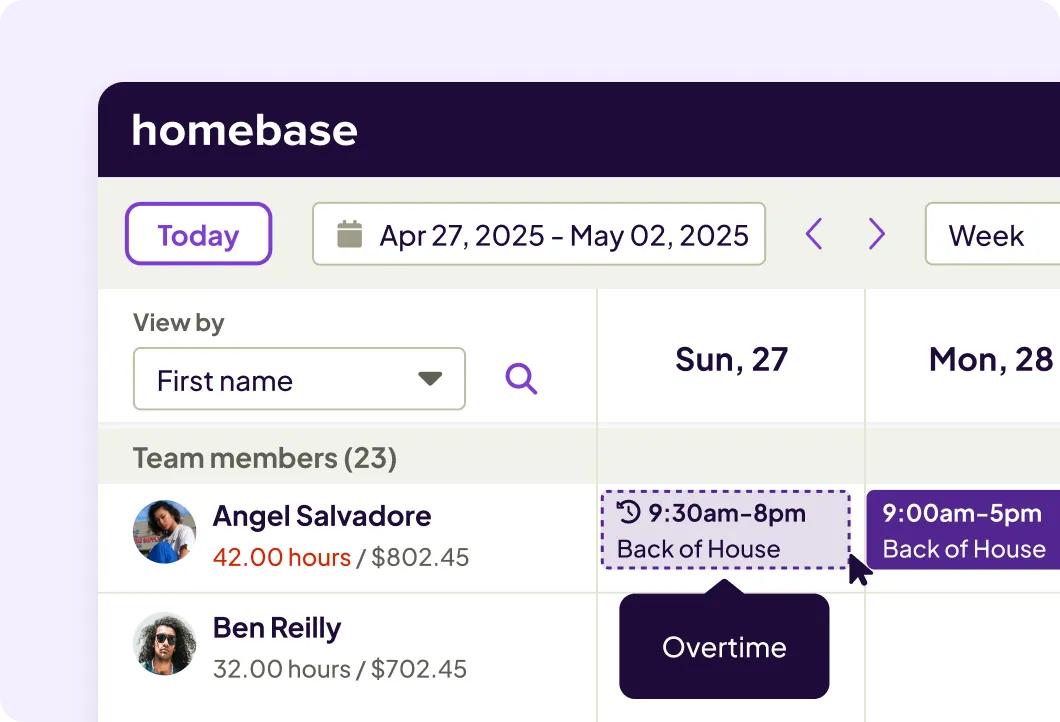
I enjoy being able to see the scheduling layout with the hours and pay so that, as a manager I am able to better calculate our labor costs. Homebase has a lot of different functions and I have only started to scratch the surface and am excited to see what other benefits it may offer!
Good Shepherd Pet Hospital
Tally Peretz, Office Manager/Veterinary Technician
Top-rated app built for small business teams.
Best Payroll for Hourly Teams
2024

Best in Business for Best AI Implementation
2025

Best Employee Scheduling
2025

Best HR & Employee App
2025

FAQ
Labor forecasting software explained.
The everything app for hourly teams.
Spend less time wrangling logins and transferring data. Homebase comes with everything else you need to manage your team.